v0.5.0 — The SVG is its own source

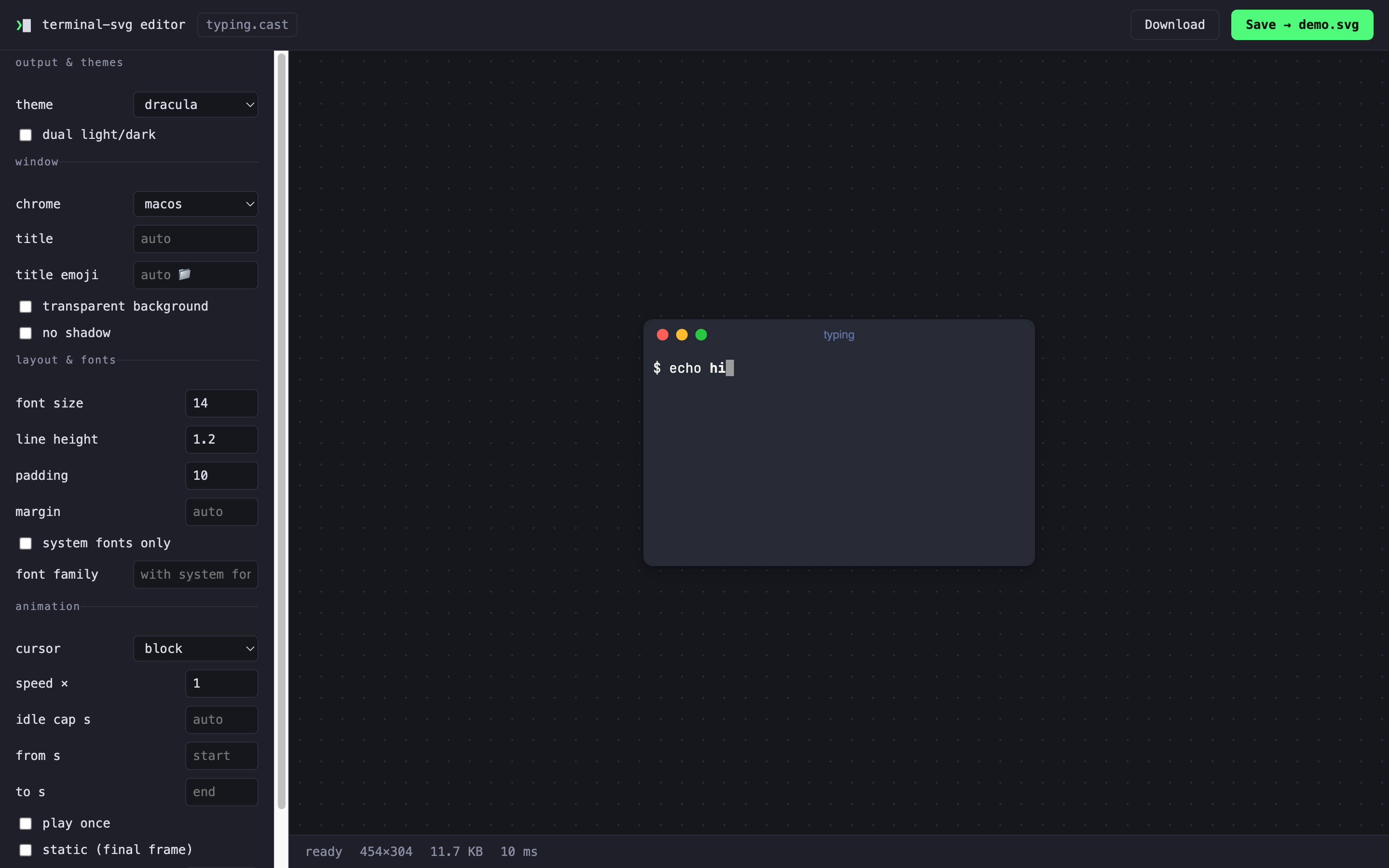
Ship an SVG demo, delete the recording, regret nothing. Every SVG terminal-svg writes now carries its own source — the recording and the render options travel inside the file, so terminal-svg demo.svg -t nord re-renders it and terminal-svg extract demo.svg hands the .cast back byte-for-byte. And when flags aren't fast enough, terminal-svg editor opens the whole option surface in your browser with a live preview rendered by the binary itself.
Highlights
- The SVG is its own source — the original input (
.castrecording or captured ANSI) plus the effective options ride along in a<metadata>block browsers ignore, deflate-compressed, typically a few percent of file size. Re-render with new flags (terminal-svg demo.svg --speed 2; command line beats embedded beats config), or recover the recording with the newextractsubcommand.--no-embed-source(flag or config key) turns it off — and note the flip side: an embedded source means the SVG contains everything that was captured, so scrub first or opt out for sensitive sessions. SVG optimizers strip<metadata>, which forfeits the round trip. terminal-svg edit— fix a take without re-recording.--redact 'ghp_\w+'masks matches with*per character (matched across event boundaries in both the output and keystroke streams, so a token split over events or typed one key at a time is still caught),--cut 12.5-20removes a range and closes the gap,--max-pause 1.5bakes an idle cap into the file. v2 in, v2 out; v3 in, v3 out — input/marker events and the embedded v3 theme all survive, and editing in place is refused by design.terminal-svg editor— a visual editor served by the binary on 127.0.0.1 (--port,--no-open): themes, chrome, layout, cursor, speed, trims — every option a control, every preview the real renderer (~10 ms a frame). Drop in a.cast, an ANSI dump, or any terminal-svg SVG — which seeds the controls from the options it carries — then Download, or Save straight to the-opath. Flags and your config file seed the controls:terminal-svg editor demo.cast -t nord.
Existing invocations keep working and rendering is unchanged; output differs only by the embedded metadata block (opt out with --no-embed-source).
Install
brew install russmckendrick/tap/terminal-svg # or: brew upgrade terminal-svgOr grab a binary below (macOS arm64/amd64, Linux arm64/amd64, Windows amd64 — each with a SHA-256 checksum). rec is macOS/Linux only for now; rendering .cast files works everywhere.
Quick start
# re-theme an SVG you shipped months ago — no .cast needed
terminal-svg demo.svg -t github-dark -o demo-dark.svg

# get the recording back out of it
terminal-svg extract demo.svg -o demo.cast

# scrub a leaked token and tighten the pauses, without re-recording
terminal-svg edit demo.cast --redact 'ghp_\w+' --max-pause 1.5 -o clean.cast

# or just open it in the browser and fiddle
terminal-svg editor demo.cast
Docs: README · CLI reference · theme format · how it works
Bundled JetBrainsMono Nerd Font faces are under the SIL OFL; the code is MIT.
Full Changelog: v0.4.0...v0.5.0