7.Coverage
● Functional coverage is the coverage data generated from the user defined functional coverage model and assertions usually written in System Verilog During simulation, the simulator generates functional coverage based on the stimulus. Looking at the functional coverage data, one can identify the portions of the DUT [Features] verified. Also, it helps us to target the DUT features that are unverified. ● The reason for switching to the functional coverage is that we can create the bins manually as per our requirement while in the code coverage it is generated by the system by itself.
● This class provides an analysis export for receiving transactions from a connected analysis export. Making such a connection "subscribes" this component to any transactions emitted by the connected analysis port. Subtypes of this class must define the write method to process the incoming transactions. This class is particularly useful when designing a coverage collector that attaches to a monitor.
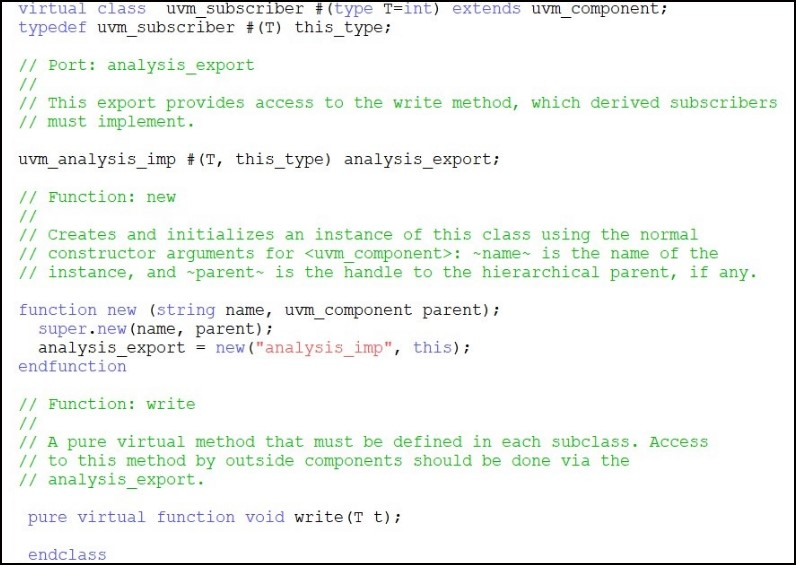
Fig 7.1. Uvm_subscriber
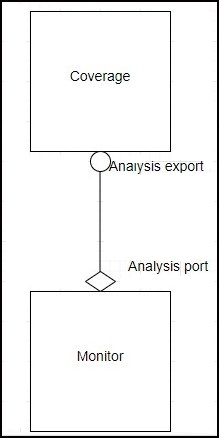
Fig 7.2. Monitor and coverage connection
This export provides access to the write method, which derived subscribers must implement.
The write function is to process the incoming transactions.
Fig 7.3: Write function

Fig 7.4.1: Covergroup
The above red mark points in Figure covergroup is explained below :-
1.With function sample: - It is used to pass a variable to covergroup.
2.Parameter based on which the coverpoint is generated.
3.Per Instance Coverage - 'option.per_instance'
In your test bench, you might have instantiated coverage_group multiple times. By default, System Verilog collects all the coverage data from all the instances. You might have more than one generator and they might generate different streams of transaction. In this case you may want to see separate reports. Using this option, you can keep track of coverage for each instance.
3.1. option.per_instance=1 Each instance contributes to the overall coverage information for the covergroup type. When true, coverage information for this covergroup instance shall be saved in the coverage database and included in the coverage report.

Figure 7.4.2 : option.per_instance
- Cover Group Comment - 'option.comment’
You can add a comment in to coverage report to make them easier while analyzing:
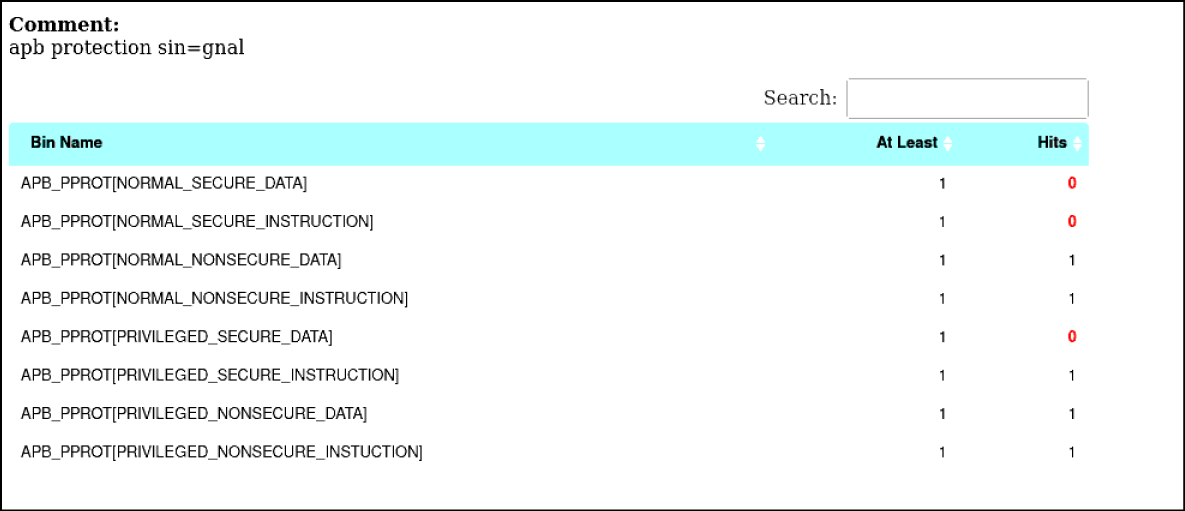
For example, you could see the usage of 'option.comment' feature. This way you can make the coverage group easier for the analysis.
In this we create the single bin for the multiple values i.e.

Fig 7.4.4: Bucket
- In the above 2 points we can see that the Mode[] have the bins for each value.
- In the second W_Delay_Max there is only one bin created for the many values
There we created the bins based on the write and read operation.
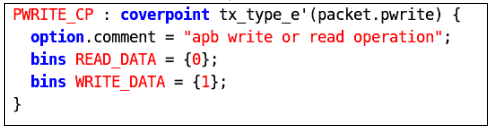
Fig 7.5: Coverpoint
Cross allows keeping track of information which is received simultaneous on more than one cover point. Cross coverage is specified using the cross construct.
Cross coverage between paddr, prdata and pwdata:

Fig 7.6: Cross Coverpoints
illegal_bins illegal_bin = {0};
Illegal bins are used when we don't want to have the particular value eg - we don't want to have the baud_rate_divisior to be zero so we create the illegal bin for it.

Fig 7.7: Creation of covergroup
In this function the creation of the covergroup is done with the new as shown in the figure above.
In this the sampling of the covergroup is done in the write function as shown below
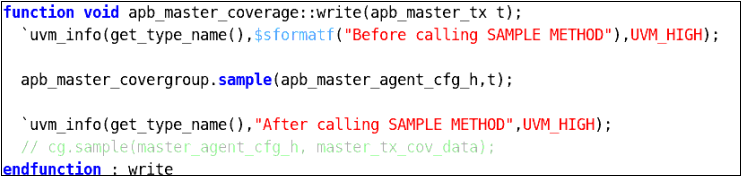
Fig 7.8.: Sampling of the covergroup
1.Make Compile
2.Make simulate
3.Open the log file

Fig 7.9.1: Simulation log file path
4.Search for the coverage (There it will be the full coverage) in the log file.
5.To check the individual coverage bins hit open the coverage report as shown :-

Fig 7.9.2: Coverage report path
Then new html window will open
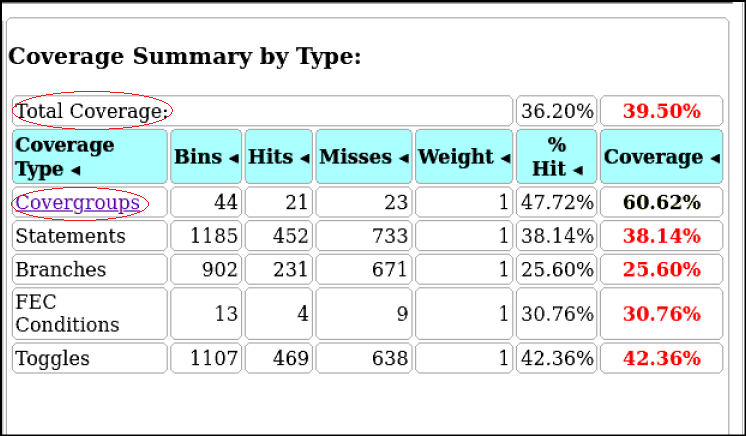
Fig 7.9.3: HTML window showing all coverage
Here click on the covergroup there we can see the per instance created and inside that each coverpoint with bins is present there.
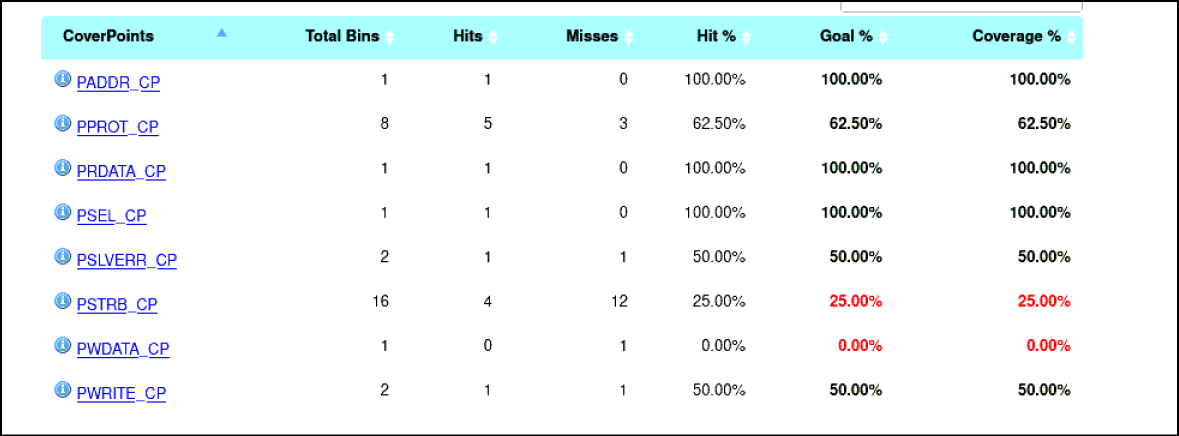
Fig 7.9.4: All coverpoints present in the Covergroup
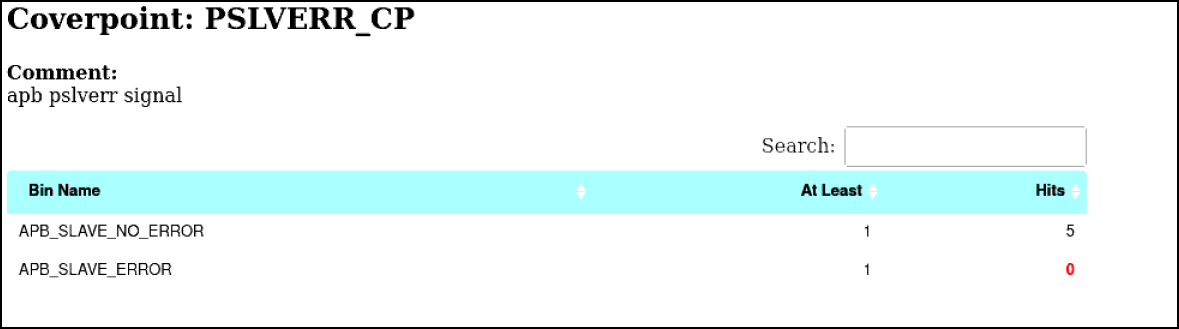
Figure 7.9.5: Individual Coverpoint Hit
The first error was with uvm subscriber was with superclass variable declaration i.e. we need to declare the variable handle as (T). This error is resolved when replacing the variable with the T which is declared in the super class i.e. uvm_subscriber.
The 2nd error was the declaration of the handle which is declared to access the sample. This error we need to be carefull with the pure virtual function for the write which is in the uvm_subsciber so we cannot create the memory for it i.e. memory can be created for the extended class to use that function.