Use default builtin SVG asset when an SVG can't be loaded #1840
Conversation


 ktbee
force-pushed
the
default-asset-for-broken-svg
branch
from
ktbee
force-pushed
the
default-asset-for-broken-svg
branch
from
b27d6f7 to
4fde9a2
Compare

 ktbee
force-pushed
the
default-asset-for-broken-svg
branch
from
ktbee
force-pushed
the
default-asset-for-broken-svg
branch
from
4fde9a2 to
994cd0e
Compare
ktbee
force-pushed
the
default-asset-for-broken-svg
branch
from
0438557 to
16539e2
Compare

 fsih
left a comment
fsih
left a comment
fsih
left a comment
There was a problem hiding this comment.
I tried running this and uploading corrupted SVGs as costumes and as sprites, and no new asset is appearing, and it still logs errors in the console. It's supposed to show a question mark right?
ktbee
force-pushed
the
default-asset-for-broken-svg
branch
2 times, most recently
from
1af5a53 to
fc70aff
Compare

|
@fsih I realized that I had accidentally unlinked my local version of scratch-storage and so my changes from scratchfoundation/scratch-storage#62 weren't incorporated in my local environment. We need that PR for the default SVG to load and avoid errors. My scratch-storage PR was merged, so I thought it would now be available to the latest version of scratch-gui, but that doesn't seem to be the case. Do you know how that gets updated? Also, I've moved the error message to happen earlier in |

|
@ktbee looks like your PR was deployed to npm 5 days ago: GUI is still linked to an older version of storage though: That's surprising; greenkeeper usually finds dependency updates within a few hours, but I don't see a greenkeeper PR. The way to update manually would be to set scratch-storage to 1.2.1 in GUI at https://github.com/LLK/scratch-gui/blob/develop/package.json#L110 |
|
When I link that storage version, it looks good when uploading an invalid SVG as a costume! It looks weird in the paint editor; we should probably make a bug for that. However, when I upload an invalid SVG as a sprite, the UI doesn't change, and it shows errors in the console: |
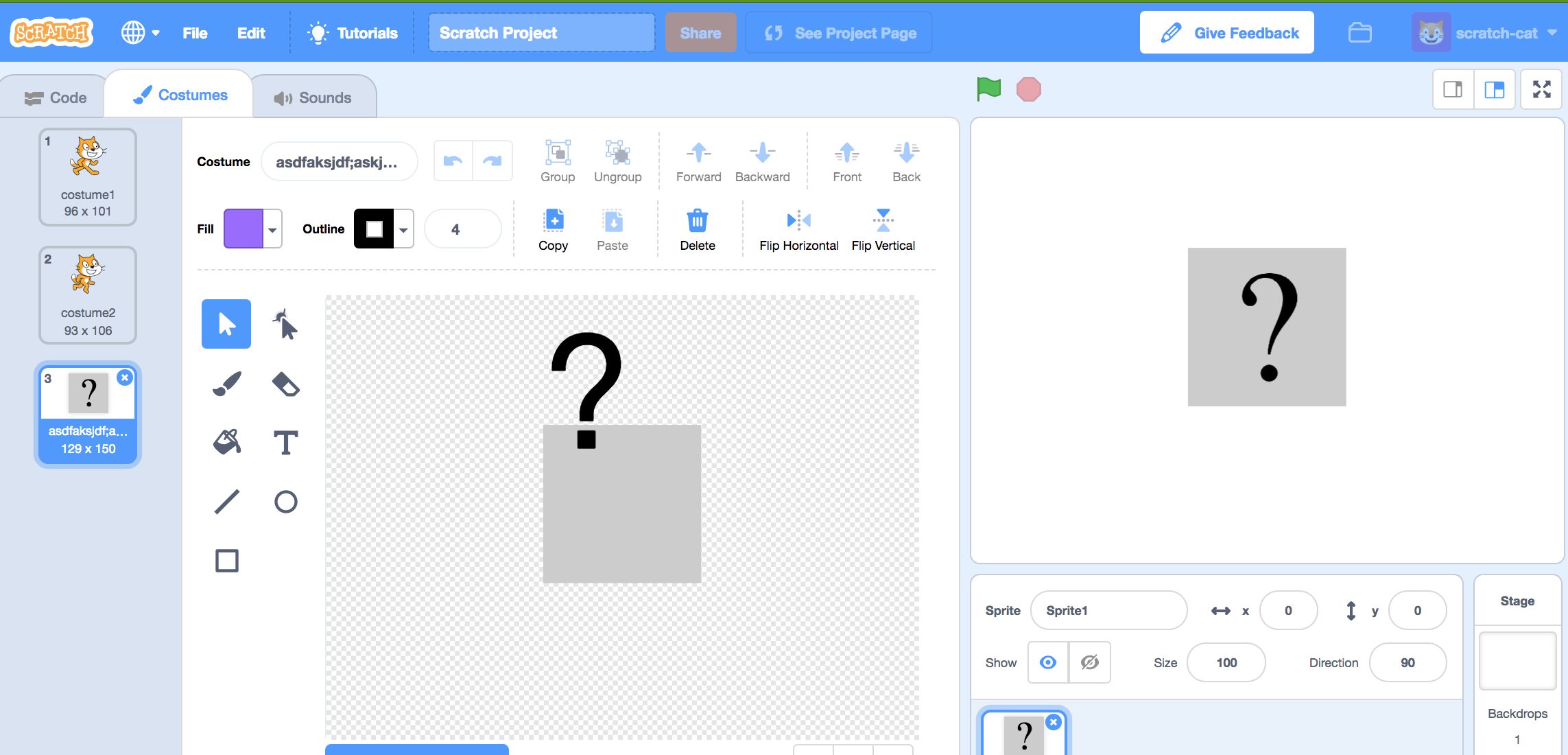
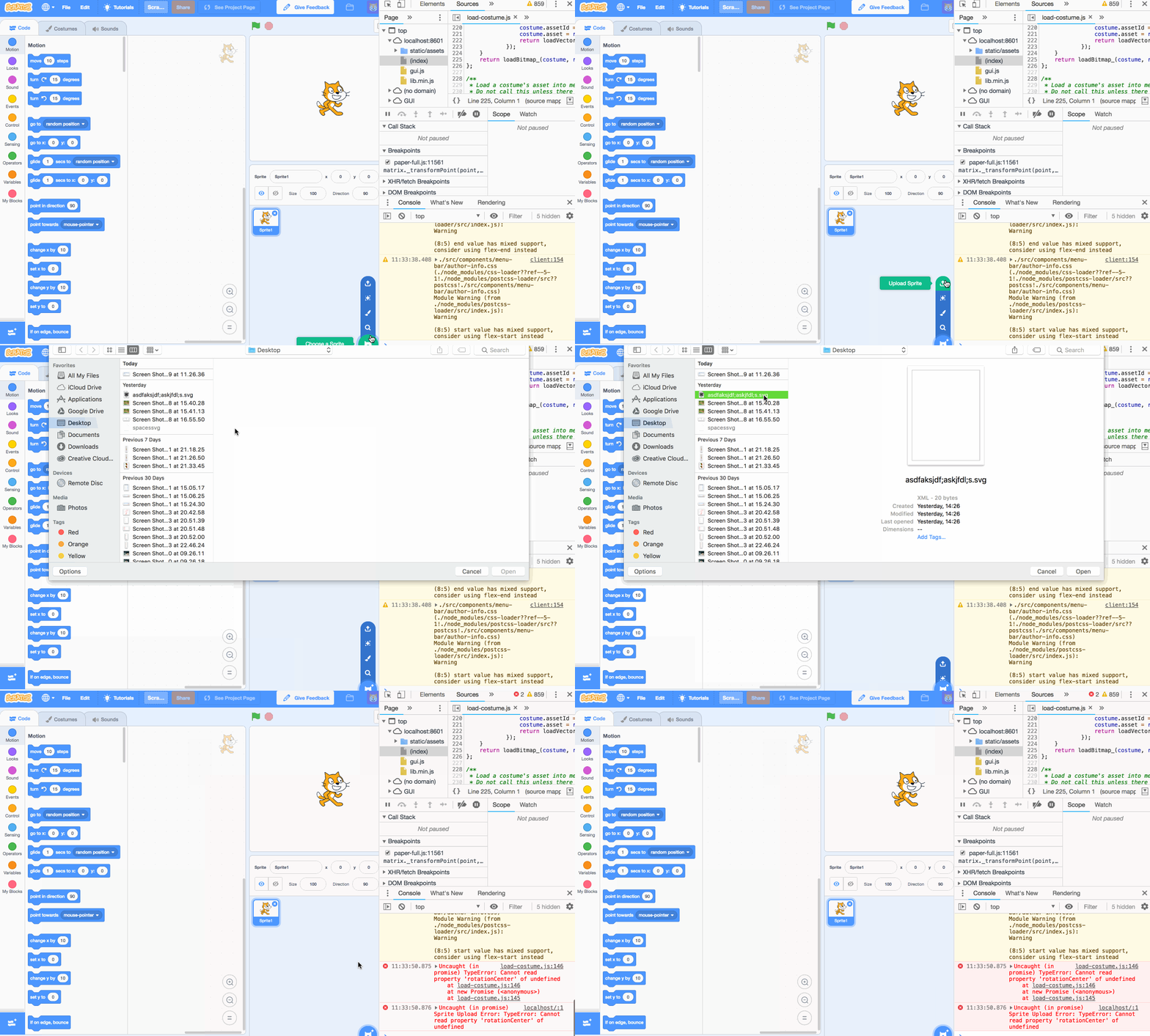
|
Oddly, the image isn't registering as an SVG so it's trying to load as a bitmap I don't know what's going on with the asset type not matching, but it's working for me if I add something like this in loadCostume |
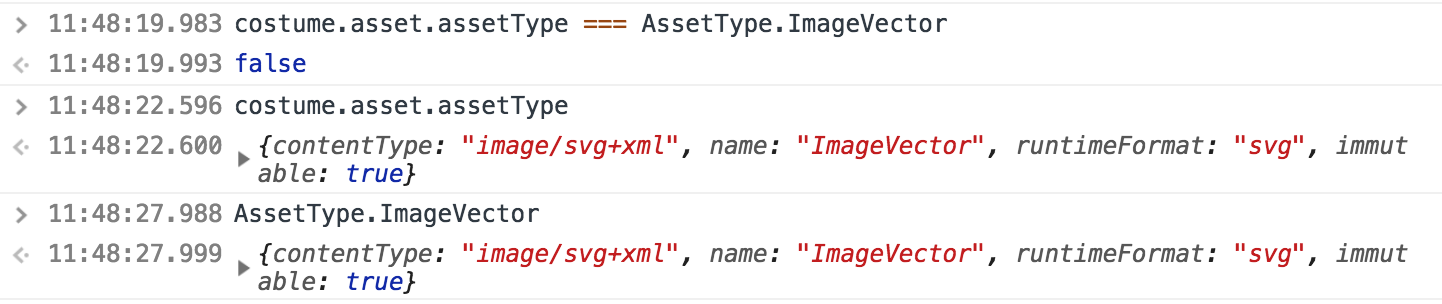
|
Ok cool, that asset type not matching issue looks like it was already solved in #1830, so it should be fixed when you merge with the latest vm code. |
fsih
left a comment
fsih
left a comment
There was a problem hiding this comment.
- Update storage dependency in gui
- Merge with updates to VM code
- Check to make sure uploading an invalid SVG as a sprite is correctly loading the question mark
|
@fsih thank you for the follow up steps and the review on scratchfoundation/scratch-gui#4150. I assume it's good to merge in, but I thought I'd hold off until I get the "good to merge" label. Locally I've been rebasing this branch in my scratch-vm repo to incorporate the changes in |
 ktbee
force-pushed
the
default-asset-for-broken-svg
branch
from
ktbee
force-pushed
the
default-asset-for-broken-svg
branch
from
fc70aff to
5941b91
Compare
|
Okay! I think we're finally there! In my rebasing, I had accidentally reversed Karishma's SVG type fixes. Those are re-incorporated and I've confirmed that I can upload an invalid SVG as a sprite and I get the default grey box. Let me know what you think @fsih! I'll also file an issue to follow up on the funky appearance of the default SVG in scratch paint. |
4 participants


Resolves
A fix/better user experience for issues like scratchfoundation/scratch-gui#3534
Proposed Changes
Catch errors from parsing SVGs and load the default builtin SVG instead (depends on scratchfoundation/scratch-storage#62 to successfully load the default SVG).
Reason for Changes
Previously if you try to load a project with an SVG that Scratch 3 can't parse, it crashes the entire editor (example project: https://llk.github.io/scratch-gui/develop/#269985286). Previously Scratch 2 seemed to be less picky when loading SVGs (https://scratch.mit.edu/projects/269985286/).
Loading #269985286 with these changes will switch the invalid SVG background with the default SVG asset, a grey box with a question mark.
Test Coverage
I had some difficulty figuring out how to test that a default SVG gets loaded, especially since it's the DOMParser that errors in the original/example project and I wasn't sure if we wanted to add a Node package to simulate that. I'm open to suggestions though on how to approach this!