Repository navigation
Home

Welcome to the documentation of Selldone Storefront, the official open-source Vue 3 storefront for Selldone® shops. It is a ready-to-build web app that covers the whole customer journey, from landing pages to checkout, and the starting point for building your own Layout: a custom storefront that runs on Selldone's infrastructure while you own every pixel of the frontend.
You build the frontend; Selldone runs the backend (products, orders, payments, shipping, customers, hosting, CDN and SSL). No backend code is required.
| If you want to… | Read |
|---|---|
| Run the storefront on your computer in minutes | Start & Build Storefront |
| Install Node.js and Yarn first | Setting Up Development Environment |
| Point the storefront at your own shop and brand | Configuration |
| Understand folders and naming | Project Structure |
| Test your code on a real, live website | Develop on Live Website |
| Publish your Layout or host it yourself | Deploy & Hosting |
| Let an AI coding agent redesign the storefront | Customize with AI Agents |
| Translate or localize the storefront | Storefront Translation |
| Plan a project and hire a Vue developer | Hiring Guide |
| Find answers to common problems | FAQ |
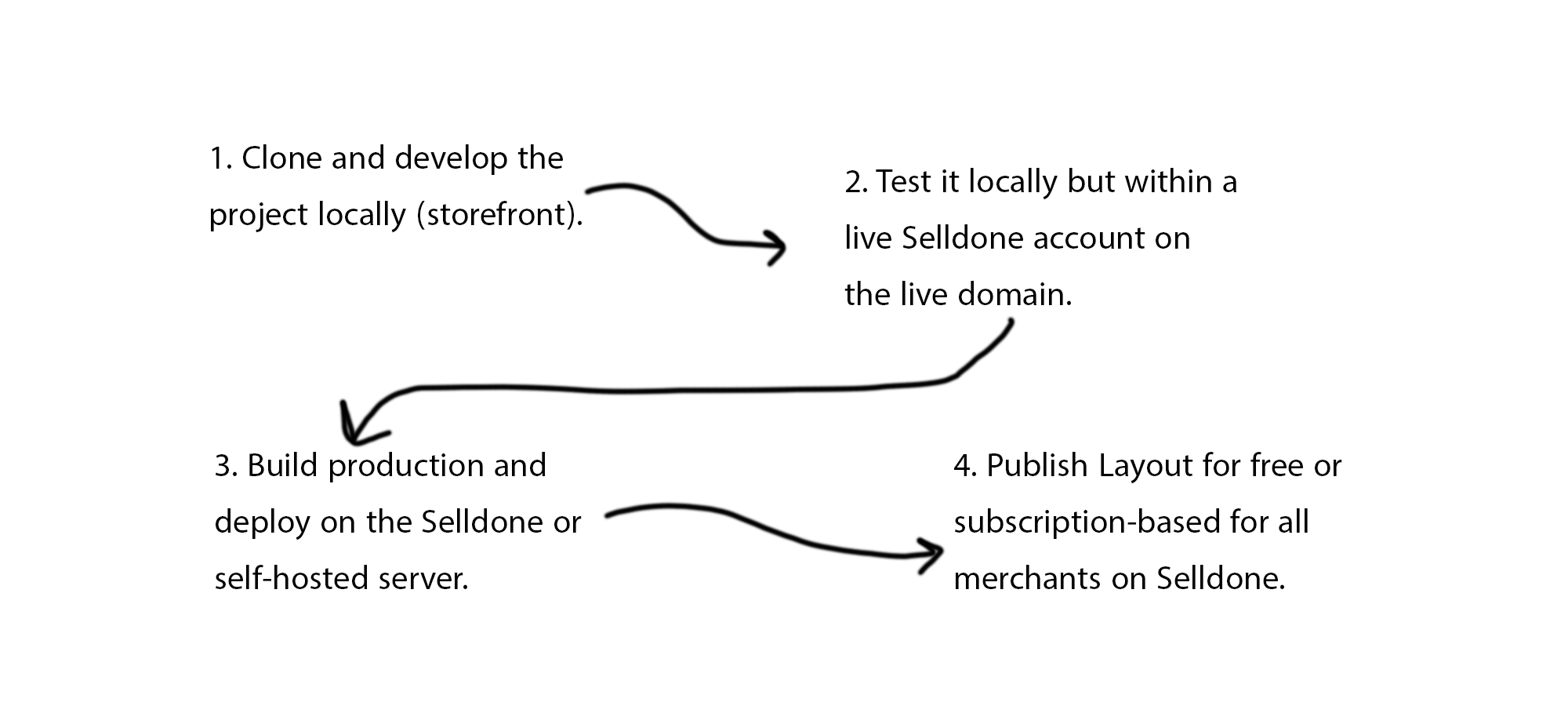
-
Clone the project and run
setupto fetch the Selldone modules. - Develop locally against a live sample shop, or attach your dev server to a live website.
- Customize pages, components and design to match the brand.
-
Deploy with the Selldone CLI (
selldone) and manage versions in the developer panel.
- Pages: landing, listing and filters, product, comparison, basket and checkout, customer panel, blog, community, map, FAQ, POS and more.
- Modules (Git submodules): Core, Storefront SDK, Components, Community SDK, Page Builder and Translate.
- Stack: Vue 3, Vite, Vuetify, Vue Router, Vuex and TypeScript.
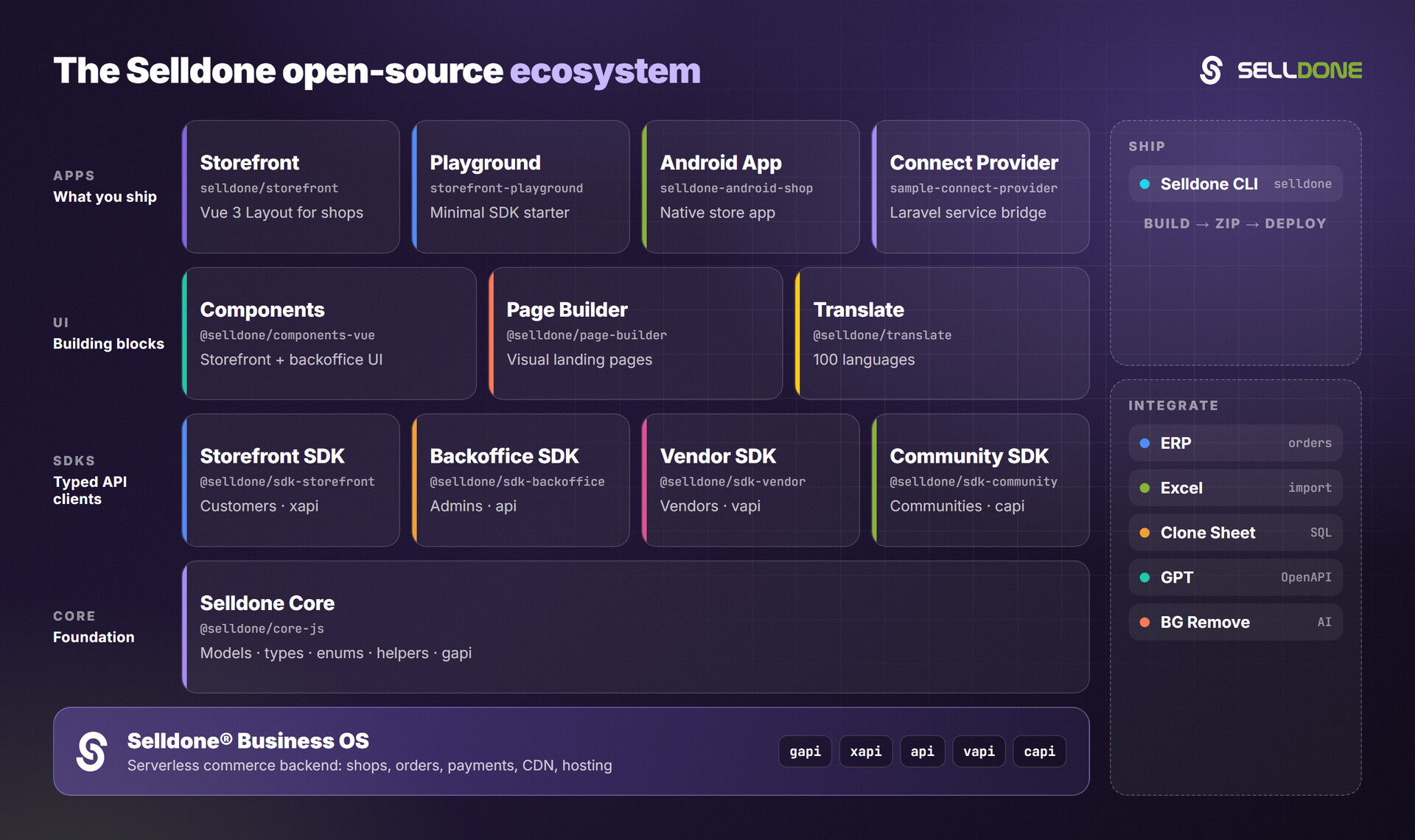
The Storefront sits at the top of the Selldone open-source stack and combines all the lower layers into one app.
- Selldone CLI: deploy this storefront as a Layout.
- Storefront SDK: build a storefront from scratch in any framework.
- Components: the UI library this project is built on.
- Page Builder: landing pages rendered by the storefront.
- Storefront Playground: the smallest working SDK example.
You need a Selldone shop to develop against your own data. Registration is free for life, with no credit card required: create your shop.