Telegram: Creating Your Bot
If you don't have a Telegram account already, download the app and sign-up for a free account. You can find more information, as well as links to the apps at Telegram.org.
Screenshots in this guide are taken from the Telegram Desktop app, but the process should be the same on the mobile app.
-
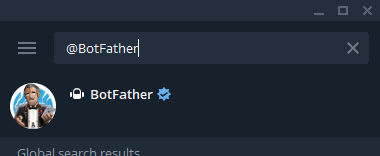
Search for the "@BotFather" bot and select the bot seen in the screenshot below.
@BotFather is an official Telegram bot used to create and manage bots.
-
Click "Start" to begin interacting with the bot.
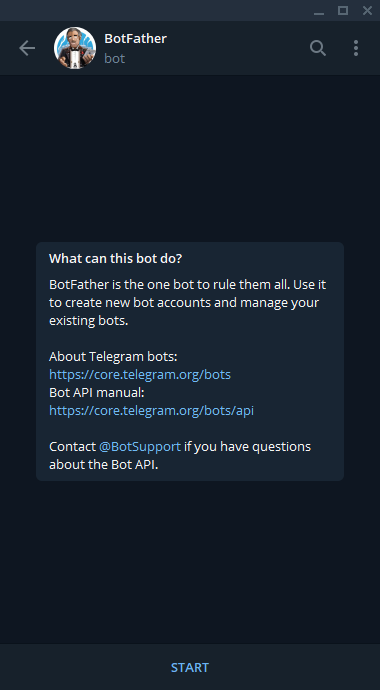
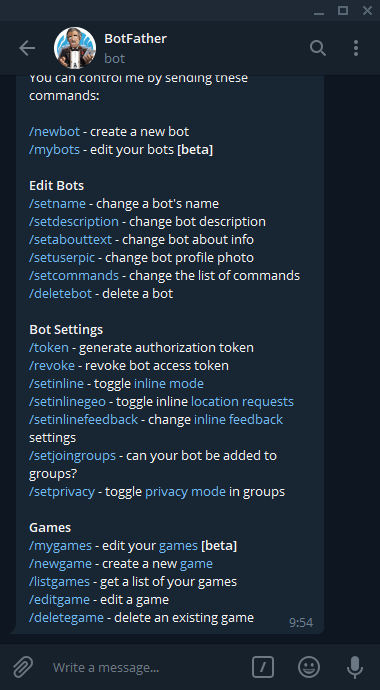
After you click "Start" you'll see a long list of commands you can use to interact with the bot.
-
Click or write "/newbot"
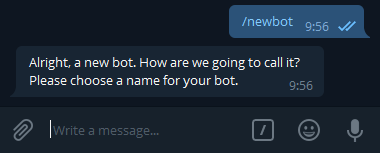
We're prompted to give our bot a new name, so type and send the name of your bot.
For this example, I'll use "nxbot-test".
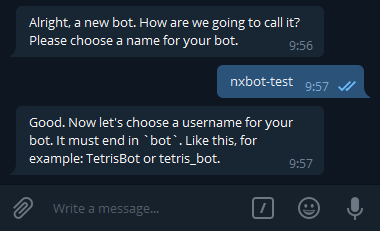
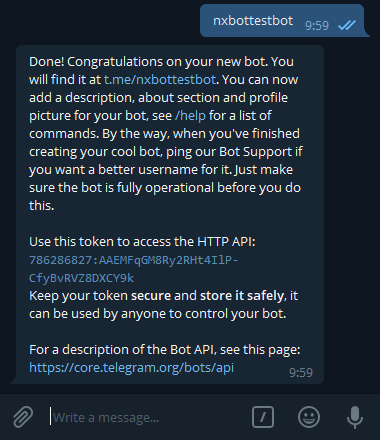
We're asked to specify a username, ending in "bot", in this example i'll use "nxbottestbot". (Hyphens [-] are not allowed)
-
Copy the token. We've successfully created our bot. We'll need to copy the token as seen in this message for use in NxBot configuration.
The token for this test bot is:
786286827:AAEMFqGM8Ry2RHt4IlP-CfyBvRVZ8DXCY9kThis will become our
TG_TOKEN(env) /tg_token(yaml) in our NxBot configuration.