Unified interface for AI models and CLI tools. Just type ai-cli.
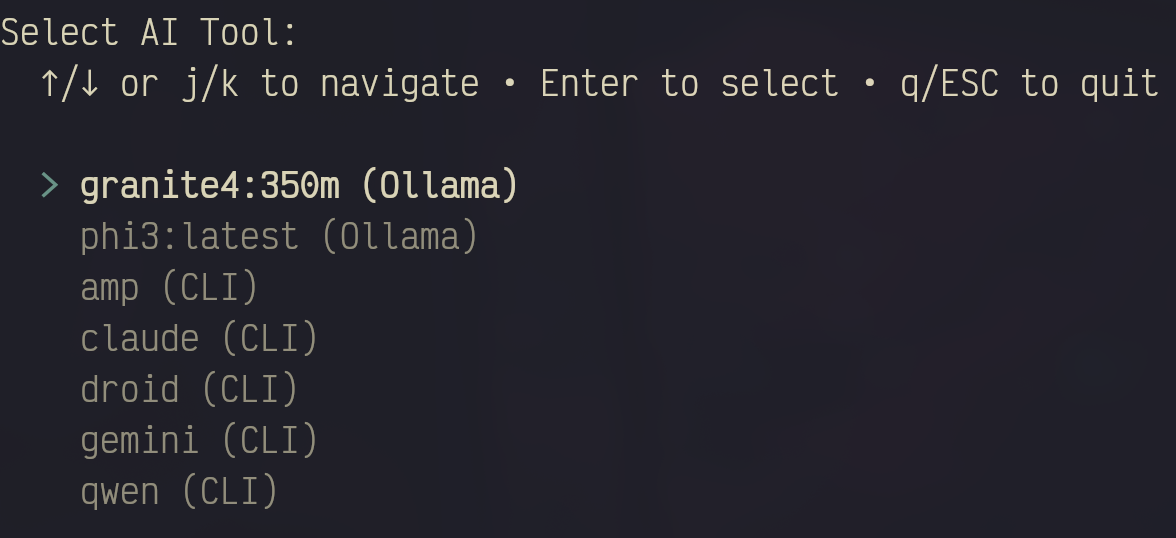
# Install
pipx install git+https://github.com/sheikhlimon/ai-cli.git

# Run - that's it!
ai-cliai-cli # Launch interactive selector
ai-cli -s claude=key # Set API key
ai-cli -a my-tool # Add custom tool
ai-cli -l # Show config
ai-cli -t # List custom tools
ai-cli --help # See all options- Zero config needed - Auto-detects AI tools from PATH
- One command -
ai-clidoes everything - Smart discovery - Finds droid, gemini, claude, amp, ollama, etc.
- Cloud + Local - Works with API-based models and Ollama
- Simple flags - Short options for everything (-s, -a, -r, -l, -t)
- Configurable patterns - Customize tool detection in config.json
- Multi-version support - Finds Node.js tools across all versions (nvm, fnm, volta)
# Via command
ai-cli -s claude=sk-...
ai-cli -s gemini=...
ai-cli -s qwen=...

# Or via .env file
echo "CLAUDE_API_KEY=sk-..." > .envUsers:
pipx install git+https://github.com/sheikhlimon/ai-cli.gitDevelopers:
git clone https://github.com/sheikhlimon/ai-cli.git
cd ai-cli
python3 -m venv venv
venv/bin/pip install -e .
See CONTRIBUTING.md for details.
Python 3.8+ • Optional: Ollama
MIT