Releases: smaooo/PluginDev
Release list
Extra Cam Window V2.0

Extra Cam Window
This is an updated and extended version of chaosgrid's ExtraCamWindow
Changes
- Changed Camera Component to Scene Capture Component, which means there won't be any jittering because of camera view change on each frame.
- New
UExtraCamWindowComponentfor adding to other actors, and a defaultAExtraCamWindowActorfor placing in the world or creating child blueprints.
Remarks
- True that the Extra Cam Window component is using Scene Capture Component logic for rending on the extra windows, but it doesn't mean that there's need for creating a Render Texture Target or a UMG for setting the component or the actor up. All will be handled by the Extra Cam Window Component itself, and all you need to do is to place either the actor in the world or add the component to your actor.
Usage
You can think of this actor and component package as a Camera Actor and Component package, which means that you can either place an Extra Cam Window Actor from the Place Actors sections, or add the Extra Cam Window as a component to your Actor Blueprint. You can also create child/inherited Blueprints from both.
For modifying the Extra Cam Window Properties refer to
Extra Cam Windowsection in the Details pane on the Actor or Component.

Alt + EnterMakes the Window Fullscreen if the window has the mouse focus.
Text Randomizer V1.0
Text Randomizer
How to Use
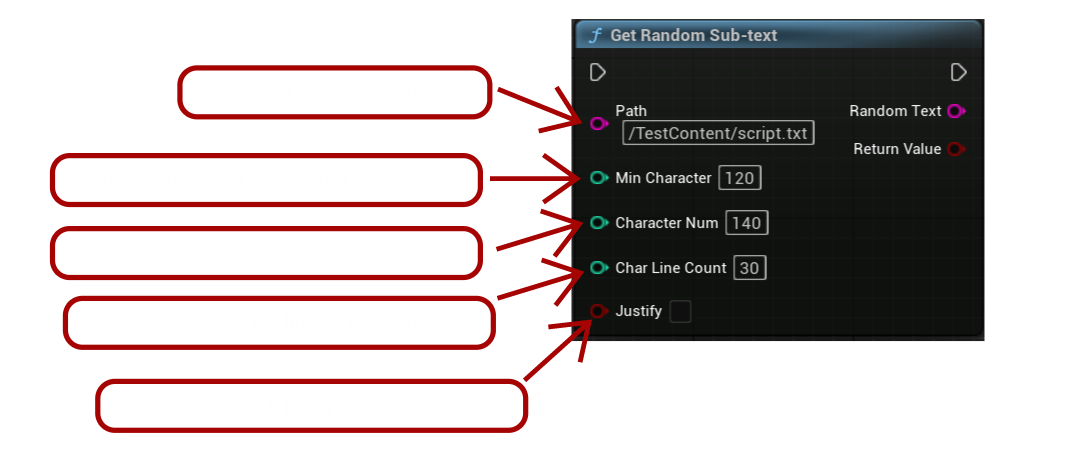
Building / Packaging
The best option for packaging the text files is to create a Dierectory inside Content (e.g. Data) and put all these kind of files there. Then, with Project Settings --> Project --> Packaging --> Additional Non-Asset Directories to Package add the Data direcotry to be cooked / packaged with the build.