Repository navigation
Libre Panel v0.5.6

Three new screens for the bars: one for music, one for the weather and one clock with the
month, in digits or on a face; screens in turn; pages the panel switches to by itself, for
music and when the PC is idle; the panel's own boot logo and standby clip, the round report
and a redrawn logo in Libre Panel's look; and what plays and the volume without delay.
New
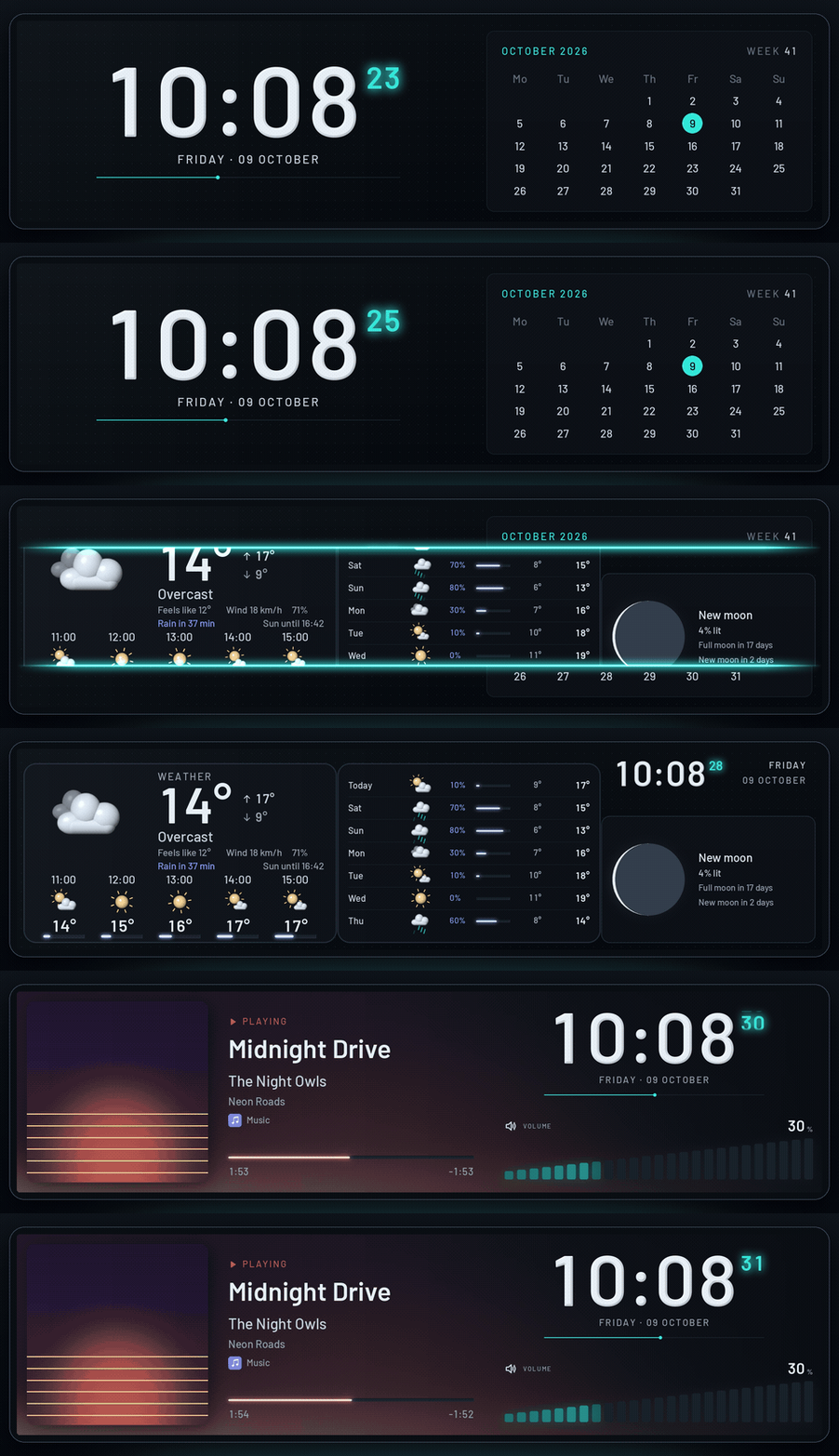
- Screens in turn: themes one after another, each for its seconds, minutes or hours, then
from the top again (Start → Screens in turn,[sequence]in config.toml). A game's theme
and the autopilot go first; choosing one theme stops them and keeps their steps - Start screen (Settings → Panel): the TURZX USB panels' own boot logo and standby clip in
Libre Panel's look, made for each panel's size, shown as they will look and put on the
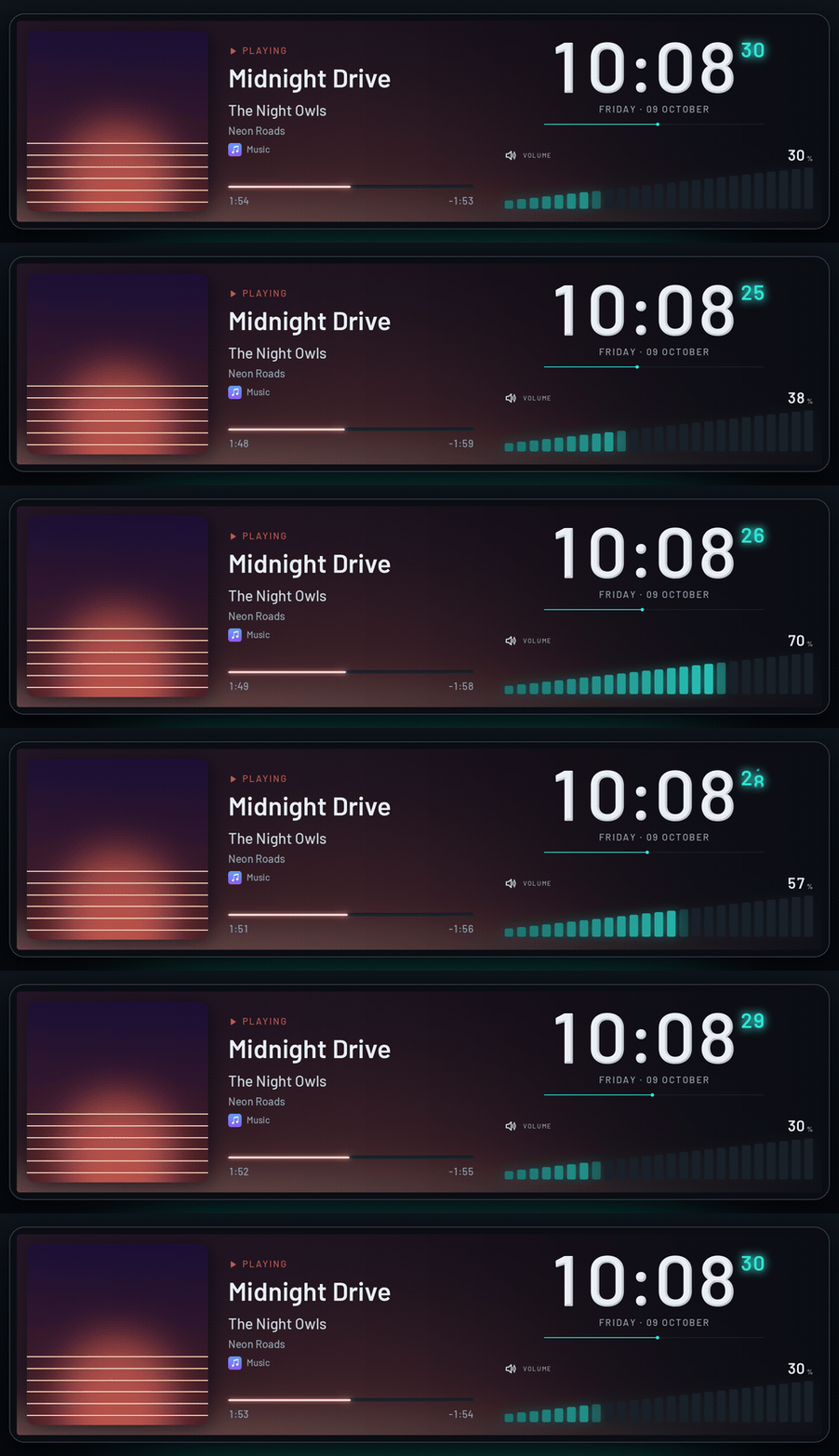
panel on a click (after a question; the factory logo can always come back), or downloaded - Encore: what plays with its cover large and the cover's colours blurred behind the whole
screen, the state in the panel's language, the time with rolling digits, its seconds and a
line through the minute, and the volume as levels that rise as on a mixer (a crossed
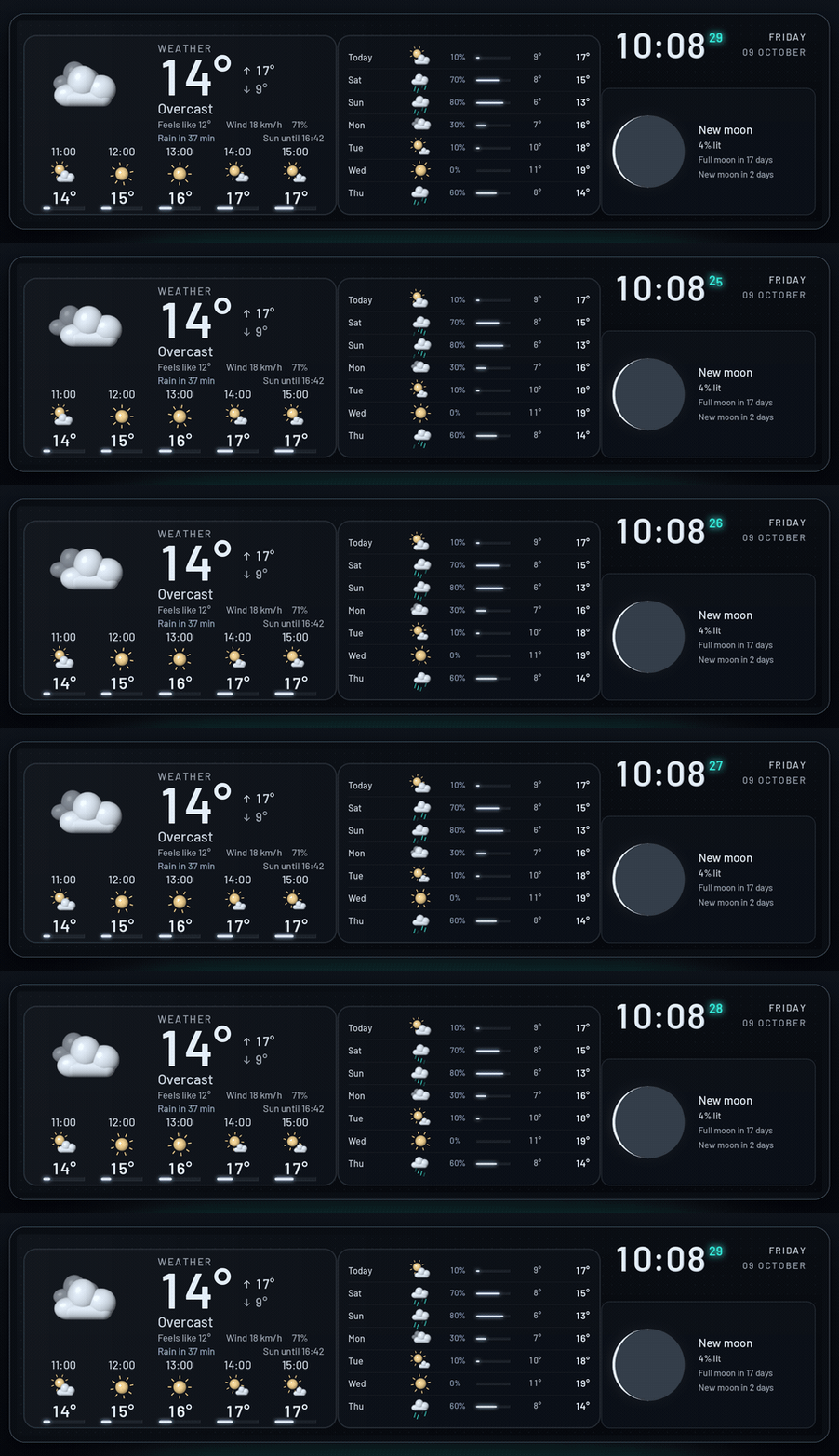
speaker while muted; no volume notice covers it) - Nimbus: the weather now and the next hours, the next days with their moving symbols, rain,
low and high, the moon as it is lit tonight with the days until the next full and new moon,
and a small clock. Without a place, a calendar sheet with the month and a line that says
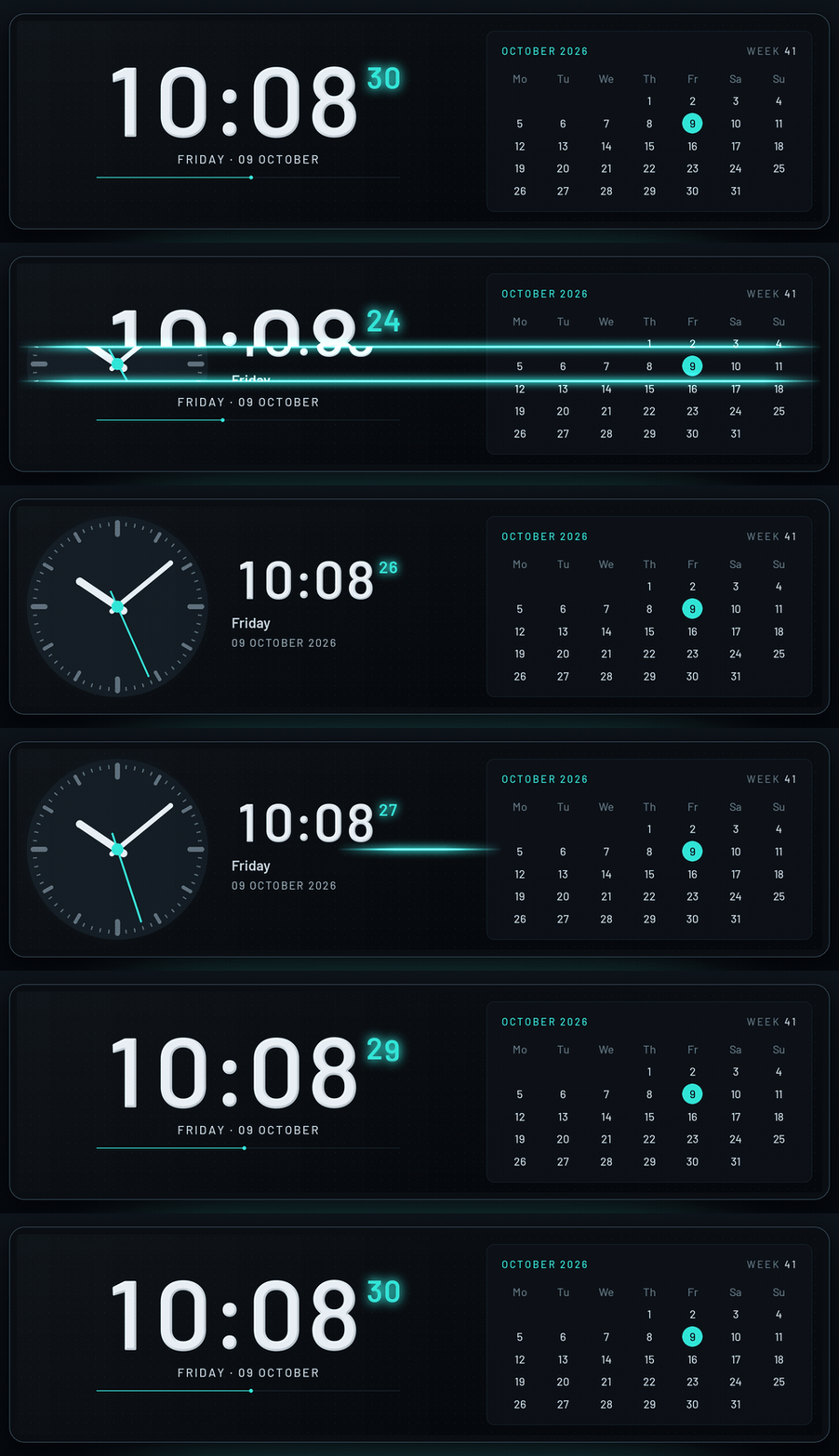
where the weather is set - Almanac: the time large beside the month with today marked and the week; Almanac Analog has
a clock face whose second hand glides to each second instead - Pages the panel switches to by itself: Music shows Encore while a track plays, and
Idle shows Almanac (or Almanac Analog) when nobody has touched the PC for some minutes
(5 by default). Design → Pages has a switch on every page but the normal one (game mode's
page is the game service switching by itself, the round report's the memory service's
report), and each page's theme is chosen from a list with the screens made for it first; the
round report's screens are offered for its page alone. A game goes first, then its report,
then music, then the idle clock; both new pages are off until switched on
([modes.media],[modes.idle]) - Game mode's screen is chosen from a list: on game mode's card in Settings → Services,
and on the page cards of Design → Pages (a mode's page could only take the theme open in
Design, with the + over the canvas, and was hard to find) - Modules: Volume (a speaker, the level and levels that rise; upright in a tall module),
Moon (large, with its phase and the days until the next full and new moon) and Next
days (side by side when long, one under the other when tall or big) - Themes: a clock face's second hand may glide to the second (
"hand": "glide", as a clock's
rolling digits) or go round ("sweep"), for a millisecond or two a frame; the clock faces of
the analog and world clock modules glide. Bars may rise as levels (rising), pictures be
blurred into a backdrop of their colours (blur), and a text may be one of Libre Panel's own
words in the panel's language (translate) and in capitals (uppercase); iconsvolumeand
mute. A smooth bar, ring or number may glide at its own pace (glide_ms) instead of the
theme'ssmoothing_ms(the volume's do so by themselves)
Changes
- The round report after a game is in Libre Panel's look now: three cards (the round, its
share at each frame rate, its highest values against the earlier rounds) in the colours
and lettering of Lumen and Encore, without SPUR II's header of fans and clock. SPUR II's
report stays asspur-round-reportwith the other SPUR II screens - The logo, redrawn: its bars stand clear of the ring (the tallest cut into it), and the dark
end of the ring is rounded like the lit one. It is one mark everywhere now, drawn from the
same code: the app's icon and the tray, the app's header and the website (which showed
another sign), the panel's start screen, the README and the repository's social preview
Fixes
- What plays reaches the panel without delay: the "now playing" notice comes in the frame the
track changes (it waited for the next reading, up to a second), the new cover comes with its
title (it followed up to a second later), and a seek in the player shows at once (after up
to 5 s before; only the timeline is read for it) - The volume, on every screen as on SPUR II's Studio: its number follows each step of the
wheel at once (it lagged a third of a second behind), its bars, rings and levels glide behind
it in a third of a second instead of stepping, and a number of it says MUTE (STUMM) at once
while muted, in the warning colour. A screen that shows the volume or what plays itself gets
no band of it rolling over it - The log says at the start whether the volume comes in by events or by polling, and with
--verboseone line for each change of what plays: what it was, the event that brought it
and how many milliseconds after it the source had it - Windows: starting Libre Panel a second time froze its open window ("not responding"). The
window was set "on top" for a moment from another thread, which on Windows locked it up; it
is now brought to the front the way Windows allows, by the start the user just clicked. A
second start while the window is still opening no longer opens a second one, and a click
while Libre Panel itself is still starting waits for it instead of doing nothing - Design: a panel on end (portrait, a 9.2" bar at 480 × 1920) sat at the left of a frame as
wide as the line under it, so the frame and its grid looked out of place. The frame now holds
the panel in the middle, as it does on its side
Which file? Windows: …-setup.exe, Linux: ….AppImage; see Install.