Repository navigation
Libre Panel v0.6.0

New
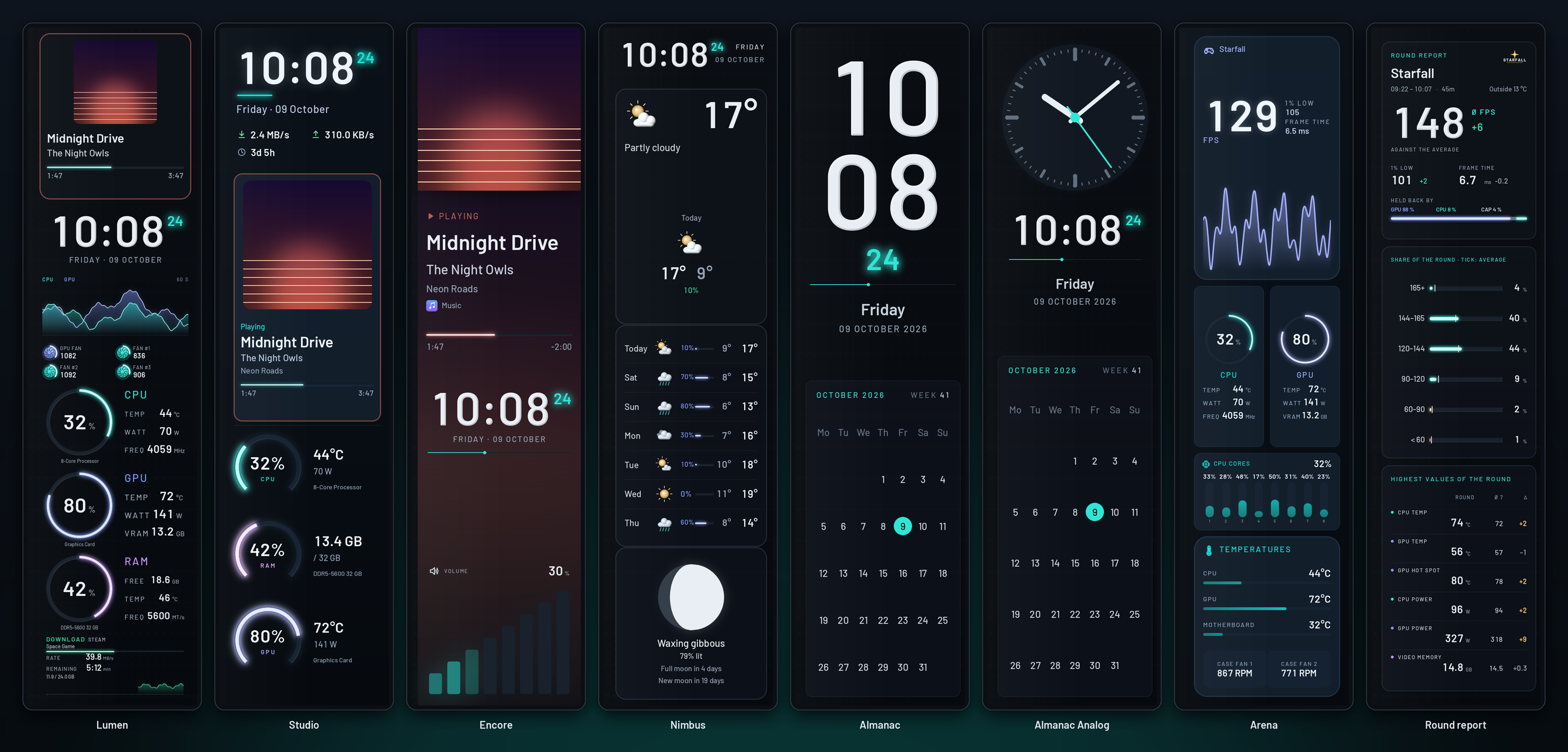
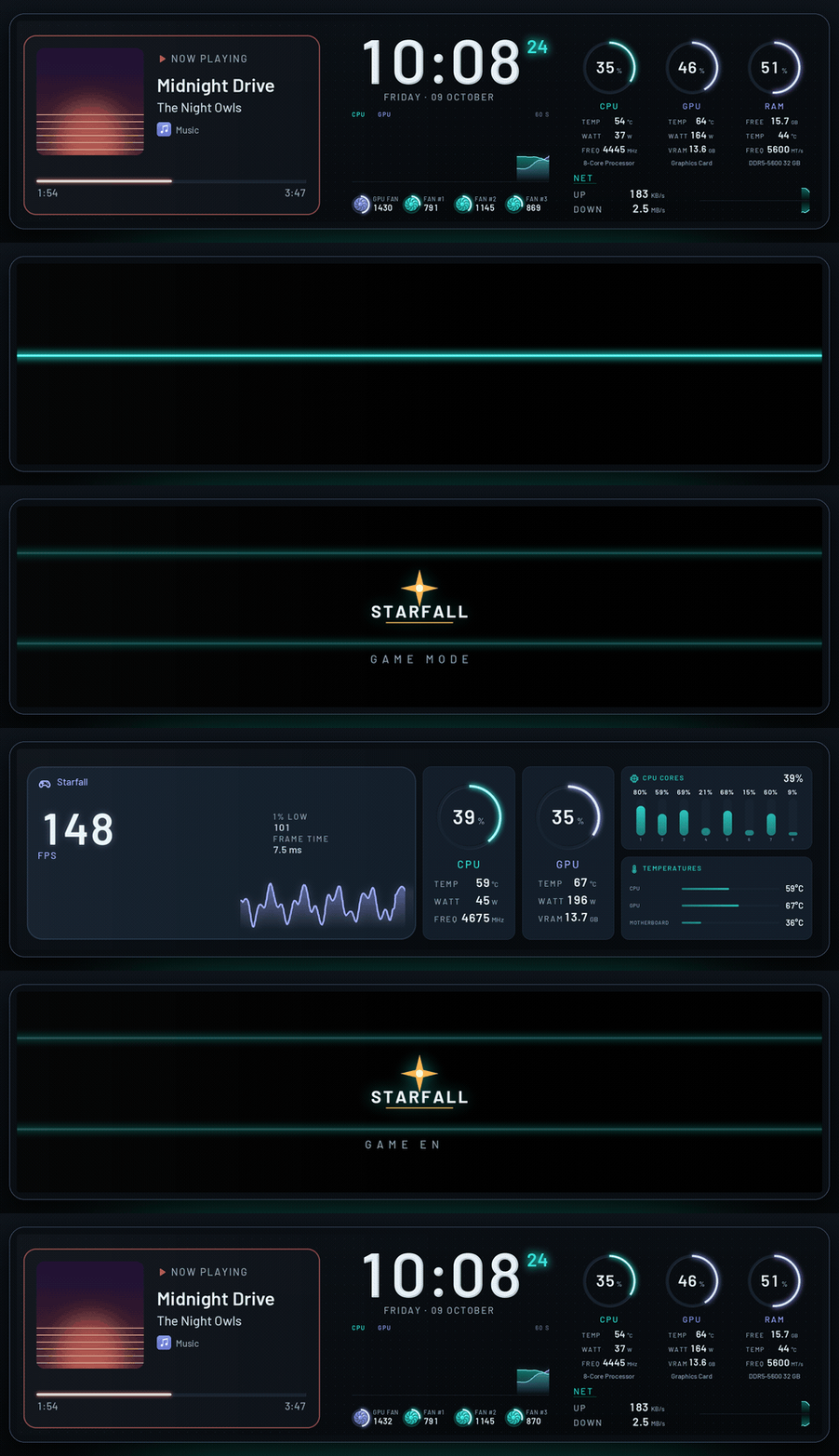
- Arena, Libre Panel's own screen for game mode on 8.8" and 9.2" bars: the game's frame
rate large with its 1% low, frame time and course, the CPU and the GPU as instruments, every
core's load and the temperatures. It is the first screen game mode's page offers; until now
only SPUR II's were ready-made - Bars on end. Say how the panel is mounted, upright or on its side: on a first start,
on Start or in Settings → Panel (device.orientation). Upright, every screen shows in
its version for a bar on end, for the normal theme, the pages and the screens in turn alike;
the lists show each screen once, with the picture of the version the panel shows, and
Design opens that version. Lumen, Studio, Encore, Nimbus, Almanac, Almanac Analog, Arena
and the round report have one each (480 × 1920), laid out anew, clear of the strip the 9.2"
bar's frame hides; a theme of your own gets one as<id>-vertical. The panel's own boot
logo and standby clip (Settings → Panel → Start screen) are drawn upright too - Start: the panel's own default (Lumen on a bar) stays in the quick list, right after the
theme on the panel
Easier to find, easier to use
Start
- Start leads with the panel: what it shows now, with its picture and controls; above it, in
short, what keeps it from all it can do, each with the click that mends it; under it the
next step (smooth motion, the first steps) and What the panel shows when: the normal
theme, game mode, music, idle and the round report, each with its screen and its switch.
The tiles that repeated the tabs are gone; Screens in turn and the Start screen (the
panel's own boot logo and standby clip) are under More for your panel - A first start goes step by step: how the panel is mounted (only on a bar, where it changes
something), then the theme, which goes on the panel; Start goes on from there instead of
opening Design. First steps (game mode, the music page, the notices, the weather's
place) are one click each and ticked off when done - What's new on Start, once, for who updated: bars on end, Arena for game mode and the new
overview, each to be done right there - The gallery says what a click does: Edit is a button on every card, Show on the panel
shows over the picture, and the quick list marks the theme On the panel. Game mode
switched on from Start gets its game screen (Arena on a bar) - The question about smooth motion says what it gives and asks plainly: Turn on or Not now
- Screens in turn lists the themes made for the panel first, starts a new screen with the
theme on the panel, and says when one screen changes nothing and when changes are not saved
Design and Look
- Design's first visit shows three steps: click or drag a block, click something to change it,
To the panel keeps it. Tips on the rail name what is not in sight (selecting several and
aligning them, the right-click menu, locking, Alt, the arrow keys) and lead to every key - Blocks are added with a click as well as by dragging, and a removal can be taken back from
its message. An empty theme says how to fill it - To the panel reads On the panel ✓ when the panel shows the theme as edited; opening
another theme over unsaved work offers Save first - The theme's settings keep to the theme (name, colour world, background, font), the rest is
under Fine-tuning. With a background picture the colour is Colour under the picture,
and Remove the picture is beside it - Look says in a line what each part does, and tries a choice on before a click keeps it: rest
the pointer on a colour world, a finish, the light, the grid, the dust or a notice style - Design's pages read as Start's What the panel shows when; over the canvas it is + Page.
View and snapping says what each choice does - On a bar on end Design opens the upright version, says which version is open, and follows
when the panel is turned; a copy of Lumen Vertical goes with a copy of Lumen
Settings and Live
- Settings open on an Overview: what needs attention, in plain words and the worst first,
each with the click that mends it (use the panel that is plugged in, resume, turn on smooth
motion, unlock all sensors, read games' frame rates, turn on the weather, restart a service),
then each part at a glance - Every section says in a line what it holds and speaks plainly: Smooth motion, Game mode
and more (game mode and its round report first), Where the readings come from; the
technical rest (where the pictures go, a serial panel's port, the video program, the reading
interval) is under Advanced. Weather and place starts with the place - Smooth motion asks for the standby clip's name where it is set: Use this name takes the
one the panel's own app gives it, and nothing is written before the click - Report a panel in three steps: the app lists what is connected itself (by USB ids, never
serial numbers), says how to run the check, and opens the form with the list filled in - Live says in a sentence how the panel runs ("Runs smoothly at 50 fps", or slower than
planned and what helps), with the numbers under it. Nowhere does the app ask for a command
Everywhere
- Ctrl+K finds every feature by the words people use, in English and German ("hochkant",
"Bootlogo", "kopfüber", "Fehler melden", "flüssig"); an empty search suggests what most
people come for. Help (? or F1) has the questions and answers, the issue form and every
view's keys - One header in every view: the search field after the tabs, each tab says what it is for,
Settings is a button with its name, and it or Escape leads back to where you were - The tray menu shows the themes by name, those made for the panel first, with the most used
at the top - Errors say what happened in plain words (a file another program holds, a full disk), never
an exception's name. German calls each thing by one name, and every header button has a
name for screen readers
Fixes
- Linux, with a tray of X11: Quit now and then took 15 s and ended the app the hard way,
as the tray's loop missed the call to stop; Quit no longer waits for it - On a bar on end, Design opened Lumen lying on its side at start while the panel showed
Lumen Vertical - Settings: a link to Advanced opens it, instead of landing on a closed card
- Start screen: writing the boot logo or the standby clip stopped with "command 99: unexpected
reply 00 00 …". Before writing, the panel's folder is listed for the log, and the 9.2" sends
that listing without the command's number in front; it is now read as it comes, and a panel
that does not list its files no longer keeps either from being written - Design → Pages and game mode's card in Settings: the list of screens for a page was one list
from A to Z, Libre Panel's own mixed with SPUR II's and with screens for other panels (a
0.96" one for a bar), and two themes of one name (a copy of yours, a plugin's) looked the
same. The screens made for the page come first, then Libre Panel's, yours, each collection,
a plugin's and those for other panels, each in its group; two of one name show their ids
Which file? Windows: …-setup.exe, Linux: ….AppImage; see Install.