Repository navigation
v0.0.2 — Desktop polish
Pre-release
v0.0.2 — Desktop polish
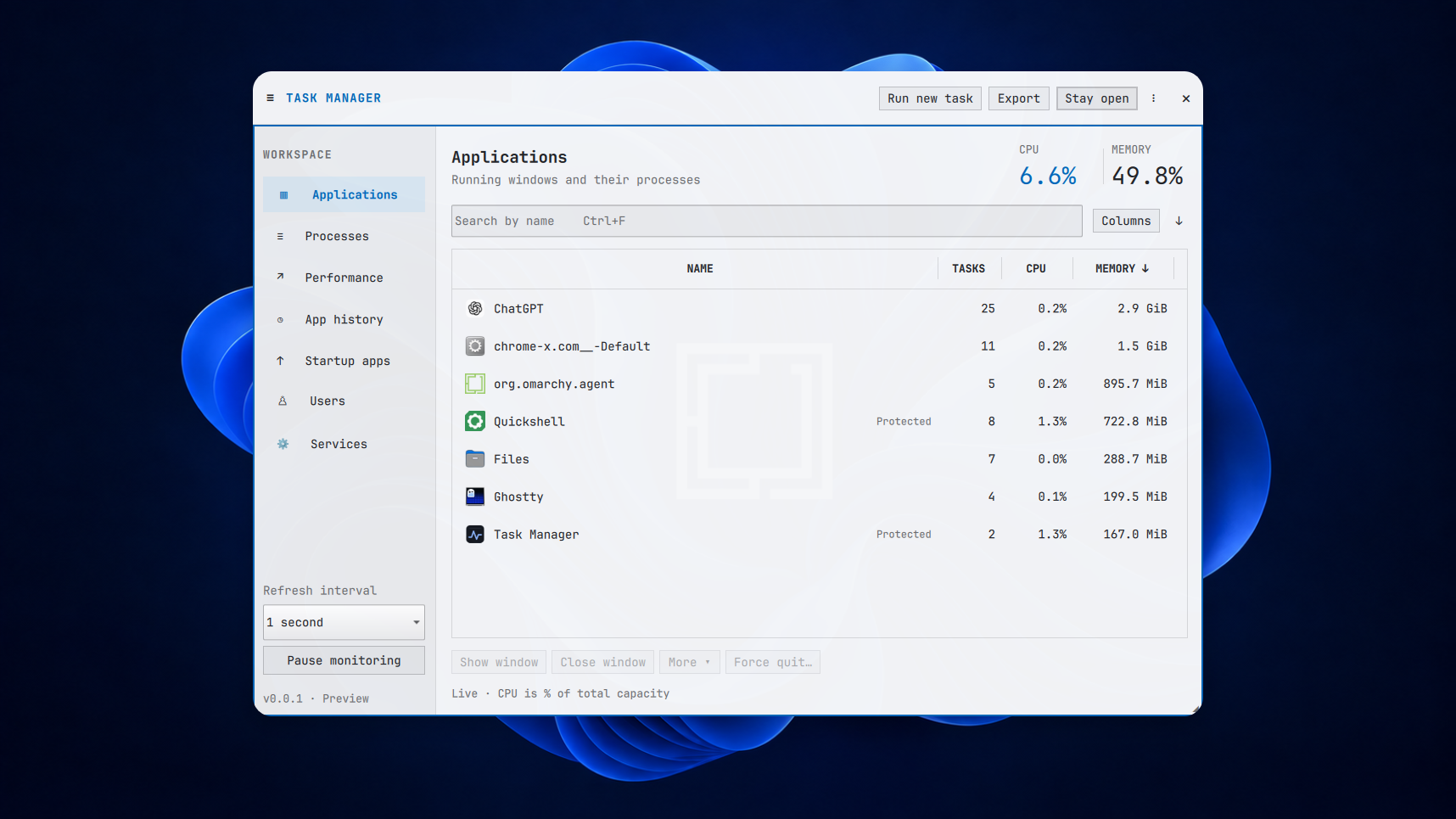
On-device capture on a Dell XPS with the Familiar theme. Taken before the version bump, so the panel still reads v0.0.1.
v0.0.2 makes Task Manager fit better on your screen and makes your apps easier to spot.
We’re building this for the person with a frozen spreadsheet who just wants to close it and get back to work. A native, open-source Task Manager that feels at home in Omarchy. This release brings the desktop fixes from our latest on-device testing.
What changed
- Recognisable app icons. Applications now use your desktop icon theme, with SVG support and an Omarchy icon for Omarchy windows.
- A panel that fits. Better sizing on smaller logical screens, a collapsible sidebar and columns you can resize. Your layout preferences are saved.
- Themes follow your desktop. Live theme updates now work with Omarchy’s newer state-directory layout, while keeping support for the older config layout.
- Super + Alt + Delete. The supplied binding opens or focuses Task Manager. There’s still a one-time setup; in-app shortcut setup is planned.
Try it
For Omarchy / Arch x86_64, download the package and SHA256SUMS into the same directory, then run:
sha256sum --ignore-missing --check SHA256SUMS &&
sudo pacman -U ./omarchy-task-manager-0.0.2-1-x86_64.pkg.tar.zst
omarchy-task-manager
Check that the package checksum reports OK. These commands also upgrade an existing installation. Pacman installs the new qt6-svg dependency for icons.
Building it yourself? The source archive and PKGBUILD are attached below; use makepkg -si as your normal user. The debug package is optional.
Still a preview
On-device testing informed this release, and Ubuntu and Arch CI passed, including service controls and package install, reinstall and removal checks. That doesn’t establish GPU accuracy or every live desktop behaviour.
We’re staying on v0.0.n while we refine the everyday experience. The simpler End task flow is still planned; this version uses Close window and Force quit. Current capabilities and limitations.
Can you find the app you want to close without thinking about Linux? If something gets in the way, tell us where you got stuck.
Rollback, removal and build details
To roll back, download the package and checksums from v0.0.1, verify them and install that package with sudo pacman -U. There’s no history-format migration; older builds ignore the added UI preferences.
Remove with sudo pacman -R omarchy-task-manager. Preferences and history remain; remove any manually added shortcut separately.
BUILD-INFO.txt records the packaged source commit and workflow run. SHA256SUMS covers the attached assets. The maintainer reported on-device readiness on 21 September 2026; a per-scenario acceptance record and exact tested environment were not supplied.