
The app updates itself now
Location Spoofer puts your Android phone anywhere on the map — from the phone or from your Windows PC — using Android's official mock location API. No root.
Downloads
| File | For | How to use it |
|---|---|---|
| LocationSpoofer-v1.2.0-debug.apk | Android 8.0+ | Open it on the phone and allow installs from unknown sources |
| LocationSpoofer-windows-v1.2.0.zip | Windows 10/11 x64 | Unzip and run SpoofingApp.exe. Self-contained, no .NET install needed |
What's new
Built-in updater. Open More options (⋮) › Check for updates. If a newer release exists, the app shows the version and download size, fetches the APK and hands it straight to Android's installer — no more downloading APKs by hand.
- Android asks you once to allow Location Spoofer to install apps. The dialog links straight to that settings screen.
- The first update goes through Android's confirmation screen. After that, Location Spoofer becomes the recorded installer of the app, which lets Android apply later updates without asking.
Support development ☕ now sits in the same menu and opens my Buy Me a Coffee page.
The Windows controller is unchanged in this release apart from its version number.
Upgrading from 1.1.0 or 1.0.0
Install this APK over your existing one. It is signed with the same key, so your favorites and settings survive. From this version onwards the in-app updater takes over.
Setting up for the first time
- Install the APK on your phone.
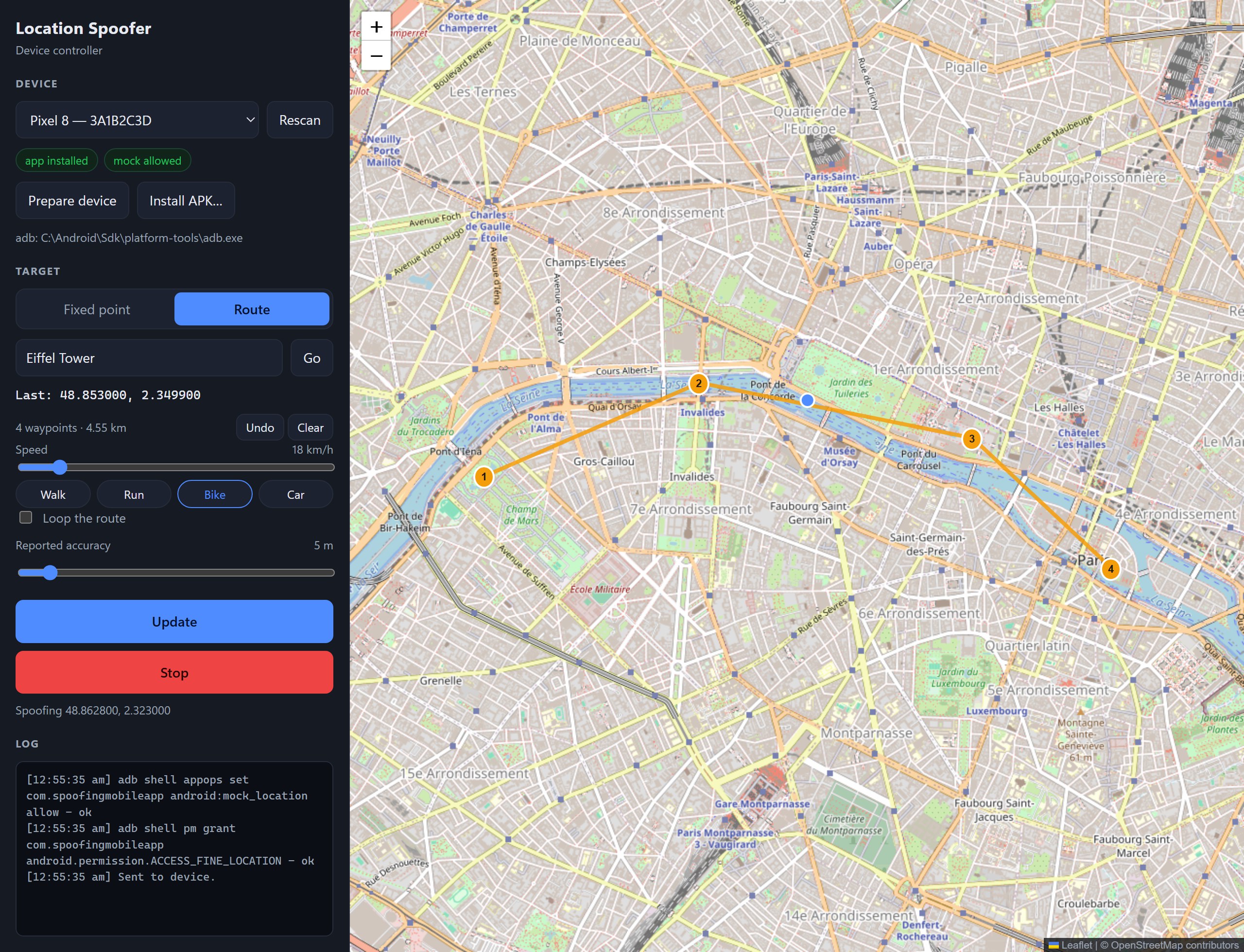
- Either click Prepare device in the Windows controller (with USB debugging on), or on the phone: Settings › About phone › tap Build number 7 times, then Developer options › Select mock location app › Location Spoofer.
- Pick a point or route and press Start spoofing. Press Stop, in either app or in the phone's notification, to get your real location back.
Full instructions are in the README.
Good to know
- Windows won't start the exe? Right-click the downloaded zip › Properties › tick Unblock, then extract it again.
- The Windows controller needs adb (Android platform-tools) and the WebView2 Runtime, which is built into Windows 11.
- The APK is debug-signed for sideloading. From 30 September 2026, phones in Brazil, Indonesia, Singapore and Thailand only install apps from unregistered developers through Android's advanced install flow or
adb install. - Apps can detect mocked locations, and some reject them. Please use Location Spoofer for testing, not to deceive other people or services.
- Windows and iPhone themselves can't be spoofed: neither has a mock location API.
Support the project
Location Spoofer is free and built in my spare time. If it saved you a walk around the block, you can buy me a coffee — thank you!
Full changelog: v1.1.0...v1.2.0