Repository navigation
Splat Workshop 0.2.3 – model scale, Frame versions & gallery

Model railways in their original size, versions for the Frame side by side, and the Frame's gallery under control – 499 automated tests.
Highlights of 0.2
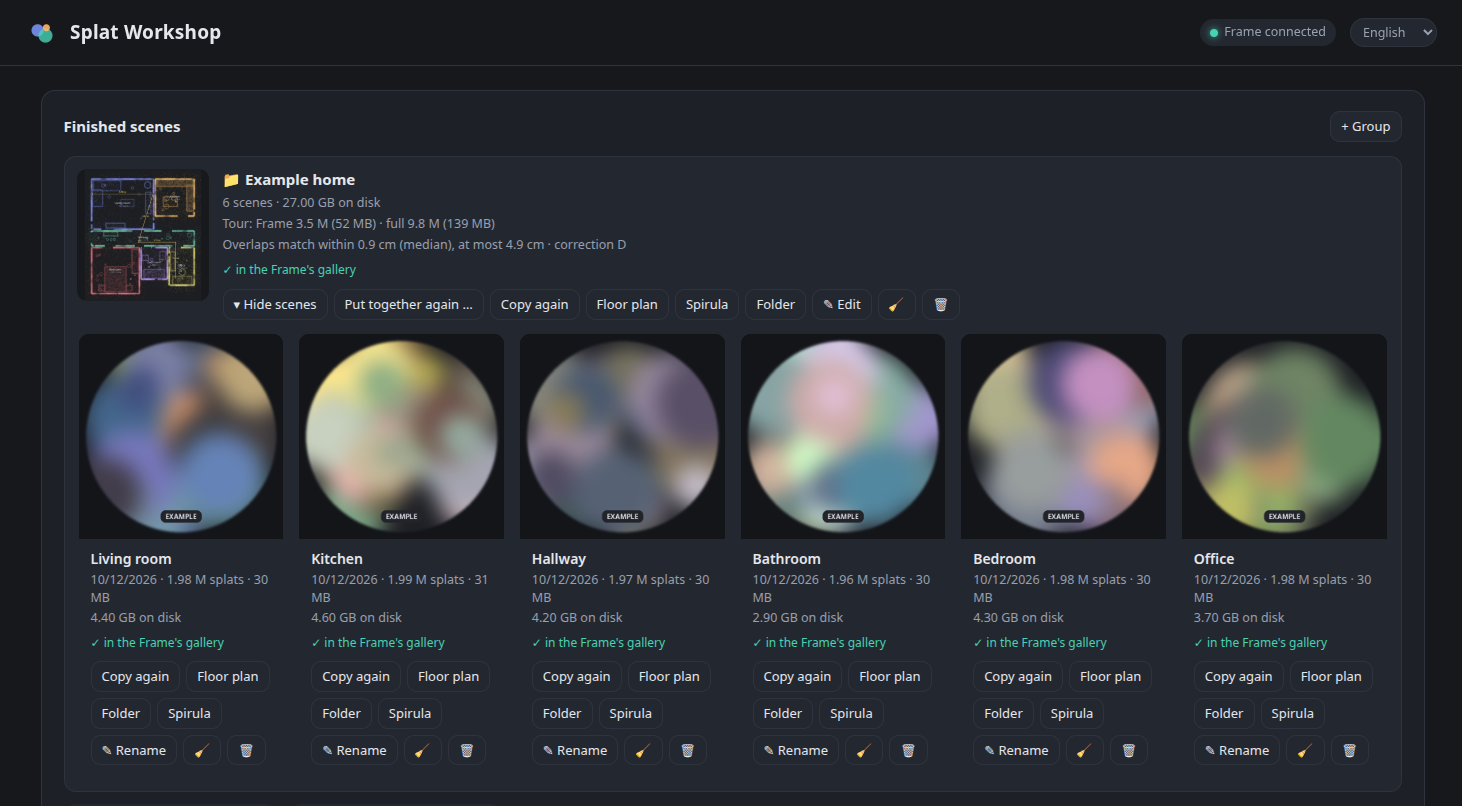
- 🏠 Your whole home as one scene – group rooms and put the tour together: the rooms of one recording session are fitted to each other and joined into one walkable scene, in a full version for the PC and a smaller one for the Frame.
- 🎯 Seamless transitions – four corrections to choose from; the group shows how well the rooms meet (typically within 1–2 cm).
- 📁 Groups keep the list tidy – suggested automatically for rooms recorded one after another.
- 🧹 Disk usage, clean-up, delete per scene or for a whole group, and a list of cancelled runs to resume or remove.
- 🛡️ Safer: Start over keeps the old scene until the new one is done; the PC no longer goes to sleep mid-conversion.
- 🔓 No root, no jailbreak on the Frame – only the official Developer Mode and SSH.
All details of 0.2: release 0.2.0
New in 0.2.3
- 🚂 Scale for models like a model railway (Z, N, TT, H0, S, 0, G or your own) for a scene or a whole group: floor plan, sizes and the measuring tool show the original's size – and optionally Gaussian XR shows the model in its original size (
worldScale). - 🎚️ Versions of a scene or tour side by side – 0.75 / 1 / 1.5 / 2 M splats for the Frame, all or 3 / 5 / 8 M for the PC, or your own size – each with its own place in the Frame's gallery, so you can compare what runs smoothly.
- ⚡ 1 M splats recommended for the Frame (preselected, still freely selectable). Measured on a Steam Frame with one tour: 0.75 M 36 fps, 1 M 35 fps, 1.5 M 29 fps, 2 M 24 fps, 5 M 14 fps – 1 M is clearly sharper than 0.75 M, 1.5 M is a little sharper but already slightly unsteady.
- 📂 Scenes go to Gaussian XR's folder for personal scenes (
Documents/GaussianXR), which Steam updates leave alone. Scenes copied by older versions move over when copied again, or all at once. - 🥽 "On the Frame" tab: everything in Gaussian XR's gallery with its preview – your scenes, tours, versions and the bundled examples – and Off the Frame for any of them. No more backup copies on the Frame.
- ⬇️ Fetch all recordings from the Frame, or tick the ones you want – one after the other, with one progress bar and a notification when you can switch the Frame off.
- 🗑️ Delete a recording, one at a time: on the Frame (with a clear warning if it is not on the PC yet) or on the PC (to the trash).
- 🔍 Reviewed again with mutation testing: 499 tests, including what stays locked while a scene is computed, checked, fetched or copied.
- 🐛 Fixed: the floor plan of a group now uses the group's scale; the floor plan no longer fails without walls; Move to own scenes waits for running copies.
Full changelog: v0.2.2...v0.2.3