Repository navigation
Splat Workshop 0.4.1 – clearer setup

Clean up your scenes and pick versions by what they are for – 0.4.1 makes the setup clearer, thanks to the first two issues from outside (#1, #2). 565 automated tests.
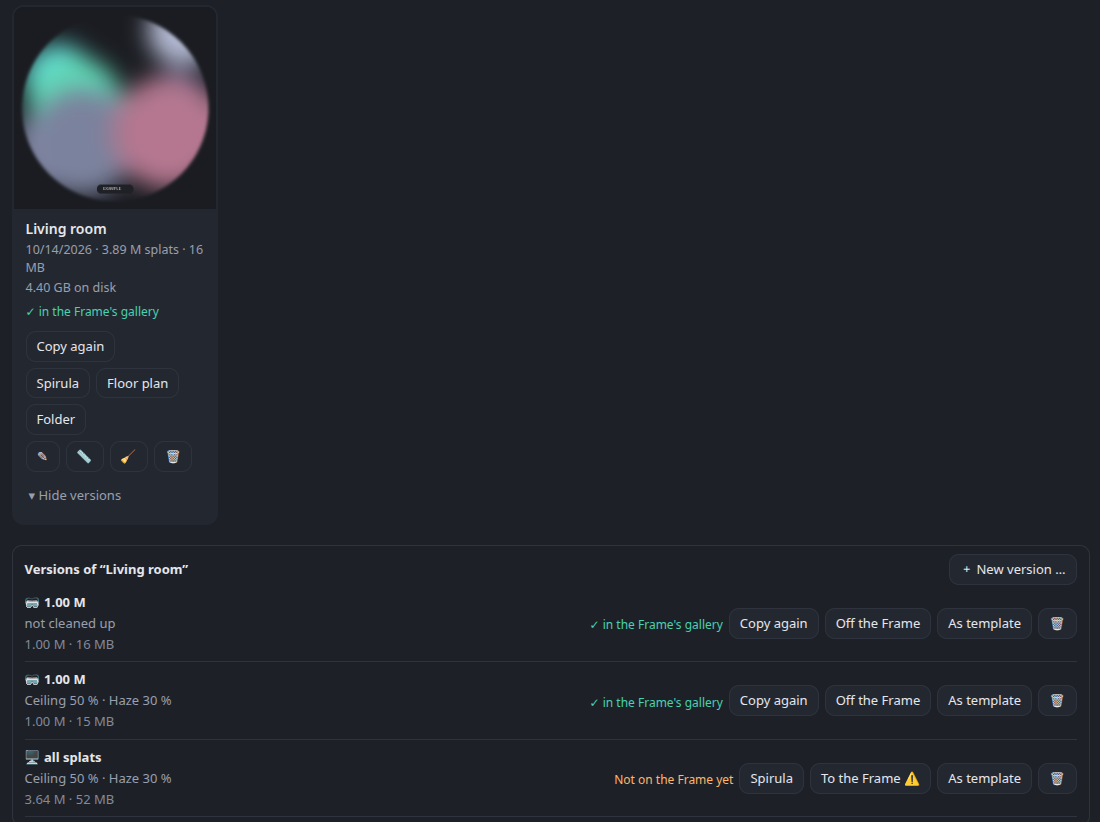
Example data – the scene and its preview are placeholders.
Highlights of 0.4
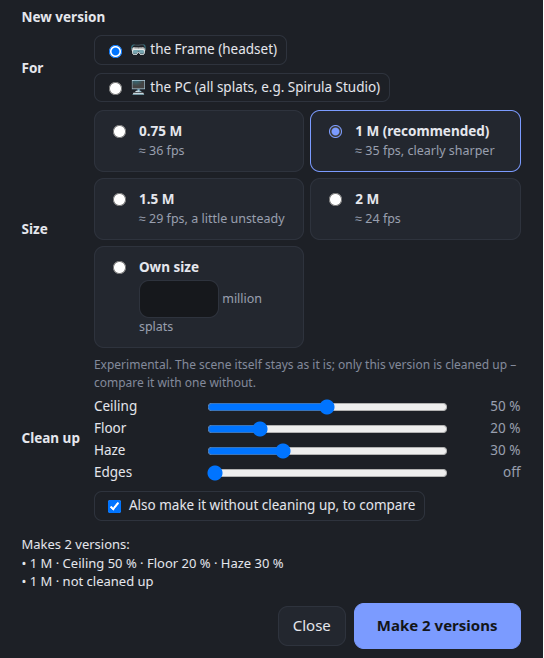
- 🧽 Clean up a version (experimental) – four sliders from off to 100 %. The scene itself stays as it is; only the new version is cleaned up, so you can compare it with one without.
- Ceiling: a white ceiling gives the reconstruction nothing to hold on to – it stays thin, with a dark veil hanging under it. The veil goes (dark things near a wall, like a cupboard top or a bird cage, stay), and the ceiling is closed in its own colour. In a real living room: a veil of about 210,000 splats gone, the ceiling closed with 72,000.
- Floor: holes filled in the colour of the floor around them.
- Haze: big, nearly transparent blobs floating in the room go – long thin things like the bars of a bird cage or cables stay.
- Edges: what lies well outside the room goes.
- 🎚️ Versions by purpose – for the Frame (one size, each with the frame rate measured on a Steam Frame: 0.75 M ≈ 36 fps, 1 M ≈ 35 fps and clearly sharper, 1.5 M ≈ 29 fps, 2 M ≈ 24 fps) or for the PC (all splats). Optionally the same without cleaning up next to it; a preview shows what will be made and what it replaces.
- Versions are named by their clean-up strengths (all splats · ceiling 50 % · haze 30 %), and As template takes a version's settings for the next try – one slider at a time.
- A version for the PC opens in Spirula Studio with one click.
- Versions unfold under their scene or tour (▸ 1 version).
- 🧭 Tidier action bars – what you do, what you look at, what you change; the unfolding lists on a line of their own.
- 🔬
scripts/freespace.py(experimental, command line) – takes out splats in space the cameras looked through. On a real room it found little (white walls give too few points), but it looked a little better; kept for trying.
All details of 0.4: release 0.4.0
New in 0.4.1
- 🔤 Typos in the config are pointed out – a setting Splat Workshop doesn't know, such as
splat-transform =instead ofsplat_transform =, used to be ignored silently. Now the setup hints andinstall.shname it, with the right spelling. (#1) - 🛤️ splat-transform only on your shell's PATH – started from the desktop or the tray, Splat Workshop doesn't read
.bashrc/.zshrc, so the installer said ✓ and the app said "not found".install.shnow writes the full path into a new config, or prints the line to add to an existing one. (#1) - 📖 Setup guide: installing splat-transform without root now uses a folder that matches the path it tells you to configure:
npm install -g --prefix ~/arcturus/node @playcanvas/splat-transform. (#1) - 🧩 The Arcturus pipeline and PyAV 19 (unexpected keyword argument 'metadata_errors'): Splat Workshop spots a pipeline that isn't pinned below PyAV 19 before you start, and names cause and fix when a conversion fails on it. (#2)
Full changelog: v0.4.0...v0.4.1