Repository navigation
Splat Workshop 0.5.0 – meshes for Blender and 3D printing

Turn your scenes into meshes – for Blender and other 3D programs, or for your 3D printer – 579 automated tests.
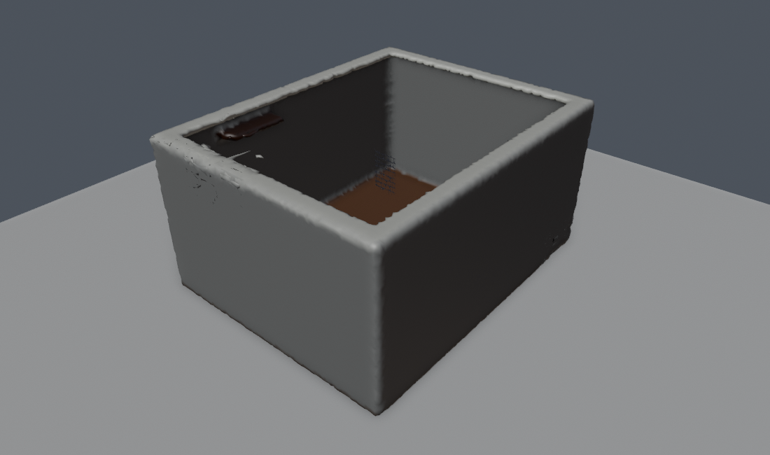
Example data – a synthetic room, rendered in Blender.
New in 0.5
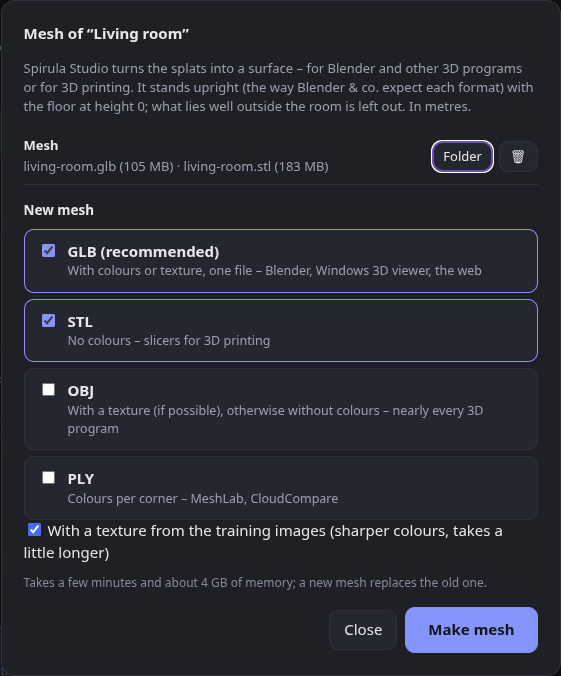
- 🧊 Mesh export – Mesh … on every scene and tour turns the splats into a surface with Spirula Studio (
spirula mesh). Suggested in #2 – thanks!- GLB (recommended: colours or texture in one file), STL (no colours, for slicers), OBJ (with a texture if possible) and PLY (colours per corner).
- Stands upright, floor at height 0 – the scenes have Y pointing down like the Steam Frame's tracking, so a mesh would lie on its side. Each format now gets the axis 3D programs expect (Z up for PLY and STL, Y up for GLB and OBJ), checked by importing every format in Blender. In metres.
- What lies well outside the room is left out before meshing, so blobs beyond the walls don't become lumps around the room.
- A texture from the training images when they are still there; otherwise colours per corner from the splats.
- The mesh lives in the scene's folder (
mesh/); Mesh ✓ shows which scenes have one. Also on the command line:scripts/mesh.sh,scripts/upright.py.
- 🐛 A versions job with one version no longer says "1 versions".
Meshes made without training images are rough and have open edges – fine for a first look or a test print, a 3D program helps to clean them up.
Full changelog: v0.4.2...v0.5.0