Creating applications
To use simple-oauth-server with your application, you have to register an application.simple-oauth-server supports currently three types of application
- M2M Machine-2-Machine applications are for example command-line tools or IOT-devices that have no interactive interface. They use the Client-Credential-Flow
- Webapplications Traditional applications that are running on a server, they use the Authorization-Flow
- Single-Page-Applications/Desktop Apps Single Page applications or Desktop applications where the logic is executed on client-side (either in a webbrowser or as native application), they use the Authorization-Flow with PKCE
To create a new application you can use the command create-application. Please see the help for the list of required parameter to execute this command.
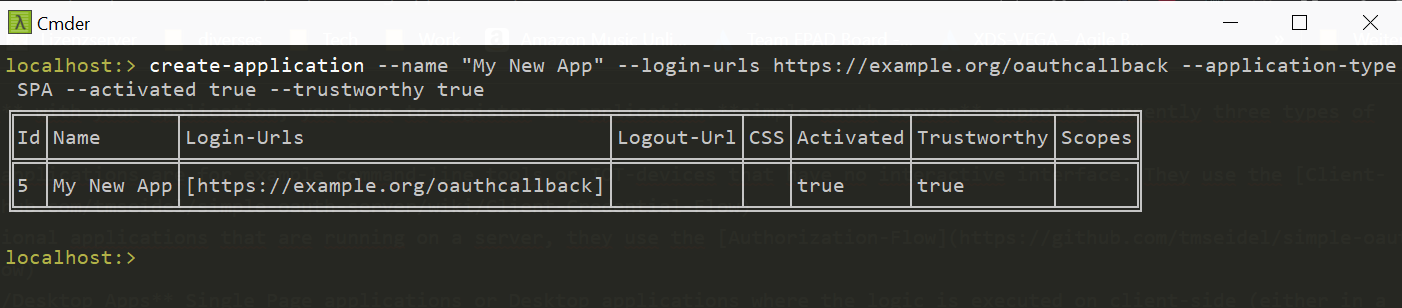
For the different application-types you have to specify either M2M to use the Client-Credential-Workflow, REGULAR for the Authorizaton-Flow and SPA for the Authorization-Flow with PKCE. Multiple login-urls can be inserted by specifying a comma-separated list.