Creating users
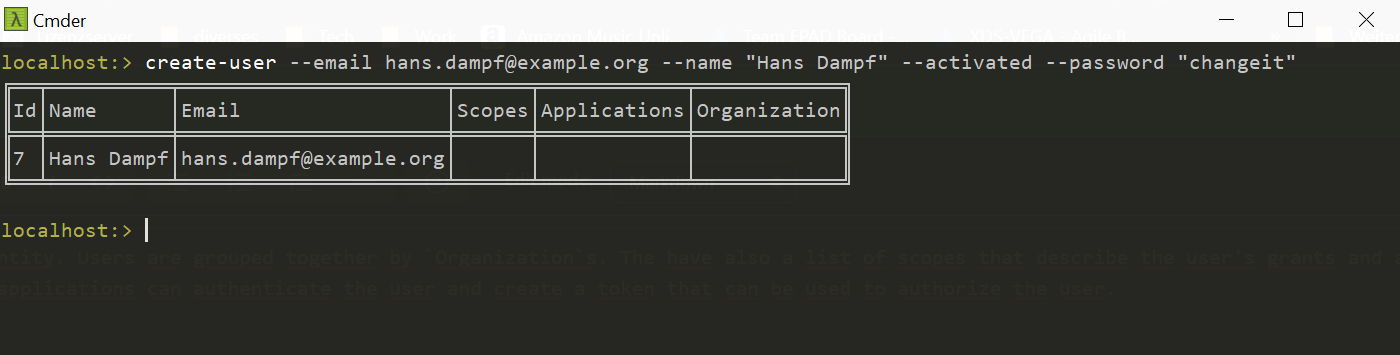
A user is a very important entity. Users are grouped together by Organizations. The have also a list of scopes that describe the user's grants and a list of applications. These applications can login the user and create a token that can be used to authorize the user.
To create a new user use the command create-user.
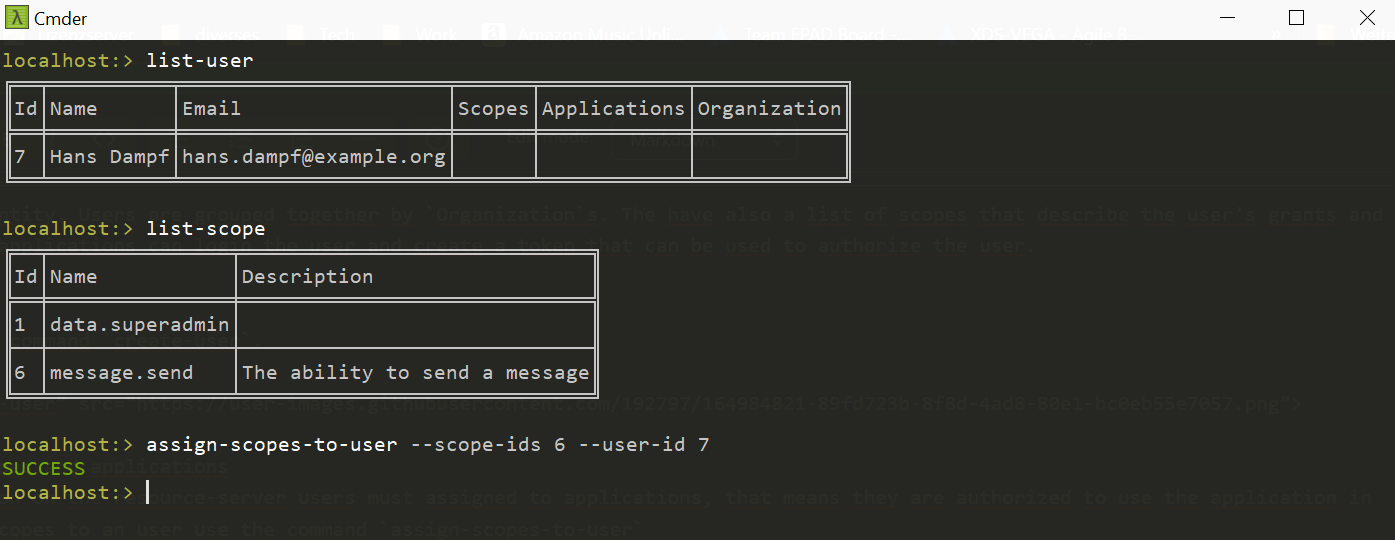
Users have multiple scopes. That means they are authorized to use a dedicated feature on a resource server. To assign several scopes to an user use the command assign-scopes-to-user
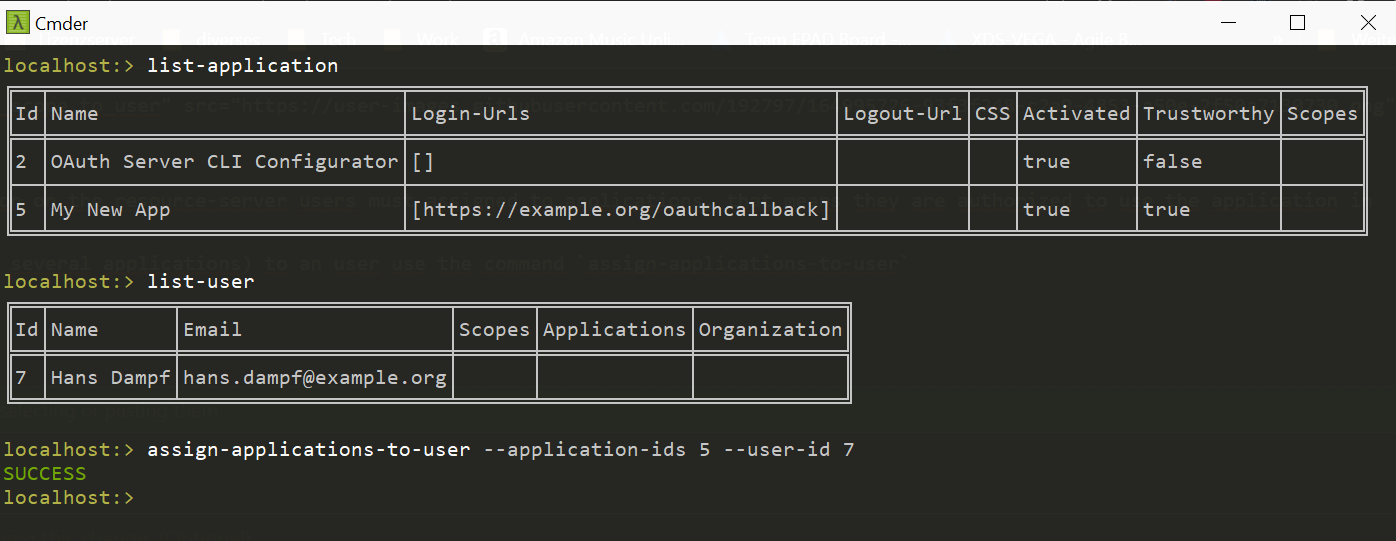
For a successful authorization on the resource-server users must assigned to applications, that means they are authorized to use the application in general.
To assign an application (or several applications) to an user use the command assign-applications-to-user