Repository navigation
0.3.0-beta.1 — Keyframe Tools
Pre-release
Pre-release

Download after-effects-scripts-v0.3.0-beta.1.zip below and unzip it. In After Effects choose File → Scripts → Run Script File… to run a script from the Scripts folder. Save your project first: every action undoes with a single Cmd/Ctrl+Z.
New: Keyframe Tools
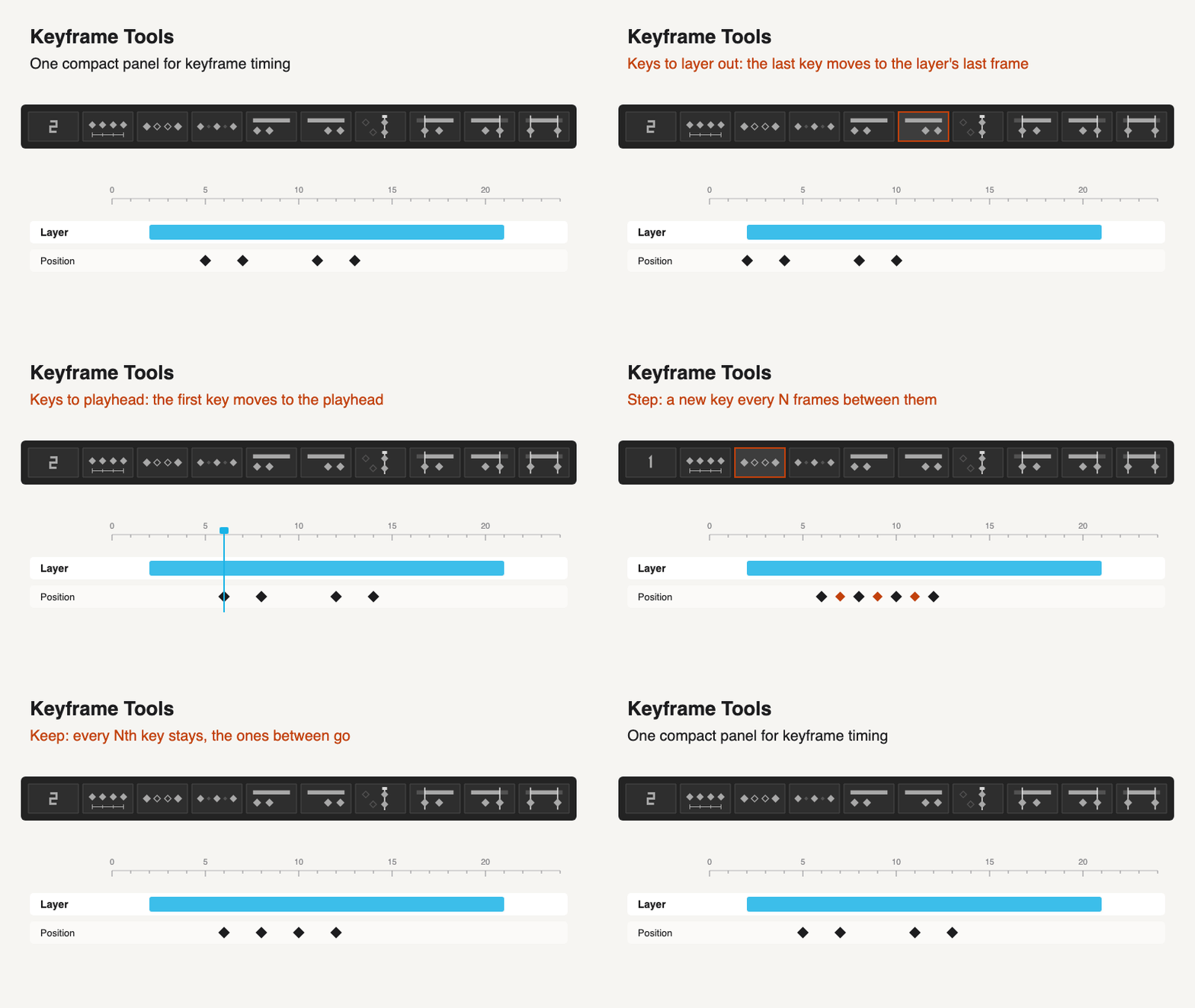
One compact, dockable panel with a number field and eight icon buttons:
- Space and Step: space the selected keys N frames apart, or add keys every N frames between them.
- Keep: keeps every Nth selected key and removes the ones between.
- Keys to layer in / out: moves the selected keys so the first lands on the layer's in point, or the last on its last frame.
- Trim in / out / both: the layer starts and ends on its keyframes.
To dock it, copy Keyframe-Tools.jsx into After Effects' ScriptUI Panels folder, restart AE and open it from the Window menu. The buttons fit the panel's shape as a column, a 3 × 3 square or a single row. KBar buttons can run one action directly. Guide
Changed
- Spacing Keyframes and Stepped Keyframes are now part of Keyframe Tools; the separate scripts were removed.
Tested on After Effects 26.5 on macOS. Windows and older versions have not been tested yet. Problems or ideas: open an issue. Full details in the changelog.