Repository navigation
01_Installation
Every platform installer is one click away on the
download section; all artifacts are also
listed on the releases page.
Packages follow the imza-<version>-<os>-<arch>.<ext> format.
If you're a macOS user, you can install imza with Homebrew and keep it updated
with brew upgrade:
brew install umutsevdi/imza/imzaThe downloaded macOS package is unsigned; right-click → Open on first launch to satisfy Gatekeeper.

Requires a C++23 compiler, CMake 3.31 or newer, Python 3.10 or newer,
libcurl. On Linux additionally requires libsecret development headers
(libsecret-1-dev on Debian/Ubuntu, libsecret-devel on Fedora/RHEL).
git clone https://github.com/umutsevdi/imza
cd imza
git submodule update --init --recursive
cmake -B build -DCMAKE_BUILD_TYPE=Release
cmake --build build
cpack --config build/CPackConfig.cmake -G DEB -B build   # Debian/Ubuntu
On Linux the generator is DEB;RPM. Build only the one you need as above;
the RPM path requires rpmbuild. On macOS use -G productbuild for a
.pkg.
Packages install under the configured prefix, which defaults to /usr/local.
To use another prefix:
cmake -B build \
  -DCMAKE_BUILD_TYPE=Release \
  -DCMAKE_INSTALL_PREFIX=/your/prefix
If you prefer not to install a package, the built binary is available at:
./build/release/imza
Run imza inside a project directory:
cd ~/Source/my-project
imza
# or simply
imza ~/Source/my-project
On first launch there is no provider configured, so the Connections modal opens automatically:
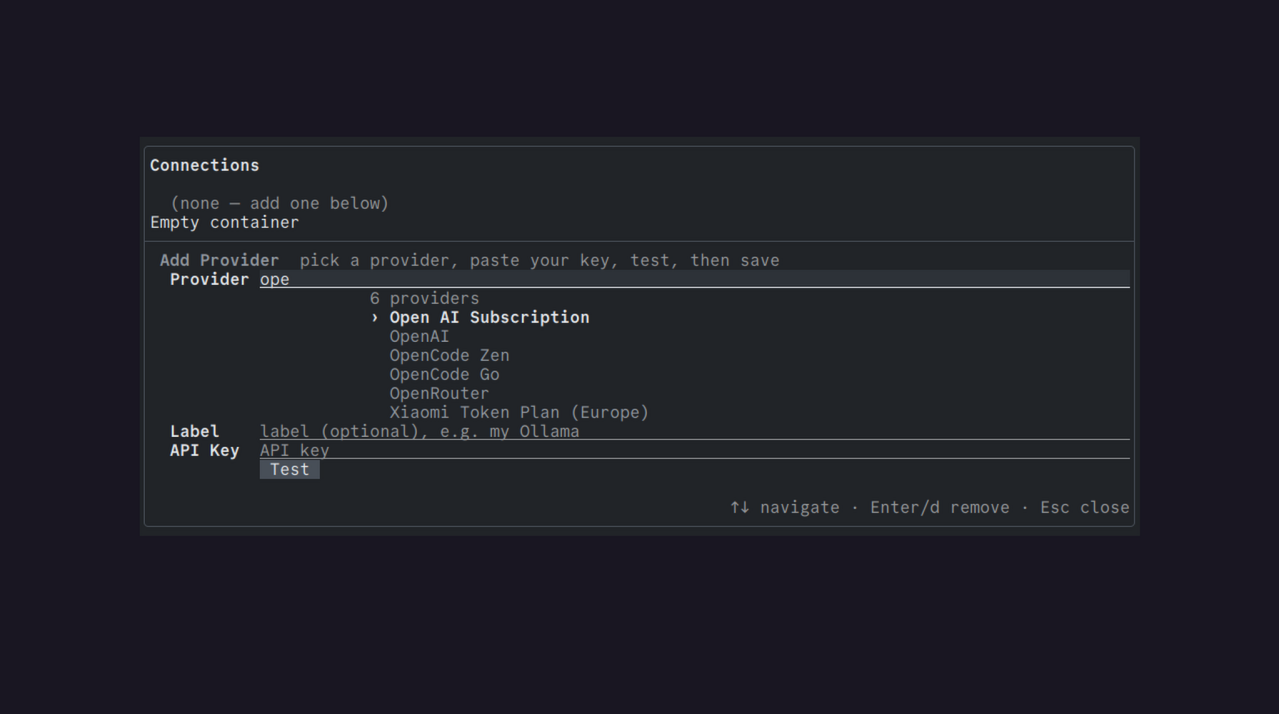
Add a provider and pick a model (see Connecting a model); after that you land in the chat with a fresh session in Plan mode. Sessions are saved automatically when you exit.
Installed builds check for a newer compatible release in the background at most once a day. When one is found, a notice appears in the side panel and at startup. Checks never install anything on their own. To download and install the update:
imza --updateThis detects your OS and package manager, downloads the matching native installer, and launches it.
imza --help lists every command-line option.