
ValleySoft Disk Analyzer v1.5.1
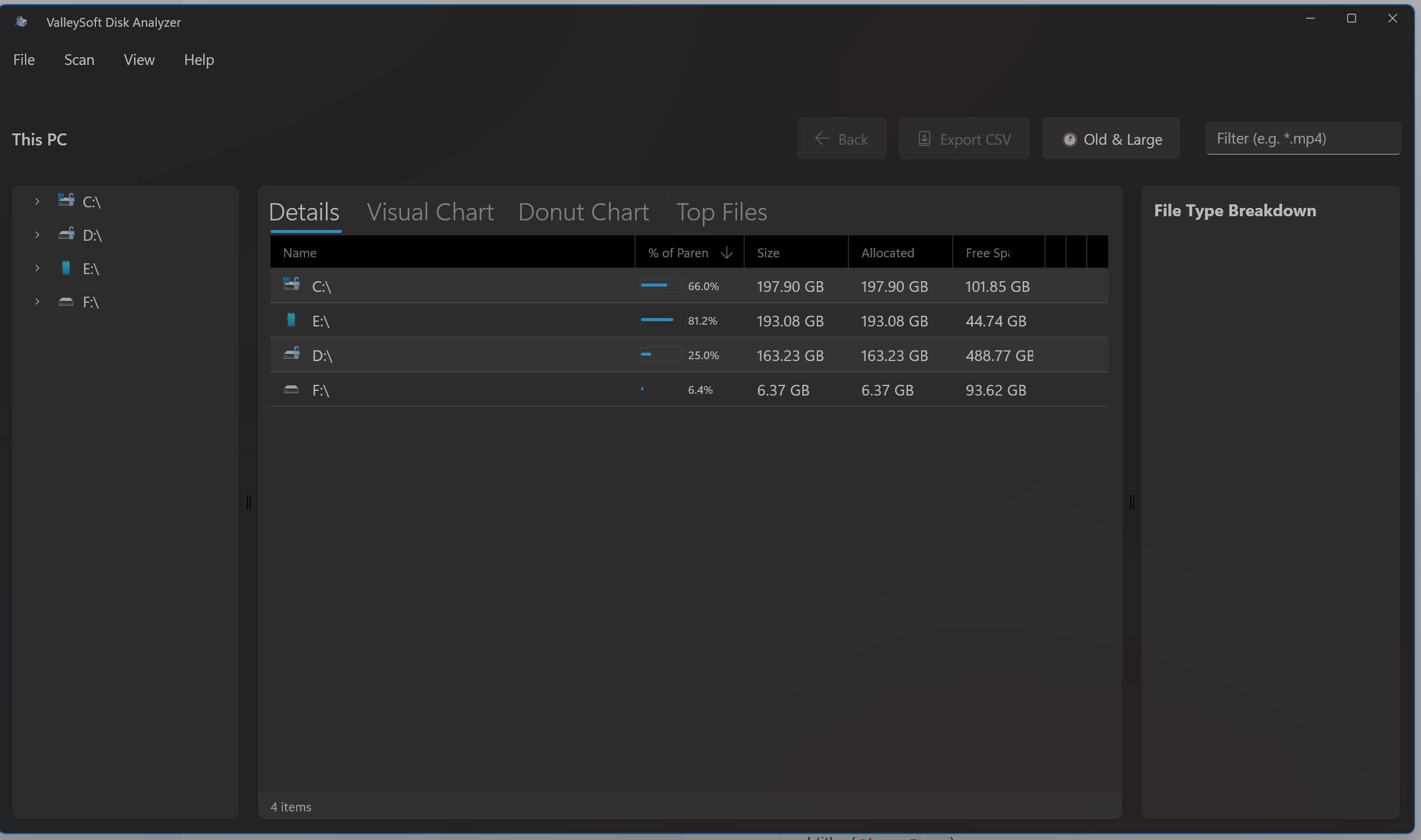
TreeSize-like disk usage analyzer for PowerToys Run, Windows Command Palette, and Standalone WinUI 3 App.
v1.5.1 Hotfix Release: This update resolves an immediate startup crash (
0xc000027b) on clean Windows installations by packaging the Windows App SDK runtime directly with the application (100% self-contained), hardening system backdrop initialization with fallback for Windows 10, and stabilizing layout rendering for unmeasured tabs.
Components
This release includes three tools, bundled into two easy installations:
- Standalone App (WinUI 3) and Command Palette Extension — both bundled together in the native
.msixpackage! - PowerToys Run Plugin (
dskeyword in Alt+Space) — installed via the standalone.exeinstaller.
Screenshots
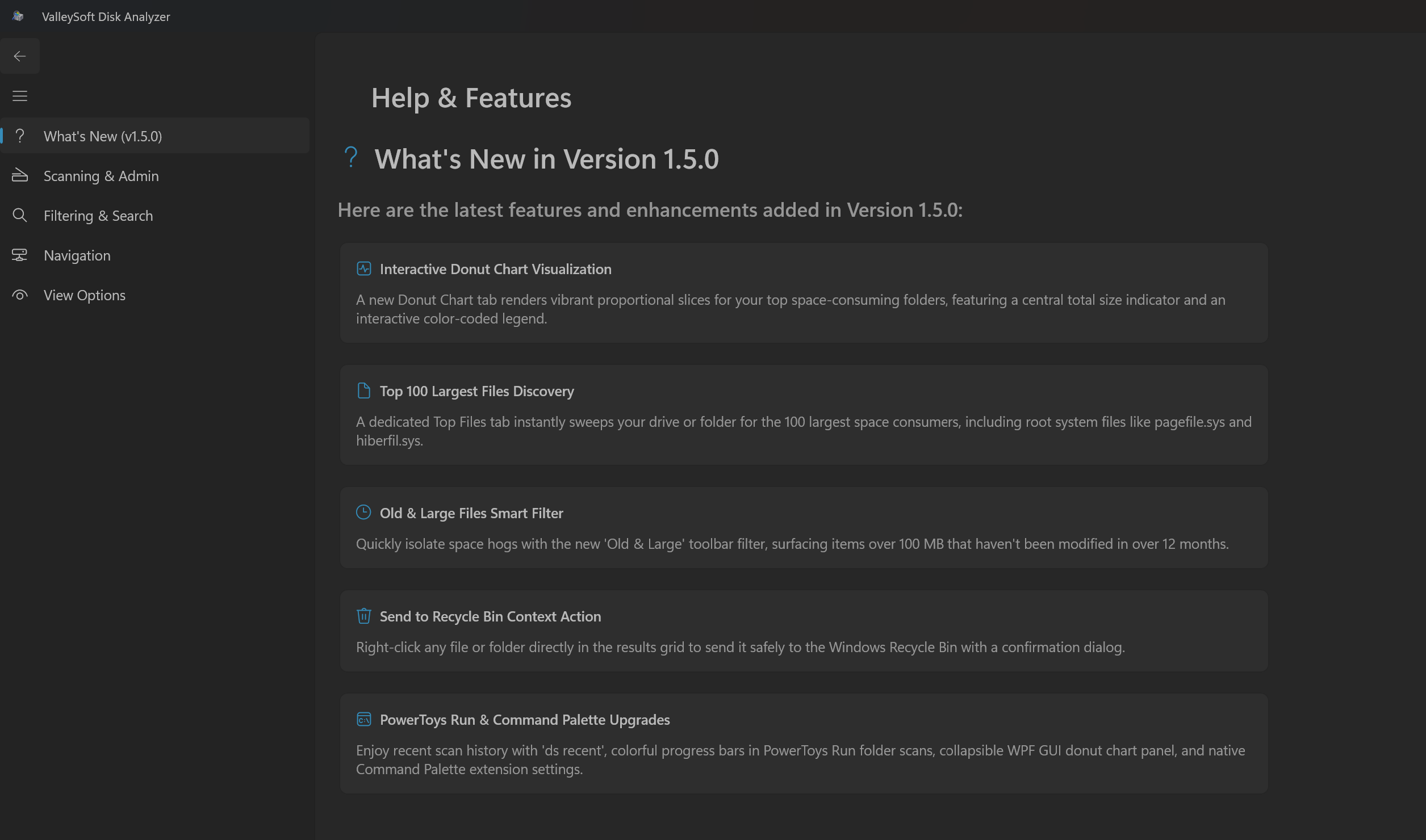
1. Standalone App (WinUI 3)
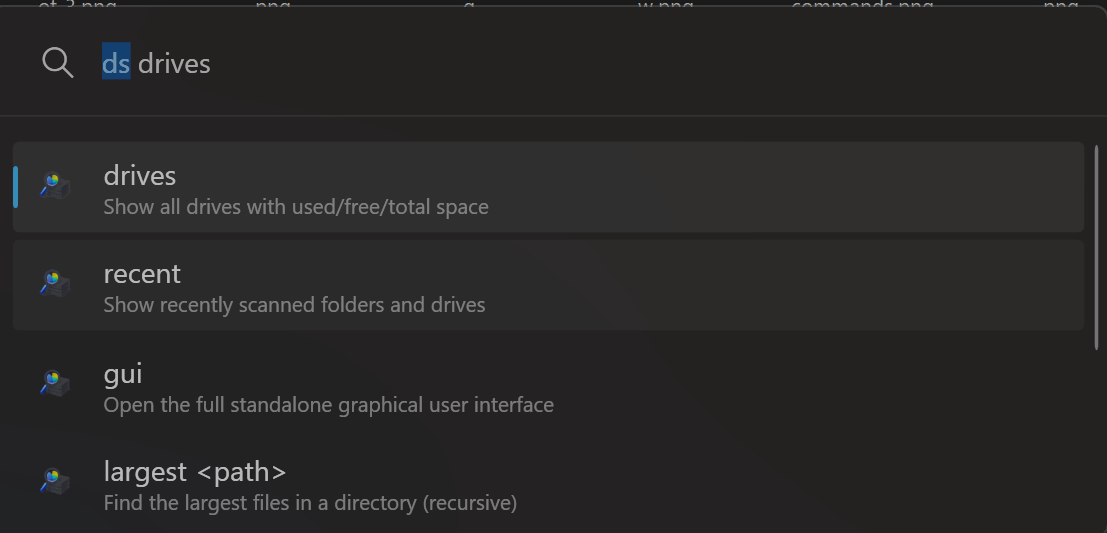
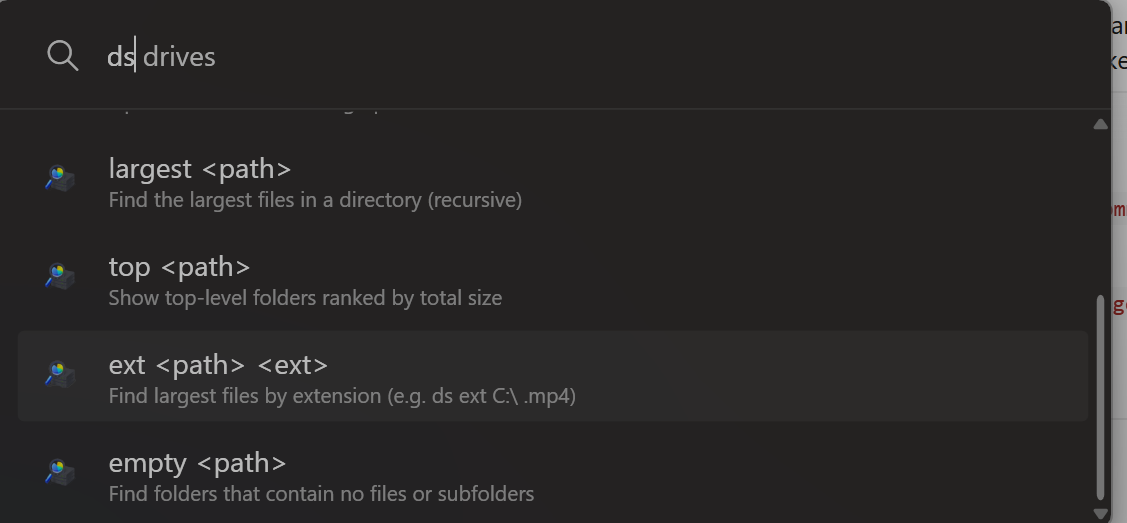
2. PowerToys Run Plugin & GUI
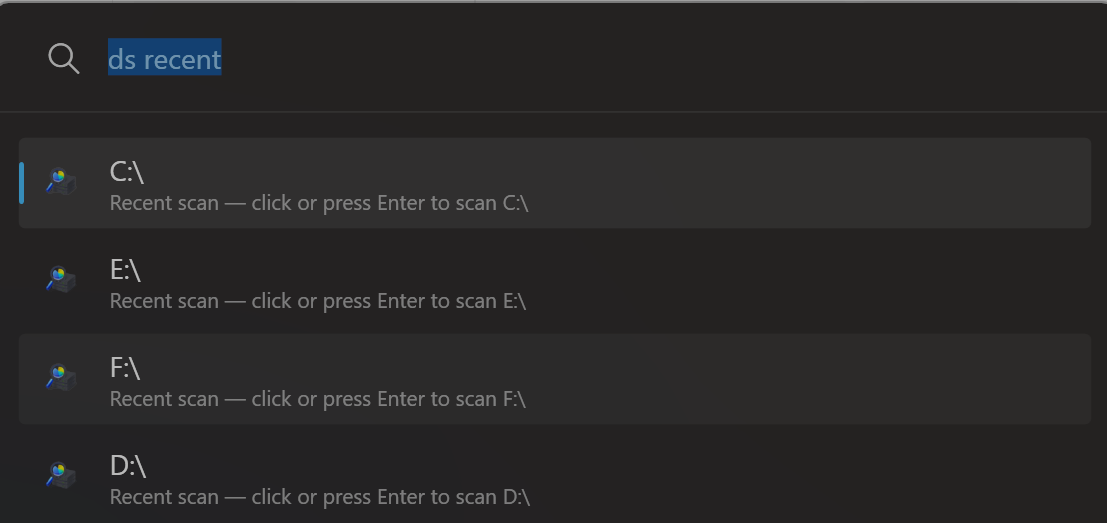
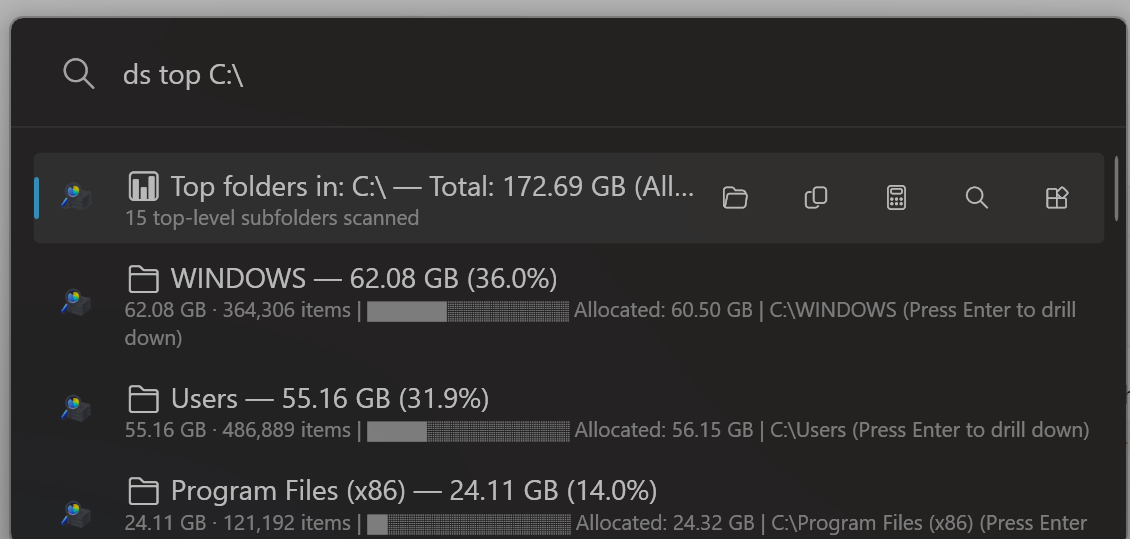
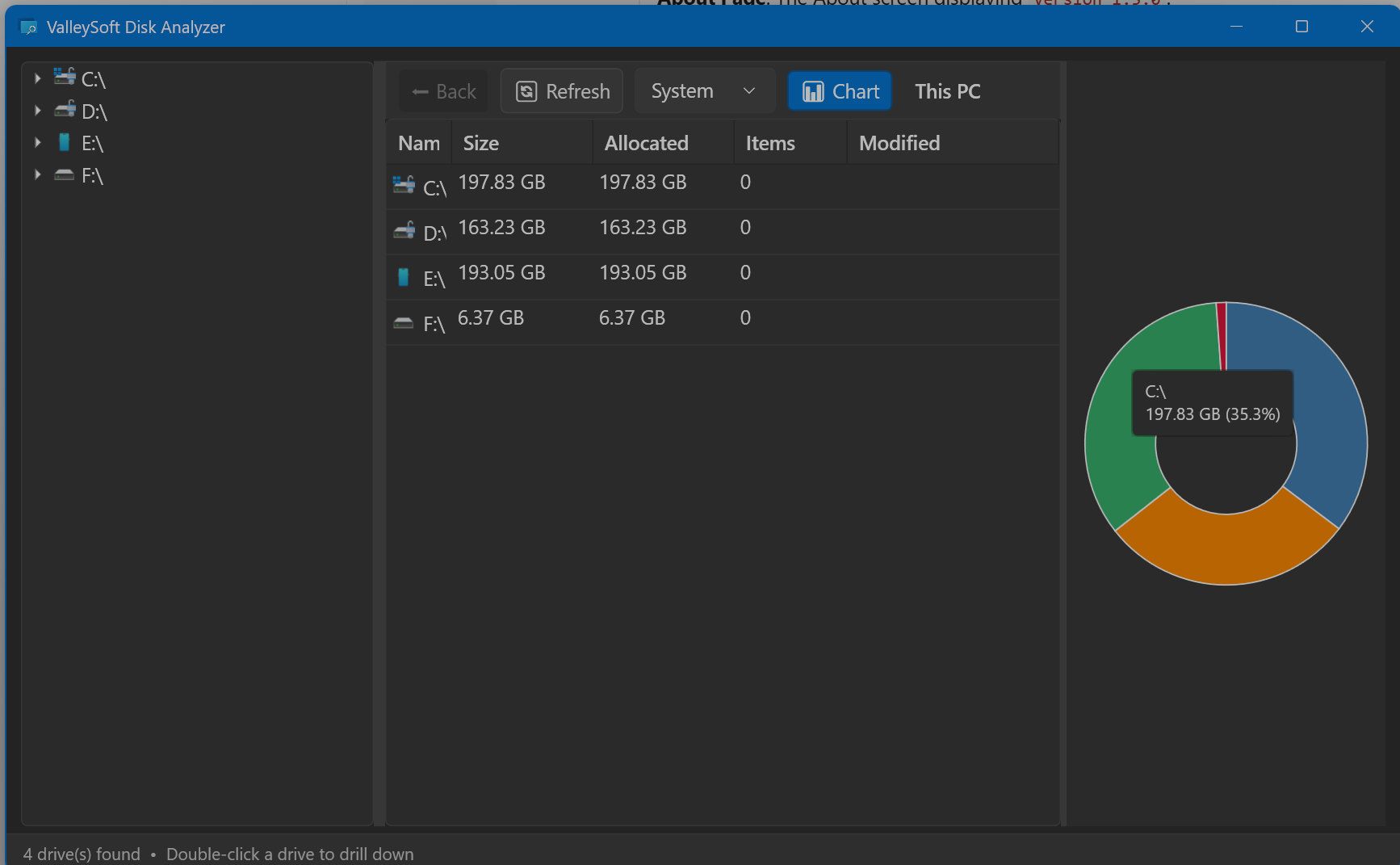
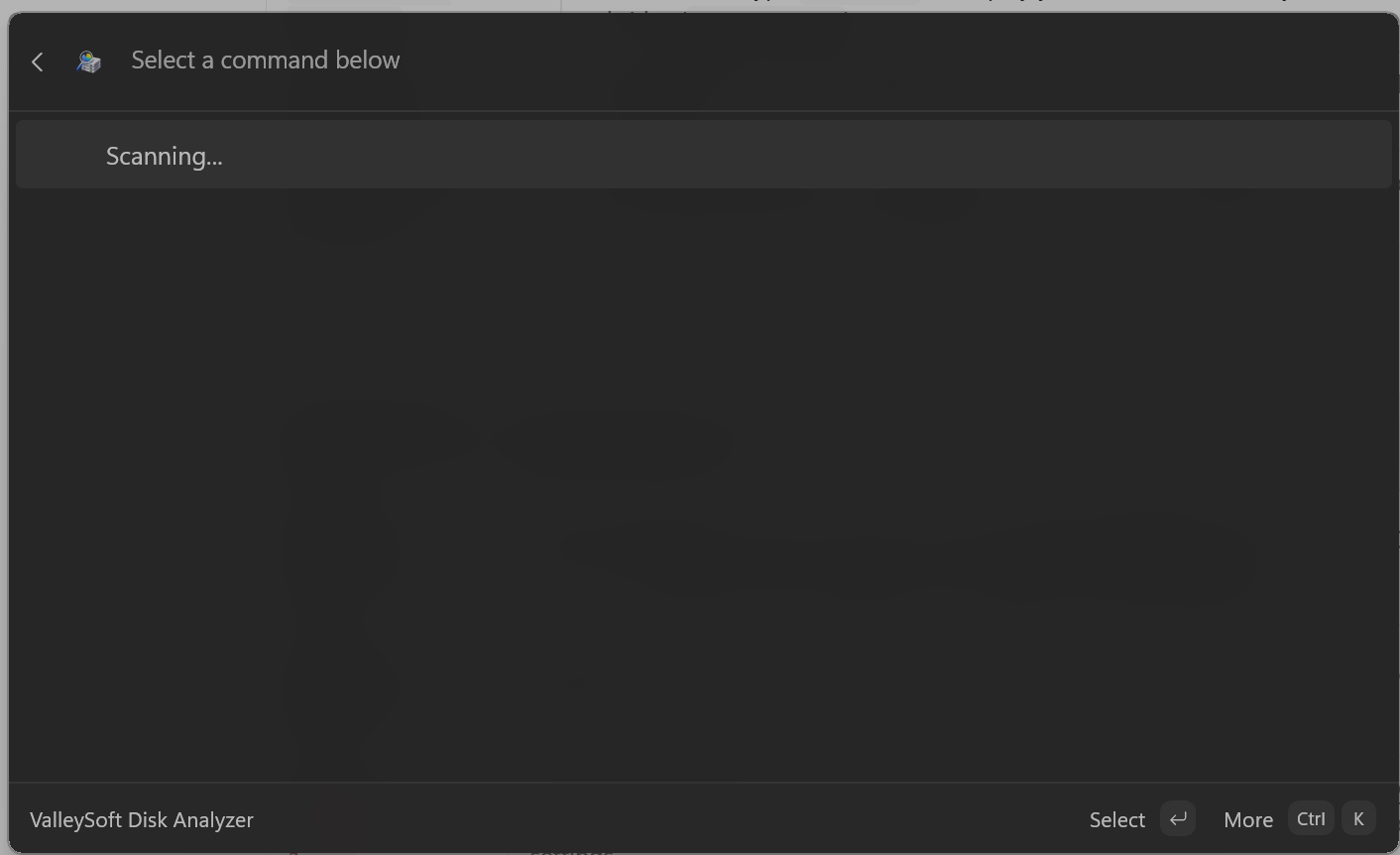
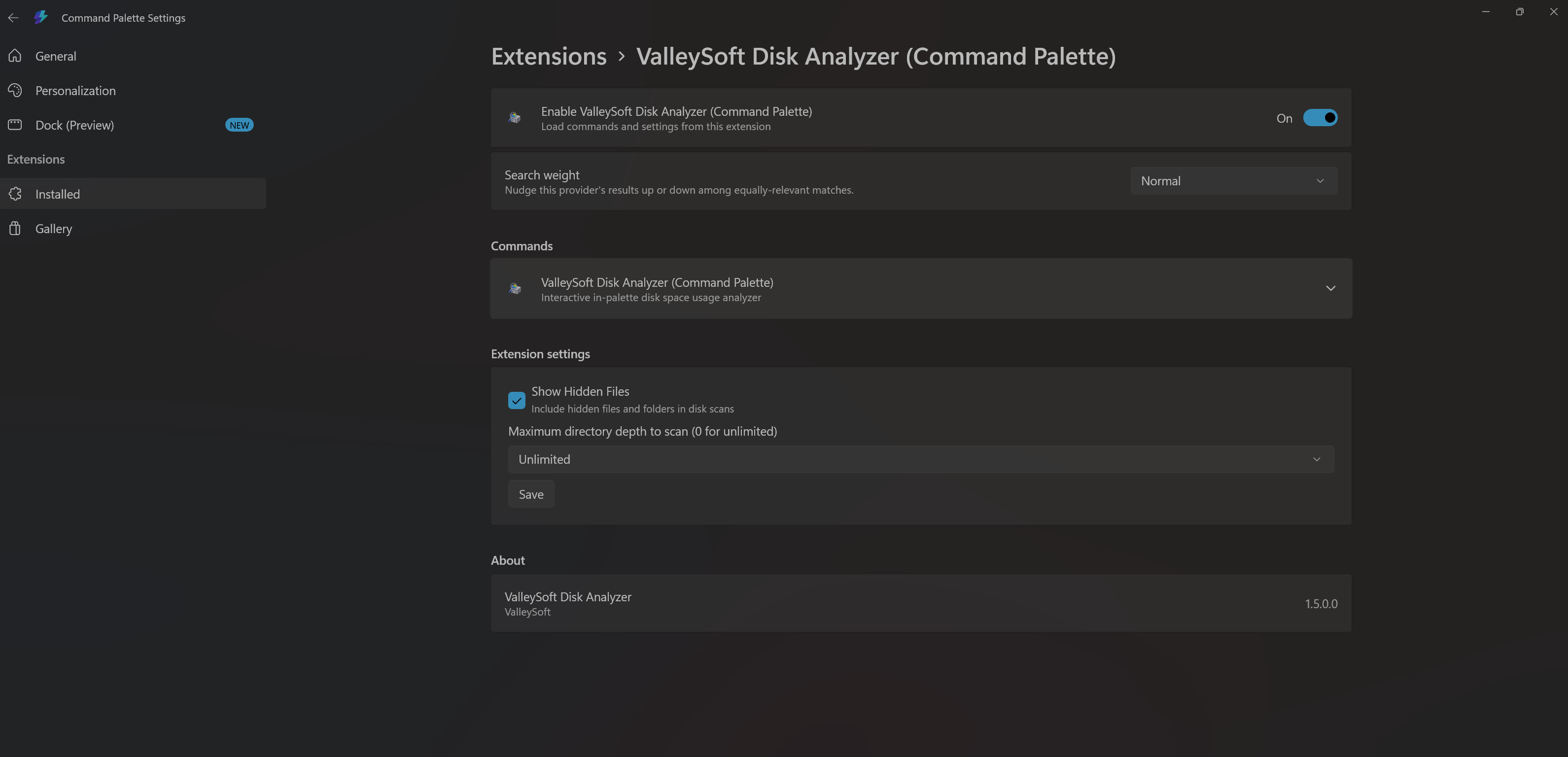
3. Command Palette Extension
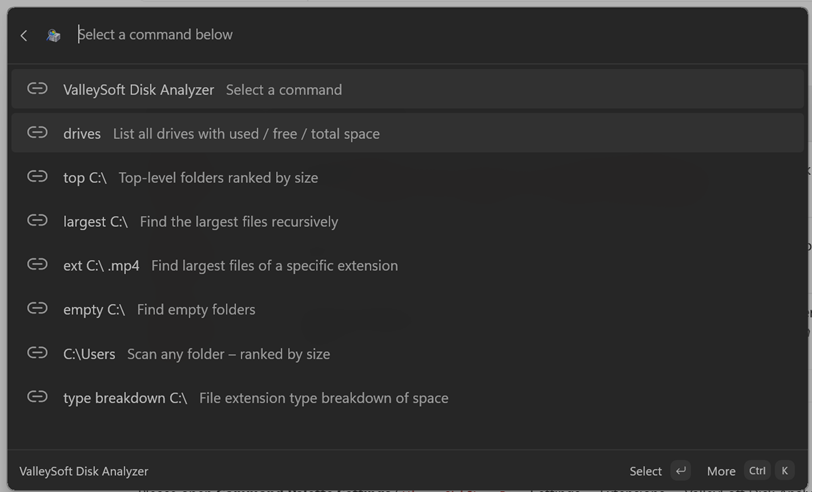
Installation — Standalone App & Command Palette Extension (Unified MSIX)
- Download
ValleySoft.DiskAnalyzer.App_1.5.1_x64.msix(orarm64) from the assets below. - Double-click the
.msixfile and click Install. - You're done! The Standalone App will be in your Start Menu, and the Command Palette Extension will automatically be registered in the Windows Command Palette.
💡 Troubleshooting Certificate Verification (Error 0x800B010A):
Because this MSIX is a sideloading release signed with a self-signed certificate, Windows requires you to install the certificate once before installing the app:
- Download
ValleySoft.cerfrom the release assets below.- Right-click the
.cerfile and select Install Certificate.- Select Local Machine, click Next.
- Choose Place all certificates in the following store, click Browse, select Trusted People, click OK.
- Click Next, then Finish. Now double-click the
.msixfile to install the app cleanly!
Recommended: The Microsoft Store is the easiest way to install and keep the app automatically updated!
Alternatively, you can install it instantly via the command line using
winget:winget install --id 9NF073KLTVWN --source msstore

Installation — PowerToys Run Plugin
- Download
ValleySoft.DiskAnalyzerInstaller-v1.5.1-x64.exe(orarm64) from the assets below. - Exit PowerToys (right-click tray icon → Exit).
- Run the installer — it will clean install to
%LOCALAPPDATA%\Microsoft\PowerToys\PowerToys Run\Plugins\DiskAnalyzer. - Restart PowerToys and enable the plugin in Settings → PowerToys Run → Plugins.
Usage
| Command | Description |
|---|---|
ds |
Show help and all available commands |
ds drives |
List all drives with used / free / total space |
ds recent |
Show last 5 scanned paths for instant re-scan |
ds top C:\ |
Top folders ranked by size |
ds largest C:\ |
Find largest files recursively |
ds ext C:\ .mp4 |
Find files by extension |
ds empty C:\ |
Find empty folders |
ds gui |
Open the standalone GUI window |
🚀 What's New in Version 1.5.1 (Hotfix)
🛠️ What Got Fixed & Improved:
- 🛡️ Self-Contained Windows App SDK Runtime: Embedded the entire Windows App SDK runtime directly into the application package (
WindowsAppSDKSelfContained=true), eliminating startup crashes (0xc000027b) on clean Windows installations without requiring external Store framework provisioning. - 🎨 Hardened Backdrop Initialization: Removed declarative
MicaBackdropfrom XAML markup in favor of dynamic runtime initialization with graceful fallback for Windows 10, battery saver, and environments lacking hardware composition. - 📊 Top Files DataGrid Stability: Fixed division-by-zero layout cycles on unmeasured inactive tabs by giving the Name column fixed sizing and lazily binding the items collection on tab activation.
- 🔄 Synchronized App Metadata: Updated internal version indicators, Help page "What's New (v1.5.1)" highlights, and fallback version strings across the suite.
🚀 What's New in Version 1.5.0
🟢 What Got Added:
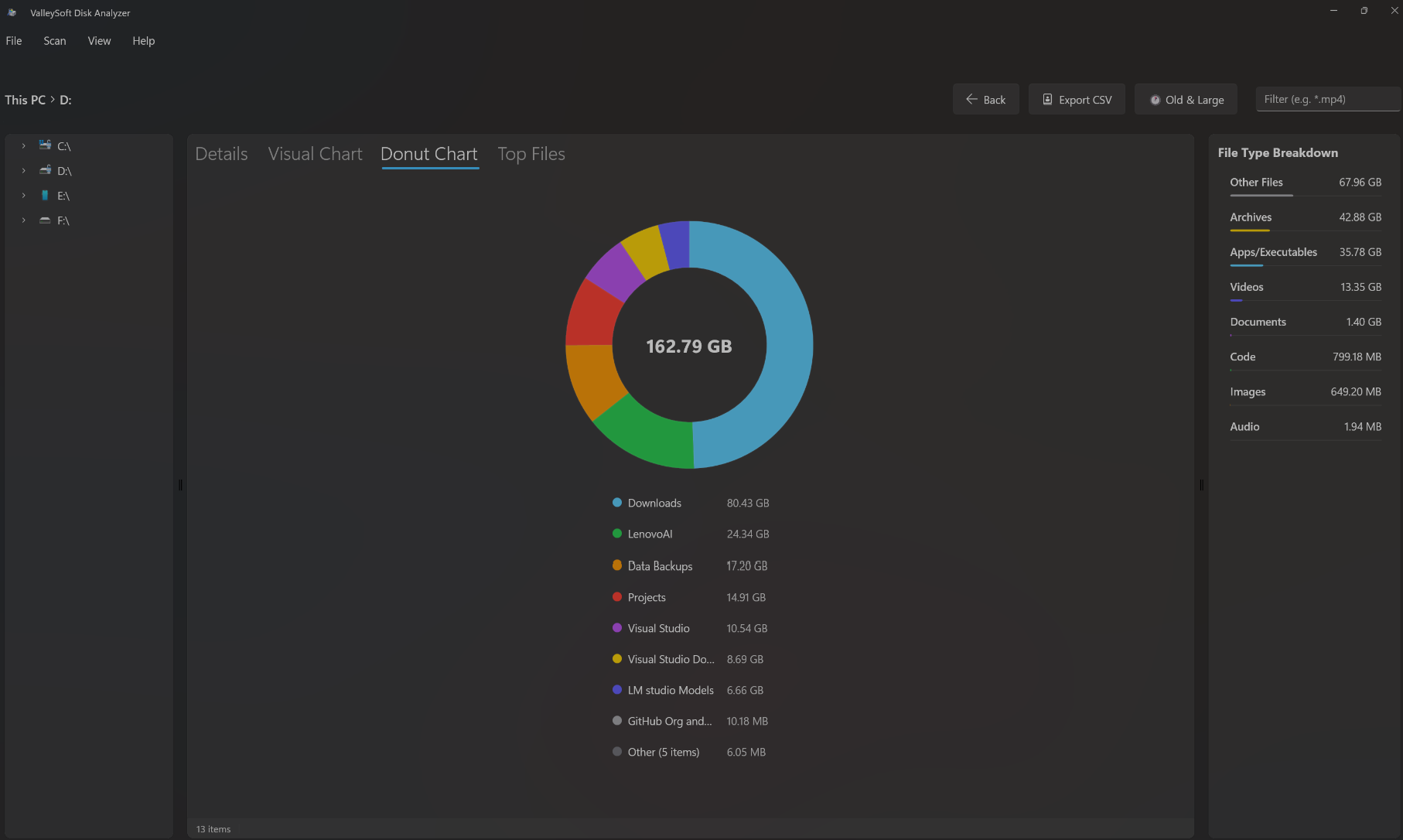
- 🍩 Interactive Donut Chart: Added a dedicated Donut Chart tab in the Standalone App to visualize folder space distribution with responsive scaling, Fluent accent colors, center total size display, and tap-to-drill-down navigation.
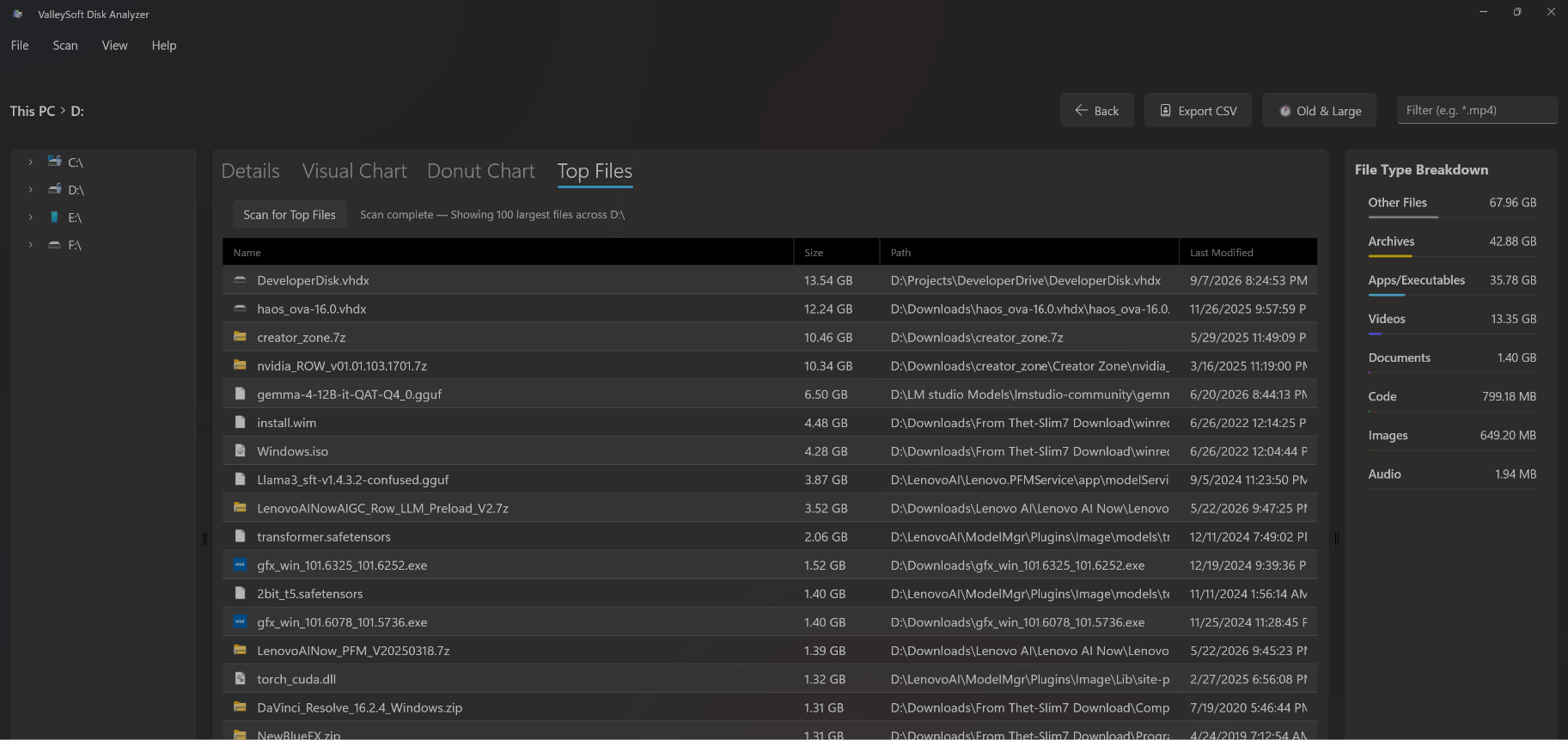
- 📁 Top 100 Largest Files Tab: Added a dedicated Top Files tab that multithreadedly scans the entire drive/root to surface the 100 largest files with early size pruning and root-level system files (
pagefile.sys,hiberfil.sys,swapfile.sys) support. - 🕐 Large & Old Files Quick Filter: Added a one-click toolbar toggle filter button to instantly isolate files larger than 100 MB not modified in the last 12 months with a live match count badge.
- 🗑️ Send to Recycle Bin: Added a right-click context menu option in the results grid to safely move files or folders to the Windows Recycle Bin with a confirmation dialog and dynamic list updates.
- 🕒 PowerToys Run Recent Scans (
ds recent): Added a history mechanism to PowerToys Run storing the last 5 scanned paths for instant 1-click re-scanning. - 📊 Richer Result Subtitles: PowerToys Run query results now show both total size and formatted item counts (e.g.
42.3 GB · 15,823 items). - ⌨️ PowerToys Run Full Keyboard Navigation: Added complete keyboard accessibility to the floating GUI (
Enterto drill down,Backspaceto navigate up one level, andF5to refresh/rescan). - 📊 PowerToys Run Collapsible Donut Panel: Added a toggleable side chart panel in the PowerToys Run GUI window featuring a high-contrast visual donut chart.
- 🎨 Live Theme Synchronization: Added dynamic system theme tracking (
UserPreferenceChanged) to the PowerToys Run GUI, instantly switching between dark and light themes without requiring an app restart. - ▓ High-Contrast Shaded Usage Bars: Redesigned PowerToys Run mini usage progress bars (
DiskAnalyzerHelper.CreateMiniBar) using unicode contrast blocks (█/░) ensuring clear visibility across dark and light modes. - ⚙️ Native Command Palette Settings: Replaced placeholder settings with native
CommandProvider.Settingsintegration, introducing persistent "Show Hidden Files" and "Max Scan Depth" controls. - ⚡ Command Palette Asynchronous Loading: Command Palette extension now streams and queries results asynchronously in the background, eliminating UI freezes and maintaining launcher responsiveness.
- 💾 Enhanced Excel-Sortable CSV Export: Export formatted
.csvfiles including unquoted numericSize (Bytes)andAllocated Size (Bytes)columns with UTF-8 BOM encoding for direct numeric sorting and formula calculations in Microsoft Excel.
🛠️ What Got Fixed & Improved:
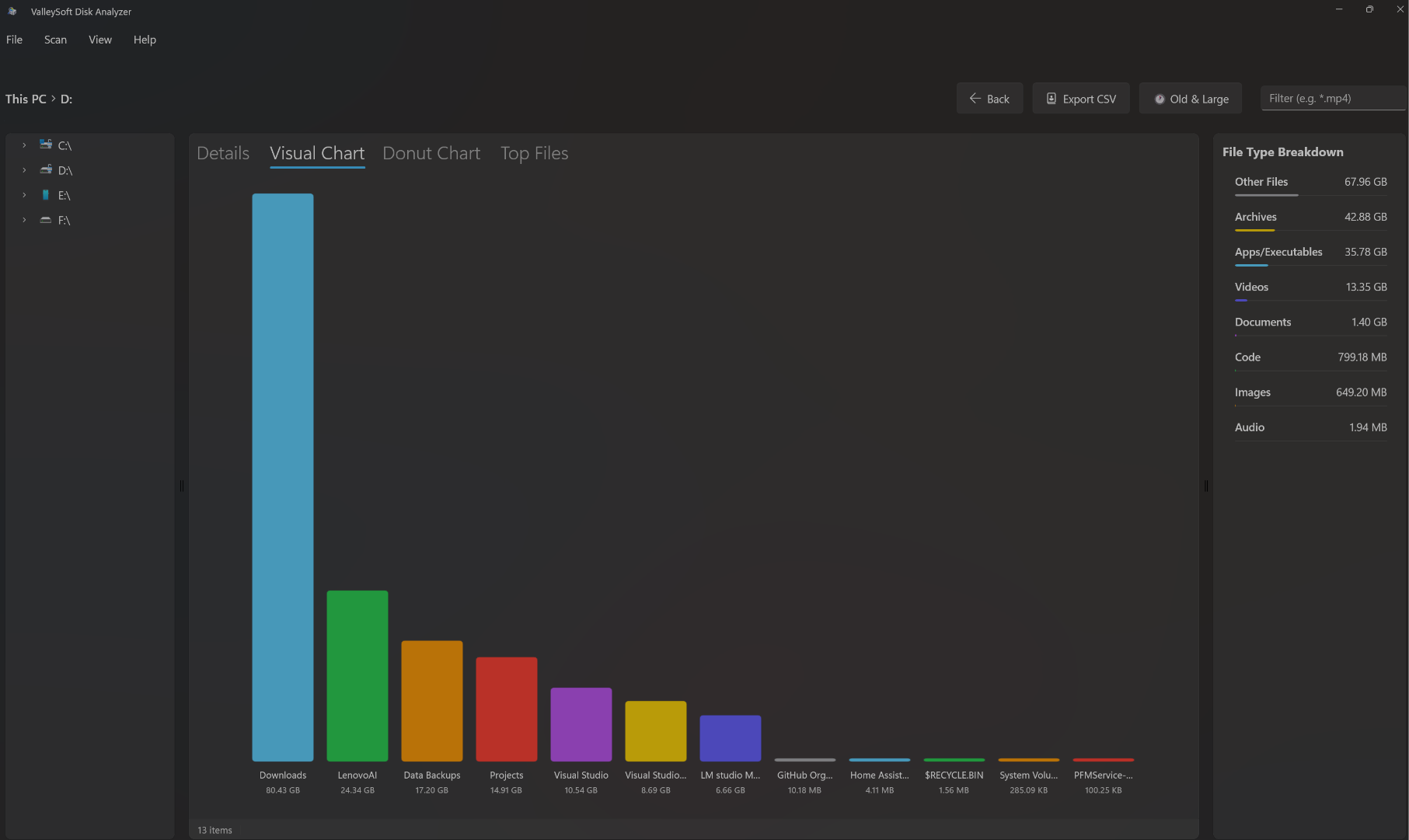
- 📊 Bar Chart Dynamic Scaling & Horizontal Scrolling: Fixed bar chart item clipping on smaller displays by adding horizontal scrolling and dynamic bar height scaling.
- 🛡️ Drill-Down Tap Safety: Prevented aggregate "Other (N items)" summary bars from triggering invalid navigation while maintaining tap-to-drill-down on all named item slices and bars.
- 🧹 Clean Command Palette Provider Registration: Purged stale ghost provider cache entries for a clean single-entry settings experience.
- 📖 Modernized Standalone Help Page: Fully refreshed Help and Features documentation detailing Donut Charts, Top Files, Old & Large filtering, Recycle Bin integration, and launcher commands.