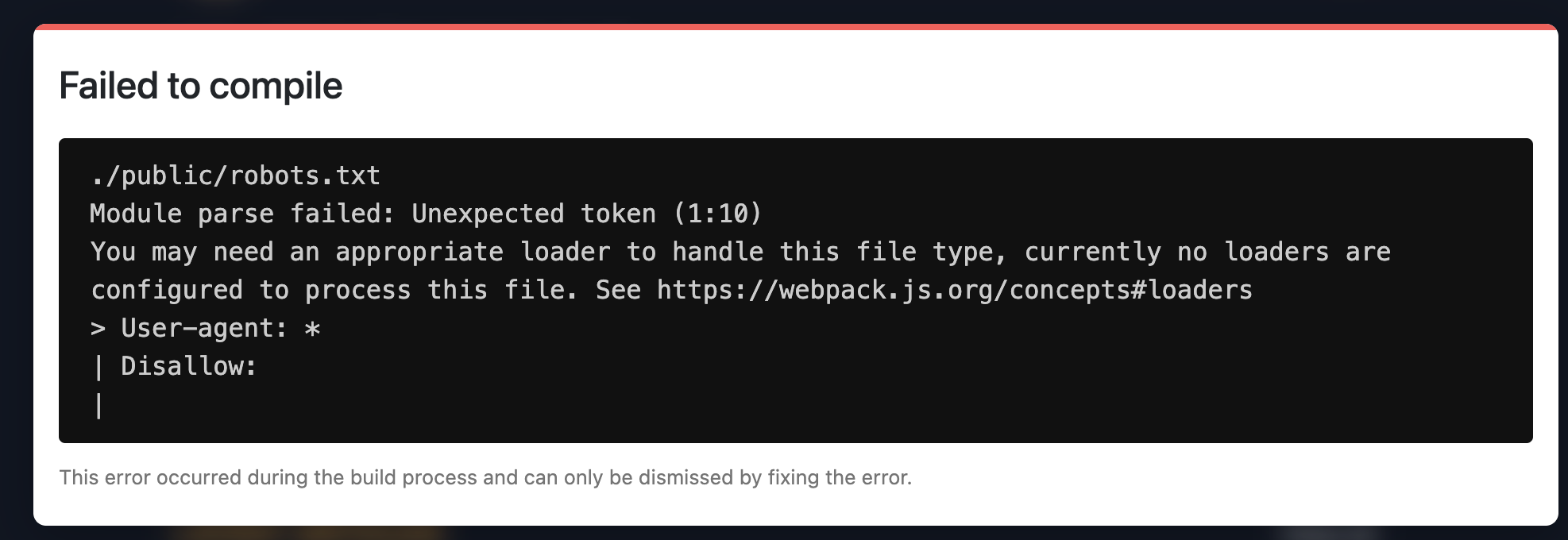
Unexpected token when parsing robots.txt file #27661


|
I'm building my personal blog with Next and I had an error while adding the
If I remove the colon since it seems problematic, it doesn't fail anymore. I'm not sure why it happens since I thought that serving these static assets should work out of the box. Note that I don't have any I'm using Next 11.0.1 with Webpack 5 enabled. Does someone have a clue of what's going on and how to fix it? Am I missing something obvious? |
Replies: 3 comments
|
After investigating it for quite some time, I found what was causing the bug. It's not related to Webpack or any configuration. I was adding some attributes to the export default function Blog({ post, slug }) {
const imagePath = `images/${slug}/cover.jpg`;
return (
<Layout>
{/* The SEO component adds a bunch of meta properties to the `Head` component from Next */}
<SEO
title={title}
description={description}
cover={`${config.url}/${imagePath}`}
/>
{/* ... */}
<Image
priority
src={require(`../public/${imagePath}`)}
alt=""
/>
{/* ... */}
)
} It seems that having such a variable in the ...and now, it works fine. I'm not exactly sure why it happened and why I got an error which seemed totally unrelated, but at least the bug is fixed 🙂 |

|
We see this error happening in docusaurus as well. Seems like dynamic requires causes webpack to try to load all static assets? |

|
I saw this in docusaurus too, with a export default async function RobotsPlugin(context, options) {
return {
name: 'robots-plugin',
configureWebpack() {
return {
module: {
rules: [
{
test: /\.txt$/,
use: [
{
loader: 'file-loader'
},
],
},
],
}
};
},
};
}Then in your In this example I have of course used a regex that targets all |


After investigating it for quite some time, I found what was causing the bug. It's not related to Webpack or any configuration.
I was adding some attributes to the
headelement, especially the cover URL of my blog post through a shared variable calledimagePath: