Releases: vertusdesign/ScreenCap
Release list
ScreenCap 3.0.0

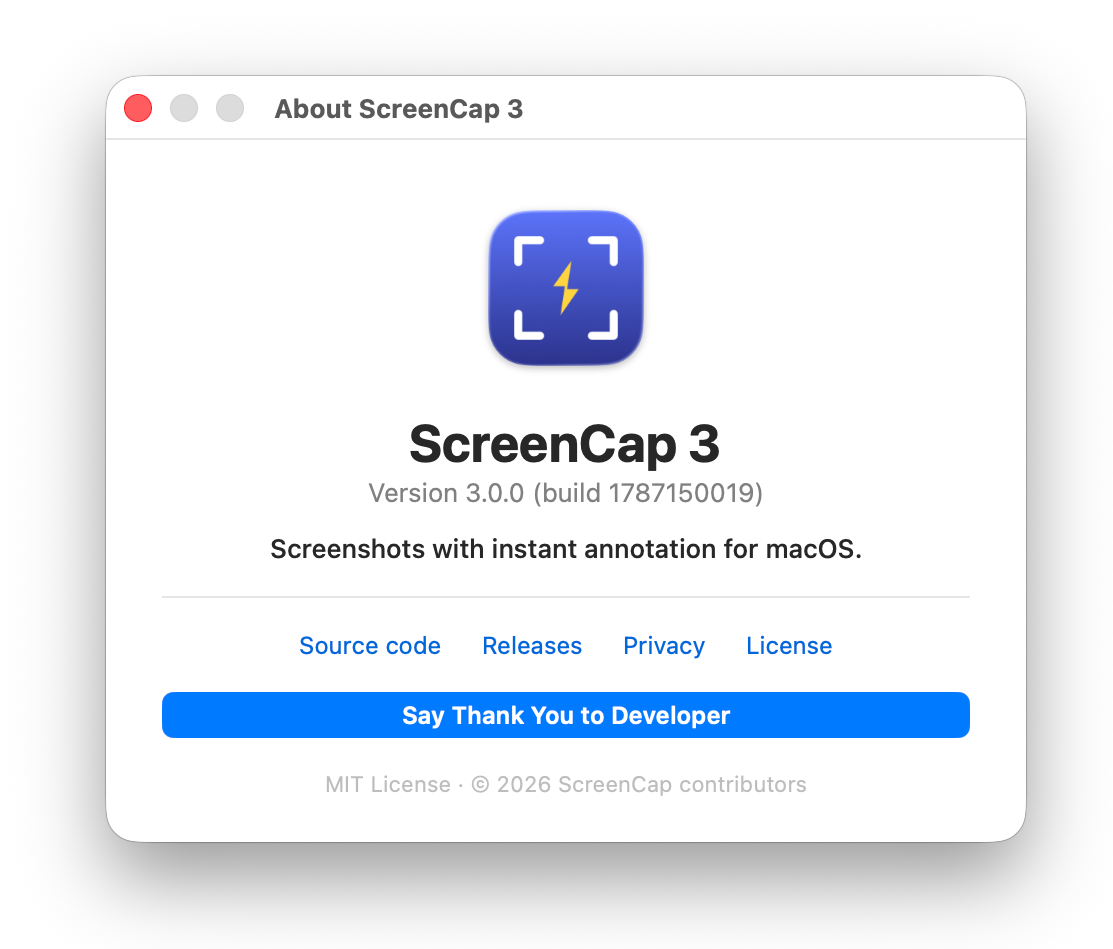
ScreenCap 3.0.0 is the public screenshot and screen-recording release, with native annotation
tools, click visualization and crash-safe local recording recovery.
New since 2.2.0
- Swift 6 migration.
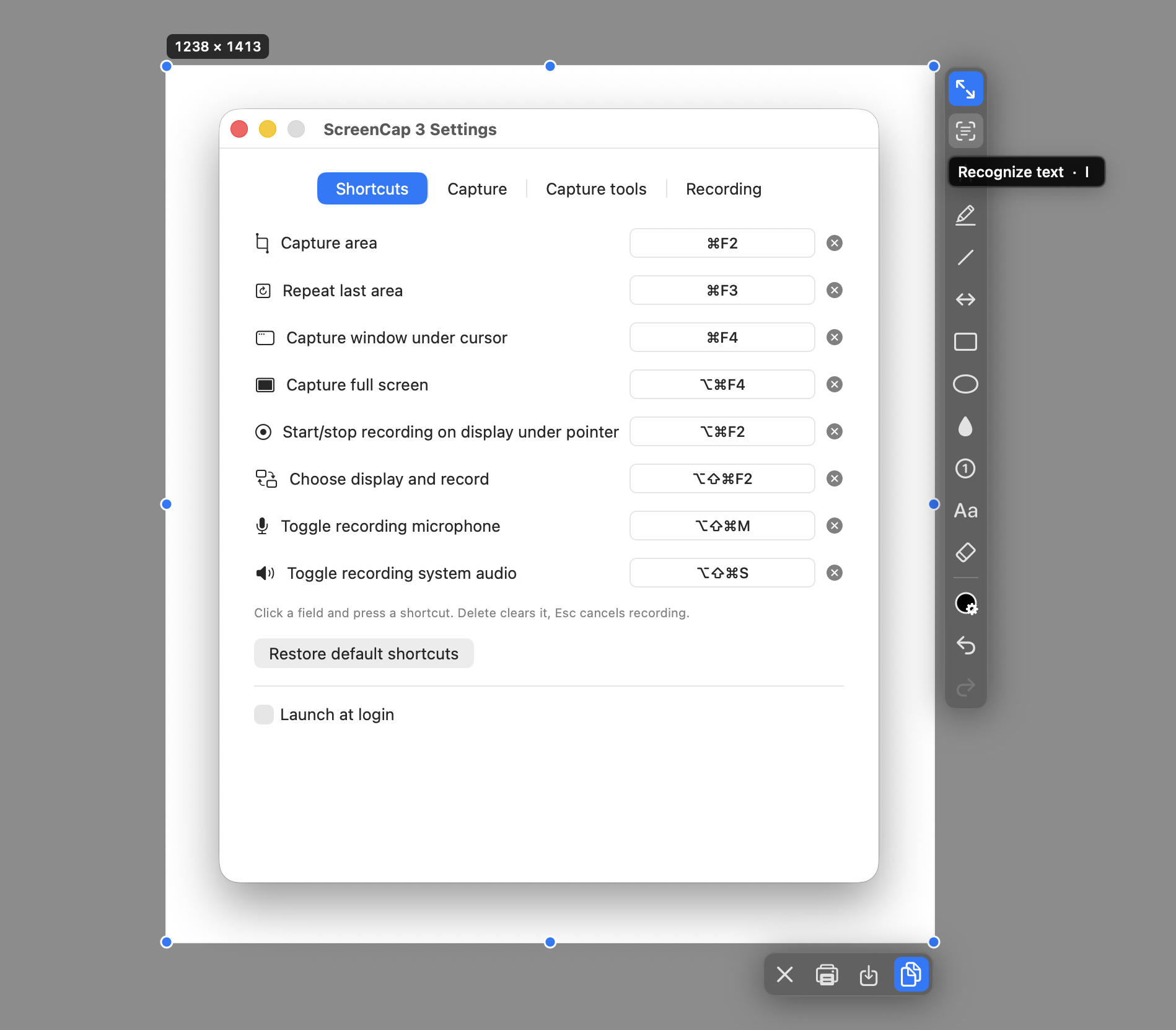
- Text recognition: a dedicated toolbar tool uses macOS Live Text to recognize text on the image. Recognized text can be selected and looked-up, translated, or copied. The image itself is not modified.
- Open images from Finder: use Open With → ScreenCap from Finder to annotate an existing image. Among other features: the image edges can be expanded, which creates additional editable canvas filled with the selected color.
Screen recording improvements
- More reliable recordings: reduced the risk of lost video samples during lengthy or high-resolution recordings.
- Improved MOV saving: fixed cases where a recording could be saved with invalid video timing and then appear frozen or behave incorrectly in some third-party video players (such as VLC), even though it played correctly in QuickTime.
- Final file validation: ScreenCap now checks the finished movie before confirming that the recording was saved. Incomplete or invalid video is reported instead of being silently accepted.
- Better compatibility of saved recordings: video and audio tracks are checked for consistent duration and timeline integrity.
Screenshots

Pay attention to the following before the installation
⚠️ macOS will block the first launch — this is expectedThis build is not notarized by Apple (that needs a paid Apple Developer account), so
macOS says "Apple could not verify ScreenCap is free of malware" and offers only Done
and Move to Bin.Press Done, then open System Settings → Privacy & Security, scroll to Security,
and press Open Anyway next to the ScreenCap line. Once only.On macOS 15 and newer the old right-click → Open trick no longer works. From the terminal,
xattr -d com.apple.quarantine /Applications/ScreenCap.appdoes the same. Building from
source avoids the warning entirely.
Install
Download the disk image, open it, drag ScreenCap 3.app onto Applications.
Then allow it past Gatekeeper — see the notice above.
On the first launch, if access is missing, macOS asks for Screen Recording. It is the
permission macOS requires for anything that reads the screen, including a single still frame.
ScreenCap 2.2.0
ScreenCap 2.2.0 improves long-recording output reliability and the opened-image editing workflow.
Improvements
- Long recordings use bounded writer backpressure, explicit overflow handling and final QuickTime
movie validation, so incomplete video is reported instead of being silently accepted. - Video saving keeps valid timestamps and handles AVFoundation's metadata-only boundary samples
without rejecting an otherwise playable movie. - Images opened from Finder start at 100% scale, centre when possible, and can be panned with a
trackpad gesture or mouse wheel from any annotation tool. - Opened-image panning follows macOS's Natural scrolling preference.
- Saving an opened image without confirmation prefers the source folder and adds
_ScreenCap
before the extension, with a Save Panel fallback when that folder is unavailable. - Extending an opened image's edge expands the scrollable canvas and fills only the new area with
the current primary colour.
Pay attention to the following before the installation
⚠️ macOS will block the first launch — this is expectedThis build is not notarized by Apple (that needs a paid Apple Developer account), so
macOS says "Apple could not verify ScreenCap is free of malware" and offers only Done
and Move to Bin.Press Done, then open System Settings → Privacy & Security, scroll to Security,
and press Open Anyway next to the ScreenCap line. Once only.On macOS 15 and newer the old right-click → Open trick no longer works. From the terminal,
xattr -d com.apple.quarantine /Applications/ScreenCap.appdoes the same. Building from
source avoids the warning entirely.
Install
Download the disk image, open it, drag ScreenCap.app onto Applications.
Then allow it past Gatekeeper — see the notice above.
On the first launch, if access is missing, macOS asks for Screen Recording. It is the
permission macOS requires for anything that reads the screen, including a single still frame.
ScreenCap 2.0.0
Freeze the screen, select an area, mark it up in place, then copy or save. Universal binary — runs natively on Apple silicon and Intel.
ScreenCap 2.0 adds the first stable full-display recording workflow for macOS 15+:
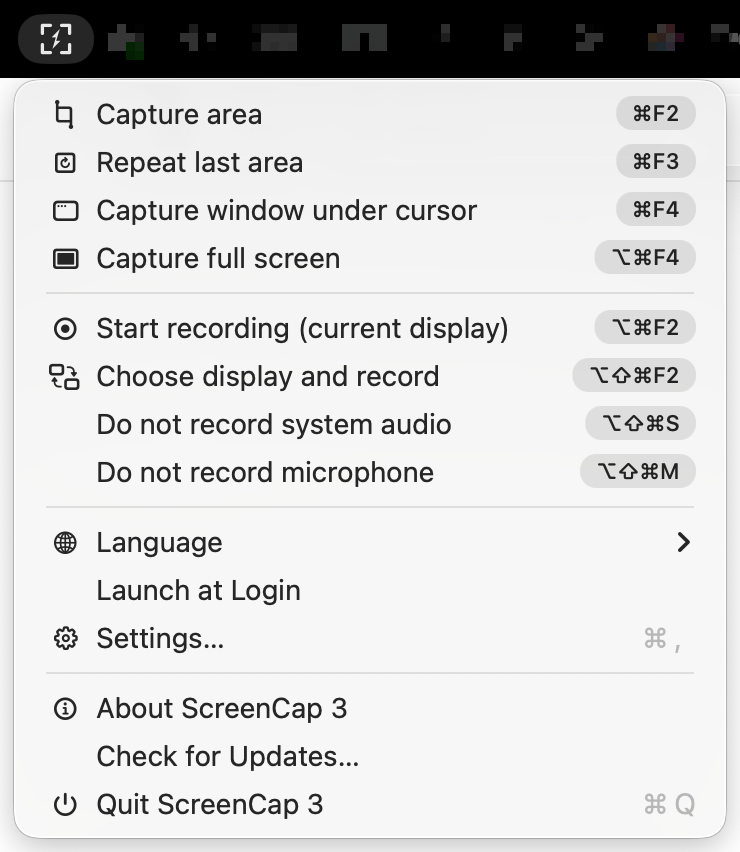
- Start recording the current display under the pointer or choose a display in ScreenCap's own picker.
- Record system audio and microphone audio independently, plus a composite track first for ordinary players.
- Toggle either ScreenCap audio track during recording without changing the system route or affecting Teams, Zoom, Meet or other apps.
- Use logical-size capture, H.264/HEVC selection, optional gentle RNNoise suppression, safe disk-space checks and local diagnostics.
- Open finished recordings in the installed video application, including VLC's existing playlist with the item paused when supported.
The static screenshot workflow remains independent and unchanged. See the changelog for the full list.
What it does
- Four capture modes on configurable global shortcuts: area (⌘F2), repeat last area (⌘F3), window under the cursor (⌘F4), full screen (⌘⌥F4).
- The screen freezes the instant the shortcut fires, so an open menu or a hover tooltip stays put while you frame the shot.
- Drawing tools: pen, highlighter, line, arrow, rectangle, ellipse, redaction, numbered circles, text and an eraser, each on a single-key shortcut.
- Redaction with pixelation or blur, in a rectangle, an ellipse or a free brush stroke, with adjustable intensity.
- An eraser that erases. Annotations are composited into a transparent raster layer above the screenshot and the eraser punches transparency into it, so it takes away part of a stroke instead of deleting whole objects. The vector data stays underneath, and the layer is re-flattened at the export scale on save.
- Modifiers while drawing, combinable:
⇧square or 45°,⌥grow from the centre,⌃the tool's alternate — a filled shape, or the other redaction style. The tool's icon changes while⌃is held. - Color panel with palette, recently used colors, a hex field, an eyedropper that samples the frozen screenshot, and a route out to the system color panel.
- Pixel loupe with coordinates and the color under the cursor in hex and RGB.
- Undo covers the selection, not just the drawing — moving and resizing the frame are undoable steps.
- 24 interface languages, switchable from the menu without a restart, with English filling in for anything untranslated.
- A
screencap://URL scheme for Shortcuts, Raycast, Automator or a script, for when the shortcut you want is already taken.
Shortcuts are matched on the physical key rather than the character it produces, so they work on Cyrillic, Greek and every other non-Latin layout.
Pay attention to the following before the installation
⚠️ macOS will block the first launch — this is expectedThis build is not notarized by Apple (that needs a paid Apple Developer account), so
macOS says "Apple could not verify ScreenCap is free of malware" and offers only Done
and Move to Bin.Press Done, then open System Settings → Privacy & Security, scroll to Security,
and press Open Anyway next to the ScreenCap line. Once only.On macOS 15 and newer the old right-click → Open trick no longer works. From the terminal,
xattr -d com.apple.quarantine /Applications/ScreenCap.appdoes the same. Building from
source avoids the warning entirely.
Install
Download the disk image, open it, drag ScreenCap.app onto Applications.
Then allow it past Gatekeeper — see the notice above.
On the first launch, if access is missing, macOS asks for Screen Recording. It is the
permission macOS requires for anything that reads the screen, including a single still frame.
If the native prompt has already been answered and access is still missing, ScreenCap offers
an explicit retry dialog with a direct link to the Screen Recording settings pane. See the
reusable permission specification
for the full algorithm.
Nothing leaves your machine: the app contains no networking code at all. See PRIVACY.md.
Verify the download
shasum -a 256 -c ScreenCap-2.0.0.dmg.sha256
Requirements
macOS 14 or newer. Apple silicon or Intel.
Full changelog: https://github.com/vertusdesign/ScreenCap/blob/main/CHANGELOG.md
ScreenCap 1.1.0
Freeze the screen, select an area, mark it up in place, then copy or save. Universal binary — runs natively on Apple silicon and Intel.


This stable release polishes the capture overlay, permission recovery and universal
distribution. It includes cross-display Undo/Redo, live text editing, object deletion, safe
layered pixelation and blur, a polished overlay, 24 interface languages, and a universal Intel
/ Apple Silicon build. See the changelog for the full list.
What it does
- Four capture modes on configurable global shortcuts: area (⌘F2), repeat last area (⌘F3), window under the cursor (⌘F4), full screen (⌘⌥F4).
- The screen freezes the instant the shortcut fires, so an open menu or a hover tooltip stays put while you frame the shot.
- Drawing tools: pen, highlighter, line, arrow, rectangle, ellipse, redaction, numbered circles, text and an eraser, each on a single-key shortcut.
- Redaction with pixelation or blur, in a rectangle, an ellipse or a free brush stroke, with adjustable intensity.
- An eraser that erases. Annotations are composited into a transparent raster layer above the screenshot and the eraser punches transparency into it, so it takes away part of a stroke instead of deleting whole objects. The vector data stays underneath, and the layer is re-flattened at the export scale on save.
- Modifiers while drawing, combinable:
⇧square or 45°,⌥grow from the centre,⌃the tool's alternate — a filled shape, or the other redaction style. The tool's icon changes while⌃is held. - Color panel with palette, recently used colors, a hex field, an eyedropper that samples the frozen screenshot, and a route out to the system color panel.
- Pixel loupe with coordinates and the color under the cursor in hex and RGB.
- Undo covers the selection, not just the drawing — moving and resizing the frame are undoable steps.
- 24 interface languages, switchable from the menu without a restart, with English filling in for anything untranslated.
- A
screencap://URL scheme for Shortcuts, Raycast, Automator or a script, for when the shortcut you want is already taken.
Shortcuts are matched on the physical key rather than the character it produces, so they work on Cyrillic, Greek and every other non-Latin layout.
Pay attention to the following before the installation
⚠️ macOS will block the first launch — this is expectedThis build is not notarized by Apple (that needs a paid Apple Developer account), so
macOS says "Apple could not verify ScreenCap is free of malware" and offers only Done
and Move to Bin.Press Done, then open System Settings → Privacy & Security, scroll to Security,
and press Open Anyway next to the ScreenCap line. Once only.On macOS 15 and newer the old right-click → Open trick no longer works. From the terminal,
xattr -d com.apple.quarantine /Applications/ScreenCap.appdoes the same. Building from
source avoids the warning entirely.
Install
Download the disk image, open it, drag ScreenCap.app onto Applications.
Then allow it past Gatekeeper — see the notice above.
On the first launch, if access is missing, macOS asks for Screen Recording. It is the
permission macOS requires for anything that reads the screen, including a single still frame.
If the native prompt has already been answered and access is still missing, ScreenCap offers
an explicit retry dialog with a direct link to the Screen Recording settings pane. See the
reusable permission specification
for the full algorithm.
Nothing leaves your machine: the app contains no networking code at all. See PRIVACY.md.
Verify the download
shasum -a 256 -c ScreenCap-1.1.0.dmg.sha256
Requirements
macOS 14 or newer. Apple silicon or Intel.
Full changelog: https://github.com/vertusdesign/ScreenCap/blob/main/CHANGELOG.md
ScreenCap 1.0.0
Freeze the screen, select an area, mark it up in place, then copy or save. Universal binary — runs natively on Apple silicon and Intel.
This is the first stable release of ScreenCap. It brings the complete capture and annotation
workflow together with cross-display Undo/Redo, live text editing, object deletion, safe
pixelation and blur, a polished overlay, 24 interface languages, and a universal Intel/Apple
Silicon build. See the changelog for the full list.
What it does
- Four capture modes on configurable global shortcuts: area (⌘F2), repeat last area (⌘F3), window under the cursor (⌘F4), full screen (⌘⌥F4).
- The screen freezes the instant the shortcut fires, so an open menu or a hover tooltip stays put while you frame the shot.
- Drawing tools: pen, highlighter, line, arrow, rectangle, ellipse, redaction, numbered circles, text and an eraser, each on a single-key shortcut.
- Redaction with pixelation or blur, in a rectangle, an ellipse or a free brush stroke, with adjustable intensity.
- An eraser that erases. Annotations are composited into a transparent raster layer above the screenshot and the eraser punches transparency into it, so it takes away part of a stroke instead of deleting whole objects. The vector data stays underneath, and the layer is re-flattened at the export scale on save.
- Modifiers while drawing, combinable:
⇧square or 45°,⌥grow from the centre,⌃the tool's alternate — a filled shape, or the other redaction style. The tool's icon changes while⌃is held. - Color panel with palette, recently used colors, a hex field, an eyedropper that samples the frozen screenshot, and a route out to the system color panel.
- Pixel loupe with coordinates and the color under the cursor in hex and RGB.
- Undo covers the selection, not just the drawing — moving and resizing the frame are undoable steps.
- 24 interface languages, switchable from the menu without a restart, with English filling in for anything untranslated.
- A
screencap://URL scheme for Shortcuts, Raycast, Automator or a script, for when the shortcut you want is already taken.
Shortcuts are matched on the physical key rather than the character it produces, so they work on Cyrillic, Greek and every other non-Latin layout.
Pay attention to the following before the installation
⚠️ macOS will block the first launch — this is expectedThis build is not notarized by Apple (that needs a paid Apple Developer account), so
macOS says "Apple could not verify ScreenCap is free of malware" and offers only Done
and Move to Bin.Press Done, then open System Settings → Privacy & Security, scroll to Security,
and press Open Anyway next to the ScreenCap line. Once only.On macOS 15 and newer the old right-click → Open trick no longer works. From the terminal,
xattr -d com.apple.quarantine /Applications/ScreenCap.appdoes the same. Building from
source avoids the warning entirely.
Install
Download the disk image, open it, drag ScreenCap.app onto Applications.
Then allow it past Gatekeeper — see the notice above.
On the first capture, macOS asks for Screen Recording. It is the permission macOS requires for anything that reads the screen, including a single still frame. Grant it in System Settings → Privacy & Security, then restart the app — macOS does not apply a new permission to a running process.
Nothing leaves your machine: the app contains no networking code at all. See PRIVACY.md.
Verify the download
shasum -a 256 -c ScreenCap-1.0.0.dmg.sha256
Requirements
macOS 14 or newer. Apple silicon or Intel.
Full changelog: https://github.com/vertusdesign/ScreenCap/blob/main/CHANGELOG.md
ScreenCap 0.9.0-alpha
Freeze the screen, select an area, mark it up in place, then copy or save. Universal binary — runs natively on Apple silicon and Intel.
First public release. Everything below works and has been tested by hand; the alpha label is about the rough edges around it, listed under Known limitations.
What it does
- Four capture modes on configurable global shortcuts: area (⌘F2), repeat last area (⌘F3), window under the cursor (⌘F4), full screen (⌘F5).
- The screen freezes the instant the shortcut fires, so an open menu or a hover tooltip stays put while you frame the shot.
- Drawing tools: pen, highlighter, line, arrow, rectangle, ellipse, redaction, numbered circles, text and an eraser, each on a single-key shortcut.
- Redaction with pixelation or blur, in a rectangle, an ellipse or a free brush stroke, with adjustable intensity.
- An eraser that erases. Annotations are composited into a transparent raster layer above the screenshot and the eraser punches transparency into it, so it takes away part of a stroke instead of deleting whole objects. The vector data stays underneath, and the layer is re-flattened at the export scale on save.
- Modifiers while drawing, combinable:
⇧square or 45°,⌥grow from the centre,⌃the tool's alternate — a filled shape, or the other redaction style. The tool's icon changes while⌃is held. - Colour panel with palette, recently used colours, a hex field, an eyedropper that samples the frozen screenshot, and a route out to the system colour panel.
- Pixel loupe with coordinates and the colour under the cursor in hex and RGB.
- Undo covers the selection, not just the drawing — moving and resizing the frame are undoable steps.
- 24 interface languages, switchable from the menu without a restart, with English filling in for anything untranslated.
- A
screencap://URL scheme for Shortcuts, Raycast, Automator or a script, for when the shortcut you want is already taken.
Shortcuts are matched on the physical key rather than the character it produces, so they work on Cyrillic, Greek and every other non-Latin layout.
Pay attention to the following before the installation
⚠️ macOS will block the first launch — this is expectedThis build is not notarized by Apple (that needs a paid Apple Developer account), so
macOS says "Apple could not verify ScreenCap is free of malware" and offers only Done
and Move to Bin.Press Done, then open System Settings → Privacy & Security, scroll to Security,
and press Open Anyway next to the ScreenCap line. Once only.On macOS 15 and newer the old right-click → Open trick no longer works. From the terminal,
xattr -d com.apple.quarantine /Applications/ScreenCap.appdoes the same. Building from
source avoids the warning entirely.
Install
Download the disk image, open it, drag ScreenCap.app onto Applications.
Then allow it past Gatekeeper — see the notice above.
On the first capture, macOS asks for Screen Recording. It is the permission macOS requires for anything that reads the screen, including a single still frame. Grant it in System Settings → Privacy & Security, then restart the app — macOS does not apply a new permission to a running process.
Nothing leaves your machine: the app contains no networking code at all. See PRIVACY.md.
Verify the download
shasum -a 256 -c ScreenCap-0.9.0-alpha.dmg.sha256
Requirements
macOS 14 or newer. Apple silicon or Intel.
Full changelog: https://github.com/vertusdesign/ScreenCap/blob/main/CHANGELOG.md