Repository navigation
Loaderly 2.0

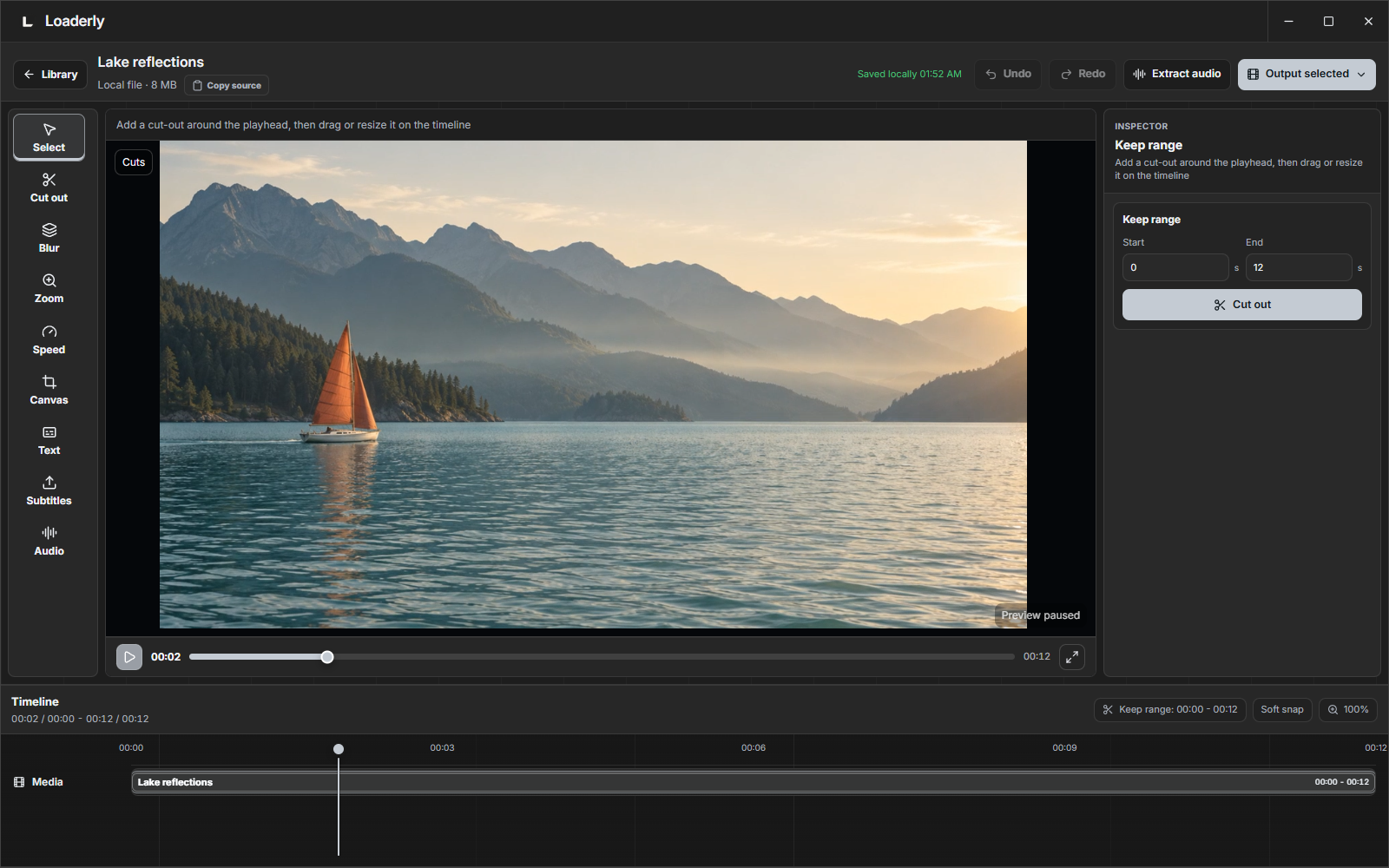
Loaderly 2.0 introduces a new visual identity and a completely redesigned app interface, bringing downloading, video editing and audio into one Windows workspace with English and Arabic support.
Windows download: Get the current Loaderly release from Microsoft Store. Supports Windows 10 and 11, 64-bit. The Store handles installation and updates.
This refreshed 2.0 download includes in-app Help links and support for word visualizers, separate shapes and new drawing finishes. For the current Windows version, install Loaderly from Microsoft Store.
Highlights
- New visual identity and complete interface redesign: a new app icon and a unified design across the Library, Downloads, video and audio editors, menus and preferences.
- Cut sections, blur and track an area, zoom, add text and reframe video.
- Edit audio with fades, tone controls, repeat playback, exact speed input and different sound modes.
- Make your own audio visualizer: change its colors and movement, draw a custom shape in the website designer, and import or share its code.
- Design initials, words and short phrases, including Arabic, with different fonts or your own font. Customize weight, spacing, slant, outlines, bars and dots.
- Move, resize and edit directly in the large website preview. Select multiple points, zoom into details, use grid alignment and undo/redo across keyboard languages. Repeat your uploaded audio while designing.
- Customize the app's light and dark themes and exchange themes and visualizers through Community looks.
- Improved subtitles, keyboard shortcuts, playback controls, menus and bilingual documentation.
- Open Help & guides from the app sidebar, or Help in the audio or video editor, for documentation in your interface language.
Website and guides · Full changelog · Community looks
Clean view is for screen recording; MP3 export saves audio only.