Repository navigation
Loaderly 2.3.1

Loaderly 2.3.1
More reliable downloads, clearer controls and easier speech-to-text setup. Loaderly 2.3.1 fixes save-location and startup problems and helps choose transcription settings for your audio.
Download fixes and controls
- Download directly to a drive: Fixed saving directly to a drive when per-website folders are disabled. Saved audio and video destinations work with either folder organization option.
- Pause or cancel from the download row: Use Pause during preparation or transfer, and Cancel to stop an active task. Cancellation also works while processing media or waiting for another matching download. Resume interrupted transfers when supported by the source.
- Clear finished and canceled states: Fixed queue updates that could leave a finished or failed task showing Preparing. Canceled downloads have their own state and filter.
- Understand the final processing step: Transfer complete now distinguishes finished downloading from preparing the audio file or combining video and audio. The result becomes completed when the file is ready.
- Replace duplicates on removable drives: Fixed replacing an existing download on FAT32 drives. The existing file is kept until its replacement has been downloaded and checked.
Easier speech to text
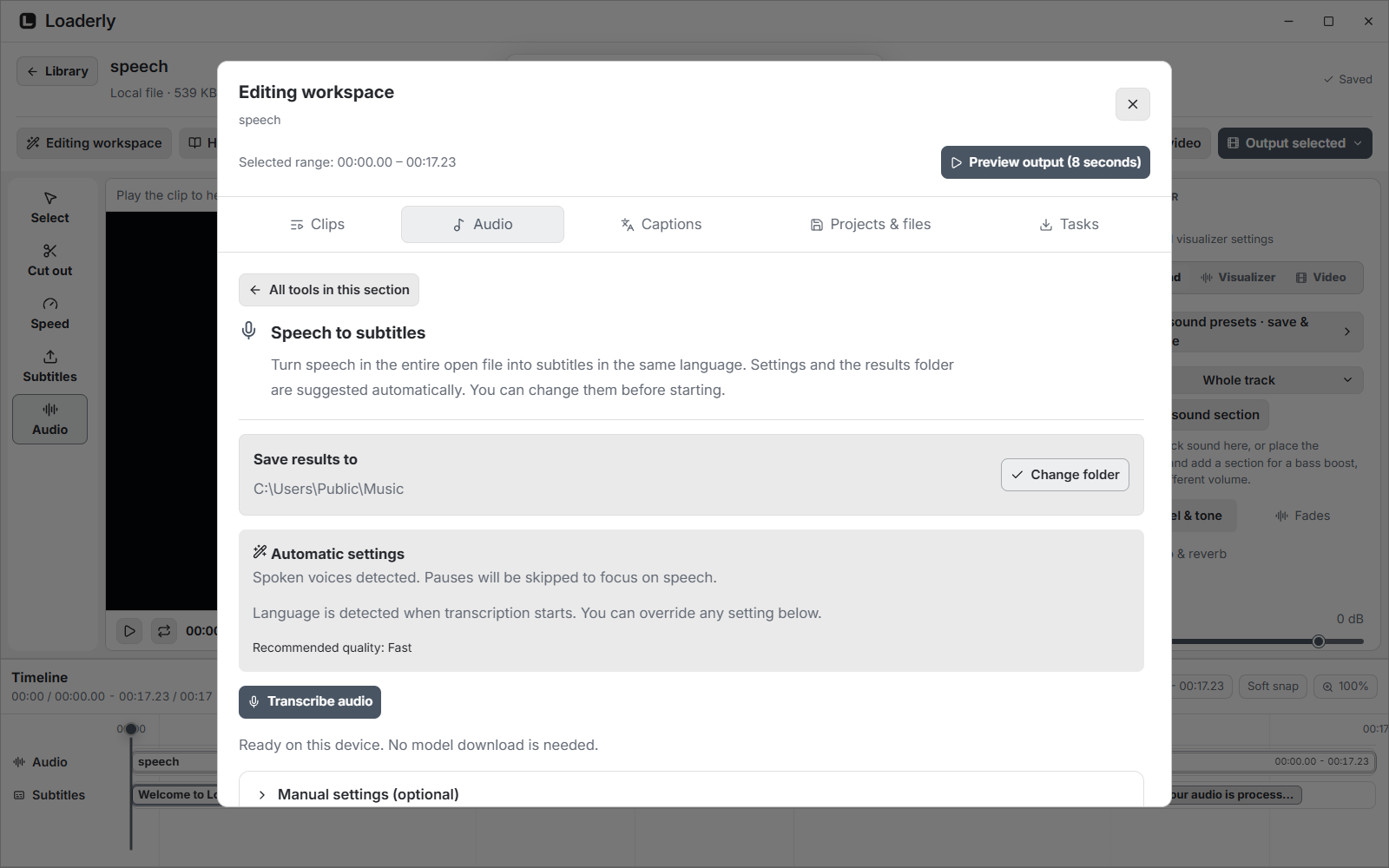
- Automatic audio analysis: Loaderly checks short samples on your device and suggests whether to focus on speech or analyze the full audio for music and processed voices. Language is detected when transcription starts. Review the result, especially for singing.
- Set up and start in one step: Start with the suggested recognition quality and a results folder beside the source. If a model is needed, Set up & transcribe downloads it and starts the task. The first download size is shown before you begin.
- Keep manual control: Expand Manual settings to change recognition quality, language or audio content. You can change the results folder and cancel setup before transcription begins.
Windows startup
- Start Loaderly with your computer: Fixed reading and changing startup settings in the Microsoft Store version. The option opens Loaderly after you sign in to Windows; it does not ask you to sign in to a Loaderly account.
Read the illustrated documentation for setup and usage.
Downloads
| Platform | Package |
|---|---|
| Windows | Microsoft Store |
| macOS, Apple Silicon | ARM64 ZIP |
| macOS, Intel | Intel ZIP |
| Linux, Ubuntu / Debian | AMD64 DEB |
| Other compatible Linux desktops | x86-64 AppImage |
Windows 2.3.1 has been submitted to Microsoft Store and is awaiting certification. The Store provides the currently published Windows version until approval. Windows downloads and updates are available only through Microsoft Store. macOS requires version 12 or newer. Linux requires glibc 2.35 or newer on a 64-bit Intel or AMD computer.
The AppImage includes update information. Its .zsync companion is used by compatible update tools and is not a separate app to open. SHA256SUMS.txt contains checksums for the uploaded packages and update data.