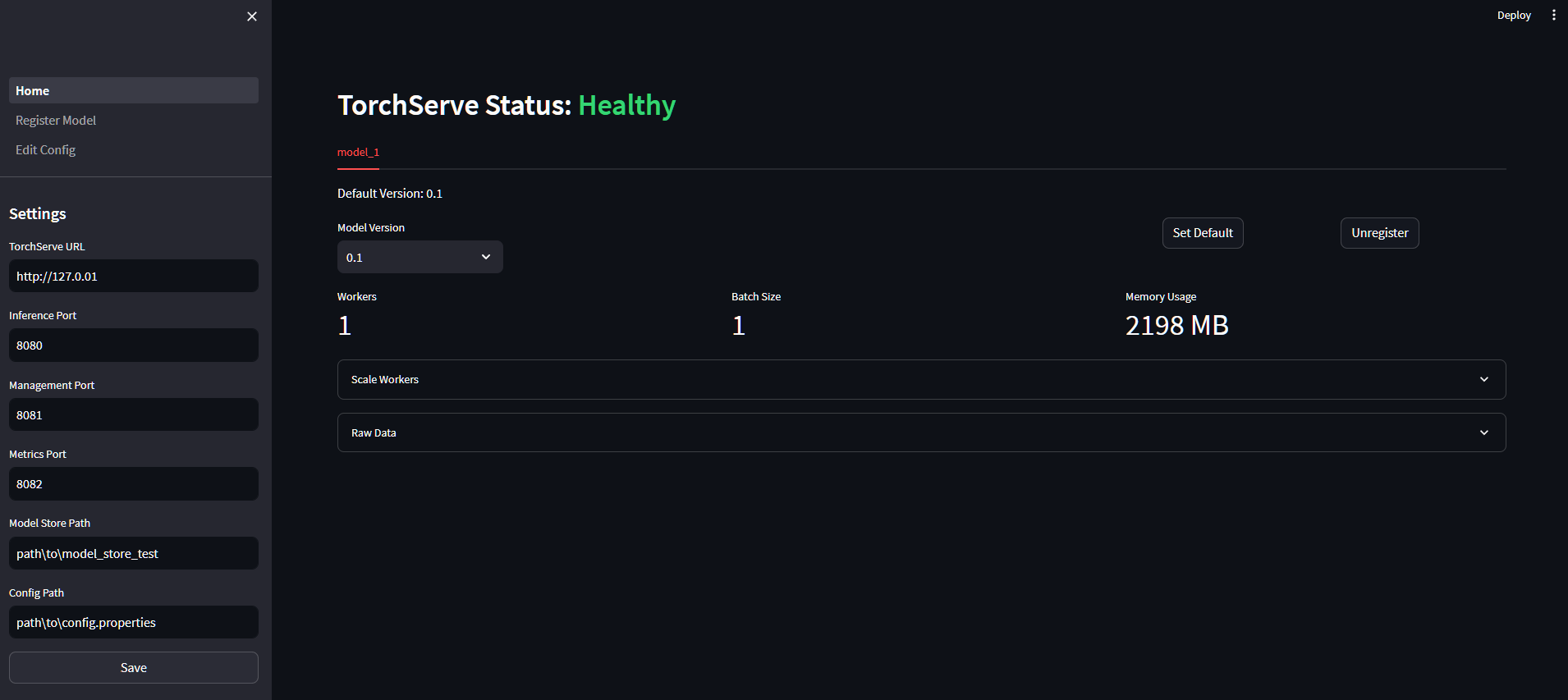
A simple streamlit web application to manage your model deployment with TorchServe. It is designed to tap into your currently deployed TorchServe instance using its APIs.
Current features include:
- View loaded models, including their versions and metrics
- Model management: load, unload, and delete models
- Show and edit the server
config.propertiesfile
pip install torchmenugit clone https://github.com/williamcorsel/TorchMenu.git
cd TorchMenu
pip install -e .[dev]
pre-commit installTo launch the application, run the following command:
torchmenuThe application can be configured using the torchmenu/settings.yaml file. The following settings are available:
url: The URL of the TorchServe instance to connect to, excluding any port numbers.inference_port: The port number on which to reach the Inference API.management_port: The port number on which to reach the Management API.metrics_port: The port number on which to reach the Metrics API.store_path: Absolute path to the model store directory on device. This allows the application to load models from disk.config_path: Absolute path to theconfig.propertiesfile on device. This allows the application to edit the configuration file.
The home page shows an overview of the currently loaded models, including their versions and metrics. On this page, a user can:
- Monitor model versions and metrics
- Switch default model versions
- Scale the number of workers available for each model
- Unload models
In order to register models, the store_path setting must be available. This allows the application to load models from disk. The application will search for models in the store_path directory for any .mar files. Found models are available to be selected in the dropdown menu. On this page, a user can:
- Register models from disk
- Change the initial batch size and number of worker for a newly loaded model
- Overwrite the model name for a newly loaded model
In order to edit the config.properties file, the config_path setting must be available. This allows the application to edit the configuration file. On this page, a user can:
- Edit the
config.propertiesfile