Fulfillment: Mark as Complete Action #189
Conversation


 jleandroperez
added
feature: fulfillment
jleandroperez
requested review from
bummytime and
mindgraffiti
and removed request for
mindgraffiti
jleandroperez
added
feature: fulfillment
jleandroperez
requested review from
bummytime and
mindgraffiti
and removed request for
mindgraffiti

|
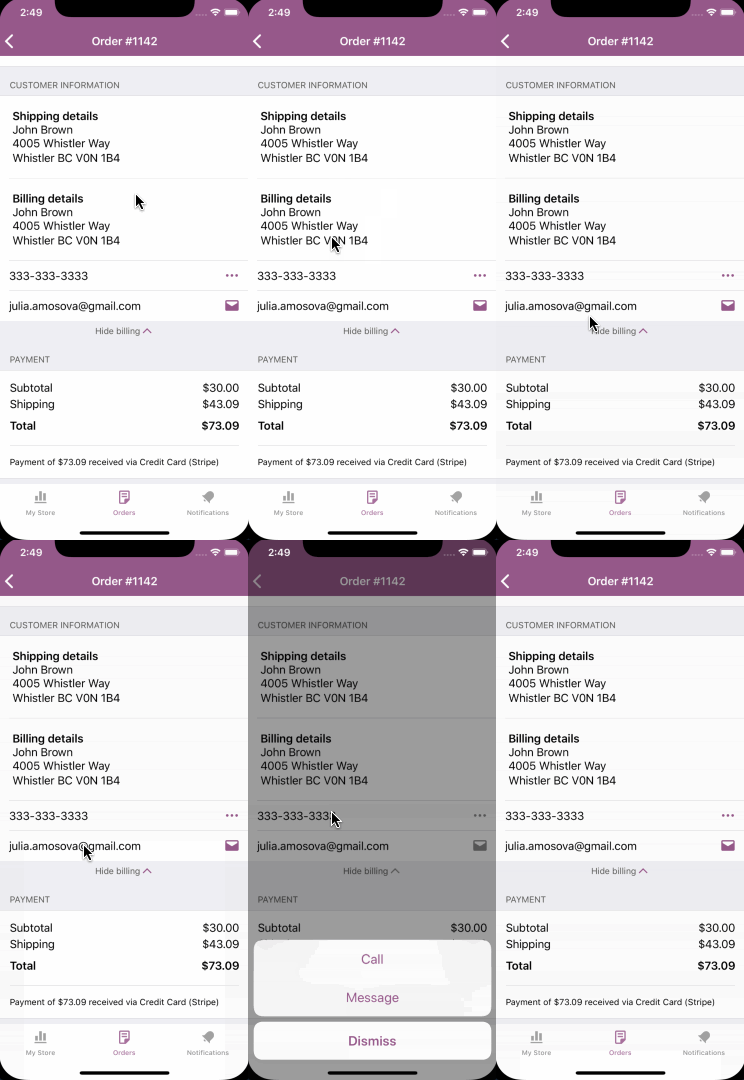
@jleandroperez Great work as always! I noticed the following UI nits while smoke testing. Leaving a comment now so you can take a look. Reviewing the code next! Cell flashing on order detailsPerhaps for the appropriate actionable cells (email, phone, etc) we should have the cell flash? Example:
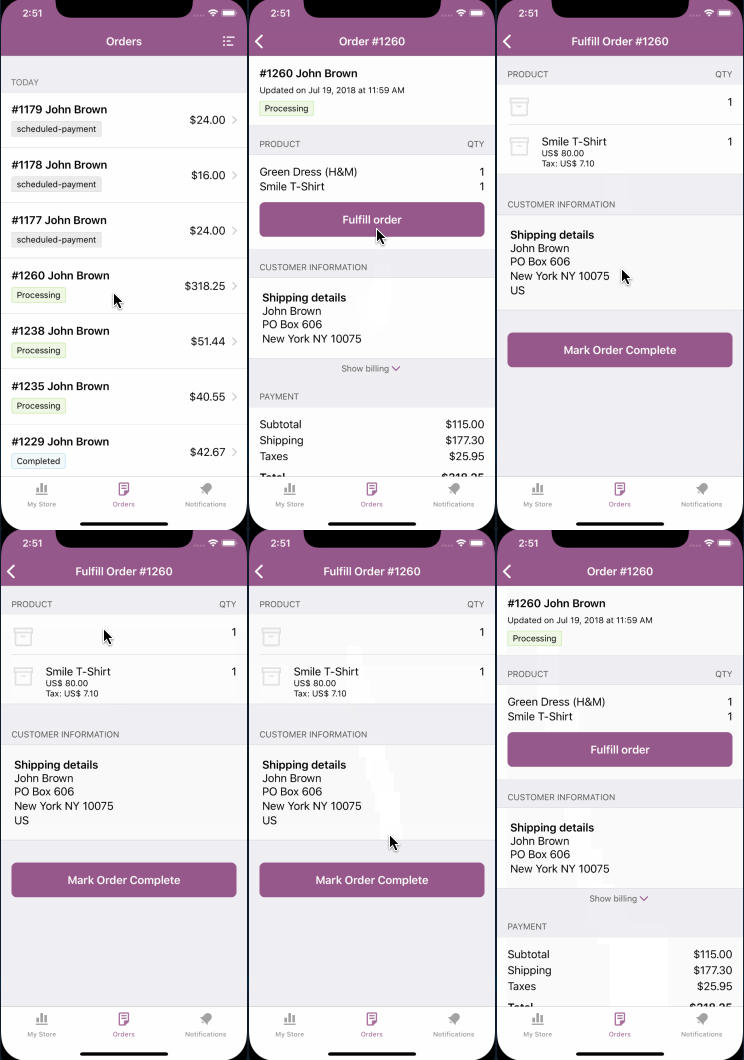
Cell flashing on Fulfill orderOn the fulfill order screen, I noted a few table cells we still flashing:
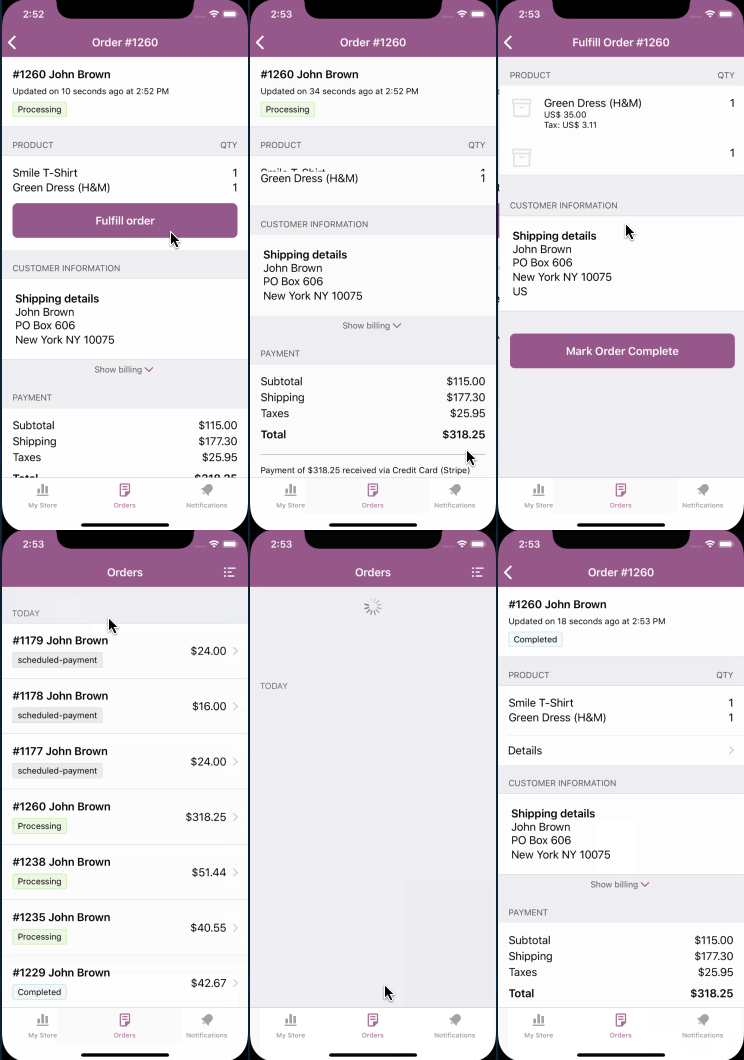
Cell rendering funkiness after marking order completeAfter marking an order as complete and subsequently undoing that, I noticed some of the cell heights didn't refresh properly (refreshing the order fixed it):
|

 bummytime
left a comment
bummytime
left a comment
bummytime
left a comment
There was a problem hiding this comment.
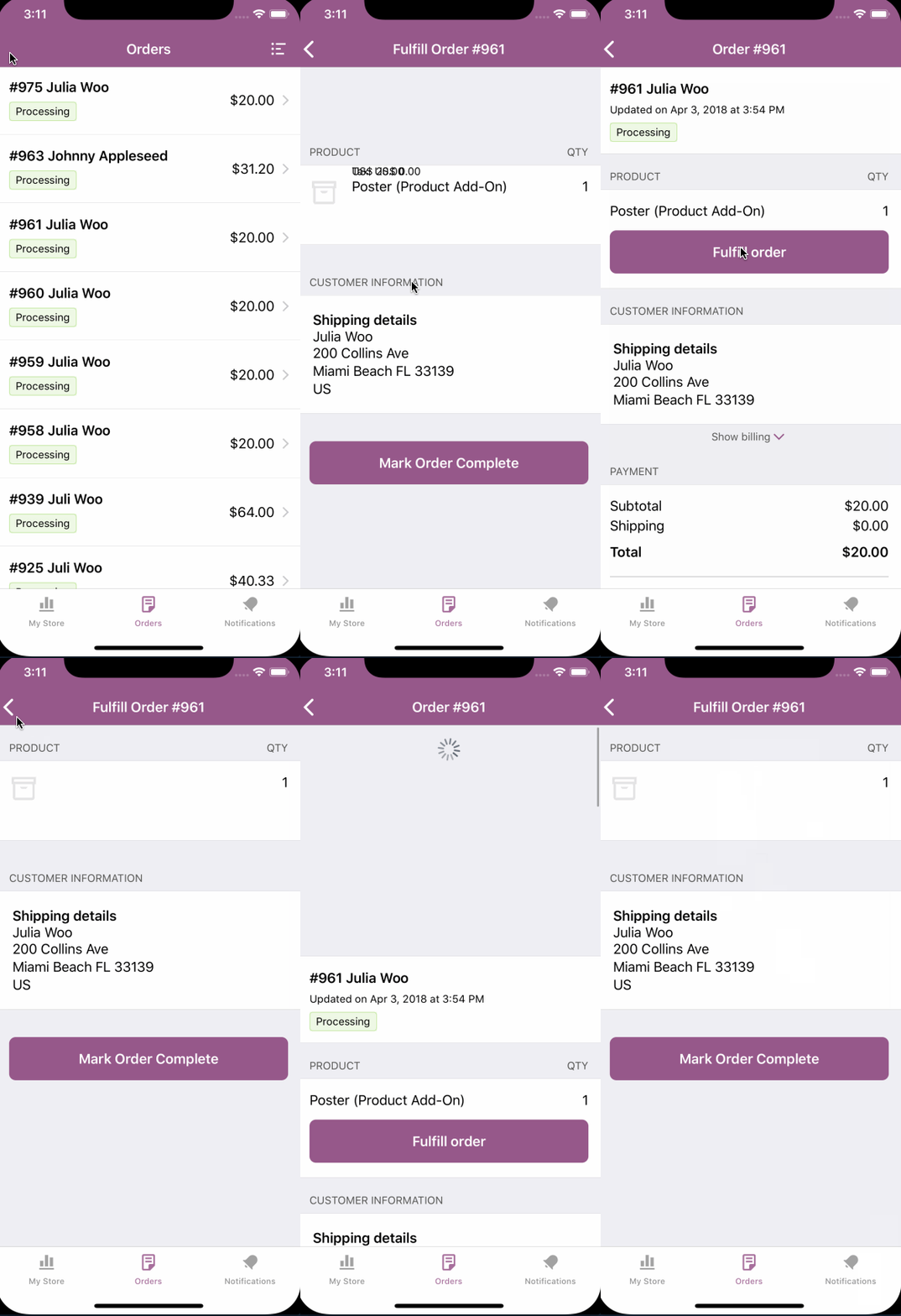
@jleandroperez I left some UI nits in the previous comment, but I did find an issue loading the fulfillment screen's items:
I did see this constraint warning while on the screen:
2018-07-26 15:22:51.091205-0500 WooCommerce[55397:7754585] [LayoutConstraints] Unable to simultaneously satisfy constraints.
	Probably at least one of the constraints in the following list is one you don't want.
	Try this:
		(1) look at each constraint and try to figure out which you don't expect;
		(2) find the code that added the unwanted constraint or constraints and fix it.
(
    "<NSLayoutConstraint:0x60c00009dc40 UIImageView:0x7ff2f7496350.height == 36   (active)>",
    "<NSLayoutConstraint:0x60c0002837a0 V:|-(16)-[UIStackView:0x7ff2f7496140]   (active, names: '|':UITableViewCellContentView:0x7ff2f7495f40 )>",
    "<NSLayoutConstraint:0x60c000283a20 V:[UIStackView:0x7ff2f7496140]-(8)-|   (active, names: '|':UITableViewCellContentView:0x7ff2f7495f40 )>",
    "<NSLayoutConstraint:0x60c000283750 'UISV-canvas-connection' UIStackView:0x7ff2f7496140.top == UIImageView:0x7ff2f7496350.top   (active)>",
    "<NSLayoutConstraint:0x60c0002885c0 'UISV-canvas-connection' V:[_UILayoutSpacer:0x60c0001de870'UISV-alignment-spanner']-(0)-|   (active, names: '|':UIStackView:0x7ff2f7496140 )>",
    "<NSLayoutConstraint:0x60c000288390 'UISV-spanning-boundary' _UILayoutSpacer:0x60c0001de870'UISV-alignment-spanner'.bottom >= UIImageView:0x7ff2f7496350.bottom   (active)>",
    "<NSLayoutConstraint:0x60c000288980 'UIView-Encapsulated-Layout-Height' UITableViewCellContentView:0x7ff2f7495f40.height == 60   (active)>"
)

Will attempt to recover by breaking constraint
<NSLayoutConstraint:0x60c00009dc40 UIImageView:0x7ff2f7496350.height == 36   (active)>

Make a symbolic breakpoint at UIViewAlertForUnsatisfiableConstraints to catch this in the debugger.
The methods in the UIConstraintBasedLayoutDebugging category on UIView listed in <UIKit/UIView.h> may also be helpful.
bummytime
left a comment
bummytime
left a comment
There was a problem hiding this comment.
Re-tested this PR @jleandroperez. Seems to be behaving thanks to your updates (with the exception of the "tapping undo causes cell layout problems on the order detail screen" issue 😄).
I did notice that after completing an order and then navigating back to the Order list screen, the now-completed order still had it's old status (refreshing the screen fixes it). We can address that in a subsequent PR.
Other than that the code is ✅, the unit tests are ✅, and smoke testing was ✅.
Great work!


|
Thanks a lot Matt!!! WOOO!!!. Addressing the |


Details:
This PR implements Order Fulfillment + Undo Support.
Closes #122
Closes #123
cc @bummytime @mindgraffiti
Scenario: Tracking
processingstateScenario: Cell Highlight
Scenario: Fulfillment
processingstateFulfillVerify that the Details get back onscreen, and that the new Completed state is visible
Scenario: Undo
processingstateFulfillUndoVerify that the Details shows up onScreen. The state should revert to the original one (
.processing).KNOWN Issue:
tableView.reload()animation might be odd. To be addressed in another PR!!.