Releases: y5862000/threaddeck-for-codex
Release list
ThreadDeck 0.5.1 beta

ThreadDeck 0.5.1 beta makes the Codex Stream Deck experience English-first, bilingual, and easier to install on another Mac.
- follows Stream Deck's app language automatically: English by default, Korean when the app uses Korean
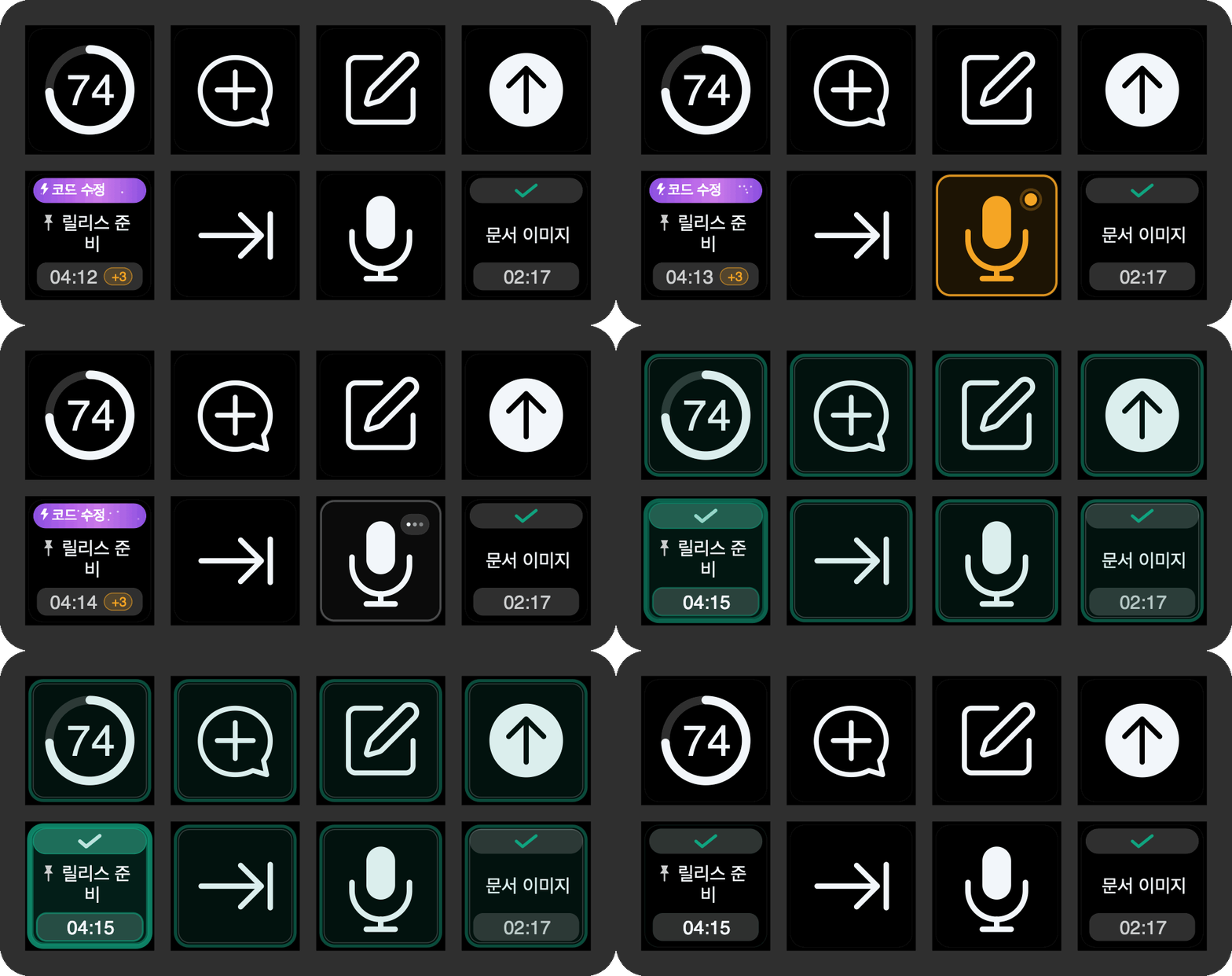
- ships English action names, key status copy, screenshots, and GIF demonstrations
- keeps stable language-neutral activity codes behind the key renderer
- adds a clearer one-package install path and bilingual setup documentation
- includes the latest Effort, Fast mode, voice, completion, permission, and media-control fixes
- documents the macOS platform boundary for future Windows contributors
SHA-256: f66b3277e9148c104057afb48d33f9d45cc1c88b66b6e25aa73a9ecd78fc661c
ThreadDeck 0.5.0 beta

ThreadDeck 0.5.0 beta makes the Codex Stream Deck experience English-first, bilingual, and easier to install on another Mac.
- follows Stream Deck's app language automatically: English by default, Korean when the app uses Korean
- ships English action names, key status copy, screenshots, and GIF demonstrations
- keeps stable language-neutral activity codes behind the key renderer
- adds a clearer one-package install path and bilingual setup documentation
- includes the latest Effort, Fast mode, voice, completion, permission, and media-control fixes
- documents the macOS platform boundary for future Windows contributors
SHA-256: c9d8a522b29ac4cc626d7e523b07e85bc8820ef0a8ac56081943b5d06a4b8008
ThreadDeck 0.4.0 beta
ThreadDeck 0.4.0 beta makes the Codex Stream Deck experience English-first, bilingual, and easier to install on another Mac.
- follows Stream Deck's app language automatically: English by default, Korean when the app uses Korean
- ships English action names, key status copy, screenshots, and GIF demonstrations
- keeps stable language-neutral activity codes behind the key renderer
- adds a clearer one-package install path and bilingual setup documentation
- includes the latest Effort, Fast mode, voice, completion, permission, and media-control fixes
- documents the macOS platform boundary for future Windows contributors
SHA-256: f8ee39985c75cb00f0c9d62b8f4c09b09defc6417a0a0a67fd608be5bdbcaa13
ThreadDeck 0.3.2 beta
ThreadDeck 0.3.2 beta fixes installed native-helper permissions, current Codex Fast mode switching, and push-to-talk media safety.
- self-repairs keybridge executable permissions stripped by Stream Deck packaging
- recognizes and toggles the latest Korean Fast / Standard speed submenu
- performs each Fast mode inversion in one native menu transaction
- uses accessibility focus plus keyboard activation with no pointer movement
- leaves already-paused media paused when voice input starts
- verifies the installed-layout permission repair during release packaging
SHA-256: 9b39d60141b093c3a6c9667223a8127a03e68ed0dc1c3b983f0a0c191903744d
ThreadDeck 0.3.0 beta
ThreadDeck 0.3.0 beta consolidates the Stream Deck Neo reliability and remote-task UX updates.
- exact-host local and pinned-remote task switching
- exact-turn remote reasoning depth and Fast / Standard detection
- independent Current / Last and Top Task 1-8 actions
- hardened completion, queue, goal timing, hold-to-talk, and media behavior
- refreshed bilingual documentation, profile, screenshots, and GIFs
SHA-256: 4ae1529aeb7bbeaaa67bf53f44d3f5a18763bfc600dde271fe8a3f58ab8cf3d4
ThreadDeck for Codex v0.2.0 Beta
베타 릴리스입니다. Codex의 공개되지 않은 로컬 형식이 바뀌면 일부 감지가 일시적으로 어긋날 수 있습니다.
한국어
ThreadDeck for Codex 0.2.0은 실제 Stream Deck Neo에서 다듬은 최신 기능을 공개 저장소와 설치 파일에 모두 반영한 릴리스입니다.
주요 변화
- 작업 버튼 음성 입력: 작업 버튼을 짧게 누르면 이동하고, 길게 누르면 해당 작업에서 음성 입력을 시작합니다. 버튼을 놓으면 받아쓰기를 기다린 뒤 일반 후속 요청으로 자동 제출합니다.
- 더 안정적인 완료 알림: 누락된 종료 시점, 대기 명령이 다음 순서로 넘어간 순간, 페이지 탐색을 포함한 모든 ThreadDeck 버튼에서 완료 펄스를 더 안정적으로 표시합니다.
- 사이드챗 수명 주기: 현재 Codex 세션의 사이드챗만 보여주고 닫은 사이드챗이 작업 목록에 다시 나타나는 현상을 줄였습니다.
- UI 개선: 다크·라이트 모드 대비, 글자·시간·한도 정렬, 대기열 배지, 탐색 아이콘, 음성 입력·완료 애니메이션을 다듬었습니다.
- 완전한 공개 소스: 최신 Node.js 플러그인, 범용 macOS 네이티브 헬퍼, Neo 프로필, 실제 렌더러, 이미지·GIF 생성 도구를 모두 MIT 라이선스로 공개합니다.
- 한국어 문서 전체 제공: 설치, 기능, 구조, 보안, 개인정보 보호, 기여, 지원, 문제 해결, 브랜드, 오픈소스 구성, 관련 프로젝트, 변경 기록을 한국어와 영어로 제공합니다.
설치
- 아래
com.yechan.threaddeck.streamDeckPlugin을 다운로드합니다. - 파일을 더블클릭해 Stream Deck에서 설치합니다.
- 포함된 ThreadDeck for Codex 프로필을 가져옵니다.
- 시스템 설정 → 개인정보 보호 및 보안 → 손쉬운 사용에서 Stream Deck을 허용합니다.
- 주간 한도 링을 쓰려면 CodexBar를 별도로 설치합니다.
English
ThreadDeck for Codex 0.2.0 publishes the latest physically tested Stream Deck Neo implementation as both source and an installable package.
Highlights
- Task-key dictation: short press navigates; hold to open that task and dictate, then release to wait for transcription and submit the ordinary follow-up.
- More reliable completion feedback: observation overlap, startup grace, queue-advance detection, and completion pulses across every ThreadDeck-owned action.
- Temporary Side Chat lifecycle: shows Side Chats from the live Codex session and suppresses chats after they close.
- UI polish: improved dark/light contrast, typography and timing alignment, queue badges, navigation icons, dictation states, and smoother completion animation.
- Complete public source: current Node.js plugin, universal macOS helper, Neo profile, renderer, and image/GIF generation tools under MIT.
- Bilingual documentation: full English and Korean installation, feature, architecture, privacy, contribution, support, troubleshooting, branding, open-source, related-work, and changelog documents.
Install
- Download
com.yechan.threaddeck.streamDeckPluginbelow. - Double-click it and approve installation in Stream Deck.
- Import the bundled ThreadDeck for Codex profile.
- Allow Stream Deck in System Settings → Privacy & Security → Accessibility.
- Install CodexBar separately only if you want the weekly quota ring.
Full English guide · Troubleshooting
SHA-256
4d60a9f5d41ef3243dcdbe0213929124d8e07f844dd6bc54adb31ed2a8e32297
ThreadDeck for Codex v0.1.0
First public beta of ThreadDeck for Codex.
- Stream Deck Neo dashboard for Codex Desktop tasks
- Live task state, timing, reasoning and speed cues
- Completion pulses, task switching, new task, Side Chat, push-to-talk, and send actions
- Optional weekly quota ring through CodexBar
- Bundled three-page Neo profile with native navigation preserved
Download the .streamDeckPlugin file below, double-click it, and approve installation in Stream Deck. macOS, Stream Deck Neo, and Codex Desktop are required.
ThreadDeck is an independent, unofficial project and is not affiliated with OpenAI or Elgato.