Repository navigation
Pet Inventory
Petting provides a custom inventory interface for all tamed pets, allowing players to manage equipment, armor, weapons, saddles, and tactical settings.
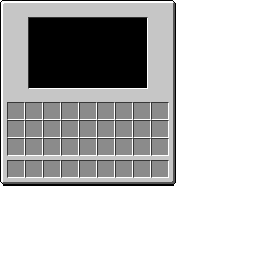
To open a pet's inventory:
- Look at an owned pet within reach.
- Press
Shift + Right-Click(or your custom key bound to Open Pet Inventory). - You can also open the inventory while actively riding your pet.
The inventory will only open if you are the pet's owner and within interaction distance.
Note
If enablePetInventory is disabled in petting-synced.toml, pets operate solely on server defaults, cannot open inventory screens, cannot equip items, and cannot be custom-ridden.
The inventory dynamically adapts its slots based on the mob type:
+-----------------------------------------------------+
| [Tabs]      [3D Pet Preview]         [Collar Slot]  |
| [Home]                               [Saddle Slot]  |
| [Collar]    [Armor / Body Slots]     [Main Hand]    |
| [Riding]                             [Off Hand]     |
+-----------------------------------------------------+
|              [Player Inventory: 3x9]                |
|              [Player Hotbar:    1x9]                |
+-----------------------------------------------------+
-
Humanoid Mobs (Zombies, Skeletons, Illagers, Piglins, etc.):
- Four standard armor slots: Head, Chest, Legs, and Feet.
-
Quadrupeds & Animals (Horses, Wolves, Llamas, etc.):
- One Body Slot for specialized armor (Horse Armor, Wolf Armor, or Carpets).
-
Collar Slot:
- Accepts any collar from the
#petting:collarstag. - Equipping a collar unlocks the Collar Tab.
- Accepts any collar from the
-
Saddle Slot:
- Accepts any saddle (
#minecraft:saddles). - Equipping a saddle grants full steering control when riding and unlocks the Riding Tab.
- Accepts any saddle (
-
Hand Slots (Main Hand & Off Hand):
- Present on humanoids and select mobs (Foxes, Allays, Vexes, Endermen).
- Can hold weapons, tools, bows, shields, or items.
- All equipment equipped on pets drops with a 100% drop rate if the pet dies.
-
Chest Storage Slot:
- Available on pack animals (Donkeys, Mules, Llamas).
- Accepts chests, trapped chests, or barrels to provide carrying capacity.
Tabs appear on the upper-left margin of the GUI:
- Icon: Lead
- Availability: Visible whenever a Collar or Saddle is equipped.
- Function: Returns to the default equipment slot view.
- Icon: Collar
- Availability: Appears when a collar is placed in the Collar Slot.
-
Function: Provides real-time tactical control over the pet's AI:
-
Combat Mode: Cycle through
PASSIVE,DEFENSIVE,AGGRESSIVE,WANDER, andGUARD. (See Combat Modes). - Distance Slider: Adjusts follow distance, wander radius, or patrol search radius. Range: 2 to 32 blocks (configurable).
- Teleport Slider: Adjusts teleport trigger threshold (range: 8 to 64 blocks, configurable).
- Teleport Toggle: Turns teleportation ON or OFF.
- Ranged Toggle: Commands the pet to prioritize ranged bow attacks over melee combat.
- Defend Toggle: Commands the pet to protect fellow pets owned by you.
- Retaliate Toggle: Commands the pet to immediately fight back when attacked.
- Reset Defaults: Resets all collar settings to the server configuration defaults.
-
Combat Mode: Cycle through
- Icon: Saddle
- Availability: Appears when a saddle is placed in the Saddle Slot (for custom-saddled pets).
-
Function: Displays riding status and controls:
-
Status Indicator: Displays
Controlled (Saddled)orUncontrolled (No Saddle). - Attack on Click Toggle: (Default ON). Pressing Attack (Left Click) while riding commands your pet to attack or launch projectiles.
- Auto-Attack Hostiles Toggle: (Default OFF). When enabled, your ridden pet automatically targets and strikes nearby monsters.
- Controls Guide: A built-in cheatsheet of riding movement keys (WASD, Jump, Sneak, Dismount).
-
Status Indicator: Displays
Related Pages: Collars · Combat Modes · Riding · Configuration