Extended CE: Reference Picker
The Reference Picker tool allows you to search for and insert citation keys from the project's bib files.
When you press Ctrl-Space inside a citation command such as \cite{}, \citep{}, or \citet{}, the Reference Picker
dialog appears. In this dialog, you can search for references and select the ones whose citation keys should be inserted into the citation command.
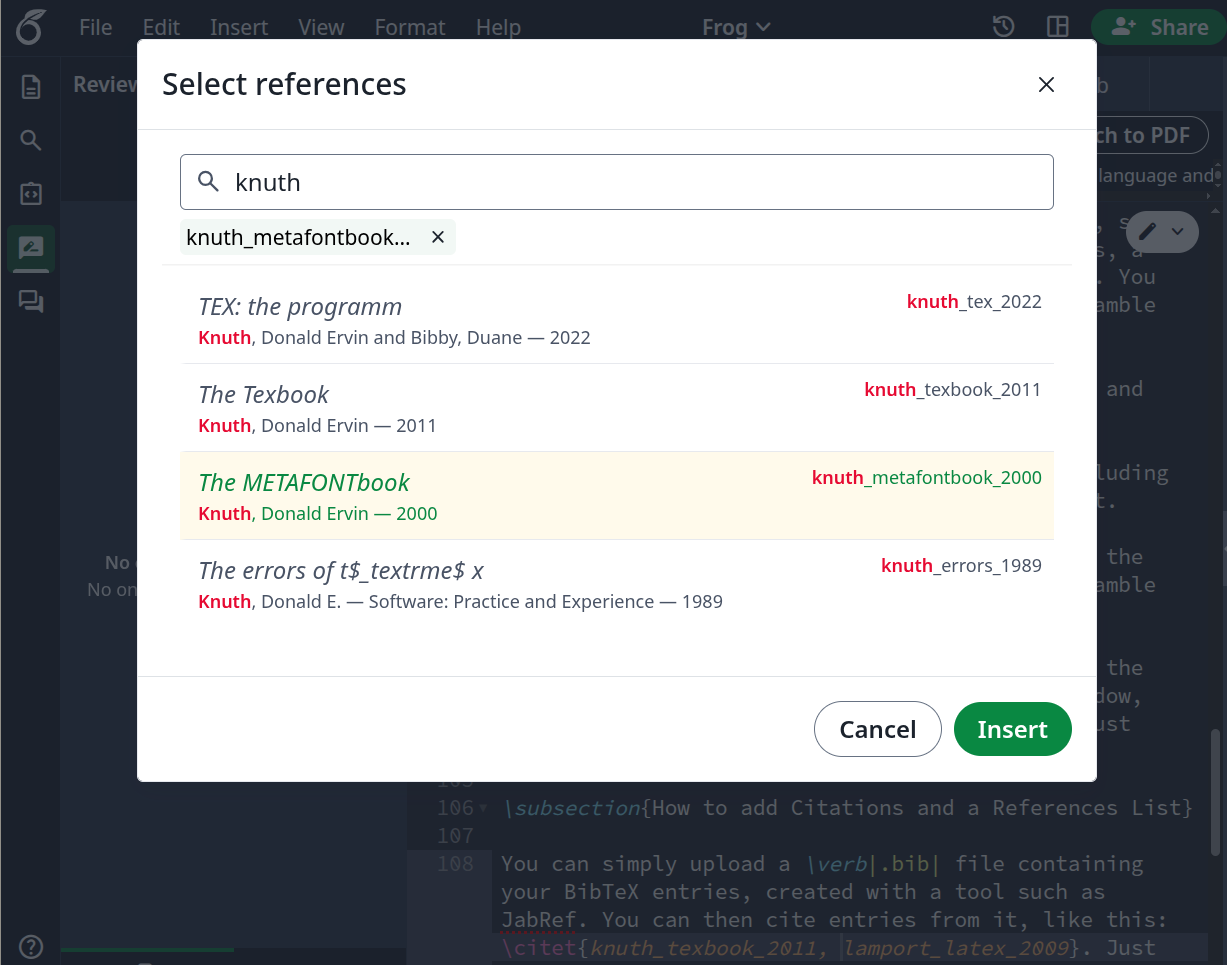
Insert mode
In addition to Insert mode, the Reference Picker provides Replace mode. It is activated when one or more citation keys inside a citation command are highlighted in the editor. In this mode, the highlighted citation keys are replaced with the citation keys chosen in the Reference Picker. Citation keys that are not highlighted remain unchanged.
It is not necessary to highlight the entire citation key. If only part of a key is highlighted in the editor, the Reference Picker automatically detects the corresponding key.
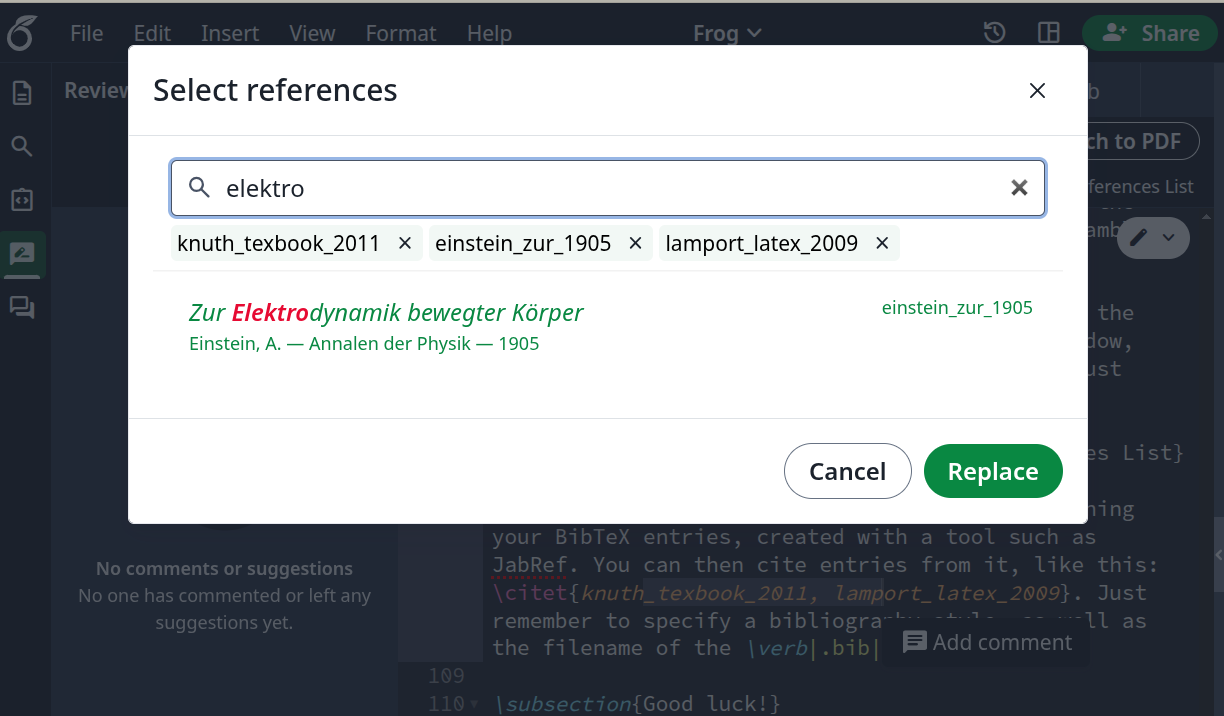
Replace mode