Repository navigation
Intel NUC Preview — Standby & App Stores
Pre-release
Pre-release

Intel NUC Preview — Standby & App Stores
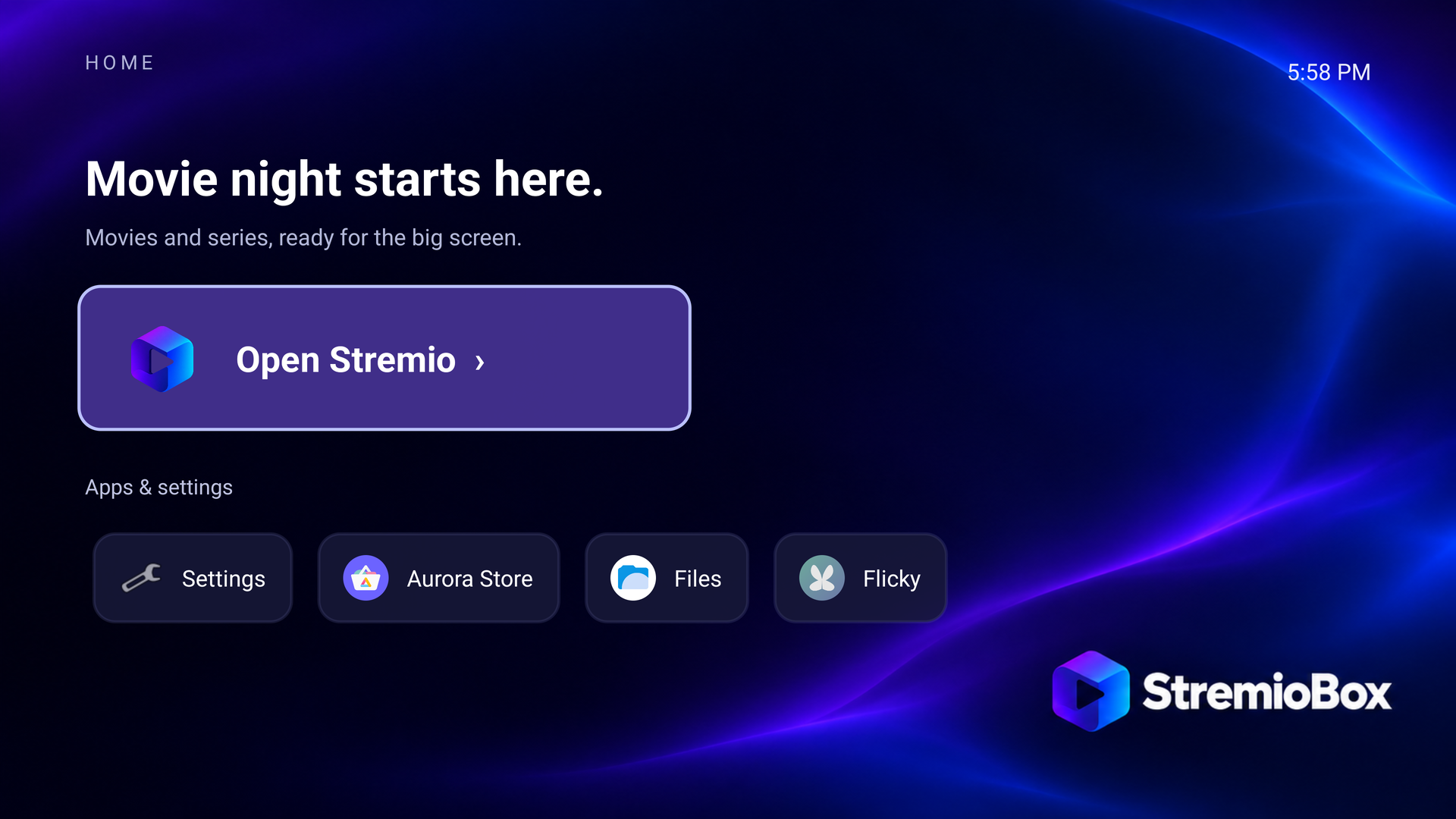
Android 16 / LineageOS 23.2 · Home 1.1 · tested on Intel NUC10i5FNH
What's new
- No more hang after long standby. The box could stay dark with No signal after hours of standby or an HDMI change, and only a power cycle helped. SurfaceFlinger waited forever for the text console; the fixed binary restores automatic console mode first and waits at most 200 ms.
- Aurora Store and Flicky are installed once on first boot and appear under Apps & settings. Stremio stays the main action. Removing a store is permanent.
- No scrolling console text during standby. A falsely declared fingerprint sensor made Android log an error every second; the feature is now hidden.
- Optional rescue system (
StremioBox-rescue-kit-r7.zip): one boot-menu entry that starts a small Alpine Linux from the EFI partition. Check and mount the Android disk, over SSH with your own key or on the TV. No keys or passwords included. Rescue guide
Download
- Download
StremioBox-r7-native-download.zipand extract it. - Windows: double-click
Download-StremioBox.cmd. Linux/macOS:bash tools/download.sh --output downloads. No Python needed. - Follow the installation guide; try live USB boot first.
StremioBox-Android16-r7-nuc10_tv.iso
2,886,336,512 bytes
SHA-256: 65b07feafd70670954231afc6a69a6b850445d67197c4d53f3c1cf1aff010bb8
Already on r5 or r6? Install AuroraStore-4.8.4.apk and Flicky-4.5.4.apk with adb install; the standby fix needs a reinstall with r7. The rescue kit works on every version. Update options
How this image was made and tested
- Derived from the verified r6 image with
tools/repack_image.pyand a declared change list (r7-changes.json): 3 replaced and 2 added system entries; 19,579 other entries, kernel, initrd, recovery and boot structures unchanged (r7-image-delta.json). - Fresh-data UEFI boot in QEMU/KVM: fixed SurfaceFlinger active, Stremio + both stores seeded with the expected hashes, no fingerprint feature, Home with the stores. Three sleep/wake cycles: same SurfaceFlinger process, no ANRs (
r7-boot-validation.json). - The physical NUC runs the same five files from its development installation: two reboots, three sleep/wake cycles and two HDMI reconnect cycles without new ANRs.
- Rescue kit: boot, SSH with key only, disk check, GRUB activation from a live r7 guest and removal, all in QEMU/KVM (
r7-rescue-validation.json).
Test boundary: not yet reflashed on the physical NUC; the overnight standby test with the physical power button, a disk installation and complete app installation through each store are still pending. This is a userdebug preview with permissive SELinux and authenticated ADB on TCP 5555; use a trusted network.
Assets
| File | Contents |
|---|---|
StremioBox-Android16-r7-nuc10_tv.iso.001/.002 |
The ISO in two raw parts (GitHub's 2 GiB limit) |
StremioBox-r7-native-download.zip |
Python-free download and verification helper |
StremioBox-rescue-kit-r7.zip |
Optional rescue system |
AuroraStore-4.8.4.apk, Flicky-4.5.4.apk + *_src.tar.gz |
Unchanged F-Droid APKs and their GPL-3.0 corresponding sources |
StremioBox-r7-image-inputs.zip |
SurfaceFlinger, first-boot script and fingerprint file used for the repack |
StremioBox-r7-source.zip |
Repository at this release |
StremioBoxHome-1.1-en.apk |
Home 1.1 (unchanged from r6) |
r7*.json, source-lock.json, SHA256SUMS |
Manifests, verification records and checksums |
Full changelog · Independent community project, not affiliated with Stremio or LineageOS.