Repository navigation

In this release we’ve added AdGuard’s Manifest V3 (MV3) Browser Extension to Microsoft Edge.
As of now, Manifest V2 (MV2) ad blockers no longer appear in Edge Add-ons search results. This is part of Microsoft’s policy on moving away from MV2 extensions, which the company announced in August.
But this doesn’t mean AdGuard is leaving the store. This is where our MV3 version comes in.
What changes with MV3
With MV2, the extension sees each network request in real time and decides what to block. This changes with MV3: the browser receives a prebuilt ruleset and applies it itself.
This means the number of active rules is limited in MV3, some traditional filtering rules cannot be converted exactly, and most filter updates now ship with the extension itself, so updates can take longer.
For most people, everyday filtering stays close to MV2. Still, the browser now handles more of the decision-making, and keeping behavior close to our MV2 version takes more work. But we’re up for it.
Setting up
To use custom filters and user rules, turn on Allow user scripts for the AdGuard Browser Extension in Edge. Here’s how to do that:
Open edge://extensions, or click Extensions → Manage extensions
Find AdGuard and click Details
Turn on Allow User Scripts
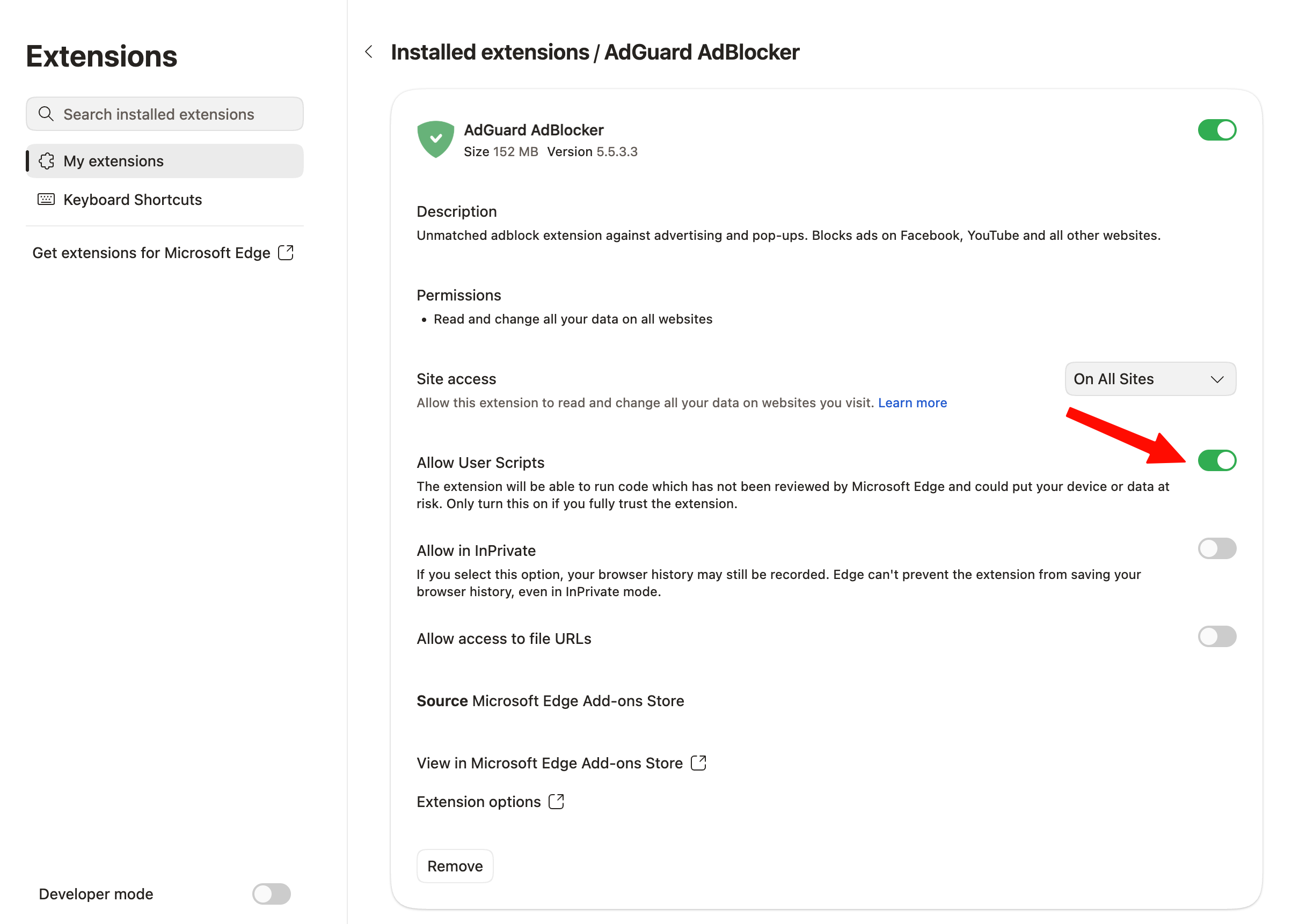
This will allow the MV3 extension to work as intended.
Changelog
Improvements
- Added AdGuard MV3 Extension to Microsoft Edge
Changed
- Updated [@adguard/dnr-converter] to v2.0.0.
- Updated [@adguard/dnr-rulesets] to v6.0.0.
- Updated [@adguard/tswebextension] to v6.0.0.