

Caution
BananaOS is currently in active development and is considered unstable. It is NOT recommended to boot or run this operating system on real hardware. Doing so may lead to data loss, system corruption, or other unexpected issues. The developers are not responsible for any damages that may occur from attempting to run BananaOS on physical devices. Please use emulators (like QEMU) for testing and development purposes only.
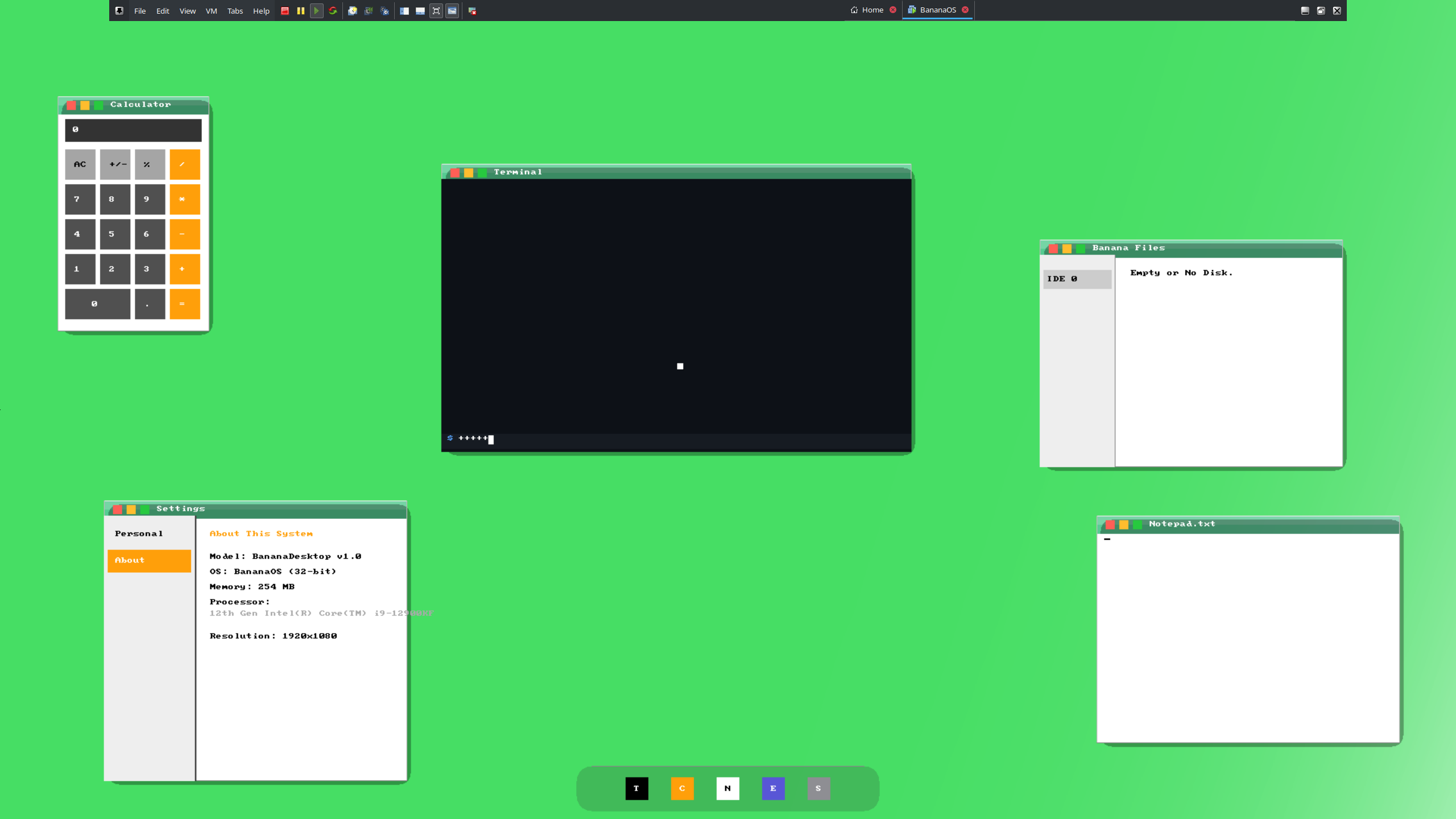
BananaOS is one of the first Vibecoded Operating System Projects, designed for learning and exploration of low-level system programming. It features a custom kernel, a graphical user interface with a window manager, a dock, and several integrated applications. BananaOS is Multiboot compliant and utilizes VESA framebuffer for graphics output.
BananaOS is being developed with support for different platforms in mind.
| Platform | Status | Notes |
|---|---|---|
| i386 (BIOS Boot) | Supported | Primary development target. |
| x86_64 (EFI Boot) | Coming Soon | Planned for future releases. |
To run BananaOS, your system or virtual machine should meet the following specifications:
| Category | Minimum Requirement | Recommended Minimum |
|---|---|---|
| Processor | Intel 486 | Intel Pentium 2 or equivalent |
| RAM | 11.2 MB | 128 MB |
| Boot Method | BIOS | BIOS |
- Multiboot Compliant Kernel: Loaded by GRUB, providing essential system services.
- VESA Framebuffer Graphics:
- High-resolution graphical output (default 1024x768, configurable via Multiboot).
- Double buffering for smooth animations and UI rendering.
- Basic graphics primitives: pixel, rectangle, rounded rectangle drawing with alpha blending.
- BMP wallpaper support (loaded as a Multiboot module).
- Graphical User Interface (GUI):
- Window Manager: Features movable, resizable (maximize/minimize), and closeable windows.
- Application Dock: A central launcher for integrated applications, with hover animations.
- Theming: Supports light/dark modes, and customizable rounded or square styles for windows and the dock.
- Input Handling:
- PS/2 Mouse support for cursor control and UI interaction.
- PS/2 Keyboard support with scancode to ASCII conversion and Shift key handling.
- Integrated Applications:
- Terminal: A basic command-line interface.
- Calculator: A simple arithmetic calculator.
- Notepad: A basic text editor.
- File Explorer: Navigates supported file systems (IDE/SATA drives).
- Settings: Allows customization of theme (light/dark, rounded/square UI elements).
- Drivers:
- AHCI (Advanced Host Controller Interface) driver for SATA storage devices.
- PCI (Peripheral Component Interconnect) bus enumeration.
- Memory Management: Basic physical memory detection and backbuffer allocation strategy based on available RAM. Includes checks for minimum memory requirements.
- 486 Retro-Compatibility: Includes an ISR to emulate CMOV instructions, allowing the OS to boot on original Intel 486 hardware.
To build and run BananaOS, you will need a Debian-based Linux system (such as Ubuntu, Debian, or WSL2).
You can either use the easy build script or the manual build if you plan to change the code
Open your terminal and paste this into it
curl -sSL https://raw.githubusercontent.com/Banaxi-Tech/BananaOS/refs/heads/main/easy_build.sh | bashView Source Easy Build Script Source: Link
When its done the BananaOS folder should be at your desktop inside it there will be a bananaos.iso
First, install the necessary build tools:
sudo apt update && sudo apt install -y build-essential nasm gcc-multilib binutils grub-common grub-pc-bin xorriso mtools gitFor running BananaOS, you will also need QEMU:
sudo apt install -y qemu-system- Clone the repository:
git clone https://github.com/Banaxi-Tech/BananaOS cd BananaOS - Build the OS:
make
Note: The make command compiles the source into a bananaos.img file. This is a hybrid image that can be used as an ISO; you can rename it to bananaos.iso if your emulator requires it.
After a successful build, you can run BananaOS using QEMU:
qemu-system-i386 -cdrom bananaos.img -m 128MAfter the successful build run
qemu-system-i386 -cpu 486 -cdrom bananaos.img -m 11.2M- GCC: C Compiler
- NASM: Assembler
- GNU GRUB: Bootloader and ISO creation
- QEMU: System Emulator
Contributions are welcome! Please feel free to open issues or submit pull requests.
For questions or feedback, please open an issue on GitHub.