
Real-time PHP debugging in the browser.
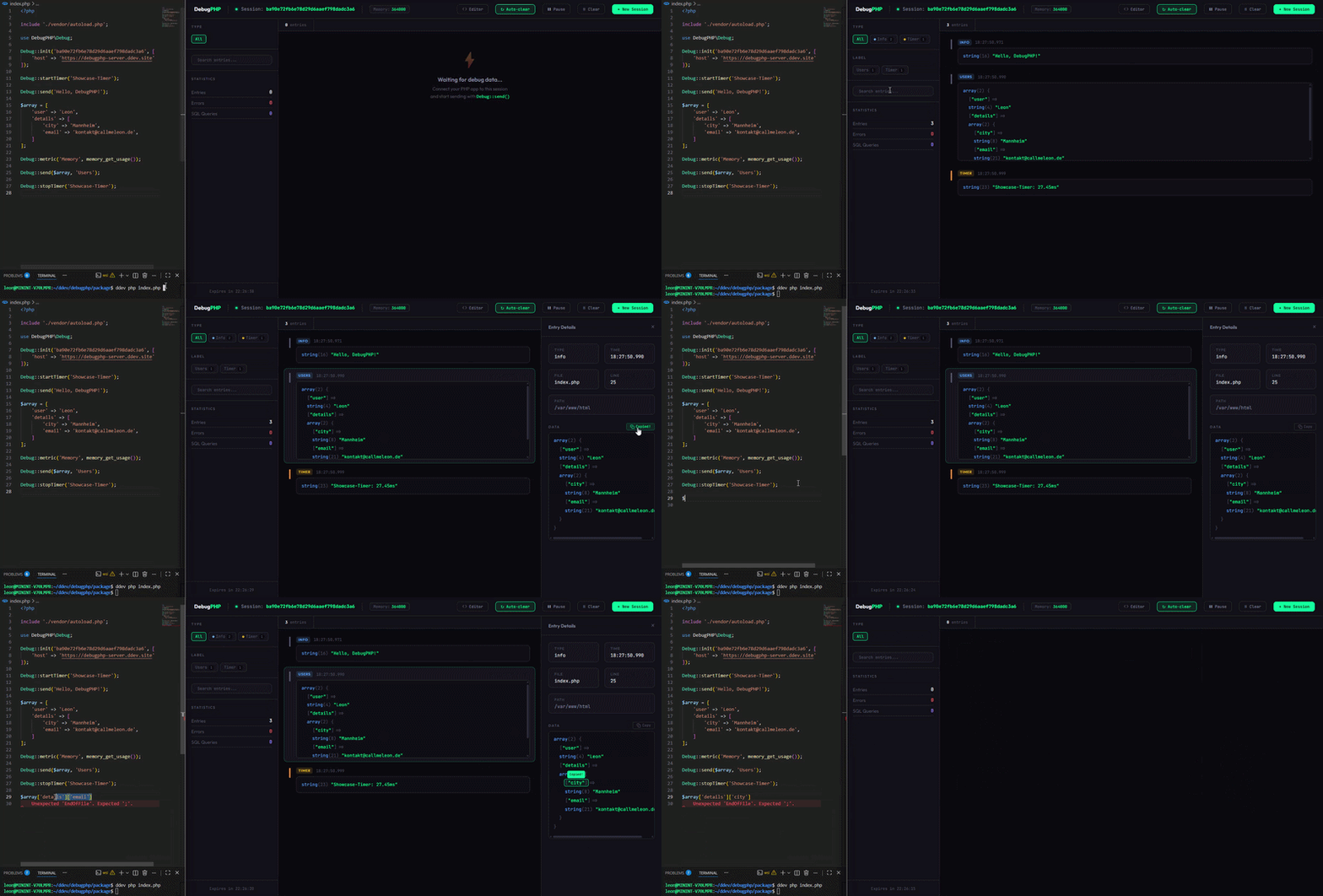
DebugPHP streams your debug output to a browser-based dashboard via Server-Sent Events — no page reloads, no desktop apps, no configuration headaches.



| dd() / var_dump() | Xdebug | Spatie Ray | DebugPHP | |
|---|---|---|---|---|
| Real-time output | ❌ | ❌ | ✅ | ✅ |
| No page disruption | ❌ | ✅ | ✅ | ✅ |
| Zero config | ❌ | ❌ | ❌ | ✅ |
| Browser-based | ❌ | ❌ | ❌ | ✅ |
| Free & open source | ✅ | ✅ | ❌ ($49/yr) | ✅ |
| No dependencies | ✅ | ❌ | ❌ | ✅ |
composer require callmeleon167/debugphp --devRequirements: PHP 8.1+ and the
curlextension.
use DebugPHP\Debug;

// 1. Initialize with your session token from the dashboard
Debug::init('your-session-token');

// 2. Send anything
Debug::send('Hello DebugPHP!');
Debug::send($user);
Debug::send($request->all());
Open the Dashboard in your browser — your debug data appears in real-time.
Want to keep your debug data on your own server? Use the DebugPHP Server:
git clone https://github.com/CallMeLeon167/debugphp-server.git
cd debugphp-server
composer install
php -S localhost:8080
Then point your configuration to your local server:
Debug::init('your-session-token', [
    'host' => 'http://localhost:8080',
]);- Your PHP app sends debug data via HTTP to the DebugPHP server.
- The server stores the entry and pushes it to the dashboard via SSE.
- The browser dashboard renders the entry in real-time.
┌──────────────┐     POST /api/debug     ┌──────────────┐     SSE Stream     ┌──────────────┐
│   Your App   │ ──────────────────────→ │   DebugPHP   │ ────────────────→  │  Dashboard   │
│  Debug::send │                         │    Server    │                    │   (Browser)  │
└──────────────┘                         └──────────────┘                    └──────────────┘
Please read CONTRIBUTING.md before opening a pull request.
MIT — see LICENSE for details.
- Website: debugphp.dev
- Documentation: debugphp.dev/docs
- Server: github.com/CallMeLeon167/debugphp-server
- Dashboard: dashboard.debugphp.dev