Features and Configuration
The complete reference for every tool, menu, and option.
Every family ships in seven tiers. Emerald is deliberately not included.
| Tier | Durability | Attack damage | Enchantability | Repairs with |
|---|---|---|---|---|
| Wooden | 59 | 2 | 15 | Any planks |
| Stone | 131 | 3 | 5 | Cobblestone, Cobbled Deepslate, or Blackstone |
| Copper | 190 | 3 | 13 | Copper Ingot |
| Golden | 32 | 2 | 22 | Gold Ingot |
| Iron | 250 | 4 | 14 | Iron Ingot |
| Diamond | 1,561 | 5 | 10 | Diamond |
| Netherite | 2,031 | 6 | 15 | Netherite Ingot |
Stone and Copper both sit between Wood and Iron. Gold keeps its vanilla character: very fragile, very enchantable. Repair works at an Anvil or Grindstone with the tier's own material, exactly as vanilla tools do.
Every tool is enchantable at an Enchanting Table and through Anvils, using the vanilla slot matching how it is used.
| Family | Slot | Available enchantments |
|---|---|---|
| Hammer | Pickaxe | Efficiency, Unbreaking, Fortune, Silk Touch, Mending, Curse of Vanishing |
| Excavator | Shovel | Efficiency, Unbreaking, Fortune, Silk Touch, Mending, Curse of Vanishing |
| Tiller | Hoe | The hoe set |
| Scythe | Hoe | The hoe set |
| Seeder Rake | Flint and Steel | Unbreaking, Mending, Curse of Vanishing |
The Seeder Rake's slot is durability-only on purpose: it plants from your inventory rather than breaking blocks, so Fortune and Silk Touch would have nothing to act on.
Enchantments are not reimplemented. Fortune and Silk Touch apply through the same vanilla loot path a hand-held tool would use, so ore multipliers, gravel flint chances, and silk-touch variants all come out right. Unbreaking is rolled independently for every block in an area break at the vanilla one-in-level + 1 rate, so an area tool wears the same as swinging a normal tool that many times.
Break a configurable region of stone-family blocks in one swing.
Hammers only take blocks in the same family as the block you actually hit. A swing into a wall of stone containing one Diamond Ore takes the stone and leaves the ore; a swing into the ore takes connected ore of the same type.
- Ore families group their normal and Deepslate variants, so a Deepslate Iron Ore swing also takes plain Iron Ore.
- Copper families strip waxing and oxidation, so an Exposed Copper Block swing takes Weathered and Waxed copper of the same shape.
- Mining ore awards experience per ore block, matching vanilla drop ranges for Coal, Diamond, Emerald, Lapis, Redstone, Nether Quartz, Nether Gold, and Sculk.
Eligible targets are recognised by block tag rather than a fixed list, so modded blocks carrying the standard vanilla stone/metal tags are handled automatically.
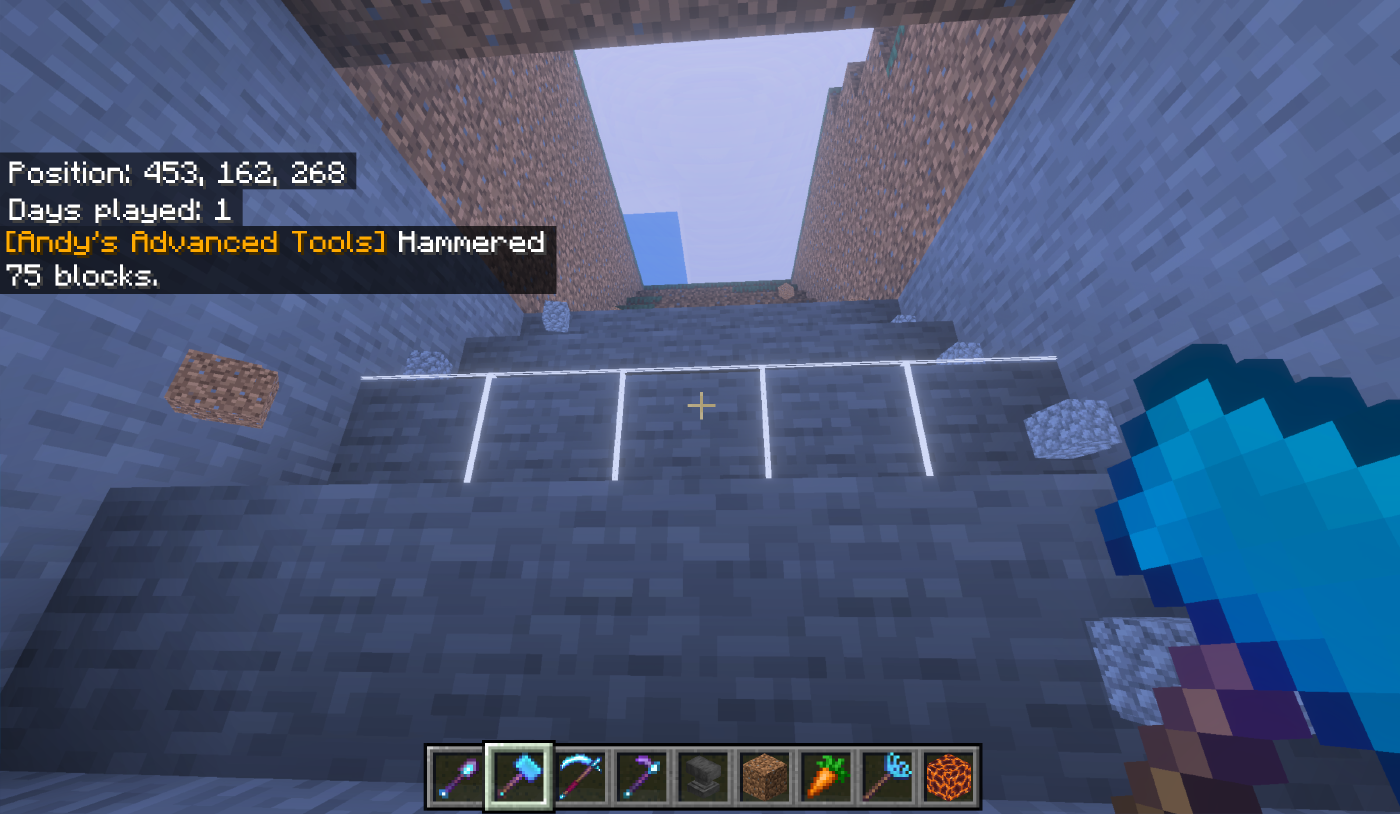
A Hammer cutting a descending staircase, with the chat line reporting the last swing.
The same mechanic for soft ground: dirt, sand, gravel, snow, clay, mud, soul sand, soul soil, and concrete powder.
Dirt-like terrain is treated as one conservative family, so a swing into a grassy hillside clears grass, dirt, coarse dirt, podzol, and rooted dirt together instead of leaving a ragged edge.
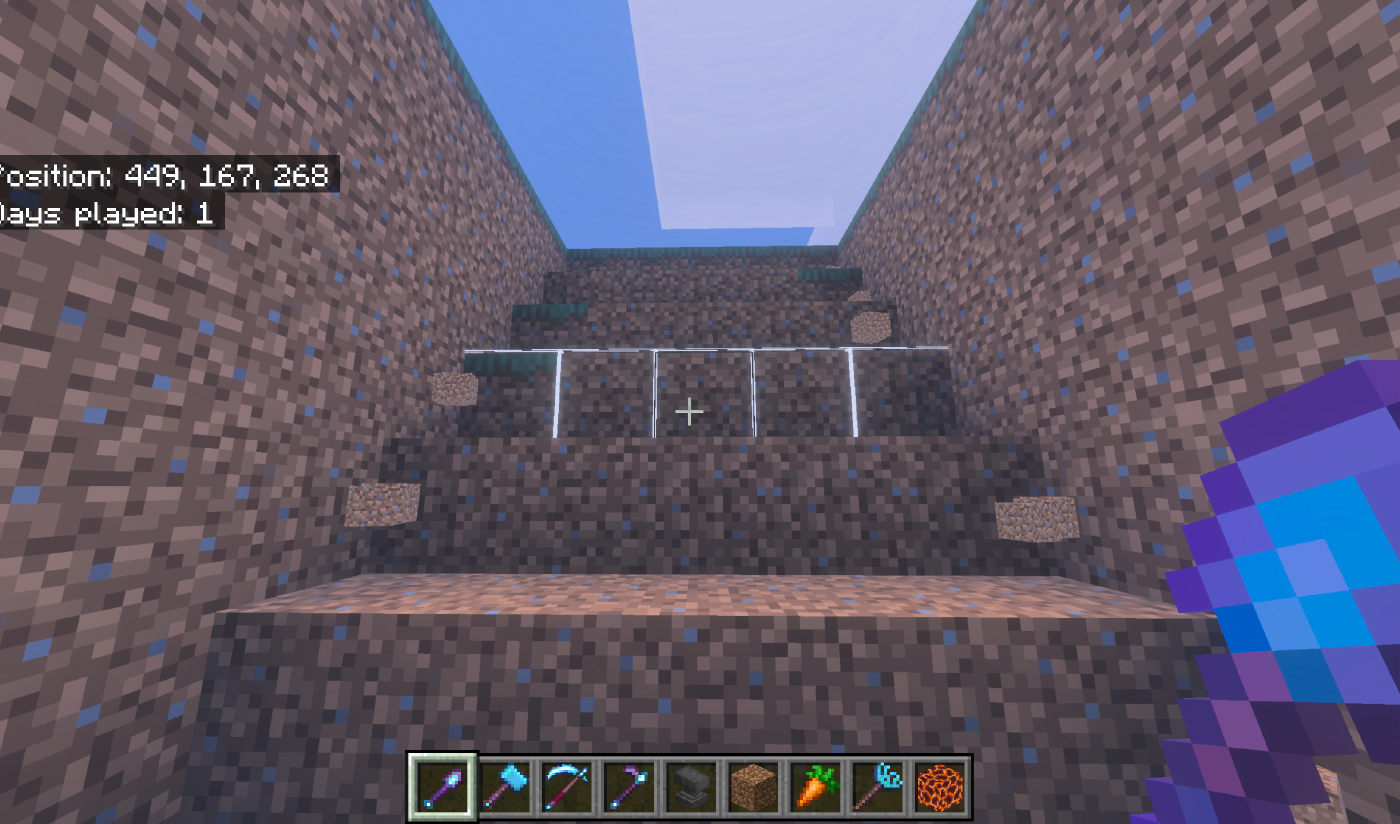
The same pattern on soft ground with an Excavator.
Crouch-use a Hammer or Excavator. Sets the region both tools break. Saved per player.
| Control | Type | Range | What it does |
|---|---|---|---|
| Pattern | Dropdown | Cuboid · Ascending stair-step · Descending stair-step | Cuboid is a plain box. The stair patterns cut a staircase, for a mine ramp rather than a flat tunnel. |
| Orientation | Dropdown | Follow targeted face · World-horizontal plane · World-vertical plane | Follow targeted face aims at whatever face you hit; looking steeply up or down resolves to horizontal automatically, so a floor swing never becomes an accidental shaft. The forced modes always cut a flat floor slice or an upright wall slice. |
| Cuboid width | Slider | 1–5 | Size left-to-right relative to the face you hit. |
| Cuboid height | Slider | 1–5 | Size up-and-down. |
| Cuboid depth | Slider | 1–5 | How far the region reaches into the wall. |
| Stair-step size | Slider | 2–5 | Width and rise of the staircase. Ignored by Cuboid. |
Largest region: 5 × 5 × 5, hard-capped at 125 blocks. Defaults: Cuboid, Follow targeted face, 3 × 3 × 2, stair size 3.
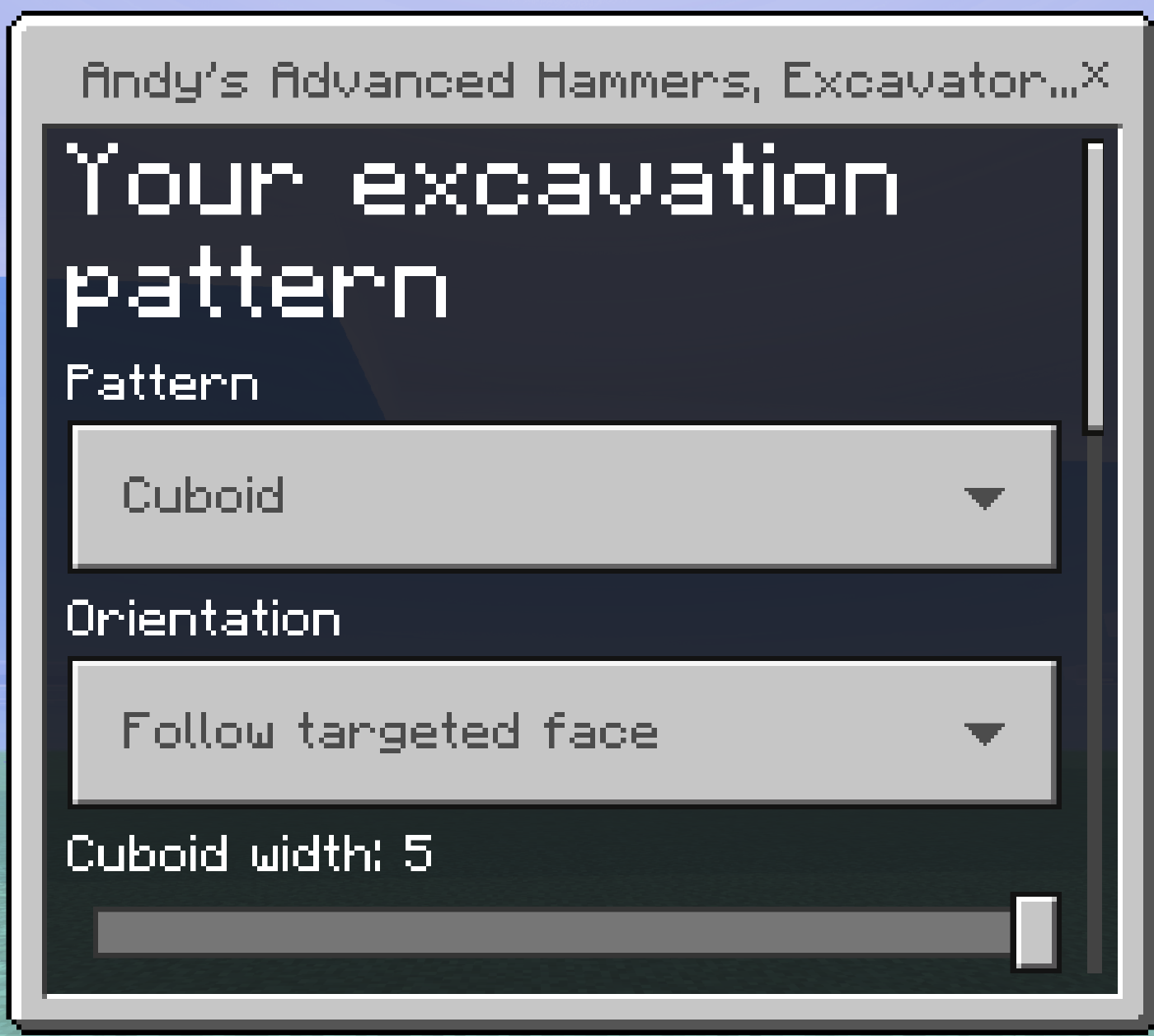
The shape menu, saved per player and shared by both mining tools.
Use on dirt-like ground to prepare a centred 9×9 field in one interaction:
- Eligible plants sitting on the soil are cleared first.
- Existing water anywhere in the area is preserved, never overwritten.
- The centre block is removed as the irrigation location. A centred water source hydrates the surrounding 9×9 under normal vanilla rules.
- Solid obstructions are left alone — the Tiller will not undercut a building.
Tillers and Scythes do not carry Bedrock's built-in hoe interaction, so one click starts the full action instead of tilling a single block first.
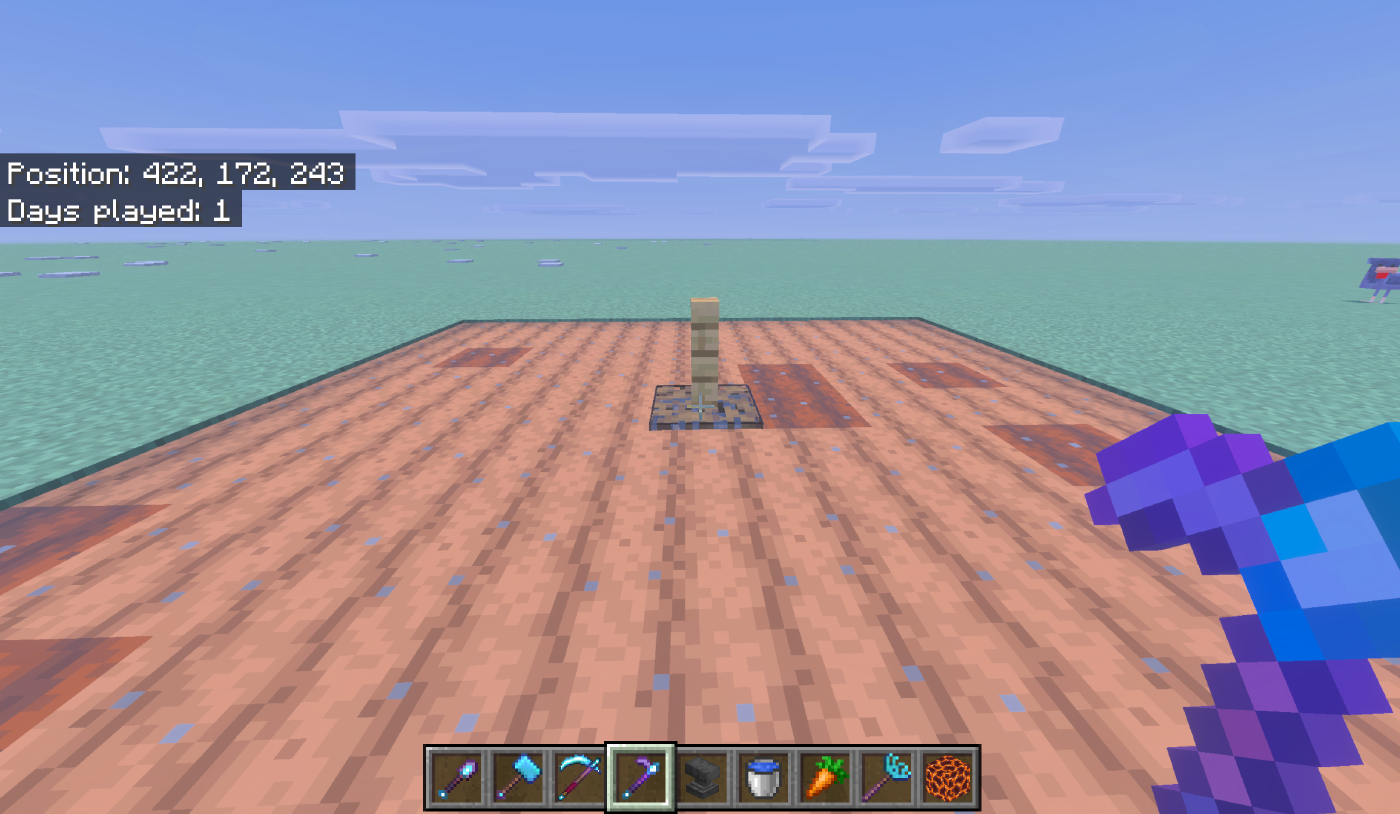
A finished standard field with Auto water fill on.
Crouch-use a Tiller. Saved per player. Under each option the menu prints a live line telling you whether the required items are in your inventory — green when found, red when not.
| Control | Type | Options | What it does |
|---|---|---|---|
| Layout | Dropdown | Standard 9×9 field · Pumpkin & melon plot · Sugar cane plot | Chooses the shape the Tiller builds. |
| Auto water fill | Toggle | Off by default | Fills the centre hole with a waterloggable block from your inventory. |
| Raise a lamppost over the filled hole | Toggle | Off by default | Places a fence and a light on the filled block. |
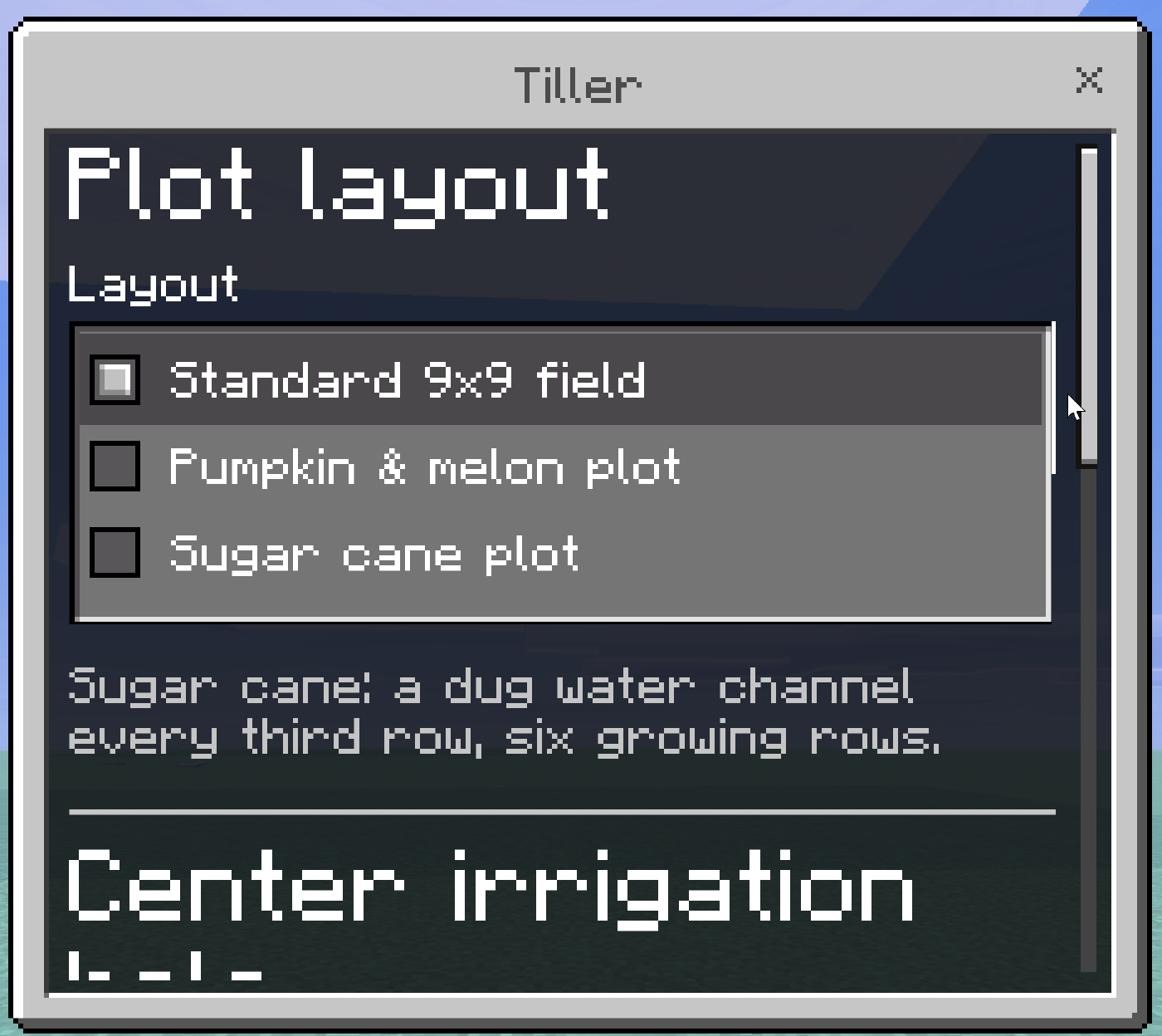
The three plot layouts.
The whole area becomes farmland around an open centre hole. The default.
Five farmland stem rows alternate with four open dirt rows.
A mature stem grows its fruit onto a neighbouring block, so a solid field of stems has nowhere to put its fruit and stalls. This layout gives 36 fruit landing blocks across the 9×9 — the densest arrangement that fits the footprint — and stops two stems fighting over one block.
Plant seeds in the white-outlined rows. Leave the green-outlined rows empty.
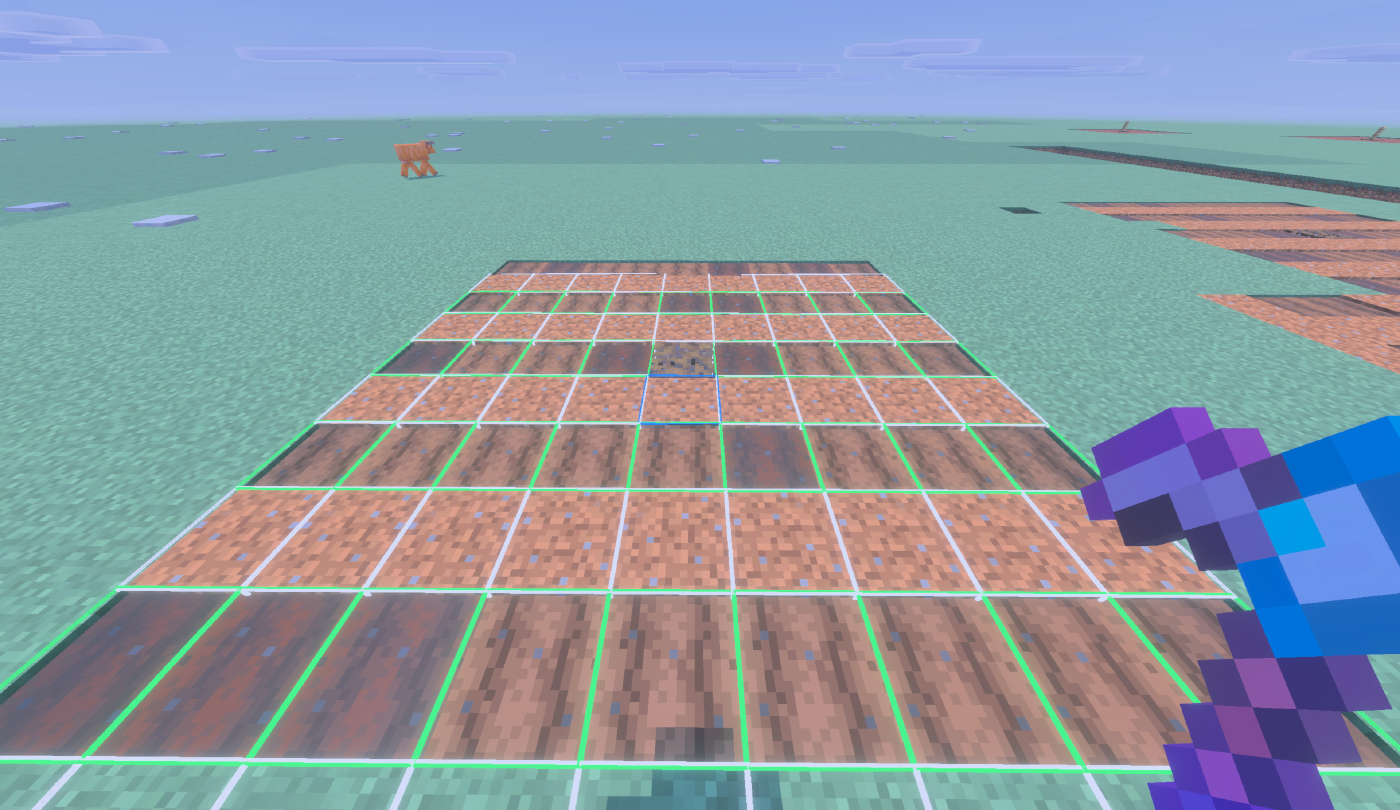
The pumpkin and melon plot: stem rows in white, open fruit rows in green.
A dug water channel every third row, six growing rows between them.
Sugar cane cannot be planted on farmland or a dirt path at all, so the growing rows are set to plain dirt. Ground that is already valid — dirt, grass, coarse dirt, sand, red sand — is left untouched and costs no durability. Every growing row ends up orthogonally beside a channel, which is the condition the plant checks.
The Tiller digs the channels but does not create water. One source spreads seven blocks, so two buckets at opposite ends flood each nine-long channel.
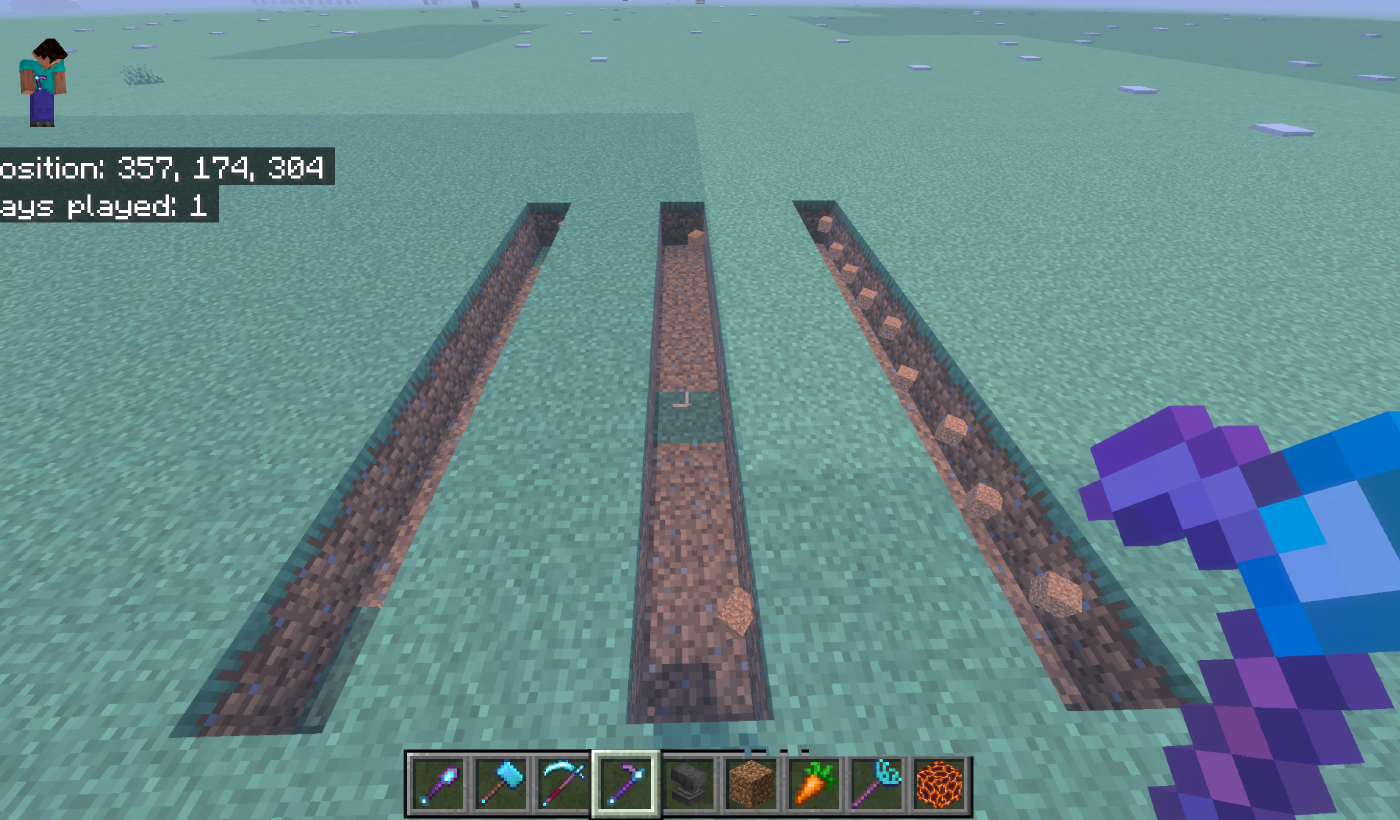
The sugar cane plot after the swing: three channels dug, waiting for two buckets each.
Needs two things from your inventory:
- A waterloggable block — mangrove roots if you have them, otherwise any stairs.
- A filled water bucket.
It places the block in the centre hole, waterlogs it, consumes the block, and returns your bucket empty. The result is a hydrated plot with no pit to fall into. If either item is missing, the hole is left open and you are told which one you need. The tool never creates water for free.
Needs a fence post and a torch, soul torch, or any lantern, and needs the water fill to have placed first, because the lamppost stands on the filled block. The fence goes directly on it, the light on top of the fence. Both are consumed. If the two blocks above the hole are obstructed, the lamppost is skipped and says so. Lanterns are matched by name rather than an allowlist, so lanterns added by other add-ons are accepted as well, and the menu names whichever one it found.
Neither irrigation placement costs extra durability — you pay with the blocks themselves.
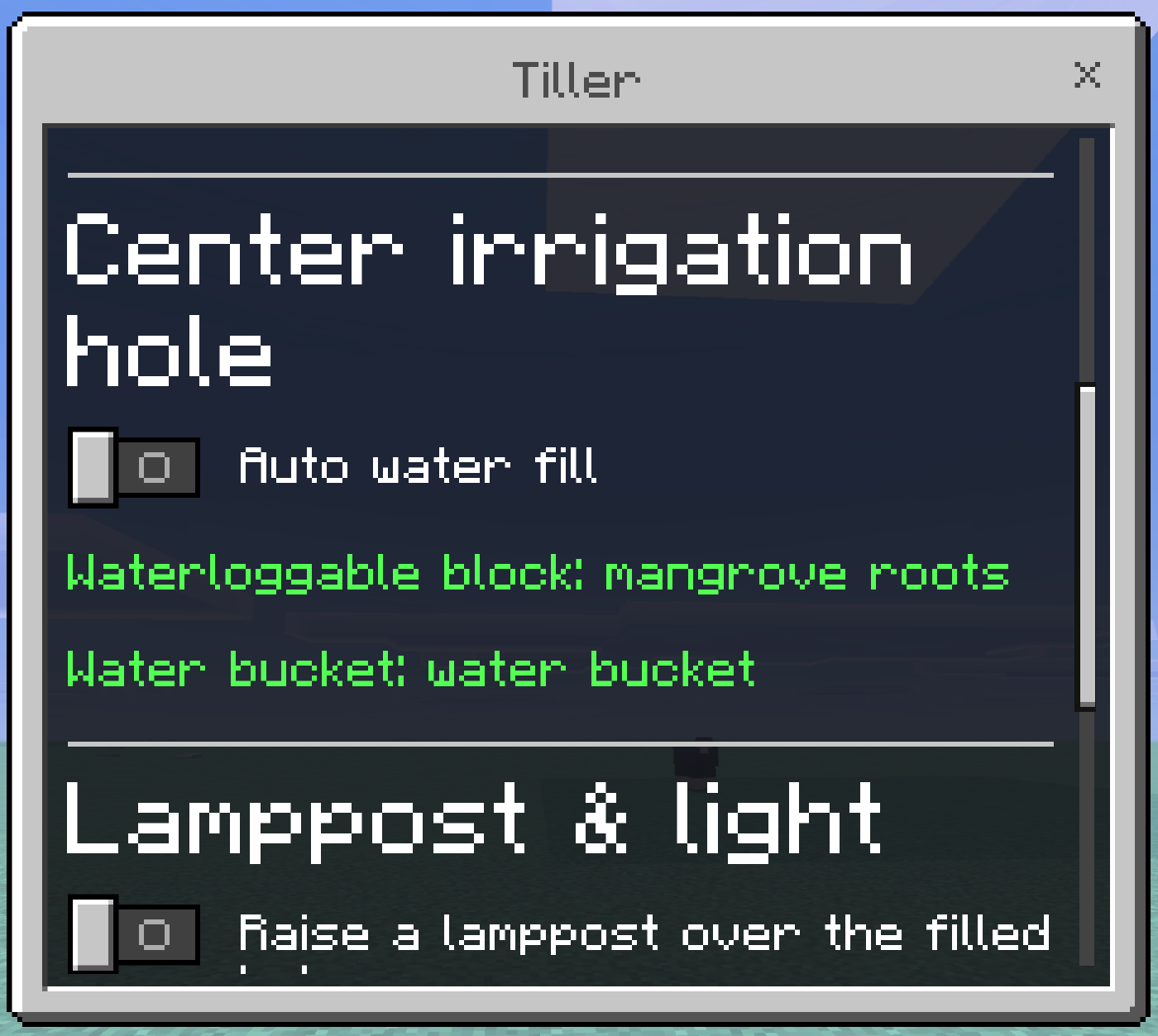
Auto water fill, with both requirements found and named in green.
Use on ground or vegetation to clear eligible plants in a centred 9×9. Breaking an eligible plant triggers the same sweep. The sweep checks the base plant layer plus one block above, so tall grass, large ferns, sunflowers, lilacs, rose bushes, and peonies come out whole rather than leaving floating tops.
Supported: short and tall grass, ferns, every vanilla short and tall flower, wildflowers, pink petals, leaf litter, bushes, dead bushes, saplings, mushrooms, fungi, roots, leaves, coral, and coral fans. Waterlogged coral and fans leave their water behind.
With Silk Touch, the Scythe produces a placeable version of eligible vegetation wherever Bedrock exposes one, so grass and ferns can be relocated. Without it, normal vanilla loot applies.
Use or break a mature crop to harvest every mature crop in the centred 3×3 at the same height.
Supported crops: Wheat, Carrots, Potatoes, Beetroot, Nether Wart, Cocoa, Sweet Berry Bushes, Torchflowers.
- Immature crops are left completely untouched.
- Harvested crops stay harvested — no resetting to a young state, no seed consumed, no replanting. Replanting is deliberately left to you, and the Seeder Rake exists for it.
- The farmland underneath is preserved. Scythes cannot till dirt, cannot create farmland, and cannot break farmland, so a held swing that carries past an instantly-harvested crop leaves the field intact.
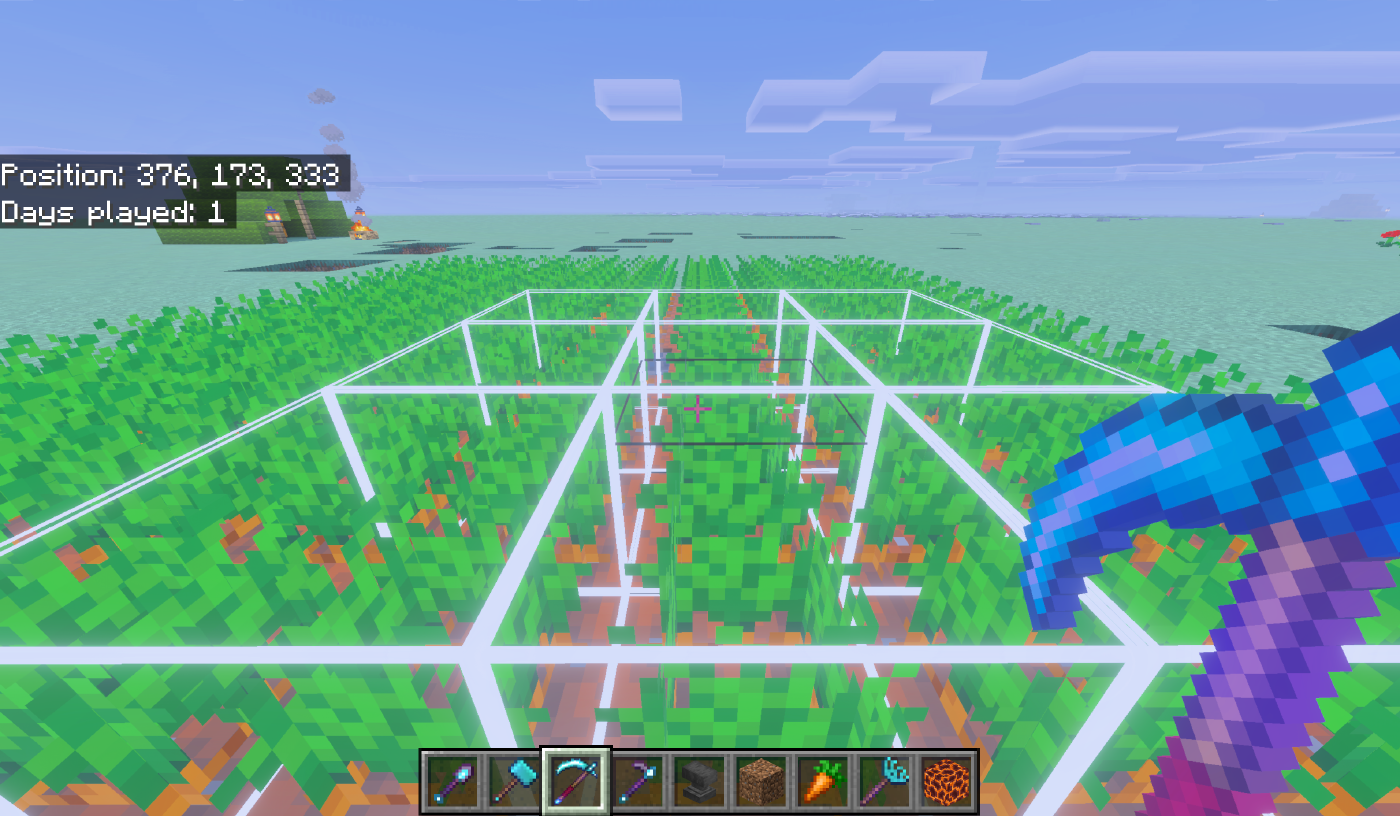
The Scythe 3x3 harvest preview over a carrot field.
Use on the ground to plant the selected crop across a 4×4 plot. One item per block planted, taken from your inventory; planting stops when you run out. Nothing is consumed in Creative.
Each cell is checked against real vanilla placement rules before anything is planted:
| Crop | Plants on | Extra requirement |
|---|---|---|
| Wheat Seeds | Farmland | — |
| Beetroot Seeds | Farmland | — |
| Carrots | Farmland | — |
| Potatoes | Farmland | — |
| Melon Seeds | Farmland | — |
| Pumpkin Seeds | Farmland | — |
| Torchflower Seeds | Farmland | — |
| Pitcher Pods | Farmland | — |
| Nether Wart | Soul Sand | — |
| Sweet Berries | Grass, dirt, coarse dirt, podzol, mycelium, moss, mud, rooted dirt | — |
| Sugar Cane | Grass, dirt, coarse dirt, podzol, sand, red sand, moss, mud | Water orthogonally adjacent |
| Bamboo | Grass, dirt, coarse dirt, podzol, mycelium, sand, red sand, gravel, moss, mud | — |
| Cactus | Sand, red sand | All four sides clear |
Using the Rake on an existing crop plants around it rather than through it — the plot is anchored to the ground beneath, not the plant.
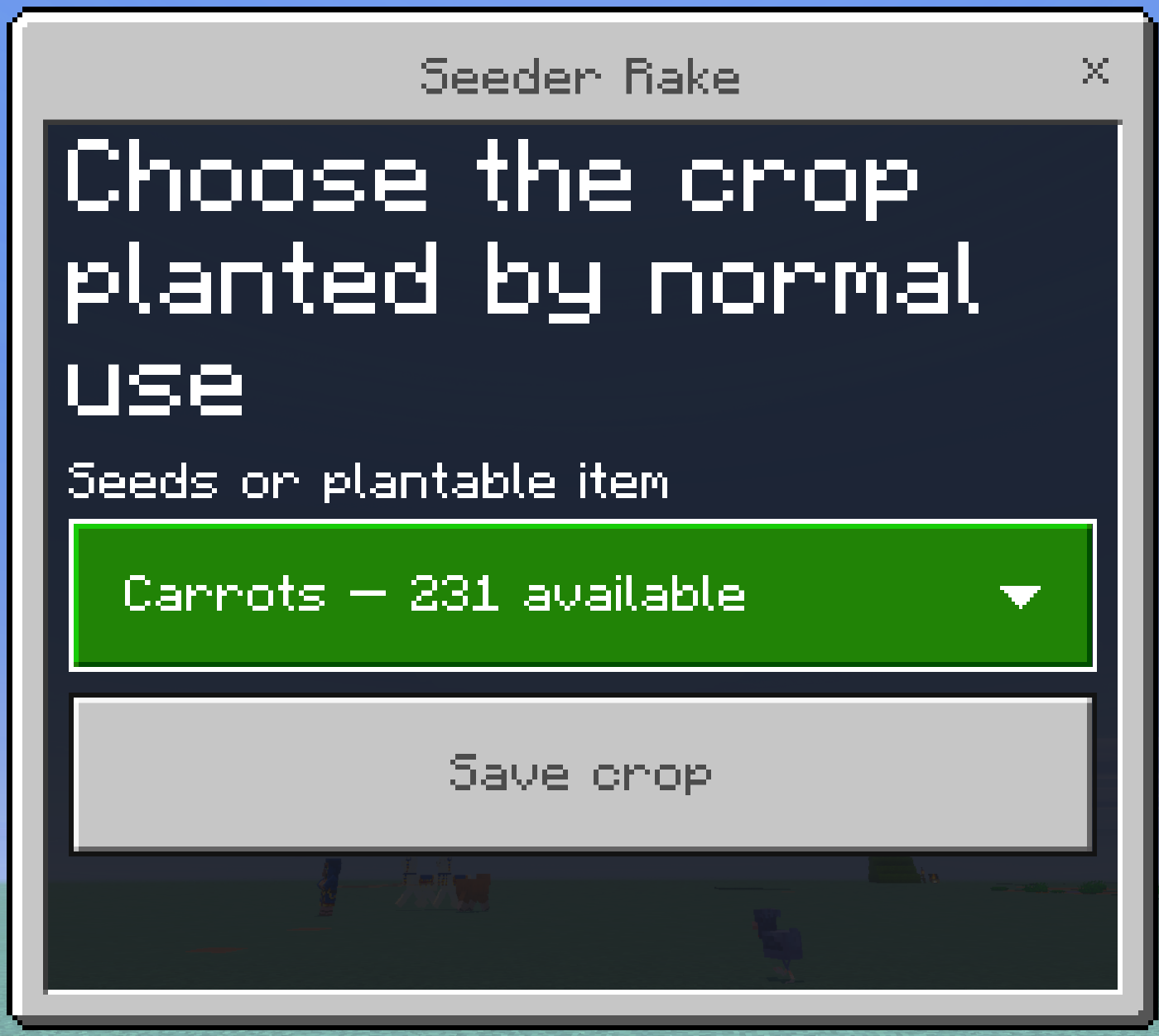
The crop selector, saved per player.
Crouch-use a Seeder Rake. One dropdown listing all thirteen crops, each showing how many you currently have, so it doubles as a stock check. Saved per player.
Every tool draws a wireframe preview of what it will affect, refreshed as you look around. The outline is emissive and PBR-aware, so it reads in dark caves and under Vibrant Visuals.
| Colour | Meaning |
|---|---|
| White | Will be broken, or tilled to farmland. |
| Blue | Water: the centre irrigation hole, and every dug sugar cane channel. |
| Green | Left open on purpose — fruit rows, growing rows. |
The preview lists only blocks the tool would really change. In the two plot layouts the outline shows the whole plot, including ground that is already correct and will not be rewritten, so you can see the shape you are committing to.
Previews are capped at 128 outlines per refresh so a dense meadow cannot flood the world with helper entities. They clear on crouch, on tool switch, and on leaving the world.
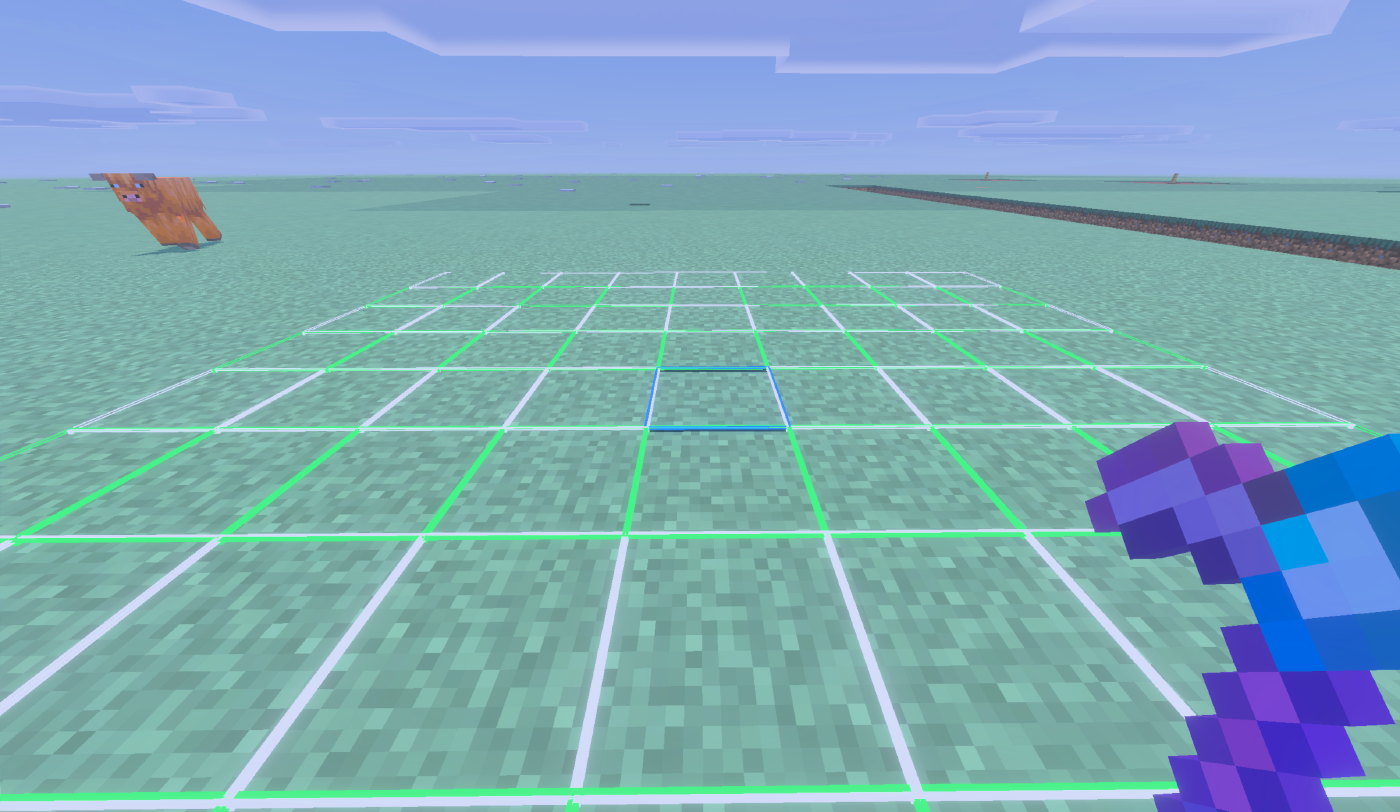
All three preview shades at once: white to be tilled, green left open, blue for water.
Blocks broken by an area tool drop exactly what they would drop to a hand-held tool of the same tier and enchantment, spawned at the block that produced them. Those drops are ordinary item entities with the standard five-minute vanilla despawn timer. The add-on does not tag, collect, teleport, re-time, or delete drops.
If you clear a very large area, pick drops up as you go, the same as after any big vanilla dig.
Every block an area tool changes costs one durability use, rolled independently against Unbreaking. A tool that breaks mid-swing stops immediately, plays the normal break sound, and leaves the remaining blocks untouched — it never overdraws past zero. Swapping the tool out of your hand mid-action also stops it cleanly.
Never taken, in any pattern or area:
- Bedrock, Barriers, Border Blocks, Light Blocks, Structure Blocks, Structure Void, Jigsaw, Allow, Deny, Moving Blocks
- Every command block variant
- End Portals, End Portal Frames, End Gateways, Nether Portals
- Anything holding items — Chests, Barrels, Shulker Boxes, Furnaces, Smokers, Blast Furnaces, Hoppers, Dispensers, Droppers, Brewing Stands, Crafters, Decorated Pots, Beehives, Bee Nests, Jukeboxes, Lecterns, Vaults, Trial Spawners
- Liquids and waterlogged construction blocks
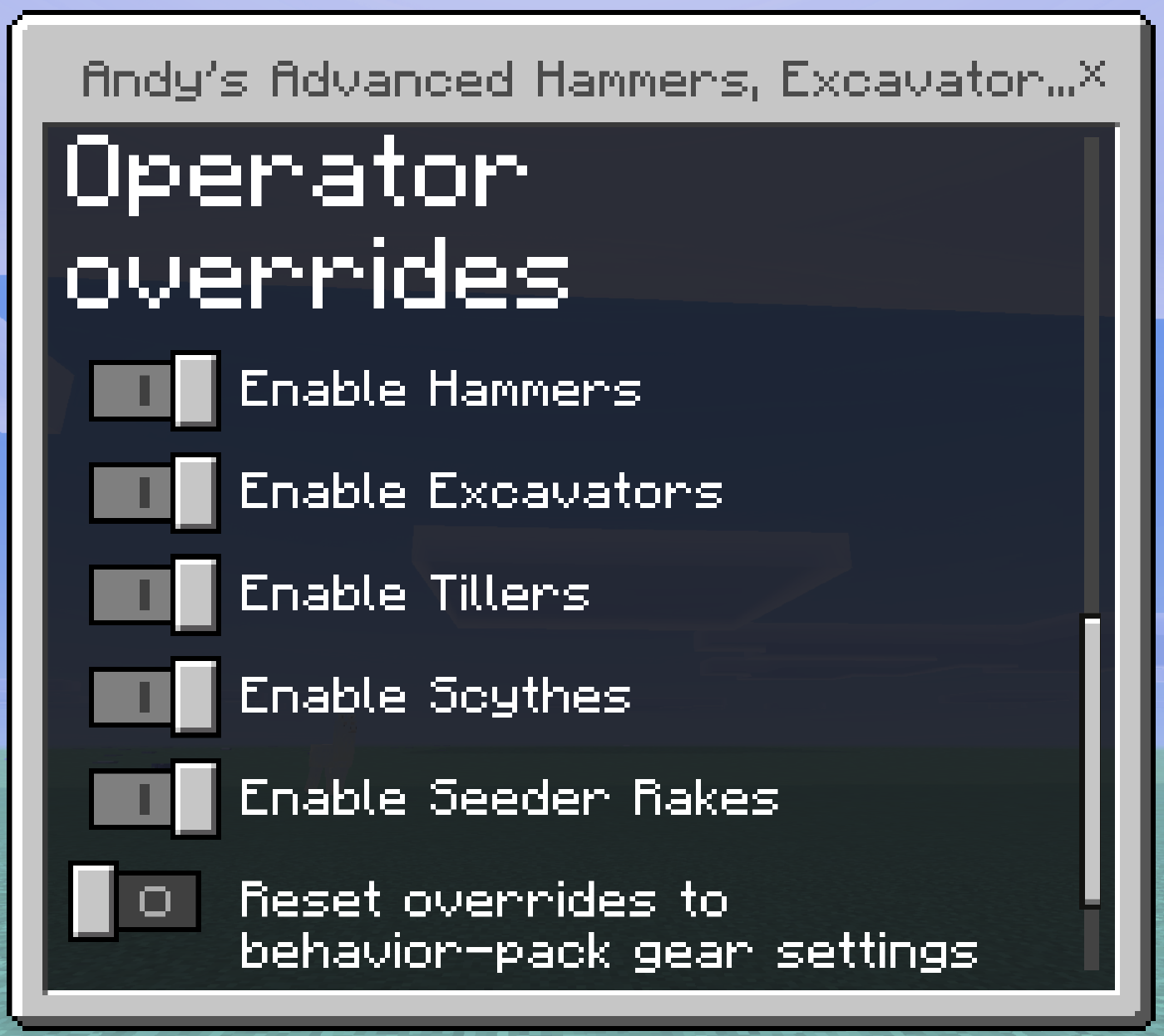
The operator overrides section, visible only to operators.
Each of the five families can be turned off independently. A disabled family stops working immediately, and players are told why rather than being left with a silent tool.
The Behavior Pack exposes five toggles under Global tool availability: Enable Hammers, Enable Excavators, Enable Tillers, Enable Scythes, Enable Seeder Rakes. All default to on.
Operators see an extra Operator overrides section at the bottom of the shape menu, with the same five toggles plus Reset overrides to behavior-pack gear settings. Non-operators never see it.
scriptevent andys_excavators:set <hammer|excavator|tiller|scythe|seeder> <on|off>
scriptevent andys_excavators:get <tool>
scriptevent andys_excavators:list
scriptevent andys_excavators:status
scriptevent andys_excavators:reset
scriptevent andys_excavators:help
scriptevent andys_excavators:admin
set accepts on/off, true/false, yes/no, 1/0, and enable/disable. scythe and sickle both work. list shows every family and flags which differ from the pack defaults. Anyone who is not an operator or the server console is refused.
Tool availability is stored on the world, so every player sees the same set. Shape, crop choice, and Tiller options are stored per player.