Home
Run a modded Terraria server in Docker and manage worlds, Workshop mods, players, and backups from your browser.
This wiki documents Crosis47/tmodloader, an independently maintained container project. It is not the upstream tModLoader development wiki and is not affiliated with Re-Logic or the tModLoader team.
- Install and start your server.
- Complete dashboard setup.
- Create a world and choose mods.
- Set up backups before inviting players.
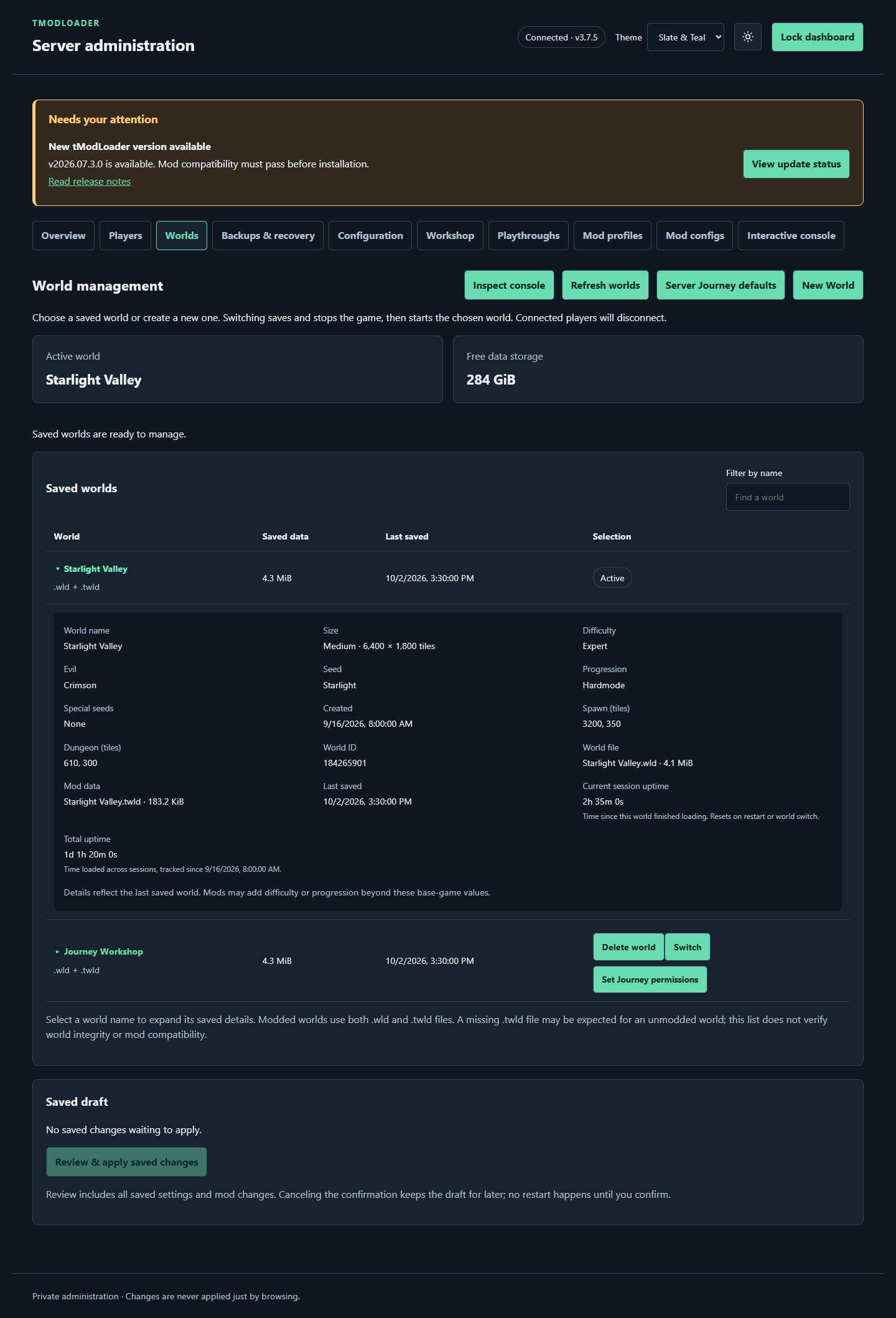
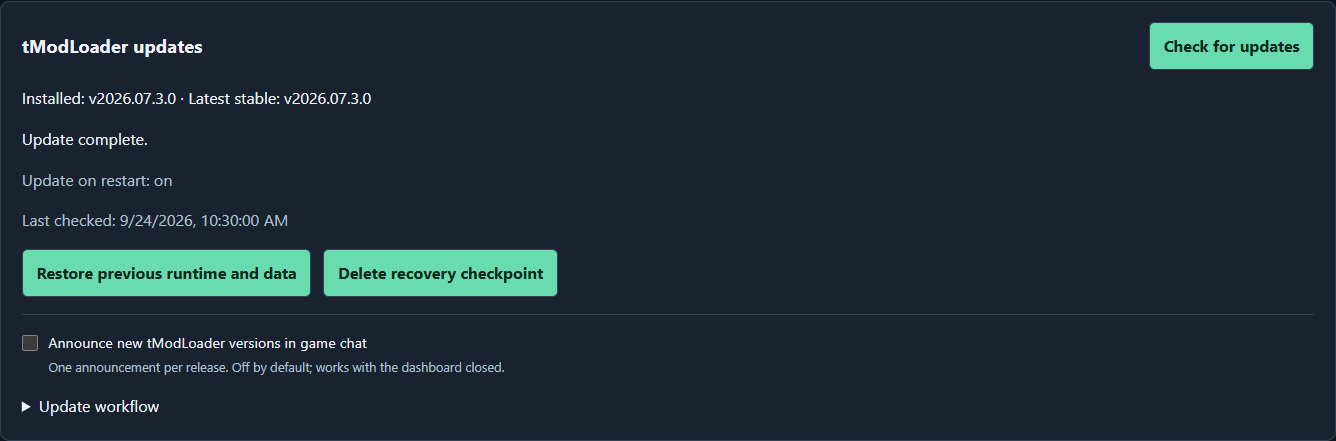
Overview, Worlds, Backups, Workshop, runtime recovery controls, the mod editor, and the container-update notice were captured from the 3.4.1 interface on September 22, 2026, using demonstration data. Workshop uses real public Steam titles and artwork in an illustrative results list. The container notice simulates an older installed version to illustrate the new notification. New World, Journey, and restore-review dialogs remain September 16 preview examples. These images do not represent live server tests. Select an image to view full size.
| Server overview | World management | Backups and recovery |
|---|---|---|
 |
 |
 |
| Dashboard guide | Worlds guide | Backup and recovery guide |
| New World dialog | Journey permissions | Restore review |
|---|---|---|
 |
 |
 |
| Generation options | Journey permissions | Restore guide |
| Steam Workshop |
|---|
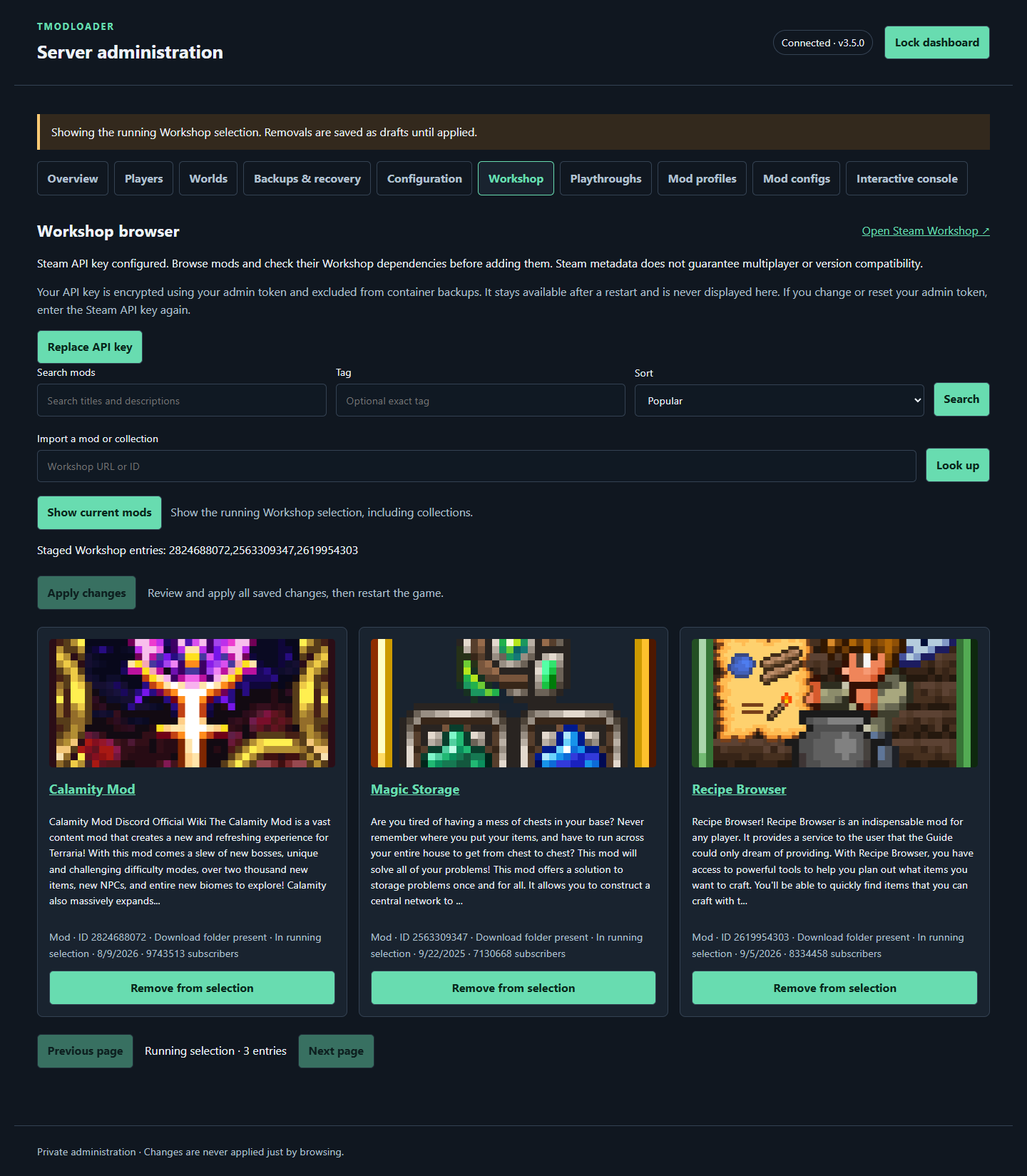 |
| Mods and Workshop guide |
| Runtime updates and recovery | Mod configuration editor | Container update notice |
|---|---|---|
 |
 |
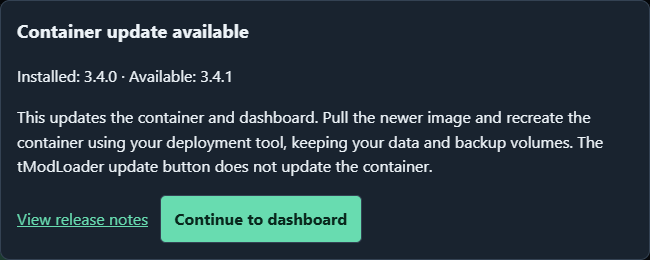 |
| Runtime update guide | Mod editor guide | Update notices |
| Guide | What you will find |
|---|---|
| Getting started | Docker deployment, first-run setup, and joining |
| Configuration | Environment settings, web mode, and defaults |
| Web dashboard | Admin access, staged changes, players, and console |
| Worlds and playthroughs | World creation, switching, and saved selections |
| Mods and Workshop | IDs, collections, search, caching, and profiles |
| Backups and recovery | Scheduling, verification, restore, and recovery |
| Networking and access | Game ports, remote dashboard access, and multiple servers |
| Updates and storage | Persistent data, image updates, and rollback preparation |
| Troubleshooting | Symptoms, diagnostics, and next steps |
These pages document published container version 3.4.1, checked against release source e316f0f on September 22, 2026. Stable and preview 3.4.1 releases are available. This includes the current publishing policy: latest follows stable builds and preview follows preview builds; the stable image tag is no longer updated. The WebUI is enabled by default, and the supplied .env.example selects browser-managed settings (TMOD_CONFIG_SOURCE=web). Compose publishes the dashboard for direct LAN access. First startup without an existing admin credential waits for dashboard setup; set TMOD_WEB_ENABLED=0 for unattended game-only startup.
Upgrading an existing deployment? Read Upgrading existing deployments and Image tags and channels. Images and GitHub Releases use matching container-version tags. See the 3.4.1 release for changes and the bundled tModLoader version.
Recent releases add startup runtime updates and checkpoint recovery, mod configuration editing and Workshop dependency checks, confirmed deletion of unused worlds, and cancellation of saved drafts. Version 3.4.1 adds a separate container-update notice at dashboard login. Container updates still require pulling an image and recreating the container.
Supported container architectures are Linux AMD64 and ARM64. Players need compatible tModLoader versions and mods. Container versions and bundled tModLoader versions are separate; see Updates and storage.
Source code · Container images · Docker Hub · Releases · Report an issue