Repository navigation
Home
Remap the buttons that Canoe and Kachikachi (the console's SNES and NES emulators) see, from the console itself. Map the front ports, or give each USB controller model its own mapping.
It is an add-on for my Options Menu fork and does not work with any other UI.
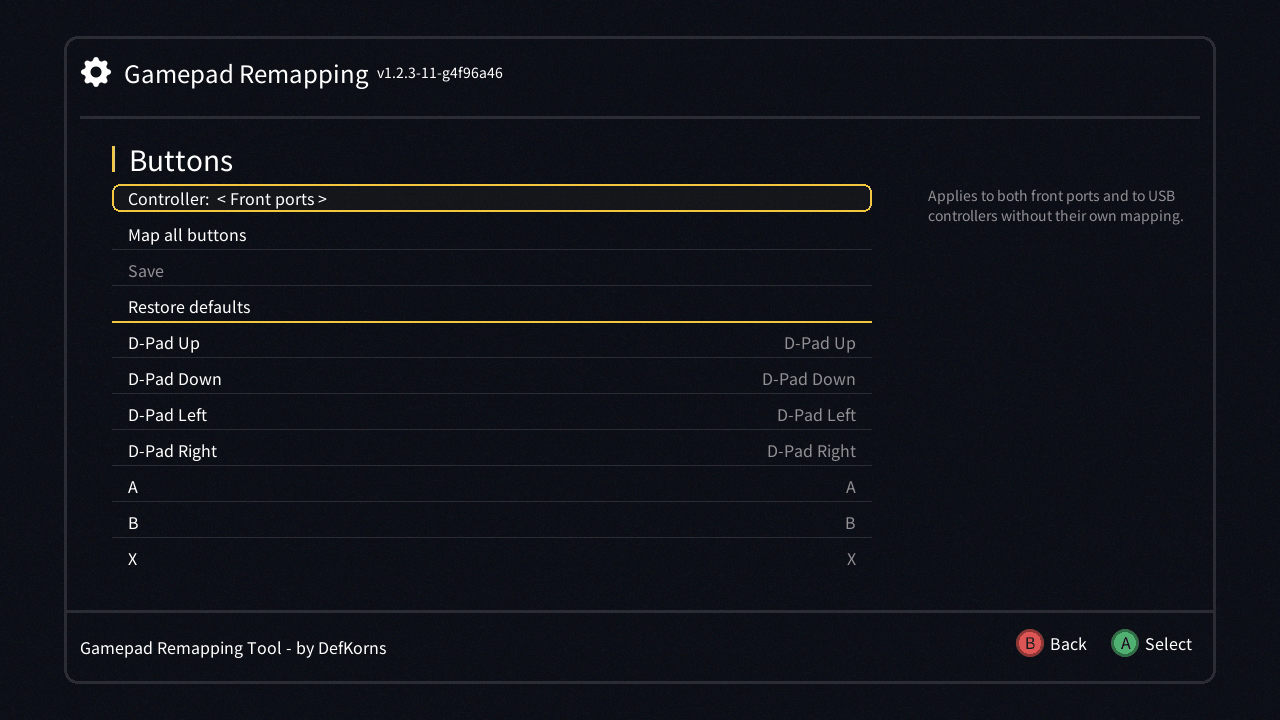
- Using the remapper: open it, remap one button or all of them, save and restore
- Supported controllers: the ready-made profiles, front-port controllers, and what doesn't work
- Adding a controller: make a new USB controller work, ship a profile for it, and give its buttons names
- Files and mapping format: where the mappings live on the console, their permissions, and the file format
From my Mod Hub (recommended): in hakchi open Manage repositories, add https://defkorns.github.io/hakchi-repo/, then install Options Menu and Options Menu - Gamepad Remapping Tool.
By hand: download om-gamepad-remapping-tool.hmod from Releases, put it in hakchi's user_mods folder, then install it from hakchi (Modules → Install extra modules).
On a console with RetroArch 1.8.4 Xtreme SC, use the Options Menu compat build as the base: the USB service loads the private libstdc++ it installs.