Repository navigation
01. Installing Unity
- Download Unity Hub: https://unity3d.com/de/get-unity/download
- Install and open Unity Hub.
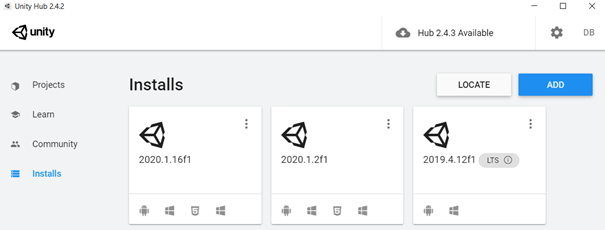
- Go to Installs and click on ADD
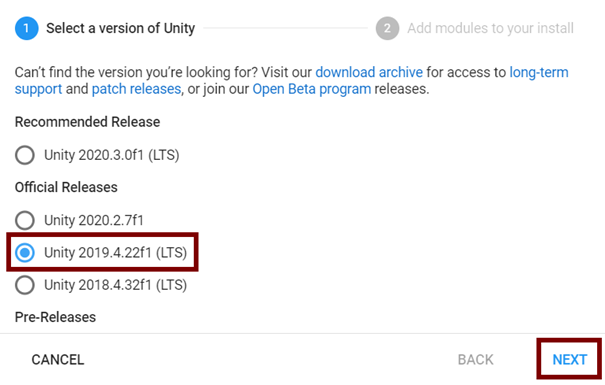
- Choose the Unity 2019.4 (LTS) version and click next
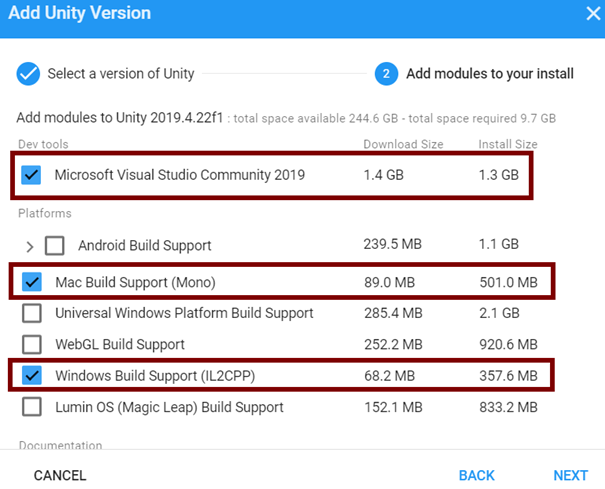
- Add Build Support according to your operating system
- (optional) add Visual Studio for coding
- Confirm with DONE

- After the installation is done, click on the settings wheel
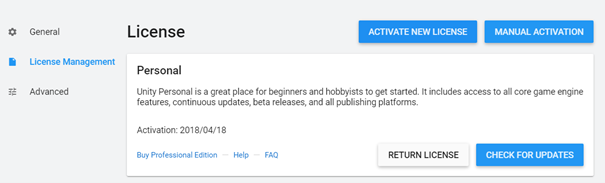
- Go to License Management and click on ACTIVATE NEW LICENSE
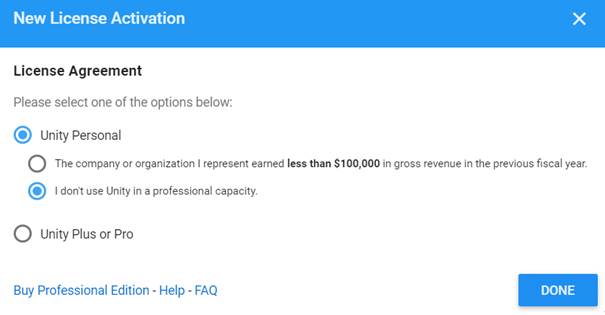
- Choose Unity Personal and I don’t use Unity in a professional capacity and confirm with DONE
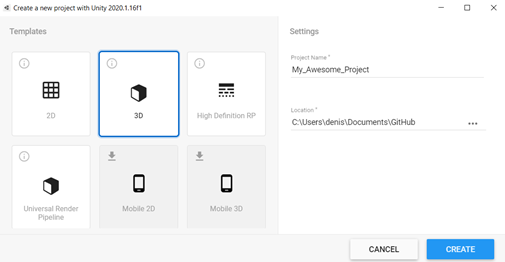
- In Unity Hub go to Projects and click on NEW

- Choose the type of project you want to make and click create (in our case a simple 3D project)
- Unity will now create your new project folder