Home
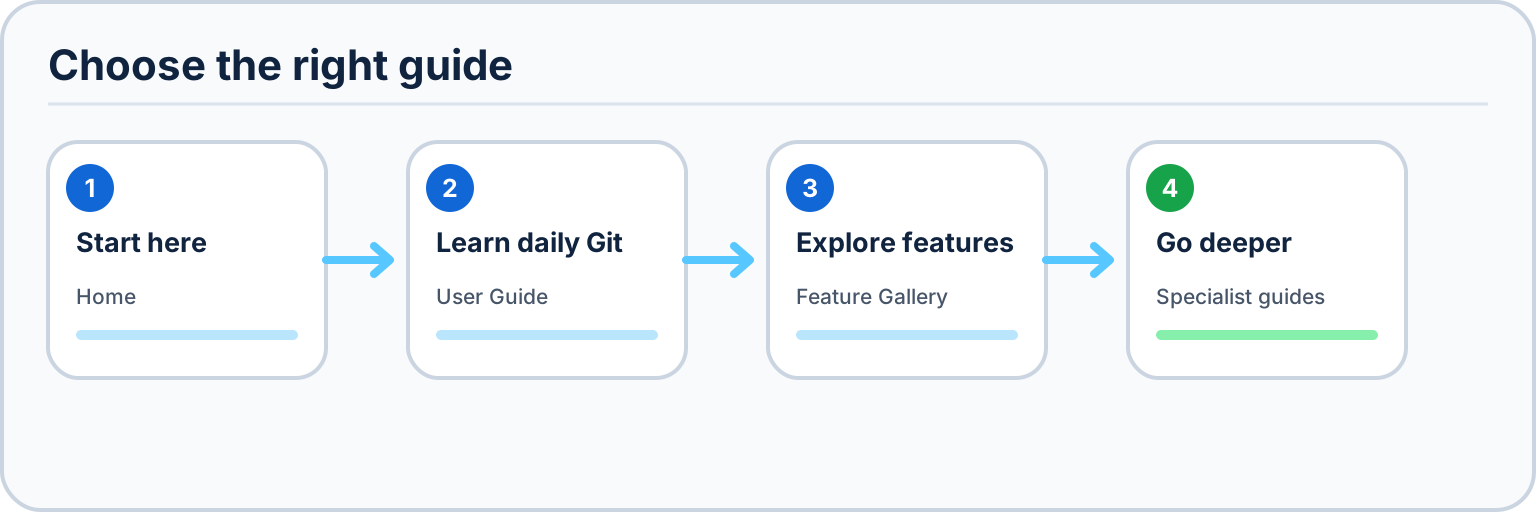
Use this map to choose a starting point: learn the daily workflow in the User Guide, browse shipped surfaces in the Feature Gallery, or open a specialist guide for deeper details.
Platform support: Desktop Material is Windows-only. Windows owns the supported runtime, build, package, installer, release, and E2E paths. The retained Linux TUI prototype, package notes, and five Xvfb captures are historical July 27 evidence, not a supported edition or Windows-release blocker.
Desktop Material is an independent Material Design 3 (M3 Expressive) remake of GitHub Desktop. It is a fork of desktop/desktop (MIT) with the entire application shell rebuilt around Material Design 3 — animated light/dark theming, dynamic type and color tokens, and a browser-like, tabbed workspace — while keeping GitHub Desktop's complete Git workflow intact underneath.
On top of that shell, Desktop Material ships multi-provider accounts and organizations, automation,
GitHub Actions and logs, agent access, searchable graph History, multiple stashes, pull-all,
multi-window workflows, per-account repository tabs, Git-backed settings and notification bulk
triage, configurable bottom-right error notices, and a non-modal dialog framework. Its Material
first-run experience, adaptive toolbar, profile-backed
app identity, favorite/portable tabs, and layered appearance controls let the workspace respond to
both the active profile and the selected repository. Initialized submodules can open as temporary
repositories without entering the saved repository list, with a profile-customizable Back control
to the persisted root. The completed parity roadmap turns audited Git, gh, REST, and GraphQL capabilities
into named app functions rather than a searchable command or endpoint catalogue.
Status: Desktop Material is in active development. Its numbered roadmap now extends through M27; M0–M21 and M23 have published receipts, M22 keeps a separately tracked visual refresh, and M24–M27 retain their exact acceptance/publication states in
PLAN.md,ROADMAP.md, andHANDOFF.md. The current source completes detailed Cheap LFS commit progress, a persisted three-file/sequential upload choice, a large-file Changes filter, safe partial failure continuation, GHCR and Docker Hub full-snapshot storage, encrypted private-repository objects, pointer-only clone repair, and proven sub-1.5 GB automatic commit/push batches. Exact build, headless, source-publication, installer, Pages, and wiki receipts are maintained inHANDOFF.md. Corrective sourcec22e29a03apassed cloud, CI, CodeQL, Pages, and installer run30057456712, which published immutable six-asset Releasev3.6.3-beta3-zadthusbjk. The public 14.8 GB Bambu exercise completed four proven UI batches after a durable HTTP 408 retry, retained raw fallback across 26 cloud assets, passed its exact manifest verifier at712ad85, and restored 10/10 hashes from pointer-only Git history. Its first automatic/manual overlap prompted repository-scoped serialization; the corrected UI receipt remains explicitly separated inHANDOFF.md.The July 27 exact-90% restore look-ahead, sandboxed app-hosted browser, and private-repository lock passed the final focused 760/760 across 58 files gate, 14/14 verifier contracts, full TypeScript, the exact Windows production build, and isolated hidden-desktop interaction/privacy review. The source and captures are pushed through
2abccae8fd, and Pages/wiki publication is verified live. Packaged Windows E2E is verified. Installer/Release evidence remained pending at that dated checkpoint; the archived TUI compatibility work is outside the current Windows acceptance boundary.
M21 closes the complete 30-item GitHub Desktop demand brief: exact account and repository identity, native PR review/creation/activity, selective and external stashes, full tag lifecycle, scalable repository/branch/history navigation, fork checkout, reviewed batch sync, tree/CSV/TGA diff ergonomics, editor and WSL integration, global ignores, custom commands, patch exchange, bulk branch cleanup, network paths, and live/offline GitHub Projects. The feature ledger links every request to a dedicated safety and verification contract.
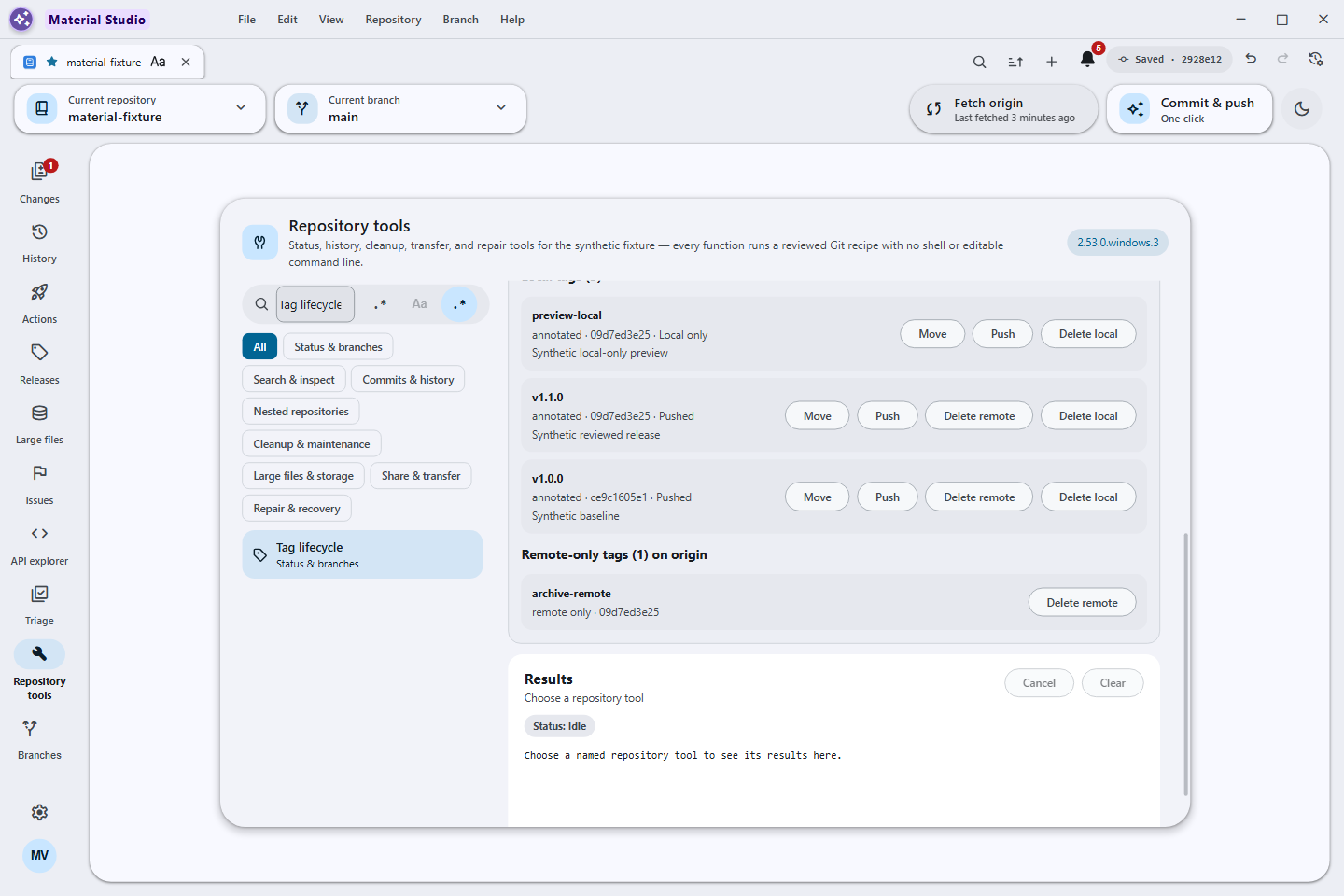
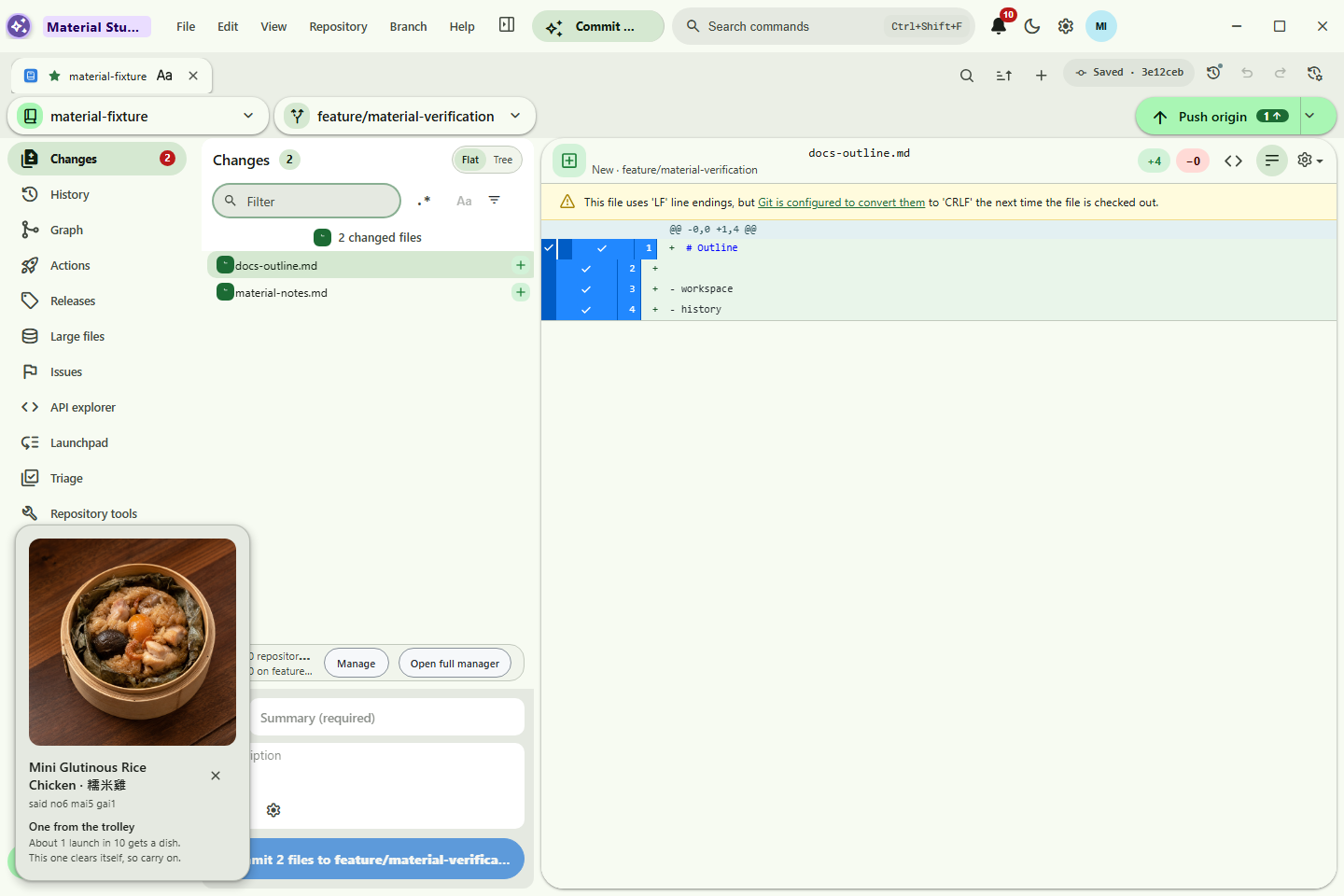
The automated release supports x64 Windows, and Windows packaging now produces
a portable GitHub Desktop-x64.zip beside the installer outputs. From Windows
PowerShell 5.1 or PowerShell 7, run this one line in a normal,
non-administrator shell:
Microsoft.PowerShell.Utility\Invoke-RestMethod 'https://raw.githubusercontent.com/Ding-Ding-Projects/desktop-material/main/script/install-windows.ps1' | Microsoft.PowerShell.Utility\Invoke-ExpressionThe tracked script resolves the latest stable installer release from this exact repository, requires the matching GitHub SHA-256 asset digest, checks any Authenticode signature, installs silently for the current user, and cleans up its temporary download. Current builds are unsigned; the script reports that fact and refuses an unsupported architecture or an unverified download. See the User Guide for explicit silent install, update, and uninstall examples, the current-user scope and no-force-close contract, the portable-ZIP extraction note, and the manual-download path.
The commands below reproduce the July 27 prototype record. They are retained for audit, not as a current installation recommendation; Desktop Material's supported installation path is Windows.
Linux shell:
git clone https://github.com/Ding-Ding-Projects/desktop-material.git && cd desktop-material && uv tool install ./tui && uv tool update-shellWindows PowerShell:
git clone https://github.com/Ding-Ding-Projects/desktop-material.git; if ($LASTEXITCODE -ne 0) { throw 'git clone failed' }; Set-Location .\desktop-material; uv tool install .\tui; if ($LASTEXITCODE -ne 0) { throw 'uv tool install failed' }; uv tool update-shellClose and reopen the terminal afterward, then run
github /path/to/repository on Linux or
github C:\path\to\repository on Windows. The interactive acceptance target
was Linux-first; the Windows Terminal launch path and cross-platform core were
also tested at that checkpoint. github push scanned safe working candidates and the publication
delta, with a conservative full-source-history fallback, before the real push;
github pull restores verified canonical pointers after native Git succeeds,
and github git … passes other native Git argv through without a shell.
Open/Create includes a clickable folder browser. Bracketed or Textual clipboard
paste immediately unwraps one matching outer quote pair; submission applies the
same normalization as a fallback. See the
TUI installation guide for
the requirements, packaging, Docker, security, and failure-mode details.
| Page | What it covers |
|---|---|
| Historical Linux TUI prototype | Archived July 27 package and launcher commands; not a supported product route or Windows-release blocker. |
| Install on Windows | Fully automatic PowerShell install, portable ZIP, integrity checks, architecture limits, and manual download. |
| User Guide | Task-oriented walkthrough for the Material welcome, appearance scopes, adaptive toolbar, accounts, the app-hosted browser, guided Git/GitHub functions, Cheap LFS restore progress, organizations, tabs, automation, Actions, History, stashes, pull-all, multi-window, and the MD3 shell. |
| Guided Feature Gallery | Machine-checked target of one distinct screenshot for each of 86 Windows visual scenes; the searchable Publish organization owner and current-source updater frames are accepted and published as their own slots, while five retained Linux/Xvfb assets stay explicitly archived outside the set. |
| Automation | Scheduled commit & push and pull, layered overrides, safety guards, and merge-all branches/worktrees. |
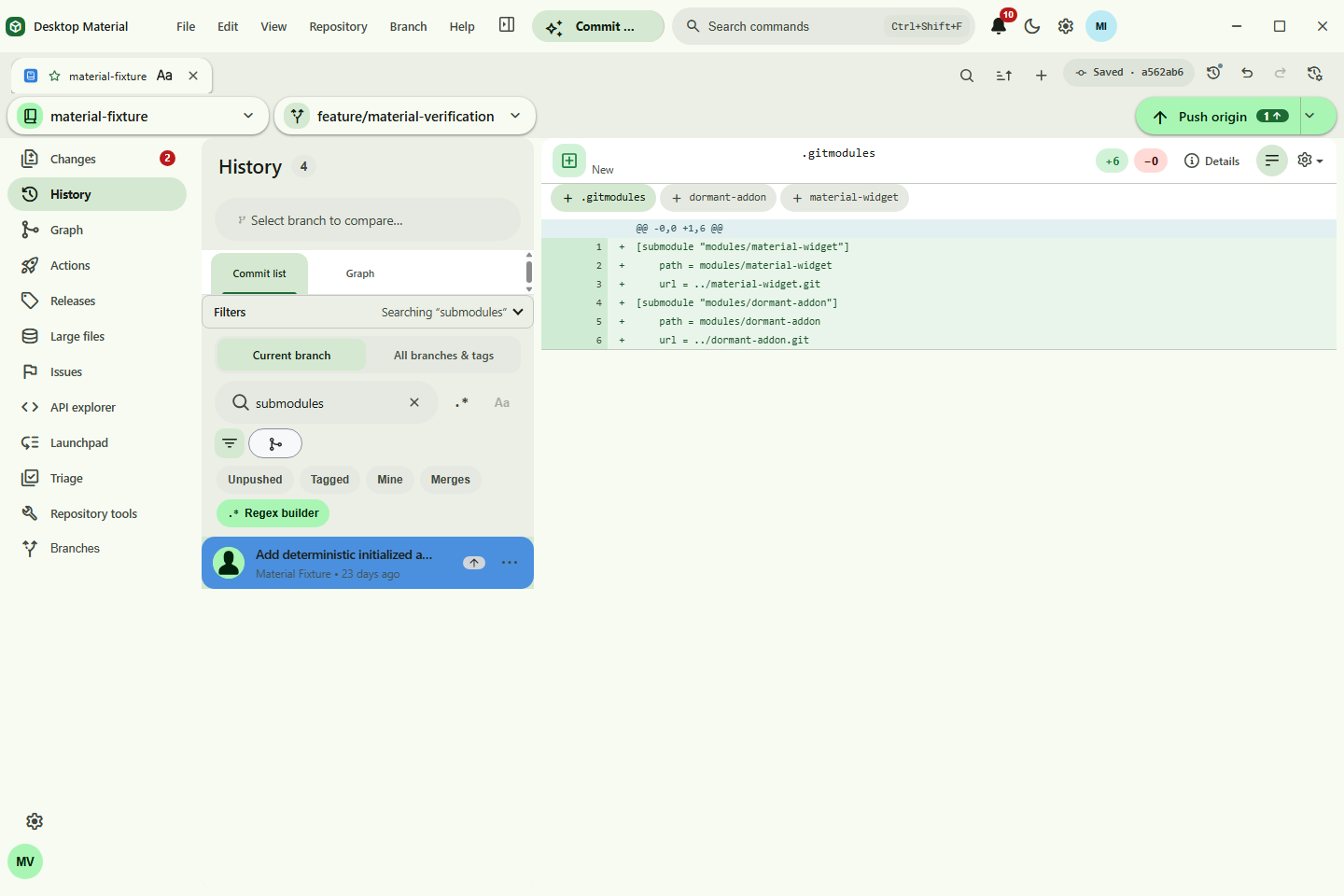
| Submodules | The simplest page in the wiki — what submodules are (toy boxes inside toy boxes), pre-clone badges, temporary open-and-Back navigation, the Submodule Manager, configuration, fixes, and submodule vs subtree, all in pictures. |
| Regex Guide | Filter chips, substring/regex modes, the regex builder, and the search surfaces that use them. |
| Developer Guide | Architecture for contributors — Electron windows, store/dispatcher flow, dugite, profile repos, agent server, CLI routing, and SCSS tokens. |
| Agent API | Shipped MCP, local REST, stdio proxy, and CLI access for safe AI-agent control. |
| Living parity roadmap | Completed named-function delivery waves, current maintenance, and production acceptance gates. |
The M0–M19 portions below have their existing production receipts. Post-M19 maintenance extensions are described separately and do not borrow those older receipts as acceptance evidence.
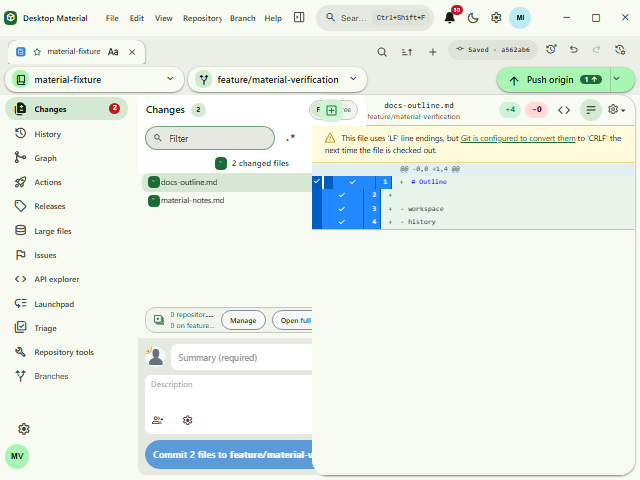
- Material Design 3 Expressive shell with animated light/dark theming and M3 color tokens: an app bar with an inline pill menu, a left icon navigation rail (Changes with a badge, History, Branches, Settings, account avatar), a floating pill toolbar with repository and branch chips and a sync pill, and floating radius-24 workspace cards with tri-state checkboxes, tonal status chips, token-based diff colors, and an inverse-surface undo banner. When space tightens, Build & Run moves into More first and Commit & Push follows; widening restores both actions before their labels can clip.
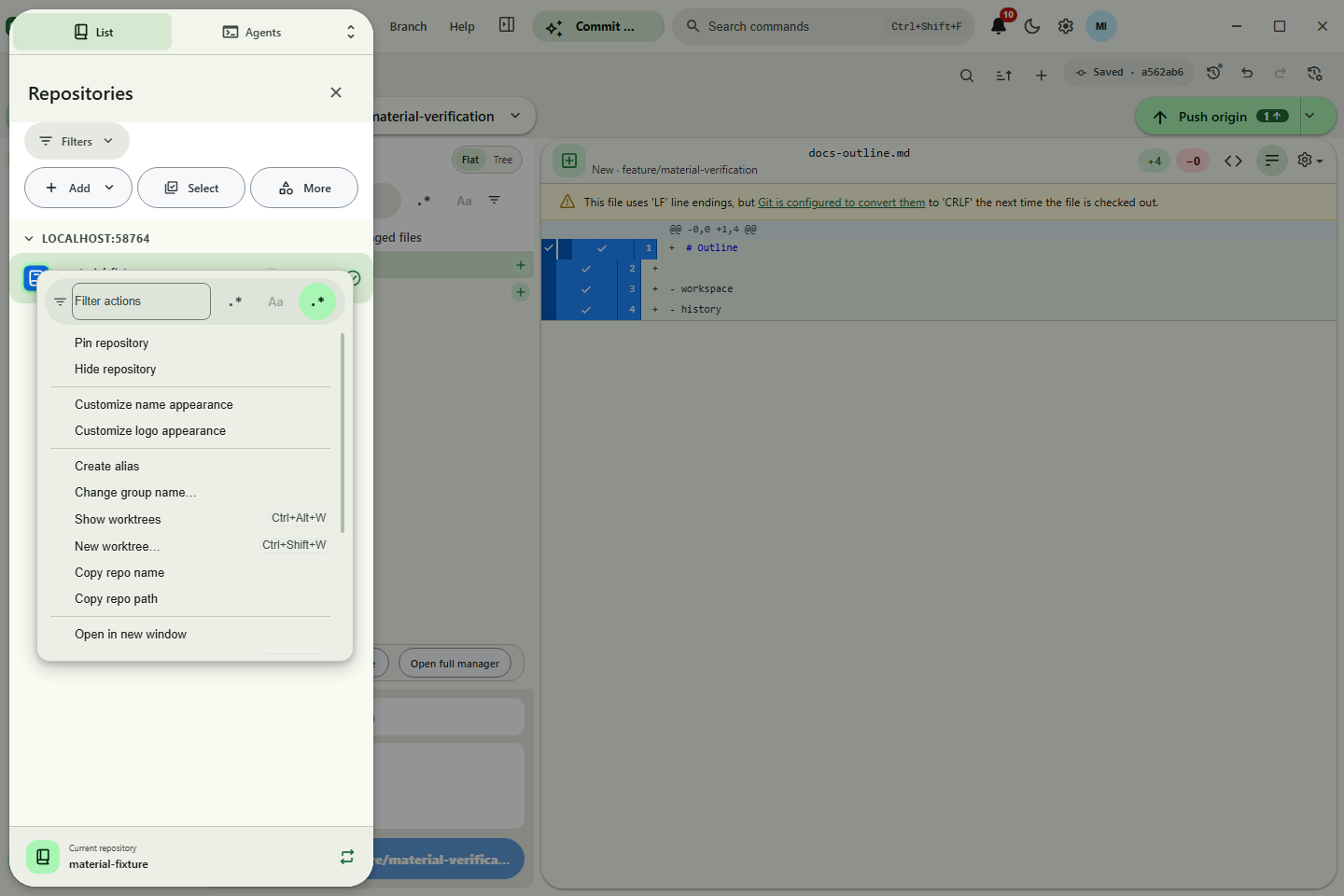
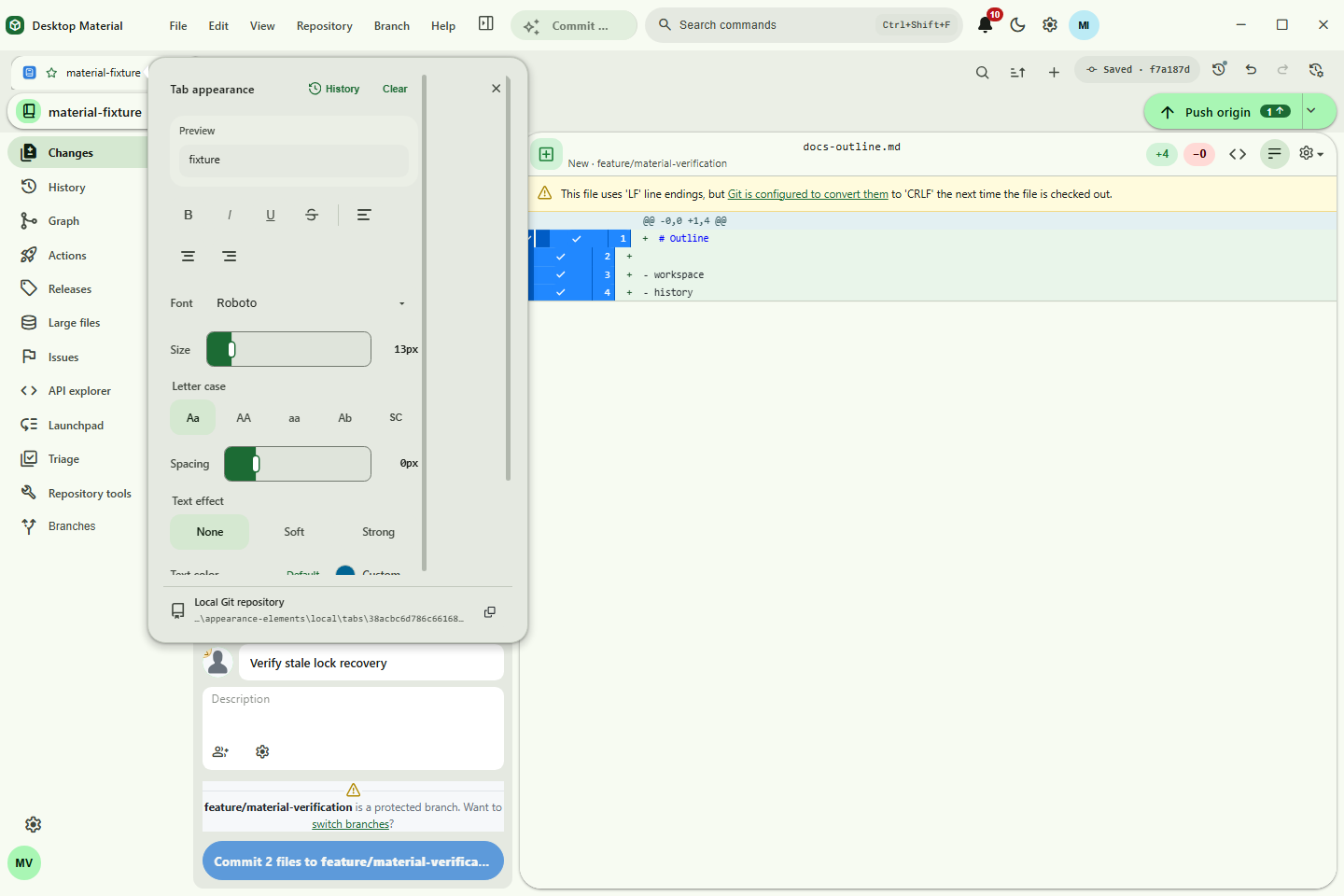
- Browser-like repository tabs — per-account and bound to repos, with inline rename, favorites, persistent pin/manual/sorted order, and per-tab title styling (bold/italic/underline, size, font family, alignment, and separate text and background palettes or custom colors) in a Word-style editing surface. Named/color-coded group chips show member counts and real collapse/expand state; group persistence survives tab mutations and cannot cross the protected pin boundary. Drop repository folders to open/switch tabs, or export/import the current tab session with aliases, pins, favorites, order, and appearance. Portable files intentionally omit profile-local group definitions and memberships.
-
App-hosted web browser —
the persisted Settings → Advanced → Open web links choice sends HTTP(S)
links either to the system browser or a dedicated Desktop Material window
with tabs, URL/navigation controls, bookmarks, popup/redirect capture, and an
external escape. Remote pages stay in permission-denied sandboxed
WebContentsViewtabs without Node, preload, or trusted app IPC. Authentication gets an explicit in-memory, non-bookmarkable session and a visible Continue in system browser path. - Detailed two-lane Cheap LFS restore — Release downloads share one coordinator capped at two. The next file or multipart part starts at exactly 90%, and the shared Large files and clone/batch panel distinguishes overall/current/look-ahead progress, file/part ordinals, logical and actual bytes, phases, queue, elapsed time, rate, ETA, failures, and cancellation without weakening size/SHA-256 or unchanged-pointer verification.
-
Rich command palette —
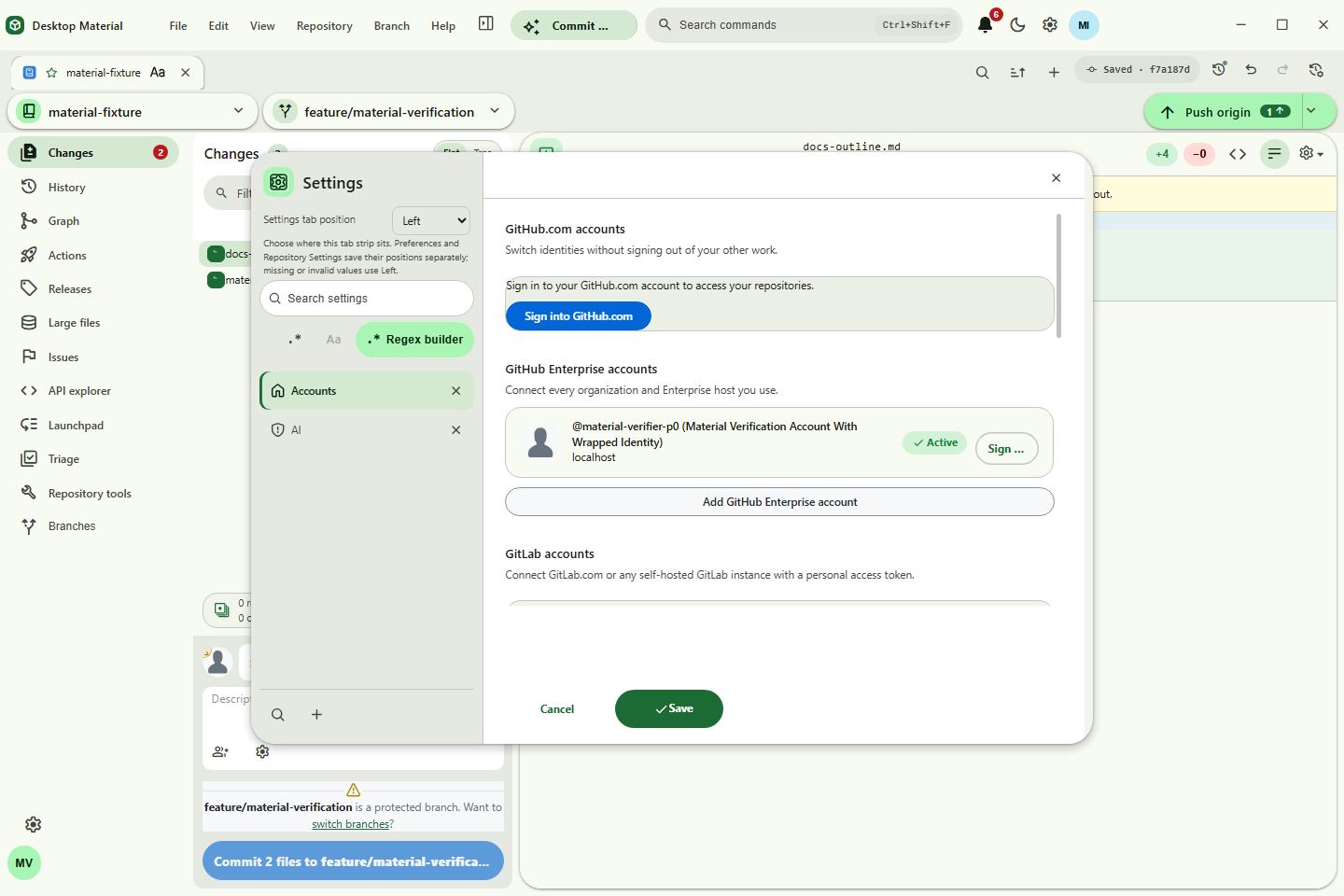
Ctrl+Shift+Fshows icon/title/search-term/group rows and an anchored appearance editor for comfortable/compact density plus independent icon, group, and keyword visibility. The palette, tab groups, state announcements, and accessible names follow English, playful Hong Kong-style Cantonese, or bilingual mode. - Multi-account — multiple identities per host; each account carries its own tabs, repos, and settings. GitHub organizations expose their complete repository lists and can be selected when publishing. GitLab endpoints use PAT authentication and Bitbucket uses app passwords; both providers can browse and clone repositories without exposing credentials to the renderer or agent API. Background fetch reuses a validated local remote default; explicit discovery has a five-second lookup deadline plus five-second cleanup grace, and concurrent work shares one in-flight system proxy resolver per exact URL.
-
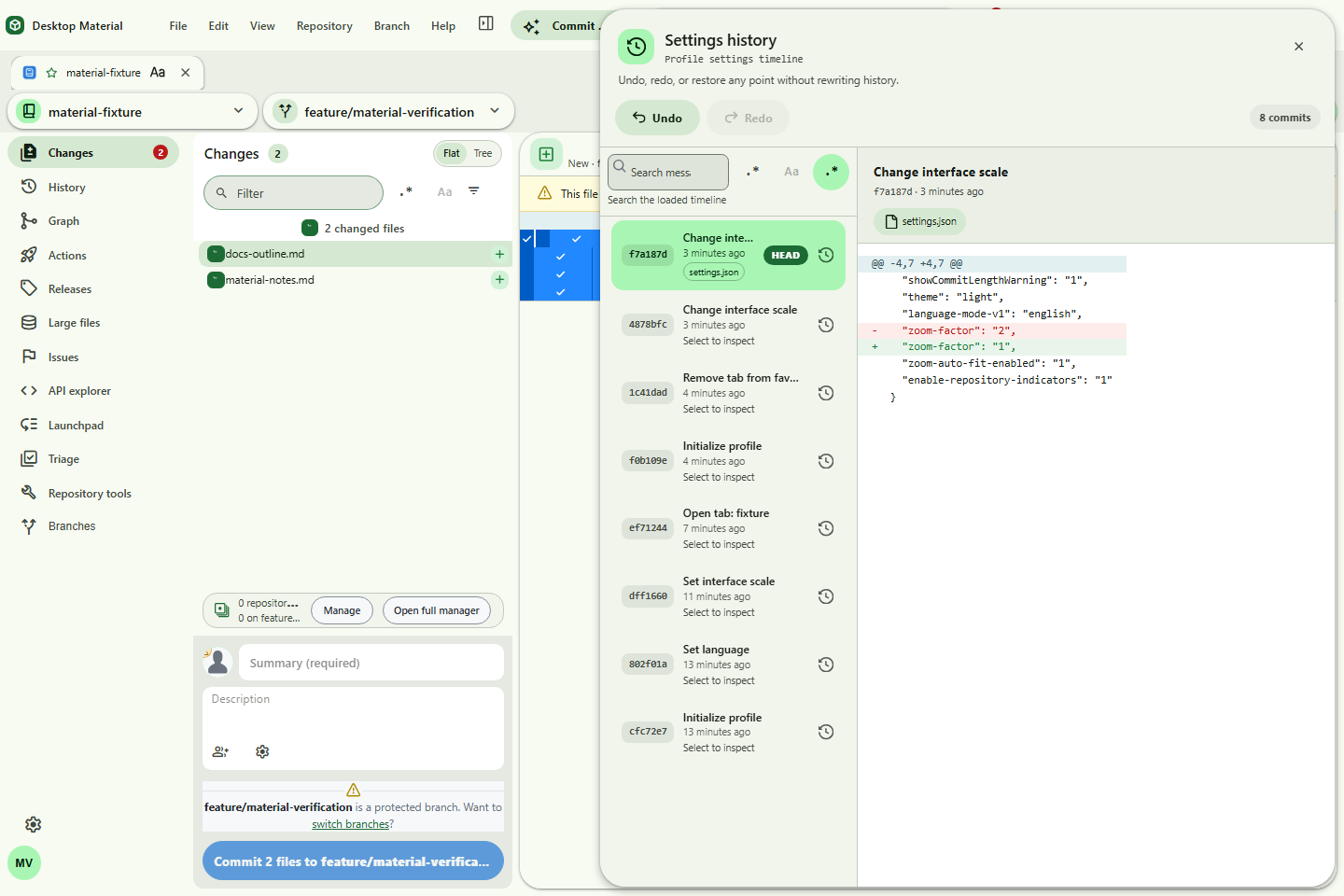
Per-account settings in a local git repo — every settings or tabs change, including the
versioned appearance defaults, auto-commits. Open
Edit → Settings History… (
Ctrl+Alt+Z) for a non-modal timeline with lazy diffs, undo, redo, and restore; each history action appends an audit commit.
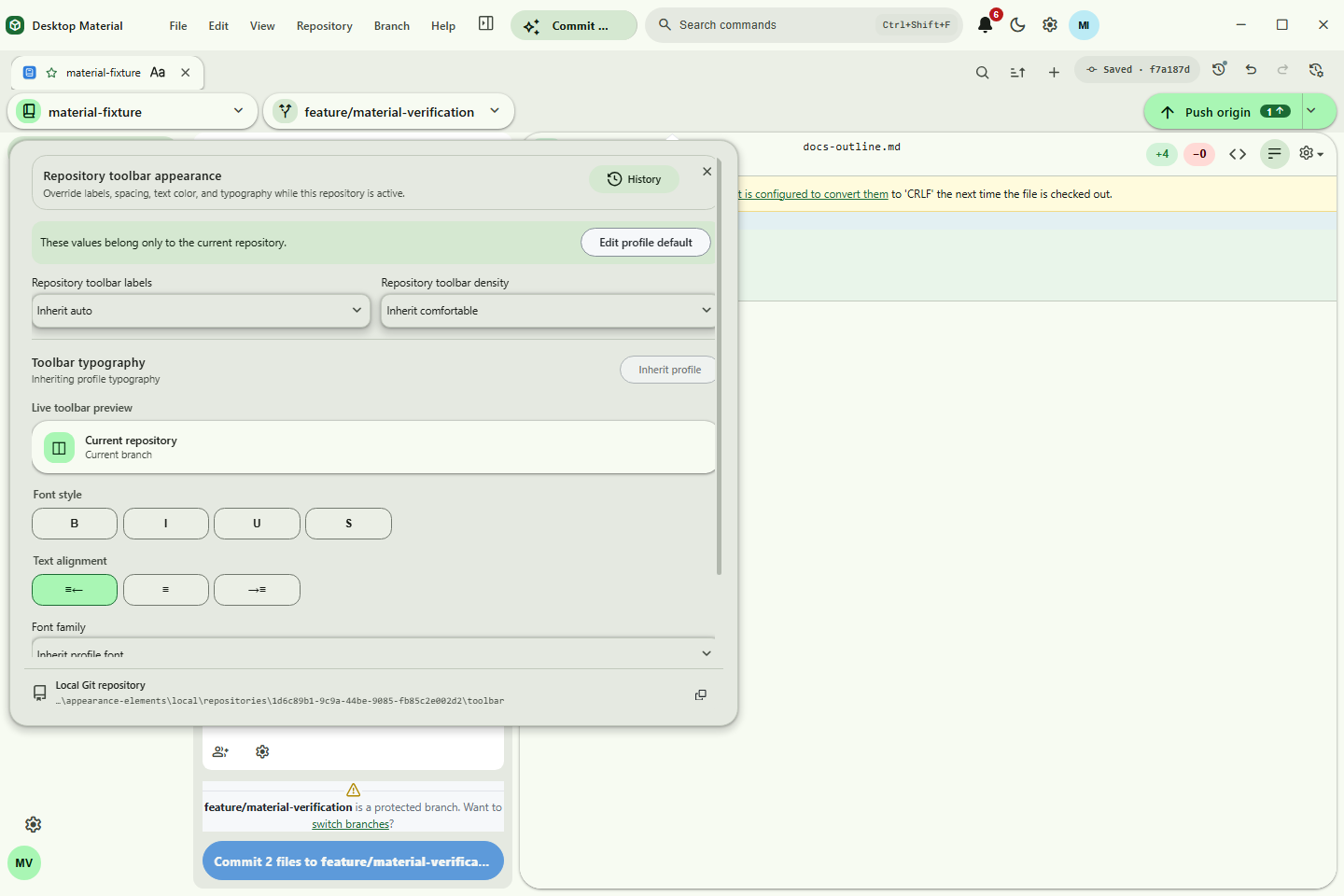
Settings → Appearance now keeps only ordinary language, theme, scale, list, sorting,
formatting, and diff preferences. Custom visuals stay with their owners. Shift+right-click the
actual app identity/workspace, progress bar, toolbar, repository list, tab strip, code/diff surface,
repository name or logo, tab title, reviewed Material entry point, or temporary-submodule Back
control—or focus it and use the Context Menu key or Shift+F10—to open its editor beside it.
Ordinary right-click remains available for native and component-specific commands.
Every owner has its own strict setting, local Git repository path, and History manager. Profile, feature, repository-instance, and tab-instance changes never share a mutable timeline; undo, redo, and restore append audit commits. Repository workspace, toolbar, tabs, list-name, and logo owners can inherit their matching profile owner. A local appearance UUID keeps those histories stable when the working copy moves. Rapid visual-control bursts persist only their latest normalized owner value before the commit debounce. Repository Settings therefore has no Appearance tab.
The app identity editor can replace the in-app name and logo, then tune geometry, colors, typography, spacing, emphasis, and effects. It restores with the profile but does not rename the signed executable or operating-system icon. An inherited repository logo can open the profile default editor beside that same actual logo.
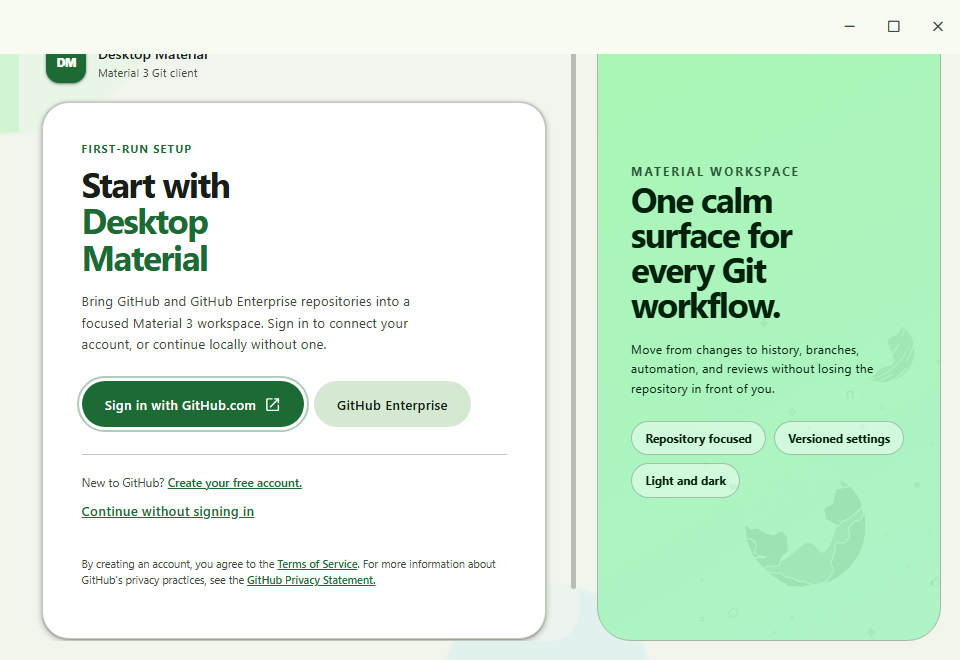
The first-run page uses the same Material type, color, shape, elevation, and responsive rules as the main shell. GitHub.com, Enterprise, and continue-locally routes stay inside one focused task card; the tonal workspace preview hides when a compact window needs the space.
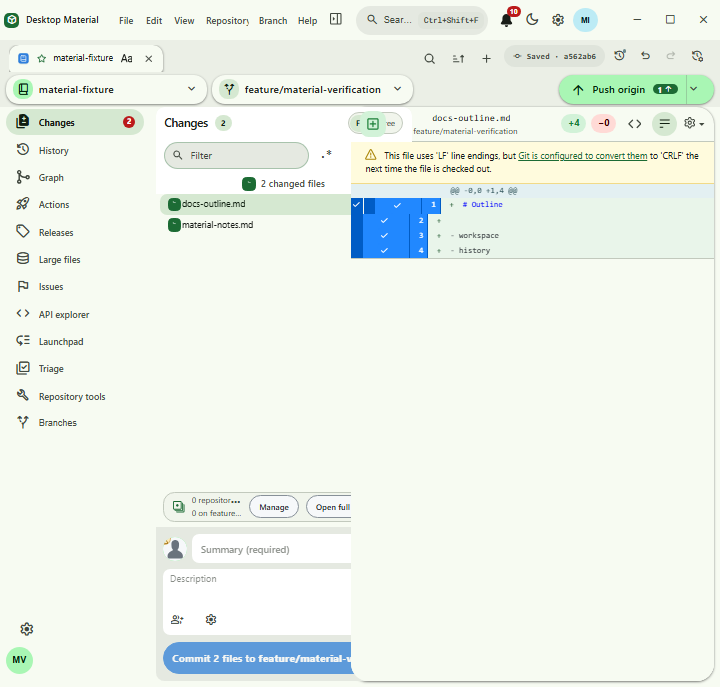
- Non-modal dialogs that float without blocking the app, drag by their headers, cascade, and come to front on focus. Preferences is an MD3 940×660 dialog with a left rail, an Active chip, and a pill footer; the repository and branch pickers are MD3 side sheets.
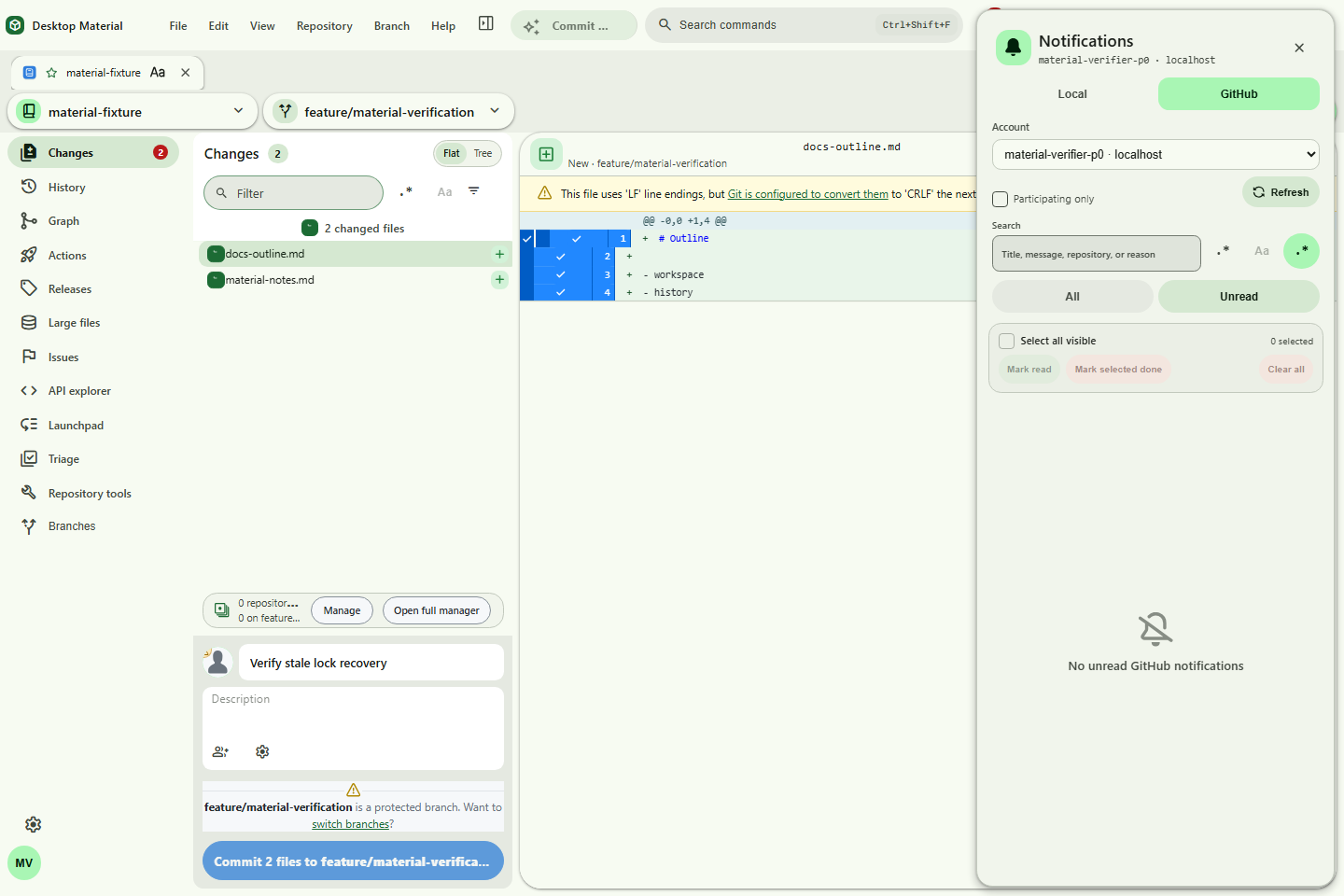
- Notification and error triage — search and type-filter Local notifications, select the visible result set, apply history-backed read/unread/delete actions, or confirm Clear all. GitHub inbox items have account-scoped search and bulk read/done controls. Acknowledgement-only errors default to dismissible red bottom-right notices and can be switched to blocking dialogs in Notifications settings; errors with a real retry, authentication, or remediation choice stay modal.
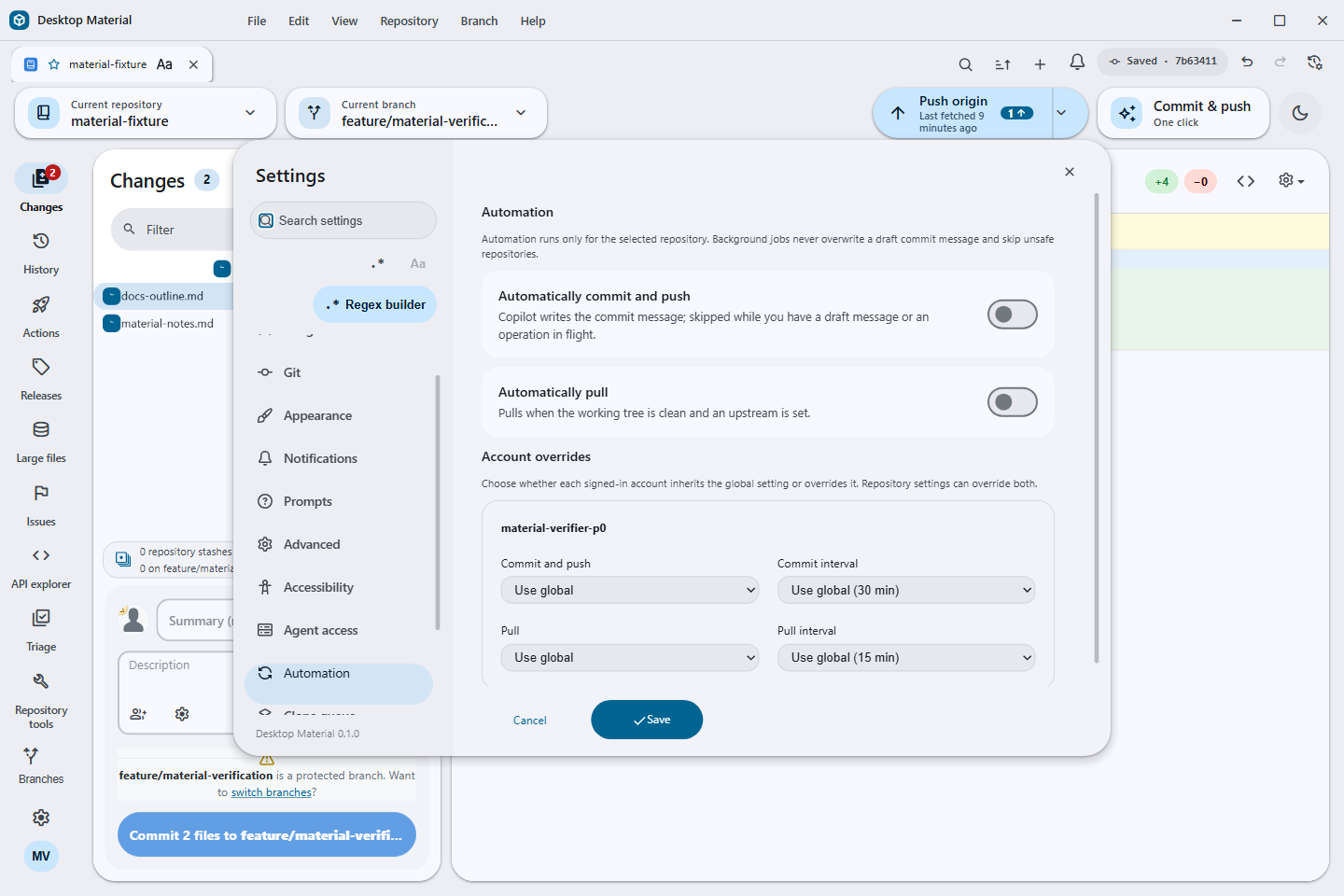
- Automation — schedule guarded commit-and-push and pull at the global level, override either setting per account or repository, run commit-and-push immediately, and merge all branches or worktrees with per-target progress and Copilot-assisted conflict handling.
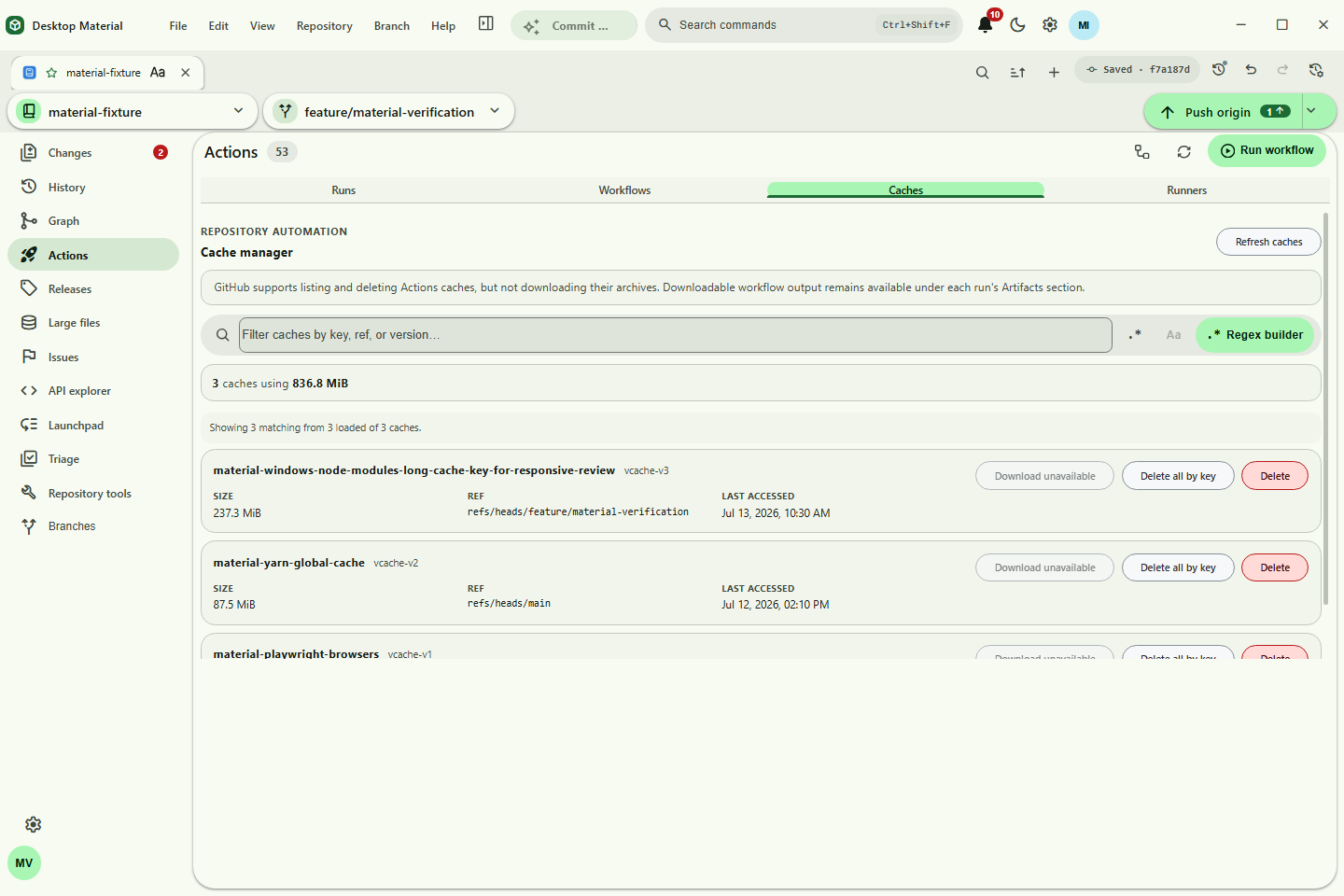
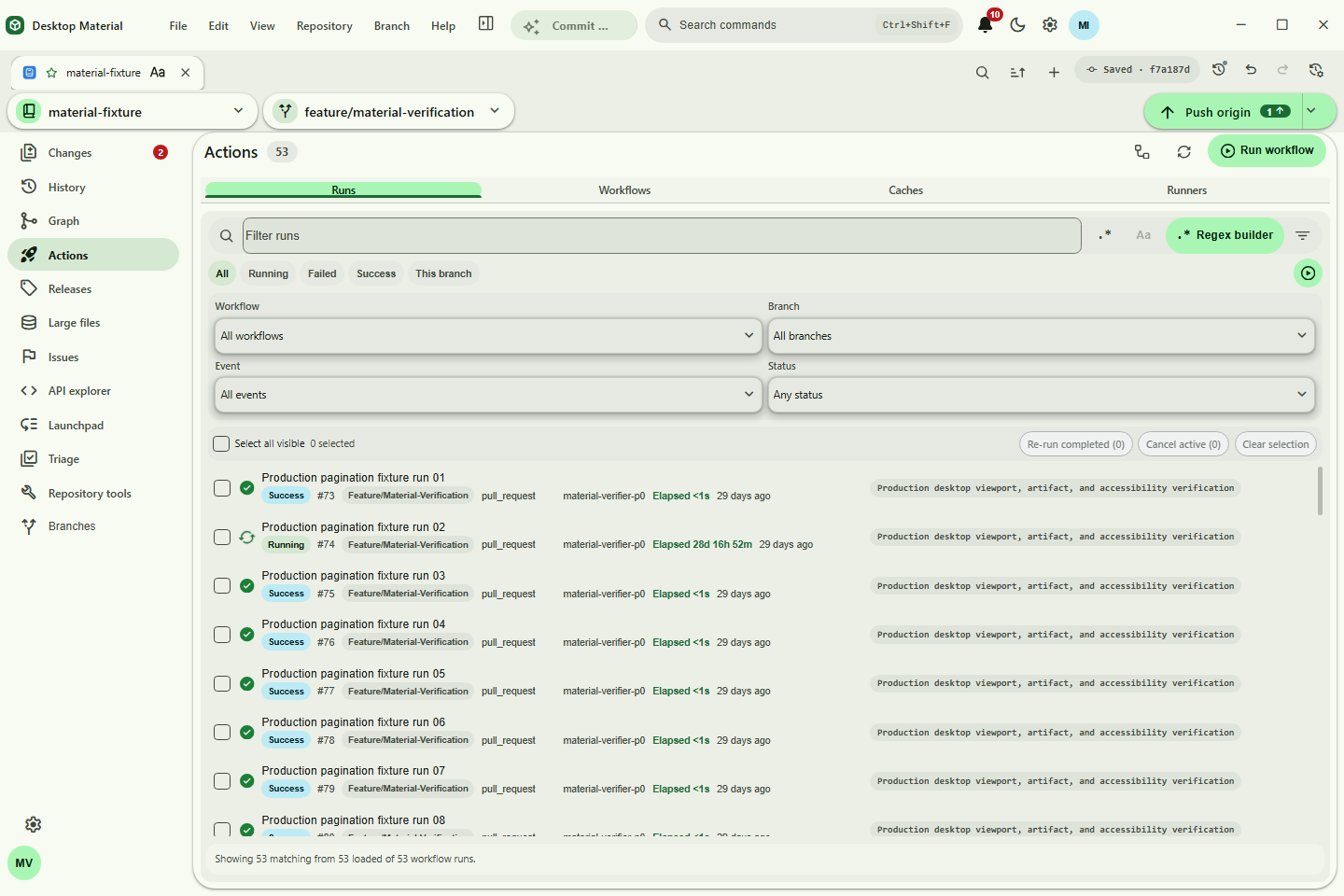
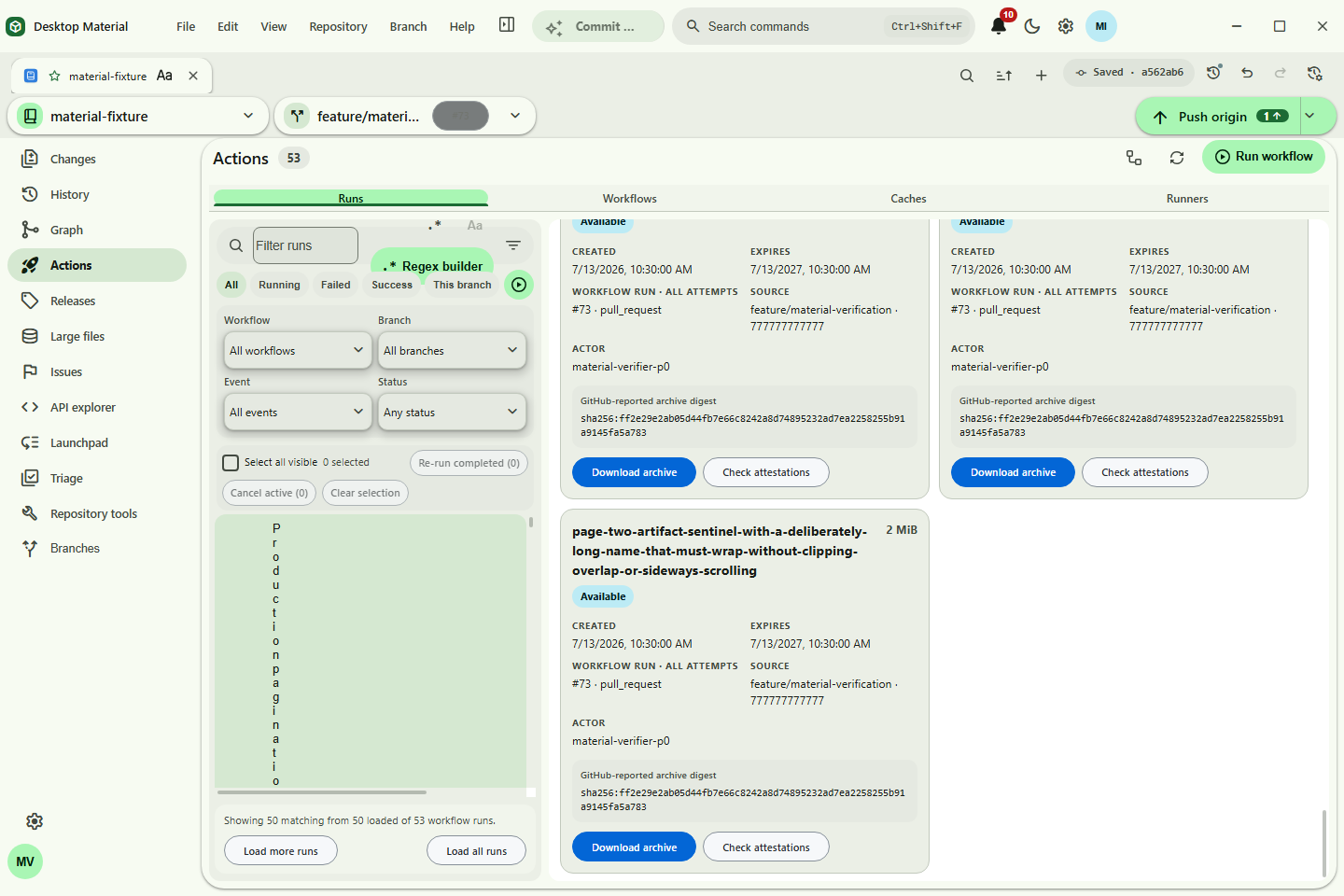
- GitHub Actions — filter runs by workflow, branch, event, or status; load later run pages while preserving them across polling/Refresh; re-run a complete run or failed jobs; switch current or historical attempts; load bounded job pages; search exact job logs; review pending environments; approve or reject eligible deployments; approve an eligible fork run; dispatch a workflow; and load later artifact pages before a native download with local digest comparison and explicit attestation-presence context.
-
Release gates — the manual Super Express emergency lane runs the complete
script-contract suite before its Windows x64 build/package, asset
verification, and optional release. It still omits unit, TUI, lint, type,
parity, smoke, and packaged E2E tests. Ordinary CI and tested Express remain
the comprehensive gates;
release pull requests target the Windows product's
maindefault branch. -
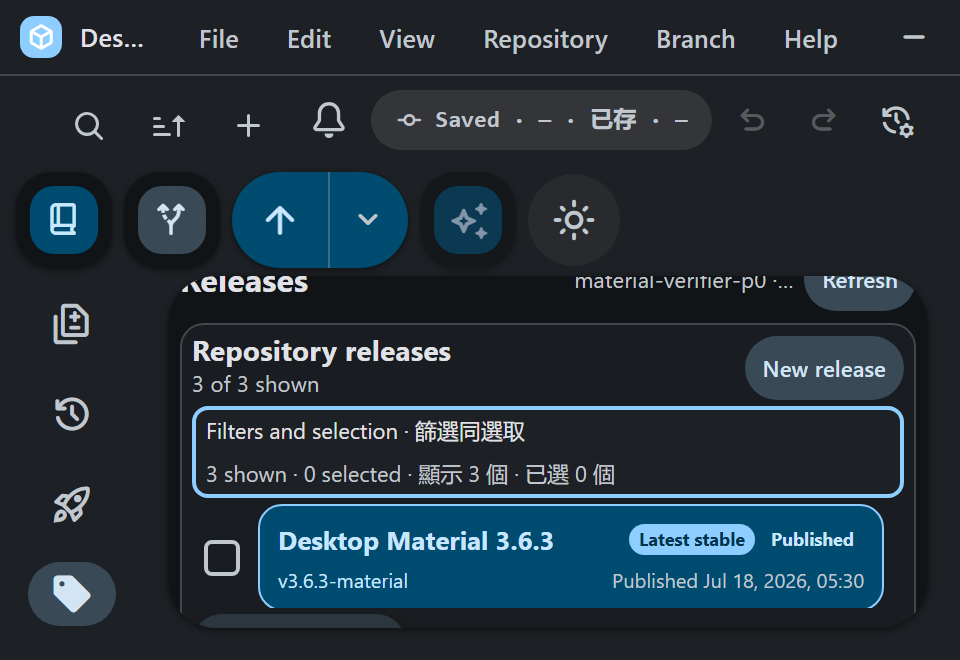
Compact Repository Releases — the corrected 800×560 combined gate keeps the list ahead of
overview/detail content and retains one complete row. One physical 960×660 gate passed at 100%,
125% (768×528 CSS), 150%, and 200% (480×330 CSS); compact scales keep a 176 px panel, at least
52 px rows, 30 px targets, and 9 px minimum metadata instead of tiny 7–8 px labels. Metrics use
three columns, and filter/bulk tools use a localized wrapping native keyboard disclosure. Dates
use 24-hour
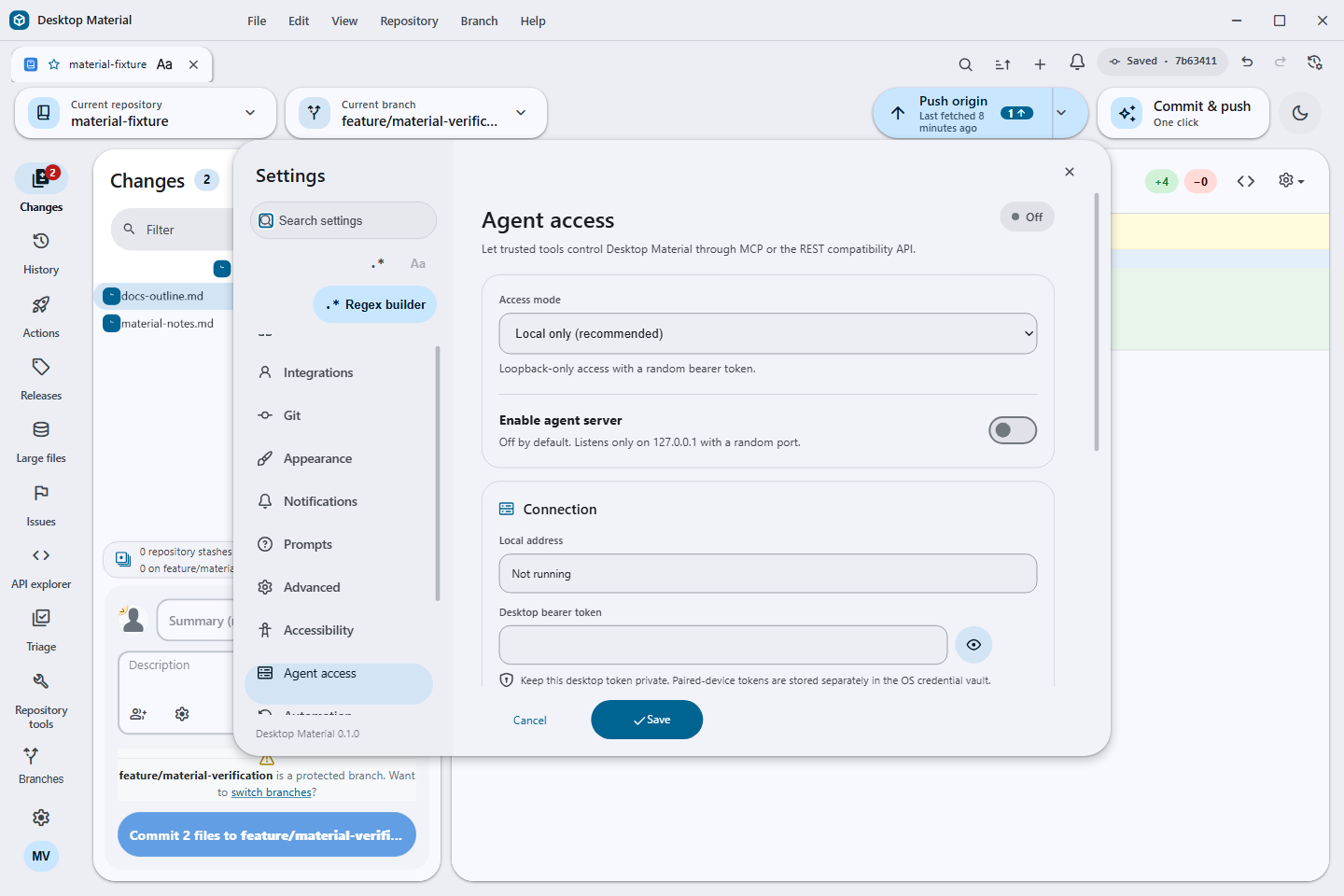
HH:mm, verified downloads expose Open file beside Show in folder, and a zero-result selection clear returns focus to an enabled target. - Agent access — opt in from Settings to start a token-gated MCP/REST server on a random loopback-only port. A stdio proxy and command-line client expose the same bounded commands for repositories, tabs, Git operations, automation, and workflow dispatch.
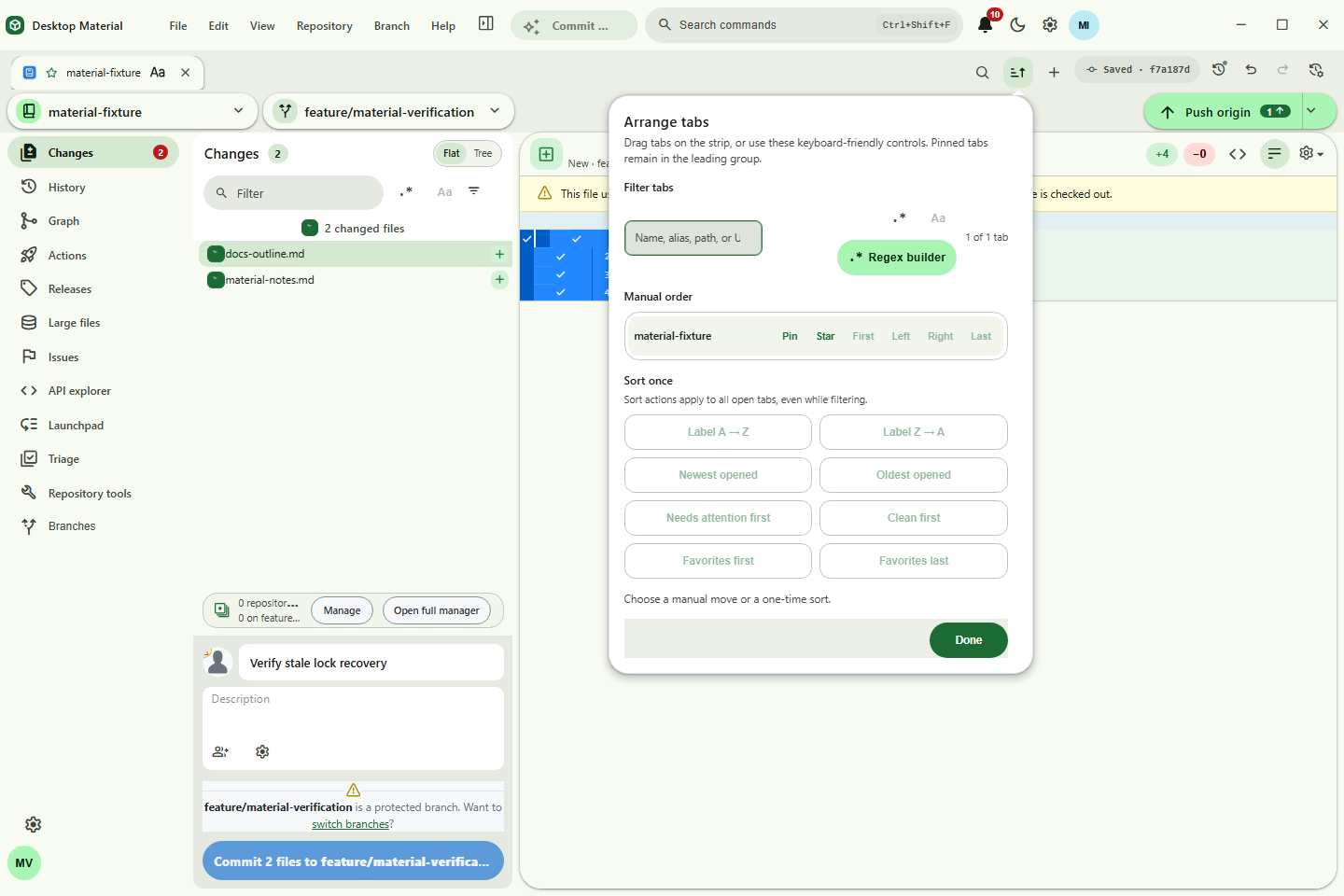
- Guarded tab close and arrangement — preserve the original regex Close Tabs Containing… action and add a case-insensitive literal Close all tabs except those containing… review with live kept/closed/protected counts, a bounded preview, and empty/zero-match protection. Pinned tabs form a protected leading group; drag, keyboard moves, and stable one-shot label/opened/status sorts persist the resulting order without continuously reacting to later status changes.
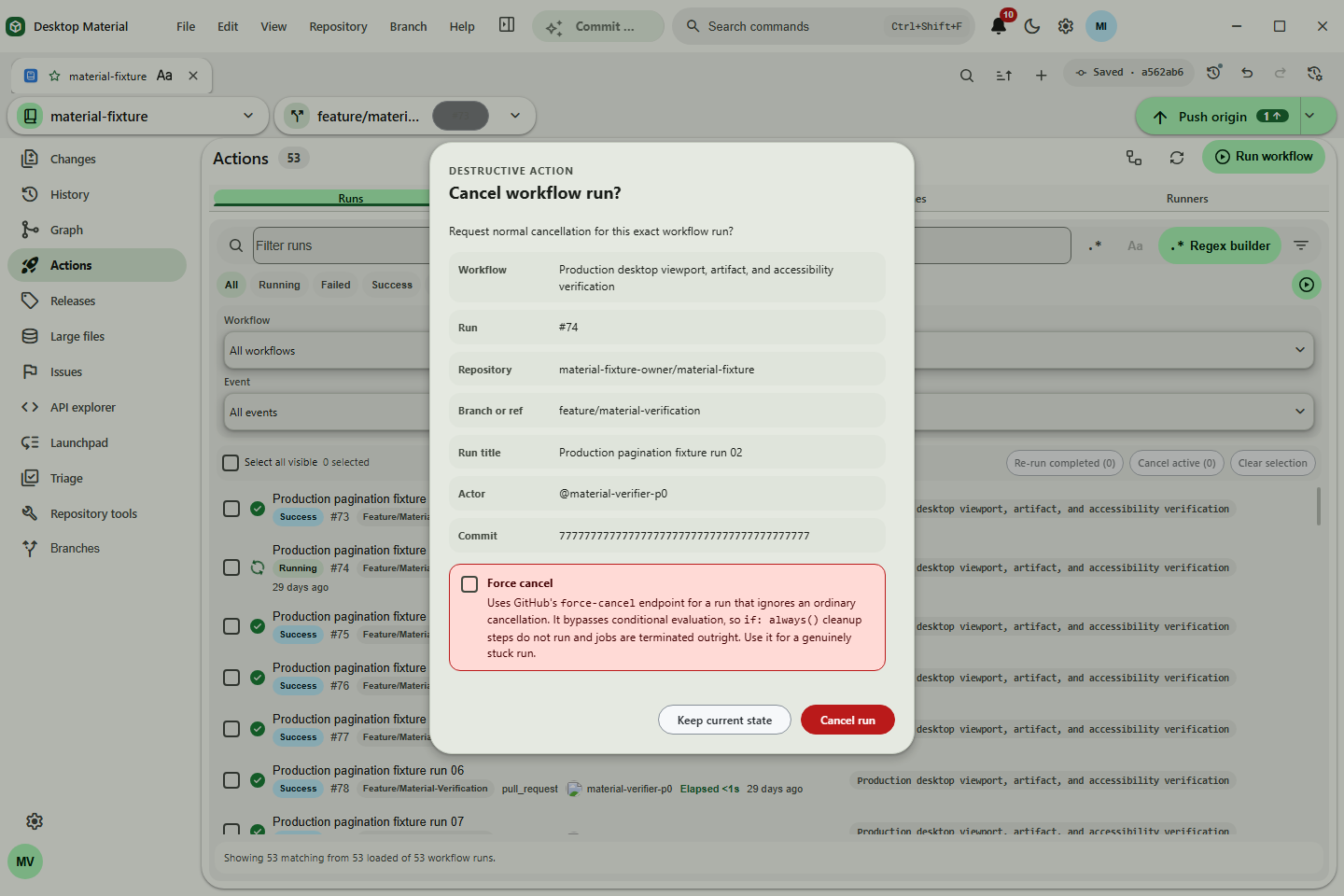
- Actions cancellation — show Cancel run only for queued, running, waiting, or pending runs; name the exact workflow/run and available ref/actor/commit context; revalidate repository, account, run, and live status before one normal cancellation request; suppress duplicates; then refresh until a terminal state with explicit authentication, SSO, or conflict recovery.
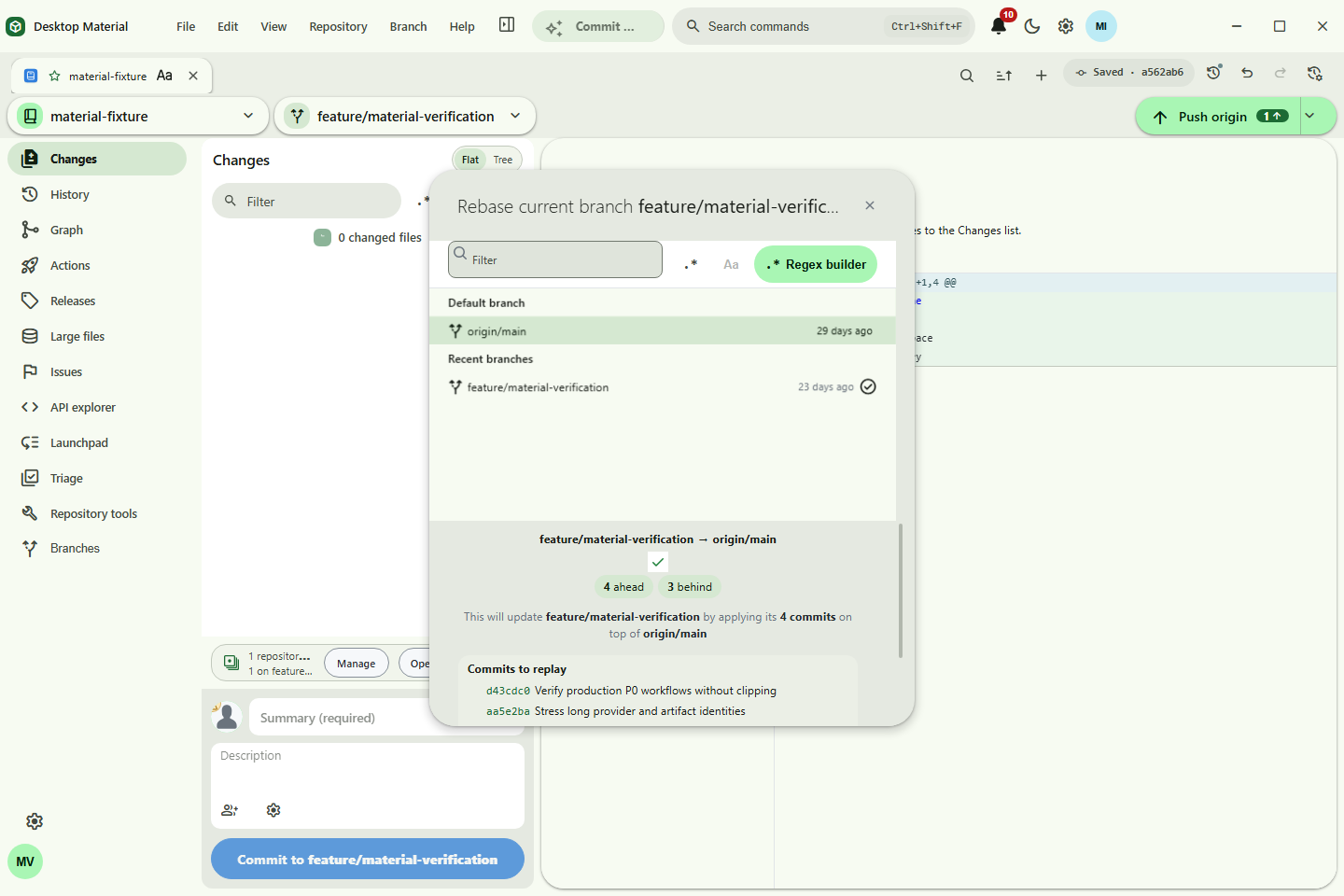
- Reviewed rebase — search a target branch, review current→target with ahead/behind state and a bounded replay preview, and run only after fresh dirty/conflict/operation and exact-ref checks. Cancellation remains available before mutation, conflicts reuse continue/abort, and Desktop Material never force-pushes automatically.
- Repository account propagation — Provider Triage reads the exact account saved in Repository Settings and reacts immediately when that binding changes. One usable exact provider/endpoint match may bind an unassigned repository; multiple matches require Use this account; signed-out, stale, permission, and organization-SSO states route to recovery without silently replacing a valid explicit binding.
-
Bounded GitHub sign-in scopes — request
repo,user,workflow,notifications, andread:orgfor implemented repository, workflow-file, inbox, and read-only organization features, while excluding unrelated destructive and administrative scope families. - Compact responsive corrections — Repository Tools scrolls to its diagnostics/results at short heights; Remote Manager protects readable name/URL/control widths before stacking; Regex Builder reflows its category/token grid and scrolls its body while keeping the tester and footer reachable, without page-level horizontal clipping.
-
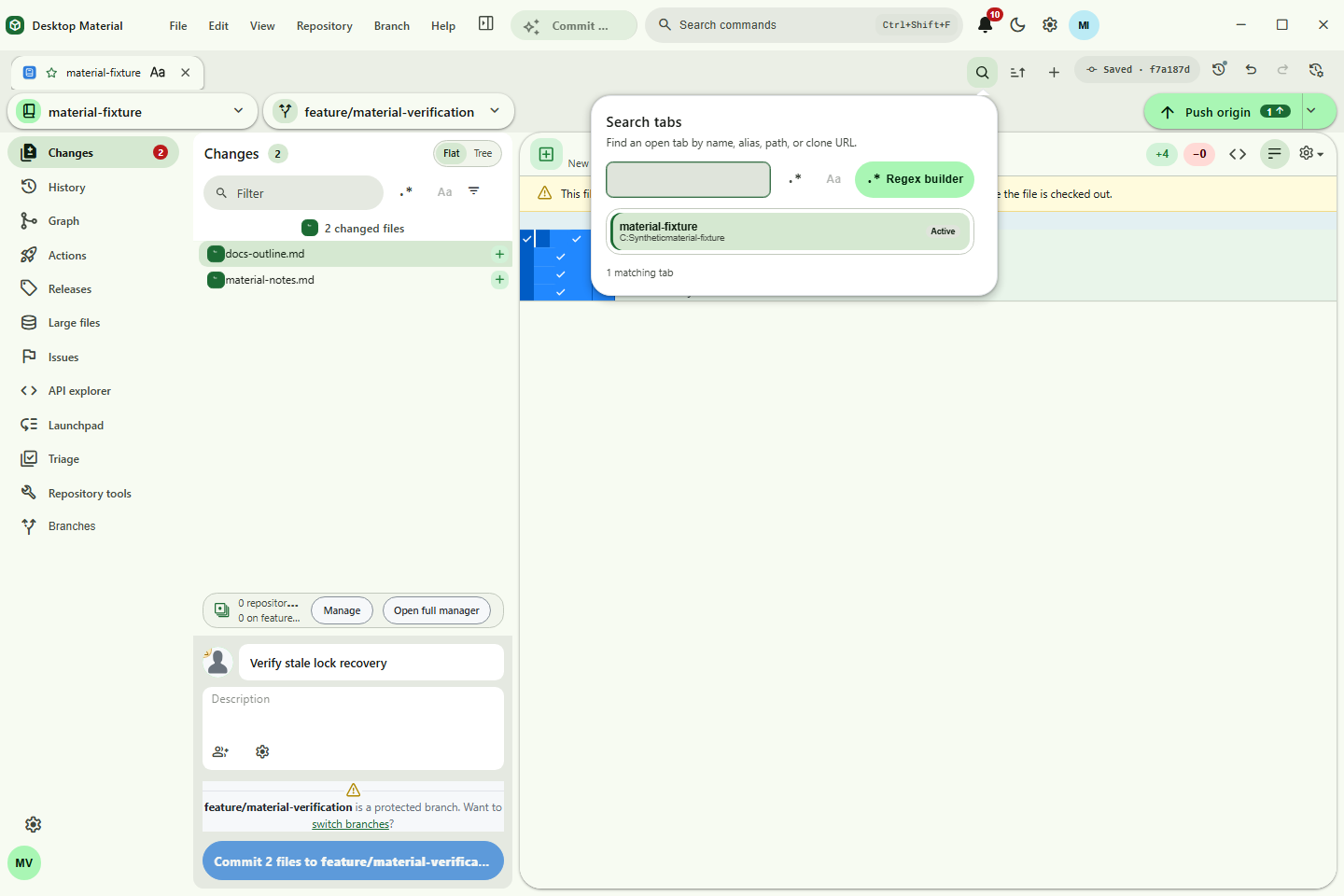
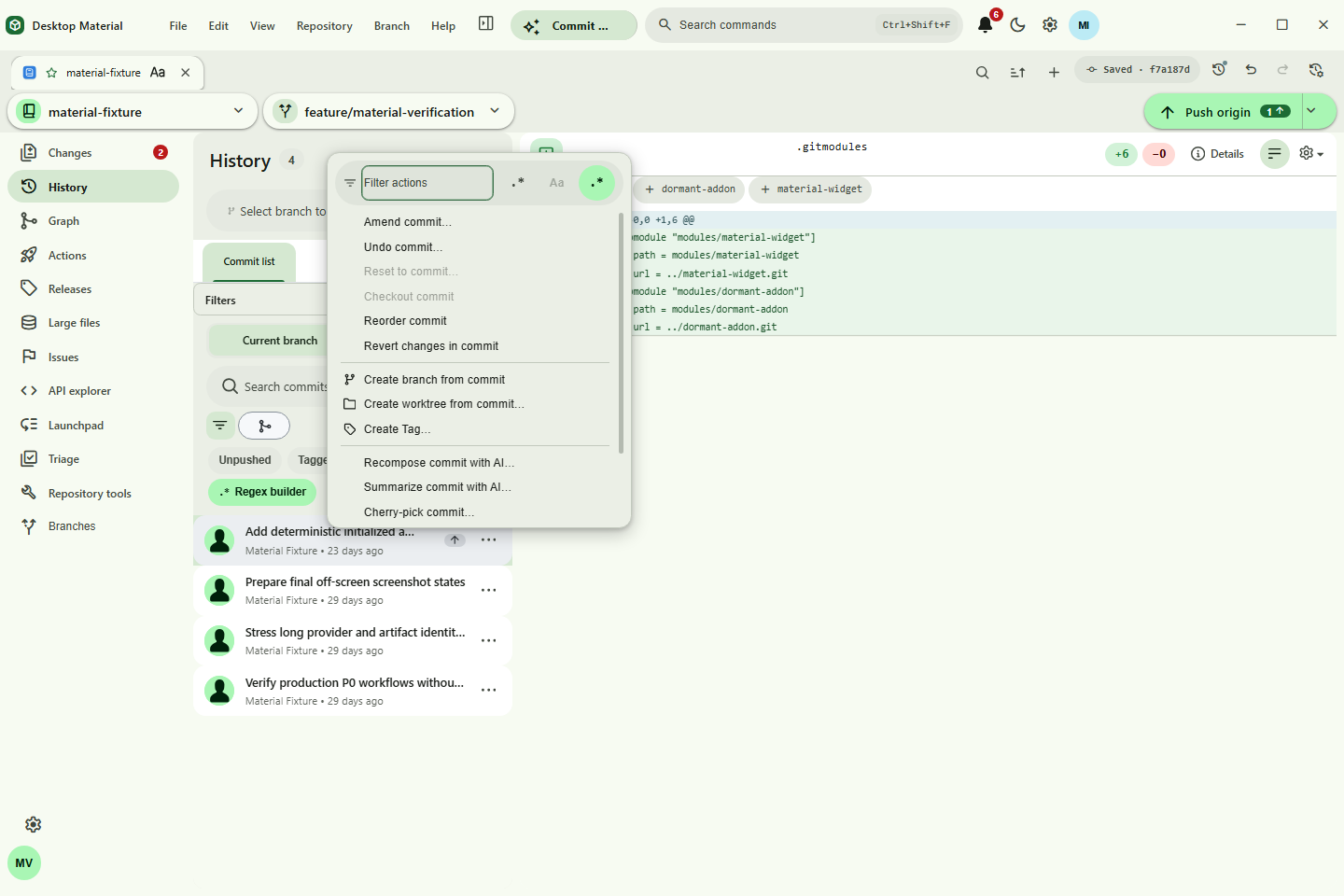
Searchable navigation and contextual actions — search open tabs by label, alias, path, or URL;
filter the Arrange surface; scope cloned repositories by exact account and service; and open the
same selection-aware History commit actions by right-click, More actions, Context Menu, or
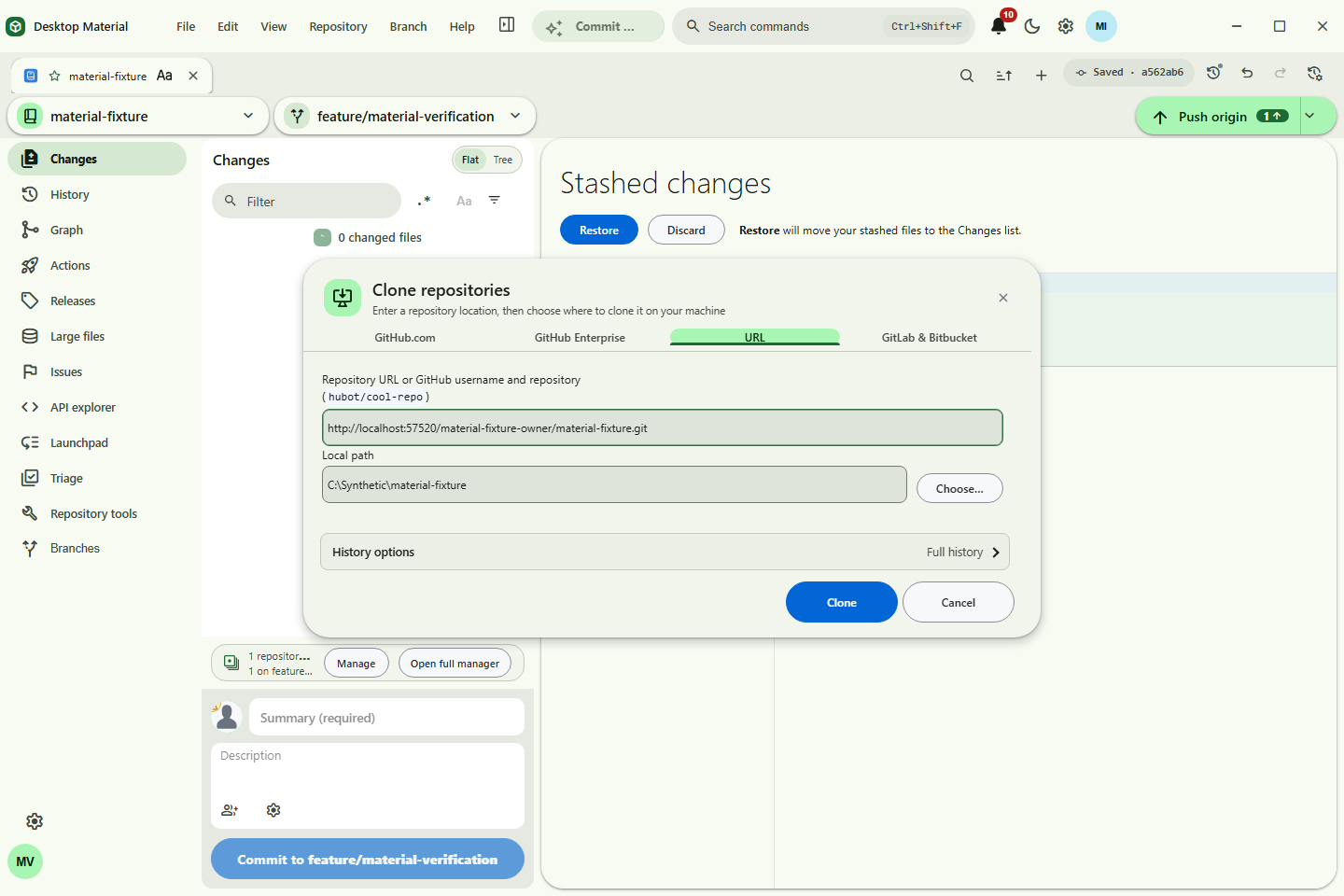
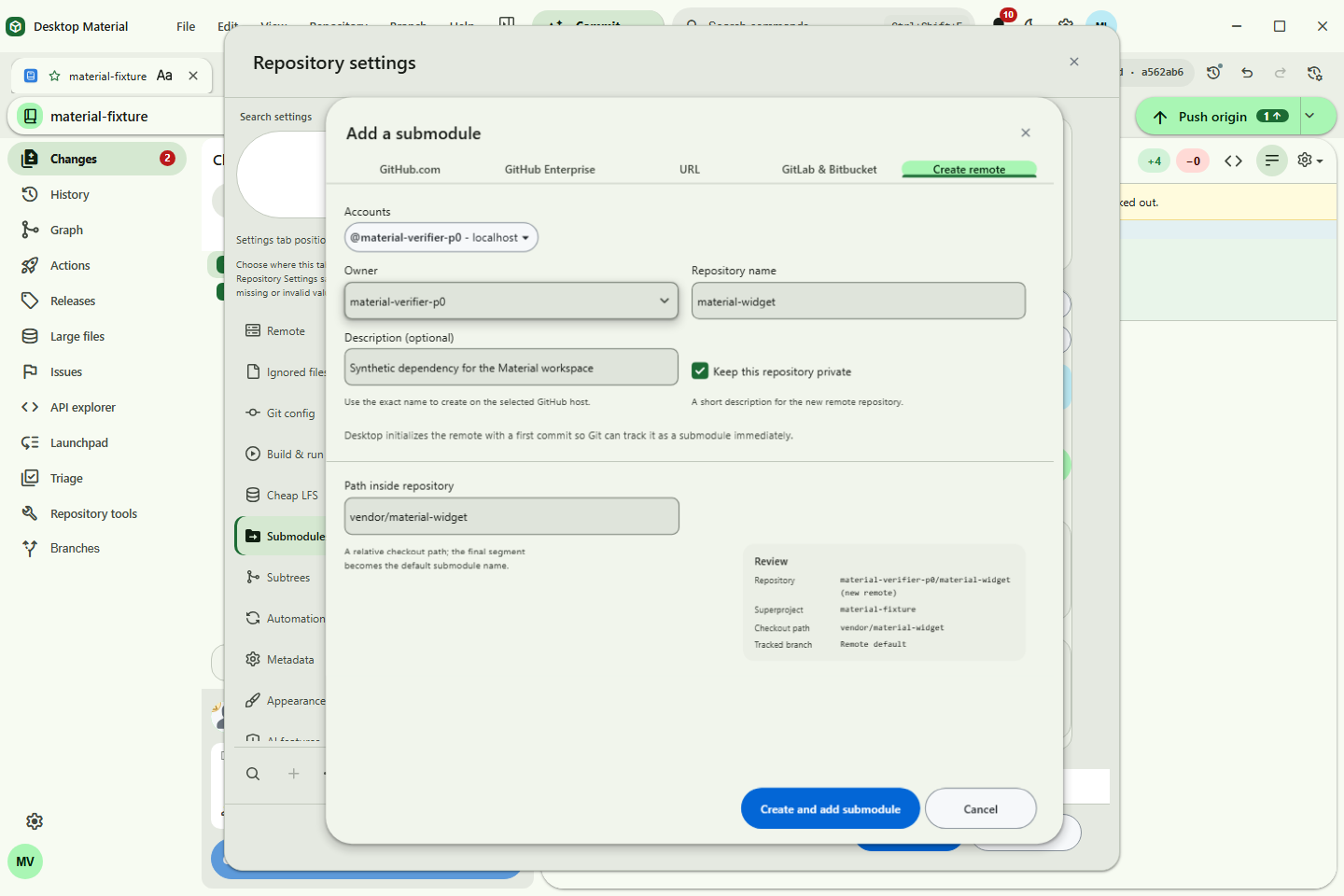
Shift+F10. Every button also receives a shared hover/focus hint. - Clone-style Add Submodule — open Repository settings → Submodules → Add submodule… to use the same GitHub.com, Enterprise, URL, and GitLab/Bitbucket selection model as Clone, then review a safe repository-relative path and optional branch with exact-account routing, bounded progress, cancellation, and managed-list refresh.
-
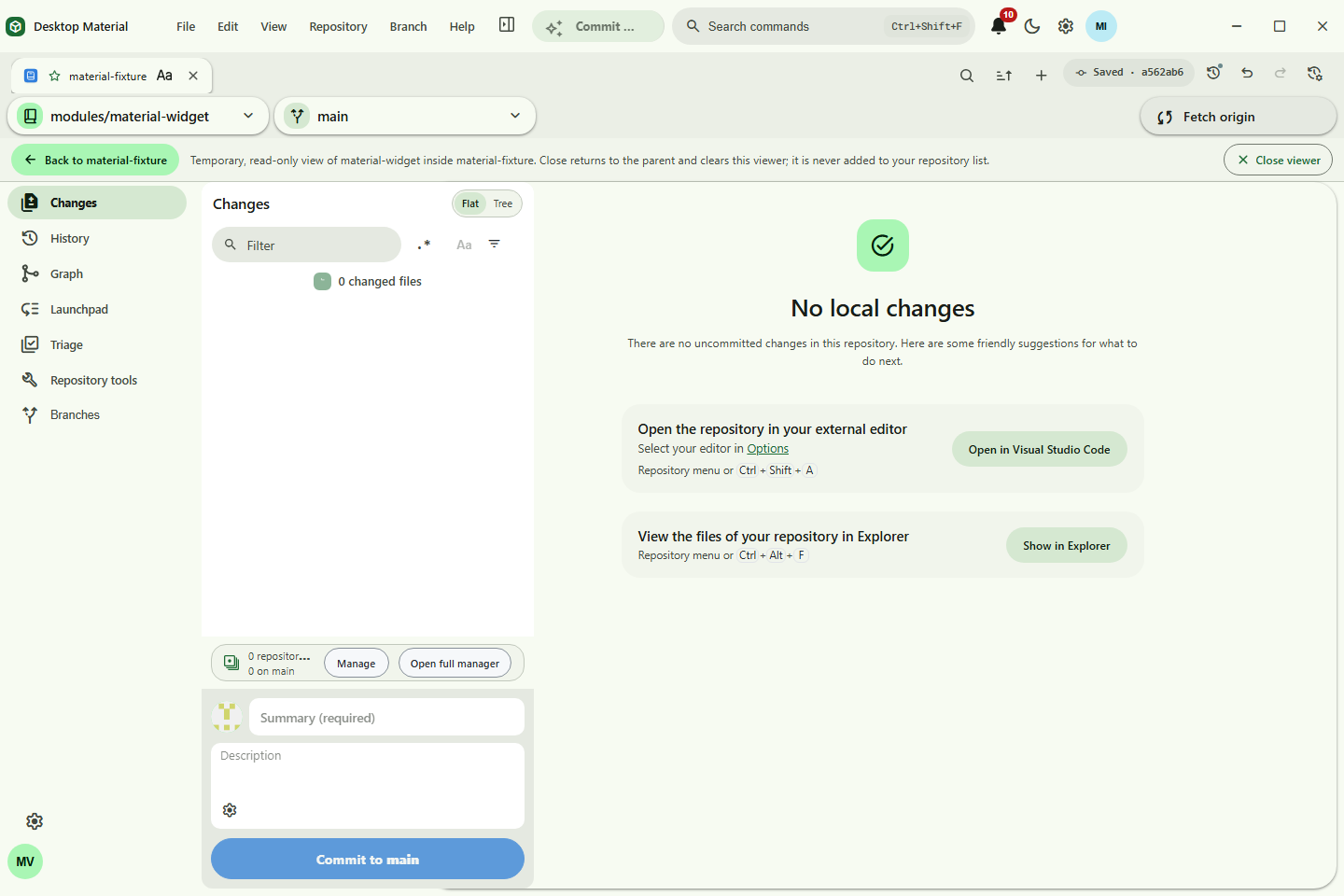
Temporary submodule navigation — in the wider Repository settings → Submodules surface,
choose Open temporary viewer on an initialized child—or from a changed/new submodule commit
card—to inspect it read-only without adding it to the repository list, Recent, or persisted last
selection. Close viewer clears the temporary state and returns to the parent.
Shift+right-click the Back preview—or focus it and press the Context Menu key orShift+F10—to open its element-owned editor beside it; changes remain staged until Save. Adjacent Subtrees embeds add, pull, push, and split management. Back returns to the saved root; invalid or escaping paths fail closed without a partial import.
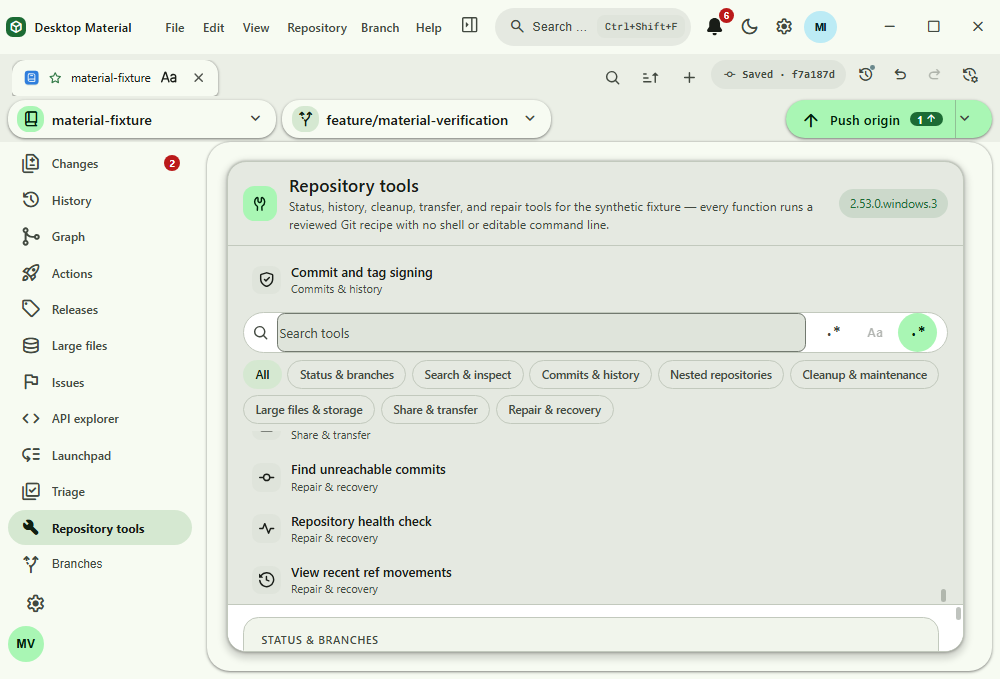
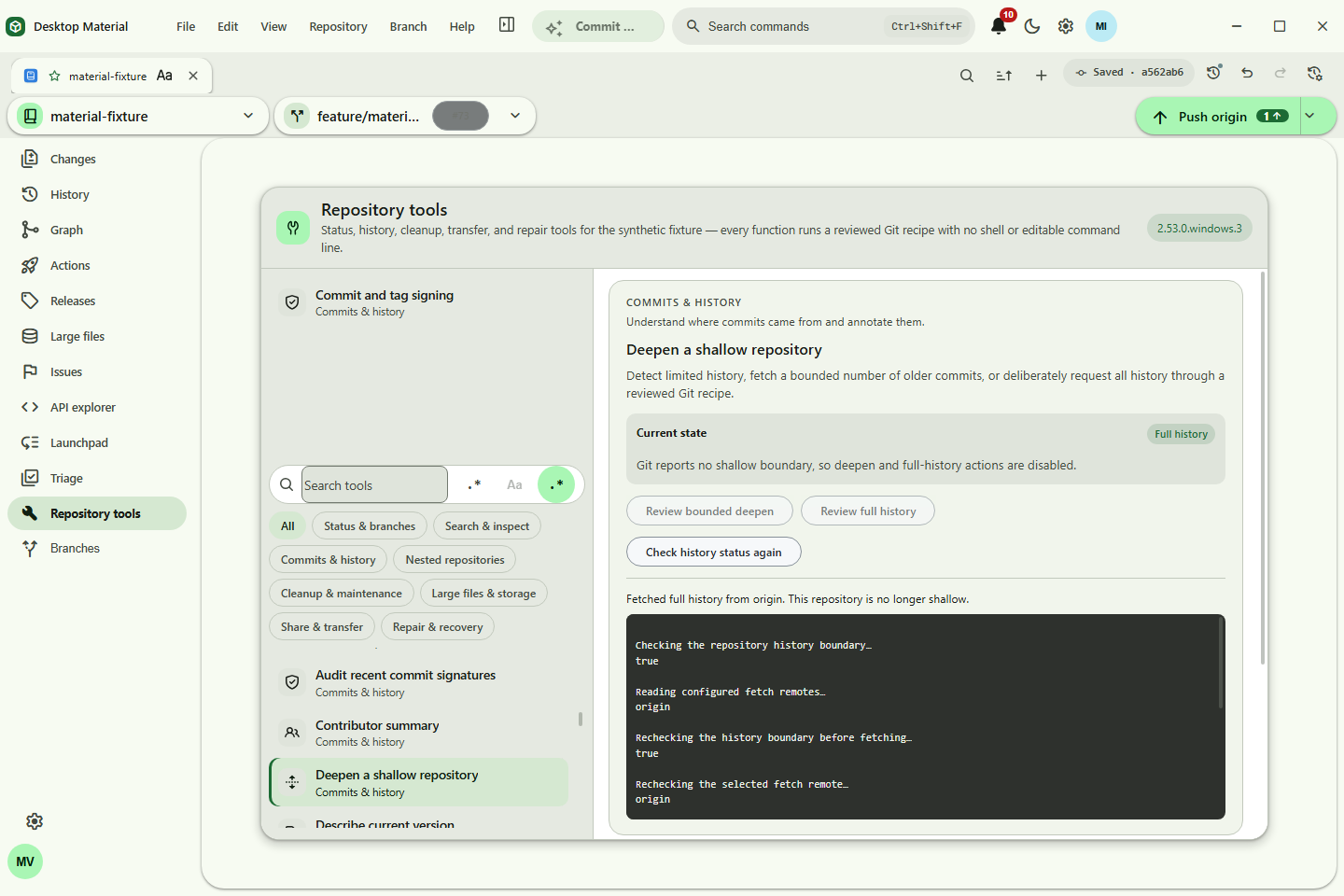
- Deepen shallow history — Repository Tools detects the shallow boundary, reviews a bounded or complete deepen, runs the bundled Git recipe, and rechecks the repository state. The production fixture expanded from 3 visible commits to all 15.
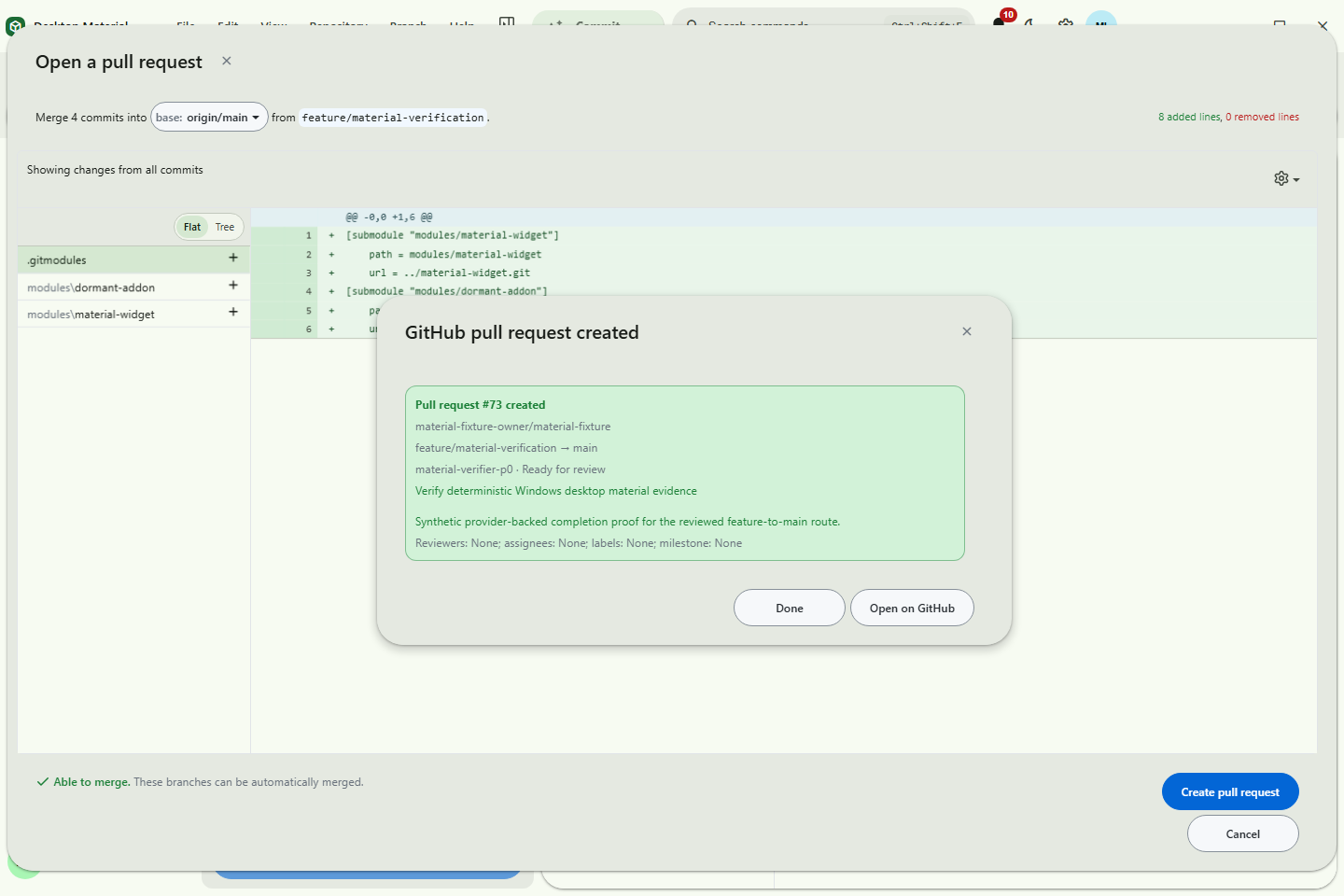
- Create a pull request — choose the exact repository, account, base, and current head; compose the title and Markdown body; choose draft state; review; and submit without a raw command or API editor.
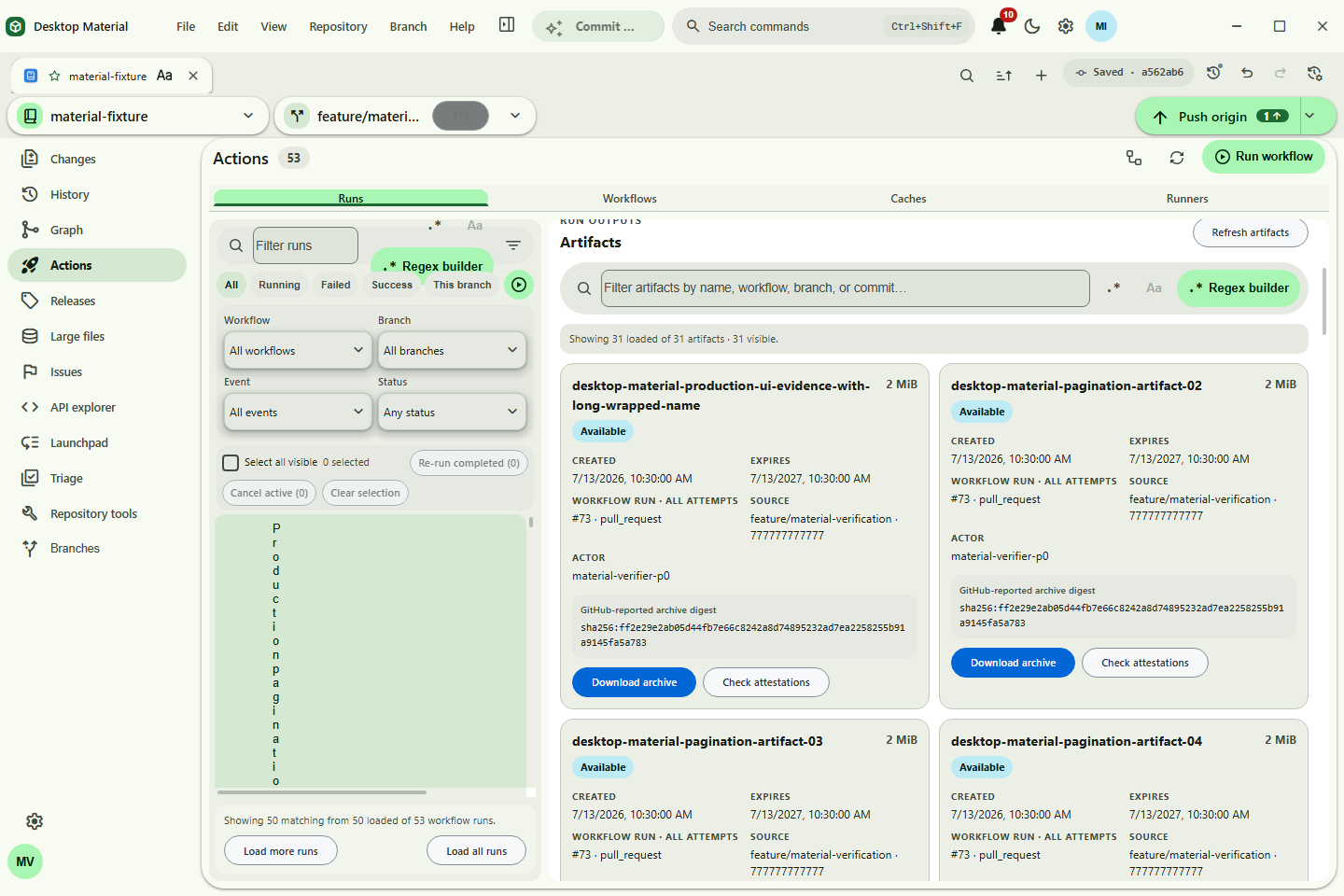
- Actions artifacts — select a workflow run and artifact, review size/expiry/source context, save through the native file picker, compare the downloaded SHA-256 with GitHub's digest, reveal the file, and distinguish attestation presence from cryptographic verification.
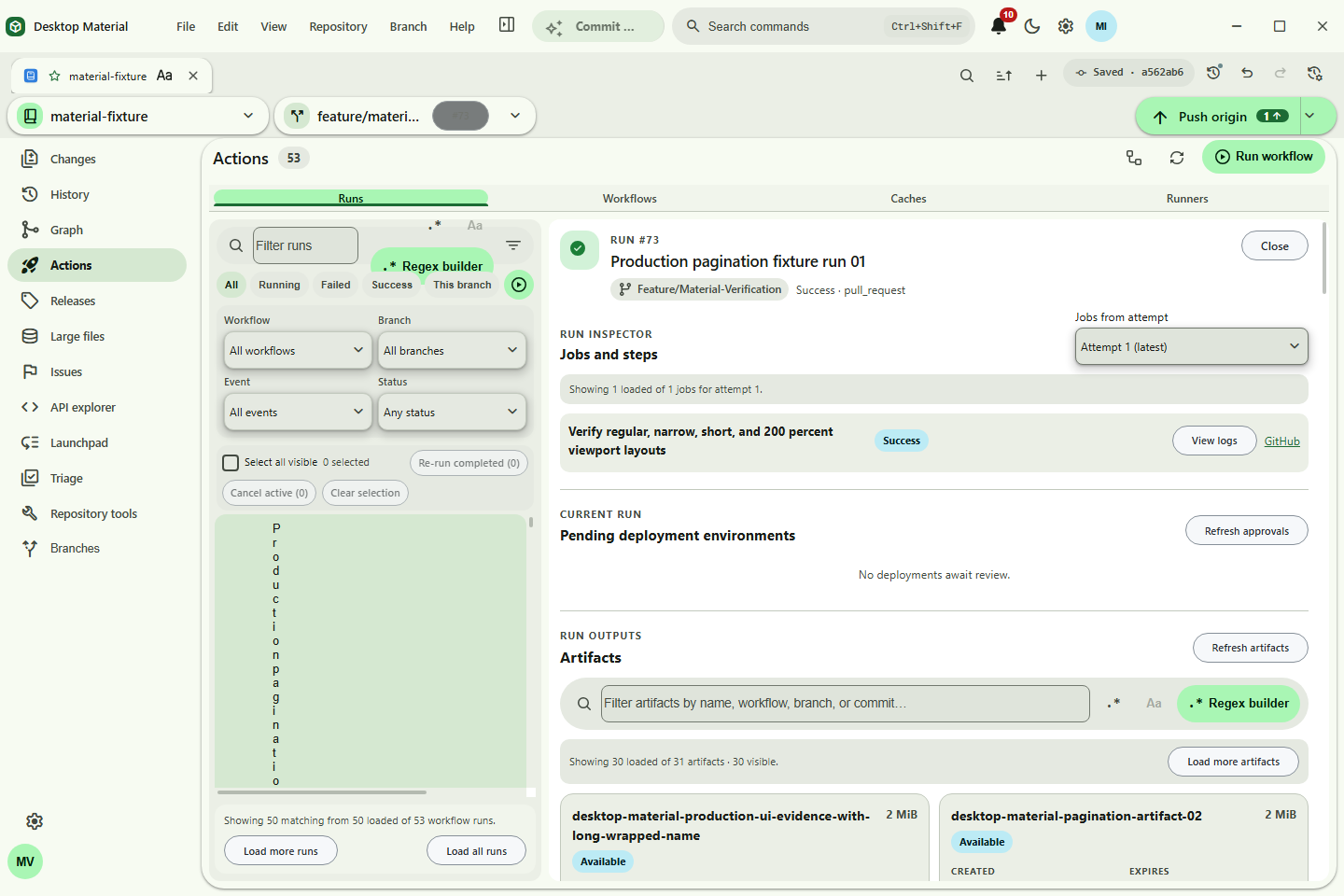
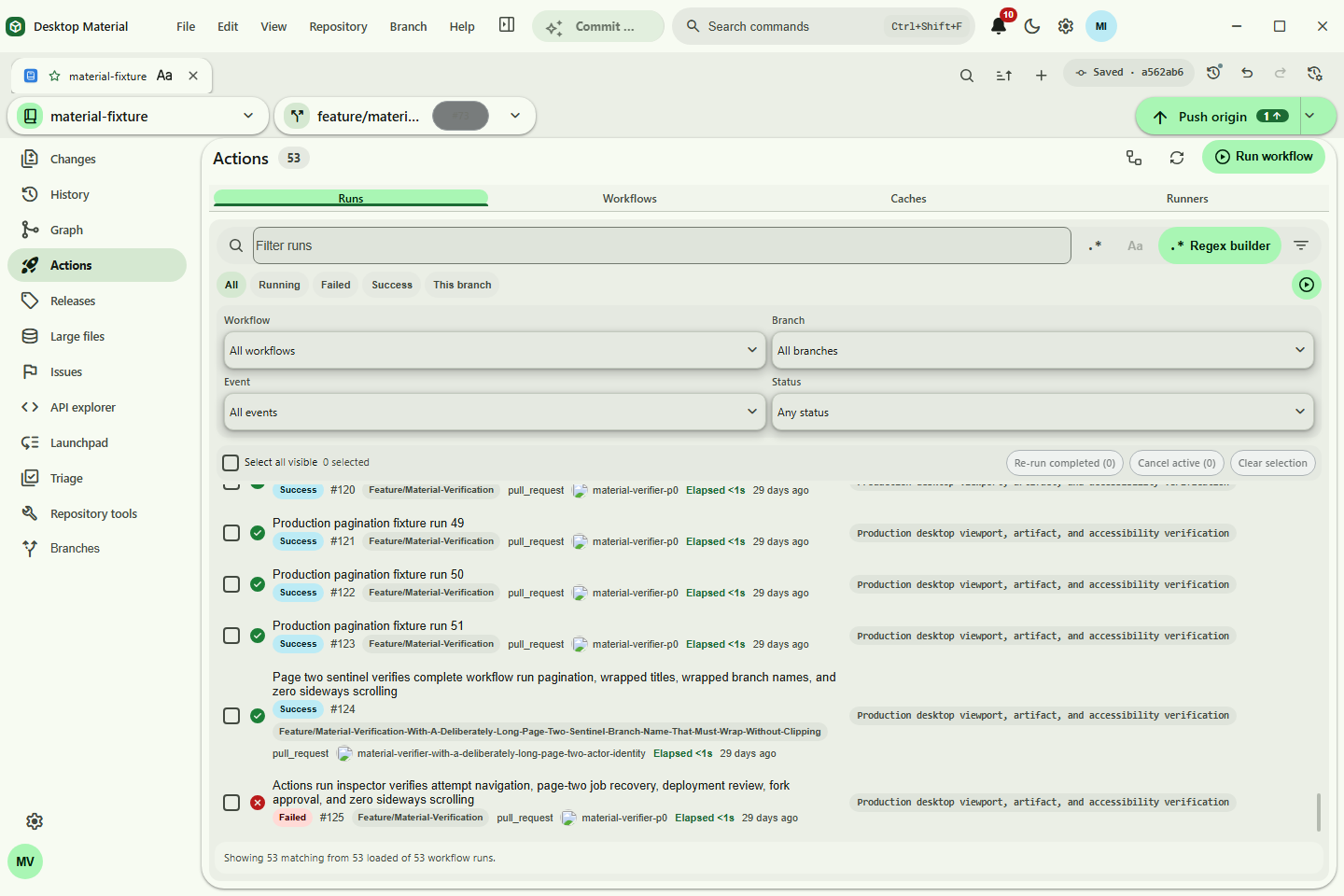
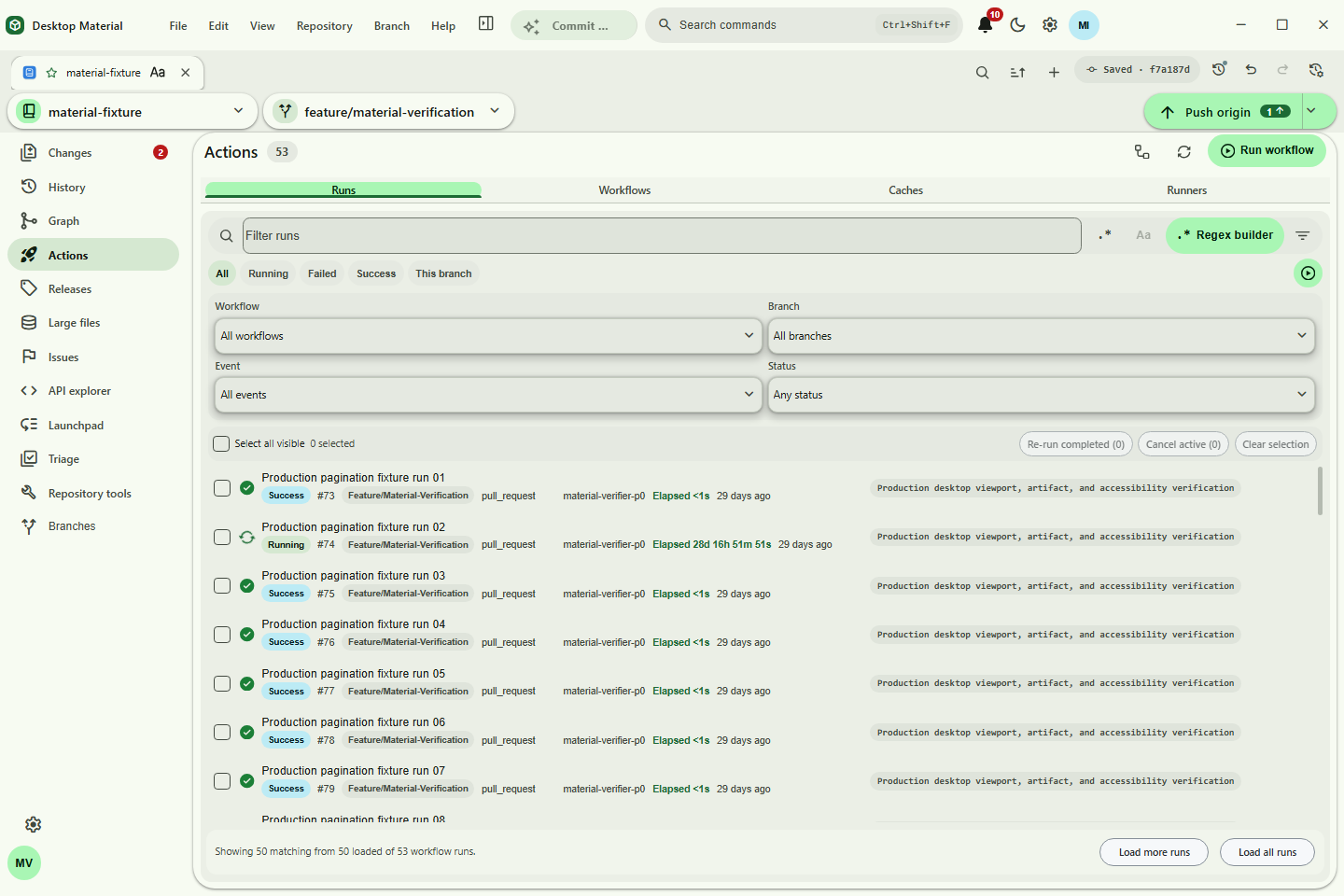
- Actions pagination — use purpose-built Load more runs and Load more artifacts controls. Provider-side filters, exact-account routing, cancellation, retained-page retry, and shifted-page de-duplication stay behind the workflow; no command, REST path, or GraphQL editor is exposed.
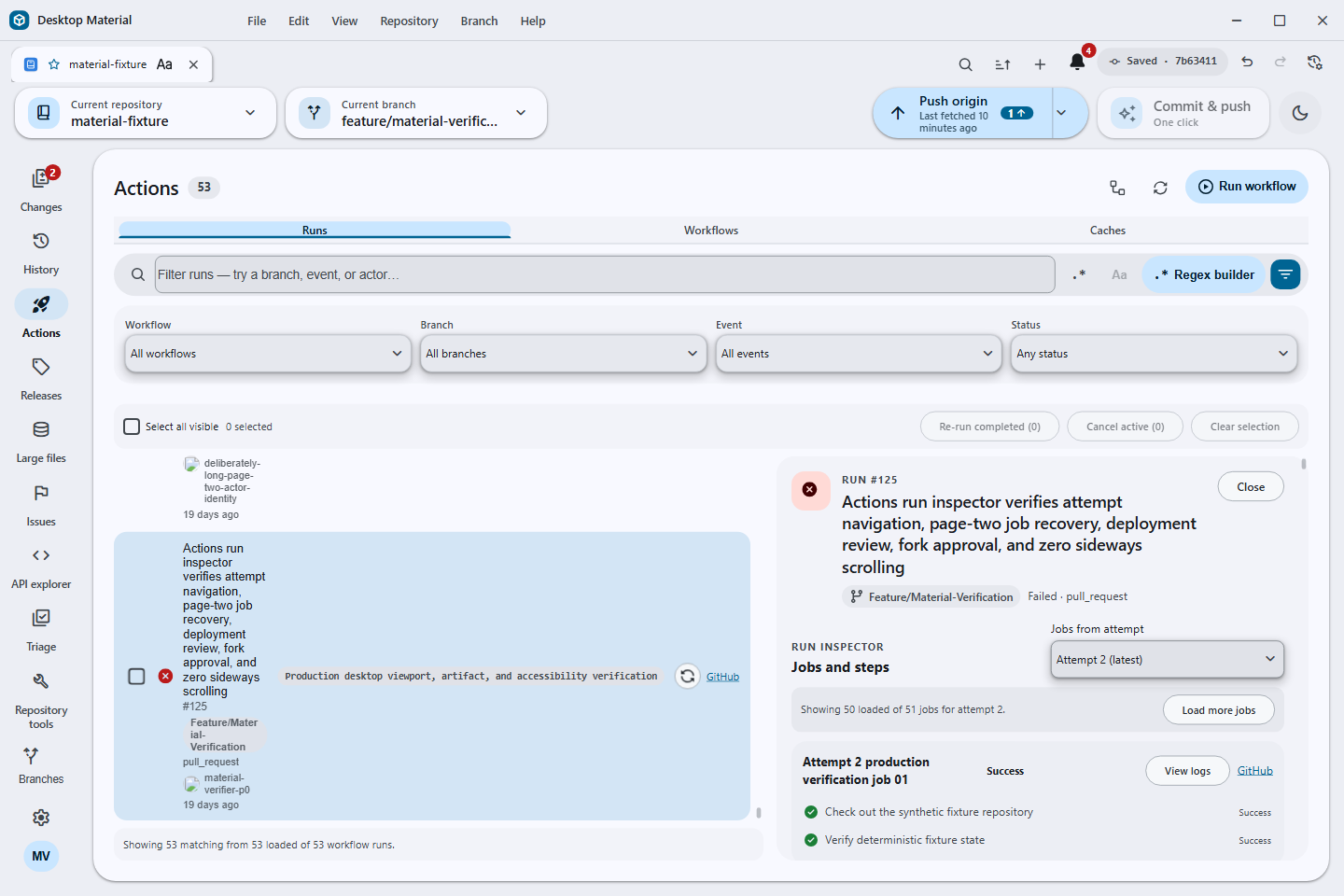
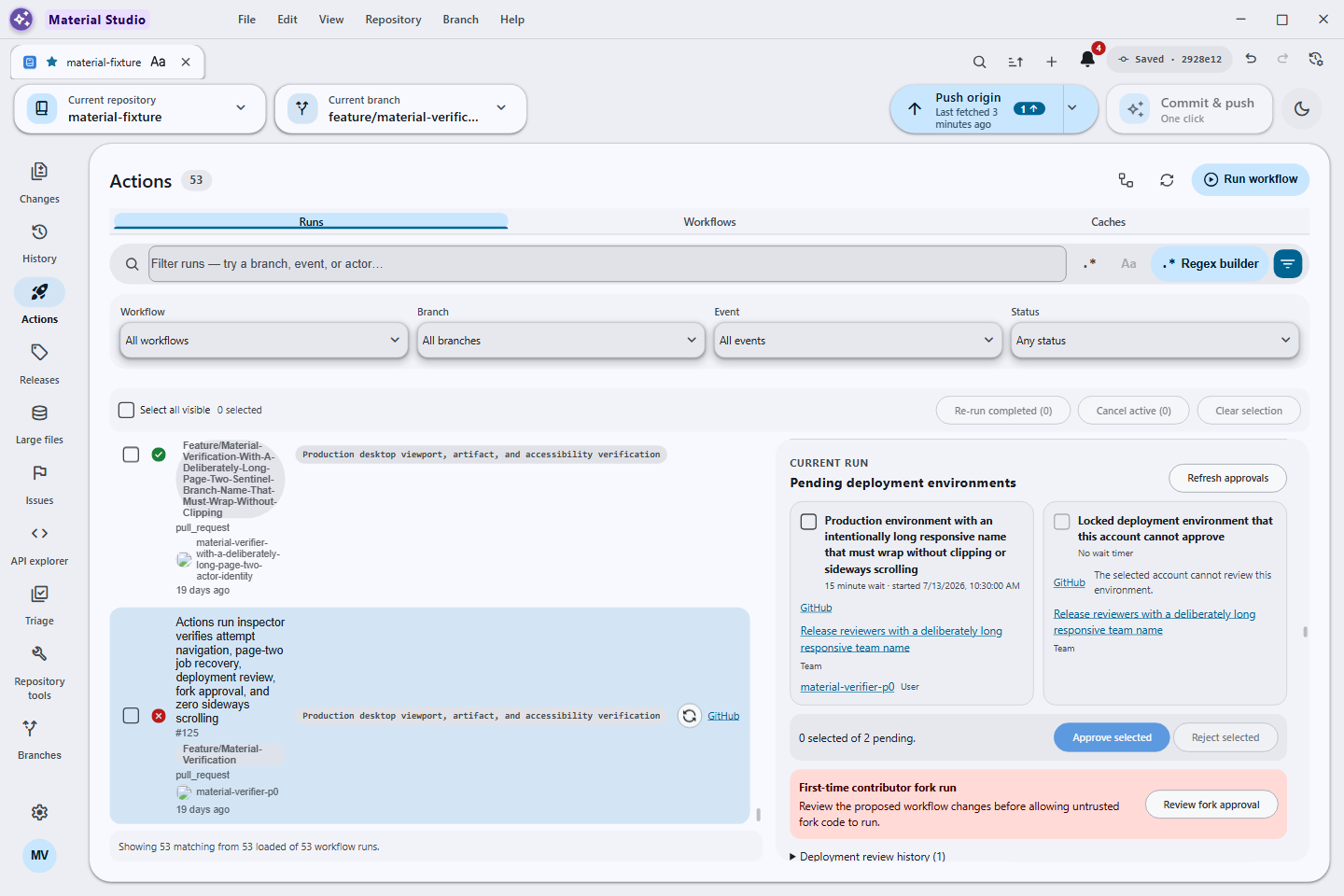
- Actions run inspector — choose the latest or a historical attempt, load 50-job pages through a named retry, open or re-run the exact loaded job, inspect pending environments and review history, submit a bounded deployment decision, and confirm eligible fork approval. Locked environments explain why they cannot be selected instead of exposing an API mutation editor.
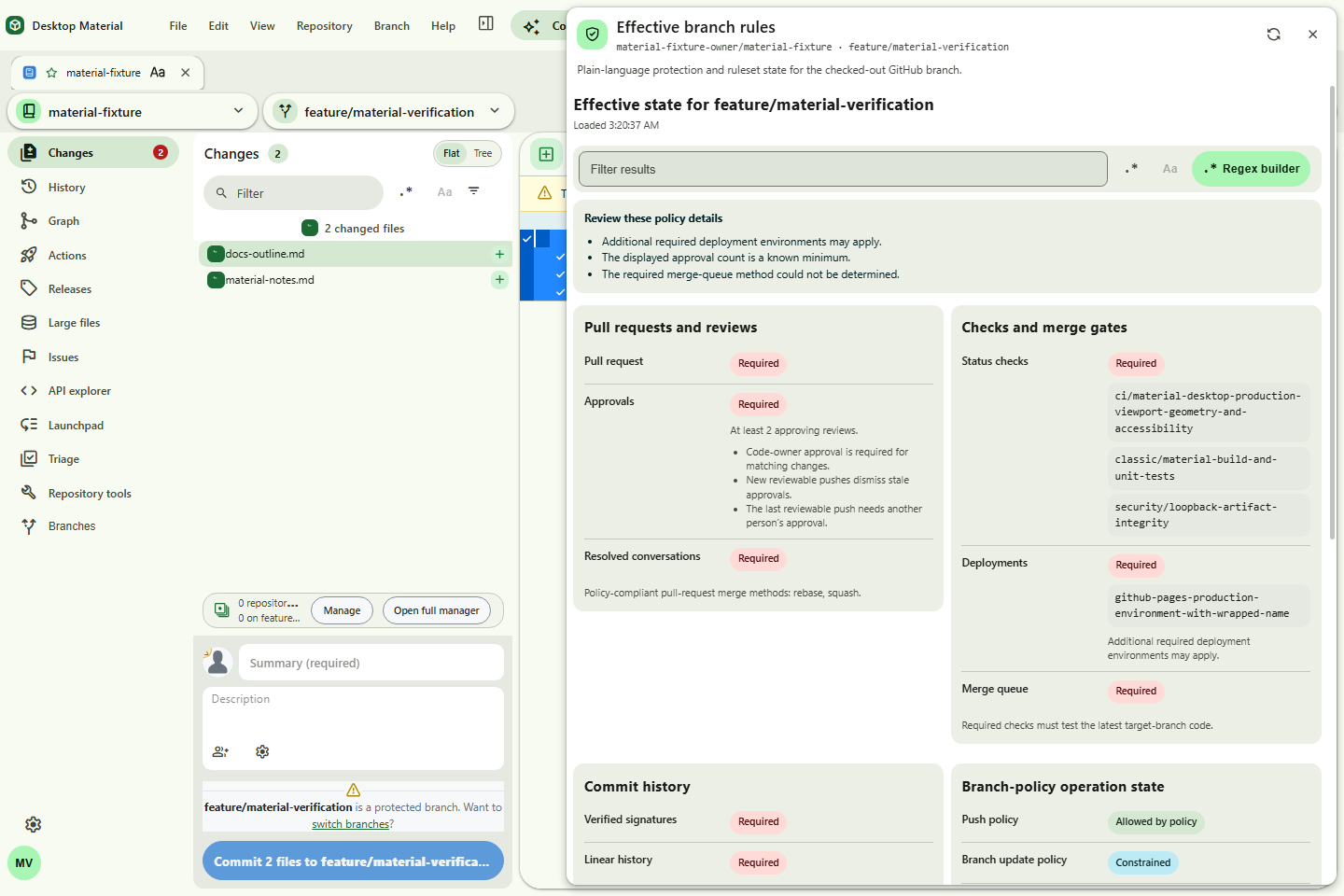
- Effective branch rules — inspect reviews, checks, deployments, merge queue, signatures, history, update/delete/force policy, bypass context, and source rulesets. Signed-out and ambiguous repository-account states route to the relevant settings screen.
- History power tools — search commits by title, message, tag, or hash and toggle a commit graph that renders ancestry lanes beside the filtered history.
- Multiple stashes — create and keep multiple entries, select one to inspect its files and diffs, then restore or discard that exact stash.
-
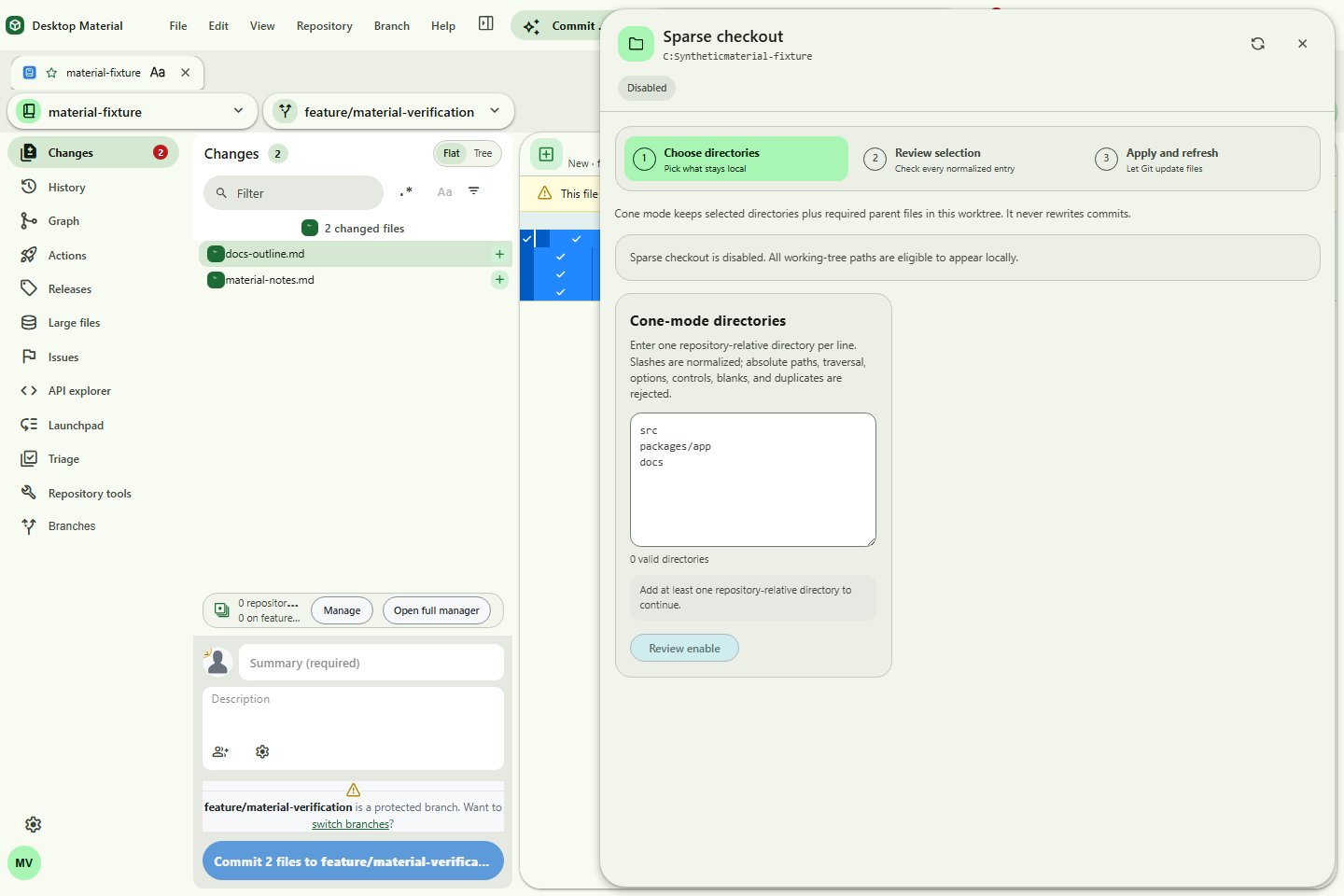
Repository power tools — pin and group repositories, pull all with a per-repository result,
use branch presets and default-branch controls, set a repository-specific editor, shallow-clone
with a commit-depth control, manage cone-mode sparse checkout, and multi-clone in parallel or
sequence with URL-only import/export. These are named, validated workflows rather than a raw Git,
gh, or API-command catalogue. - Multi-window workflows — open a repository or worktree in a separate window; each window keeps its own selected repository and persisted tab state while commands route to the correct window.
- Notification centre — a Git-backed Local view plus an account-aware GitHub inbox with All/Unread and participating-only filters, including a complete no-signed-in-account state.
- Clipping-safe scaling — choose 50–200% UI scaling; auto-fit caps the effective scale when a small window cannot contain the requested size. The latest Actions run-inspector gate reached a requested 200% base through five actual menu actions and safely auto-fit to 96% while preserving every title-bar, navigation, attempt, job, deployment, confirmation, and log control.
- No page-level sideways scrolling — task forms wrap text and stack controls when space narrows. Horizontal scrolling is reserved for spatial content such as code, diffs, and logs when needed.
- Pages accessibility gate — the current gallery passes headless accessibility checks at 960×660 and 390×844, with zero axe violations, matching document/body widths, and no horizontally outside elements.