Feature Gallery
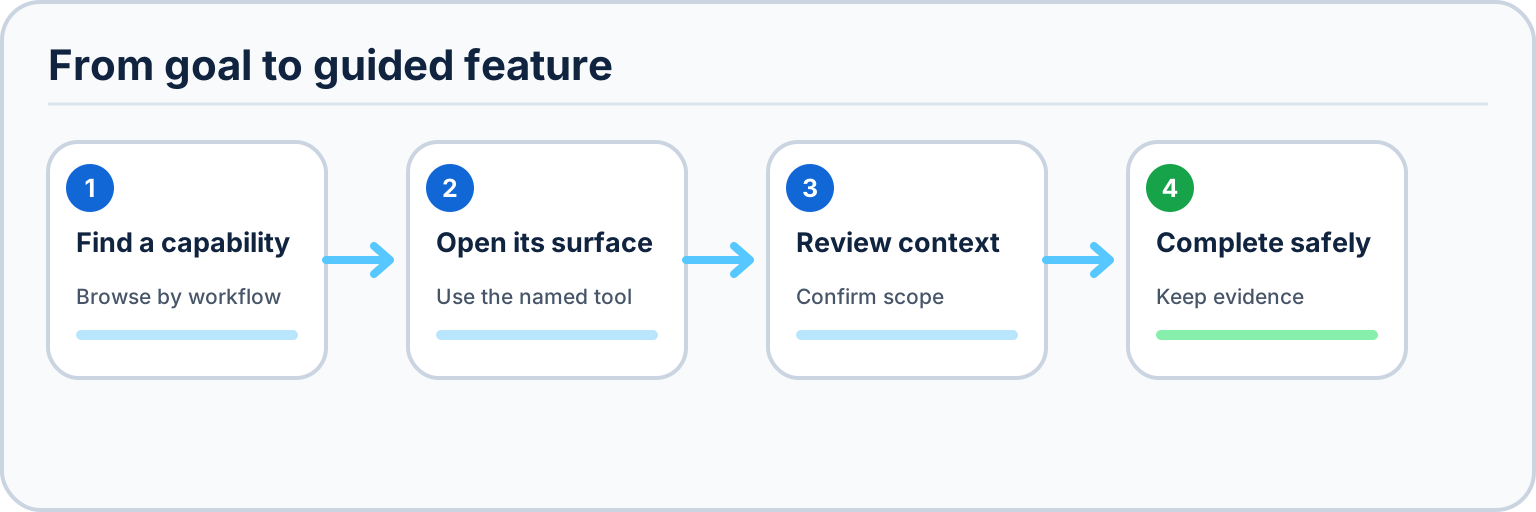
Treat every gallery entry as part of a workflow: find the capability, open its named surface, review the exact scope, and keep the resulting evidence.
This page maps 86 named, user-facing visual functions and states to a one-screenshot-per-function Windows acceptance target. Every view uses synthetic accounts, repositories, issues, pull requests, workflow runs, logs, and artifact metadata except the purpose-built live Cheap LFS acceptance repositories. No personal path, credential, email address, private file content, or unrelated account identifier belongs in the image set.
For this catalog, a function is a distinct visual workflow or result that a user can open or reach. Internal commands, background services, and transient safeguards are documented through their owning settings, progress, result, or recovery surface. Every current guided-gallery target is assigned to exactly one row below, every row must render exactly one distinct PNG, and the automated catalog contract rejects missing, duplicate, or unassigned current assets. Five retained Linux/Xvfb captures are enumerated separately as historical evidence and are deliberately outside this Windows target set.
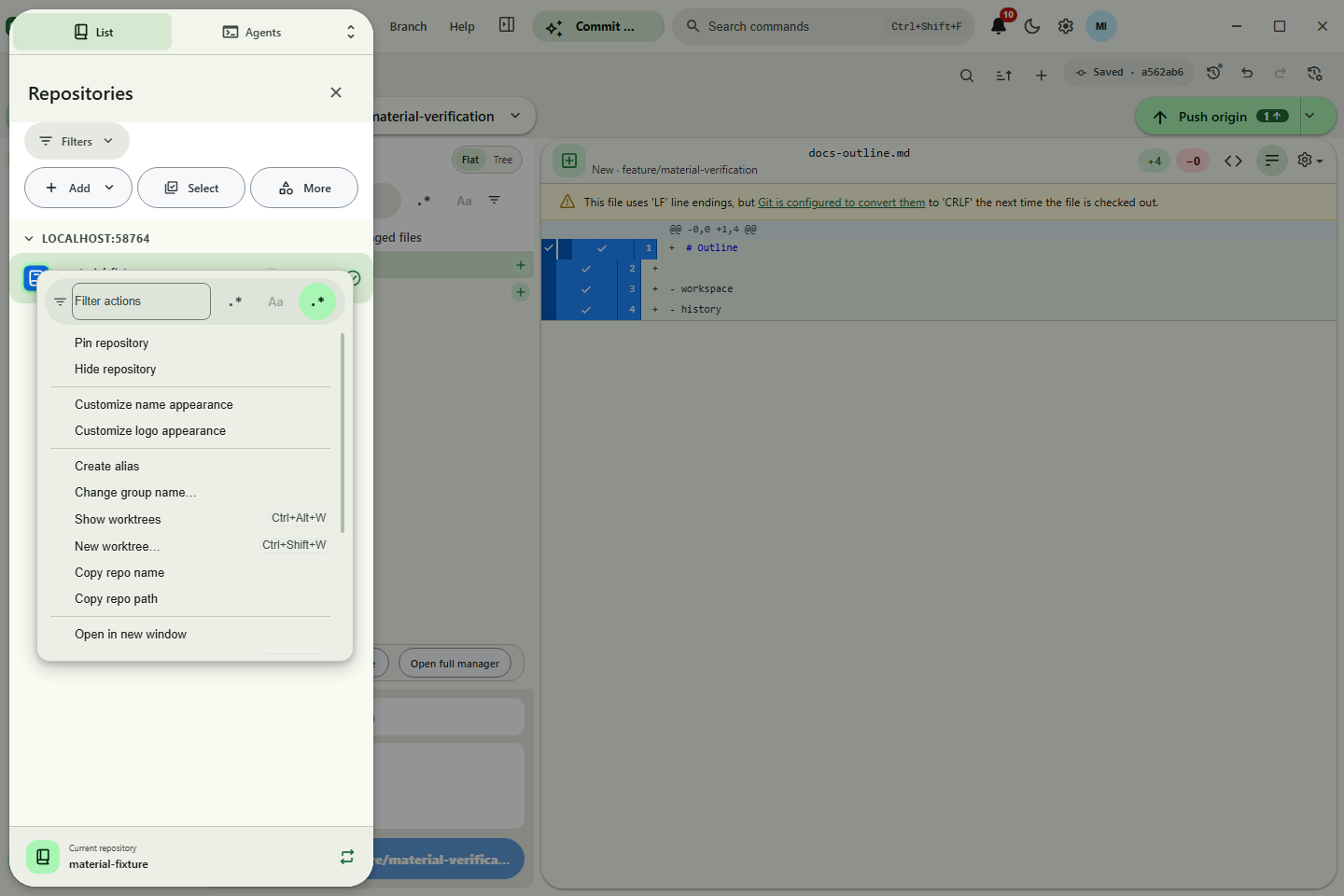
Current refresh status — July 30, 2026: the contract declares 66 canonical and 20 specialist Windows targets. The repository sheet now has a dedicated dark bilingual specialist owner instead of inheriting the light-English canonical batch, and the History commit hover card is published as its own specialist scene. The searchable Publish organization owner picker is accepted and published, completing the 86-image Windows set. The real production bundle ran against an owned no-remote repository and deterministic three-organization provider on an isolated hidden Win32 desktop, with zero provider mutations. Its bilingual dialog passed the physical 390×844 auto-fit gate with a non-collapsing listbox, positive scroll travel, keyboard-reachable final and None options, long-label containment, and no horizontal overflow. The reviewed 1440×960 PNG is 133,919 bytes with SHA-256
7db03d5db789d19e1ad49de66bd79abb62e46c7909eda9de08878aac367033d8.July 29 updater acceptance (superseded snapshot): the contract declared 67 canonical and 17 specialist Windows targets. The distinct current-source updater target is now accepted and published, completing its separate slot in the 84-image Windows set. Runtime source
b069384ad7d8a65d1192ee06859a705fe484c9c8exercised the real Electron/Squirrel event path with a disclosed verifier-owned inert payload; promotione3967f1b81ec039624500797dca40a1ab6d98598records the inspected 960×660, 47,086-byte PNG with SHA-2560fc9caf5b13eb5b914121090f403c394545e02ea4303b11dd4598afcb3a2dfca. This is development current-source UI proof, not a claim that the inert payload was published. The immutable legacy-updater frame remains separate historical migration evidence.
Historical publication record: The gallery includes the July 14, 2026 Actions cache and headless pagination evidence, the Pages accessibility/clipping gate, the inspected July 16 adaptive customization set, the profile app-identity workspace, the clone-style Add Submodule release, the repository-contextual GitHub API Explorer, filtered notification bulk triage, and configurable bottom-right error notices, runtime tab search, History commit actions, and true-bottom Repository Tools scrolling. It now also includes the safe custom repository-logo studio, named API app functions, temporary submodule repository context, bounded repository folder discovery, explicit cheap-LFS preparation before the final branch commit, and the M21 local, pushed, and remote-only tag lifecycle workspace. The published July 22 continuation adds a restart-restored named tab-group chip, the command palette's fully visible rich-row appearance editor, and the inspected live raw Cheap LFS UI result. The cloud-compression continuation adds the accepted bilingual private-opt-in and compressed-pointer frame after live public automatic/private explicit Actions runs and local restores. The July 23 registry-storage, commit-progress, automatic push-batching, and compact Repository Releases continuation is published through corrective source
c22e29a03a. Its exact build, 100%/125%/150%/200% constant-960×660 headless gate, CI, CodeQL, Pages, and six-asset installer Release are complete. The 77th scene follows the real 14.8 GB public Bambu build exercise: four exact-SHA-proven UI batches after a durable HTTP 408 retry, 13/0/0 one-object-at-a-time cloud compression with raw fallback retained, a passing manifest verifier, and ten locally restored hashes from pointer-only Git history. The first automatic/manual restore overlap prompted repository-scoped serialization; its corrected UI rerun is the final acceptance gate recorded inHANDOFF.md. Exact build, interaction, and privacy receipts are retained inHANDOFF.md; each promoted release records its own main, CI, Pages, and wiki verification without implying that later maintenance work is complete.July 27 published acceptance (superseded snapshot): one repository-list sync-summary scene, the exact-90% restore, app-hosted authentication browser, and private-repository lock receipts brought the then-current Windows source catalog to 84. The three new Windows captures came from the real production build on an isolated hidden Win32 desktop and passed original-resolution accessibility, clipping, and privacy inspection. Their default-branch, Pages, and wiki publication and packaged Windows E2E are verified. The five earlier Linux TUI captures and their Debian/Xvfb receipts remain intact as historical evidence below, but they are not current gallery rows, Pages figures, or capture-plan outputs. That receipt does not prove the July 28 refresh or its distinct current-source updater target.
These are Pages-guide captures, not additional Desktop Material app-gallery scenes, so they do not change the 90-function catalog count below. The first pair documents the standalone 72-row Cheap LFS versus Git LFS atlas: a 1440×960 bilingual marketing overview with its code-native product-orbit graphic, then the 390×844 dark Cantonese publication handoff. The assembled route passed 35/35 installed-Chrome checks through Lowlevel MCP, including the 36-entry bibliography, composable filters, bounded regex worker, six ordered push stages, tab persistence, local assets, and zero document overflow. The standalone atlas receipt records the exact evidence boundary and hashes.
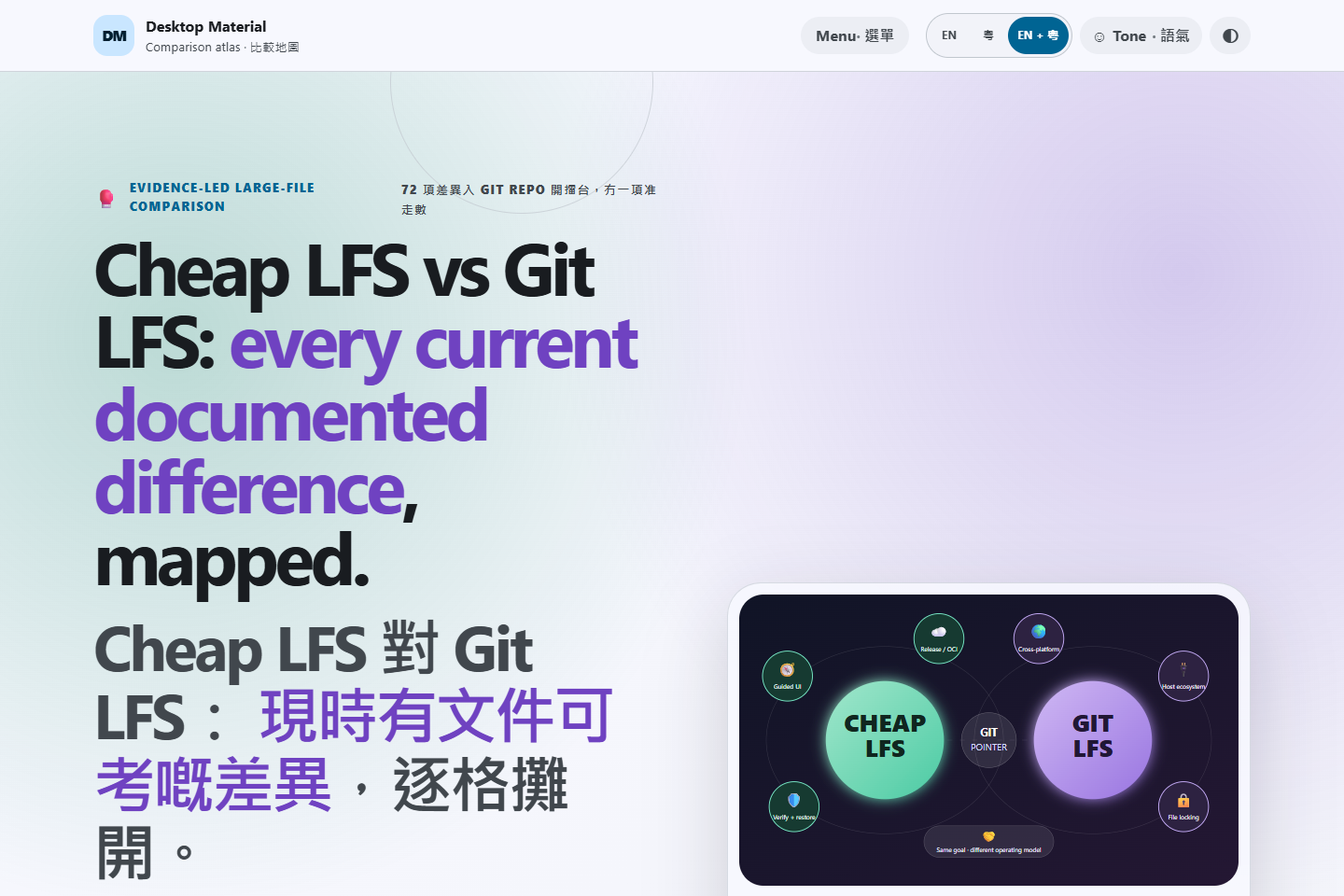
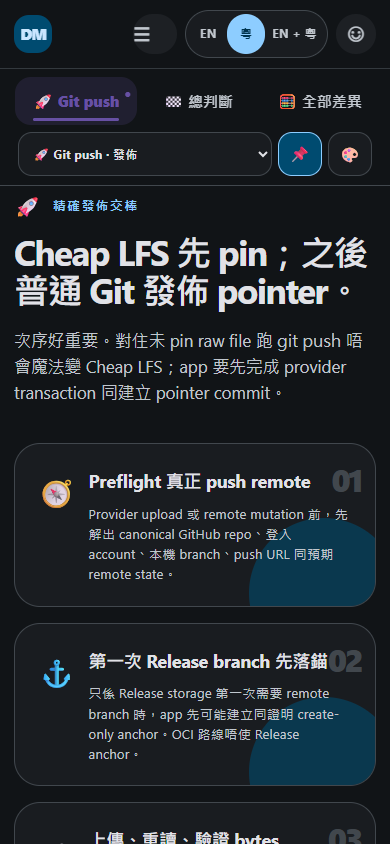
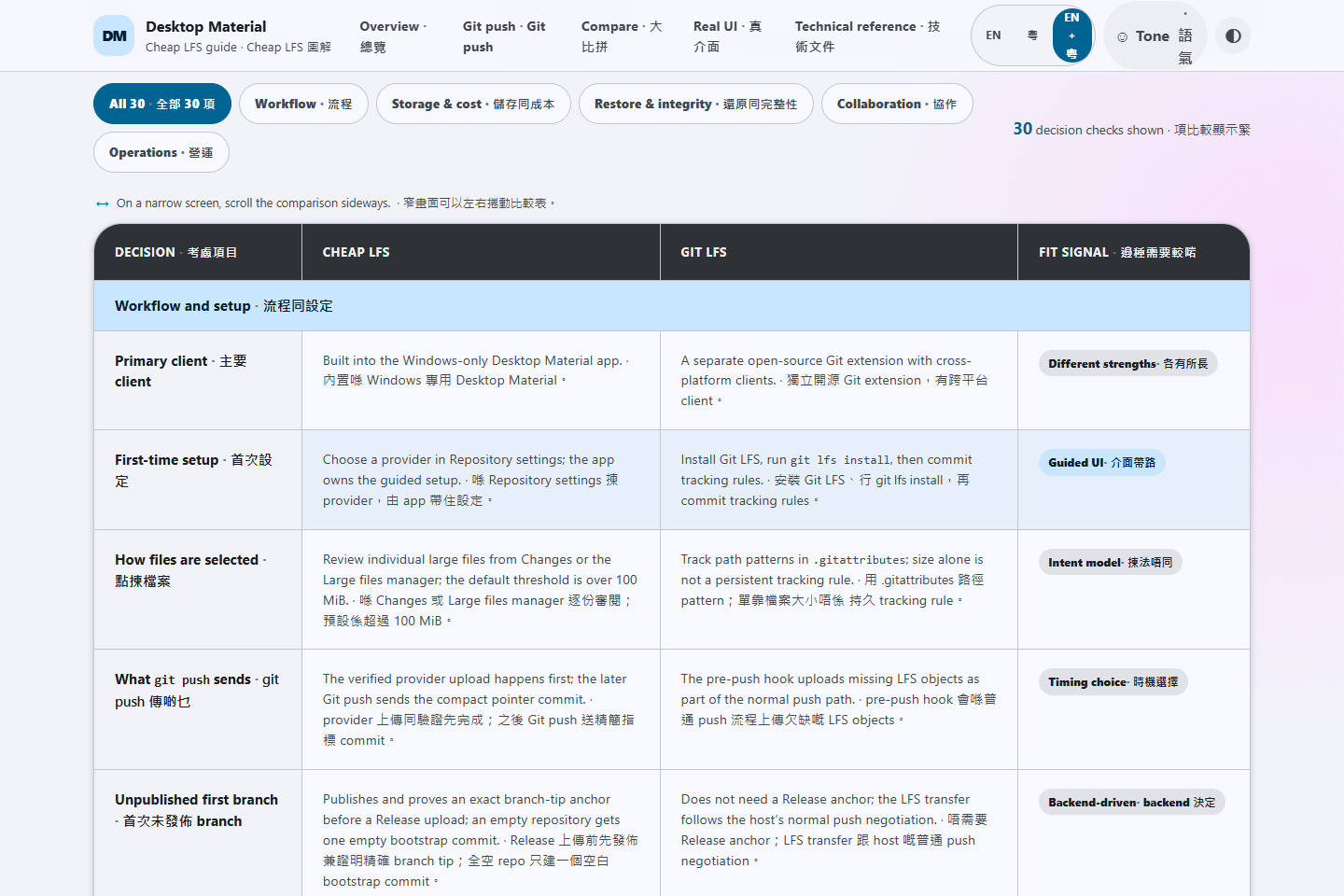
The older pair below shows the sourced bilingual comparison and category controls at 1440×960, followed by the safe branch-proof commands and first-branch distinction in a 390×844 dark layout. Both came from the locally assembled real site in installed headless Chrome through Lowlevel MCP; the dated receipt records the exact checks and hashes.
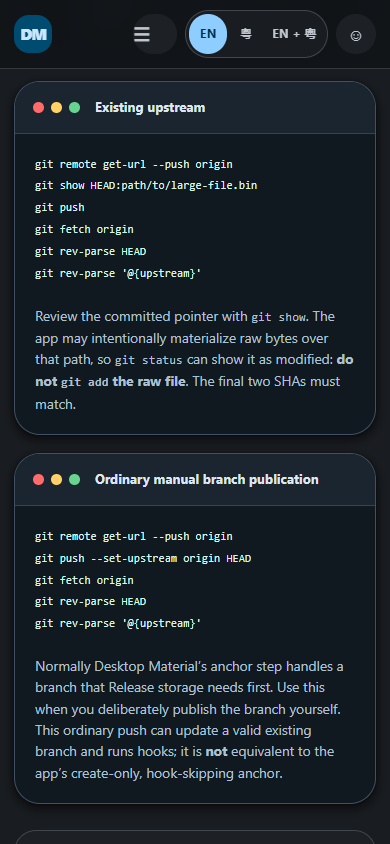
The July 18–19 temporary-submodule and refreshed six-image set passed its local
ten-pass off-screen inspection. A final 1440×960 post-build regression reopened
the child, verified its read-only boundary, and returned to the root; a later
fresh-bundle race regression synchronously exercised duplicate Open and Back,
preserved one persisted repository and tab, restored the root once, and showed
no error. The gallery assets and owned headless-resource cleanup are complete.
The six refreshed assets were delivered byte-identically by Pages; initial
remote CI withheld a release after a macOS error-ordering failure, and correction
98d93ccc passed the full matrix and published
v3.6.3-beta3-b0000000165. Exact publication receipts are in HANDOFF.md.
The verified adaptive customization maintenance release adds profile app identity, favorite/portable tabs, folder-drop opening, guarded tab close/arrange, Actions cancellation, reviewed rebase, repository-account propagation, bounded OAuth scopes, and compact Repository Tools, Remote Manager, and Regex Builder corrections. Its exact production source, safety checks, off-screen interaction review, and responsive geometry are recorded with the inspected captures below.
The GitHub API Explorer adds a complete searchable catalog of 1,206 REST operations, including exactly 10 operations discovered since the prior pinned 2026-03-10 catalog, alongside a REST/GraphQL request builder. Requests stay on the selected repository account and provider host, mutations require an explicit review, and response content is bounded and credential-redacted before display.
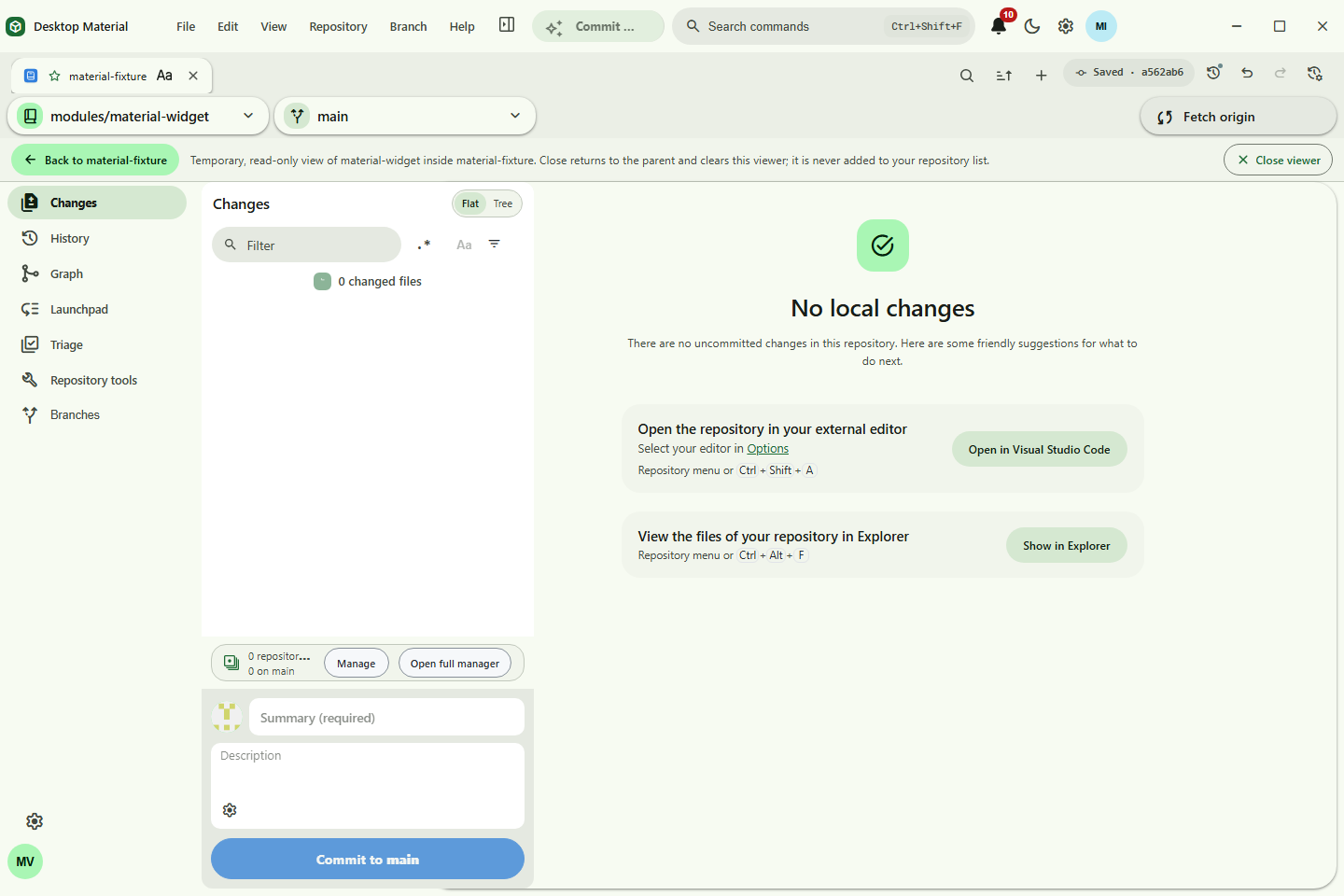
The temporary submodule context shows an initialized child in the normal workspace without adding it to the repository list, Recent, or persisted last selection. Its Back control returns to the persisted root and follows the active profile's style, label, and explicit language mode.
| Asset | Guided workflow shown |
|---|---|
material-app-identity-workspace.png |
Restart-restored profile app identity and favorite repository tab |
material-welcome.png |
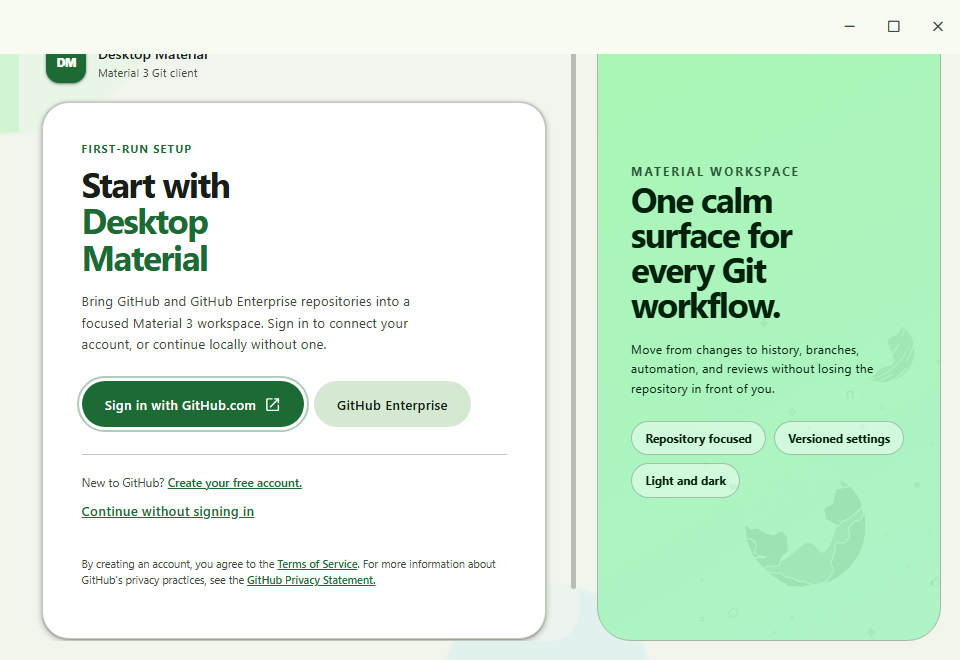
Material first-run task card and responsive workspace preview |
material-customization.png |
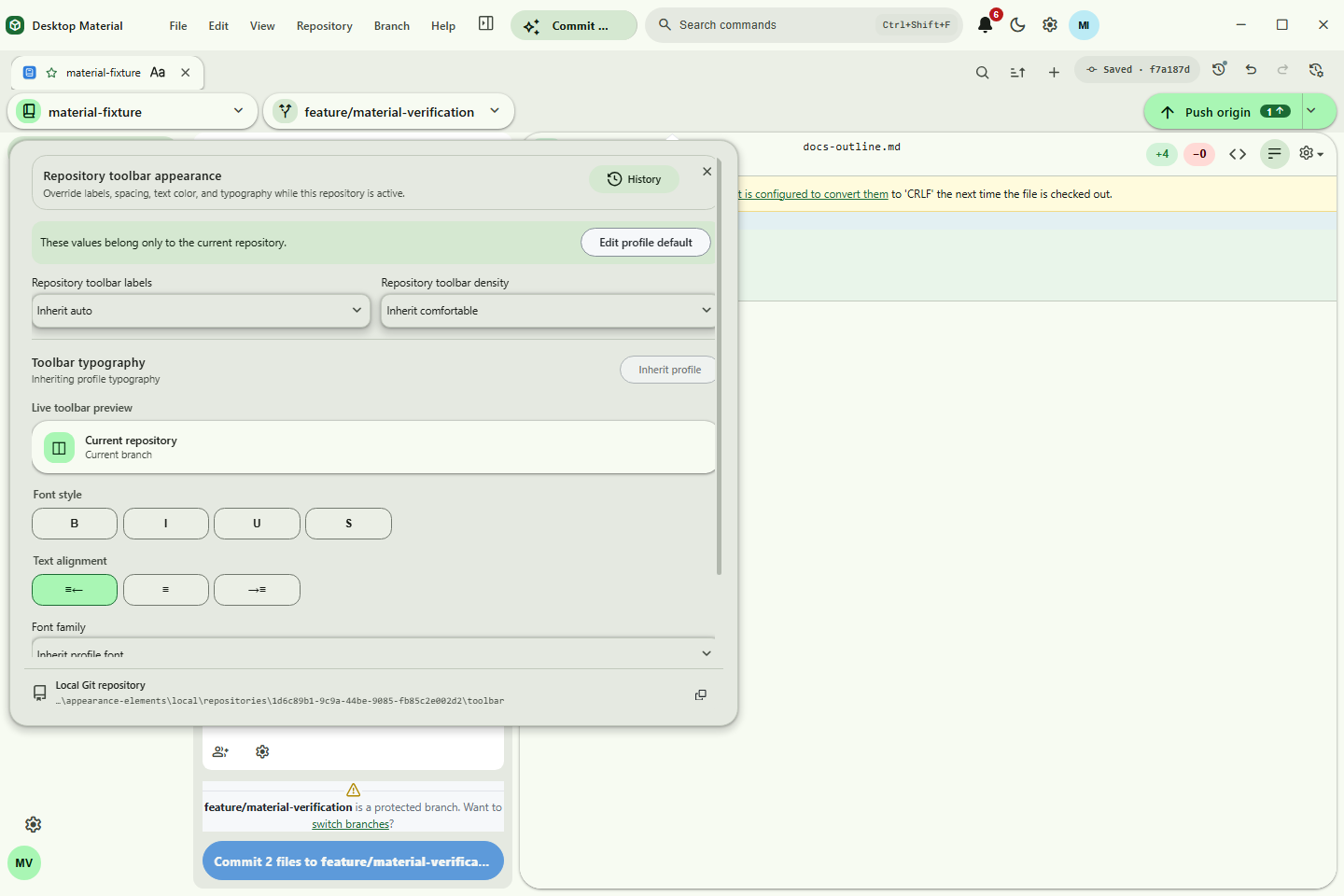
Editor anchored beside its actual visual owner with burst-coalesced persistence, dedicated Git history, and repository path |
material-repository-logo-studio.png |
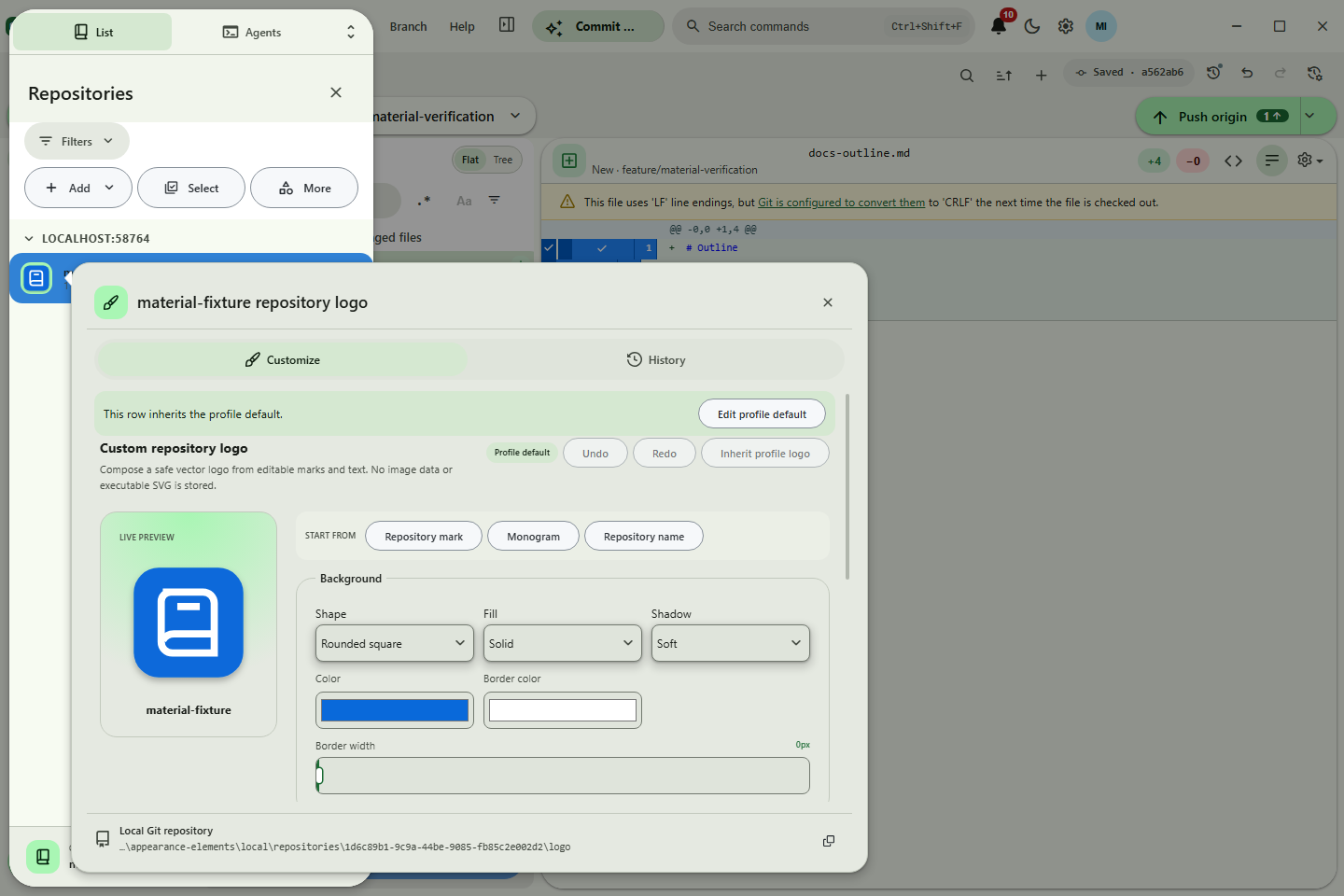
Layered custom repository-logo studio with live preview and safe transfer controls |
material-toolbar-overflow.png |
Measured narrow toolbar with Build & Run and Commit & Push in More |
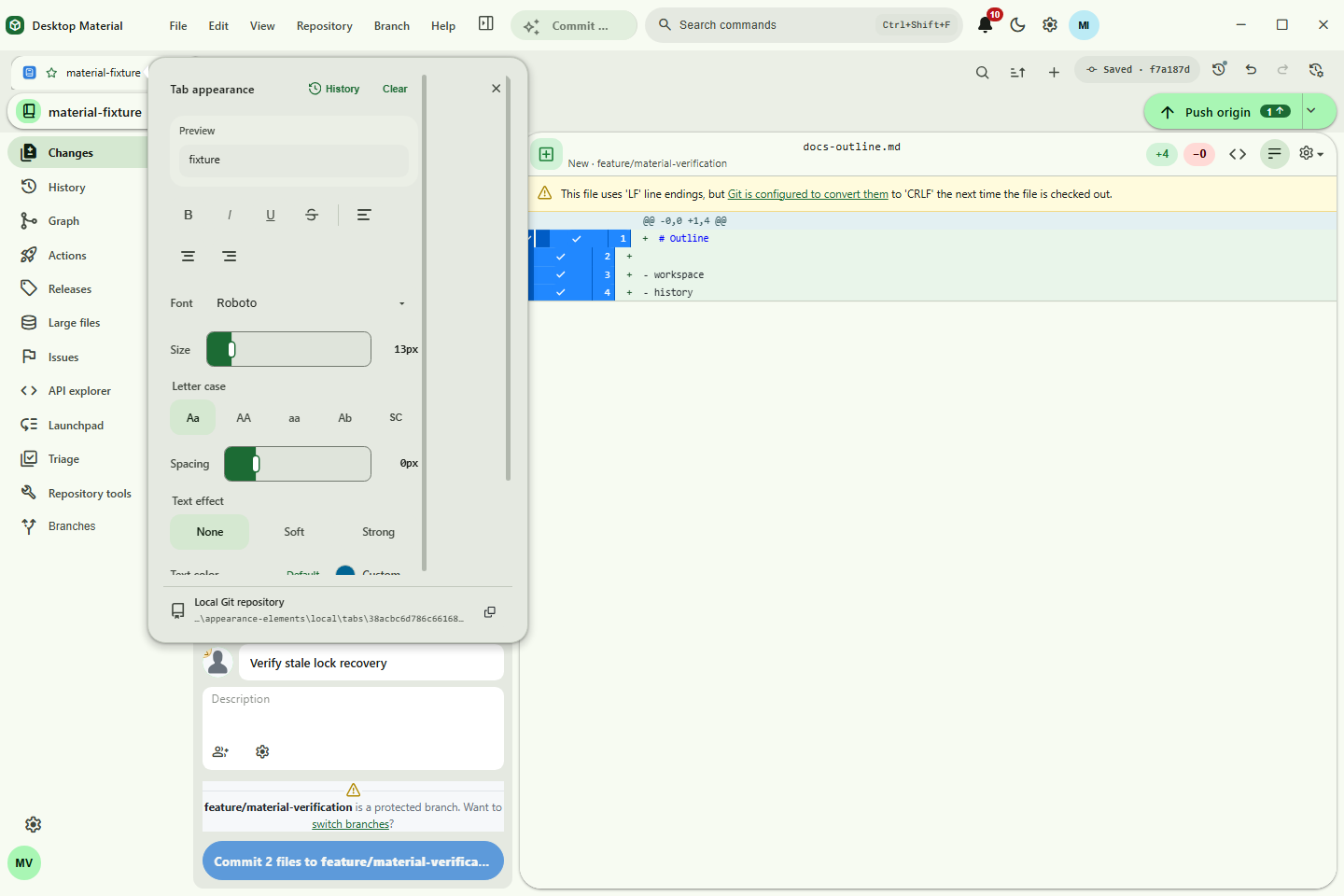
material-tab-appearance-word.png |
Word-style tab typography, alignment, and independent color palettes |
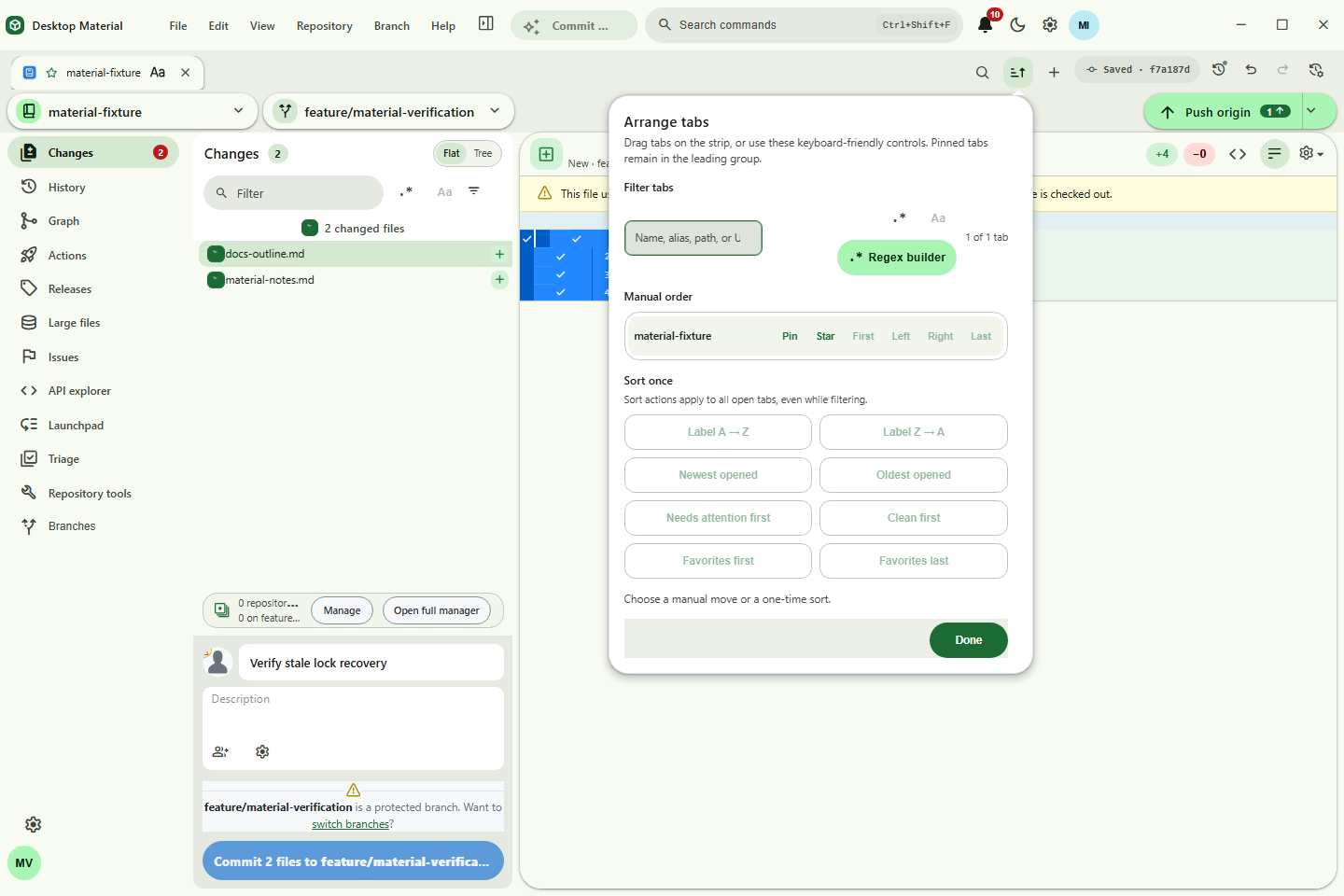
material-tab-arrange.png |
Pinned/manual movement and one-shot tab ordering controls |
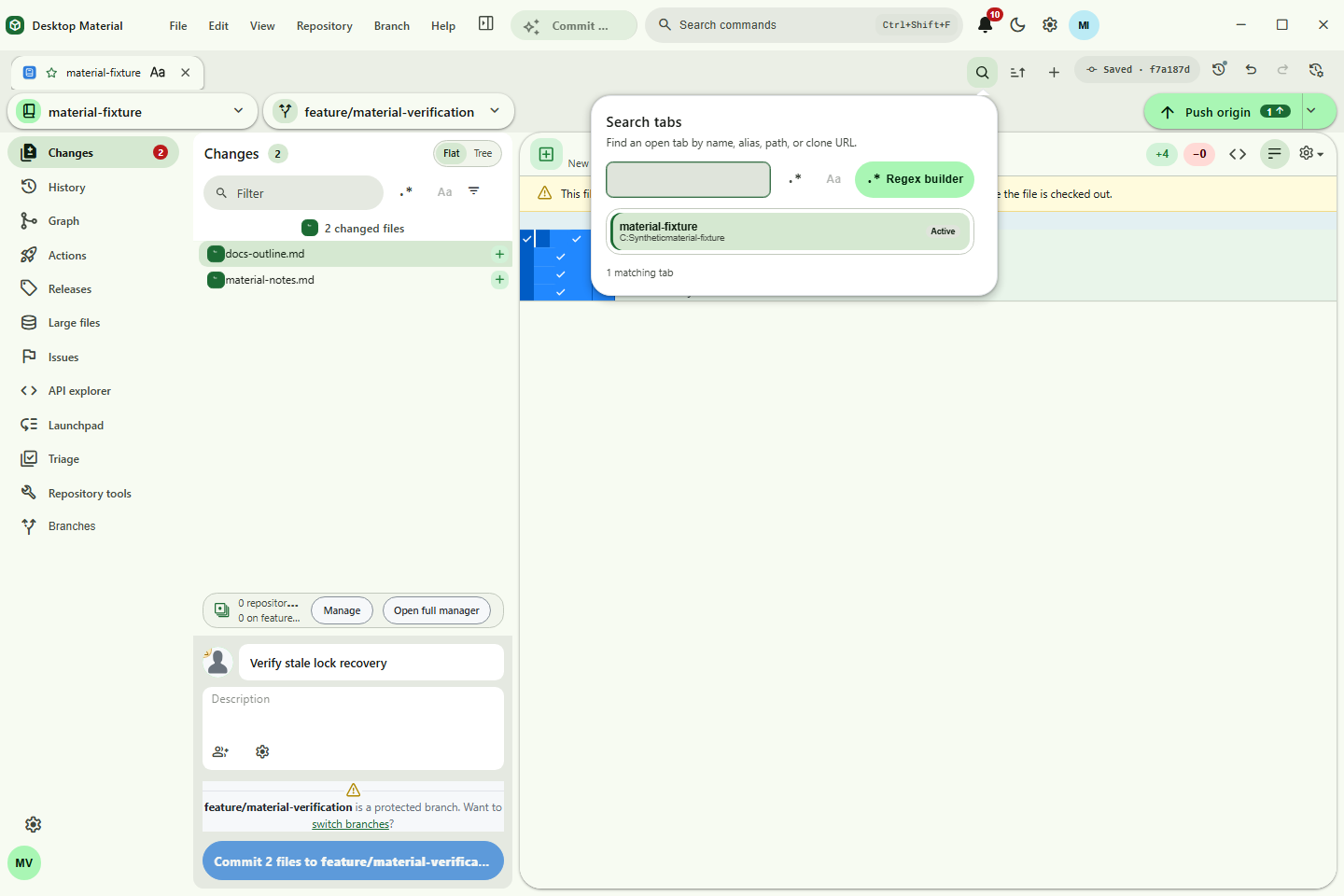
material-tab-search.png |
Runtime tab search across names, aliases, paths, and clone URLs |
material-tab-groups.png |
Restart-restored named group chip with visible repository membership and real collapse/expand behavior |
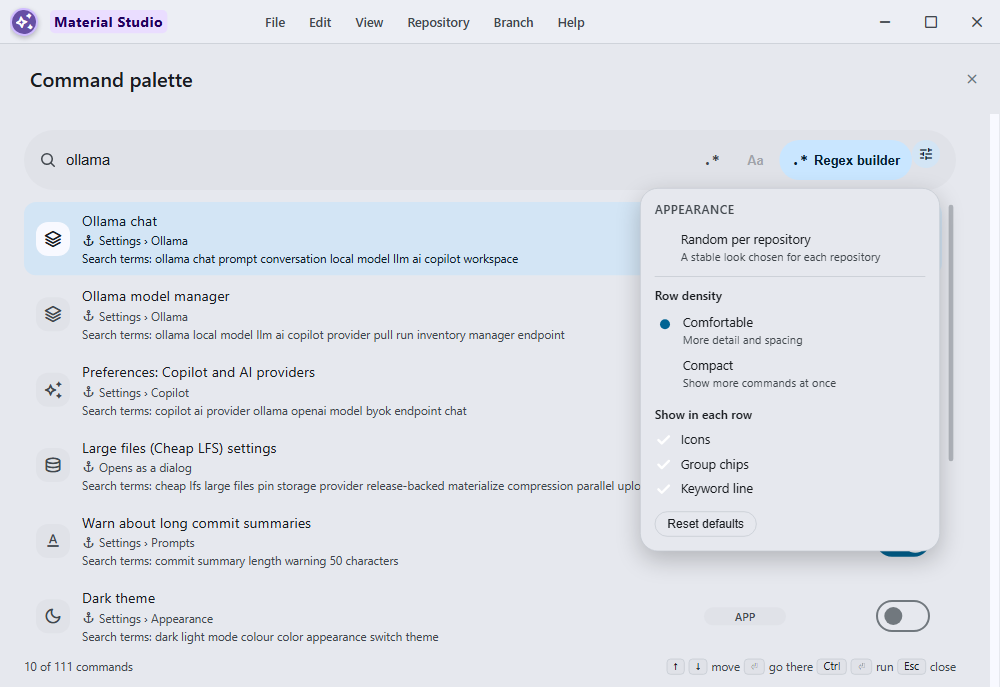
material-command-palette-appearance.png |
Rich command results beside the compact aligned appearance editor with stable random-per-repository mode |
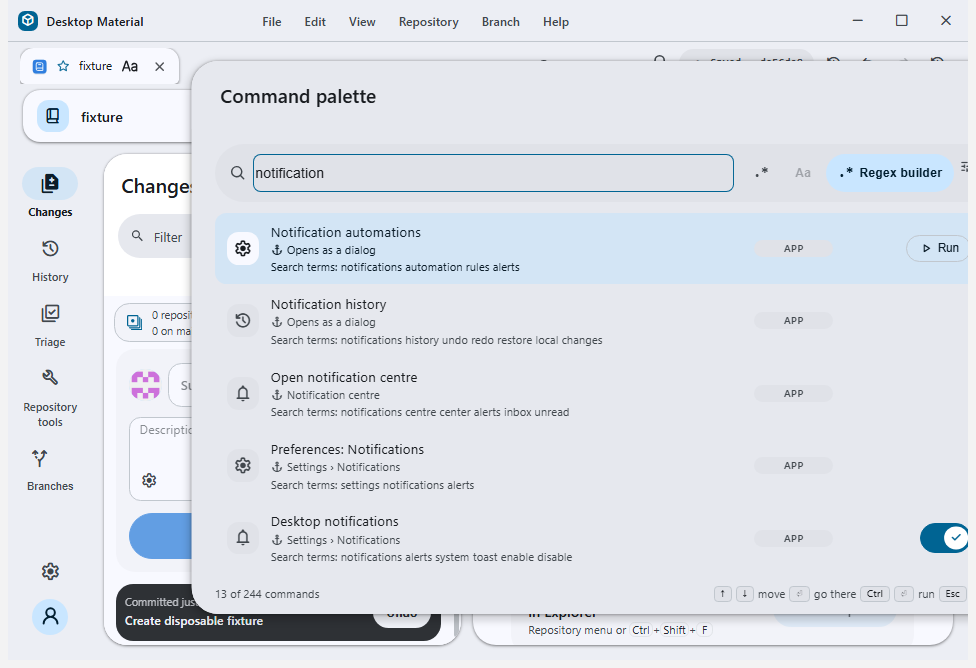
material-command-palette-notification-after.png |
Separate command-palette routes for the live notification centre and local notification history |
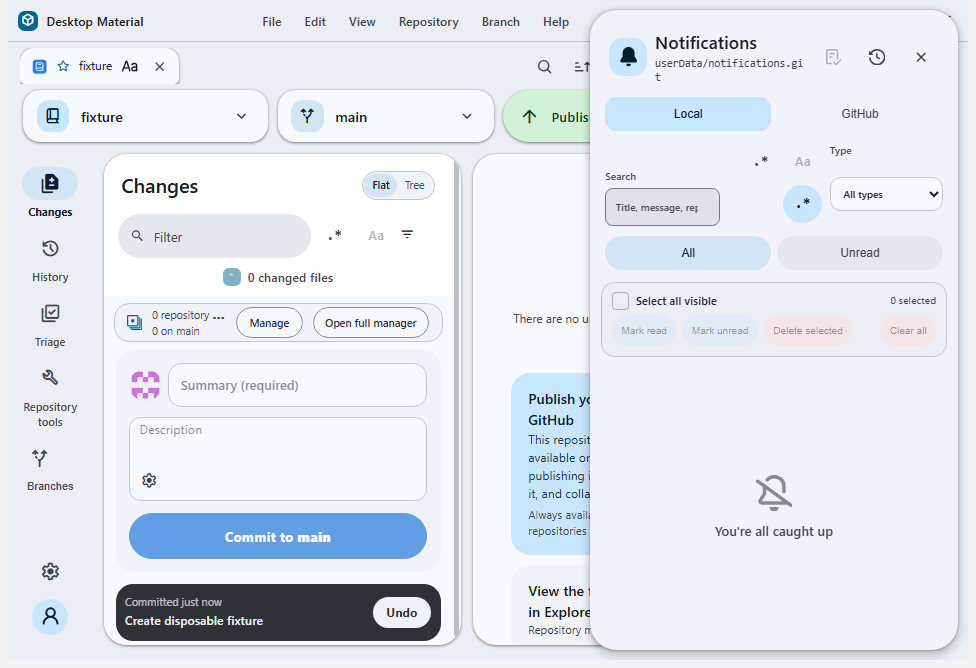
material-notification-centre-route.png |
The corrected notification-centre command opening the live side sheet |
cheap-lfs-ui-acceptance.png |
Live private-repository Cheap LFS pin result with the verified pointer and Materialize action |
cheap-lfs-cloud-compression.png |
Bilingual persisted private opt-in routed through the encrypted public builder, with no private-repository workflow and one verified 99.9%-compressed pointer |
cheap-lfs-commit-progress.png |
Three-worker Cheap LFS terminal with queue, provider, reason, timing, ETA, manual-phase, and keyboard-disclosure context |
cheap-lfs-bambu-build-live.png |
Live public Bambu build inventory with ten tracked Release-backed pointer objects |
cheap-lfs-restore-lookahead.png |
Exact-90% Release restore with detailed current and already-running look-ahead lanes |
app-hosted-browser-authentication.png |
Sandboxed app-hosted browser with tabs, redirects, bookmark sanitization, and private authentication escape |
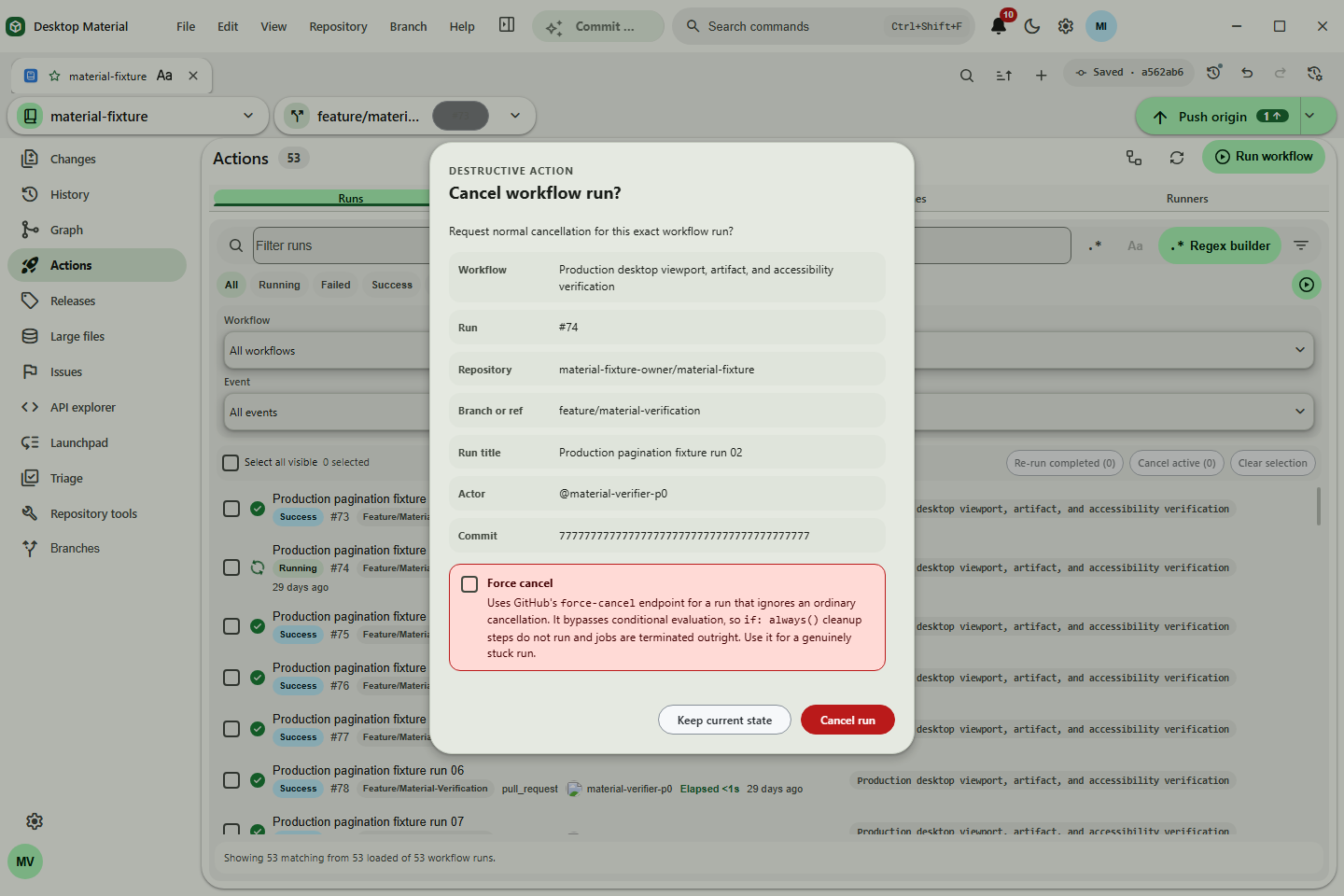
material-actions-cancel.png |
Exact workflow-run cancellation review with ref, actor, and commit context |
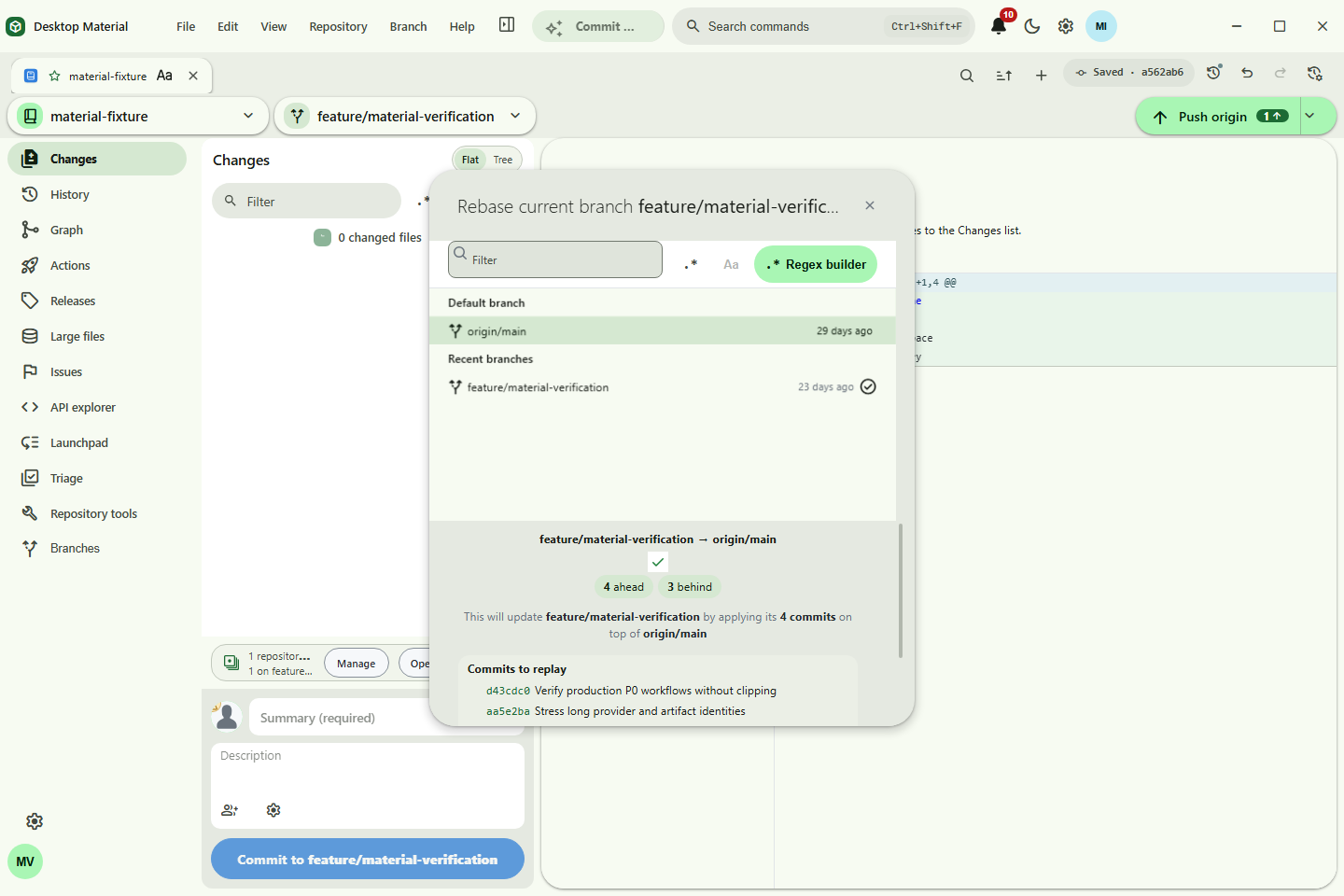
material-rebase-review.png |
Reviewed current→target rebase with ahead/behind state and commit preview |
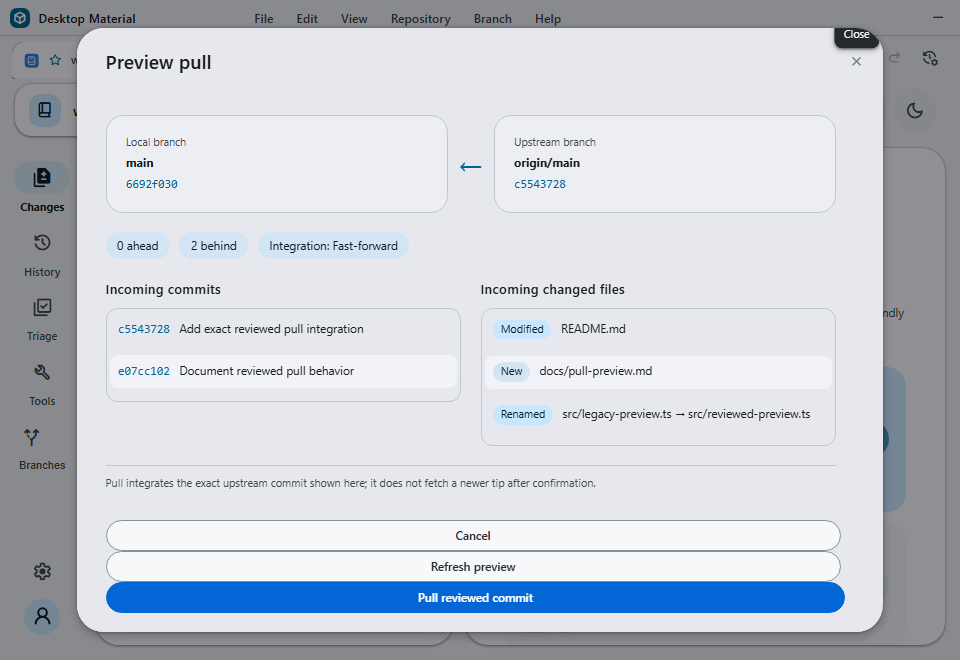
material-pull-preview.png |
Freshly fetched ordinary pull review bound to one exact upstream OID |
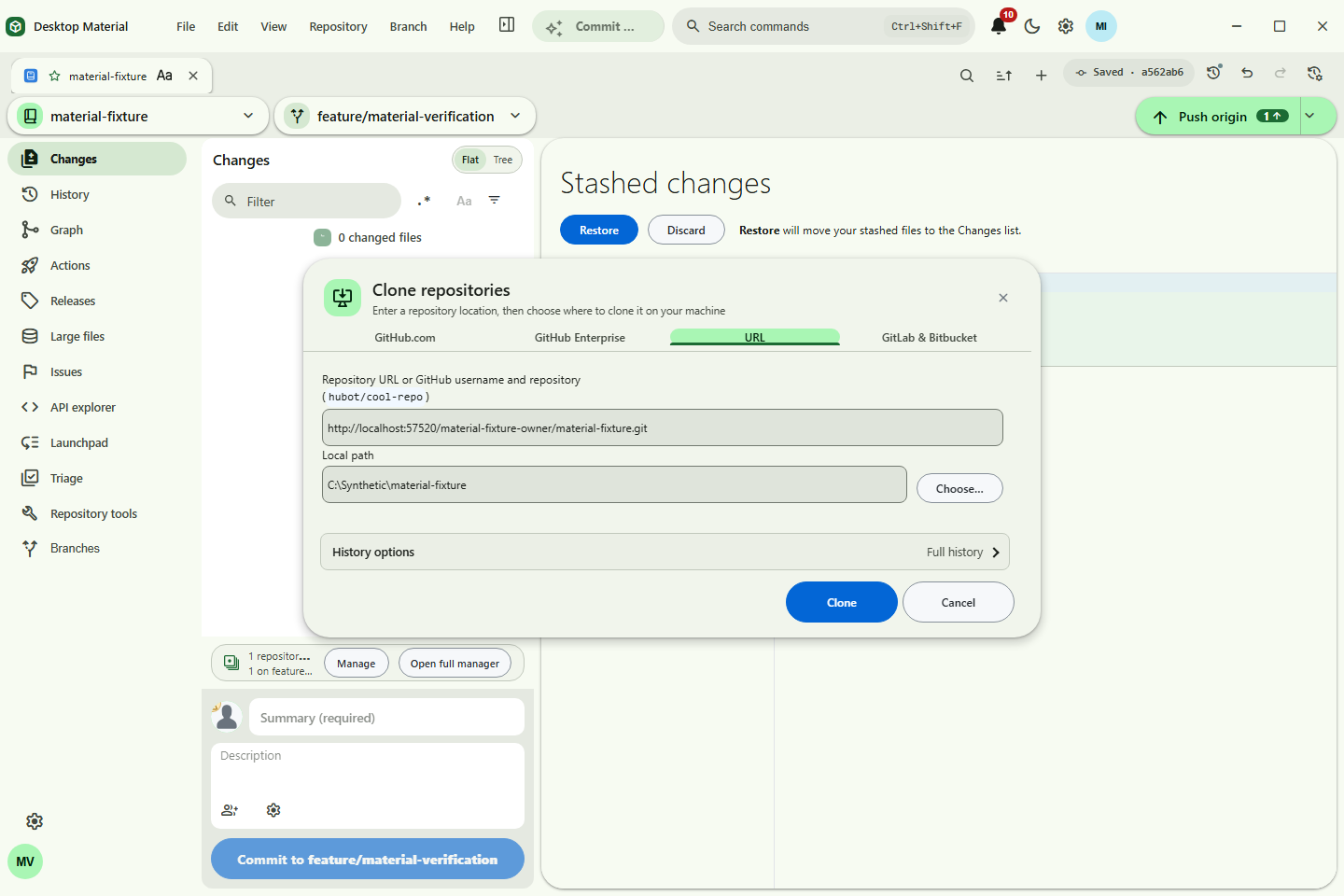
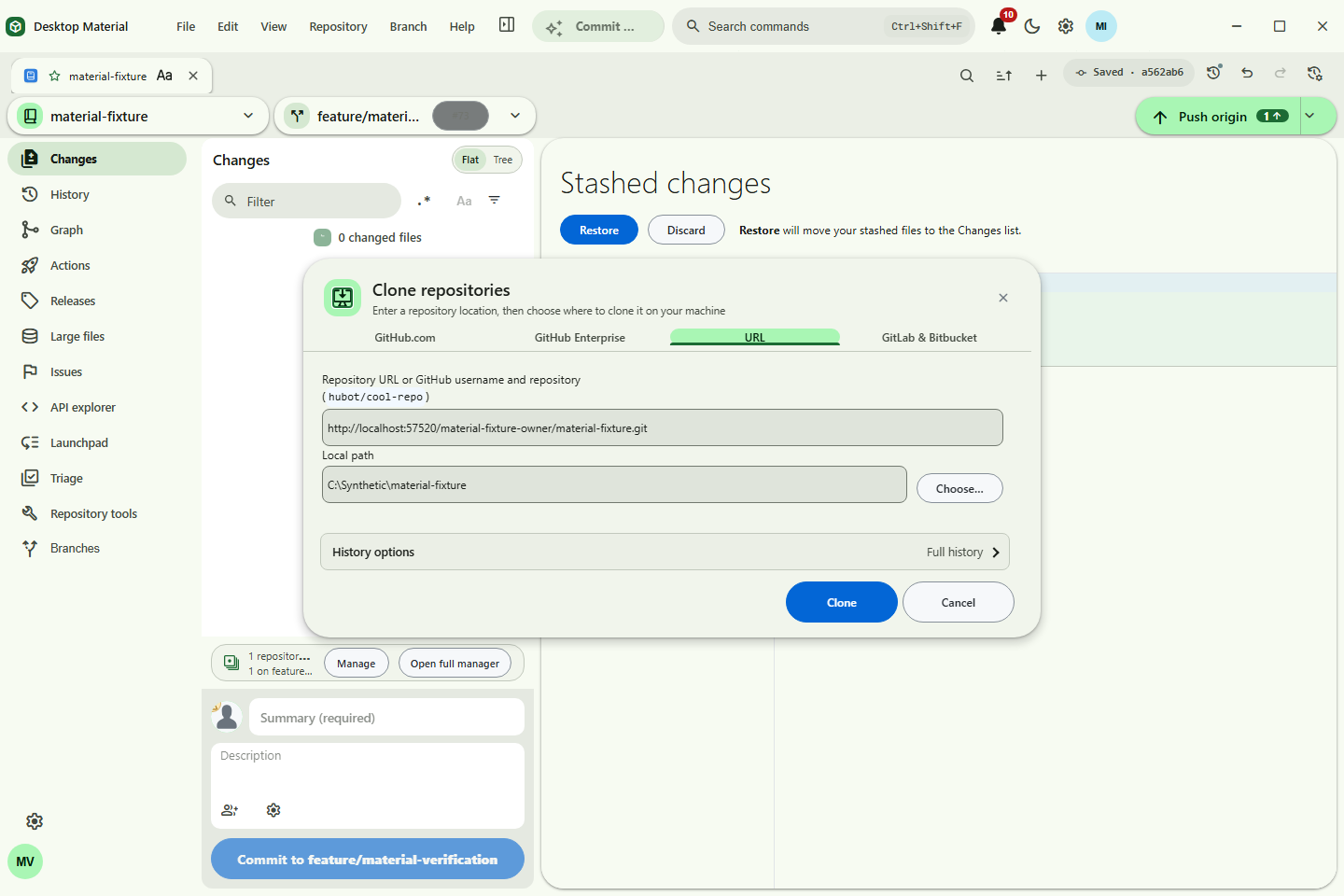
material-shallow-clone-safe.png |
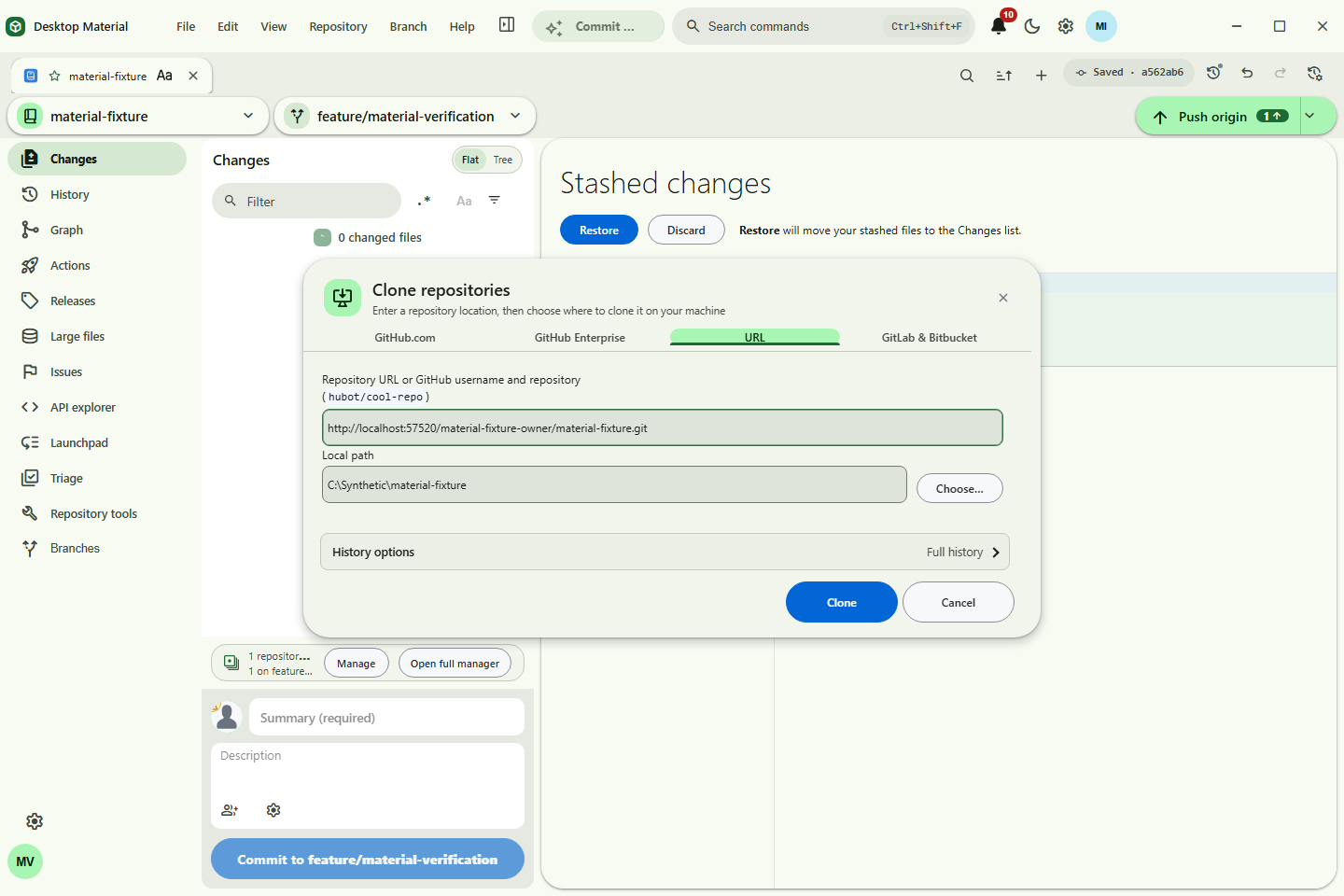
Reviewed shallow clone with a bounded commit depth |
material-clone-account-fallback.png |
Generic HTTPS clone completed through exact-origin signed-in account fallback |
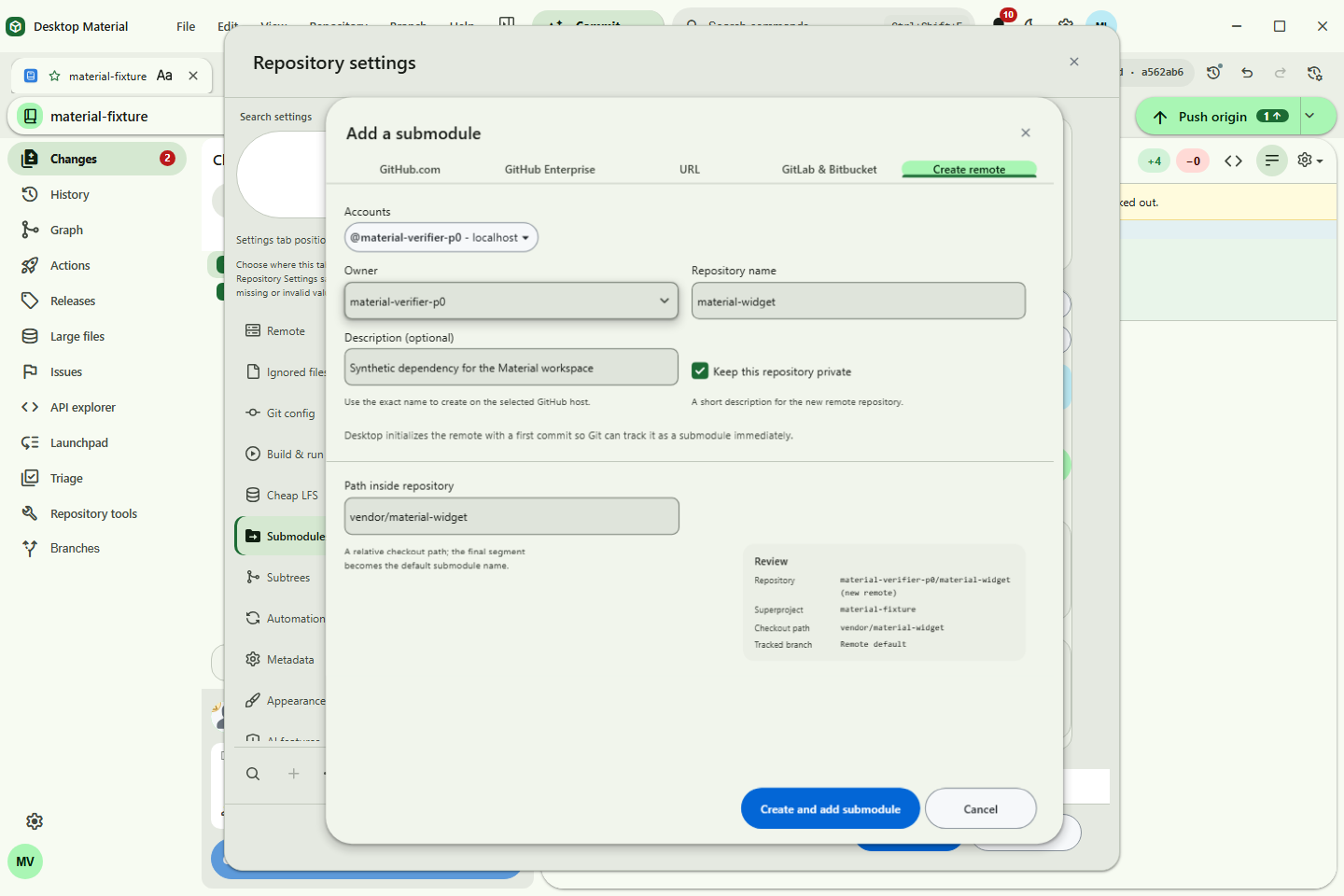
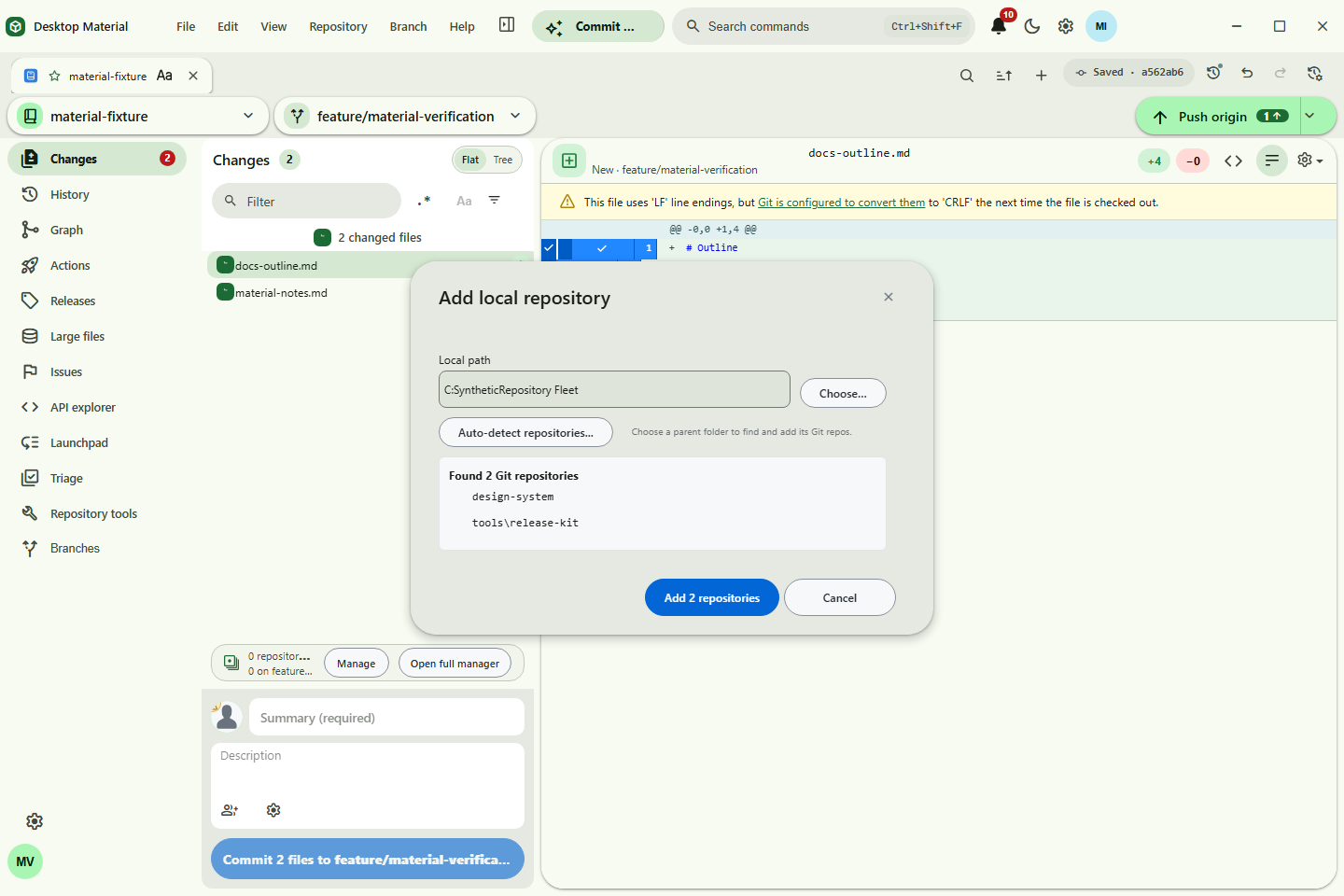
add-submodule-dialog.png |
Clone-style Add Submodule review with source, checkout path, and branch |
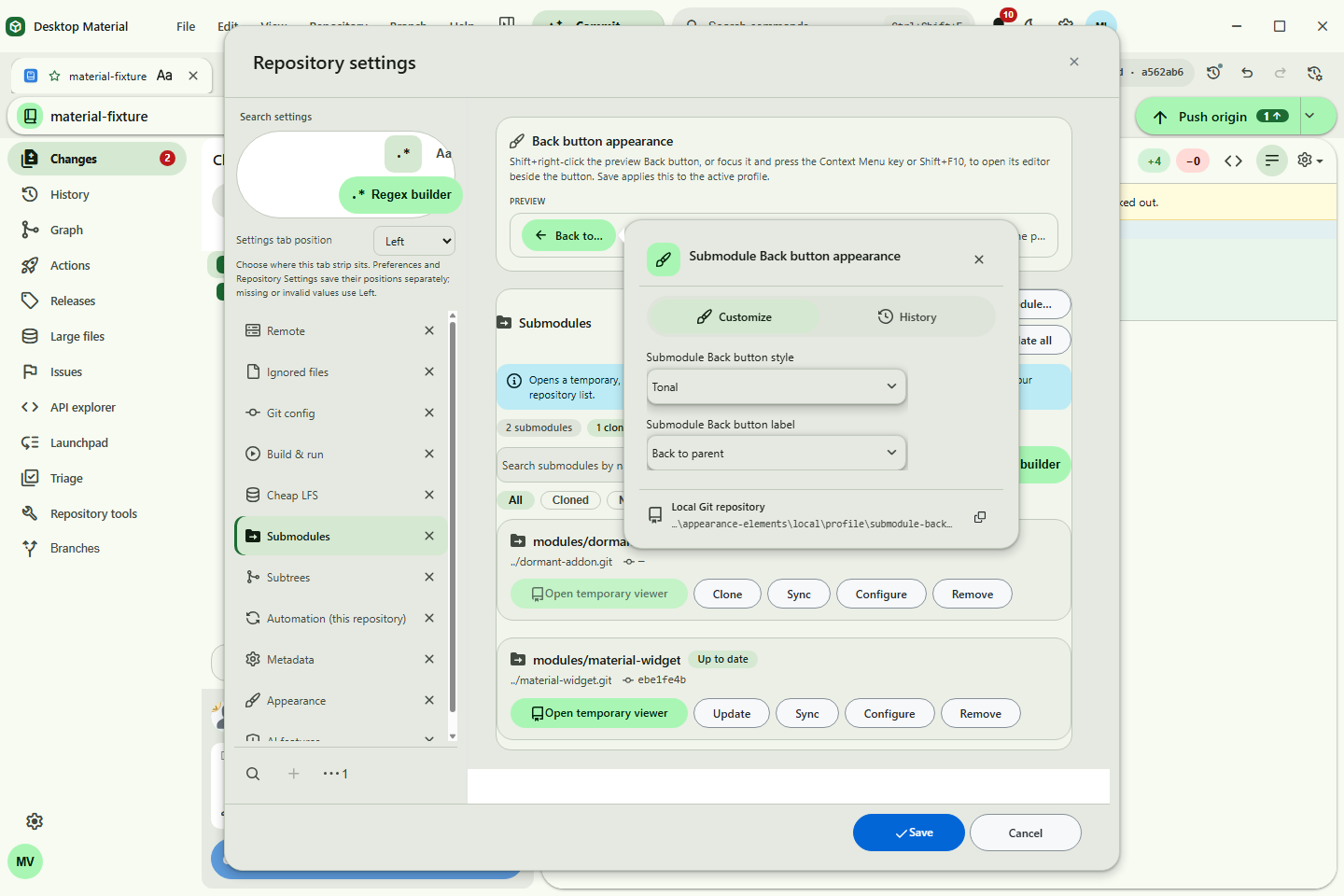
material-submodule-context.png |
Initialized submodule opened temporarily with context and Back to the persisted root |
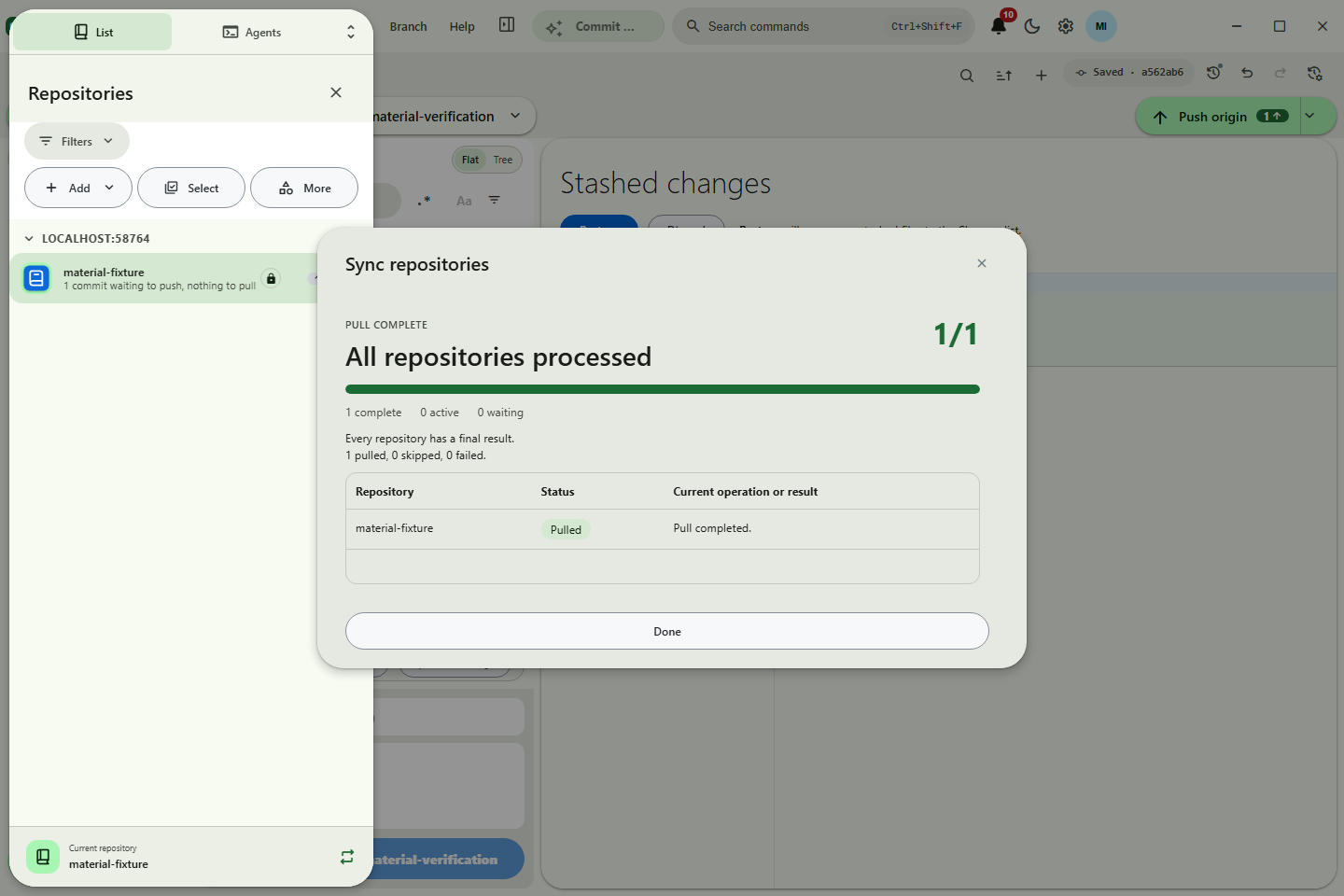
material-pull-all-account-fallback.png |
Pull all with per-repository results and exact-origin account retry |
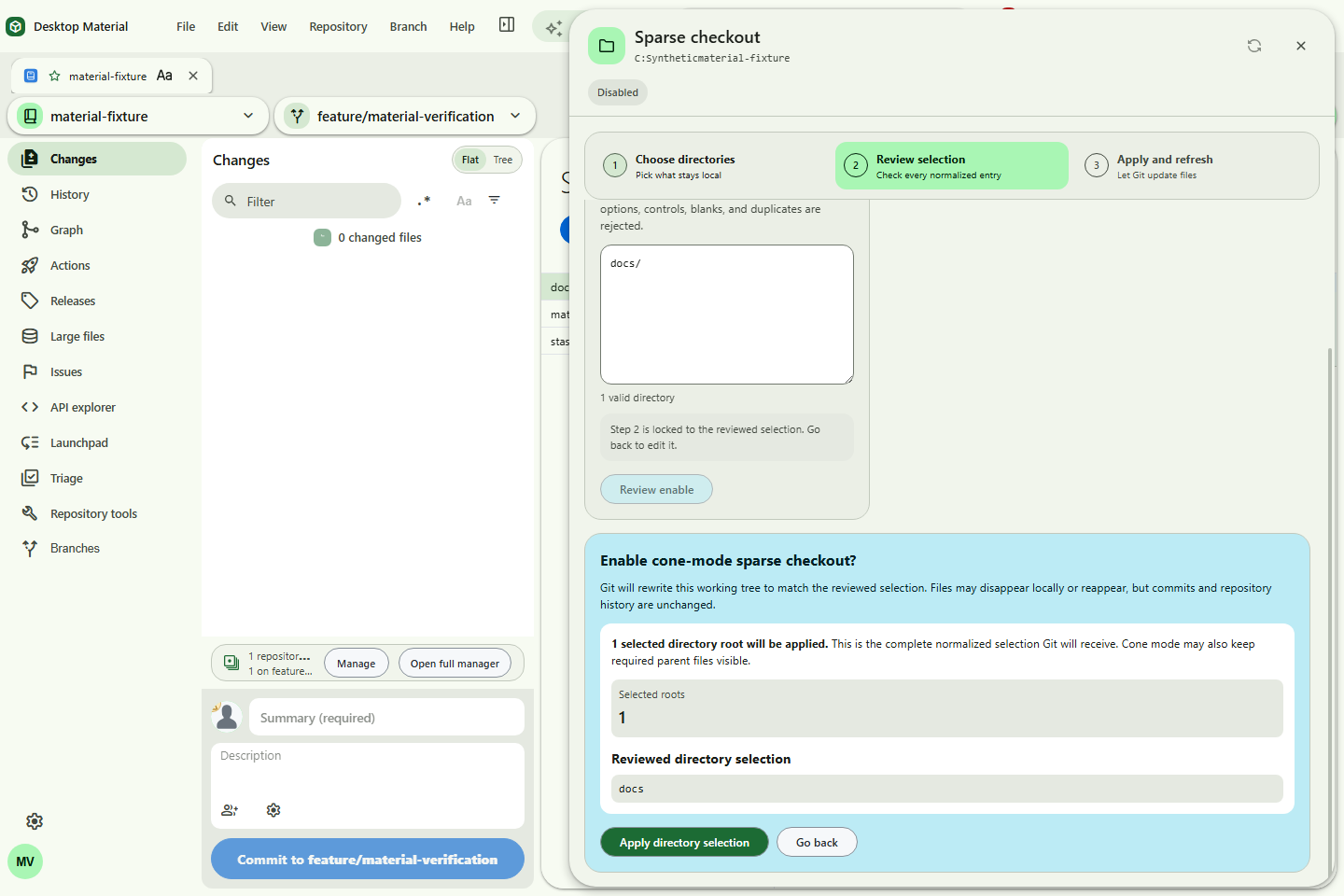
material-sparse-checkout-safe.png |
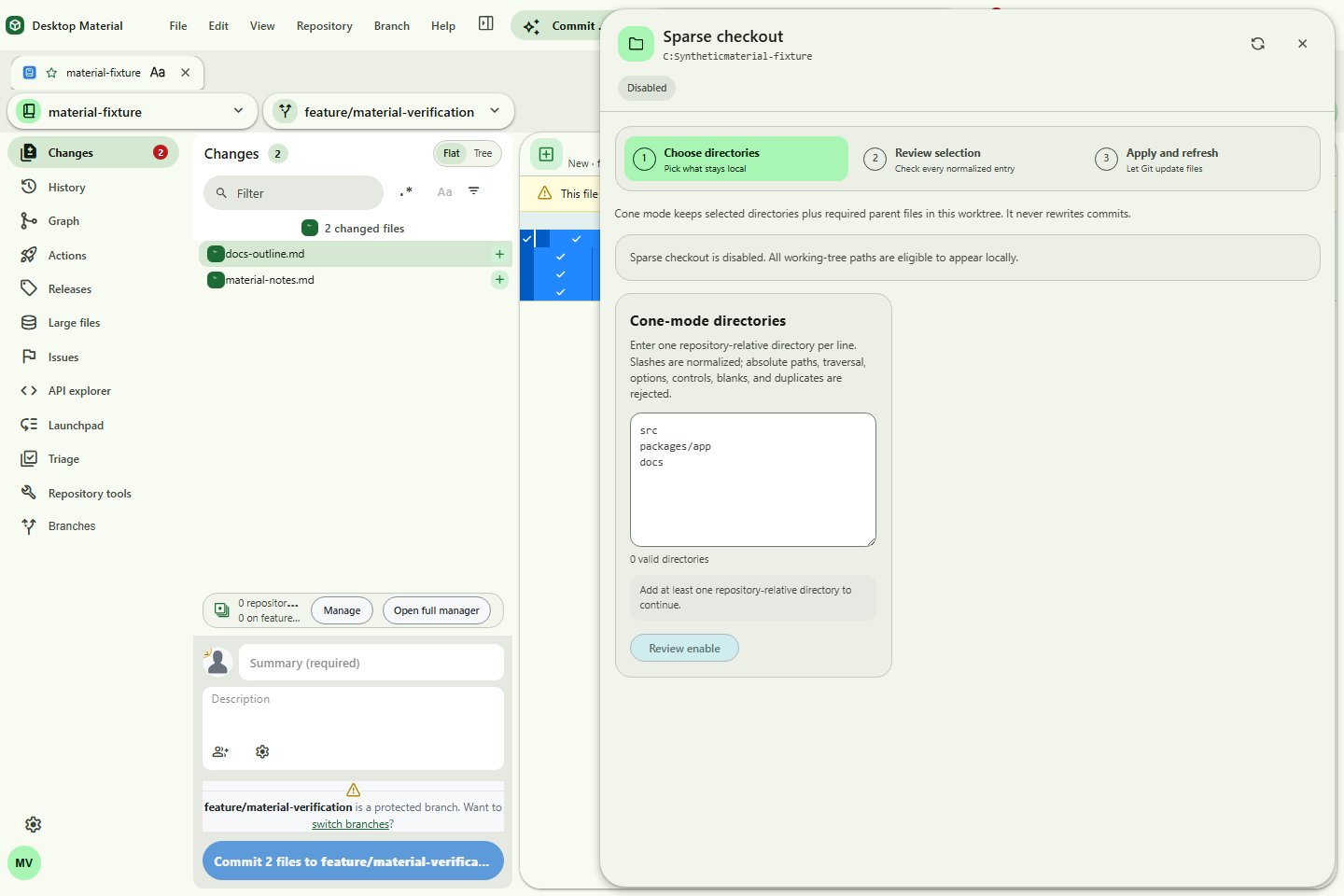
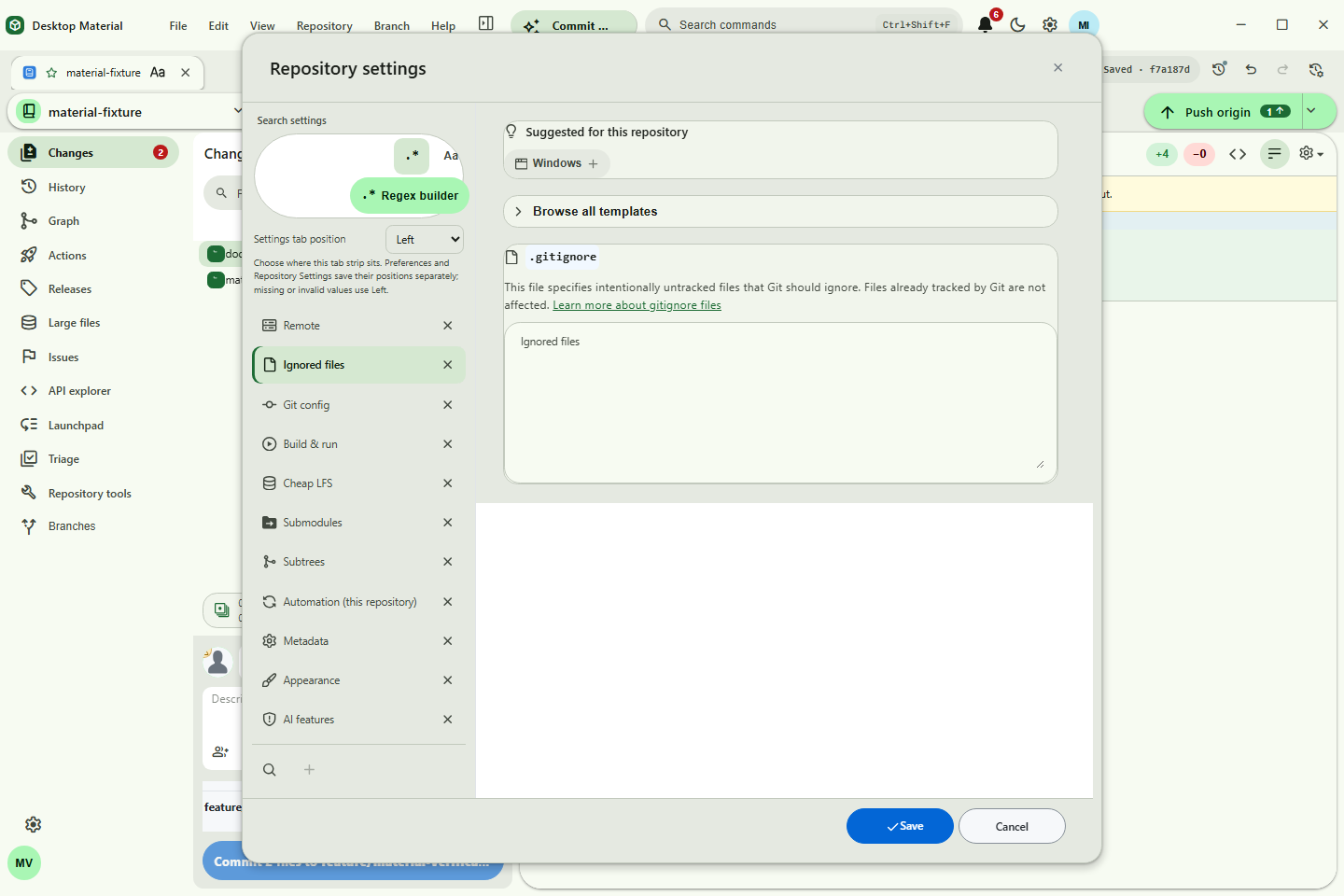
Persistent guided review with the locked editor and exact normalized selection |
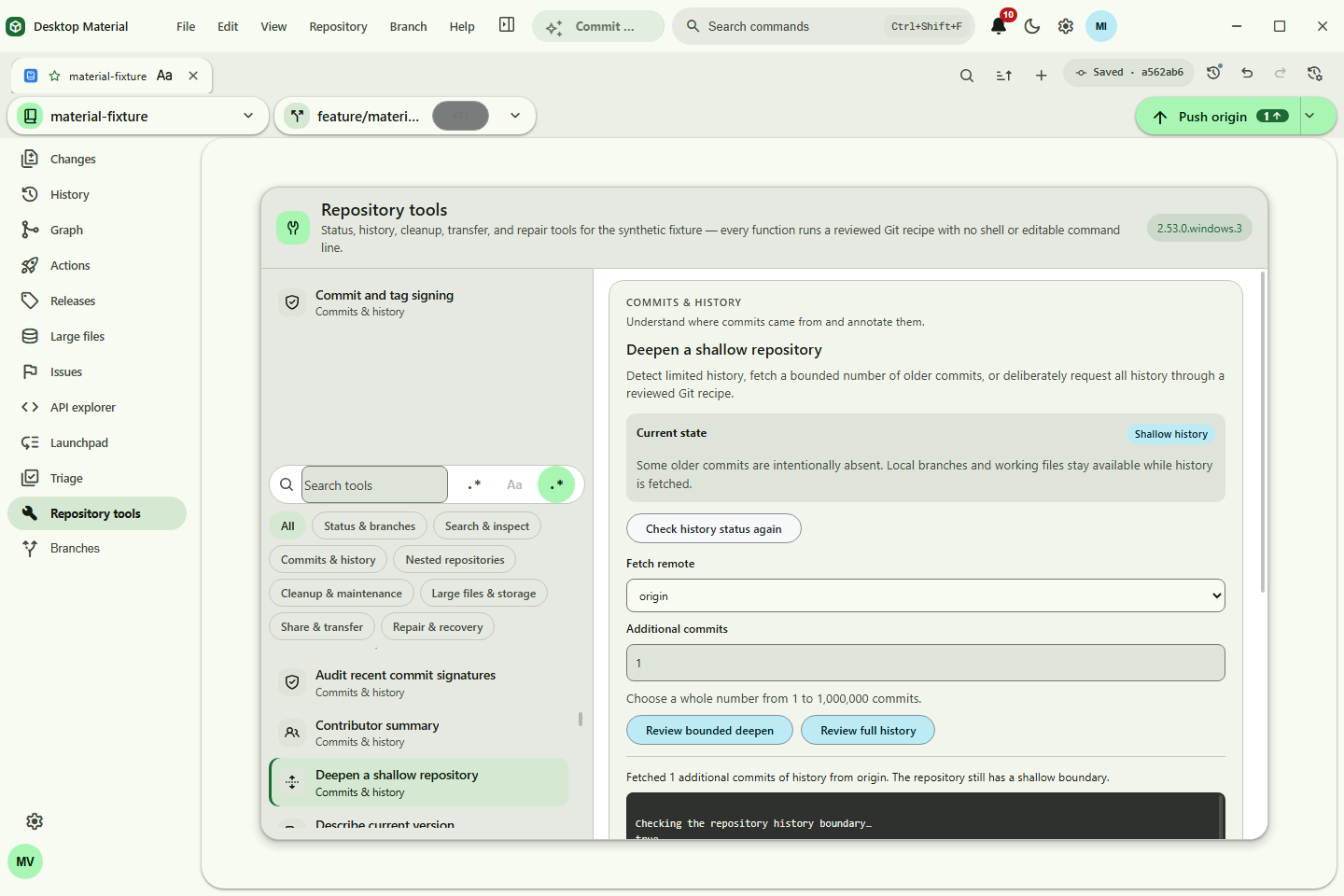
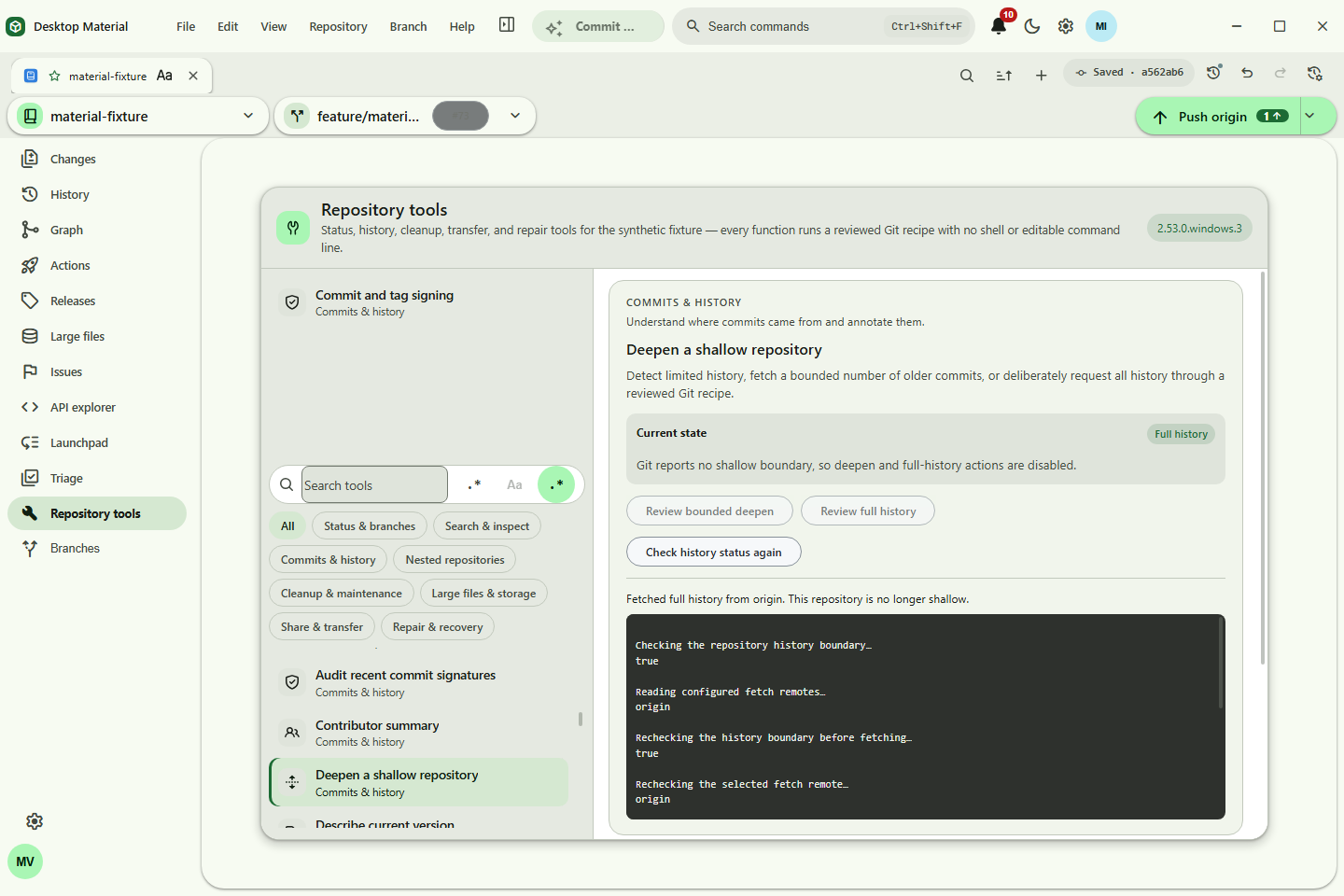
material-history-deepen.png |
Deepen-history result without exposing the account used |
material-remote-manager.png |
Reviewed named-remote administration |
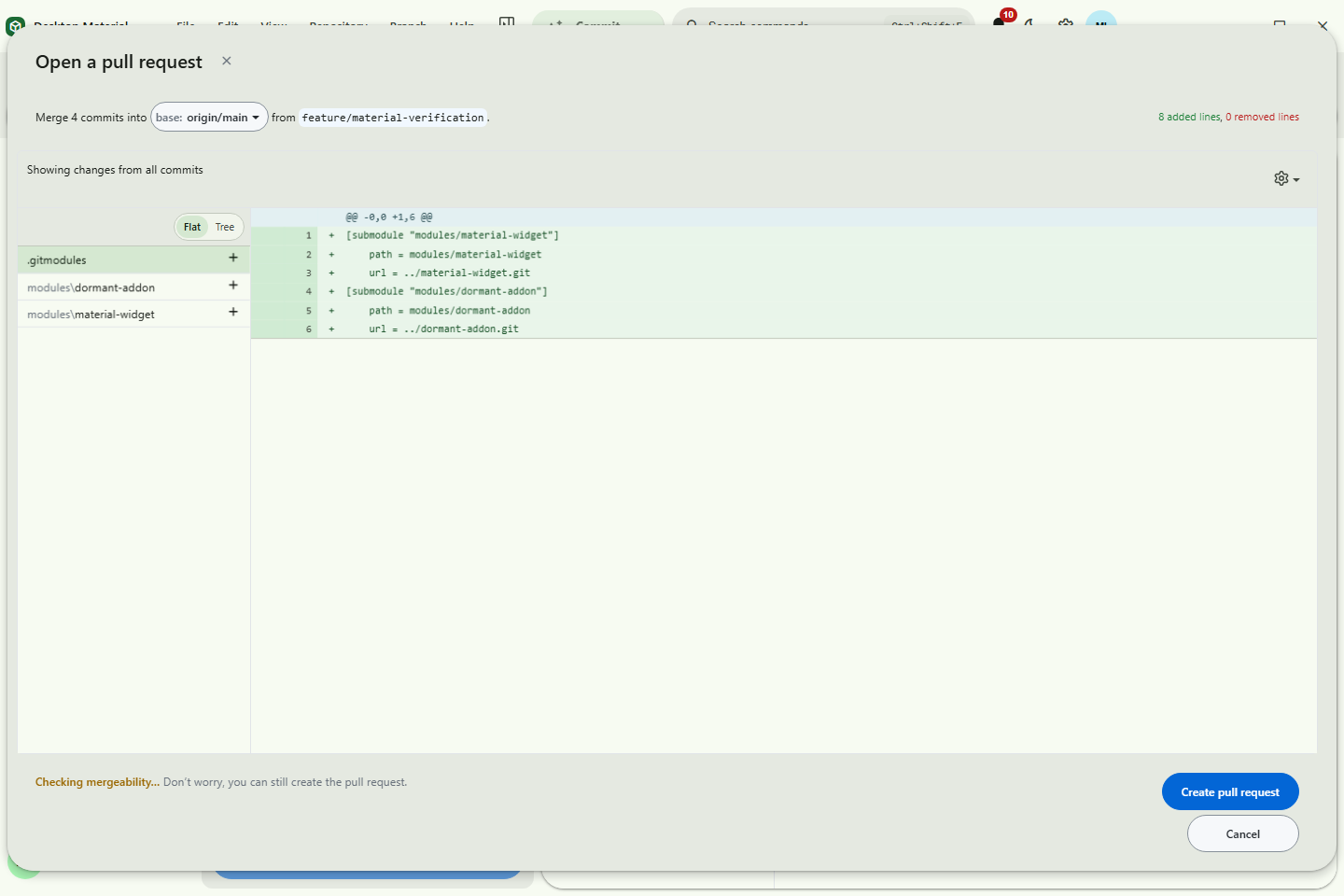
material-native-pull-request.png |
Native pull-request creation with bounded metadata |
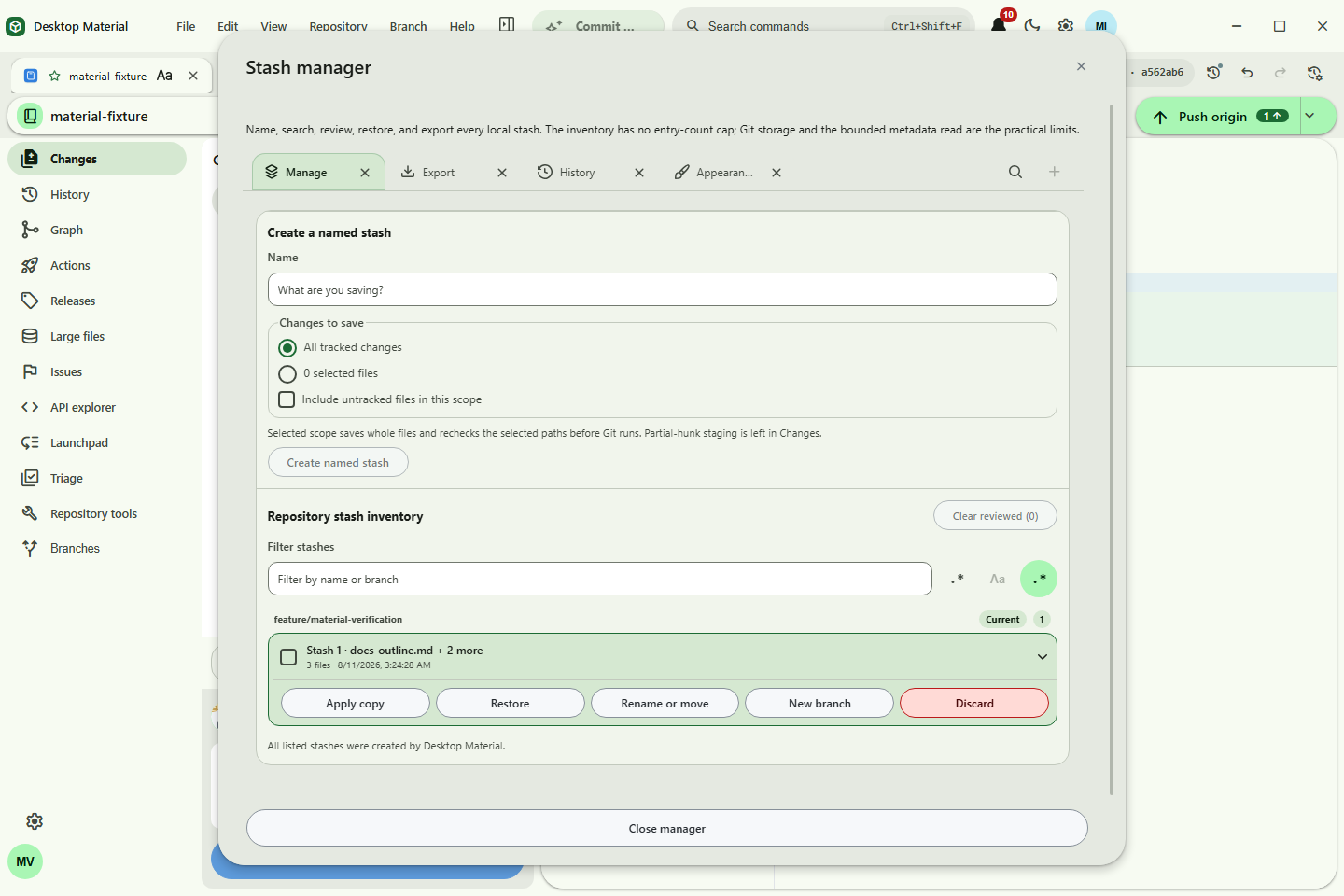
material-stash-manager.png |
Repository-wide stash selection and exact-entry actions |
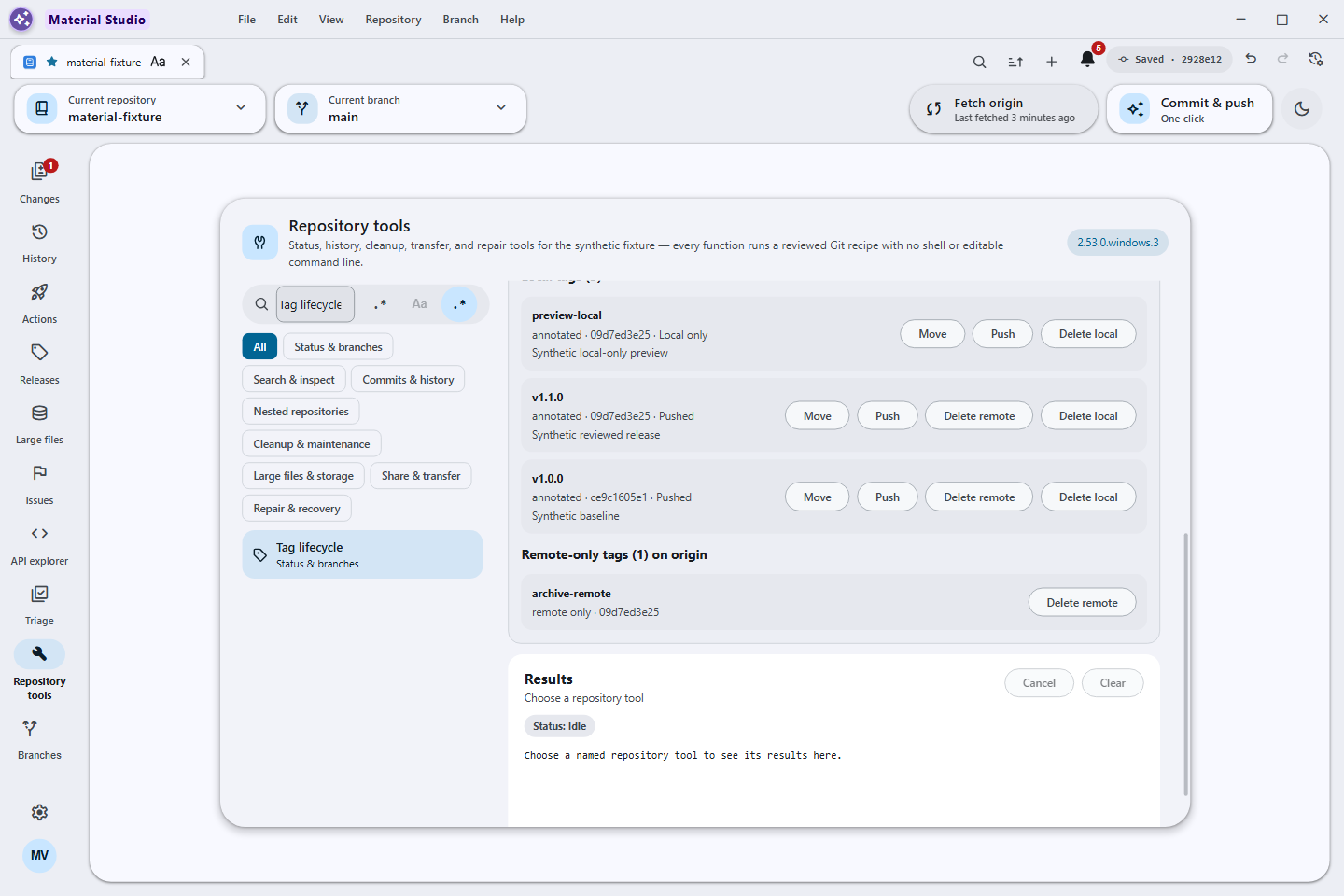
advanced-workflows.png |
Tag lifecycle inventory with local-only, pushed, and remote-only states and bounded actions |
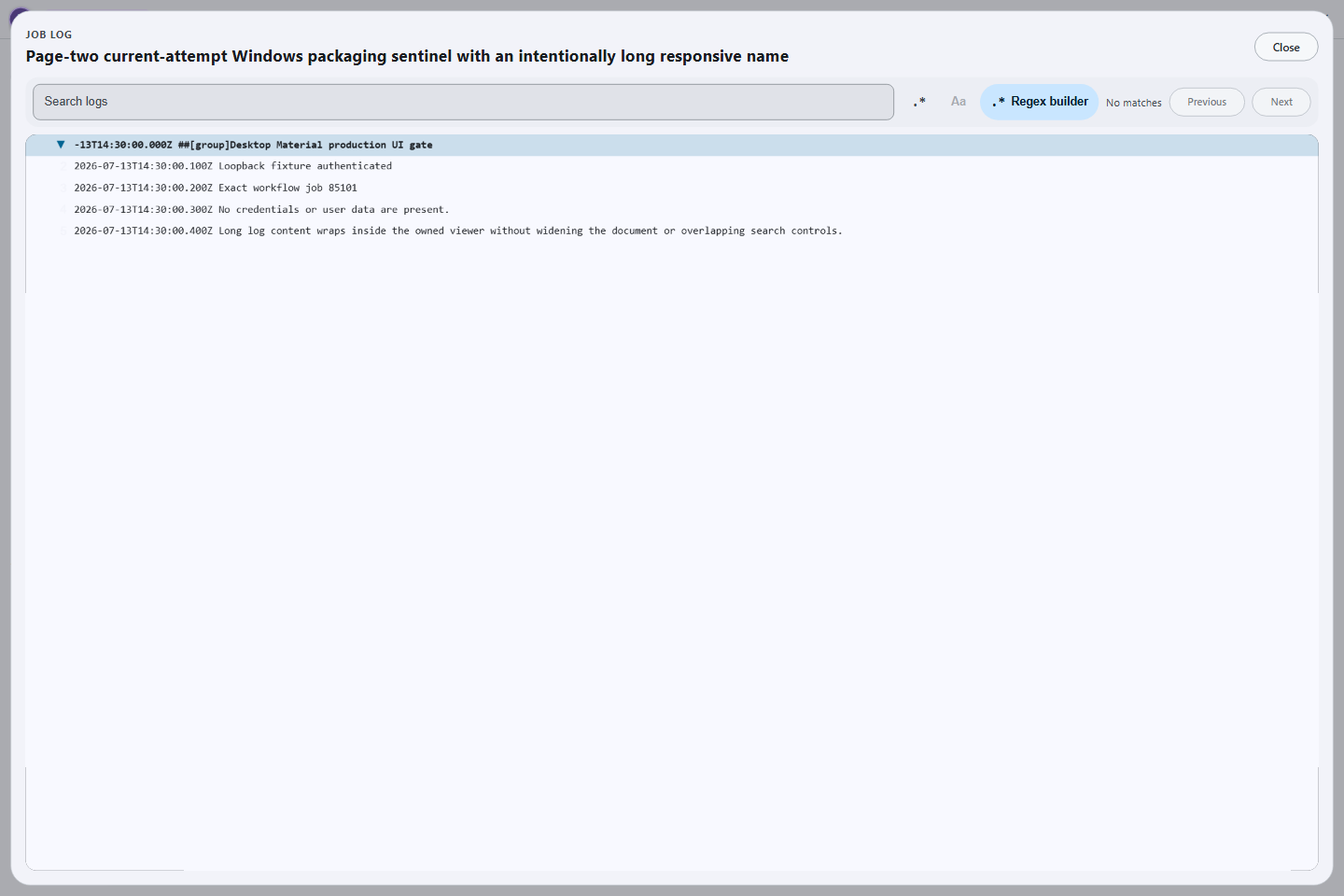
material-actions-job-log.png |
Searchable in-app Actions job log |
material-github-api-explorer.png |
Repository-bound REST/GraphQL API Explorer with mutation review and bounded responses |
material-api-app-functions.png |
Named repository-bound API functions extending the app through reviewed contracts |
material-actions-artifact-download.png |
Bounded artifact download with a locally computed digest |
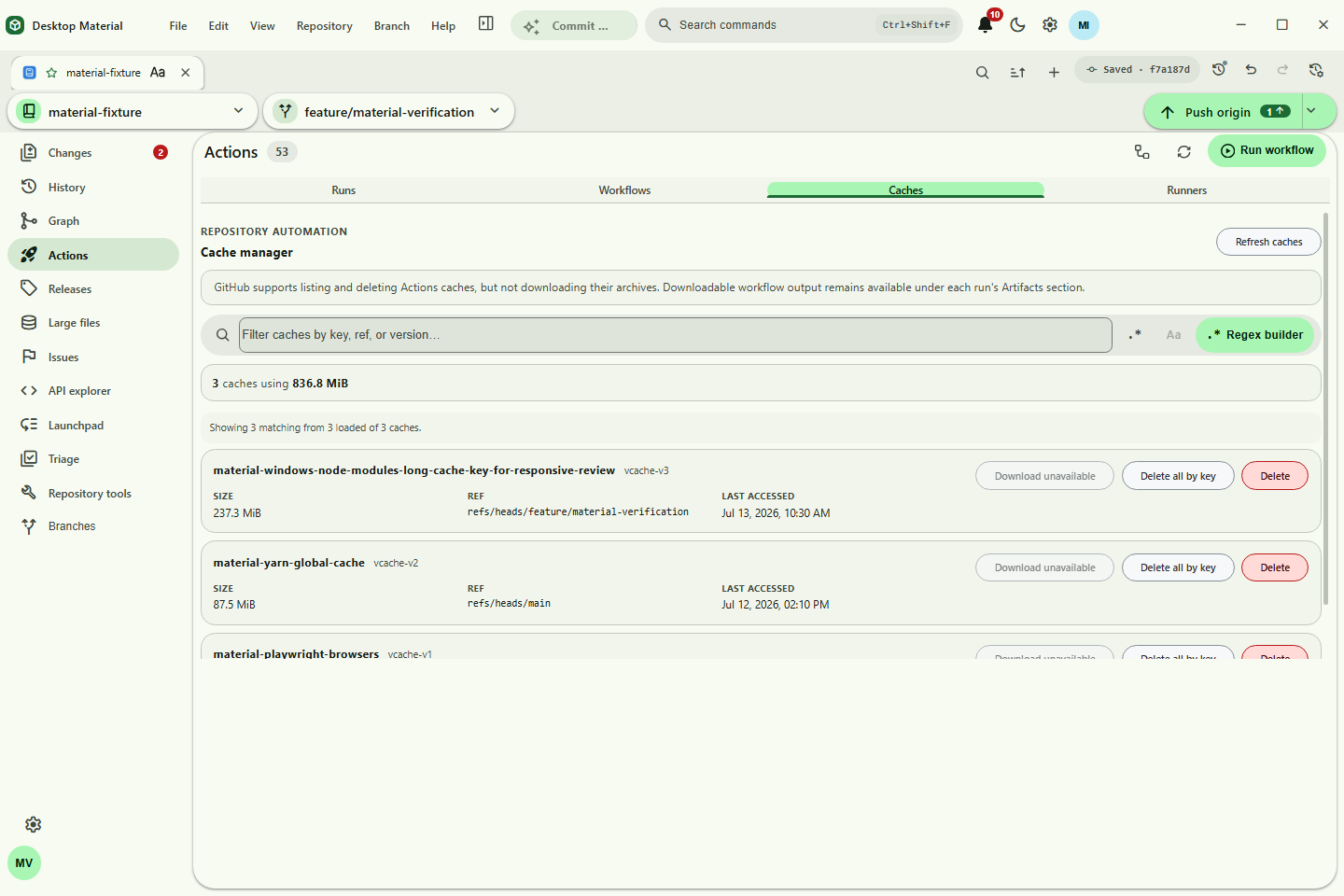
material-actions-cache-manager.png |
Actions cache usage, inventory, refs, and deletion controls |
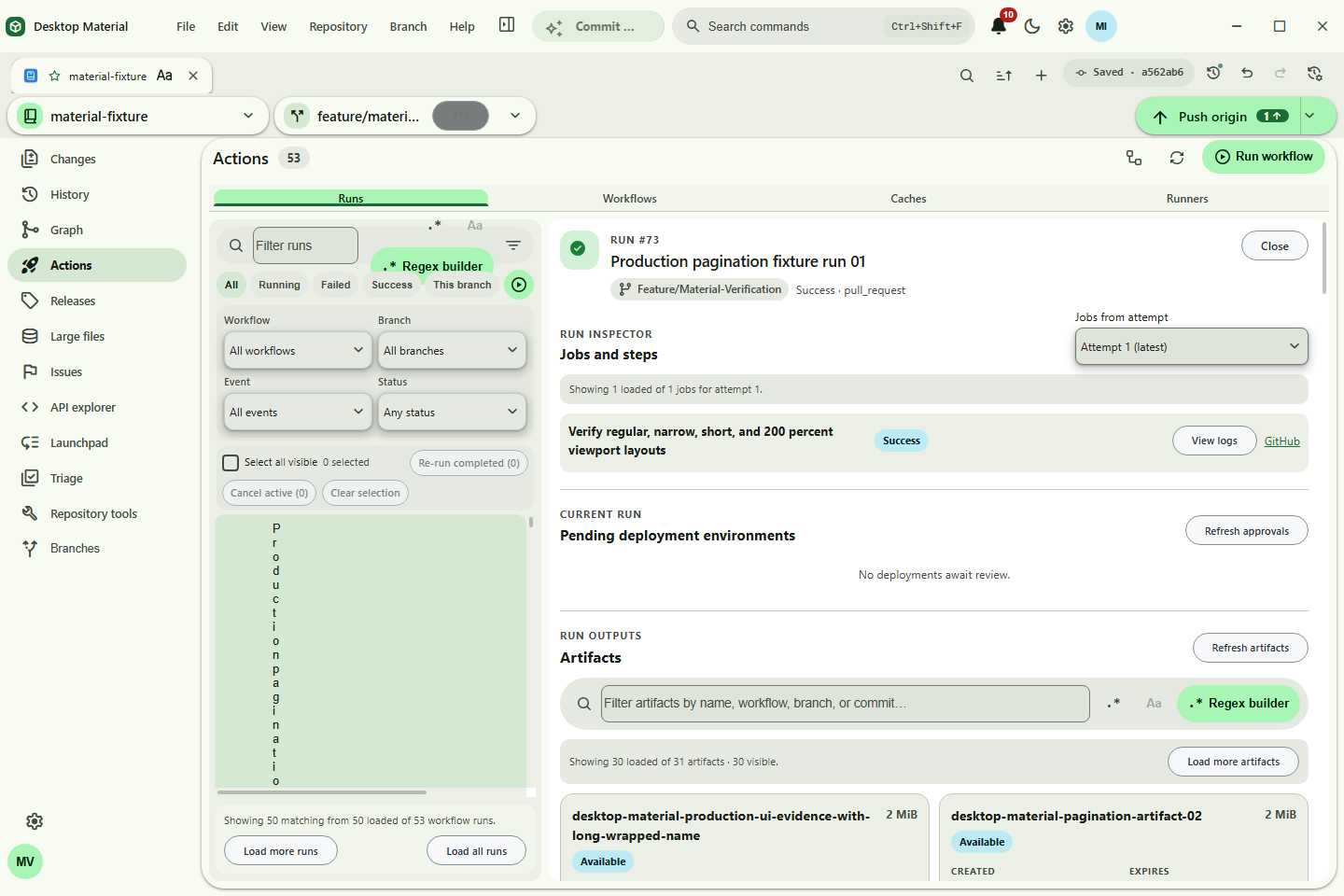
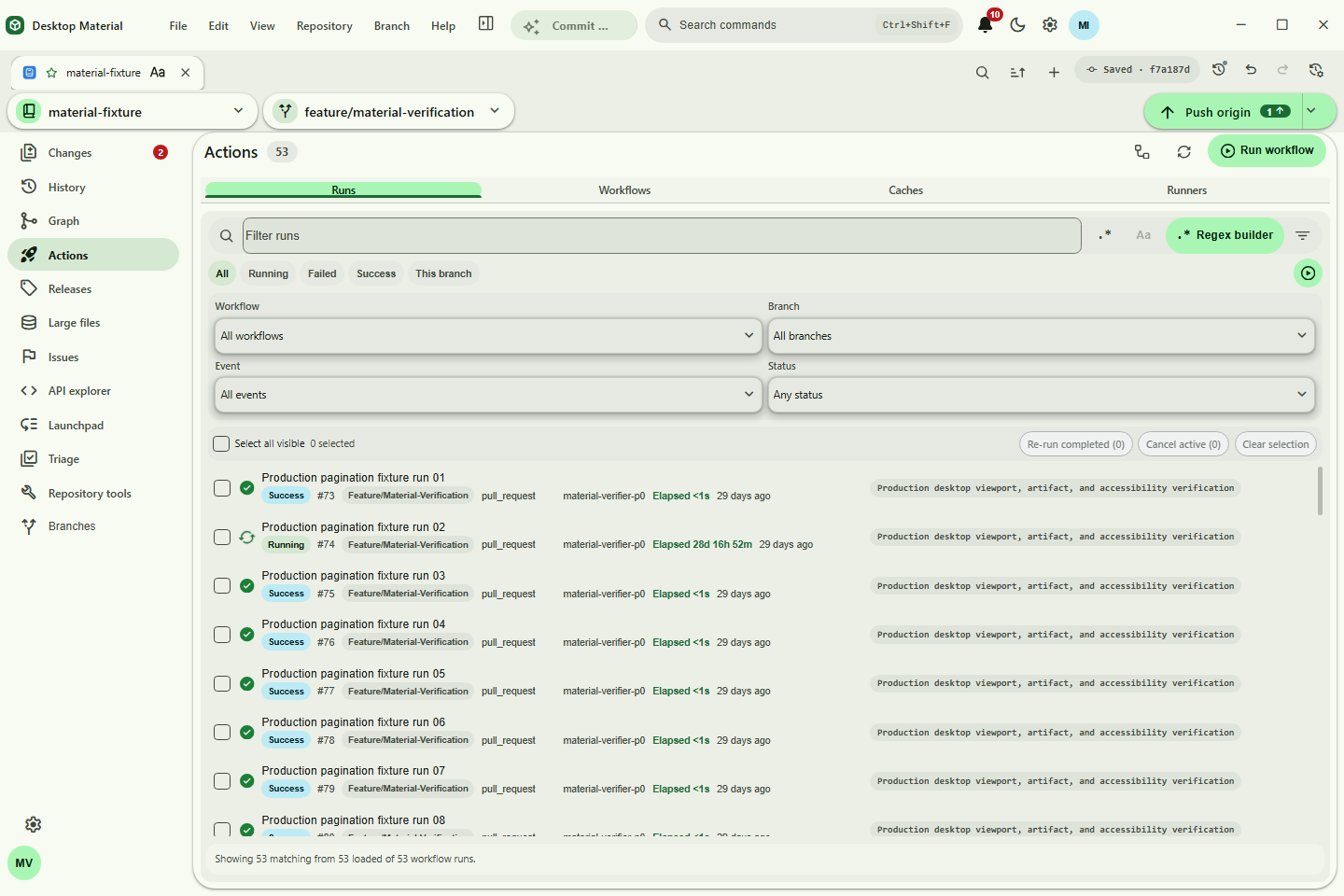
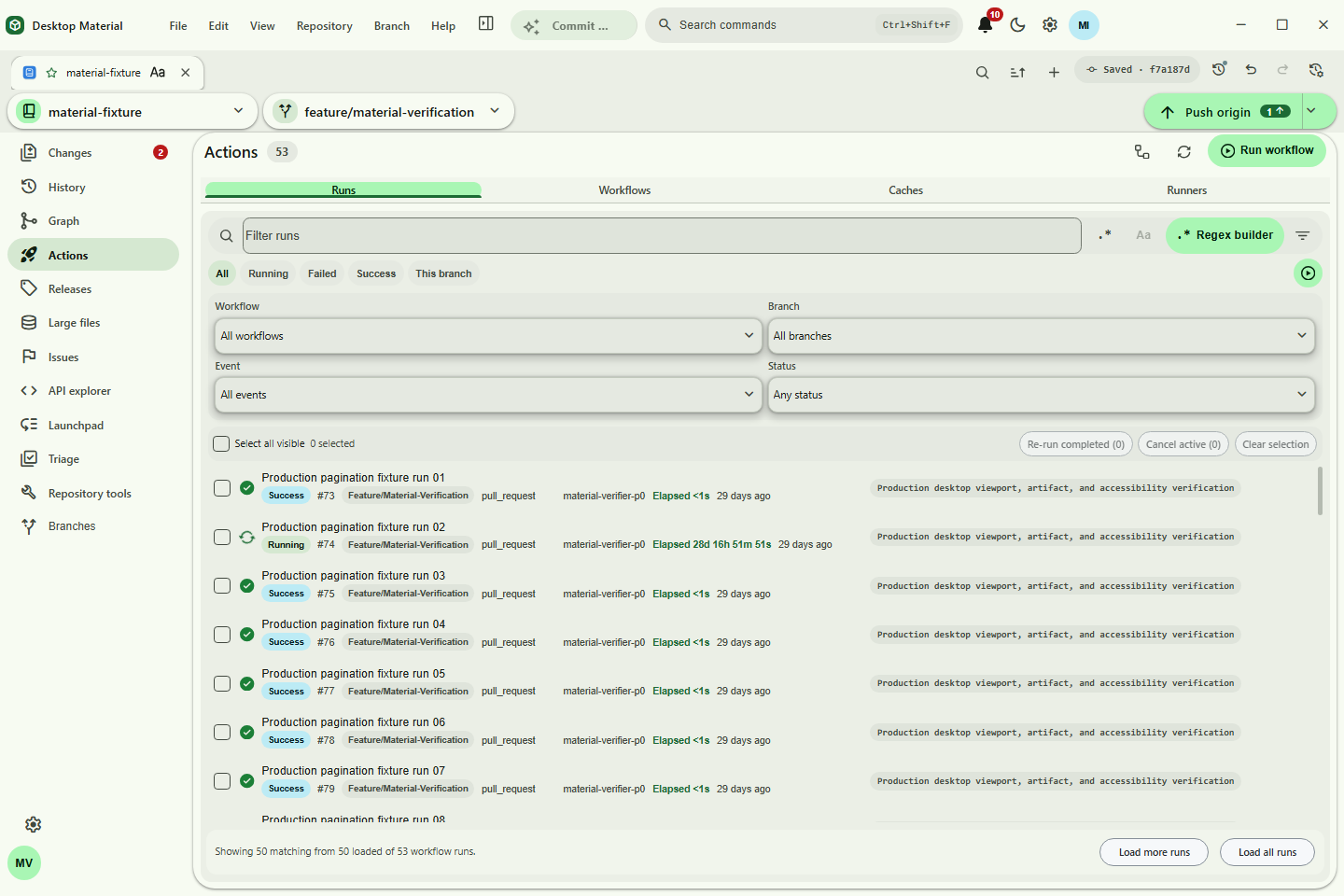
material-actions-pagination-headless.png |
Headless Actions run pagination and page-two sentinel |
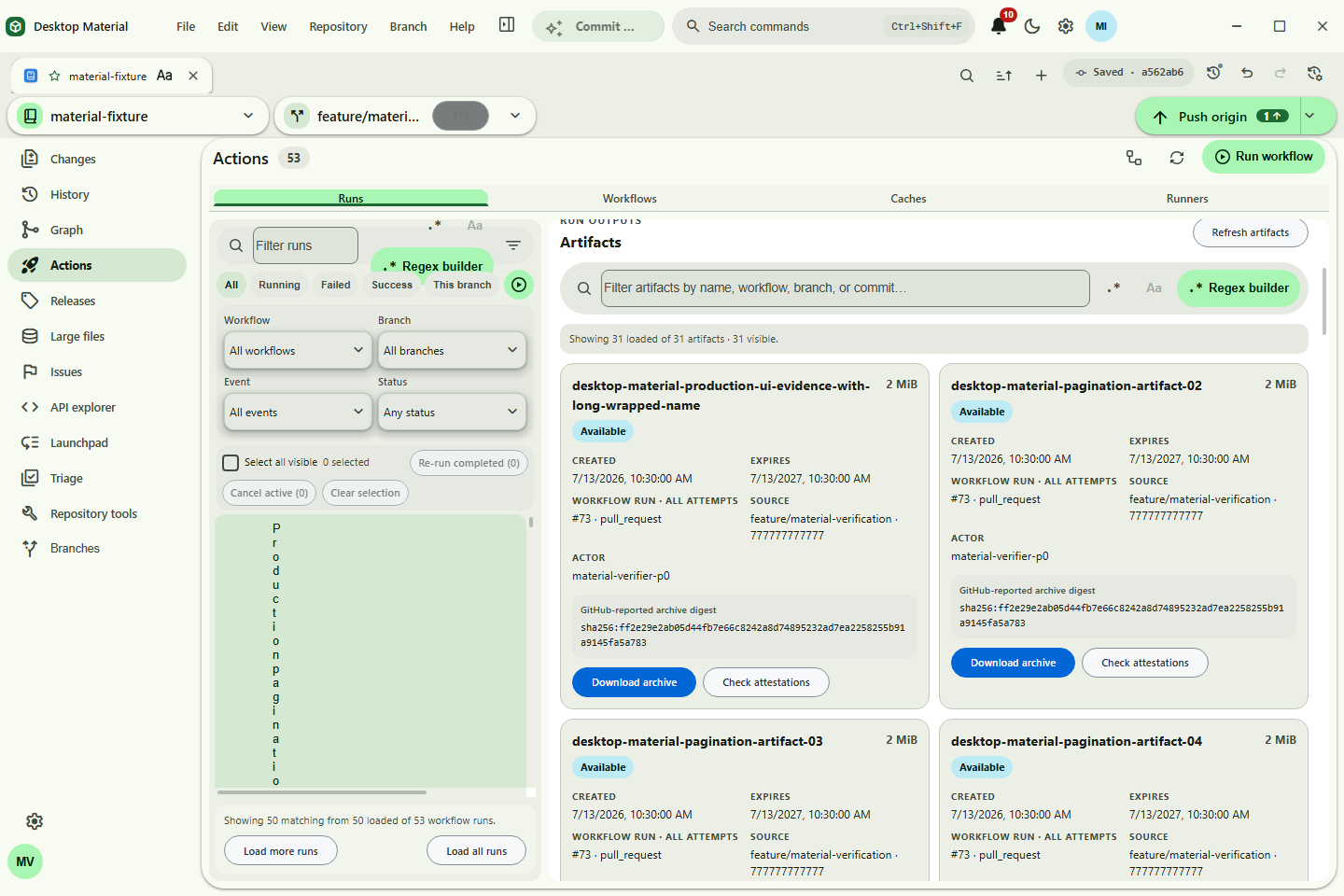
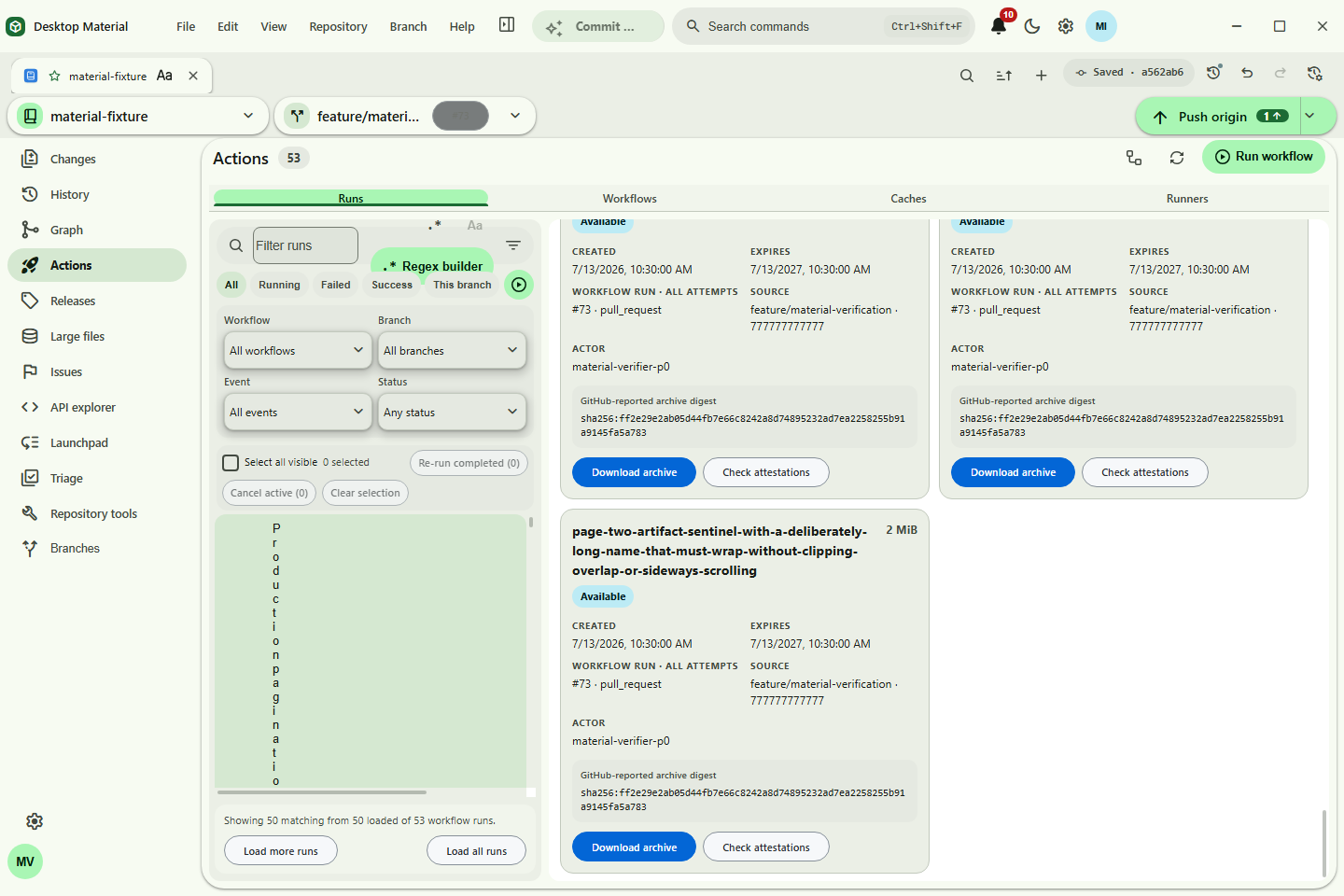
material-actions-artifacts-headless.png |
Headless bounded artifact inventory |
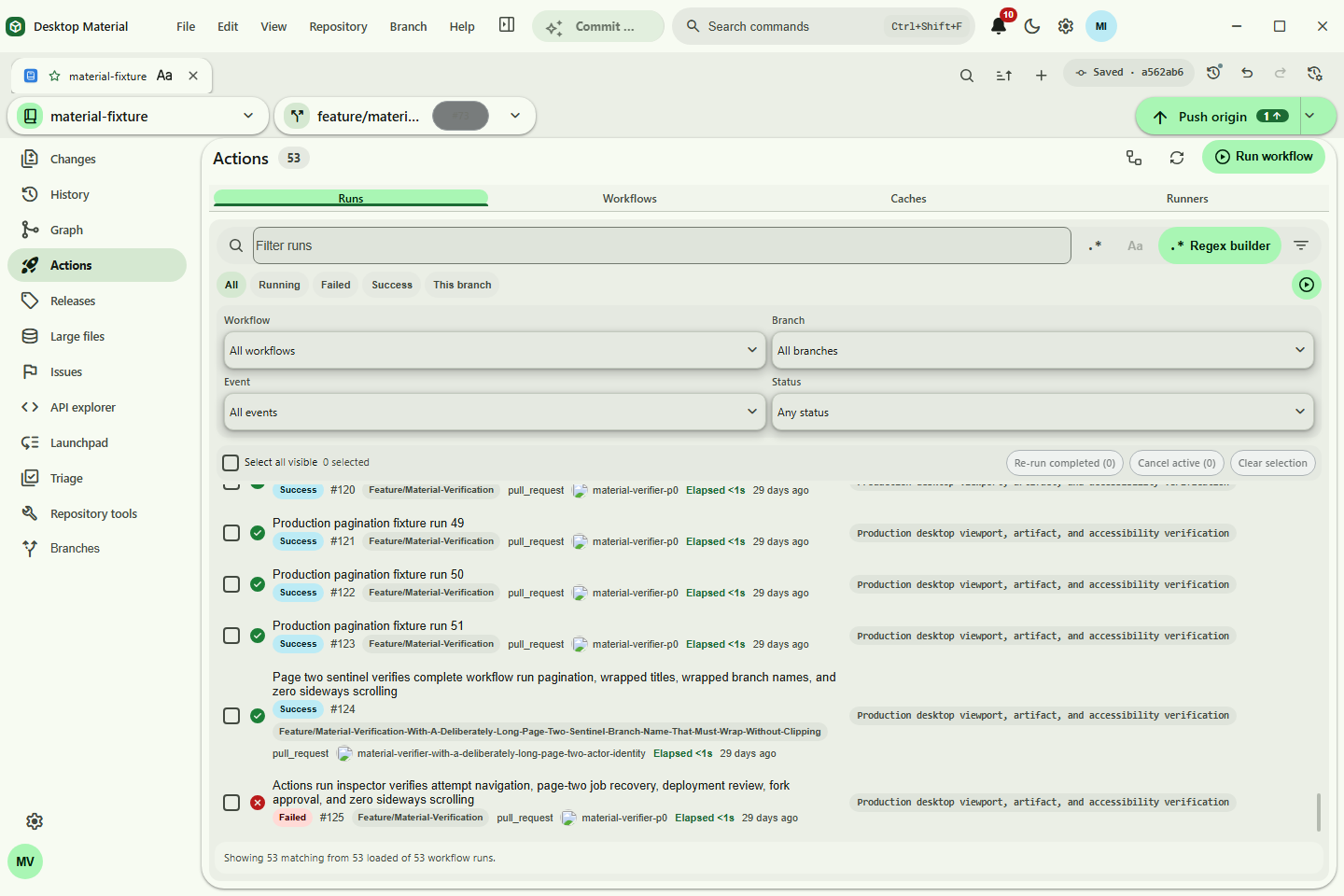
material-actions-sentinel-headless.png |
Headless wrapped sentinel evidence with no clipping |
material-github-releases.png |
Repository-bound Releases dashboard, status summary, metadata, and assets |
material-github-releases-compact.png |
200%-scaled compact Releases catalog with one complete row and keyboard-reachable tools |
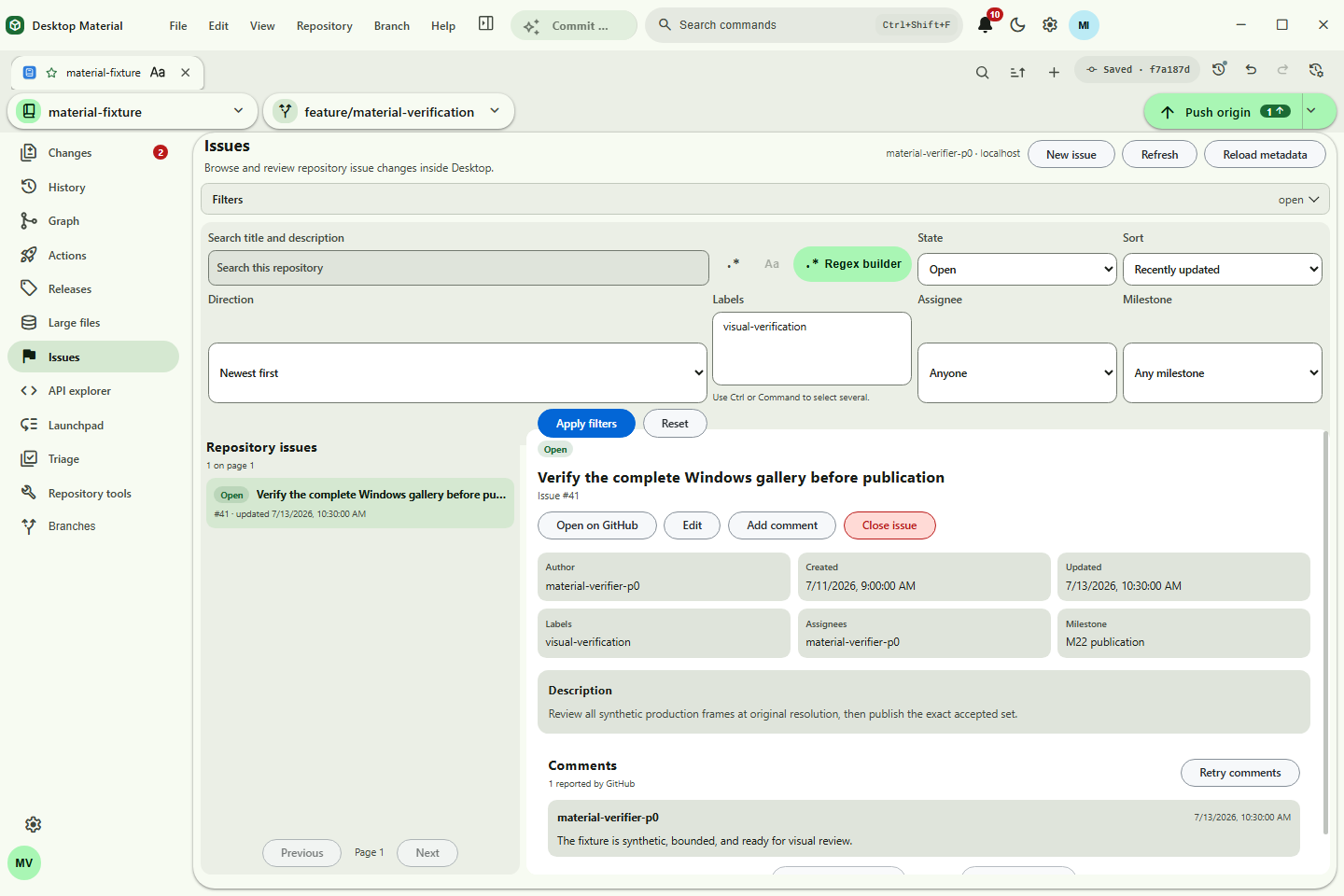
material-github-issues.png |
Issue detail, comments, and reviewed lifecycle controls |
material-provider-triage.png |
Account- and repository-bound provider triage |
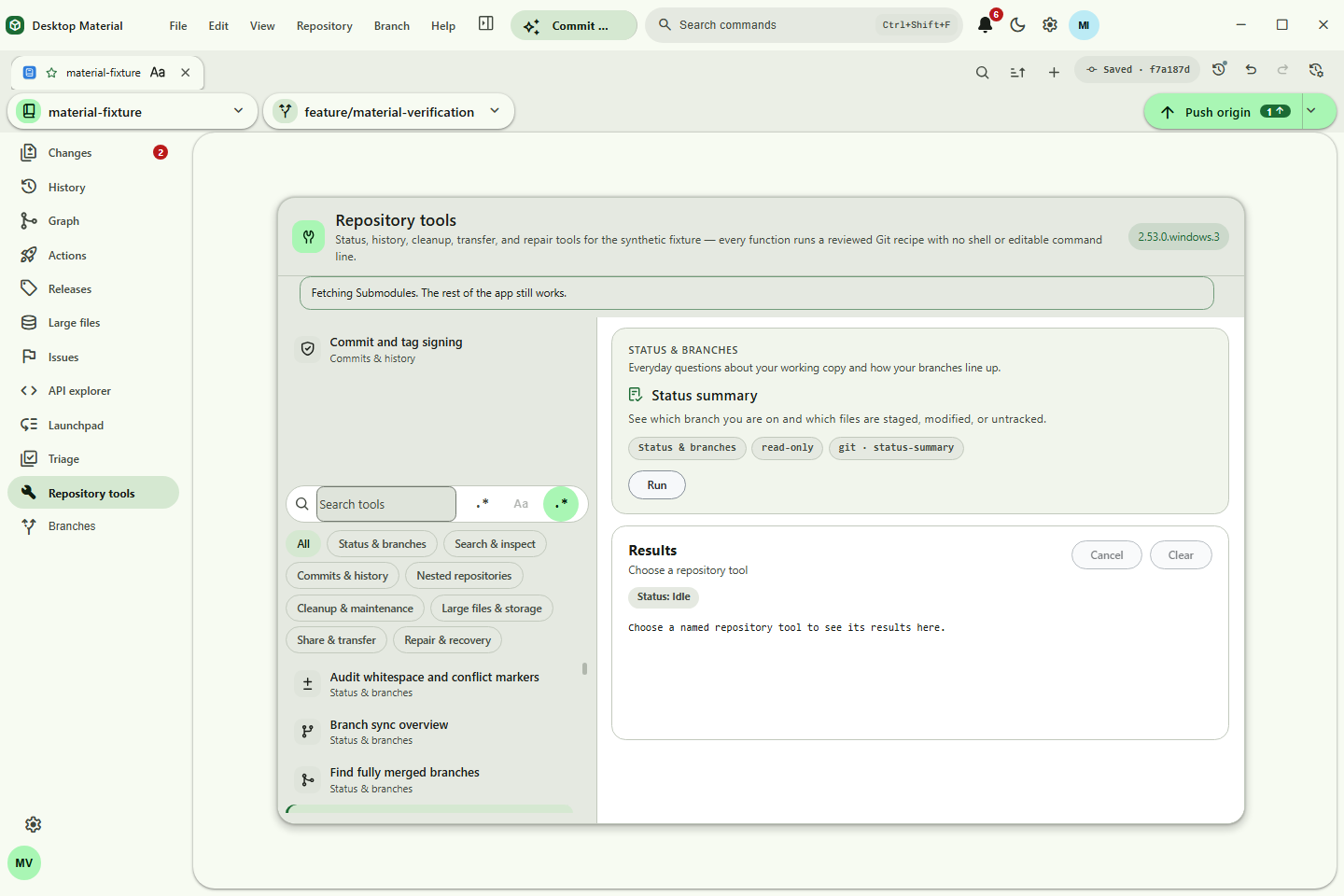
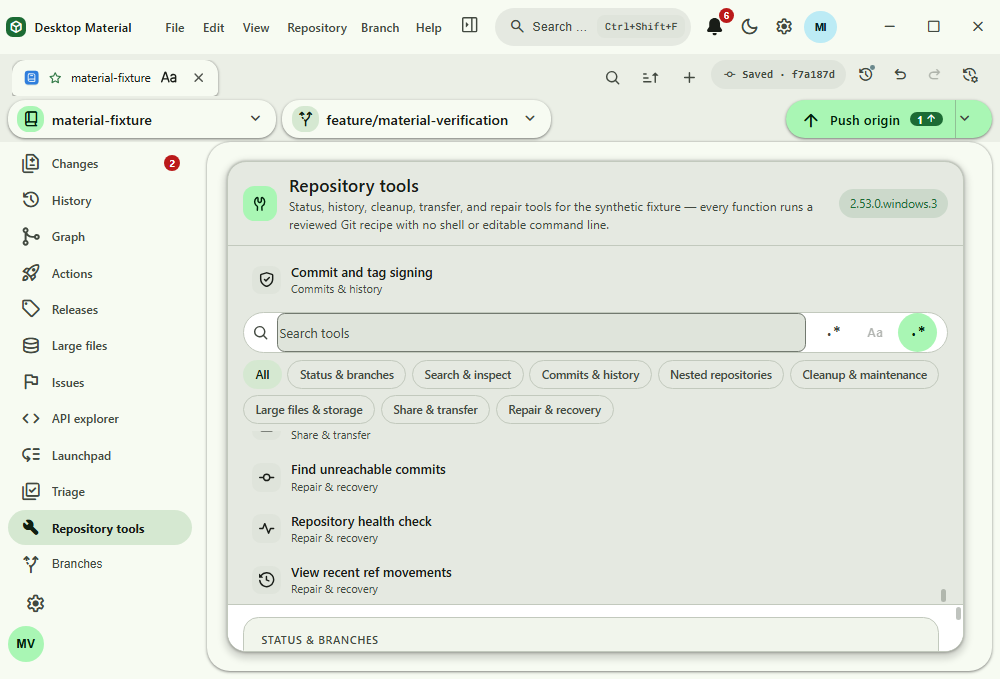
material-repository-tools.png |
Named Repository Tools administration hub |
material-repository-tools-scroll.png |
Short-height Repository Tools scrolled to its reachable final results surface |
material-repository-folder-detection.png |
Repository folder detection during add and open |
material-repository-submodule-management.png |
Repository submodule management and reviewed update actions |
material-workspace-changes.png |
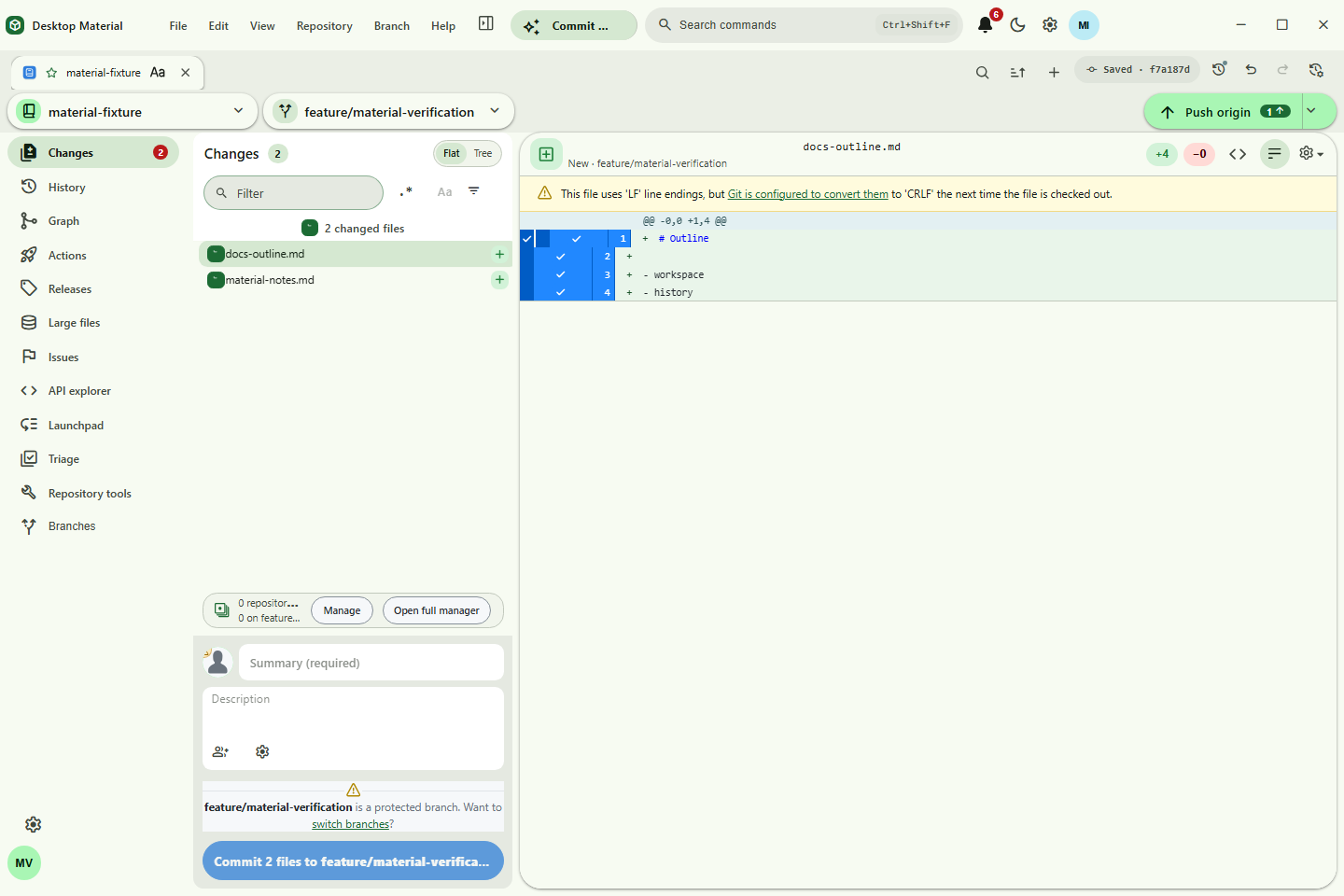
Material Changes workspace and commit flow |
material-history.png |
Core History browsing and selected-commit inspection |
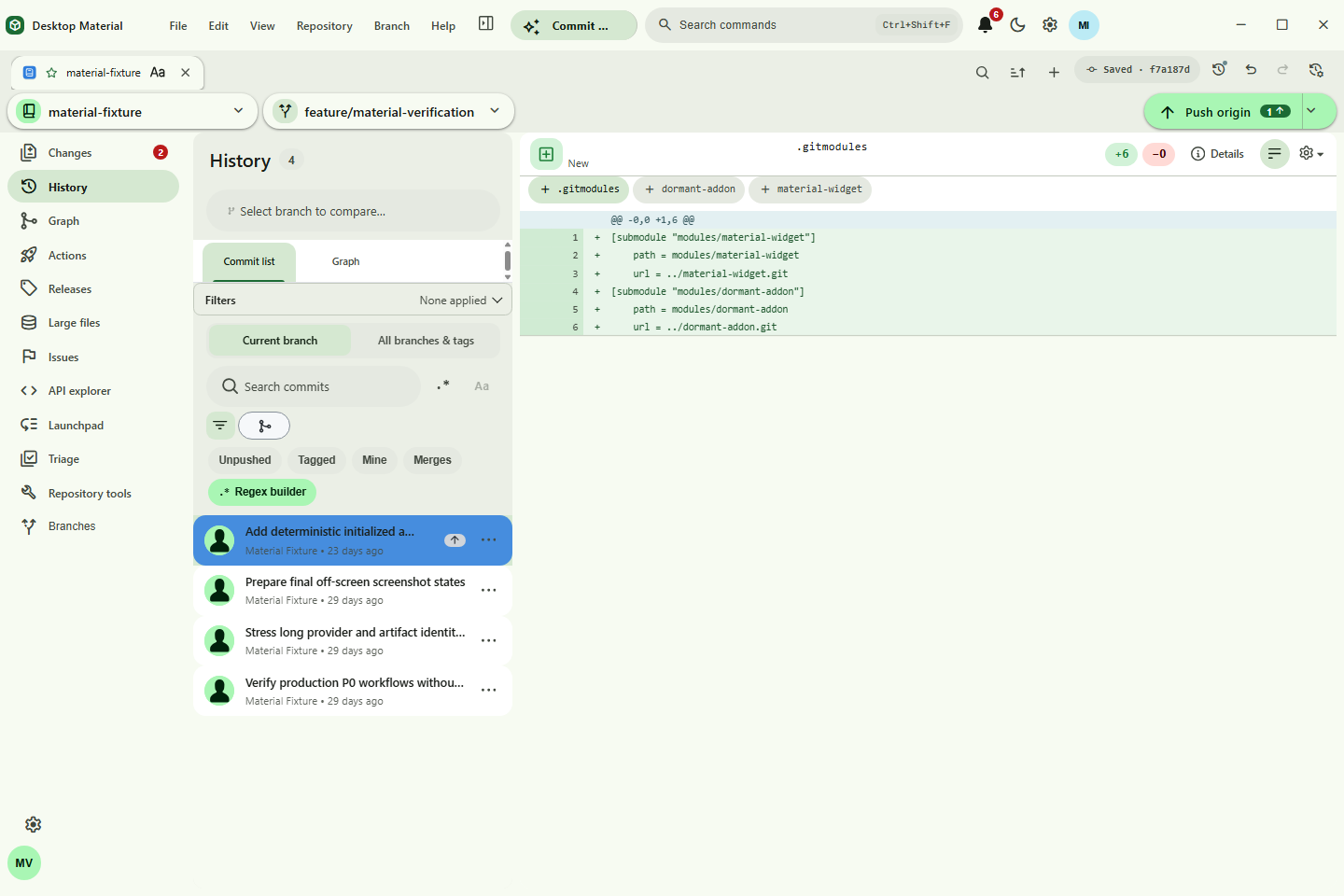
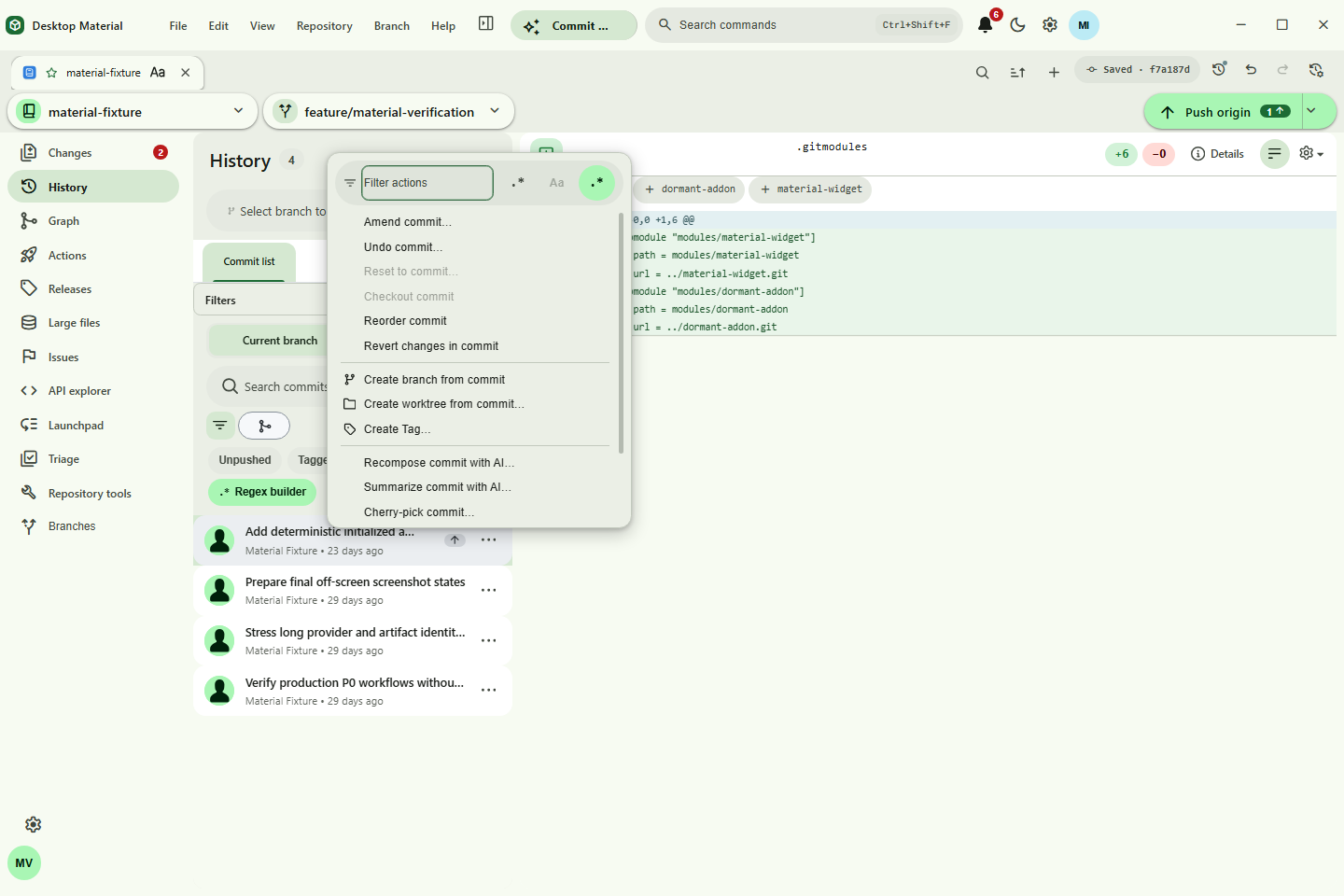
material-history-context-actions.png |
Selection-aware History commit More/right-click actions and button hint |
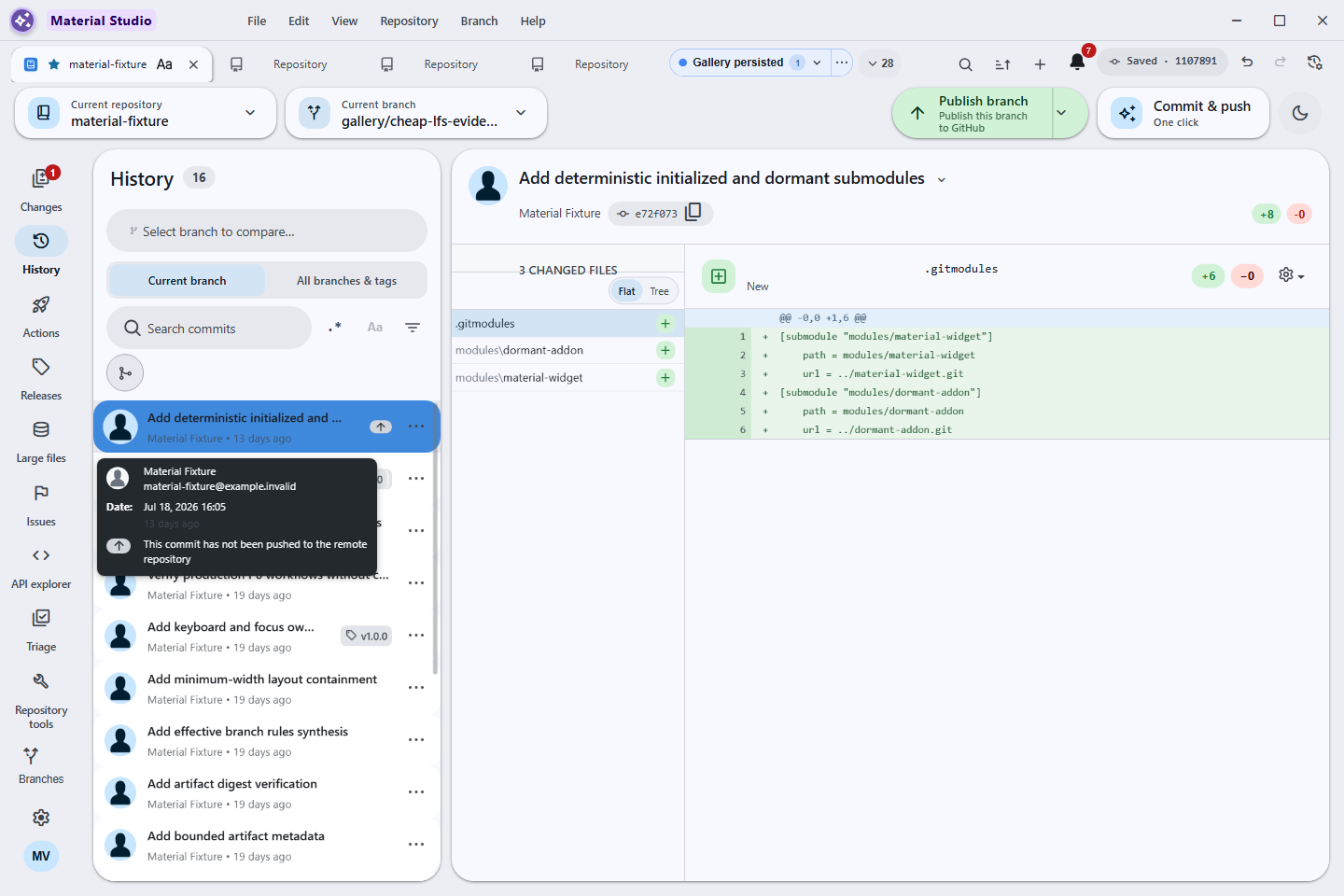
material-history-hover-time.png |
Commit hover/focus card with exact authored timestamp and relative age |
material-settings.png |
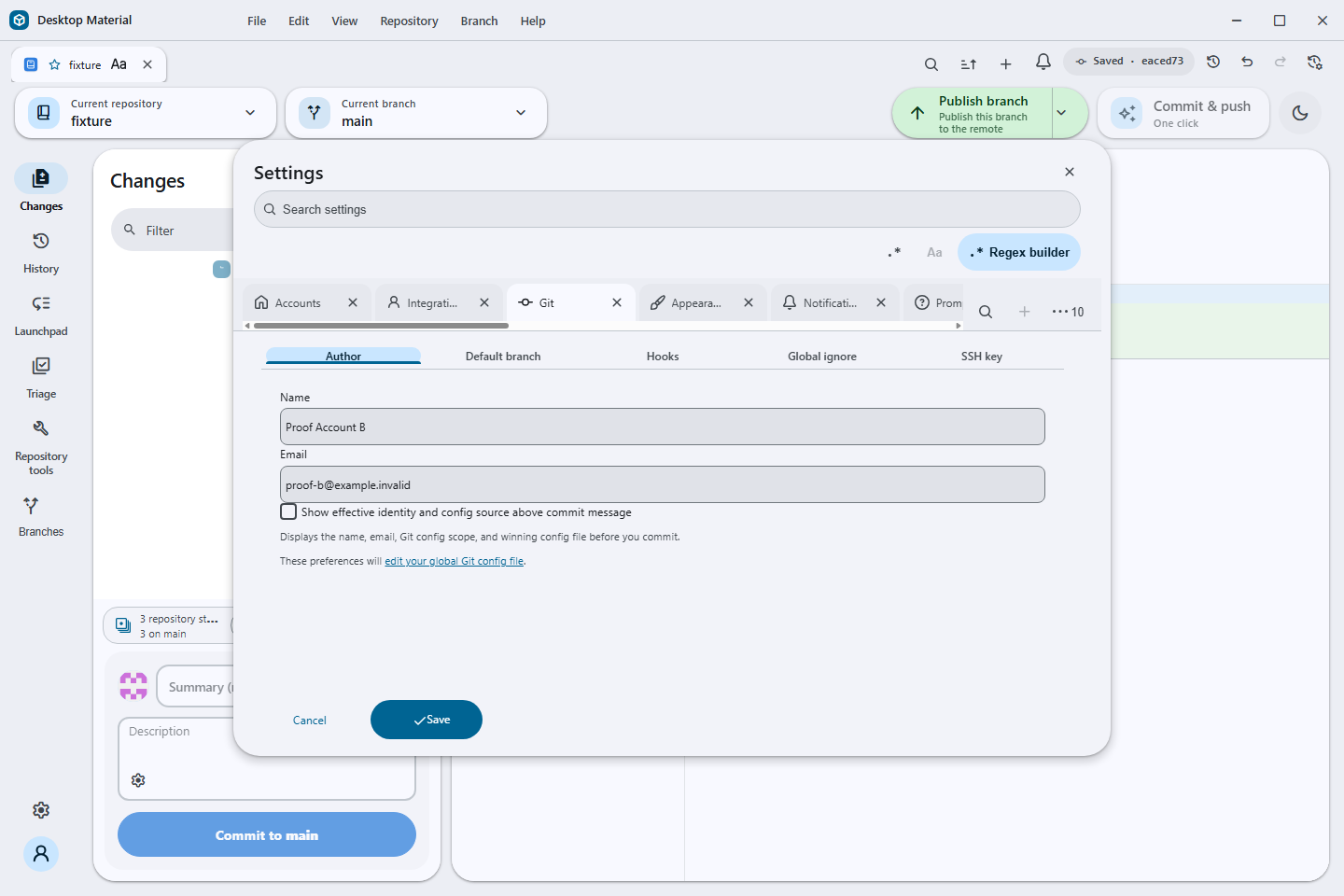
Responsive Material Settings dialog |
auto-updater-current-source-ready.png |
Current-source production UI after a genuine Electron/Squirrel update-downloaded path with a disclosed inert verifier payload and no published-payload claim |
settings-history-manager.png |
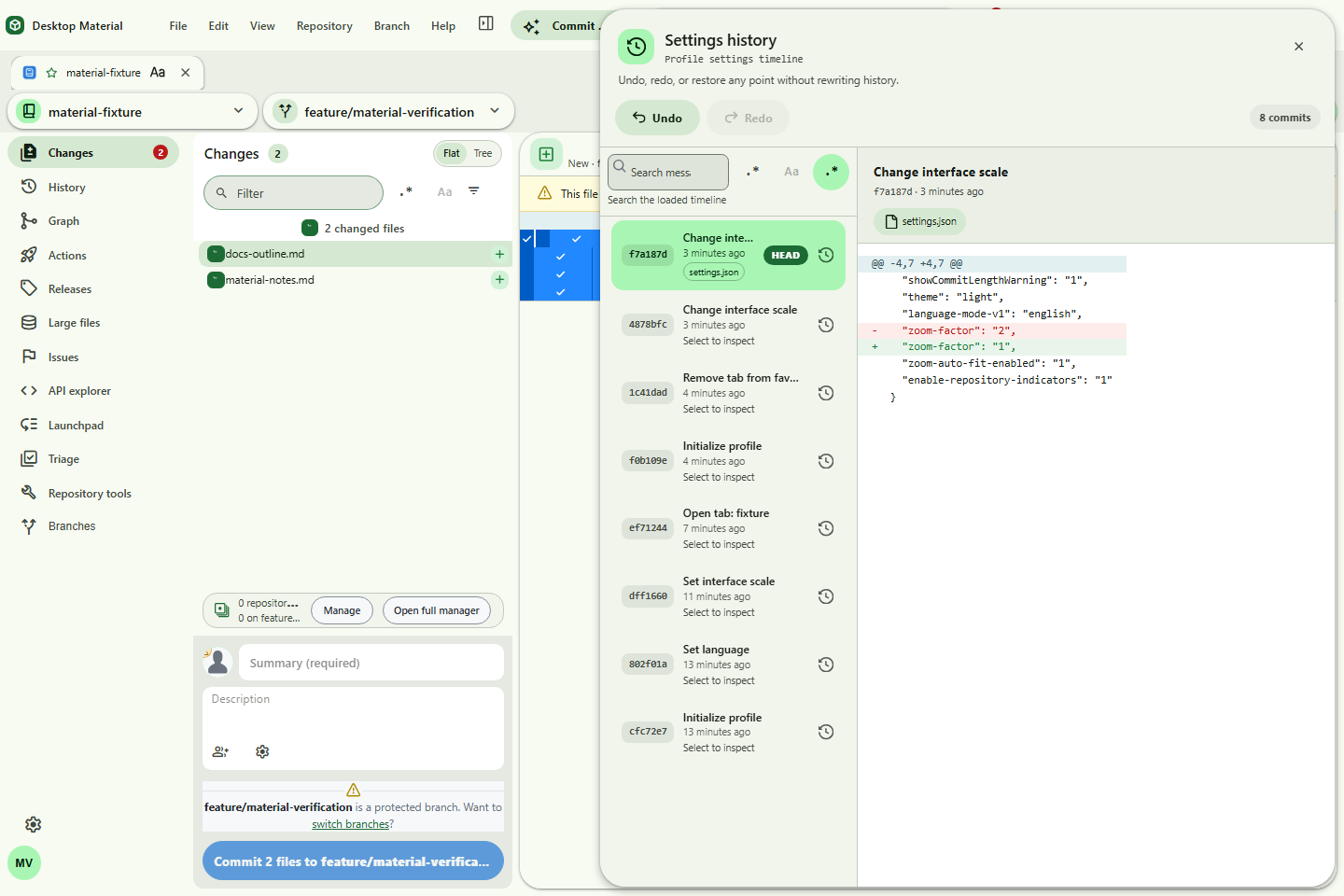
Git-backed Settings history side sheet |
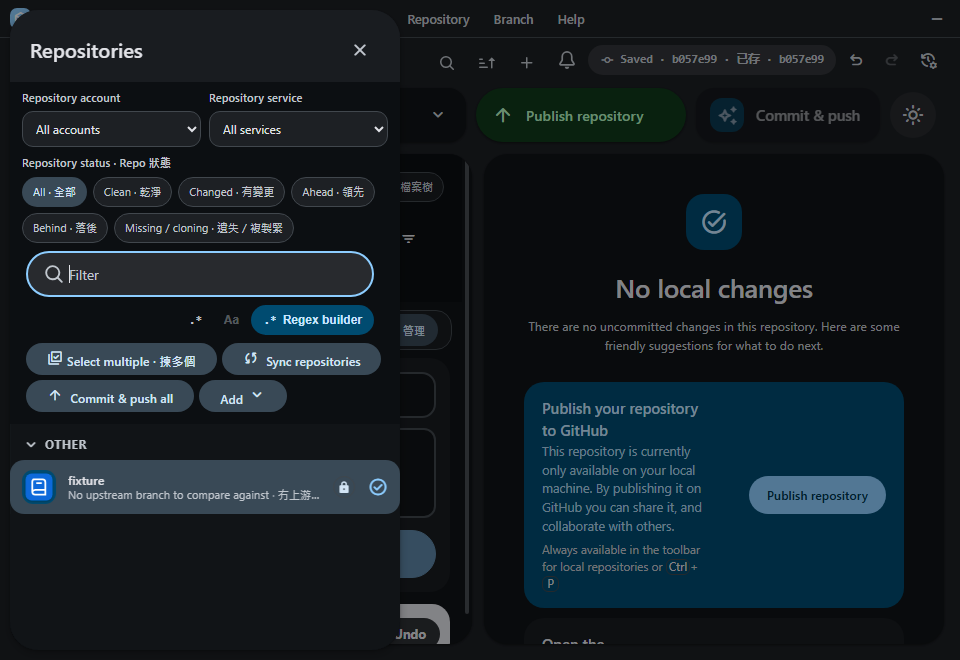
material-repositories-sheet.png |
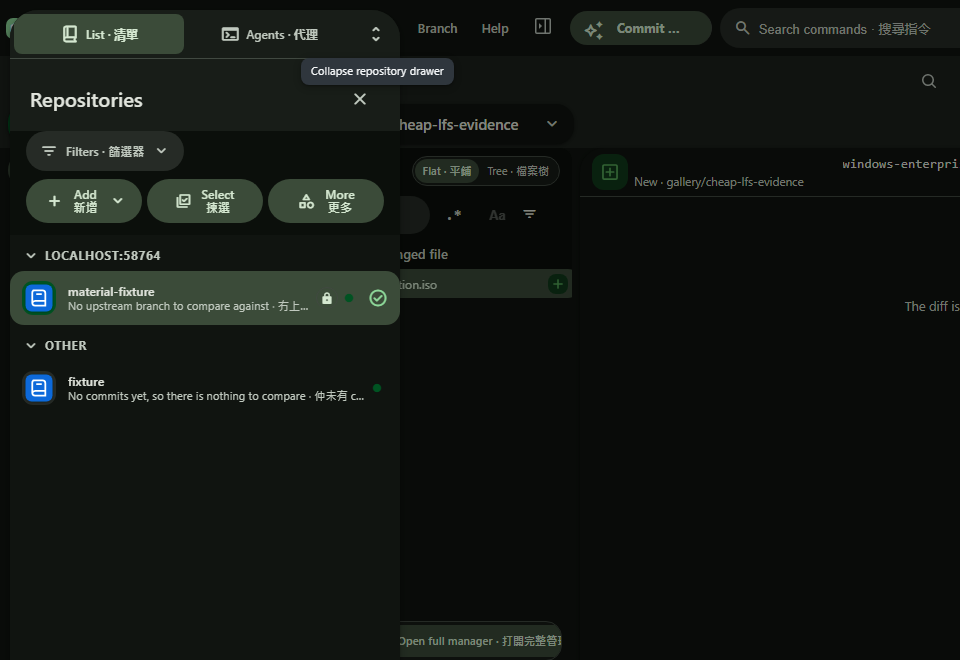
Collapsible repository filters with compact Add, Select, and More actions |
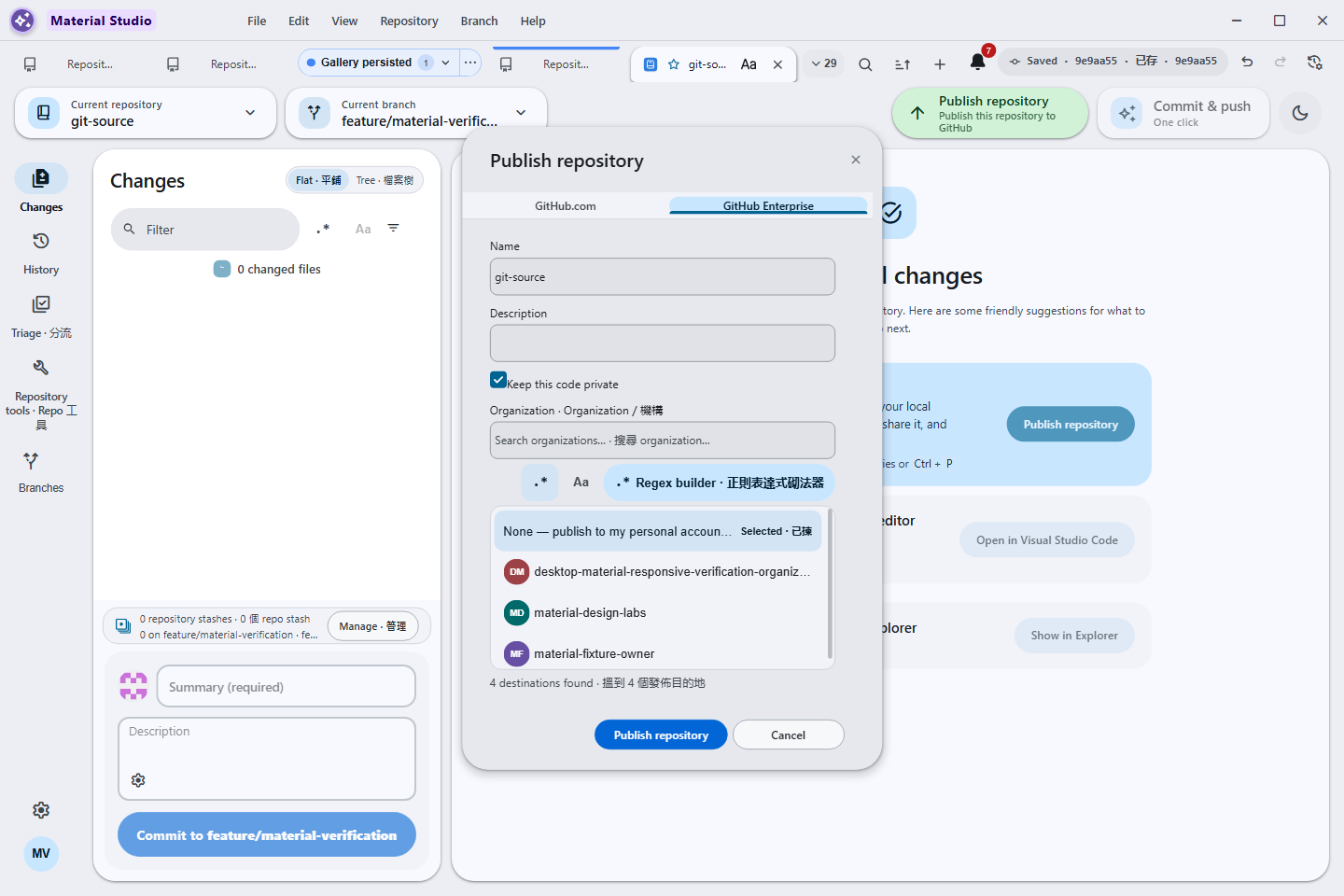
material-publish-organization-picker.png |
Searchable personal-or-organization owner listbox with bounded filtering, keyboard selection, and physical narrow-window containment |
material-branches-sheet.png |
Branch navigation and status side sheet |
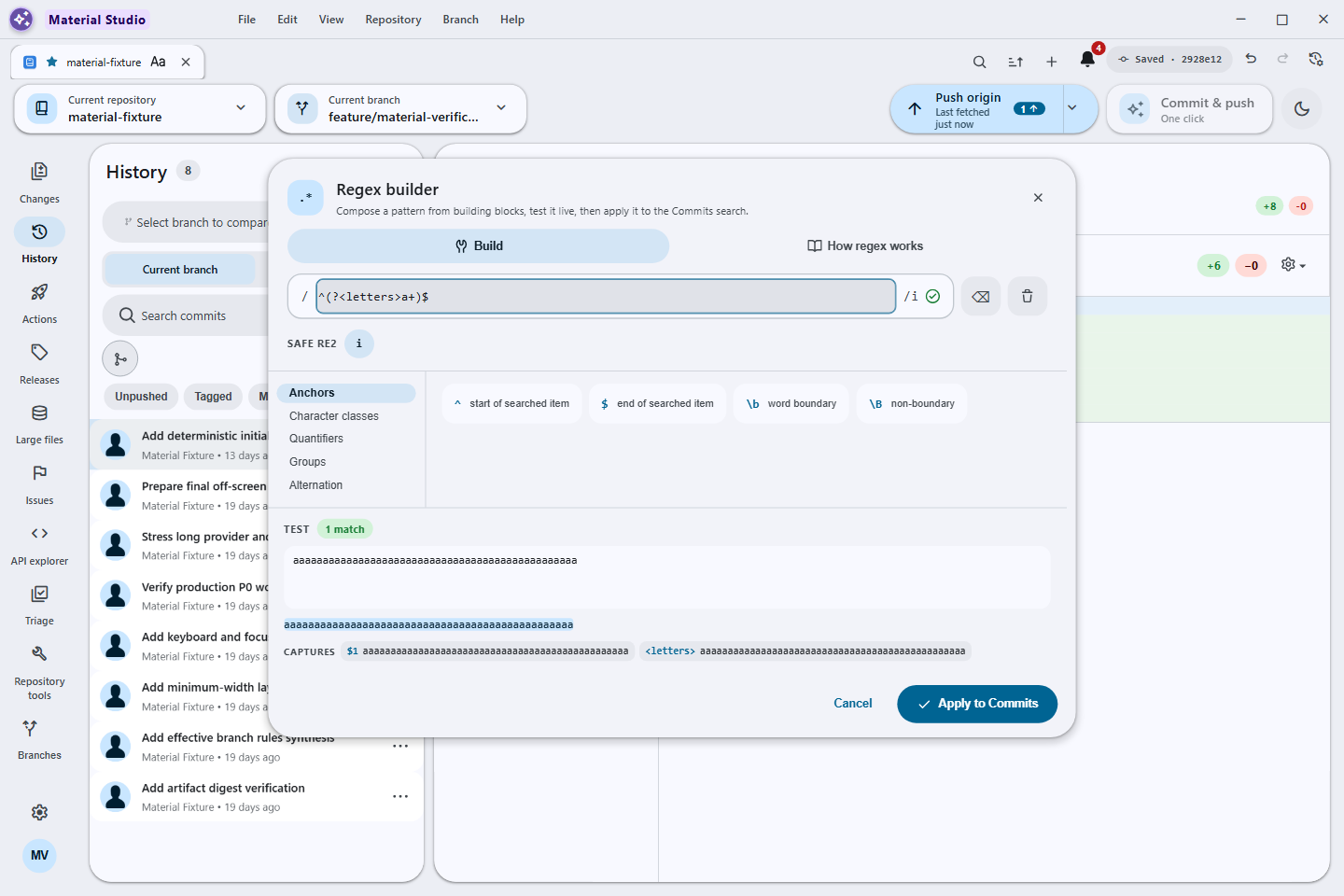
regex-builder.png |
Safe RE2 builder with bounded live matches and captures |
material-gitignore-manager.png |
Reviewed .gitignore template catalogue |
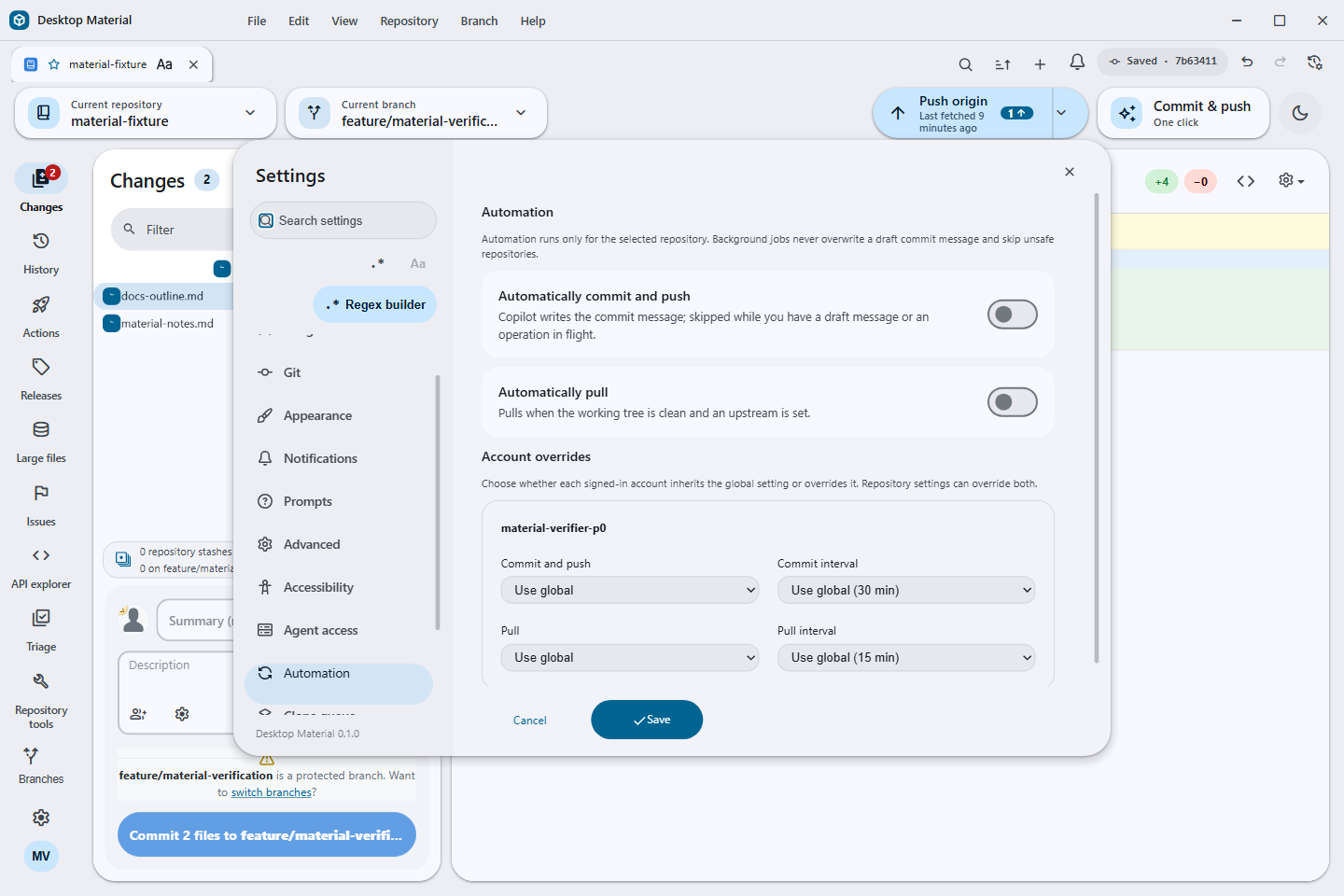
material-automation.png |
Layered automation schedules and account overrides |
material-notification-center.png |
Git-backed notification centre |
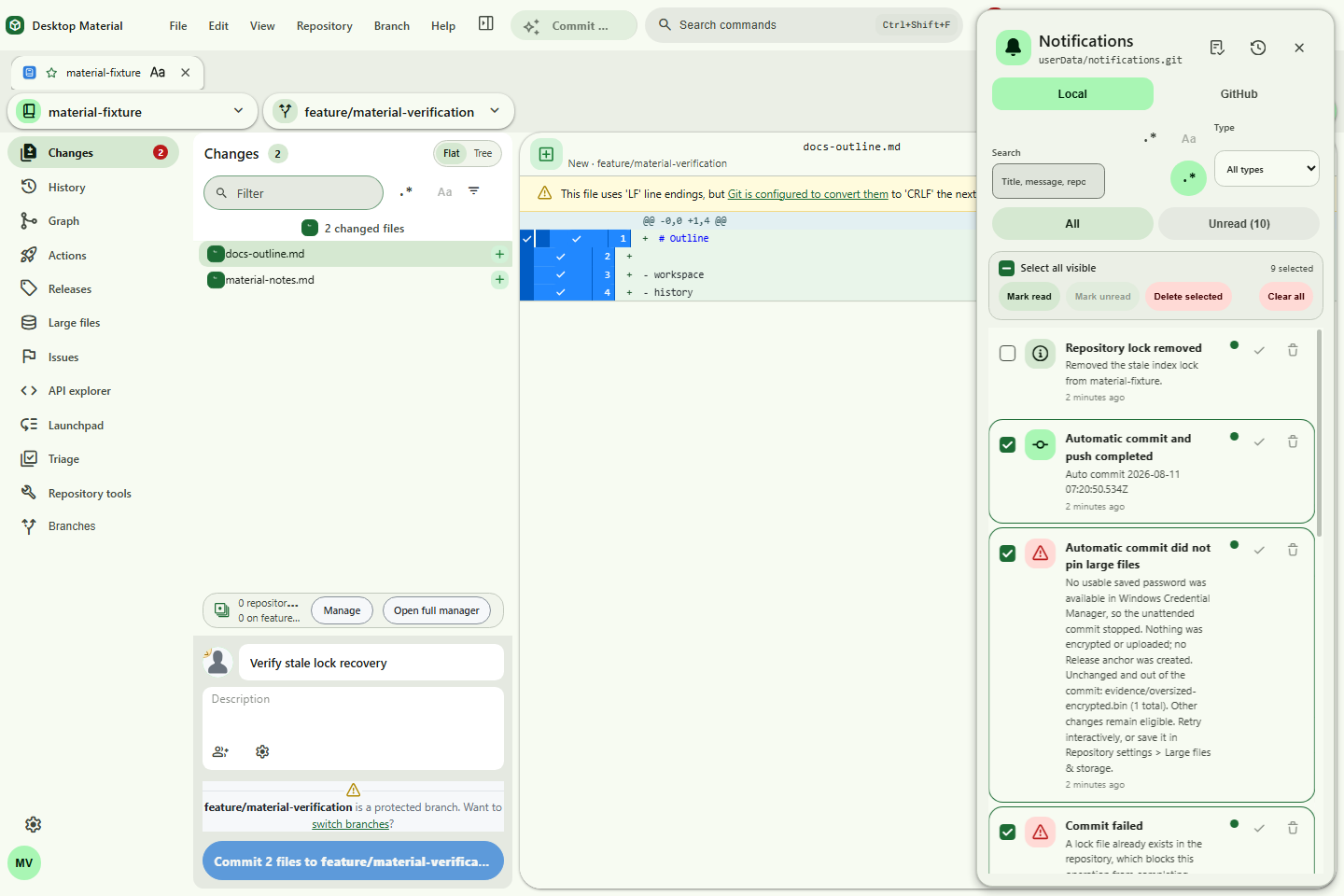
material-notification-bulk-actions.png |
Filtered Local notification selection and bulk triage |
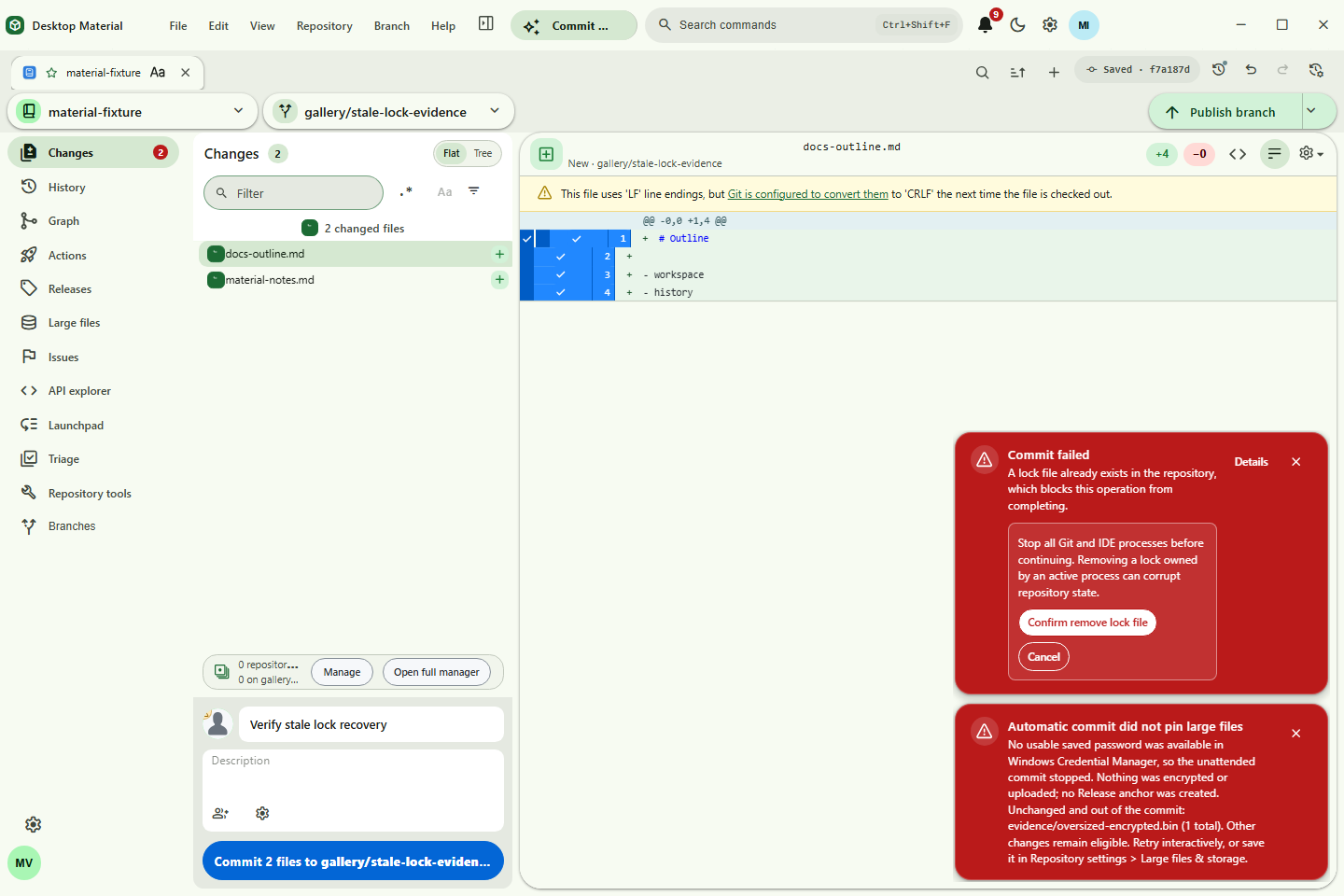
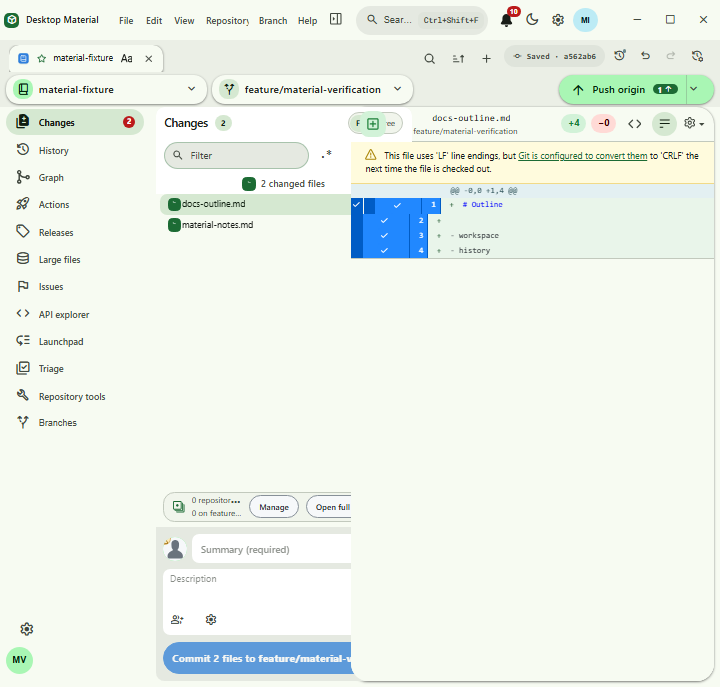
material-error-notice.png |
Scoped stale Git lock recovery from a bottom-right error notice |
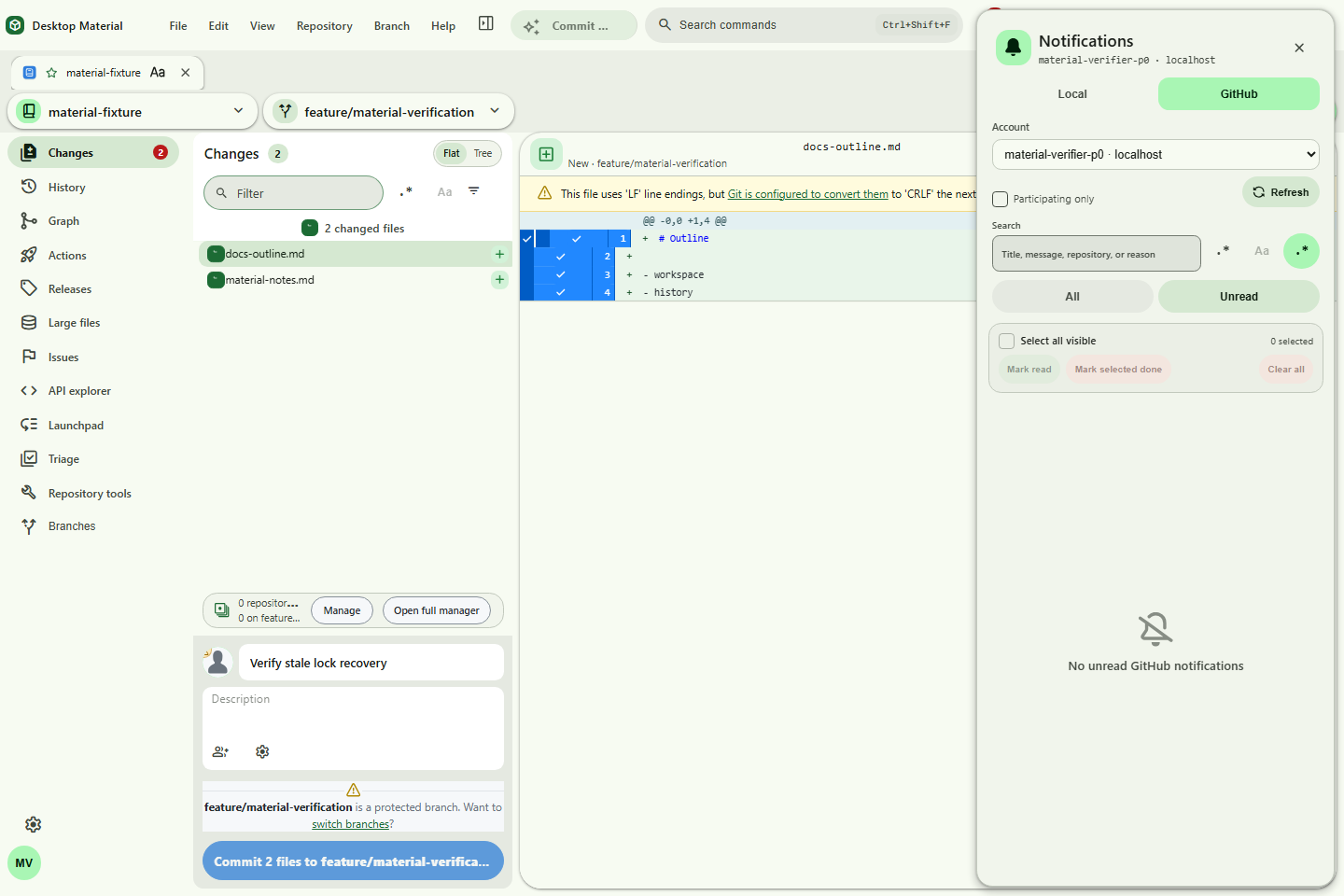
material-github-notifications.png |
Account-aware GitHub notifications |
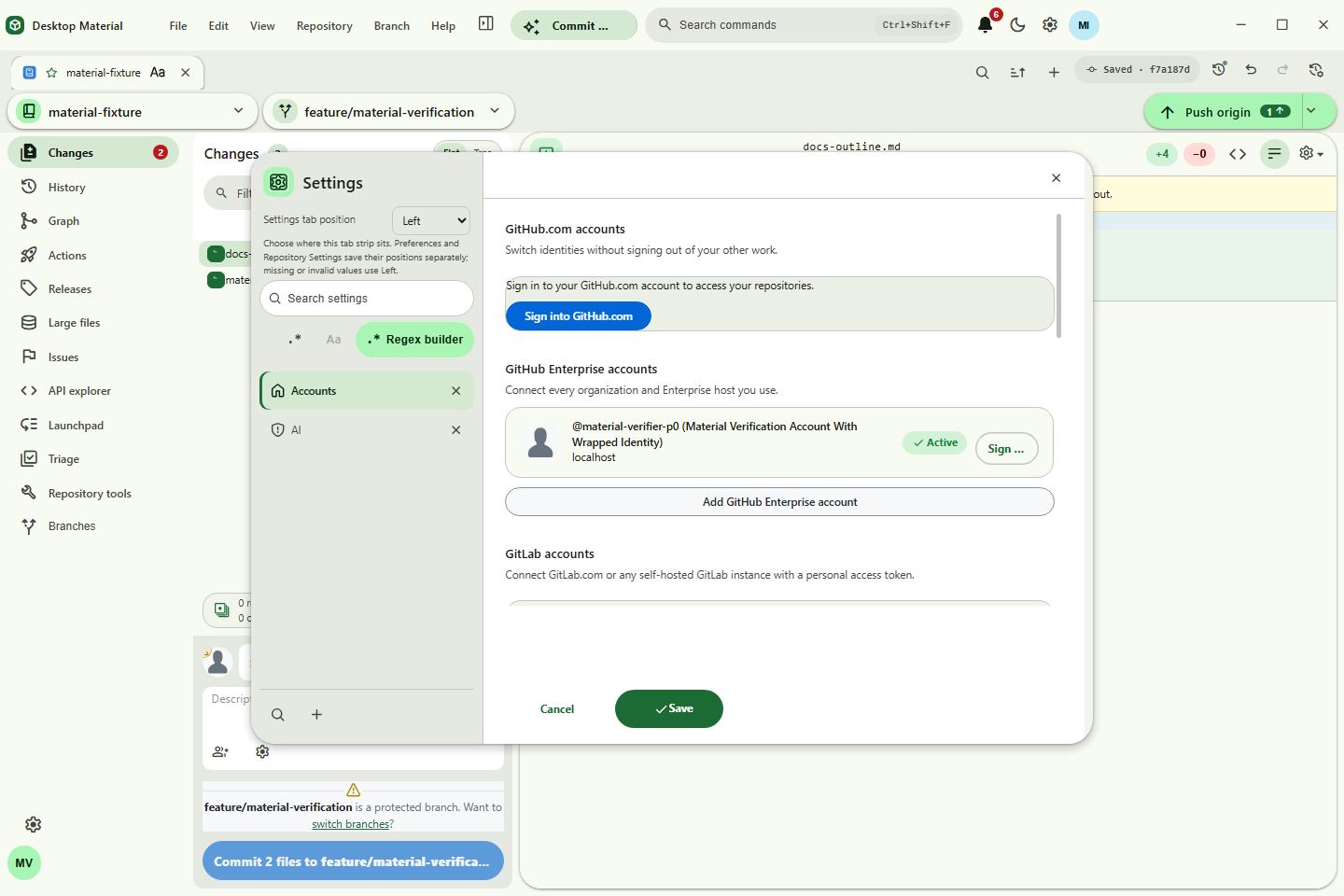
material-provider-accounts.png |
GitHub, GitLab, and Bitbucket account controls |
material-ollama-model-manager.png |
Ollama health, installed/running inventory, model details, and guarded lifecycle actions |
material-agent-access.png |
Local MCP and REST agent access controls |
material-multi-window-menu.png |
Open repositories and worktrees in another window |
material-scale-200-autofit.png |
200% requested scale safely auto-fitted at minimum size |
material-responsive-overflow-fixed.png |
Exact-size responsive overflow regression proof |
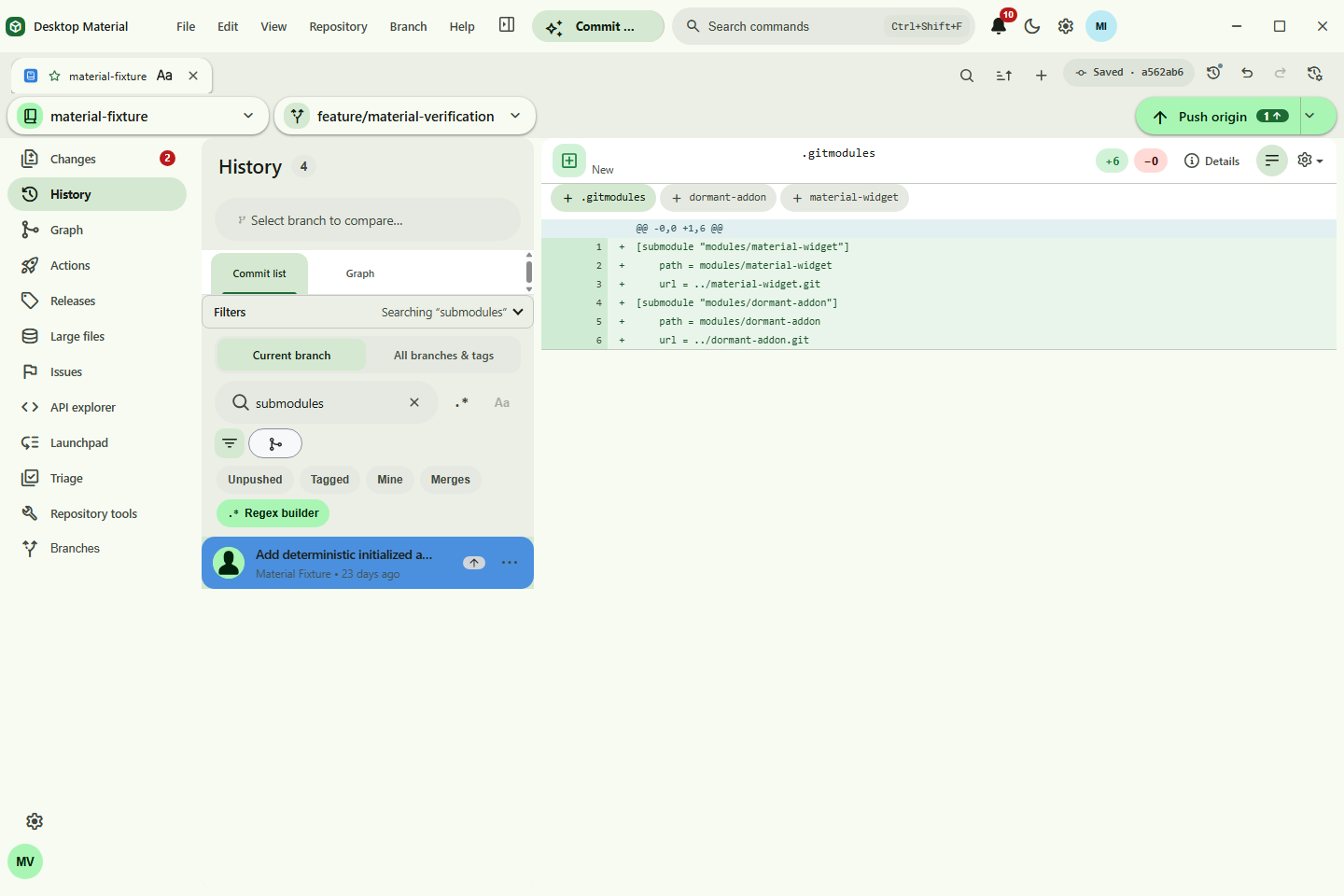
material-history-power-tools.png |
Searchable History and commit ancestry graph |
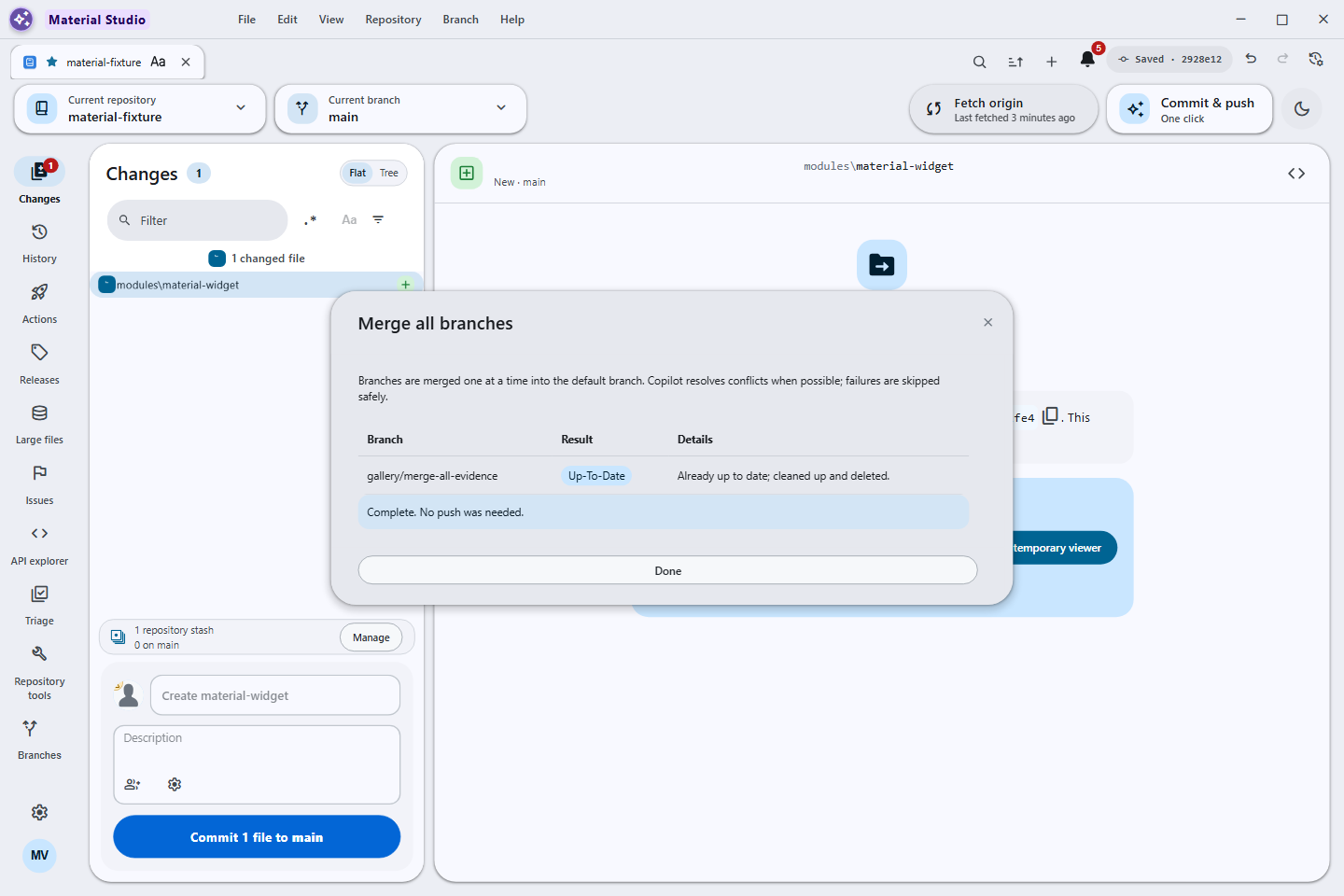
material-branch-merge-all.png |
Merge All branches/worktrees with per-target state |
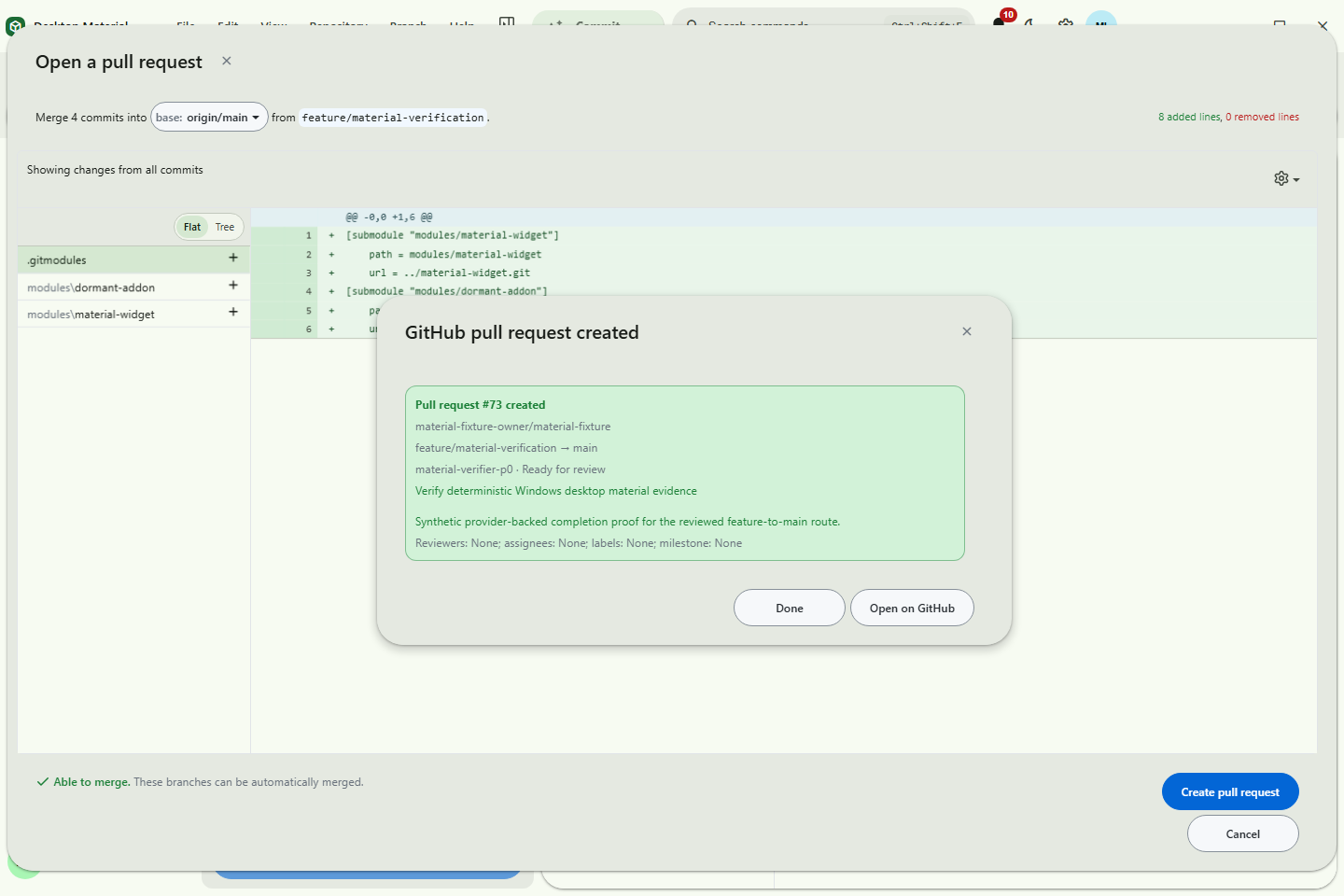
material-create-pull-request.png |
Native pull-request completion state |
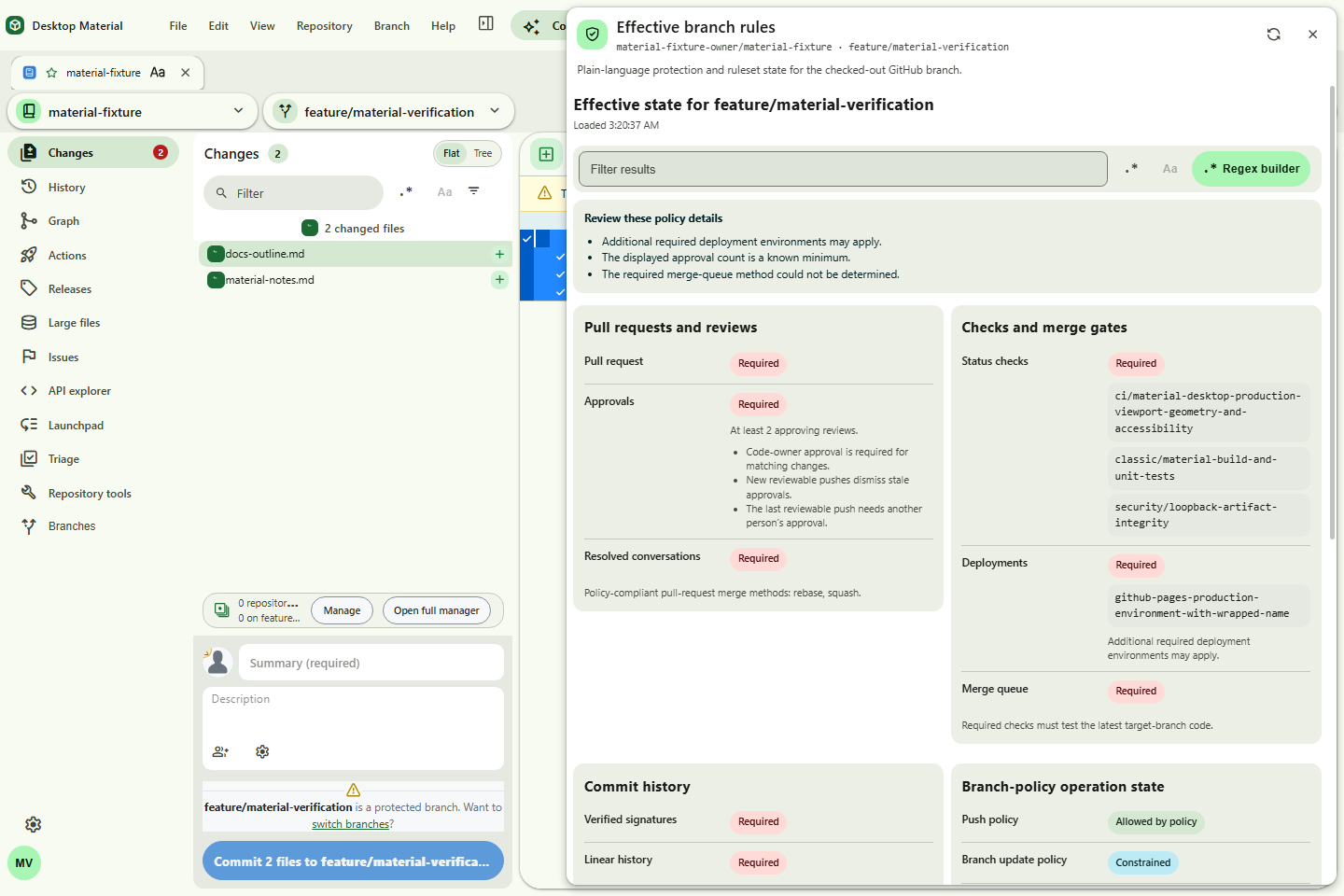
material-effective-branch-rules.png |
Effective protection and ruleset policy |
material-actions-artifacts.png |
Artifact digest and attestation-presence context |
material-actions-pagination.png |
Workflow-run pagination retained across refresh |
material-actions-artifact-page-two.png |
Wrapped artifact page-two sentinel |
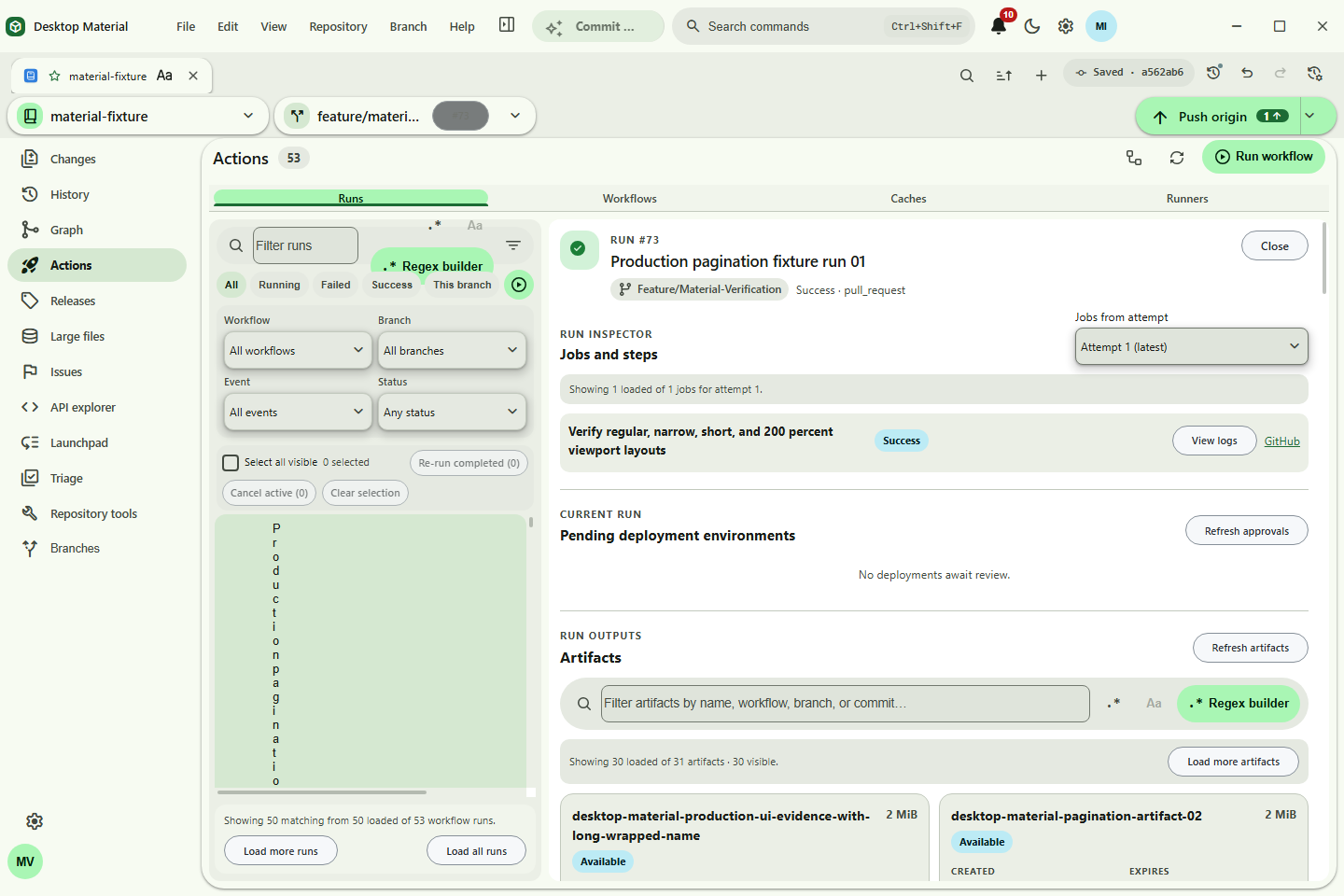
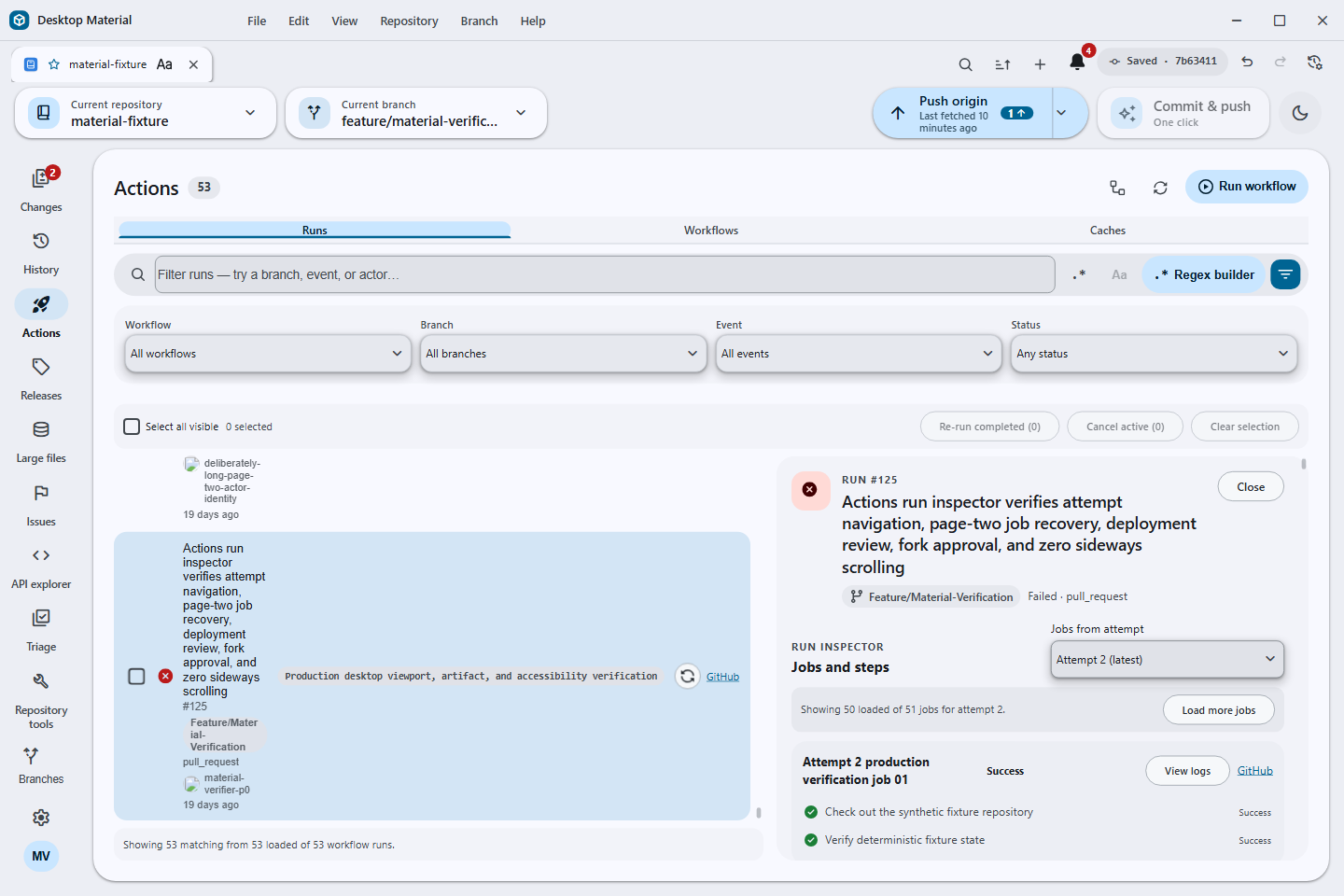
material-actions-jobs-pagination.png |
Attempt-aware job pagination and retry |
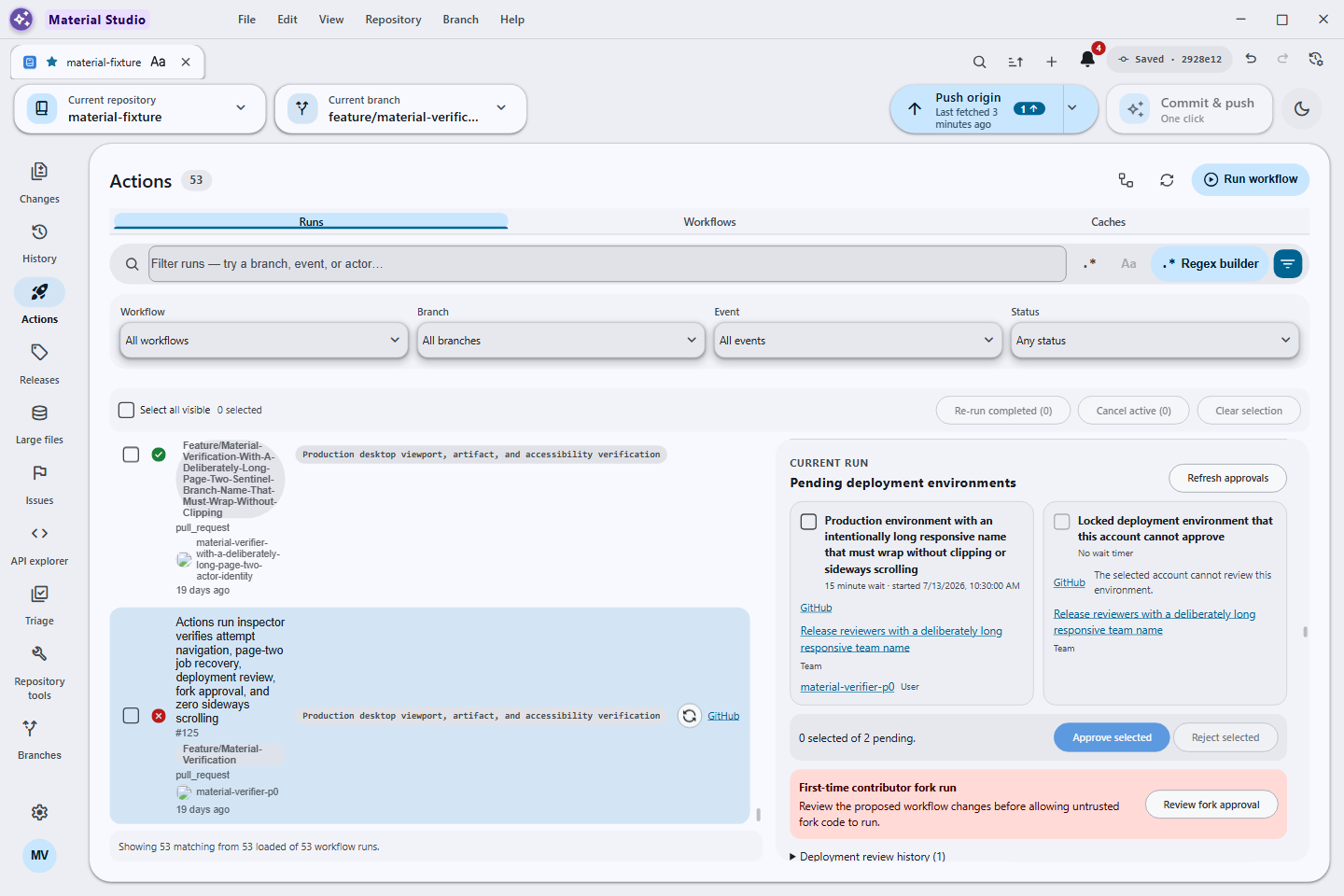
material-actions-pending-deployments.png |
Deployment environment review and history |
material-history-deepening.png |
Full-history state after a verified deepen |
material-shallow-clone.png |
Shallow-clone commit-depth controls |
material-sparse-checkout.png |
Persistent three-step sparse-checkout guide in its disabled Choose state |
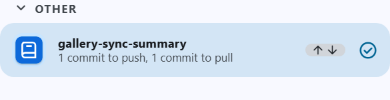
repository-list-sync-summary.png |
Repository-list sync summary naming the last known push and pull state |
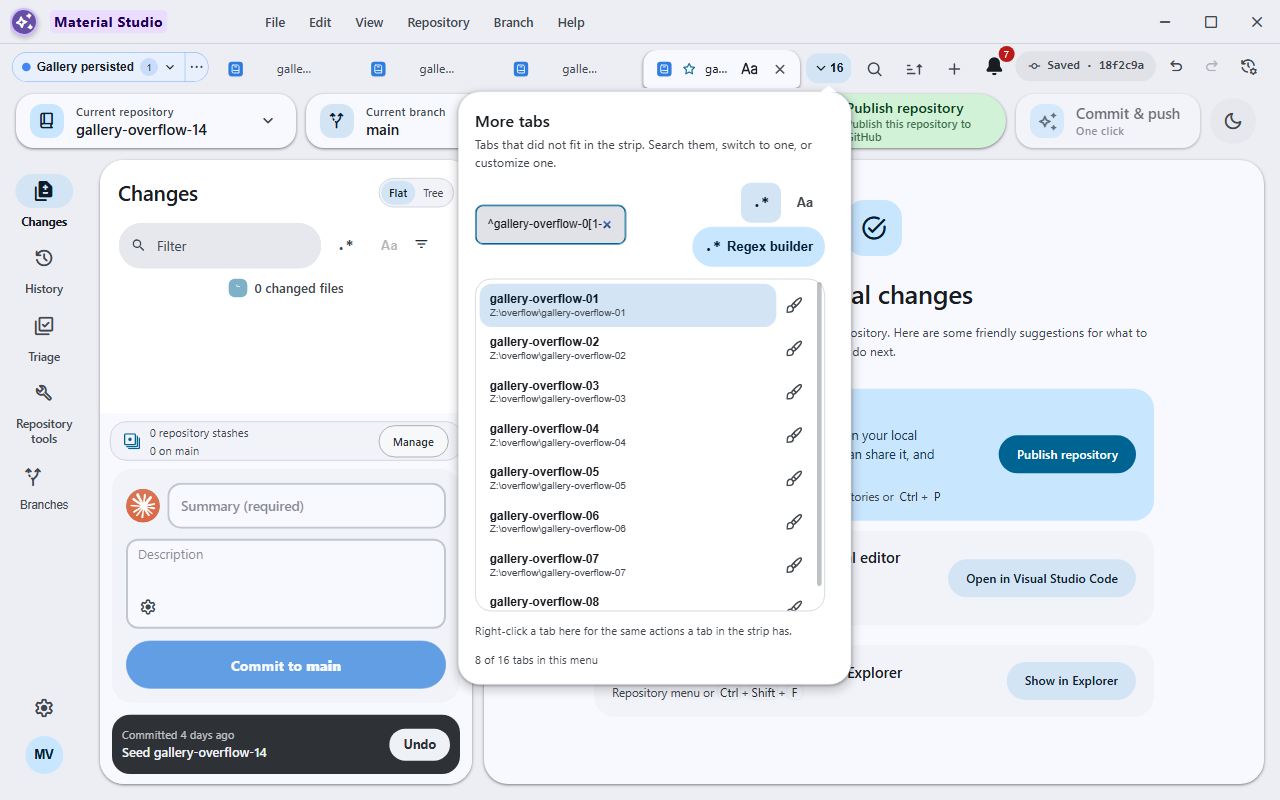
tab-overflow-search.png |
Tab overflow dropdown with its search field and regex builder |
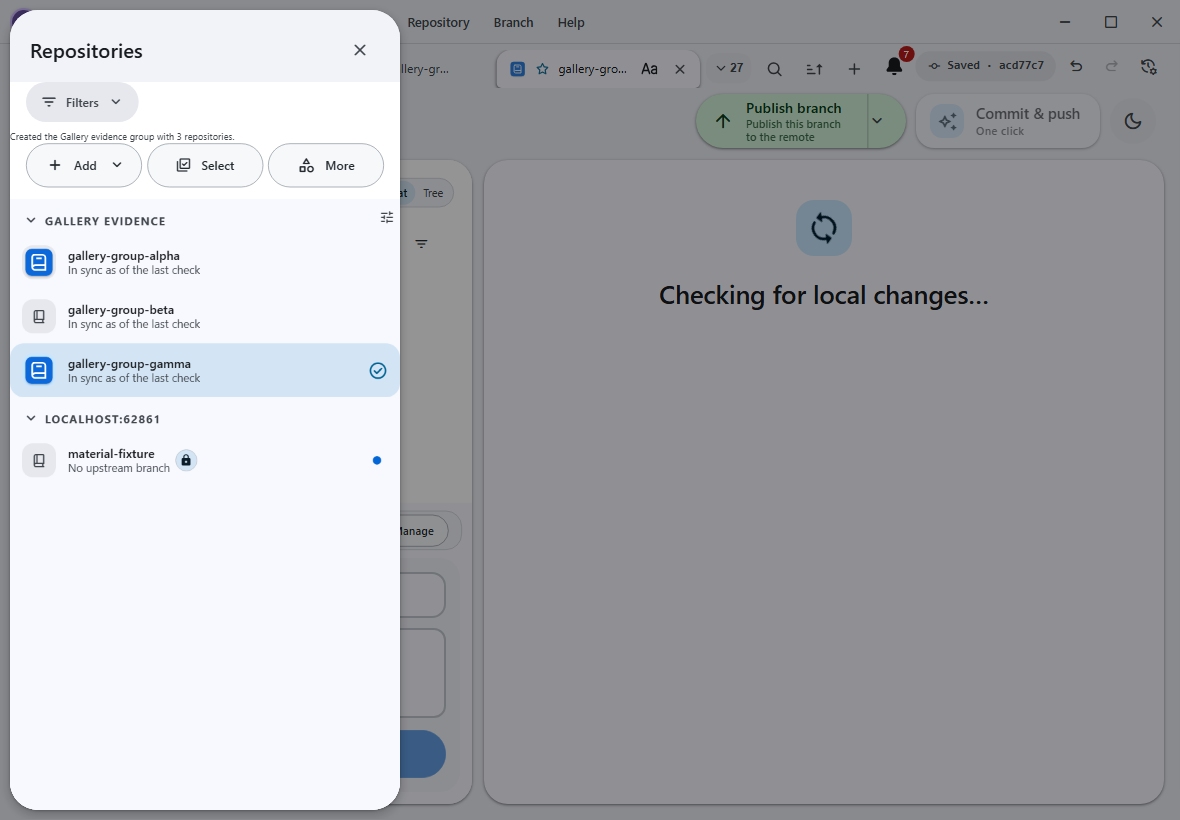
repository-groups-expanded.png |
Repository group expanded with per-row sync summaries |
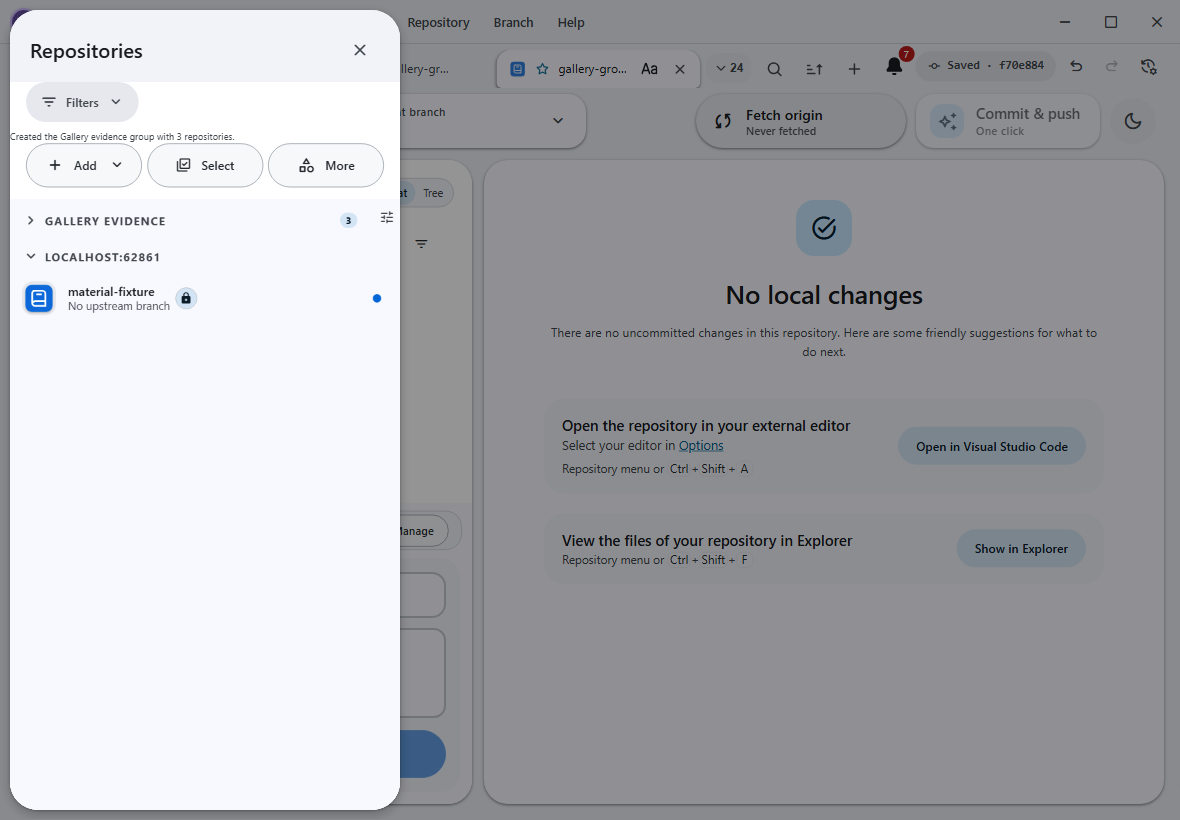
repository-groups-collapsed.png |
Repository group collapsed with its member count pill |
private-repository-lock-badge.png |
Explicit private-metadata lock retained beside the repository logo |
The active profile can customize the in-app logo/name and rich name typography,
with a live preview and clear/reset actions. Favorites, drag-to-open repository
folders, current-tab session import/export, and appropriate
Shift+right-click or keyboard customization/history context use the same
profile/repository ownership model.
The five original Linux terminal captures and their exact hashes remain preserved with the July 27 Debian/Xvfb run manifest. They document what was accepted at that time, but they are out of scope for the current Windows-only 86-scene target, Pages manifest, and refresh campaign. They are retained rather than relabelled or presented as current Windows evidence.
| Archived asset | Historical receipt | Current status |
|---|---|---|
linux-tui-overview.png |
July 27 Debian/Xvfb acceptance | Excluded from the current Windows gallery |
linux-tui-text-input.png |
July 27 Debian/Xvfb acceptance | Excluded from the current Windows gallery |
linux-tui-regex-builder.png |
July 27 Debian/Xvfb acceptance | Excluded from the current Windows gallery |
linux-tui-bilingual-narrow.png |
July 27 Debian/Xvfb acceptance | Excluded from the current Windows gallery |
linux-tui-cheap-lfs.png |
July 27 Debian/Xvfb acceptance | Excluded from the current Windows gallery |
The July 22 legacy Super Express-to-newer published-package migration remains
immutable historical evidence. Its accepted PNG, 49,195-byte size, and
a02cffa612114be3af5e0fffcd5b602a4ba4dfd3226298e48d143a6bed76bd4d
SHA-256 stay pinned to source commit
923dbb51acad8f01f01f1c100c6945c7a2e08e23 in the
published-migration record.
It is not overwritten or relabelled as current-source evidence.
| Archived asset | Historical receipt | Current status |
|---|---|---|
auto-updater-update-ready.png |
July 22 published legacy migration | Excluded from the current Windows gallery |
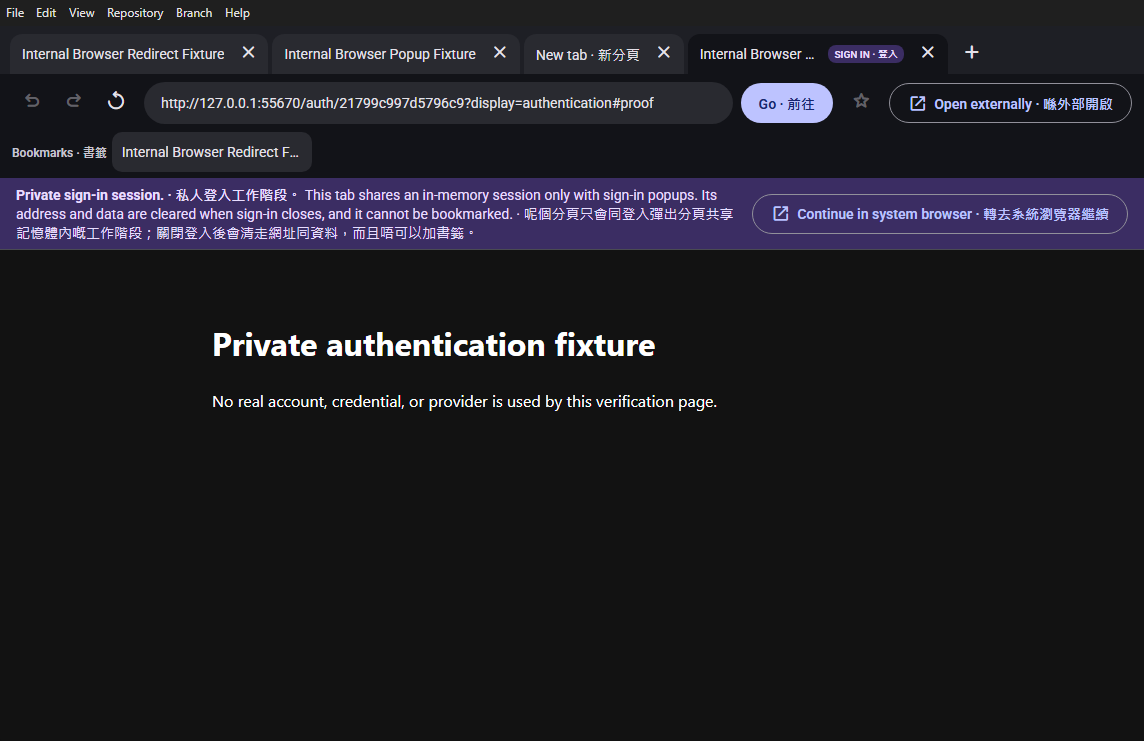
The July 27 continuation adds a dedicated Desktop Material browser for HTTP(S) links
when Settings → Advanced → Open web links is set to internal. Its trusted
chrome supplies tabs, New tab, URL bar, Back/Forward, Refresh/Stop, Go,
bookmarks, popup/redirect capture, and an external escape. Remote pages stay in
permission-denied sandboxed WebContentsView tabs without Node, preload, or
trusted app IPC. Authentication tabs use a clearable in-memory session, cannot
be bookmarked, and always offer the system browser.
The accepted capture uses a synthetic redirect/popup fixture and no real
account or credential. It proves the private authentication notice, explicit
system-browser action, bookmark exclusion, and sandboxed tab chrome from the
real production bundle. The source and capture are pushed through 2abccae8fd,
and Pages/wiki publication and packaged Windows E2E are verified.
Installer/Release evidence remained pending at that dated checkpoint; the
archived TUI correction is outside the Windows-only acceptance boundary. See the
app-hosted browser contract.
香港粵語速讀。 分頁、網址列、前後頁、重新整理、Go、書籤同外部逃生門
齊晒,網頁鎖喺 sandbox。呢張係真 build 喺 hidden desktop 嘅驗收相,冇用真帳戶
或者密碼;source 同相已經經 2abccae8fd 推上 main,Pages/wiki 亦 live,packaged
Windows E2E 都過關。嗰陣 installer/Release 憑證未完成;舊 TUI correction 唔係而家
Windows-only 產品嘅 blocker。
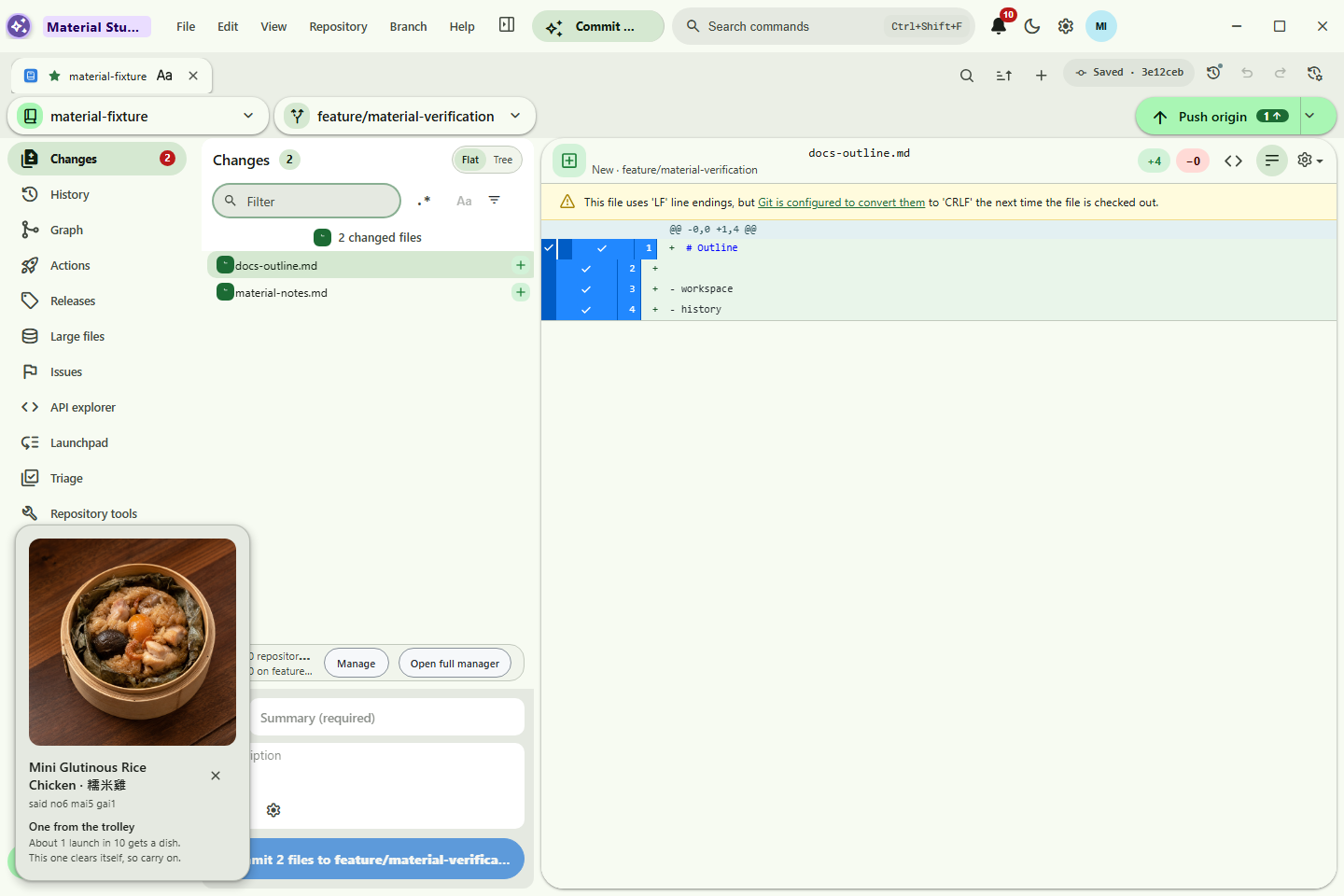
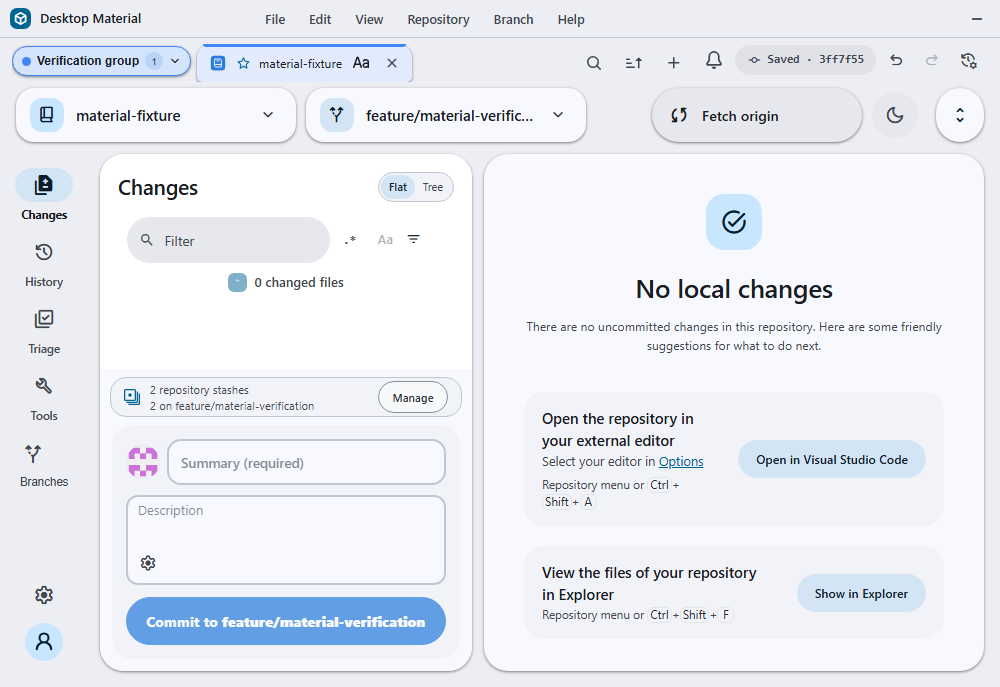
Named, colored tab groups persist with their profile/window state and render a real chip before the first member. Collapsing hides the member tabs without closing a repository, and the chip remains keyboard reachable. The command palette covers the whole app as Material Design 3's full-screen search view: localized rich result rows, a pane naming where each feature lives, and keyboard hints. A row that is a setting renders that setting's live control inline — a switch, a text box, a stepper, or a select — so the value is read and changed without leaving the palette, and choosing a row teleports to the control that owns the feature rather than firing it. Its anchored editor still governs density, icons, group chips, and search-term visibility, and its compact aligned controls include a stable Random per repository mode, so each repository can carry a distinct row layout without changing on every open.
The application-menu Pull action and a right click on the toolbar Pull button fetch before opening a bounded review of the exact local/upstream identities, incoming commits, changed files, and integration route. Dirty or conflicted worktrees cannot confirm. The final preflight rejects a stale identity and integrates only the reviewed upstream OID without another fetch; scheduled and local-agent automation remain noninteractive.
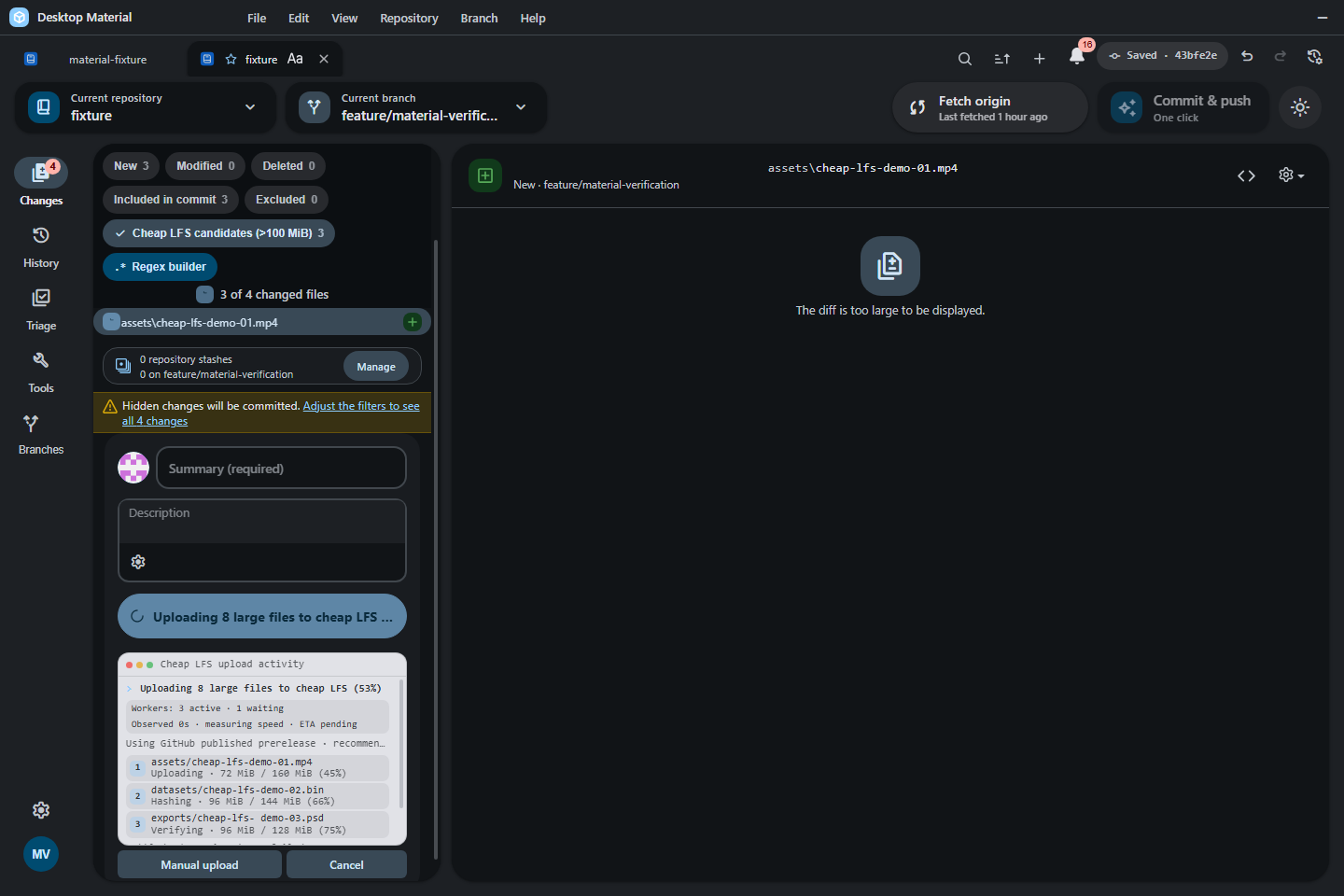
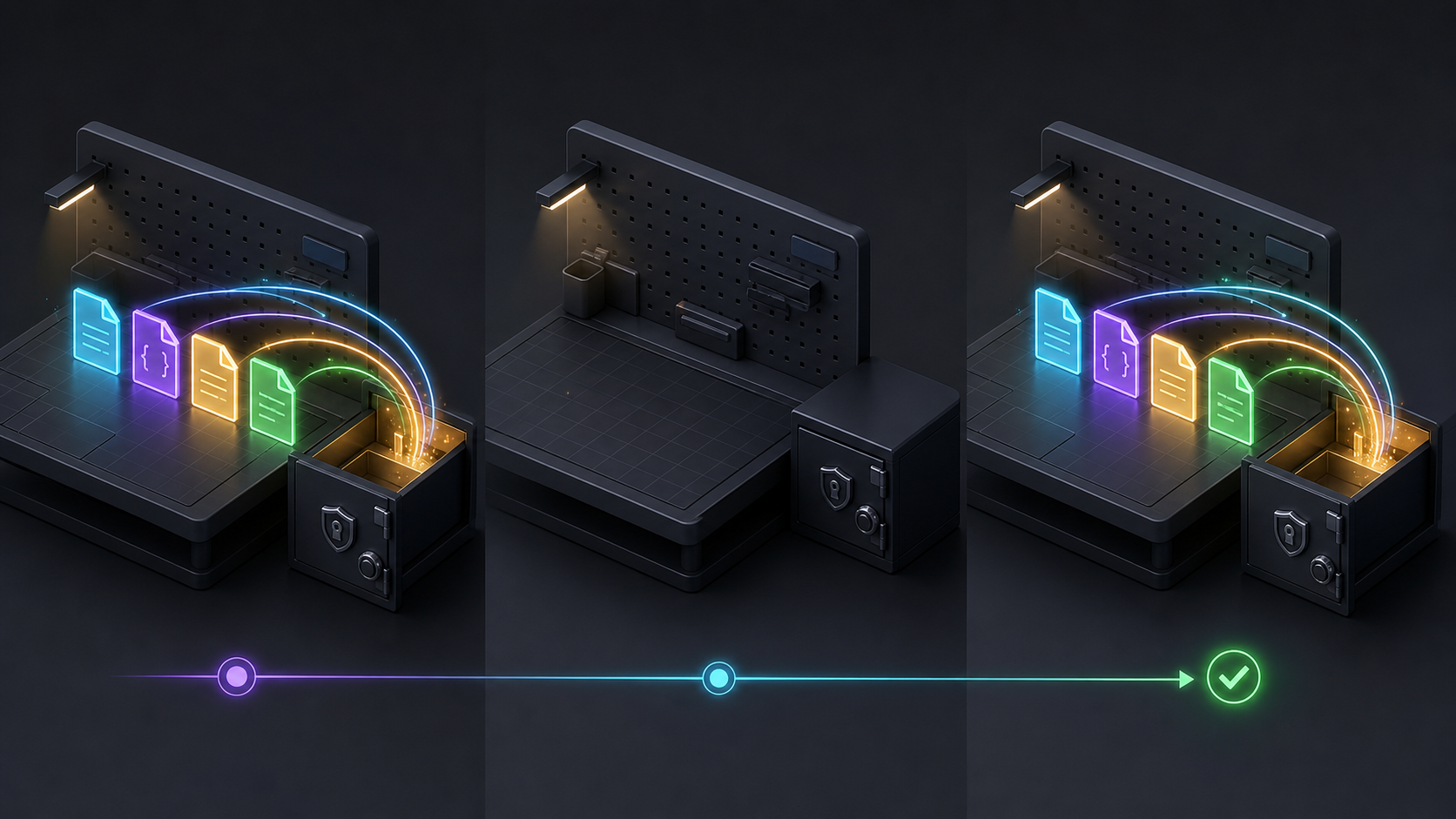
Oversized files are prepared and uploaded through release-backed cheap LFS before
Git creates the branch commit. New uploads start as raw bytes, retain one asset when
it fits the release limit, and use ordered raw ranges when it does not. Public
repositories can then cloud-compress each Release object sequentially through a
SHA-pinned Action; private repositories require explicit opt-in. Failed and
non-beneficial objects stay raw and cloneable, while decompression and full
digest verification always happen locally in Desktop Material. The composer
names hashing, release preparation, upload progress, and verification
separately, then reserves Committing to branch for the small pointer
commit. Its compact terminal keeps three worker rows visible while reporting
active workers, queued files, selected and recommended providers with the
recommendation reason, observed elapsed time, throughput, ETA, and honest manual
handoff phases. Long recommendations use a native keyboard-focusable disclosure.
An isolated trusted GitHub CLI exact-range transport runs first so the
crash-prone Electron upload pipe is not opened when gh is available; its
bounded reconciliation scans the full asset inventory
once and then polls only one exact asset ID. The adjacent Manual upload
action remains the explicit recovery: it stops the automatic transfer, opens one
temporary folder containing every remaining whole-file or ordered .partNNN
asset, reports throttled hash/staging progress after a worst-case temp-space
preflight, and resumes only
after newly detected browser uploads and all local sources pass SHA-256
verification.
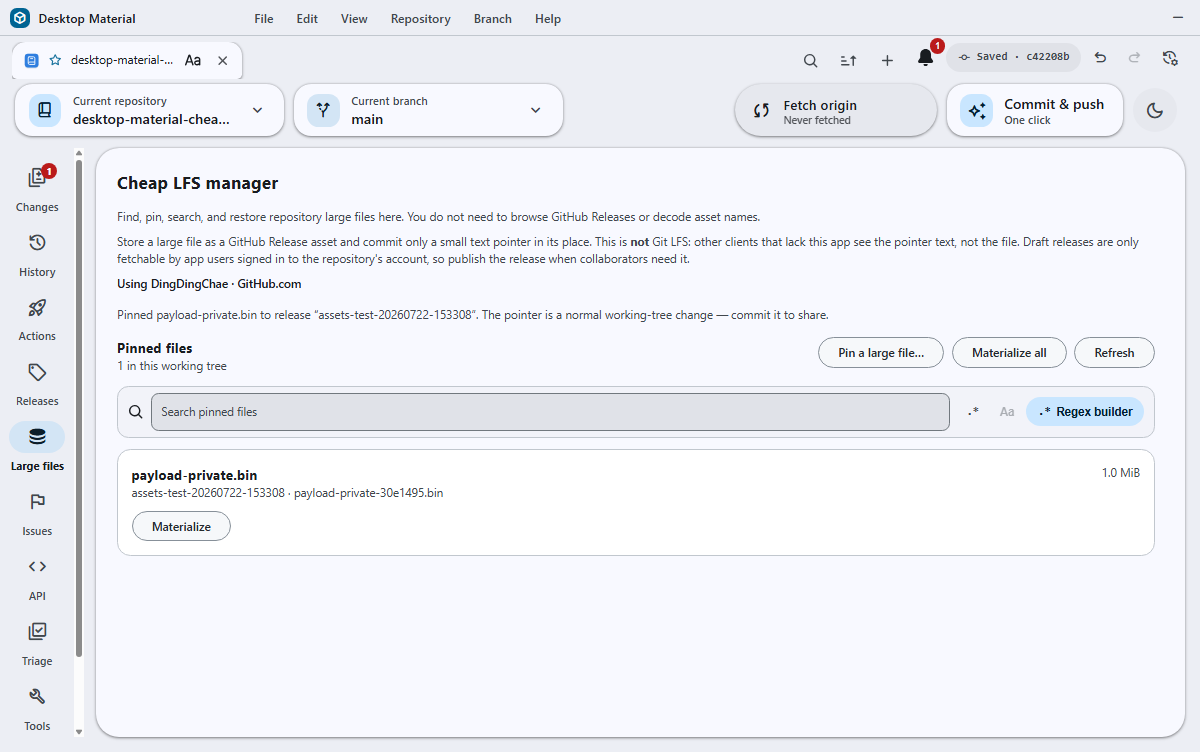
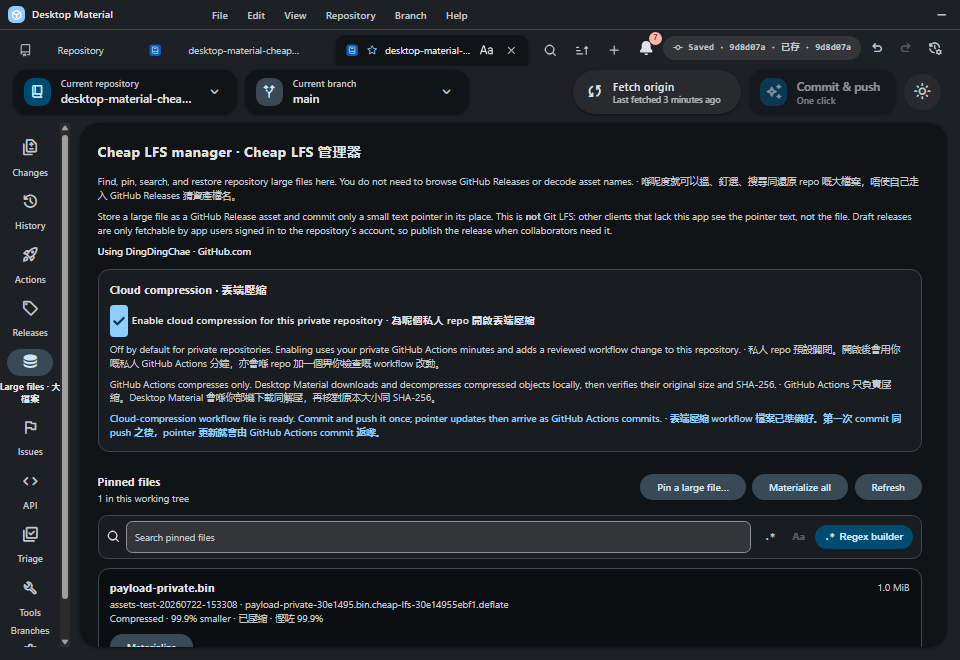
The repository rail's direct Large files manager lists and searches the original nested pointer paths, pins reviewed files, and materializes one or all pointer files without sending users through GitHub Releases. Its cloud card shows the visibility policy and local-only decompression boundary, and each row is labeled Raw, Compressed, or Mixed.
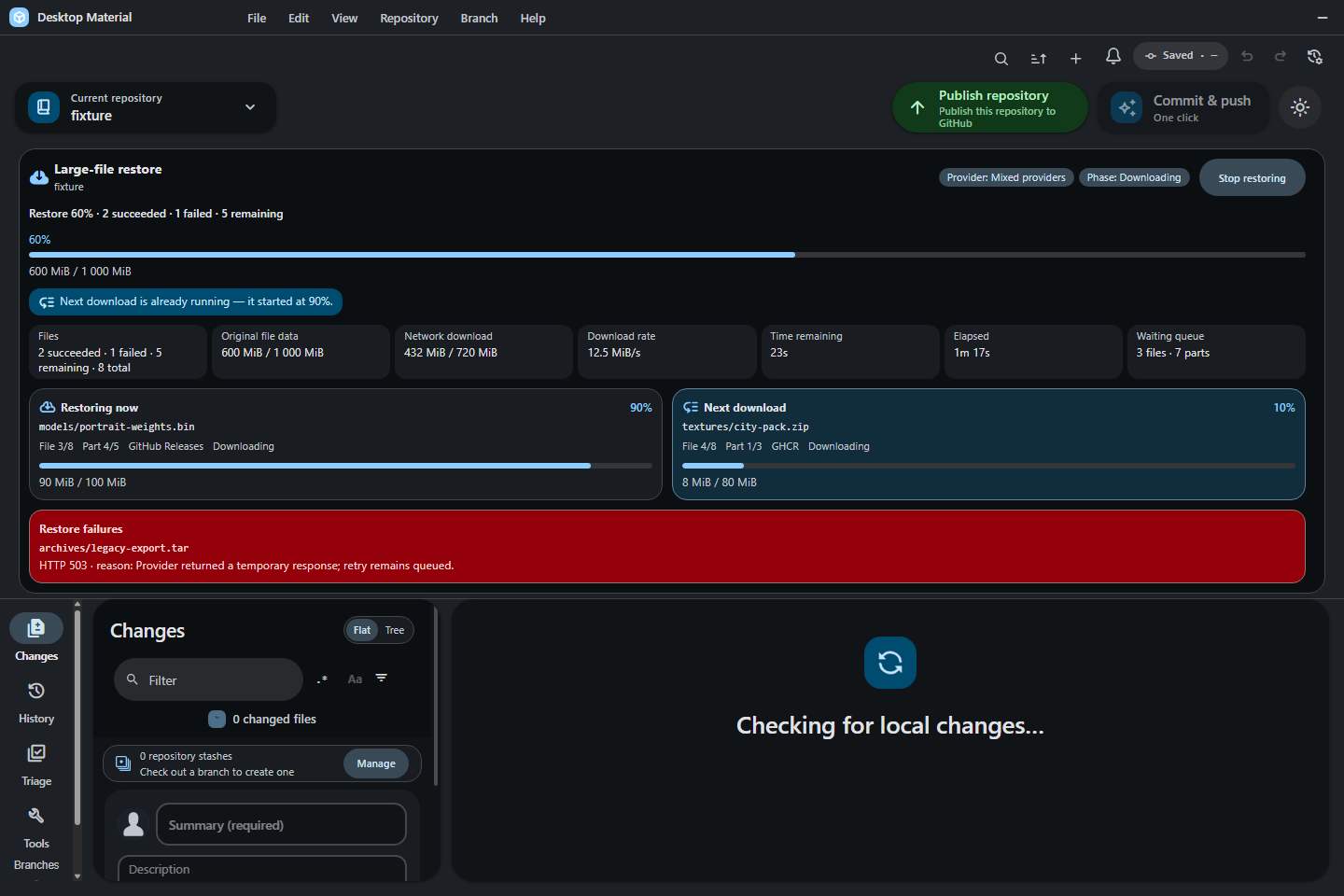
The July 27 restore continuation gives Release restore one shared maximum-two-download coordinator. The next file or multipart part starts at the exact 90% network point, while the shared panel separates overall, current, and look-ahead lanes; file/part ordinals; logical and actual downloaded bytes; phase, queue, rate, ETA, failures, and cancellation. The scheduler, shared UI, production build, and wide English/narrow bilingual hidden-desktop receipts pass. The exact source and screenshot are now live on default-branch Pages and the wiki; packaged Windows E2E is verified. Installer/Release evidence remained pending at that dated checkpoint; archived TUI compatibility work is non-blocking.
The public Bambu exercise sent exactly 8,305 files and 14,809,588,162 bytes
through four UI-created commit/push batches. Its first HTTP 408 preserved the
exact pending SHA for a successful UI retry. Cloud run 30048474438 compressed
13 objects independently with 0 kept raw and 0 failed while retaining all raw
originals, leaving 26 assets. Real-UI commit 712ad85 passed verifier
30054805137 and its immutable manifest Release. A fresh UI clone restored all
ten SHA-256 values from committed 370–514-byte pointer blobs. The first
automatic/manual overlap produced two hash-identical CAS recovery copies and
prompted repository-scoped serialization; the corrected rerun is tracked in
HANDOFF.md rather than inferred from that initial integrity proof.
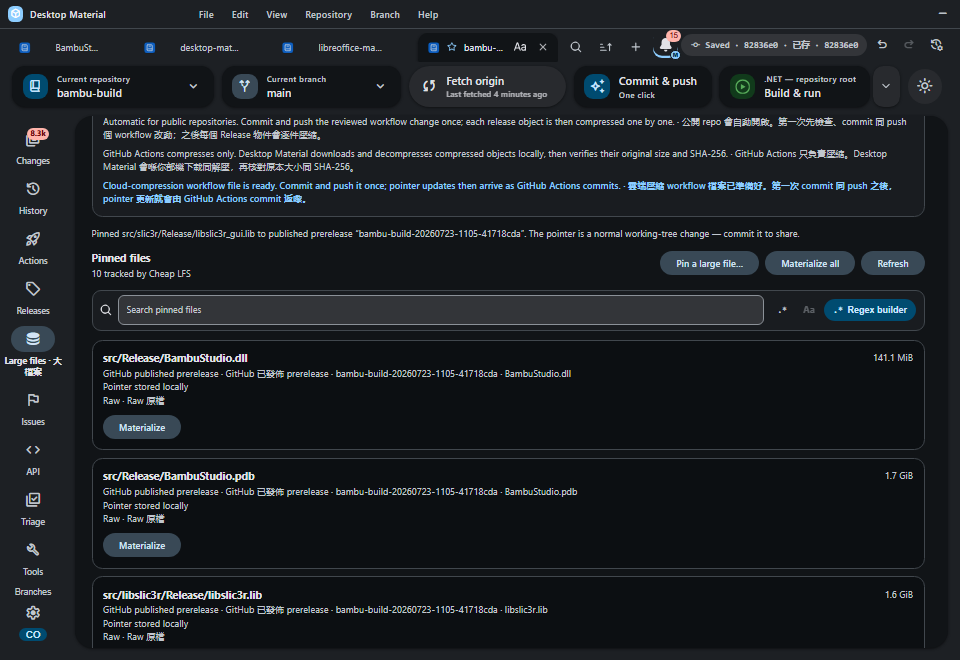
Every repository bucket is bounded to GitHub's 1,000-asset Release limit.
Whole multipart files and whole manual batches roll together from assets to
assets-2, assets-3, and later exact pointer tags; processing assets count
toward capacity but cannot be downloaded until GitHub marks them uploaded.
Publish Repository replaces the collapsing organization select with a searchable personal-or-organization listbox. Fuzzy and substring filtering, bounded regex, and the full Regex Builder share one persisted mode; invalid regex keeps the prior results visible instead of emptying the owner list. Arrow, Home, End, Enter, and Space selection reaches every organization and the explicit None option. The accepted bilingual run proved positive list height and scroll travel, final-row reachability, long-name ellipsis, and contained controls at a physical 390×844 auto-fit window before restoring the reviewed 1440×960 frame.
The repository picker shows a separate filled lock only for exact
isPrivate === true provider metadata. The lock remains visible beside the
ordinary, fork, or custom repository logo, is keyboard-focusable, and joins the
row's localized accessible name. Public and unknown metadata make no privacy
claim.
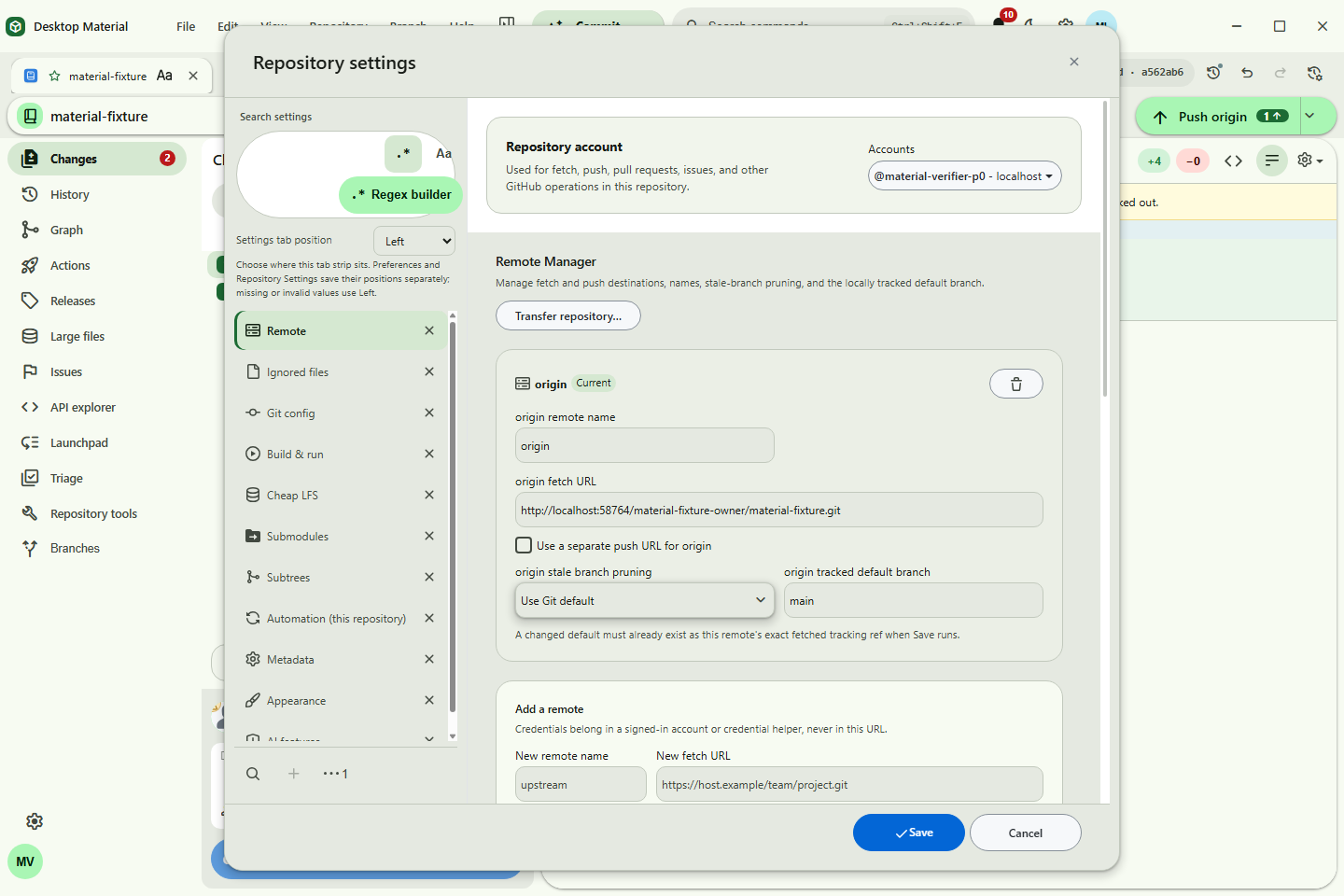
The current Remote Manager layout preserves readable semantic columns and
stacks a row before its name, fetch/push URLs, or controls collapse. Repository
Tools owns short-window vertical scrolling so Diagnostics and later results stay
reachable. Repository settings → Submodules → Add submodule… opens the
same provider/URL chooser as Clone, then reviews the safe relative destination
and optional tracked branch before Git starts. The wider settings surface also
shows the profile-wide Back preview; Shift+right-clicking it (or focusing it
and using the Context Menu key / Shift+F10) opens that element's editor beside
it, with edits staged until the settings dialog is saved. An
initialized row or changed/new submodule commit card's Open temporary
viewer action opens that child read-only without adding it to the repository
list. The context bar's visible Close viewer action clears the temporary
state and returns to the parent, while the adjacent Subtrees tab embeds add,
pull, push, and split management; stale, invalid, or escaping targets fail
closed. The reviewed current-branch
rebase uses searched target selection, ahead/behind context, a bounded commit
preview, fresh safety/ref checks, and the existing conflict continue/abort
path; it never force-pushes automatically.
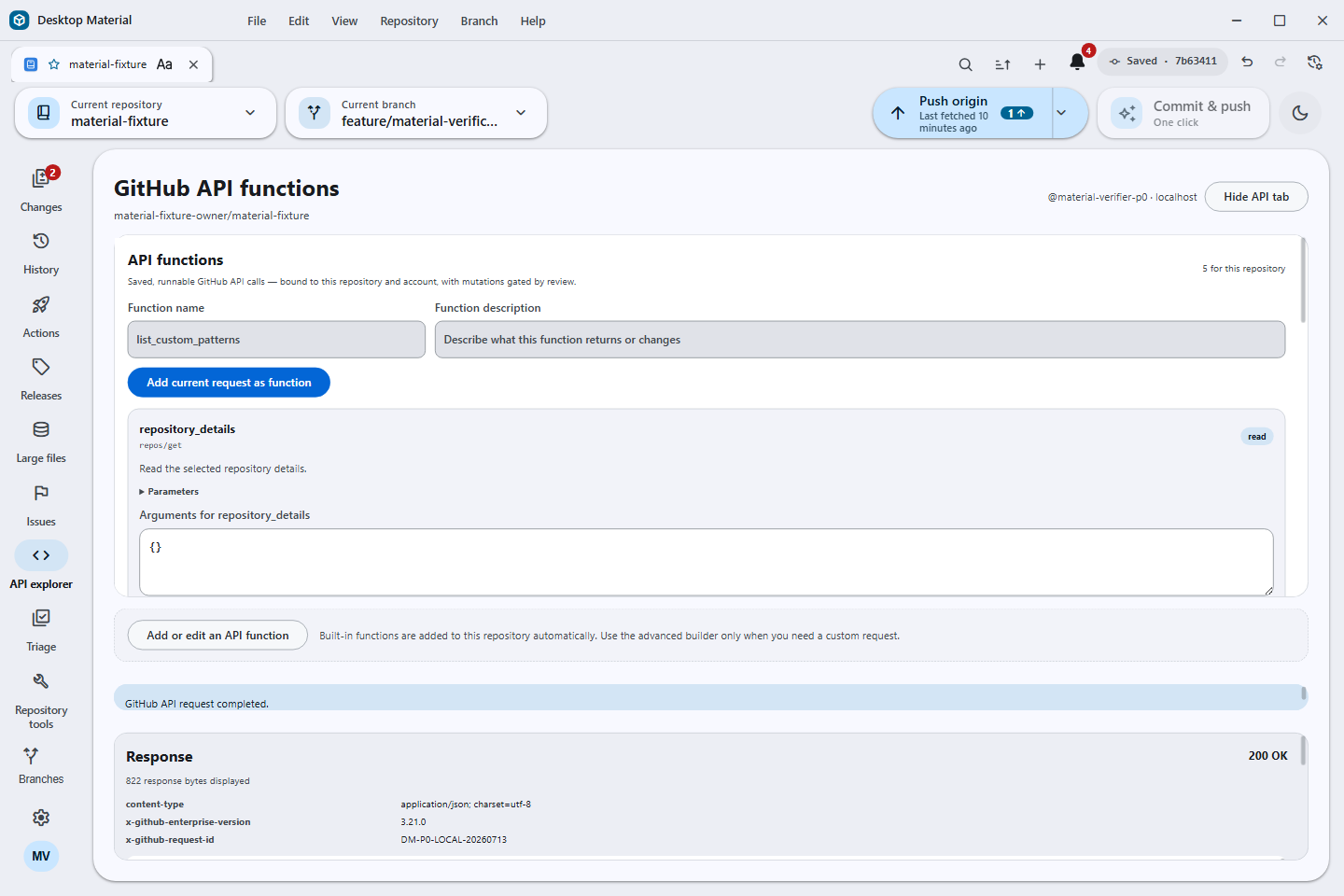
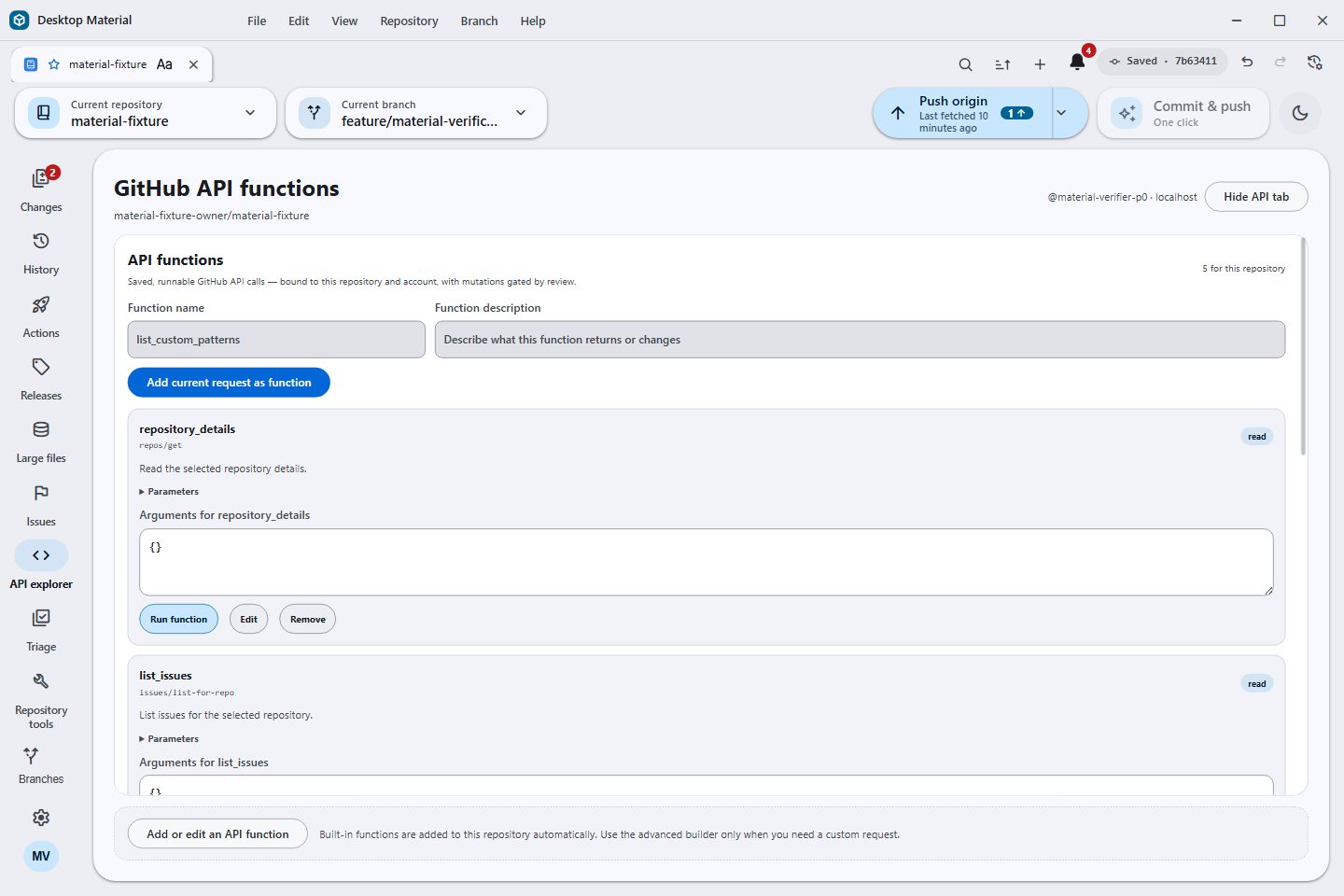
The repository rail now includes a hideable, functions-first GitHub API surface for expert integration work. Eligible repositories receive safe, repository-bound read functions automatically, and Repository tools → API functions provides the same actions as runnable buttons. The complete REST and GraphQL operation catalog remains available through the explicit advanced builder for custom functions. Requests use only the account and provider host bound to the selected repository; every mutation stops for exact-request review, while returned headers and bodies are bounded and credential-redacted before display.
Named API functions turn a reviewed REST or GraphQL definition into a reusable app extension. Each function is versioned in the active profile, fingerprinted, bound to the exact repository/provider/account context, and revalidated before execution; malformed definitions and credential-bearing inputs fail closed.
For queued, running, waiting, or pending workflow runs, the current Actions surface adds an exact-run cancellation review with available ref/actor/commit context. Repository/account/run identity and live status are revalidated before one normal cancel request, duplicate submission is suppressed, and polling continues to a terminal state with explicit authentication, SSO, and conflict recovery.
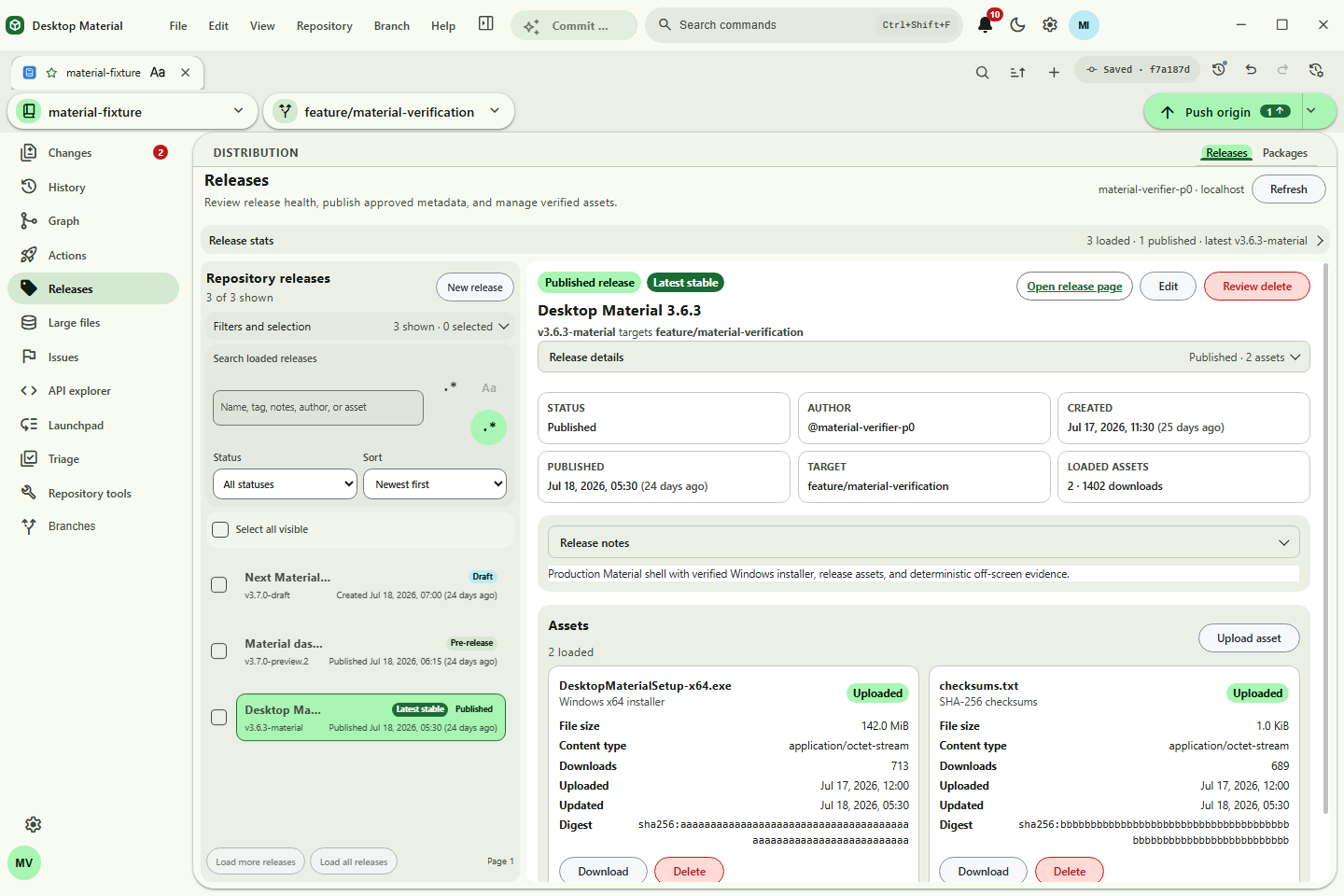
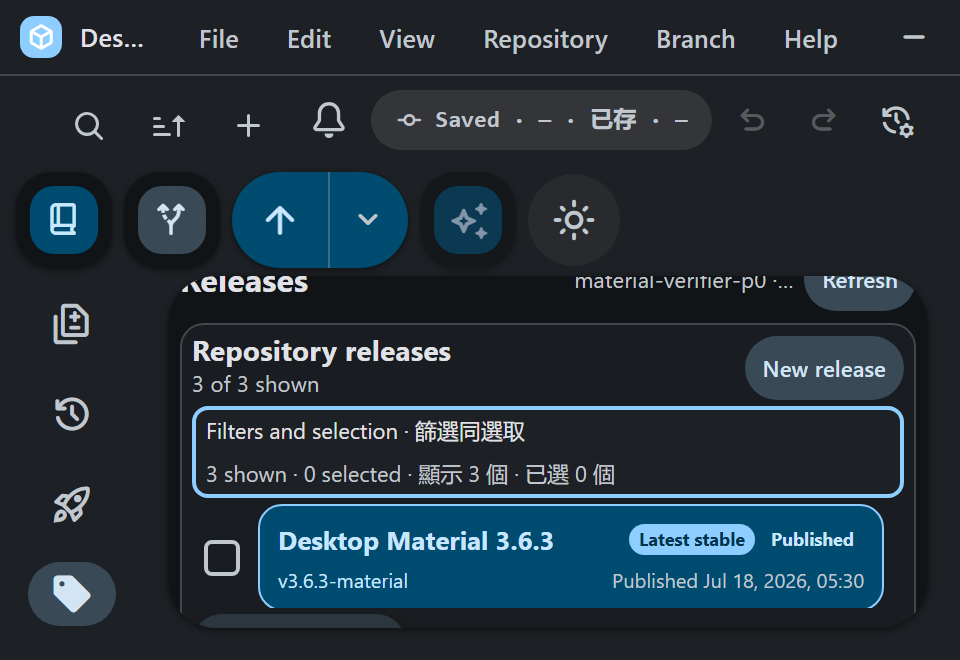
At the combined small-width and short-height gate, Repository Releases compacts
its header and metrics, moves the list ahead of overview/detail content, and
keeps one complete release row visible. The accepted physical 960×660 capture
maps to a CSS 480×330 viewport at 200% scale. Filters and selection becomes
a native keyboard-operable disclosure; release rows use 24-hour HH:mm
timestamps; a verified download offers Open file beside Show in folder;
and clearing a selection after a zero-result filter returns focus to an enabled
fallback instead of a disabled select-all control.
The same repository Distribution surface now switches to a Packages explorer. It filters all six GitHub package ecosystems by the freshly fetched numeric repository ID, gives package and version searches the full Regex Builder, and limits native transfer to digest-verified Desktop Material single-file artifacts in GitHub.com GHCR. The detailed behavior and security contract is in the GitHub Packages explorer guide.
The accepted accessibility correction keeps the same list-first structure and widens the combined gate to 800×560, covering 125% at 768×528 CSS as well as 150% and 200%. It holds a 176 px tools panel, raises compact text to 9–16 px, controls to 30–34 px, and release rows to at least 52 px. Its three-column metrics and localized wrapping disclosure prevent true small-screen and bilingual layouts from buying space with unreadable copy. The image below is the corrected exact-source frame promoted after the four-scale proof.
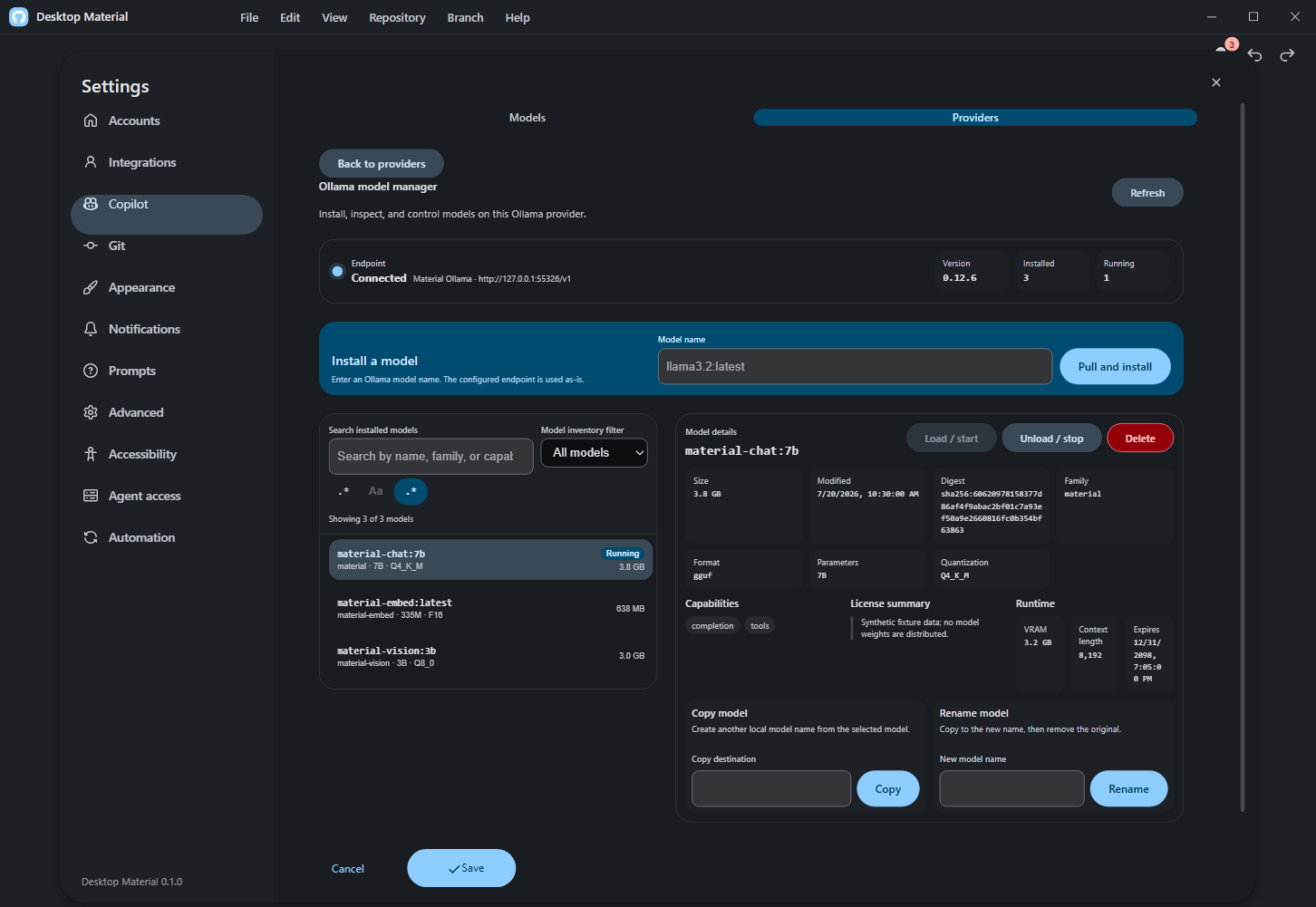
Settings → Copilot → Providers → Manage models opens a bounded workspace for one configured Ollama endpoint. Health/version, installed inventory, running state, search/filter, and model details stay separately refreshable. Pull shows streamed progress and supports cancellation; copy and copy-then-delete rename, load/unload, and exact-name confirmed deletion keep partial and failure states visible. Successful inventory changes synchronize installed names back to the provider's selectable Copilot models.
Management accepts only an exact loopback /v1 provider base. The manager
derives that loopback origin and appends fixed native /api/* routes; every
remote HTTP or HTTPS host, arbitrary prefix, saved /api base,
credential-bearing URL, query, and fragment fails validation. The complete
surface follows English, playful Hong Kong Cantonese, and bilingual language
modes, with keyboard access and live status announcements.
The accepted 1452×1001 synthetic-only capture passed original-resolution privacy review. Its geometry receipt reports the manager, Preferences shell, and lifecycle controls contained above the footer, with zero overlaps and no horizontal overflow.
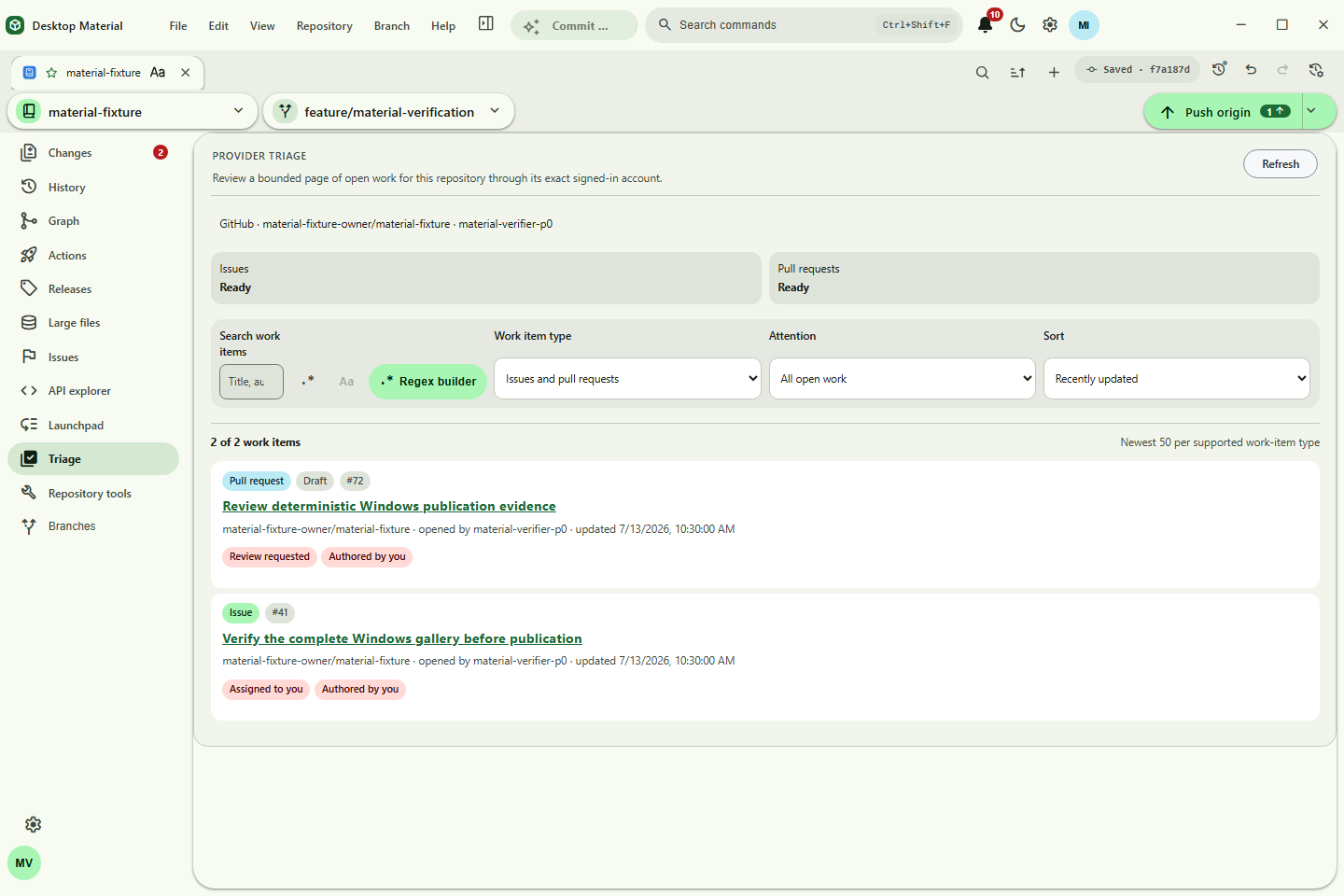
Provider Triage now consumes the canonical repository-account key saved by
Repository Settings and reacts to binding changes without reopening the
repository. Unique exact matches may bind only an unassigned repository;
multiple matches require Use this account, and signed-out, permission, or
organization-SSO states do not masquerade as unbound. GitHub browser sign-in
uses the bounded repo user workflow notifications read:org feature scopes and
excludes unrelated destructive/admin families.
The Word-style per-tab appearance surface combines typography, alignment, and independent text/background palettes. The original regex close action remains; the inverse literal close flow adds live counts/preview and cannot confirm empty or zero-match input. Pinned/manual/keyboard arrangement plus stable one-shot label/opened/status sorts persist without continuously reacting to later status changes. Every visual editor is anchored beside its actual owner and opens that owner's independent local Git history; ordinary Appearance preferences remain separate. Feature entry points own independent highlight settings rather than a global body switch. The custom repository-logo studio composes bounded mark and text layers, transforms and colors in a live preview with undo/redo and safe JSON transfer; a repository can inherit or edit its profile default without accepting executable SVG. Measured toolbar overflow remains unchanged.
High-frequency visual controls now collapse each synchronous burst into the
latest normalized owner value before one durable write and notification. Queued
get() reads, flushes, and History remain ordering barriers, so the responsive
path does not weaken the dedicated audit timeline.
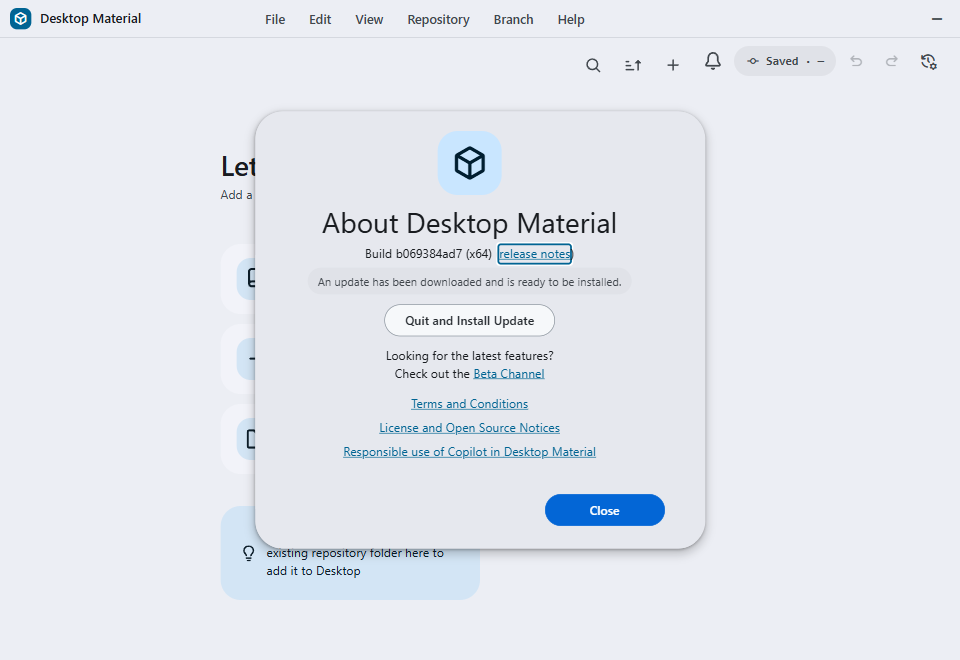
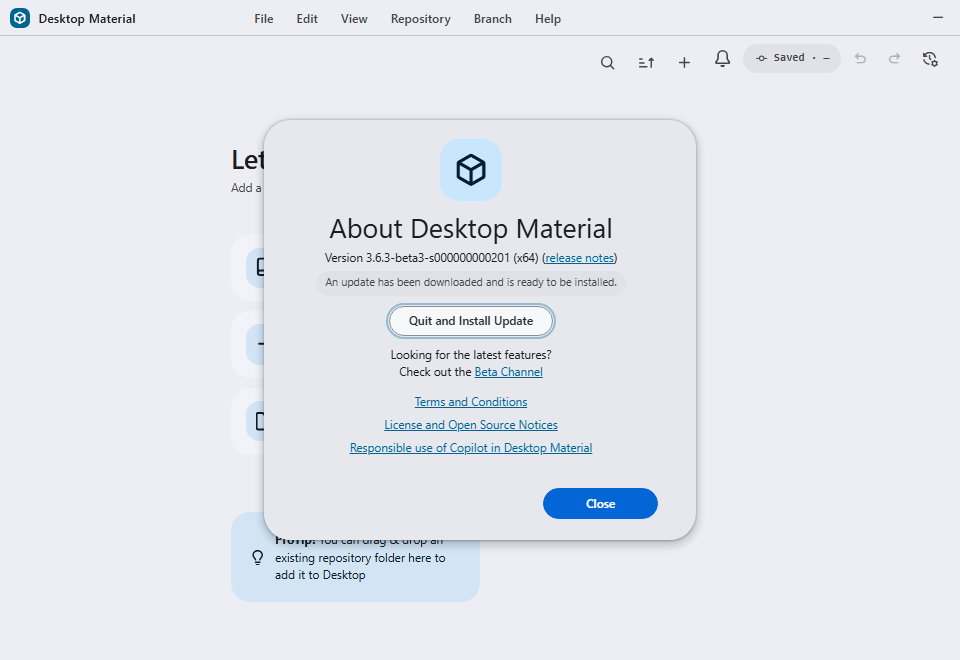
Accepted current-source development proof: runtime b069384ad7d8a65d1192ee06859a705fe484c9c8, promoted by e3967f1b81ec039624500797dca40a1ab6d98598. The verifier-owned payload is inert and disclosed; this frame does not claim a published updater payload.
目前原始碼開發版證明已驗收:真 Electron/Squirrel 路徑用驗證器自有、已披露嘅無害 payload;呢張相唔代表嗰個 payload 已經發佈。
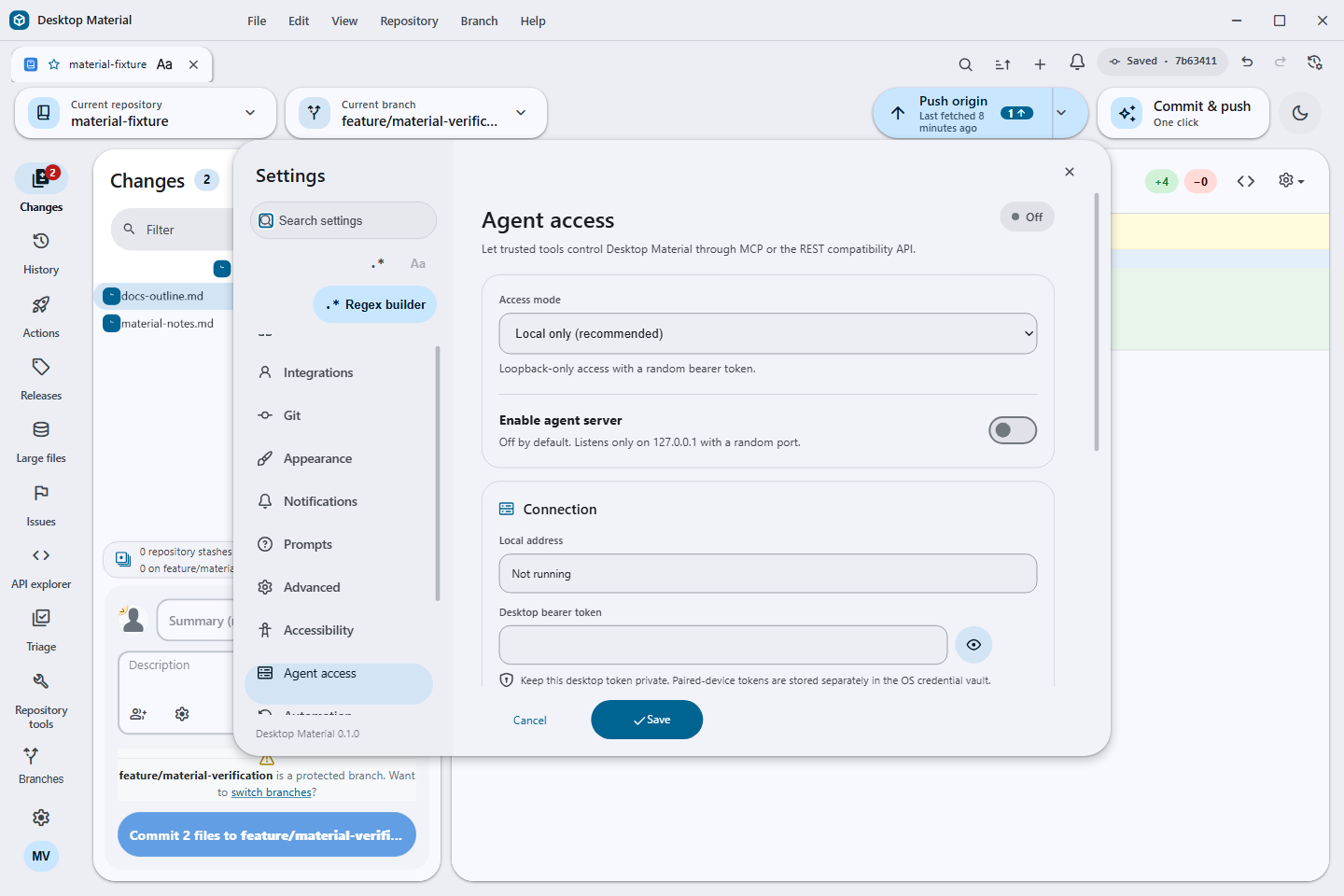
The Settings rail now includes Clone queue as a first-class destination. Each signed-in account owns a readable card with a folder picker, parallel/sequential selector, enabled switch, live status, and a bounded safety note; empty-account and invalid-directory states remain explicit. Agent access keeps its Mobile connection card discoverable in every mode, then enables one action only when Paired LAN mode is running. That action replaces the old pairing code and opens a fresh one-use fragment link in the default browser. Both surfaces supply English, playful Hong Kong-style Cantonese, and compact bilingual copy and remain vertically reachable in the Settings scroll owner.
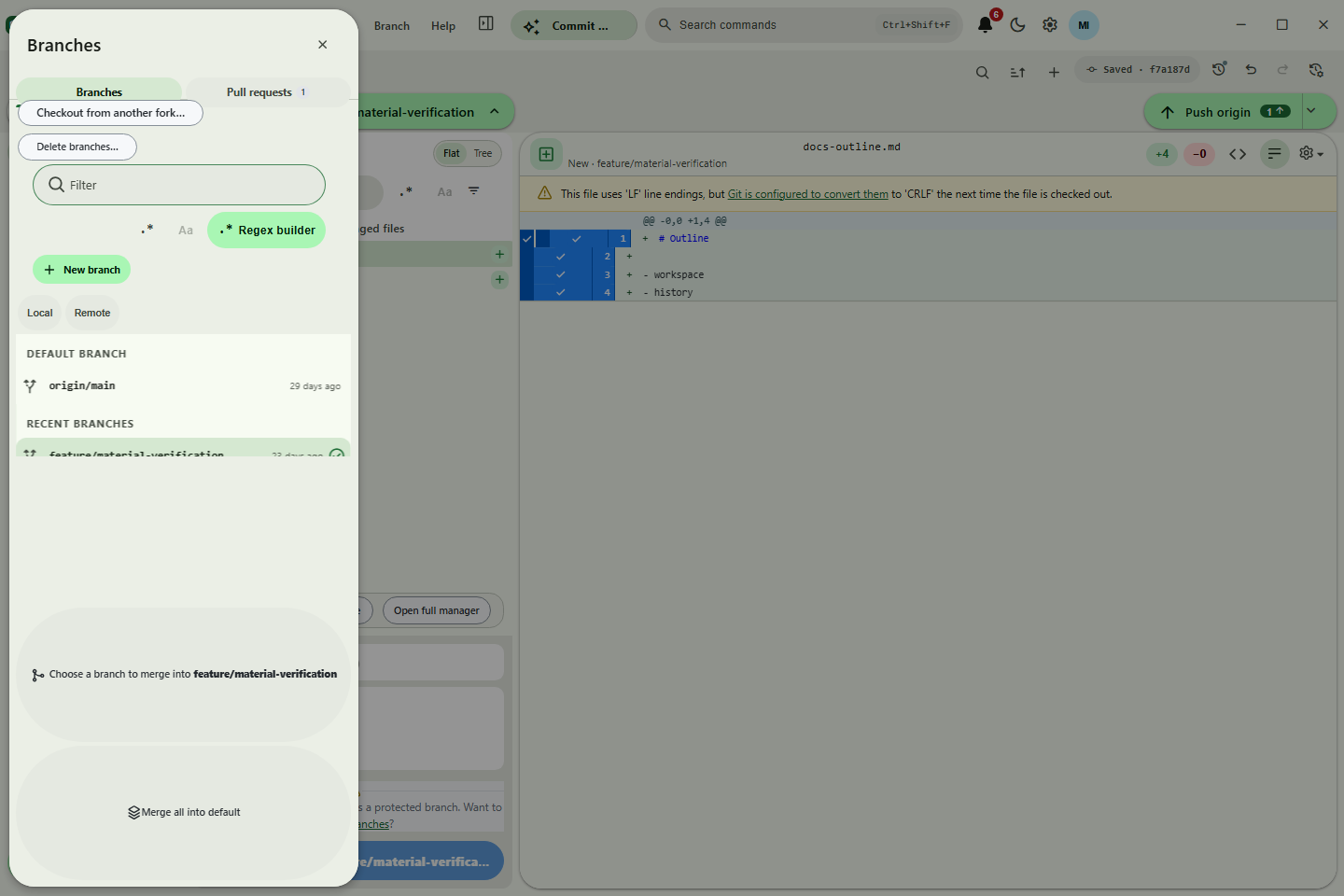
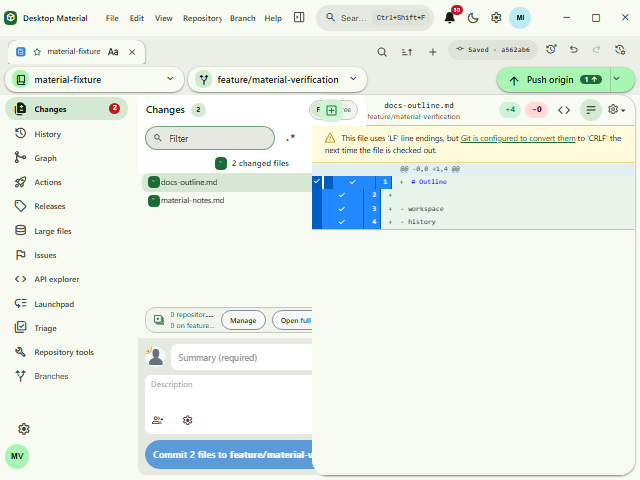
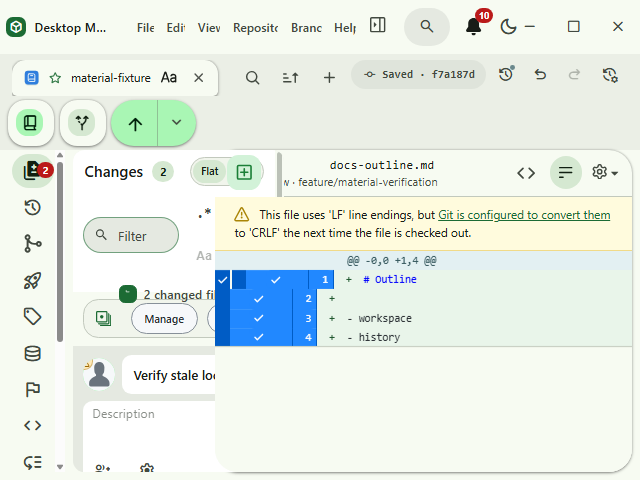
At compact and zoomed sizes, Regex Builder reflows the category/token layout, scrolls its body vertically, and keeps its live tester and footer actions reachable without page-level horizontal clipping.
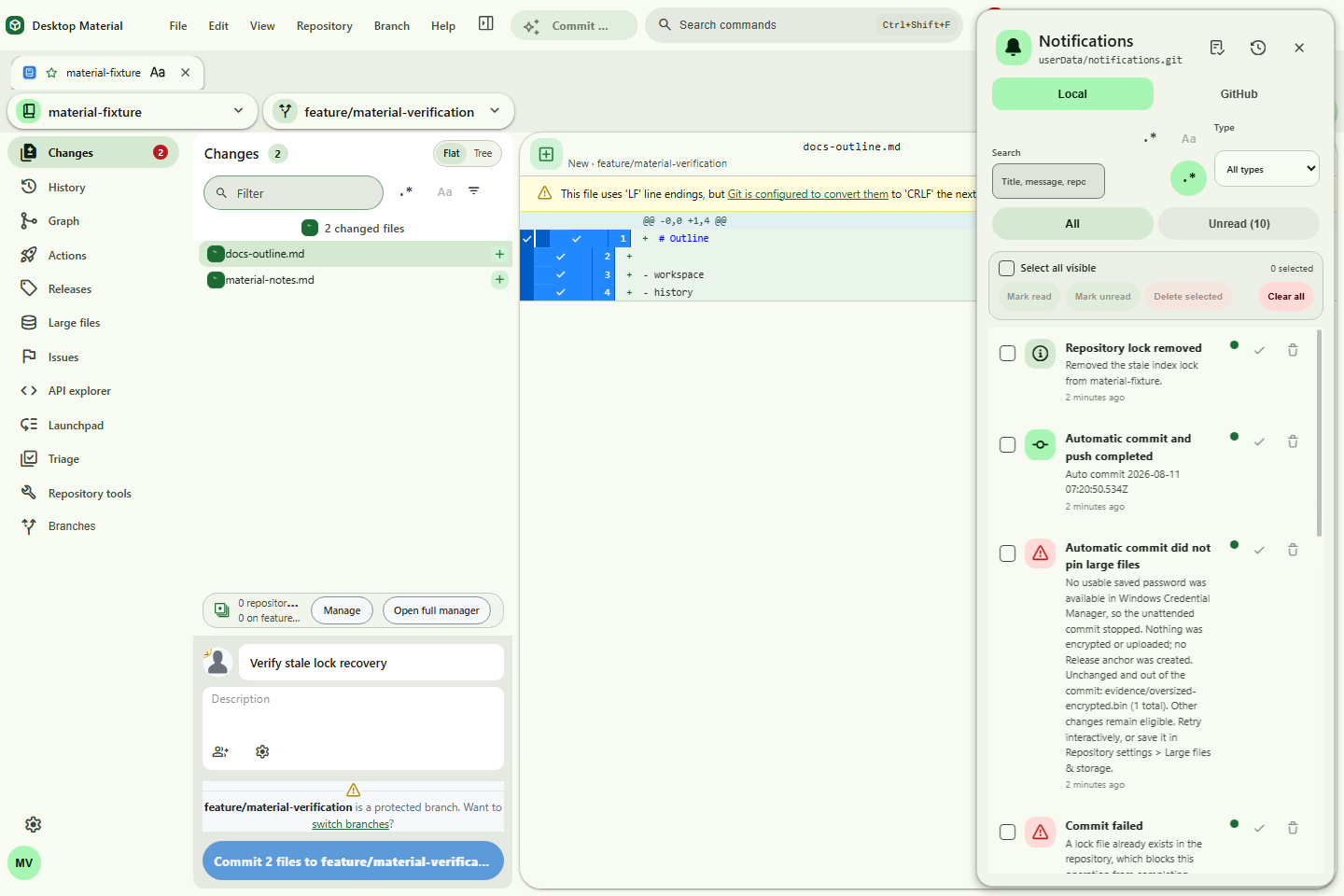
Local notifications can be searched and filtered by type, selected as the currently visible result set, and triaged with one history-backed mark-read, mark-unread, or delete operation. Clear all requires an inline confirmation and leaves the Git-backed history available for restoration. Acknowledgement-only errors use the profile's selected presentation: a dismissible red bottom-right notice by default, or the legacy blocking dialog. Errors that require a retry, authentication choice, or remediation remain decision dialogs.