Debugging
Debug → Logs tails service logs, site access/error logs, and app diagnostics. Use search, follow mode, and Open logs/ for the folder on disk.
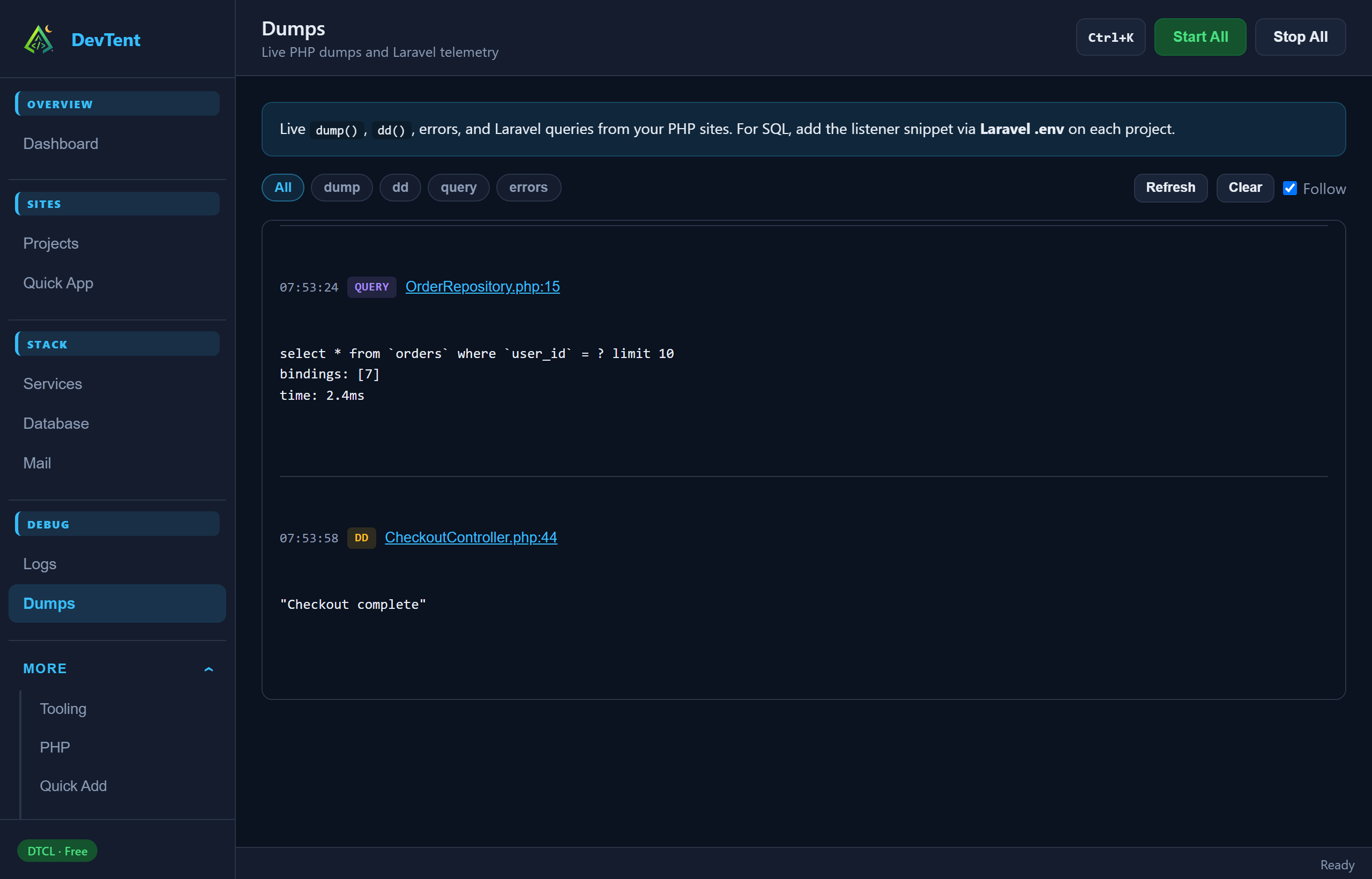
Debug → Dumps shows live dump() / errors from PHP sites, plus Laravel telemetry (queries, jobs, views, requests, logs, cache, outbound HTTP) when capture is installed.
- Quick App Laravel projects install capture automatically
- Or use Doctor → Run safe fixes, or the site drawer Install telemetry
- Filter by type / site; clear dumps when done
CLI:
devtent dumps list
devtent dumps clearStack → Mail controls Mailpit. Point Laravel at:
MAIL_MAILER=smtp
MAIL_HOST=127.0.0.1
MAIL_PORT=1025
MAIL_USERNAME=null
MAIL_PASSWORD=null
MAIL_ENCRYPTION=null
Open the Mailpit UI from the page (or tray) once the service is running.
System → Doctor runs the same checks as devtent doctor:
- Re-check environment health
- Run safe fixes (sync Procfile, regenerate vhosts, verify configs)
- Trust mkcert CA
- Start/stop local DNS and install the OS resolver for custom TLDs
Fix issues here before digging through raw logs.
Next: Database