Nodes
Every WP_* node the pack registers, in the order you'd typically wire them.
| Node | One-liner |
|---|---|
| WP Context | Roll a stack of modules into a $variable context |
| WP Context Loop | Emit N Contexts so the chain auto-iterates per run |
| WP Context Injector | Lift external node outputs into named $variables
|
| WP Seed List | Emit N derived seeds — one per loop iteration |
| WP Prompt Assembler | Fill $var placeholders in a template string |
| WP Prompt Cleaner | Rule-based cleanup of a prompt string |
| WP Debug | Inspect snapshot, trace, picks, warnings |
| WP Var → Int / Float / Bool | Parse a typed value out of a $variable
|
The heart of the pack. Holds a stack of modules (wildcards, fixed values, combines, derivations, constraints, bundles) and emits a resolved PIPELINE_CONTEXT — a map of every $variable written by the stack.
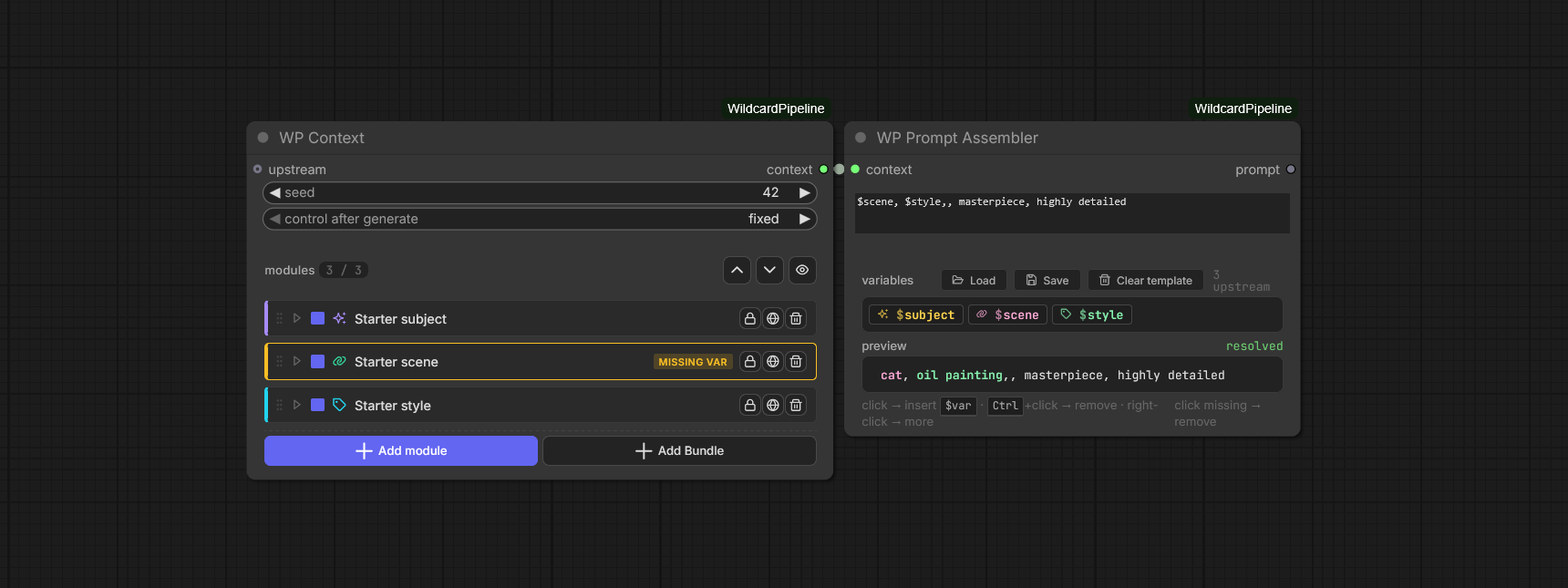
A WP Context with three modules (Starter subject, Starter scene flagged MISSING VAR, Starter style) feeding a WP Prompt Assembler. The assembler's chip strip lists the three upstream $vars; the resolved preview shows cat, oil painting,, masterpiece, highly detailed — the empty $scene slot makes the missing-var warning concrete.
Inputs
-
upstream(optional) — another PIPELINE_CONTEXT. Last-write-wins: this node adds/overrides bindings on top. -
seed— INT, controls every module's random stream. -
wp_modules— the DOM widget holding the module stack (socketless).
Output
-
context— PIPELINE_CONTEXT carrying every$variablepublished by this node and its upstream chain.
Common patterns
- Chain two Contexts to layer overrides (downstream wins).
- Drop a bundle for a reusable group of modules.
- Add a Context Loop in front to roll N variations from a single Generate.
Optional loop head. Wire its context output into your first WP Context and one Generate runs the chain N times — same one click, N different prompts.
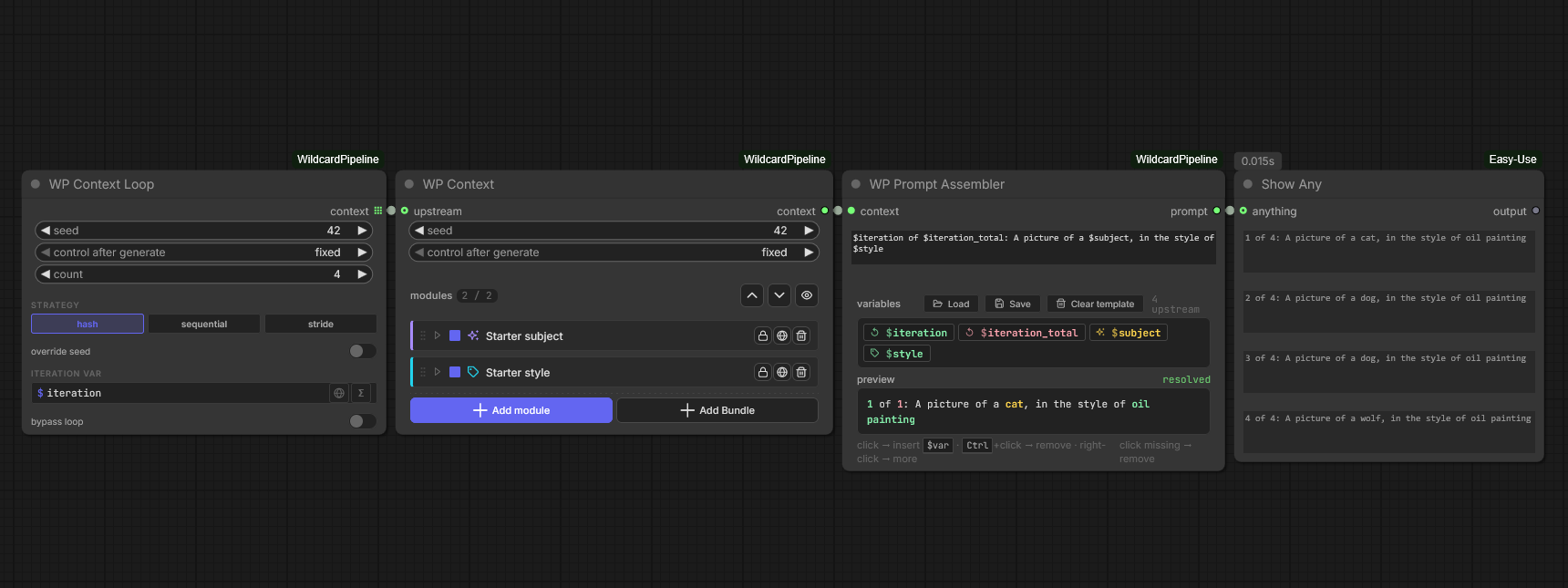
WP Context Loop (seed 42, count 4, hash strategy, $iteration var) → WP Context → WP Prompt Assembler with template $iteration of $iteration_total: A picture of a $subject, in the style of $style → Show Any printing four numbered lines side-by-side.
Controls
| Control | What it does |
|---|---|
| Seed | Base seed for the batch. Same seed = same set of variations. |
| Count | 1–999. Set to 1 to disable looping without removing the node. |
| Strategy |
hash (default, unrelated per iter), sequential (base, base+1, …), stride (large prime jumps). |
| Override seed | When ON, the loop derives N seeds from base and forces each iteration's chain seed. When OFF, each downstream Context keeps using its own widget seed. |
| Iteration var | Name of the per-iter variable (default $iteration). |
| Bypass | Collapse to single run while keeping the node wired. |
Iteration variables
The loop publishes two $variables to each iteration: $iteration (1-based current pass) and $iteration_total (the count). Both are internal by default — they help your modules but don't leak into rendered prompts unless you flip their internal toggle off.
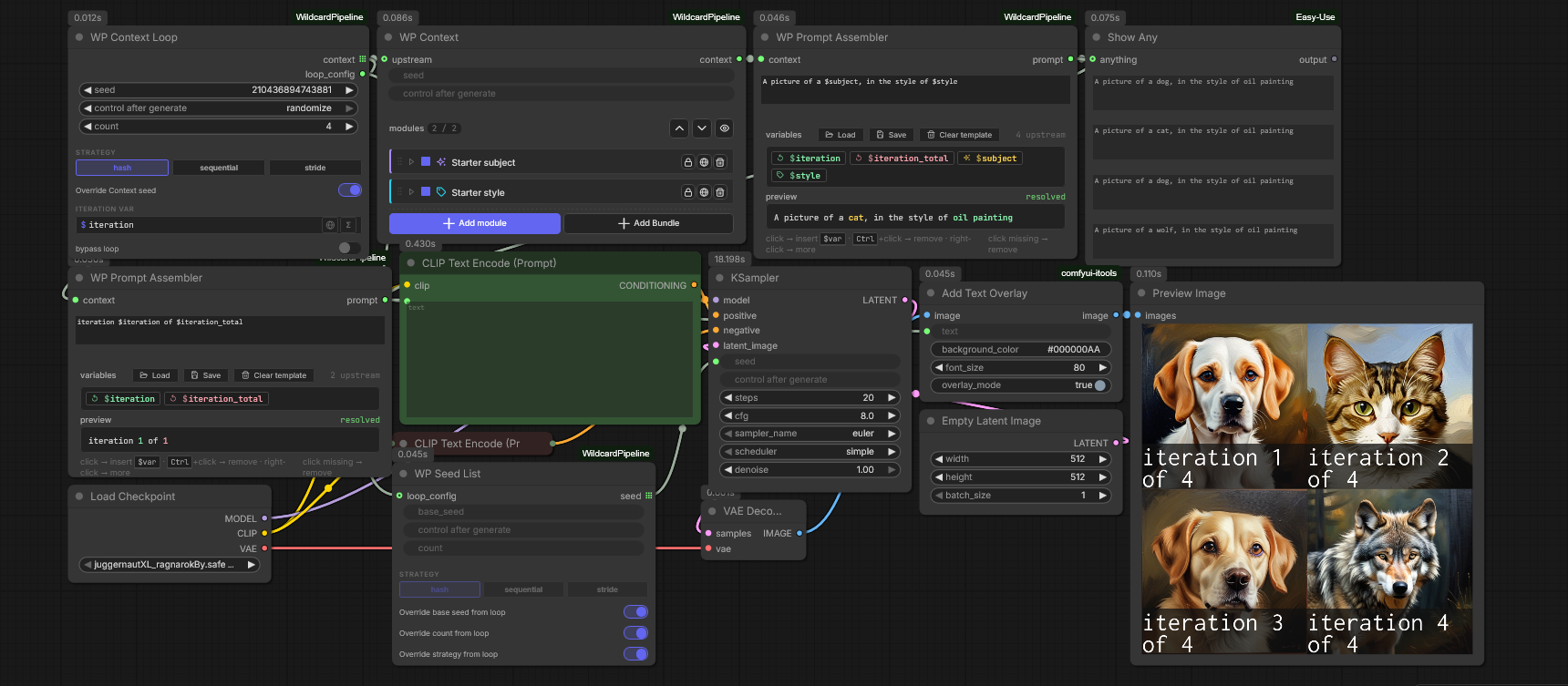
A 2×2 grid showing four iterations rendered through KSampler, each labelled iteration N of 4.
Same prompt + same seed = same image. Wire a WP Seed List alongside the loop so every iteration also gets its own seed.
Lift any ComfyUI node output (a multiline String, an INT from another sampler, etc.) into a named $variable so downstream Contexts can read it as if a module had produced it.
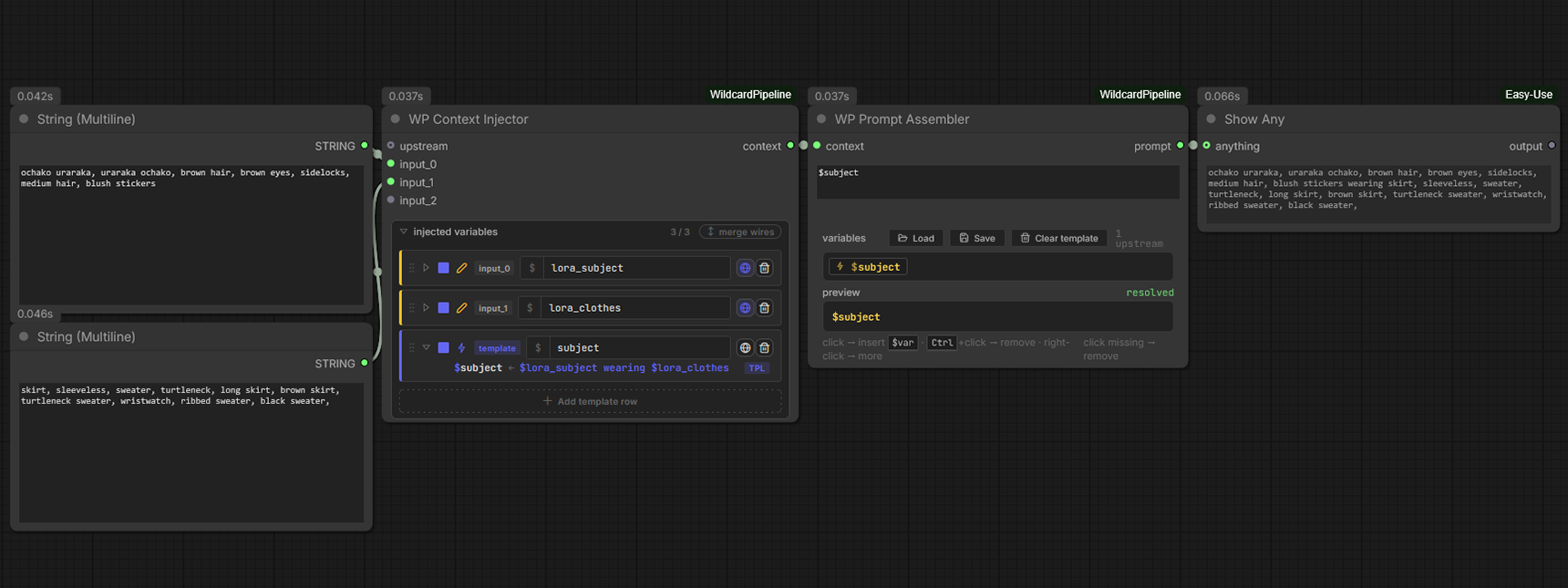
String (Multiline) → WP Context Injector (two binding rows: template_subject + subject) → WP Prompt Assembler → Show Any.
Use cases
- Patch a single
$variablewithout adding a full Context node. - Bring in an external value (a sampler's chosen step count, an injected username) as a
$varso the prompt template can read it.
Emits a list of N derived seeds — one per loop iteration. Wire its seed output (an INT list) into KSampler's seed input and the sampler auto-fans-out alongside the loop's prompt list, so every iteration gets its own (prompt, seed) combo. Solves the "same seed across the batch" problem at its root.
Controls
| Control | What it does |
|---|---|
| Base seed | Starting point for the seed series. |
| Count | 1–999 seeds to derive. |
| Strategy | hash / sequential / stride — same three the Loop uses. |
| Override base seed from loop | When ON + loop_config wired, base seed mirrors the Loop's. |
| Override count from loop | When ON + loop_config wired, count mirrors the Loop's. |
| Override strategy from loop | When ON + loop_config wired, strategy mirrors the Loop's. |
| loop_config (input socket) | Optional WP Context Loop side-output. Auto-on the count + strategy overrides on connect. |
Output
-
seed— list of N derived seeds (is_output_list=True). Every emitted seed is masked to 50 bits so it stays inside ComfyUI's frontend randomize range — copy any seed back into a standalone sampler and it reproduces identically.
Wire it in
WP Context Loop ──loop_config──► WP Seed List ──seed[]──► KSampler.seed
                ──context──► WP Context → WP Prompt Assembler → KSampler.positive
Both lists fan out in lockstep — iteration N's prompt pairs with seed N. See Concepts → Seeds and Loops.
Fills $var placeholders in a template string with values from the upstream Context. The output is a plain text prompt ready for CLIP Text Encode.
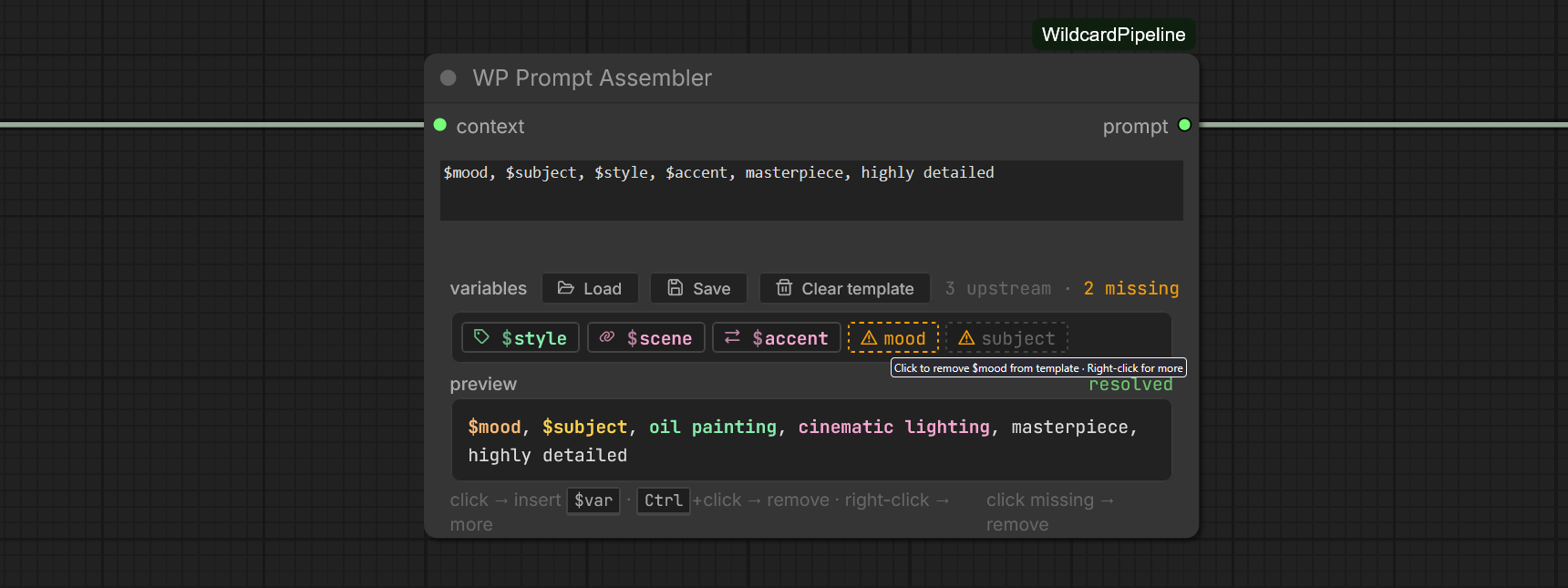
Template $mood, $subject, $style, $accent, masterpiece, highly detailed. Variables strip lists three upstream chips ($style, $scene, $accent) and two dashed-orange missing chips ($mood, $subject). Resolved preview fills the upstream chips and leaves the missing slots literal.
Inputs
-
context— PIPELINE_CONTEXT from upstream. -
template— multiline string. Type free text and insert$variablenames where Context values should appear. Supports inline{a|b|c}picks;$$escapes a literal$.
Output
-
prompt— STRING ready for CLIP Text Encode.
Tips
- Variables marked internal in their module never appear in the rendered prompt — useful for
$moodthat drives a derivation but shouldn't leak into the text. - The chip strip flags missing variables in orange. Click missing chips to remove from the template.
- Save / Load template buttons let you reuse a template across workflows (see Modules → Template).
Rule-based post-processor for an assembled prompt — collapses whitespace, drops orphan punctuation, deduplicates tags (exact + fuzzy), filters a custom blocklist.

WP Prompt Cleaner fed a deliberately messy tag dump. Mode tags, intensity aggressive. Rules pane lists hits per family: whitespace 3 · punctuation 6 · tag dedupe 3 · fuzzy dedupe 3 · blocklist 4. Show Any on the right renders the cleaned single-line output.
Controls
| Control | What it does |
|---|---|
| Mode |
tags (split on ,) or text (whole-string trim). |
| Intensity |
gentle (whitespace only), balanced (+ punct + exact dedupe), aggressive (+ fuzzy dedupe). |
| Rules | Per-rule toggles override the intensity preset. |
| Blocklist | Custom list of tags to drop. Auto-enables when entries are present. |
Read-only inspection. Wire any PIPELINE_CONTEXT into it and after each Generate the viewer fills with a tabbed snapshot of what flowed through that point.
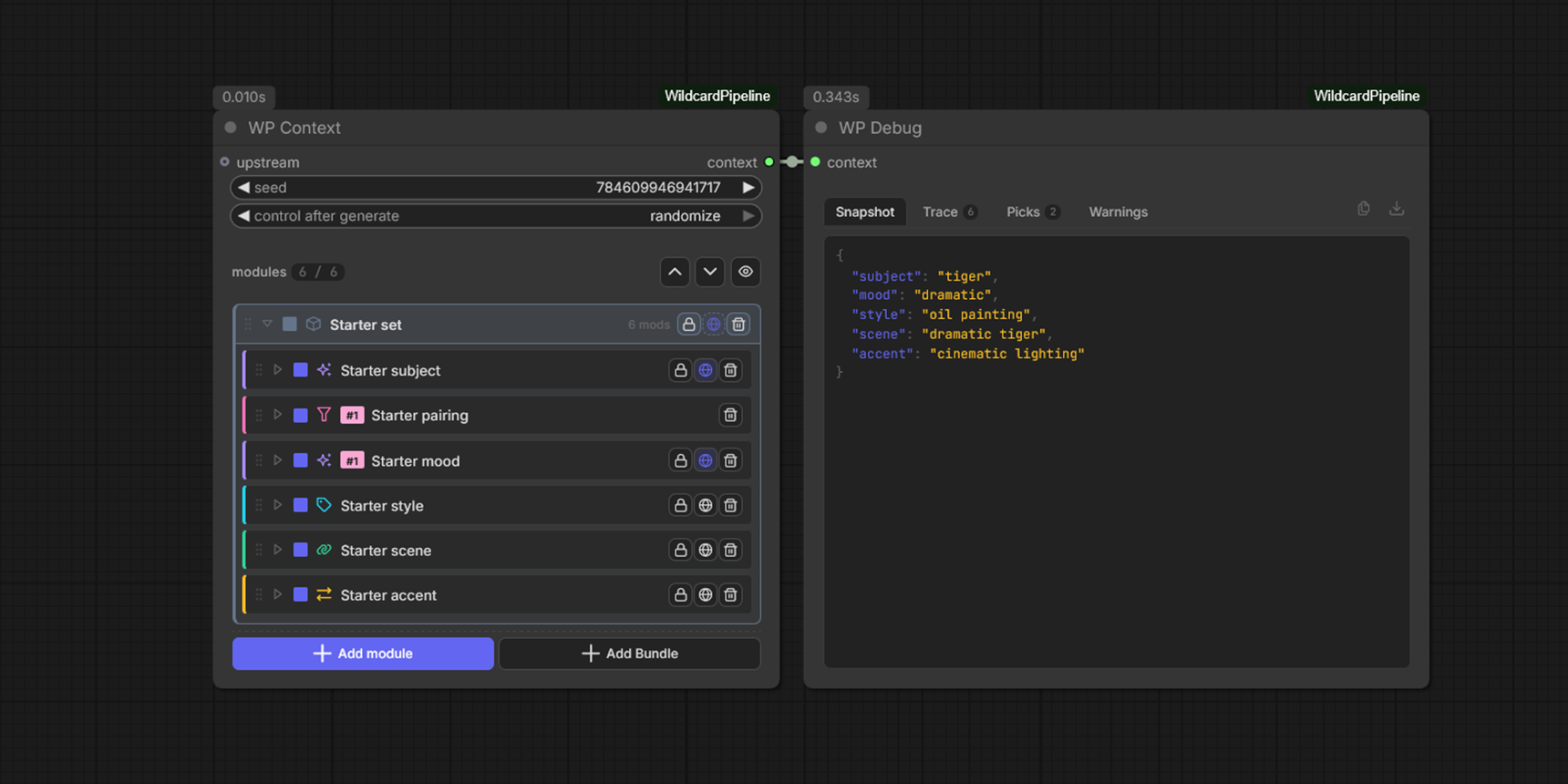
WP Context expanding the Starter set bundle into WP Debug. Snapshot tab selected; JSON pane lists this run's resolved $vars: subject=tiger, mood=dramatic, style=oil painting, scene=dramatic tiger, accent=cinematic lighting.
Tabs
| Tab | What it shows |
|---|---|
| Snapshot | Final resolved $variable → value map. |
| Trace | Per-module step-by-step: what each ran, what it wrote, where the seed came from. |
| Picks | For wildcards: which option was picked, its weight, its sub-category. |
| Warnings | Runtime warnings (constraint never fired, missing variable, etc.). |
Placement
Drop multiple Debug nodes at different points to compare upstream/downstream state side by side:
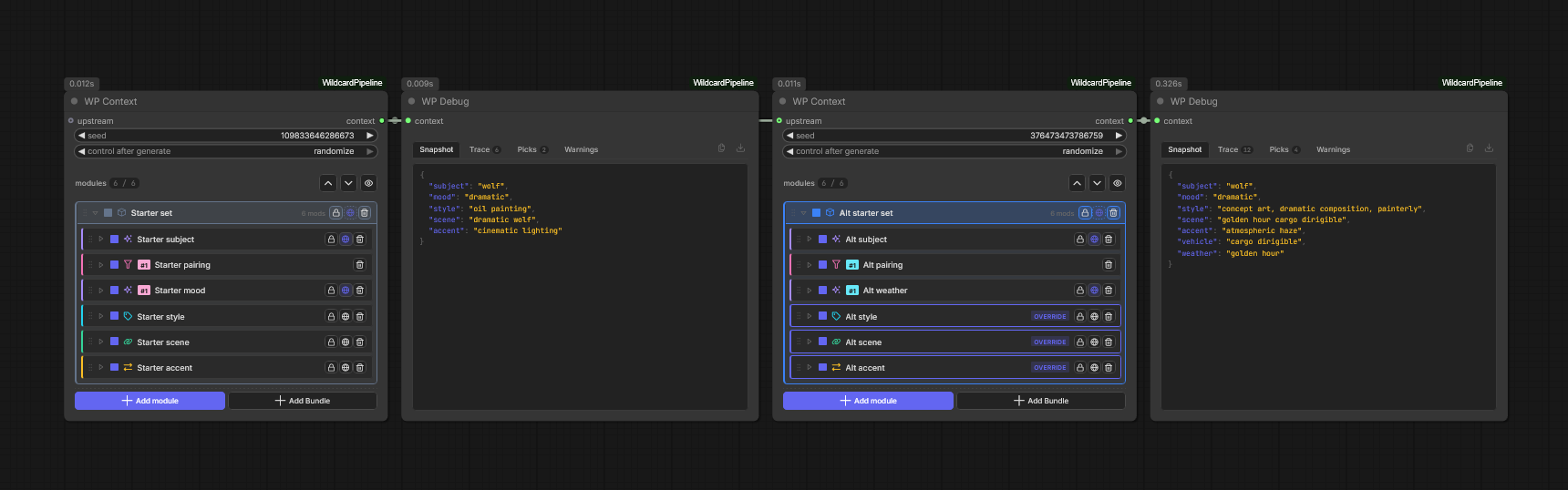
Two Context→Debug pairs comparing Starter set vs Alt starter set OVERRIDE-flagged stack.
Three sibling nodes that parse a typed value out of a $variable so it can drive any ComfyUI INT/FLOAT/BOOLEAN input — image width, step count, sampler cfg, conditional switches.

Two WP Var → Int nodes both reading $resolution, dropdown showing upstream chips. Index 0 → 1344 (wired into Empty Latent Image width); index 1 → 768 (wired into height).
Controls: var_name (picker), index (which number to extract when the variable contains multiple), default (fallback when missing / unparseable).
Output: INT.
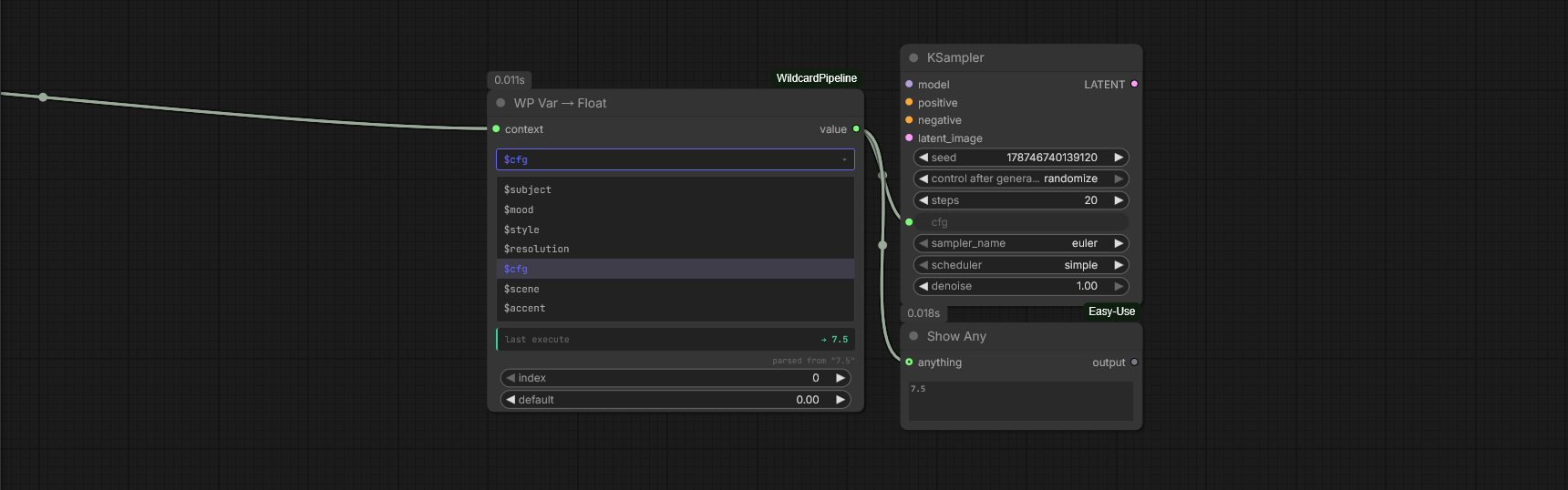
WP Var → Float reading $cfg, last execute → 7.5, FLOAT output wired into KSampler's cfg input.
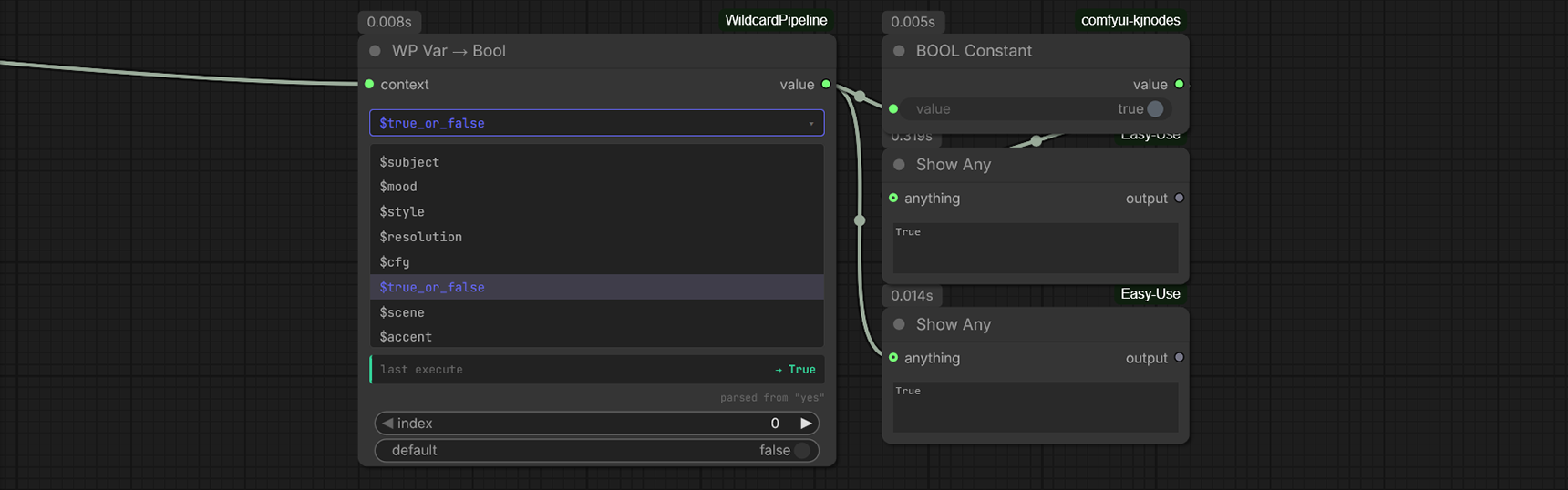
WP Var → Bool reading $true_or_false, parsed from "yes" → True. Accepts yes/no/on/off/1/0/true/false (case-insensitive).