Quick Start
Five-minute path from "freshly installed" to "Generate produces a wildcard-rolled prompt". Two stages:
- Create a starter wildcard in the manager SPA.
- Wire a three-node chain on the ComfyUI canvas.
Open the Wildcard Pipeline manager (sidebar → Wildcards → + New). Fill in:
-
Name:
subject -
Variable binding:
$subject(auto-fills from the name) -
Options:
a cat/a dog/a fox, each at weight 1
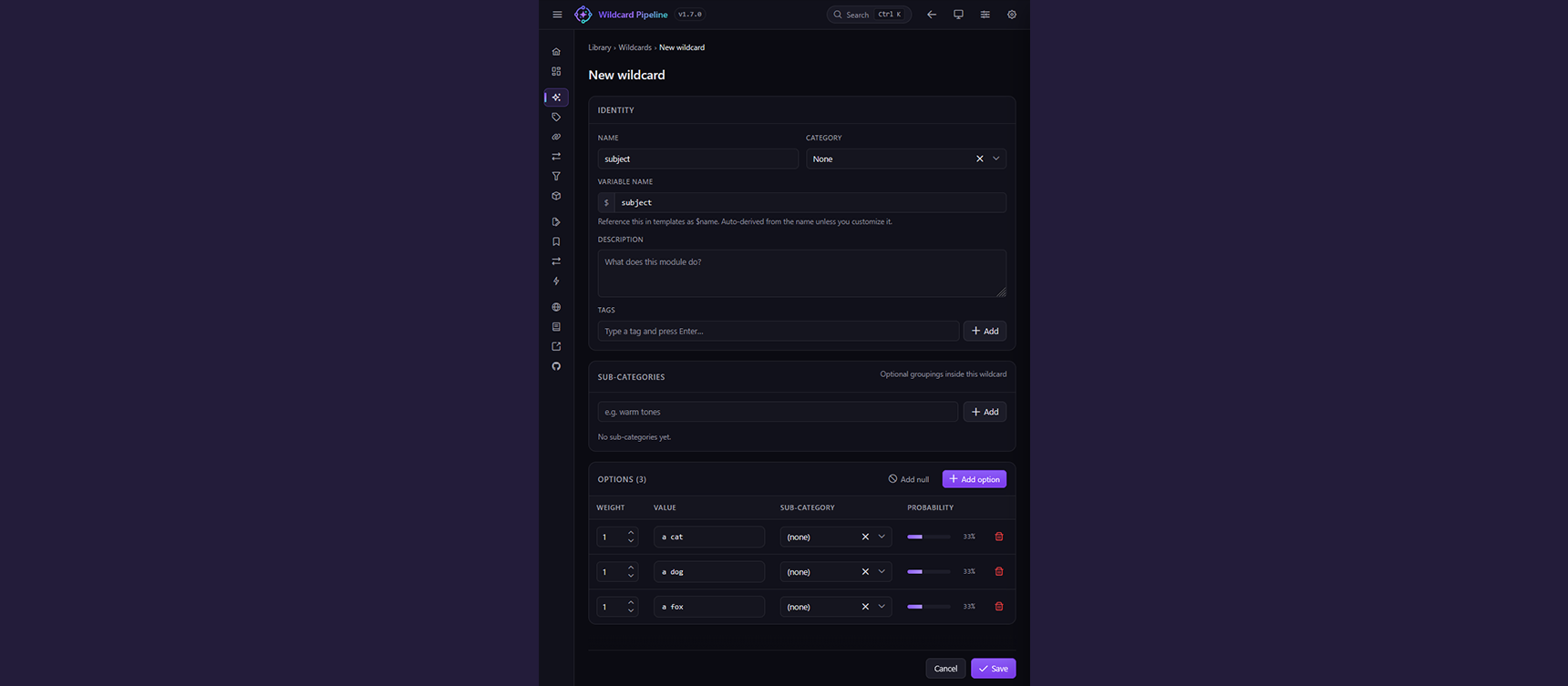
The SPA's New wildcard form pre-filled by the starter button. Identity name subject, variable binding $subject, three options at weight 1 each (probability 33%).
Hit Save. The wildcard is now in your library and can be referenced from any WP Context node by name or by @{uuid}.
Skip-ahead: every module page in the SPA docs has a
Create starterbutton that builds the same row in one click. Same shape; faster than typing.
On the ComfyUI canvas:
-
Add
WP Context— right-click → Add Node → wildcard-pipeline → WP Context. -
Add the wildcard to the context — click
+ Add moduleinside the Context widget, pick Wildcard, selectsubjectfrom the library list. -
Add
WP Prompt Assembler— wireWP Context.context→WP Prompt Assembler.context. Typea $subjectinto the template field. -
Wire to CLIP —
WP Prompt Assembler.prompt→CLIP Text Encode.text. - Hook into the sampler — CLIP conditioning into KSampler positive.
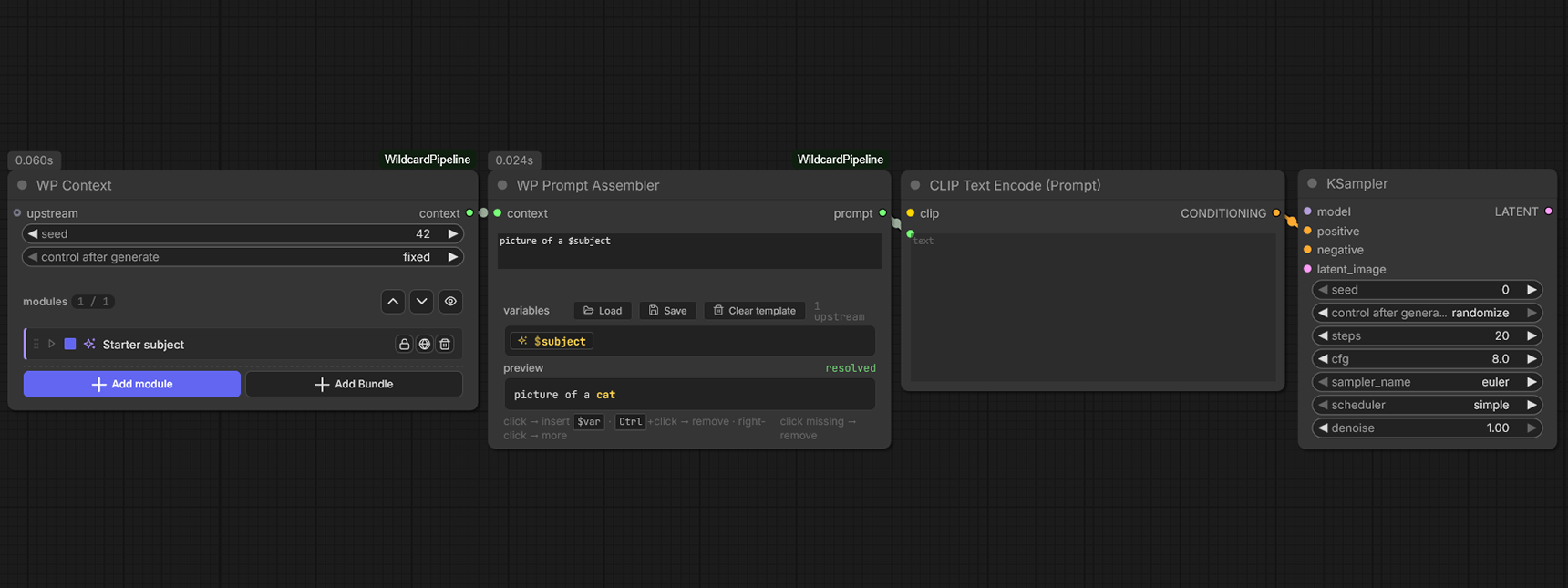
Four nodes: WP Context (Starter subject row) → WP Prompt Assembler (template a $subject, resolved preview a cat) → CLIP Text Encode → KSampler.
Press Queue. Each run rolls a fresh subject through the same skeleton.
-
Add more variables — drop a
fixed_valuesfor$style, acombinefor$scenefrom$mood $subject. See Modules for what each does. - Loop the chain — drop a WP Context Loop in front of your Context to roll N variations from one Generate click. See Nodes → WP Context Loop.
- Inspect what got picked — wire a WP Debug node off any Context output and open its Snapshot / Trace / Picks / Warnings tabs after a run. See Nodes → WP Debug.
- Save a module group as a bundle — multi-select rows in the Context widget → right-click → Save as bundle. See Modules → Bundle.