Repository navigation
Auto pilot
Auto-pilot builds the project from its documents: it plans on the board, dispatches agents, runs the project's gates itself, and stops when the work is done or something needs you. Every decision about what to do next is made by code reading the board, never by a prompt.
Press Start and auto-pilot checks the project first. Anything missing is listed on the bar, by name:
-
A README at the project root, at least 200 characters of real text. Auto-pilot derives the whole plan from it.
-
Five foundation documents in
.vibeboard/foundation/, none of them empty:Document What it decides STACK.mdlanguages, frameworks, libraries and their pinned versions CODE-QUALITY.mdthe gates: commands that must pass, such as lint, types and tests TESTING.mdthe test strategy, and the smoke command that proves the product works UX.mdthe flows and interaction principles DESIGN.mdthe visual language, tokens and components -
The gates and the smoke command in frontmatter, because auto-pilot runs them itself:
---
gates:
  - name: lint
    command: npm run lint
  - name: tests
    command: npm test
---
and in
TESTING.md,smoke: npm run smoke. If the copilot wrote or changed the gates, you confirm them with I have read the gate commands: they run as shell commands on your machine. -
The mode's skills in
.vibeboard/skills/. -
No card waiting on you, in Standard and Express. A card you ran by hand and left in Waiting approval is yours to look at first.
The setup wizard walks a new project through all of this.
Pick the mode on the auto-pilot bar. It is saved in the project's config.yaml.

| Mode | How it works | Trades away |
|---|---|---|
| Mini (default for new projects) | One run plans the whole project on the board and builds it; a second reviews, tests and fixes it | checks between the build and the review |
| Express | One feature card lists the plan, one story per bullet, one task per story, each with its own run and review | granularity |
| Standard | One card per capability, one story per acceptance criterion, each with its own run and review | cost and time |
Benchmarks has what each one measured on real projects.
- The build. One agent writes the features, stories and tasks on the board, builds them, and moves each card to Waiting approval as it finishes. The board is its plan and its progress report.
- The checks. Auto-pilot runs the gates and the smoke command itself.
- The review. A second agent reviews, tests and fixes the project against its documents, moves the cards it verified to Done, and leaves open the ones it could not confirm.
- A second round, at most. If the review asked for another round, or auto-pilot's own checks fail, the review runs once more. If that one fails too, auto-pilot stops and names what fails.
A Mini run has no time limit and no spending cap while it runs. It ends when the agent finishes,
on an error, when you press Stop, or when the agent has produced nothing for idleMinutes
(10 by default).
Auto-pilot walks the board one step at a time: derive the features from the README, break each feature into stories and each story into tasks, implement the story, review it, fix what the review found, then check the feature as a whole. Each step is a separate run with its own limits:
| Setting | Default | What happens when it is reached |
|---|---|---|
runTimeoutMs |
1,800,000 (30 min) | the run is stopped |
attemptCap |
3 | a card that has used its attempts on a skill is parked in Blocked |
budgetUsd |
20 | auto-pilot stops once the project's spend reaches it; 0 turns it off |
maxIterations |
250 | auto-pilot stops after that many steps |
In Express, you can also confine auto-pilot to one feature: it works that card, its stories and its tasks, and stops when they are done.
| Control | What it does |
|---|---|
| Stop | Dispatches nothing new. A Mini run is ended; in Standard and Express the running step finishes |
| Emergency stop | Kills every agent in the project and halts it. Nothing starts, not even the copilot, until Restart |
| Fix board | Hands a board auto-pilot cannot move to the copilot, in a conversation you watch, with repair powers for that one answer |
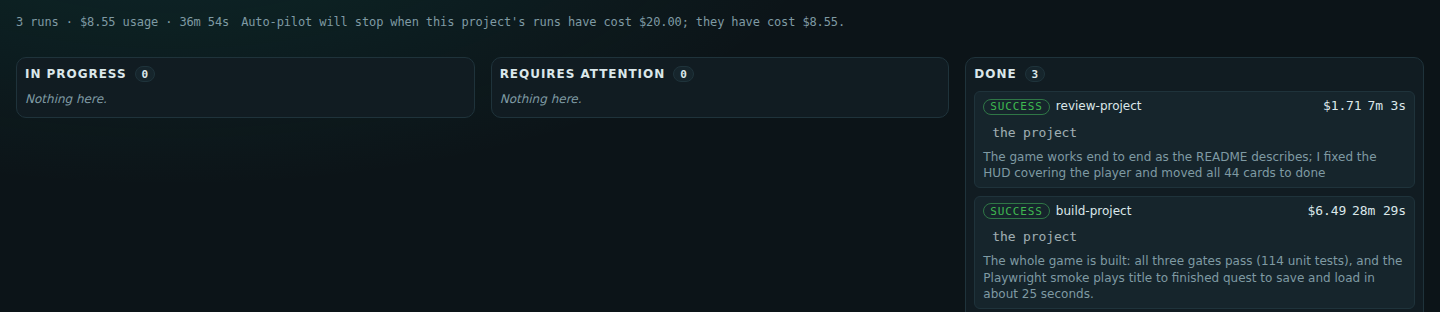
The Execution tab lists every run with its cost and time, grouped by whether it is running, needs you, or is done:
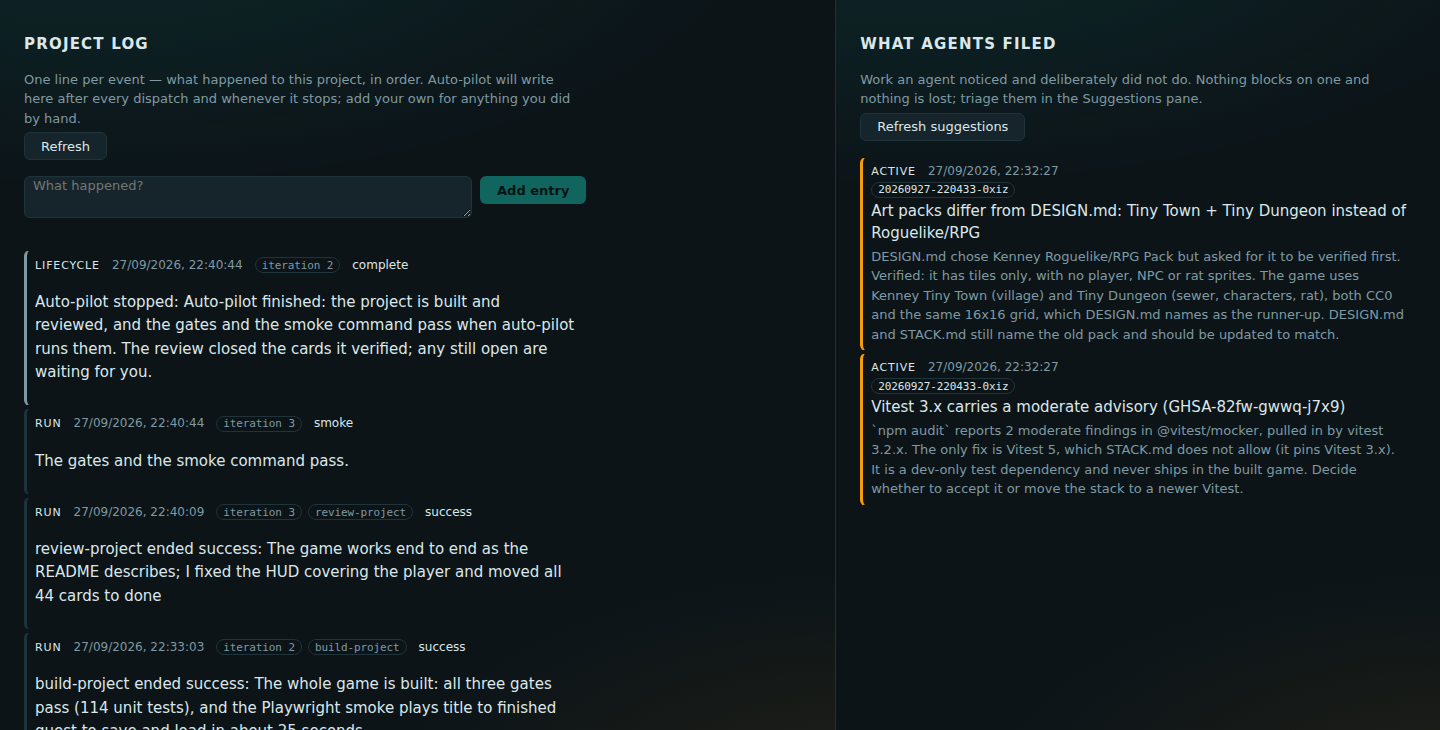
The Project Log records every step auto-pilot takes, one line each, beside the suggestions the agents filed along the way: