Repository navigation
Boards and cards
Every project has three linked boards, and every card is a markdown file. VibeBoard reads and writes those files; it never keeps a copy of its own.
| Board | Holds | Default columns |
|---|---|---|
| Features | what the product can do, one card per capability | Backlog, Todo, In Progress, Done |
| Product | the stories under each feature: what and why | Backlog, Todo, In Progress, Blocked, Done |
| Engineering | the tasks under each story: how | Backlog, In Progress, Review, Blocked, Done |
Columns are configurable per board. The Blocked column is shown as Blocked / Waiting approval: it is where finished work waits for you to look at it.
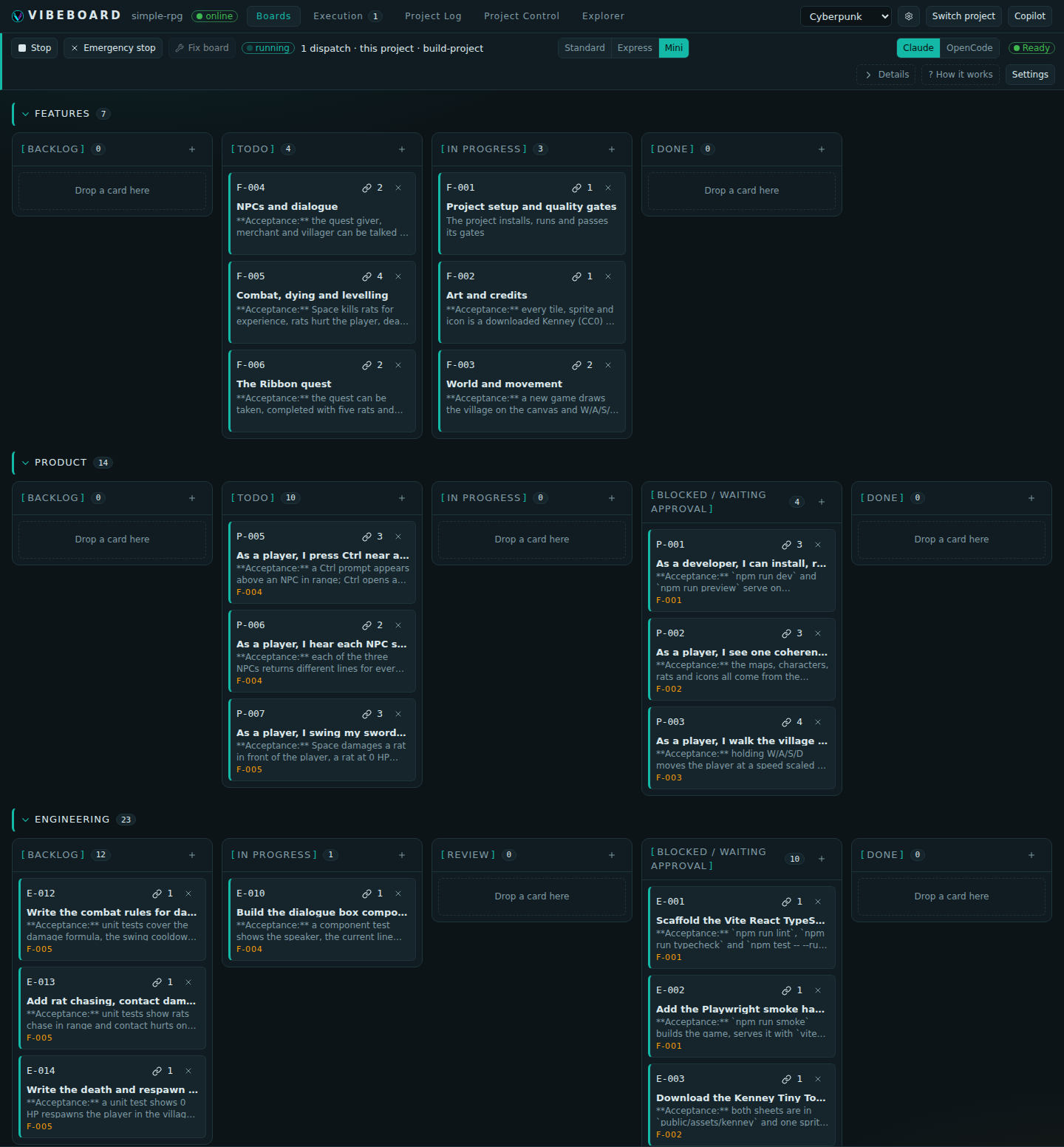
Halfway through a Mini build: the agent has planned the project as 44 cards and parks each one in Waiting approval as it finishes it.
A card's board and column are its path, and nothing else:
.vibeboard/boards/engineering/in-progress/E-004.md
Moving a card moves its file. Drag it on the board, git mv it, or let an agent move it through
the API: a filesystem watcher pushes every change to the browser, so all three are the same event.
Deleting a card moves it to the board's archive/ folder, from where it can be restored.
YAML frontmatter, then a free markdown body:
---
id: E-001
title: Scaffold the Vite React TypeScript app with the gate scripts
order: 10
tags: []
links:
  - P-001
group: F-001
created: '2026-09-27'
createdBy: 20260927-220433-0xiz
---
**Acceptance:** `npm run lint`, `npm run typecheck` and `npm test -- --run` exist and all exit 0.| Field | Meaning |
|---|---|
id |
F-, P- or E- and a number. Given by VibeBoard, never chosen |
title |
the card's name |
description |
optional short summary, shown on the card |
order |
position within its column |
tags |
free labels; the tag filter narrows all three boards at once |
links |
ids of related cards on any board. Links are symmetric |
group |
optional label that groups cards visually |
created |
the date the card was made |
createdBy |
the run that made it, when an agent did |
setup |
marks the setup feature: until it is done, auto-pilot works on nothing outside it |
followUp |
marks the one open feature that later stories hang off |
satisfiedBy |
a gate command that already proves the card's criterion; ignored unless it matches a gate |
archived, archivedFrom
|
when the card was deleted, and from which column |
setup and followUp are written by auto-pilot only.
Everything VibeBoard owns sits in one folder, so an existing repository's own root stays untouched.
The only exceptions are CLAUDE.md and AGENTS.md at the root: each agent CLI looks for its own
by name there, and both just point into .vibeboard/.
.vibeboard/
├── boards/<board>/<column>/  the cards; results/ holds each card's run reports
├── skills/<slug>/SKILL.md    the skills (see Skills)
├── foundation/               the five documents auto-pilot is judged against
├── docs/                     project documents, editable in Project Control
├── resources/                reference files you can attach to a run
├── resources.yaml            the links registry
├── config.yaml               columns and settings (see Configuration)
├── INSTRUCTIONS.md           your standing instructions to the copilot
├── VIBEBOARD.md              the card conventions agents read
├── PROJECT-LOG.md            the project log: append-only, one line per event
├── project-runs/             auto-pilot's project-wide runs, such as a Mini build
├── runs/                     run transcripts and staged agent reports
├── suggestions/              suggestions agents filed along the way
└── chat/                     copilot transcripts
Agents see this folder read-only, apart from the one place they leave their run report. They change the board through the API, with a credential scoped to their own card.