Repository navigation
Commands

This wiki page will document all the commands that exist in Redaktor, including the permission, usage, etc.
/redaktor permission: none usage: /redaktor [update|version]
The main command for Redaktor. On execution, it will display all the subcommands.
/wand permission: redaktor.wand usage: /wand
This command will give you the editing wand. This also works in survival mode. Example:
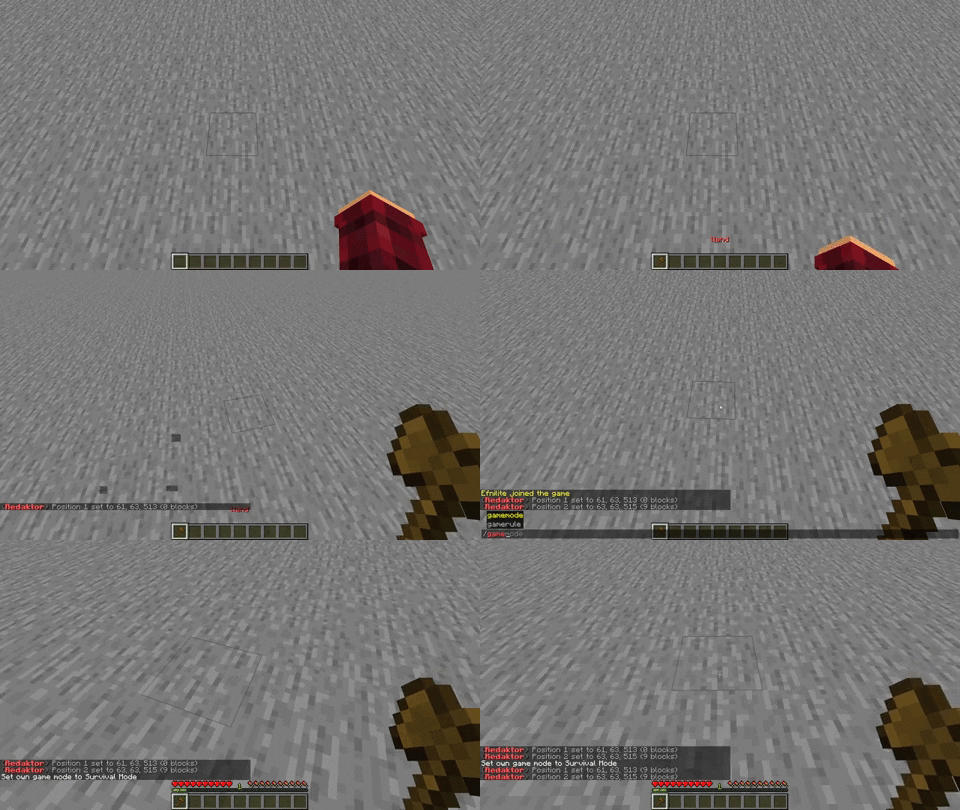
/pos1 permission: redaktor.pos1 usage: /pos1 [x,y,z] aliases: /position2
A command for setting position 1 of the selection to the sender's location. You can also set the arguments to a position (/pos1 324,42,43)
/pos2 permission: redaktor.pos2 usage: /pos2 [x,y,z] aliases: /position1
A command for setting position 2 of the selection to the sender's location. You can also set the arguments to a position (/pos2 657,32,655)
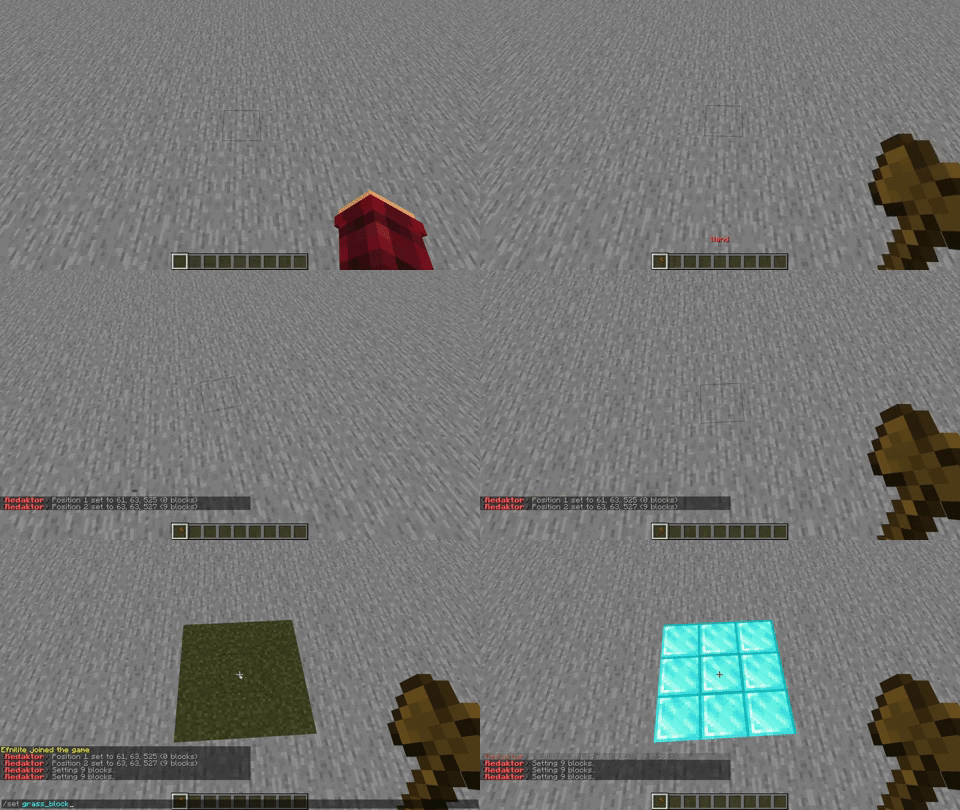
/set permission: redaktor.set usage: /set <pattern>
Sets all the blocks in the current selection to a specific Pattern. Example:
/slow permission: redaktor.slow usage: /slow <pattern> <amount of blocks per tick (1/20th of a second)>
Sets all the blocks in the current selection to a specific Pattern at a certain amount of blocks per tick (1/20th of a second). If you were to fill in 1 it would set 20 blocks a second.
/clearhistory permission: redaktor.ch usage: /ch aliases: /ch
Clears the sender's undo history, making /undo inoperable until the sender performs another change action.
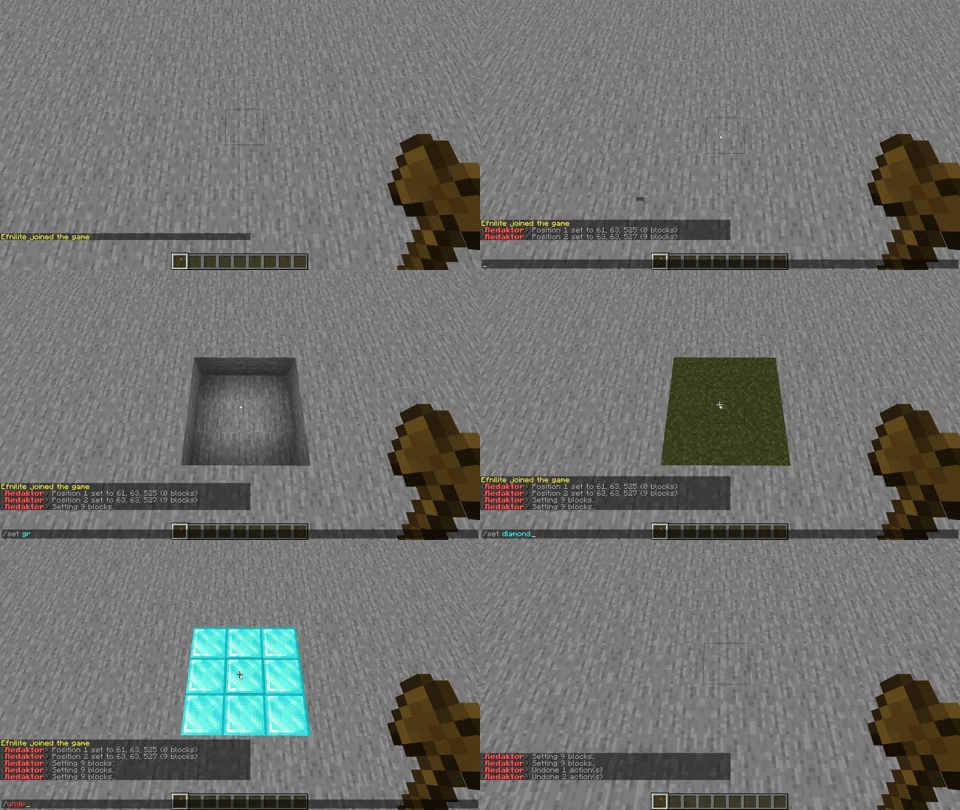
/undo permission: redaktor.undo usage: /undo [amount]
Reverses actions that have already been taken. If you do /undo [amount] you can undo as many actions as you want. Example:
/redo permission: redaktor.redo usage: /redo [amount]
Reverses undos. Here you can also do /redo [amount] to redo as many actions as you want.
/chunk permission: redaktor.chunk usage: /chunk
Selects the chunk the player is currently in.
/walls permission: redaktor.walls usage: /walls
Selects the walls of the current selection. This doesn't include the roof or floor of the selection.
/edges permission: redaktor.edges usage: /edges
Selects the edges of the current selection.
/duplicate permission: redaktor.duplicate usage: /duplicate <x> [y] <z>
Copies a selection depending on the x and z (and sometimes y) value. If you do /copy 1 1 1 it will copy your selection once in 3 directions.
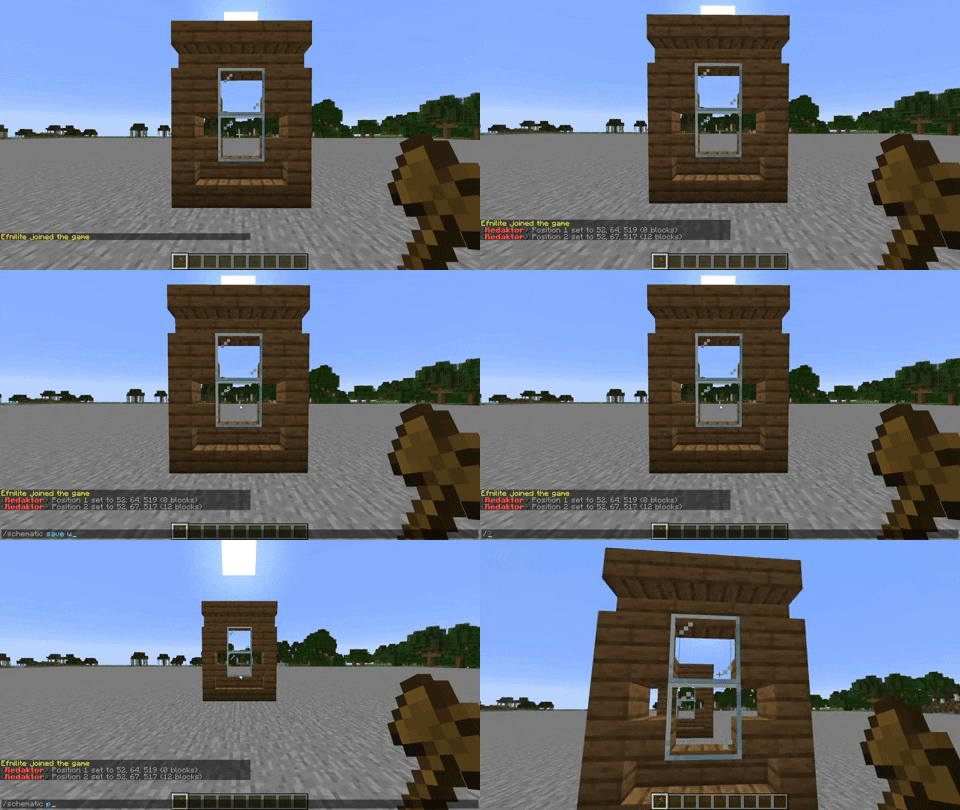
/schematic permission: redaktor.schematic usage: /schematic (save|paste) <file> [angle]
The command for everything related to schematics. Use /schematic save to save your selection to a schematic file, and use /schematic paste [angle] to paste a schematic file at your location. Example:
/superitem <command> permission: redaktor.superitem usage: /superitem <command>
The command for making items SuperItems. What SuperItems do is execute a certain command if you click on them. SuperItems can be any material (glass, water bucket, diamond sword, etc.)
/removesuperitem permission: redaktor.removesuperitem usage: /removesuperitem
This command will remove any commands attached to the SuperItem the player is currently holding.