Repository navigation
How to Play
Play now: https://eyalro.github.io/NtBA/ — nothing to install.
Remember when sports games came in a big cardboard box, the court was made of chunky pixels, and the scoreboard glowed amber? NtBA brings that feeling back: lace up, dribble down the floor under the arena lights, and sink one while the pixel crowd goes wild.
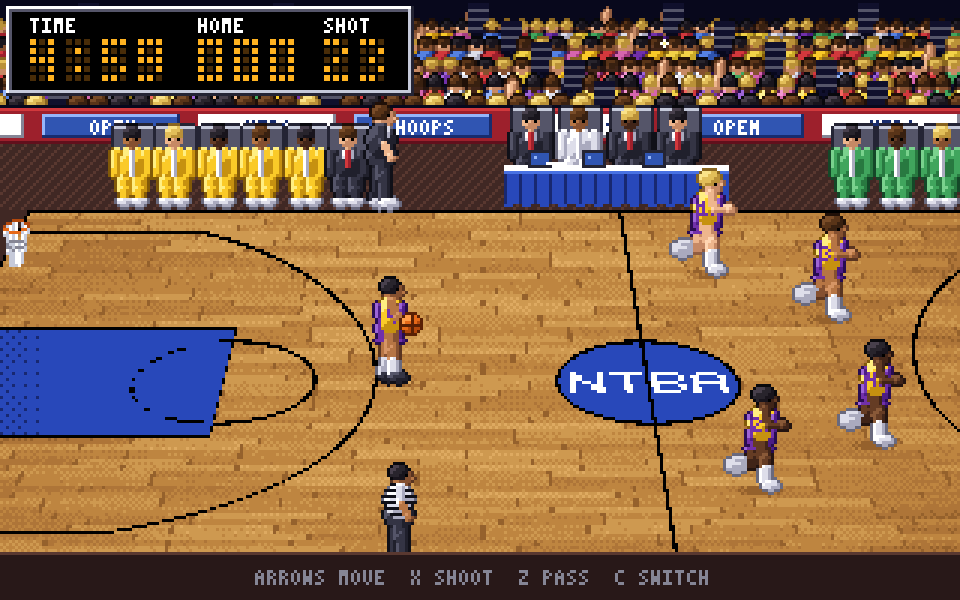
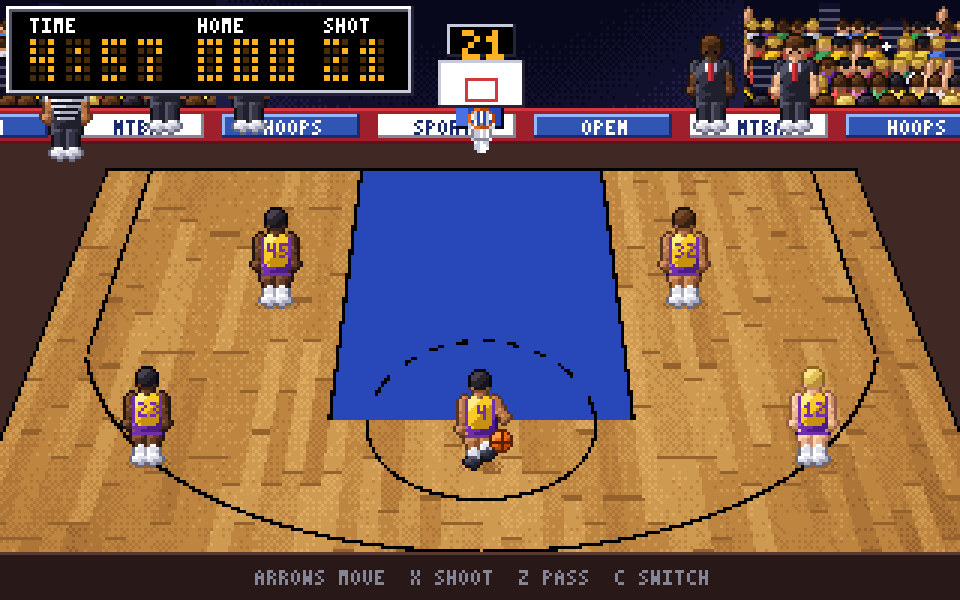
- 🏀 Two players, one keyboard: five-on-five, each of you steers one player and the AI runs the other four, against the shot clock and the game clock
- 🌐 Two players, two computers: meet in the online lobby, chat and challenge someone, or send accept or decline (see Online Play)
- 🛡️ Real defence: run into the ball handler to strip the ball, swipe for steals, block shots, jump passing lanes
- 🎥 Two camera angles: a sideline view for the break, and an end-on view when you attack the hoop
- 🎯 Smart shooting: long shots are riskier, threes are worth the gamble
- 🏟️ Arena atmosphere: a packed crowd, benches, referees and a glowing scoreboard
- 🖥️ Plays right in your browser
Early days. This is a playable prototype. A computer opponent is next, so for now bring a friend, locally or online.
| Home (gold) | Away (green) | Action |
|---|---|---|
| WASD | Arrow keys | Run (on the end-on view, Up runs toward the basket) |
| X | K | Shoot; on defence, swipe for a steal or jump to block |
| Z | J | Pass; hold a direction to pick your target |
| C | L | Switch to the teammate nearest the ball |
When the final buzzer sounds you see the score for a few seconds and are taken back to the title screen, where you can start a new local game or go online again. There is no restart key.
On defence, run into the ball handler to steal the ball. Lost your player off screen? An arrow in your shirt colour on the edge of the screen points the way. Click the game if the keys don't respond.
The page opens on a title screen over an idle demo with two buttons: Local game (a fresh local game with two pads; the Main menu button takes you back) and Online. Online is hidden when online play is not configured or your browser has no WebRTC.
Online opens the lobby.
- Pick a name (1 to 20 characters; letters, digits, Hebrew and emoji are fine). It is remembered
in your browser. Others see you as
name#ABC, where the suffix comes from a random id that changes every time you connect. - The lobby lists everyone online (up to 16), whether they are in the lobby or in a match, and whether you are connected to them. Other players in the lobby can see your IP address; that is how peer-to-peer works.
- Chat with everyone in the lobby. Hebrew and English both work, and each line aligns to its own language. Messages are up to 500 characters, nothing is saved, and each player has a Mute button.
- Press Challenge next to a connected player who is in the lobby. They have 30 seconds to Accept or Decline. A player who is in a match cannot be challenged.
- The challenger plays Home (gold) and the challenged player plays Away (green). Both of you can use either key set (WASD or the arrow keys) for your own player.
If the page says it couldn't connect directly, some networks block peer-to-peer connections: try again or try another network. How it works: Online Play.
Beating a computer-controlled team. Playing a friend online. 1-on-1 street ball. Players with real skills (shooters, passers, thieves) and positions like forward and center. A 1984 mode with chunky early-80s graphics and chip-tune sound. Broadcast-style presentation. See the Roadmap; everything planned and every idea lives in the issue tracker.
NtBA is an independent fan project, not affiliated with or endorsed by any league, team or player. All art and sound are original. Released under the GPL-3.0-or-later license.