Map
| Mouse / keyboard | Phone |
|---|---|
| Drag = pan, mouse wheel = zoom | drag with one finger, zoom with two fingers |
| Click an object = detail card | tap |
+ / − zoom, arrow keys pan |
buttons on the left |
f factory area, g whole map |
⌂ / ⤢ |
/ search, Esc close selection or search |
|
l labels, m map image on/off |
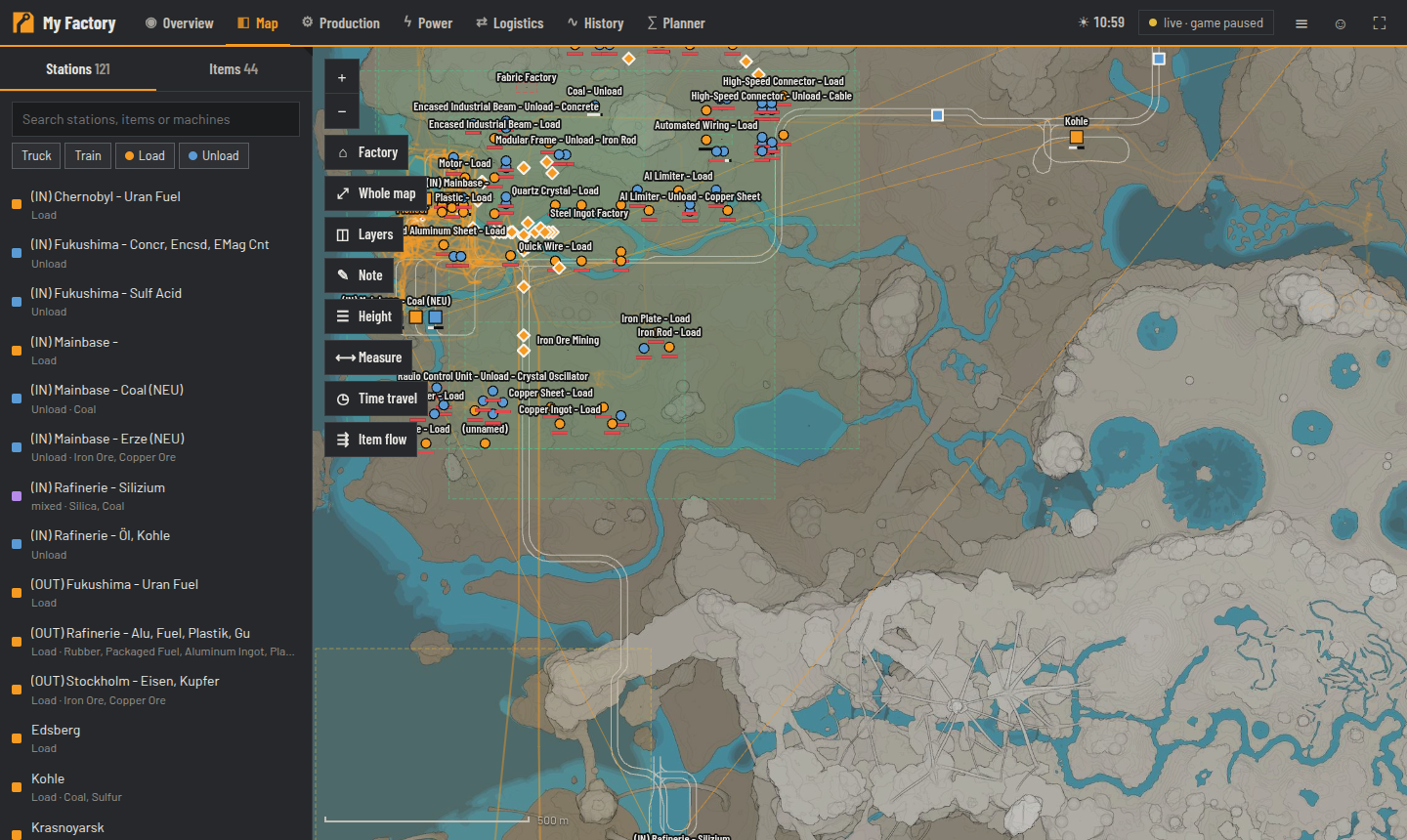
On the left are the Stations (Truck/Train, Load/Unload) and Items; at the top the players with their status. Search finds stations, items and machines and tolerates typos ("stel beam" finds Steel Beam, and so does the German name "Stahlträger").
Toggle them under Layers (the browser remembers your choice):
| Layer | Default |
|---|---|
| Game map, Foundations & walls (from a certain zoom level), rail network | on |
| Pipes, conveyor belts, power lines | off |
| Stations, train routes, vehicles, players, Player trails (2 h) | on |
| Factories (outline by status), Not connected to power, notes | on |
| Heatmap: missing input, machines, machines with missing input, generators, Resource nodes | off |
| Collectibles (missing Somersloops, Mercer Spheres, Power Slugs, unopened crash sites) | off |
Every object is clickable:
- Station: platforms, buffers, vehicles on the route with round-trip time, counterparts (who delivers here?)
- Factory: machines by status, inputs/outputs, power, 3D view, "Rename / set status"
- Machine: recipe, clock speed, target/actual rate, why it is stopped, builder
- Player / vehicle: position, speed, cargo, Follow …
In the detail card of a player, train or truck, choose "Follow …". The map moves along, even when the detail card is closed. If a player is offline, following pauses and resumes automatically at their next login. For smooth movement, following needs live data.
| Button | Purpose |
|---|---|
| Note | Point, line or area with text and category (Planned, Problem, Resource, Meeting point, Note). Requires the shared password. |
| Height | Show only one floor — detected floors as quick selection, handy for multi-storey factories |
| Measure | Distance or area; shows meters, foundations, rail and belt pieces |
| Time travel | Slider over the last 24 h: where players and trains were, how each factory was running (one snapshot per minute) |
| Item flow | Choose an item: producers, consumers, stations and the belts/pipes currently carrying it |
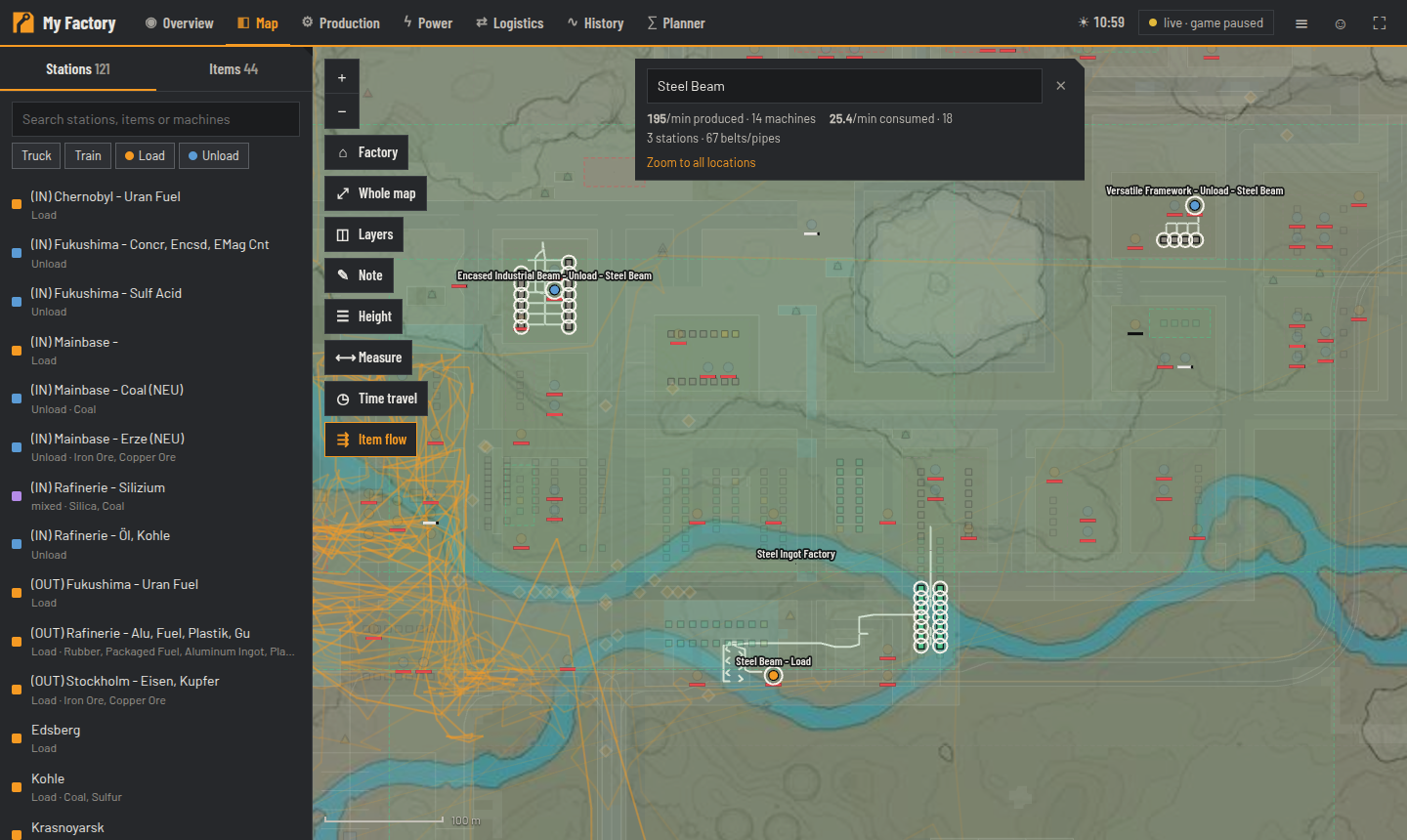
The address bar contains position, zoom and selection, e.g.
#/map?x=-1650&y=-400&z=0.42&sel=player:Ada — just copy and send it (the selection is added automatically as soon as you click something).
More parameters: item=Steel%20Beam (opens Item flow).
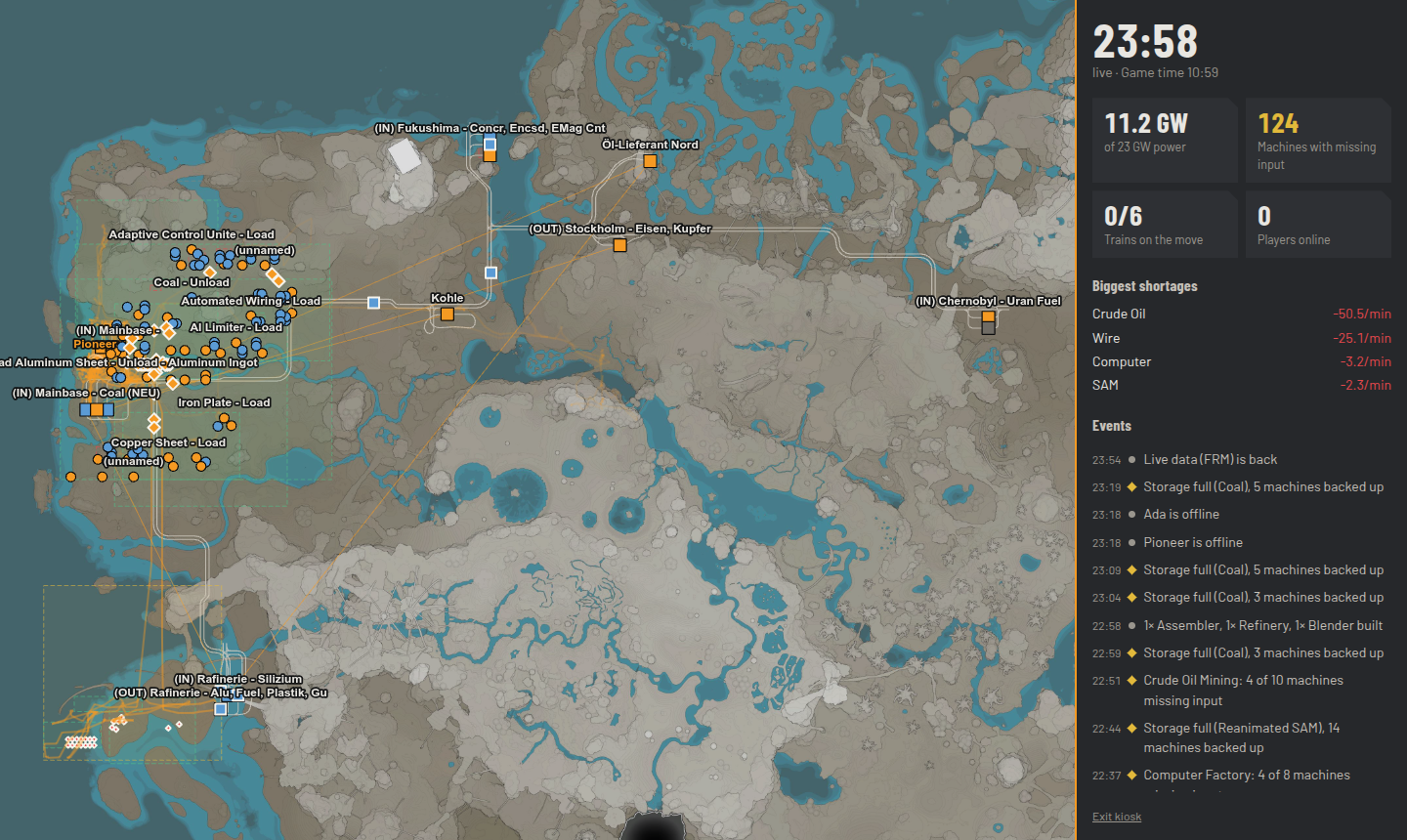
#/kiosk shows the map, key figures, the biggest shortage and events without controls.
-
#/kiosk?follow=<player>follows a specific player (otherwise the first one who is online) -
#/kiosk?rotate=30switches between Map, Production, Power and Logistics every 30 s