Planner
Plans production chains using only recipes that are unlocked on your server, and takes existing surplus from your factory into account.
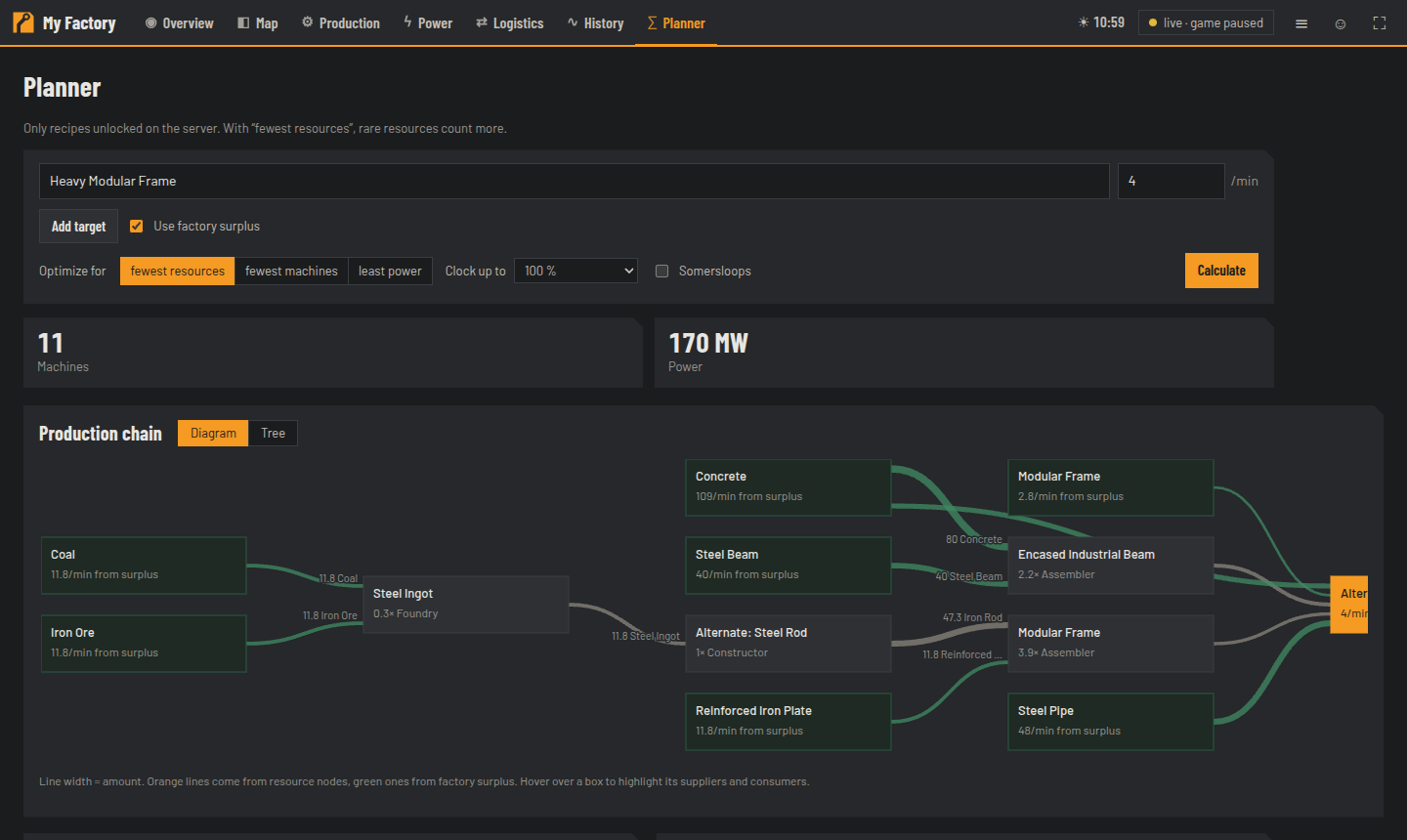
- Choose an item (typos and German names work), enter the amount per minute. Add target for several items.
- Options:
- Use factory surplus — what your factory has left over today is used first (up to 90 %).
- Optimize for fewest resources (rare resources count more), fewest machines or least power.
- Clock up to 100–250 % — fewer machines with Power Shards, but disproportionately more power.
- Somersloops — double output per machine, four times the power.
- Calculate.
- Production chain as a Diagram (line width = amount; orange = from resource nodes, green = from surplus) or as a Tree.
- Build list: recipe, machines (with an odd clock speed for the last one) and power for each step. Under Choose recipes you can allow or block alternate recipes per item.
- Resources, by-products, required Power Shards and Somersloops.
- Free nodes: matching unoccupied resource nodes, sorted by purity and distance — to the largest factory or to a Build site that you click on the map.
- Save plan as map note stores the target and build list as a note at the build site (password required).
For steps with a Constructor or Smelter, Blueprint ⤓ appears: a ZIP with .sbp/.sbpcfg containing the machines in
the right number with recipe and clock speed set (based on bundled templates). Not yet tested
in the game — try it in a test world first. Installation: unpack the ZIP and copy it to
…/SaveGames/blueprints/<Session>/, then reload the save.
#/planner?item=Heavy%20Modular%20Frame&rate=4 opens the planner pre-filled — this is also how the Overview page
links from the Shortages list.