Home

The Logistics Map is a web app for your own Satisfactory dedicated server. It reads the save (and optionally live data) and shows factories, trains, conveyor belts, power grids and bottlenecks — on your PC, on a second monitor or on your phone. Other players only need a browser.
The UI is in English by default. You can switch it to German under My view → Language.
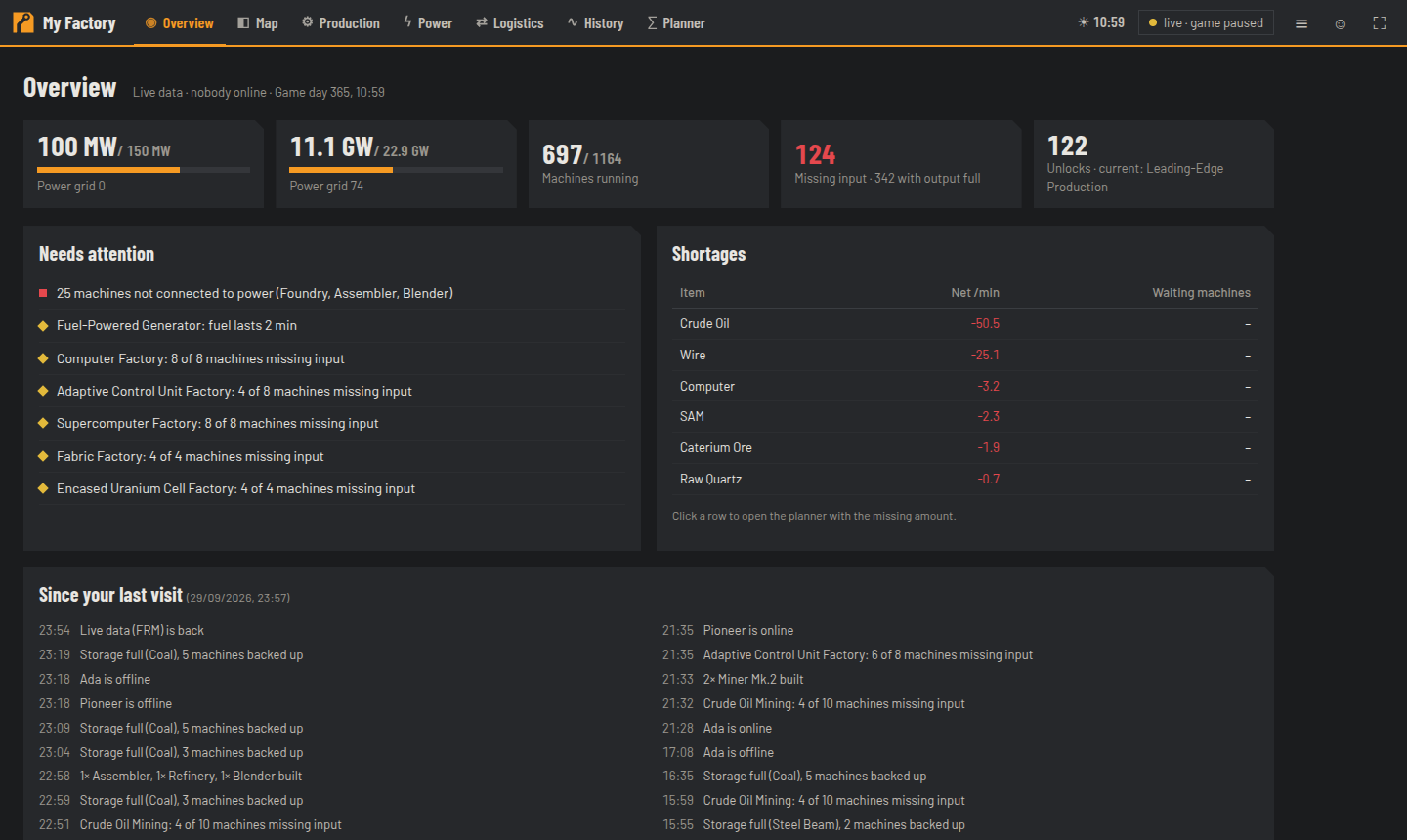
- Installation with Docker — up and running in 5 minutes
- Save source — where the map gets the save from
- Optional: Live data with FRM — positions every 5 seconds instead of every 5 minutes
- Optional: Public access — for other players over the internet
| Topic | Pages |
|---|---|
| Setup | Installation with Docker · Installation without Docker · Save source · Live data with FRM · Public access · Configuration |
| Using the map | Usage overview · The map · Planner · How-to |
| Operation | Updating and backups · Troubleshooting |
| For developers | API · Development |
- A Satisfactory dedicated server (version 1.0 or newer; tested with build 502094 "anniversary-2026", save version 60)
- A machine to run the map: Linux server, NAS, Windows or macOS with Docker Desktop (ARM devices such as a Raspberry Pi should work but are untested). The map needs about 1 GB of RAM for large factories (1000+ machines) and hardly any CPU.
- Access to the saves: the server's admin password or SFTP/FTP or the save folder directly
- It never writes to the save and changes nothing on the server. Notes and factory names are stored only in the map.
- It does not replace the Satisfactory Calculator map for editing saves.