Troubleshooting
If crashing, metadata, scraping, playback, or features are not working, try these in order:
Open Prism and go to Tools:
- Clear Cache
- Rebuild Database
- Wipe Addon Data (optional — resets local data)
- Reinstall The Addon (fixes most issues)
- Reinstall InputStream Adaptive (fixes most crashing issues)
- Reinstall Kodi (last resort)
Connection issues can also be the cause:
- Restart your device and router
- Disable IPv6 on your router or device
- Adjust Kodi cache settings
Reconfigure your accounts in Prism → Settings → Accounts:

Supported services: Real-Debrid, Premiumize, AllDebrid, TorBox, and Offcloud. Make sure each account shows as authorized (username visible).
If sources are not being found:
- Verify you have installed and enabled third-party provider packages (Prism does not include any by default)
- Check individual provider settings in Provider Manager
- Some providers offer proxy or alternate endpoints for ISP blocks — enable these in provider settings if available
- Try Clear Cache and Rebuild Database
Make sure your Kodi video settings match the defaults, otherwise Play Next may not work consistently:

Re-authorize Simkl in Prism → Settings → Accounts:

If errors persist, adjust watchlist sync settings.
Enable provider proxies in individual provider settings if available:
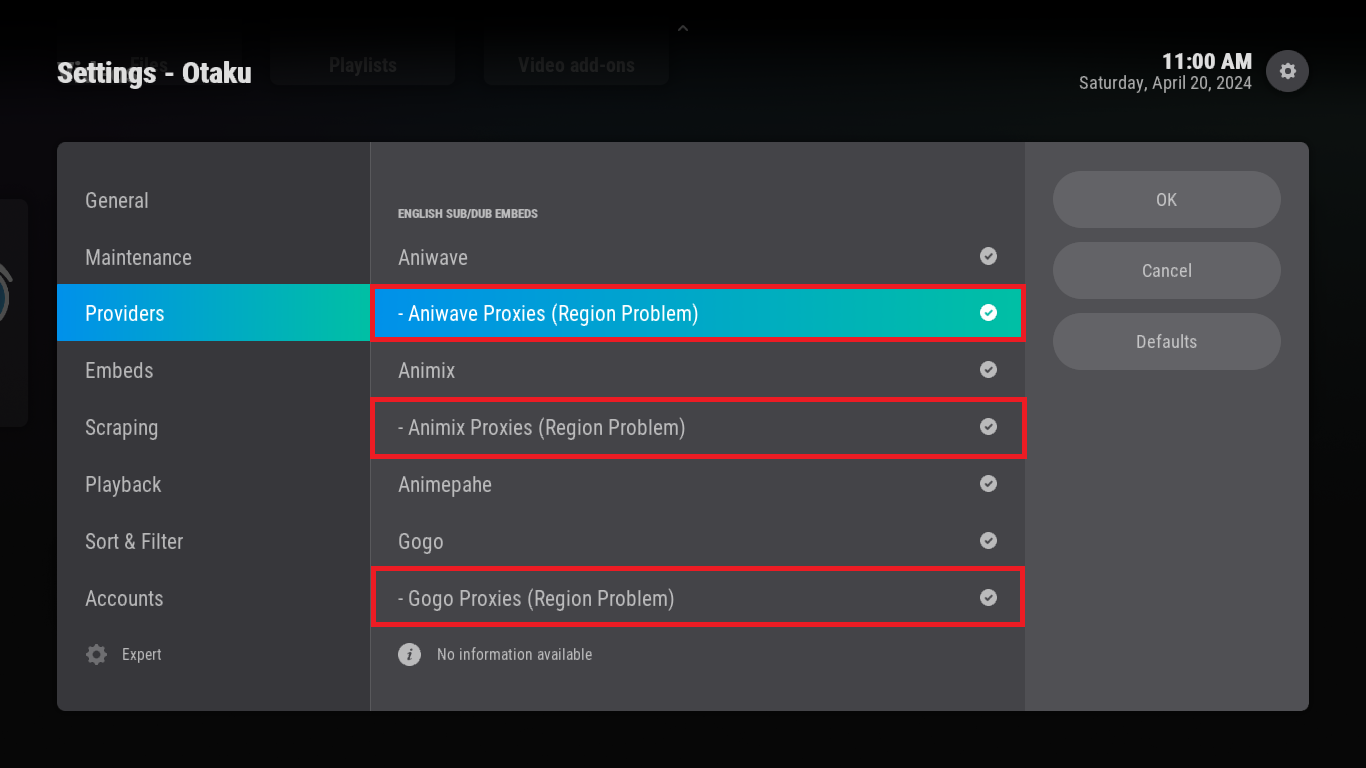
If problems continue, try changing your DNS settings.
Prism is in early release. Some devices may have edge-case bugs:
| Device | Known issues |
|---|---|
| Apple TV | Report issues on GitHub Issues with device model and Kodi version |
| Xbox | Report issues on GitHub Issues with device model and Kodi version |
| Android TV / Fire TV | Generally supported; try clearing cache and rebuilding database first |
| Windows / Linux / macOS | Generally supported |
When reporting device-specific bugs, include your Kodi version, Prism version, device model, and steps to reproduce.