Repository navigation
Module Tour
Every module adapts to the jet selected in the top bar, and the Learn bar lists only the pages that jet can open, grouped as BVR, Close combat, Flying and the jet's own pages under its name. BVR pages take the ten fighters; the air-to-ground pages take the attack jets (the Su-25T and the A-10C II). Follow an old link to a page your jet does not fly and it tells you which jets it does.
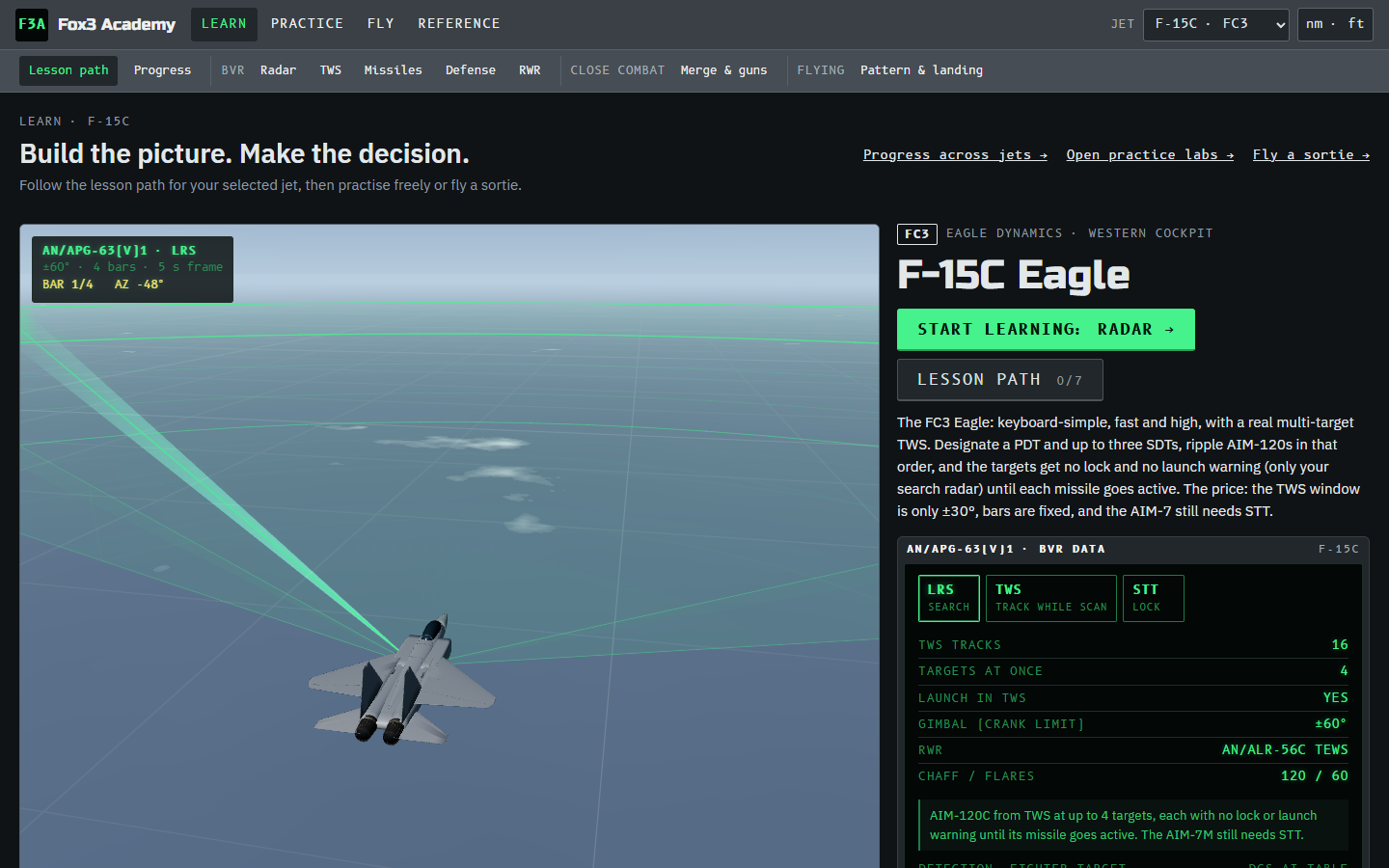
What your jet can and cannot do in BVR: radar modes with the cockpit's own labels (ОБЗ, СНП, АТК on the Su-27), how many tracks and how many targets can have missiles at once, whether you can launch from TWS, detection range, RWR, chaff and flares, and one card per missile with its launch-zone ranges and the rule you must obey to guide it. Progress shows your completed lessons for every jet. A fighter with pages of its own gets a row of them under the lesson path (HARM & SEAD and ATFLIR on the F/A-18C).
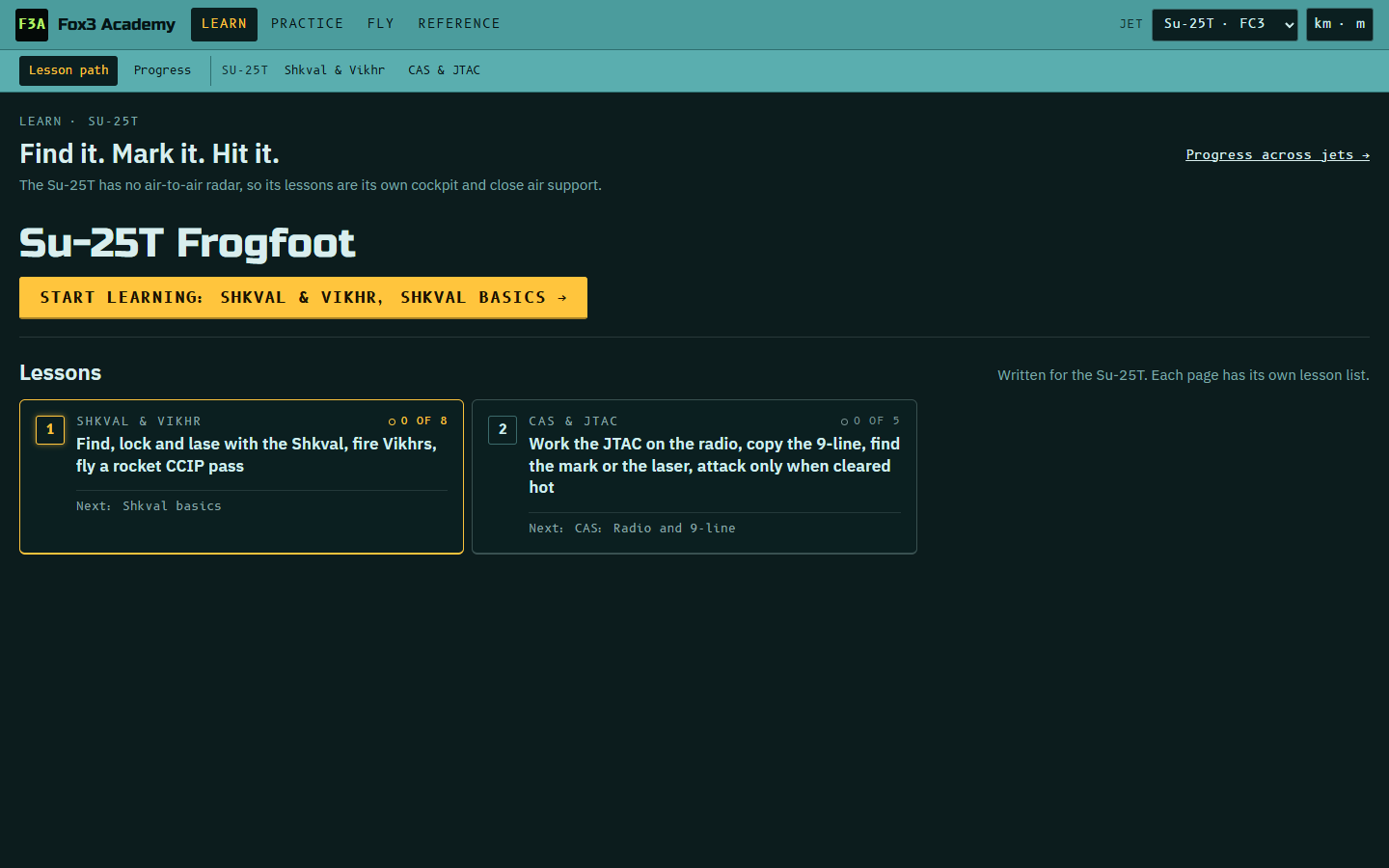
The attack jets have no BVR path: their Learn page lists their own pages with how many lessons you have done, and Continue opens the next one.
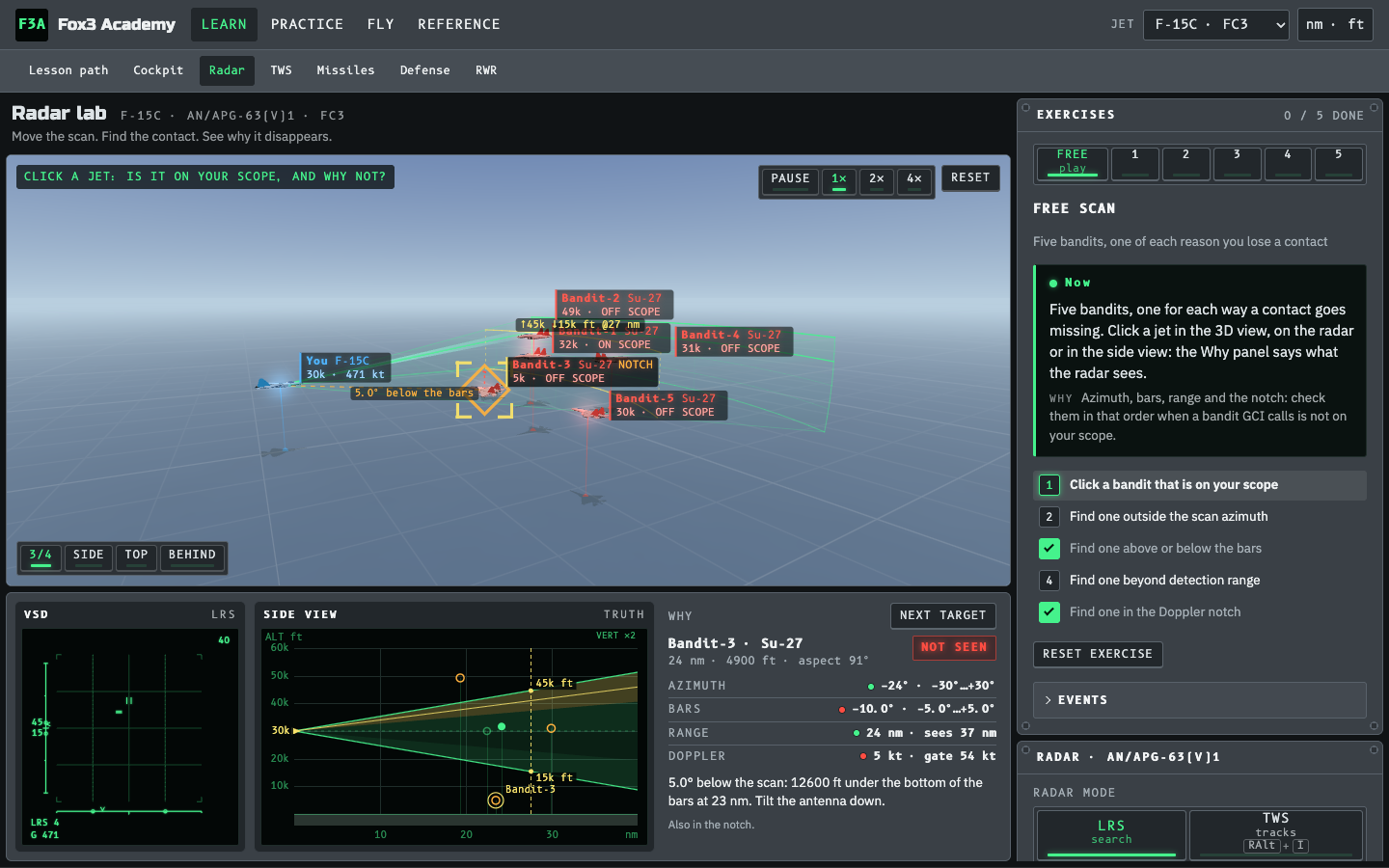
The scan volume in 3D. Change azimuth width, bars, antenna elevation and range and watch what the radar can see. Click any jet and the Why panel says why it is or is not on your scope: outside the azimuth, above or below the bars, beyond detection range, or in the Doppler notch. Eight exercises:
- 1–5: the classic ways to lose a contact.
- 6, Jammer and burn-through: a jammer is only a bearing, drawn in your jet's own symbol (the F-15C column of boxes, the Su-27 strobe and АП, the Hornet dugout, the Viper chevrons, the Tomcat strobe). Take a jam lock and hold it until burn-through gives you range.
-
7, Friend or foe: a friend and a bandit side by side. The F-15C and Su-27 family identify friends by
themselves; the others interrogate (Viper TMS Left, Hornet on designate,
I,S). No reply never proves hostile. - 8, Datalink picture: an AWACS (and a Link 16 wingman) shows contacts beyond your radar; bring your scan onto one and lock it with your own radar.

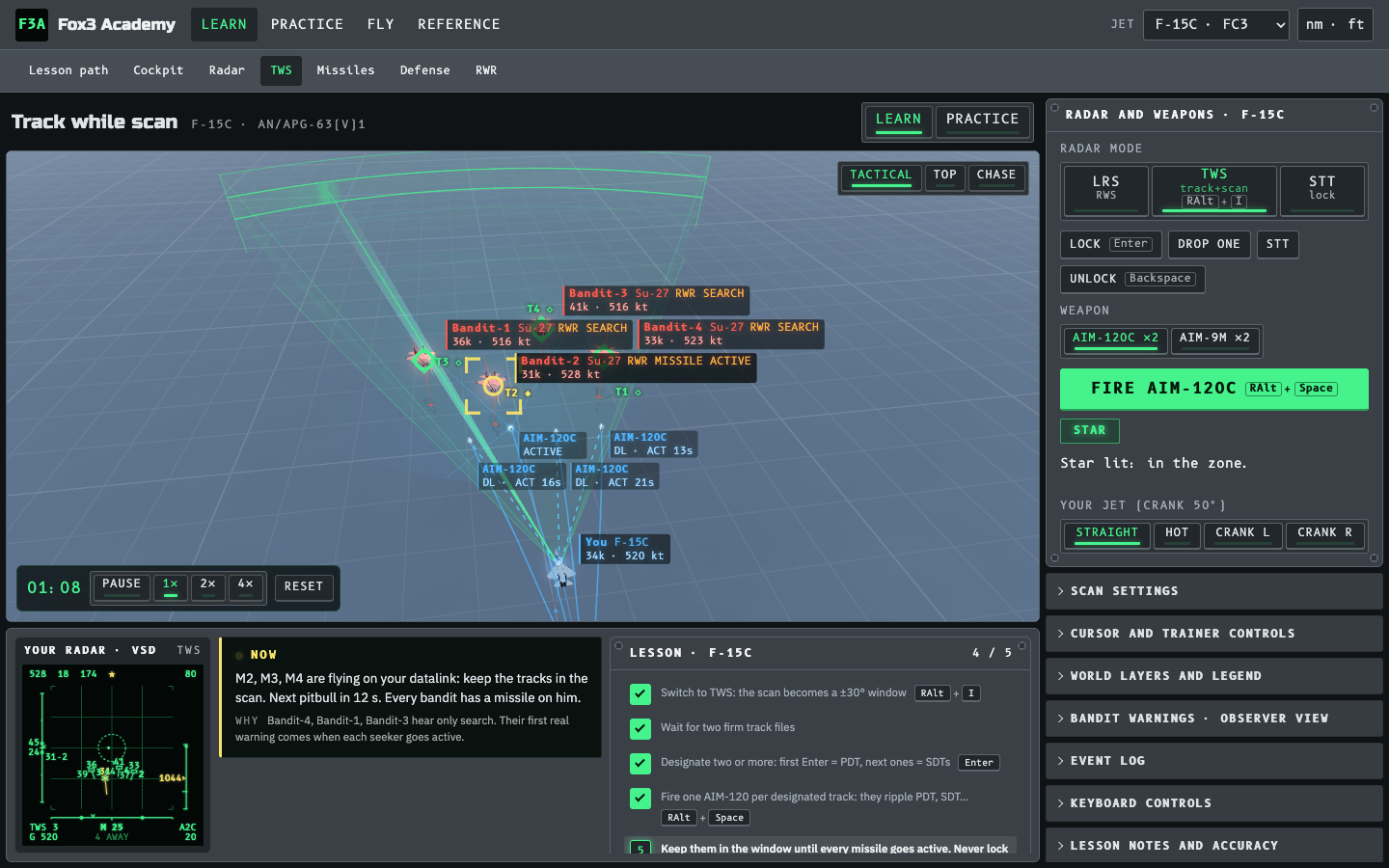
Four bandits come at you. Switch between RWS, TWS and STT, build track files, designate and shoot. The point is the panel showing what each bandit's RWR says: in TWS a Fox 3 target hears only a search radar until the missile goes active. The checklist follows your jet's procedure (Su-27: СНП auto-lock at 85 % Rmax; F-15C: up to four designations; MiG-29S: the two-target СНП2 R-77 shot; M-2000C: no multi-target TWS). Practice mode drops the checklist: free cursor, explicit designation, no time limit.

Launch-zone lab. Choose missile, shooter altitude and Mach, target altitude, Mach and aspect, and what the target does after launch (nothing, turn cold, beam, crank, notch with chaff). Fire and watch the shot in 3D with plots. The slider shows Rmin, Rne and Rmax live. Presets cover the big lessons: shoot high and fast, a cold target shrinks your range, what "no escape" means, loft.
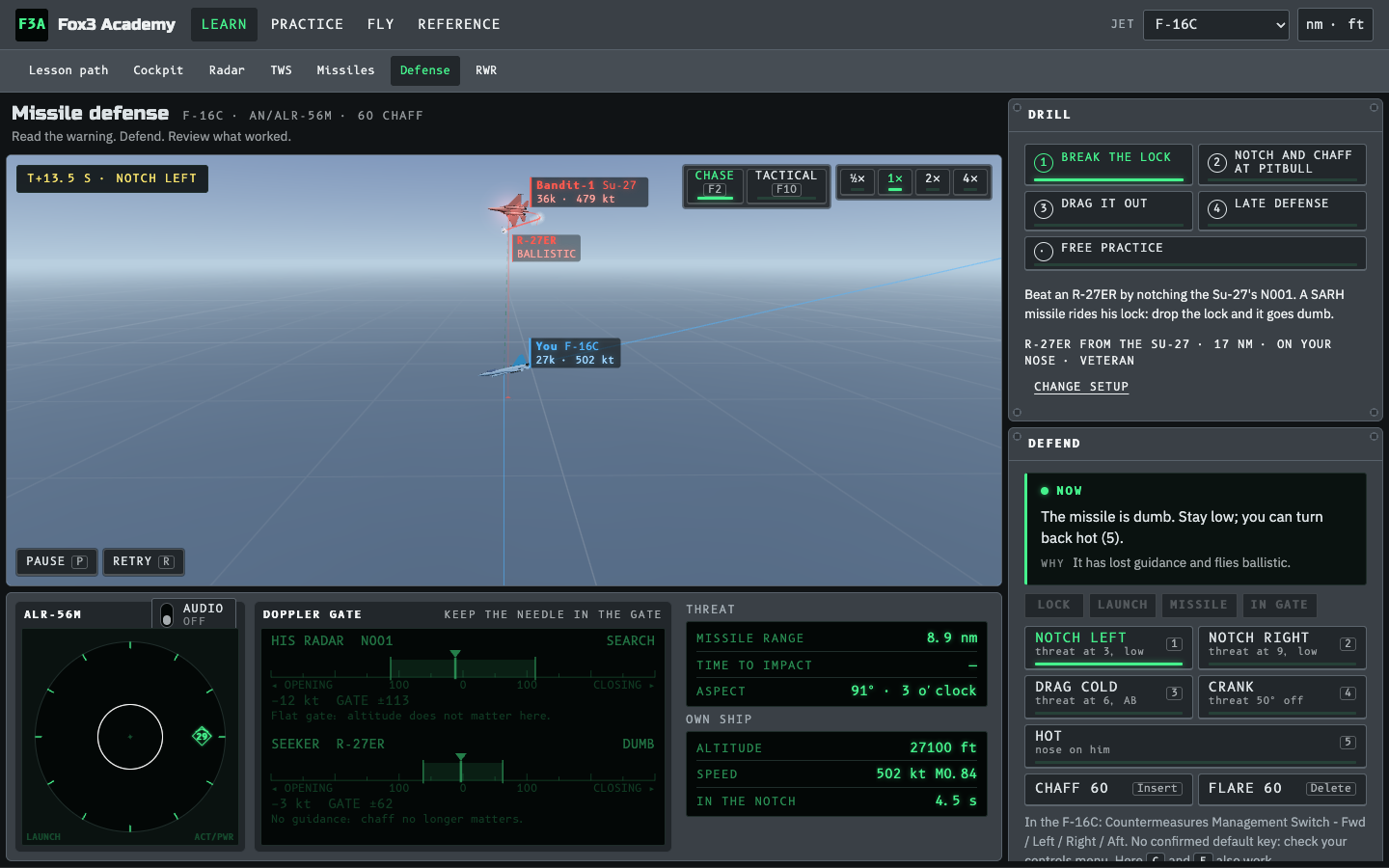
You are the target. Break an R-27ER or AIM-7 by notching the shooter's radar, beat an active AIM-120 or R-77 with notch and chaff at pitbull, drag a long shot out of energy, and see what a late defense costs.
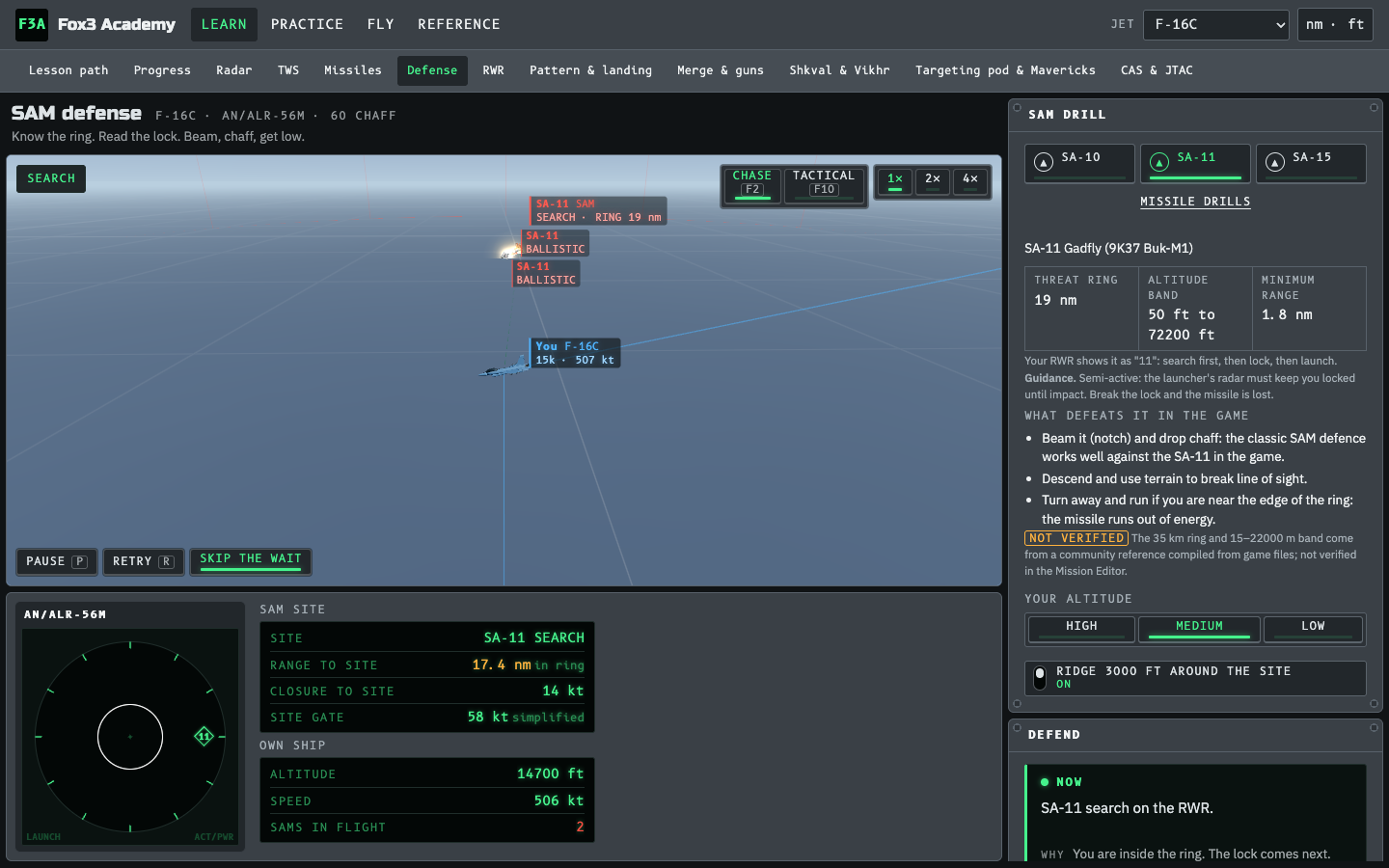
SAM drills (SA-10, SA-11, SA-15): know the ring and altitude band, read the search, lock and launch on your RWR, then beam and chaff, get under a ridge or turn out of the ring. The debrief says why the track broke or held.

Learn mode explains your jet's RWR part by part (the SPO-15 lamp panel, or the round scope on Western jets) with a sandbox where you drag threats around and set them to search, lock, launch or active. Quiz mode asks you to read the display: who is locking you, where the launch is, and what to do now.
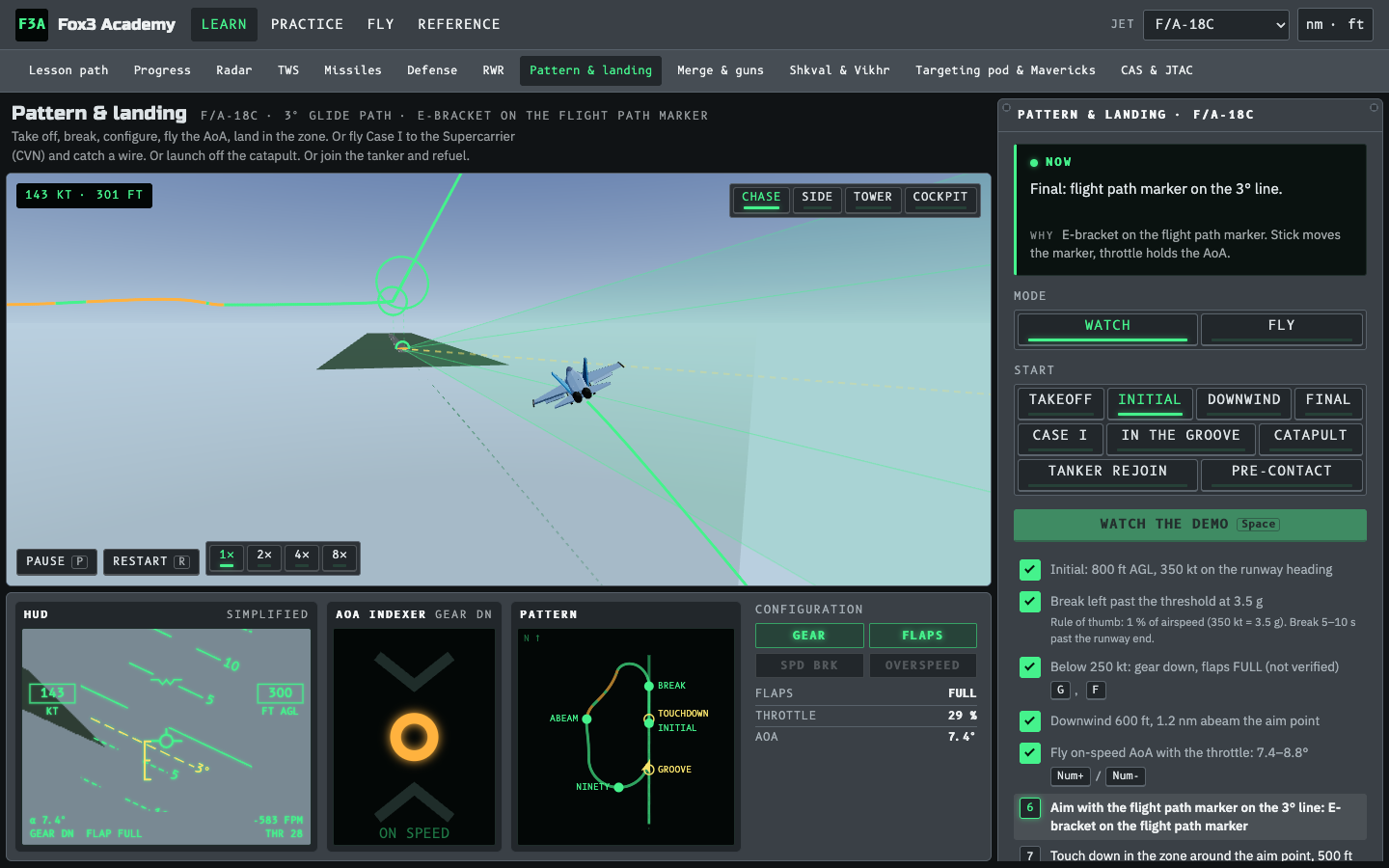
All ten fighters. Watch the demo or fly it yourself: the overhead pattern (initial, break, downwind, final), takeoff, return to base with the jet's own nav modes (ВЗВ / ПОС, ILSN), Case I and In the groove on the Supercarrier or the Kuznetsov with the LSO and the ball, catapult and ski-jump launches with the full launch sequence, and tanker rejoin and pre-contact on the KC-135, KC-130 or IL-78. The HUD, AoA indexer and trace guide you; the debrief grades each gate. Time acceleration (1× to 8×) shortens the long transits and drops back to 1× when precision matters.

Close-combat basics for all ten fighters, in an arcade BFM mode: corner speed, pursuit, the merge, one vs two circle, high yo-yo, guns tracking and defence, a close-range lock and IR shot, and a free fight against a rule-based fighting AI. Each jet shows its own gun sight (FC3 funnel and LCOS, Hornet funnel, Viper EEGS, Tomcat RTGS, ...).
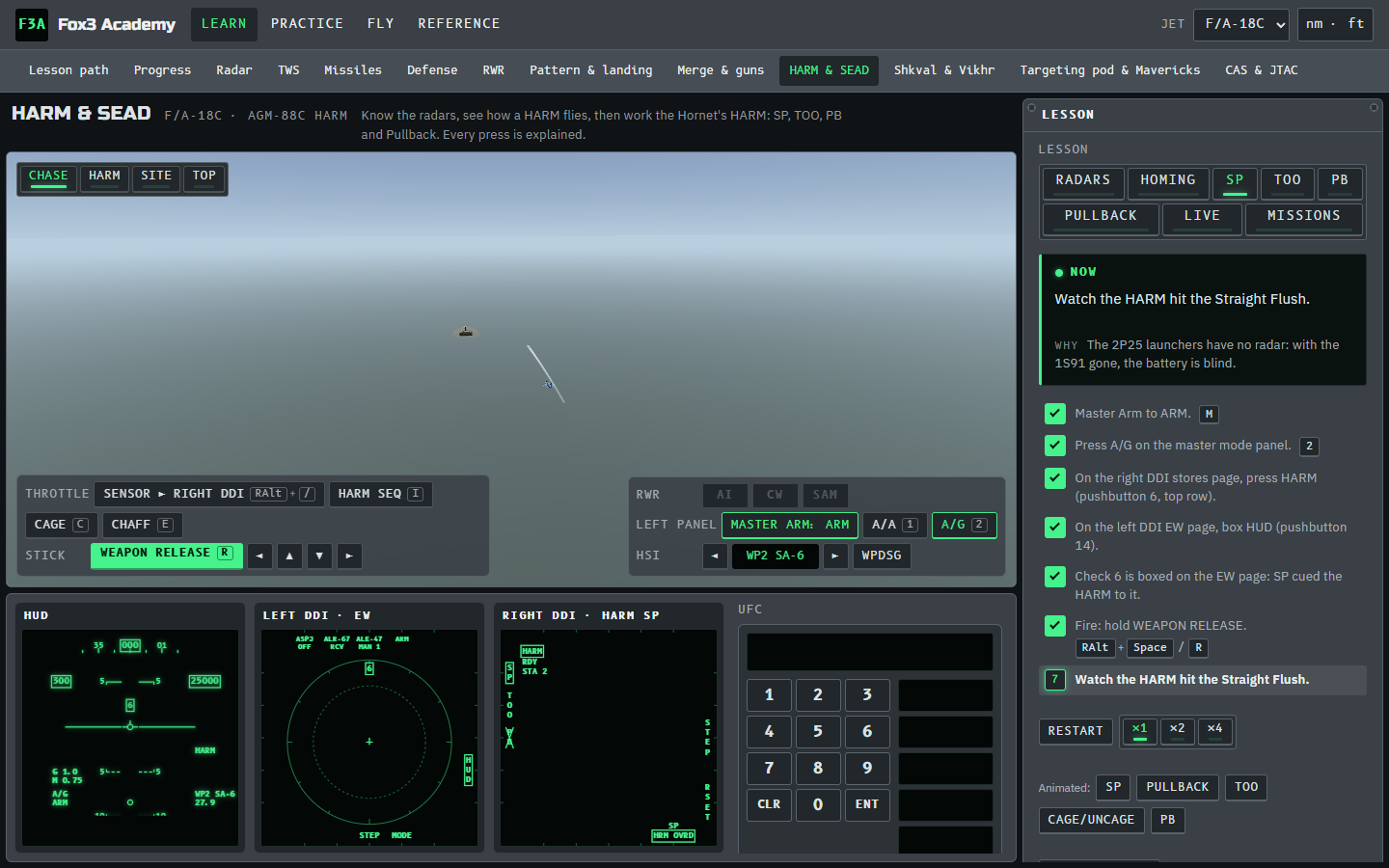
Suppression of enemy air defences with the AGM-88C HARM in the Hornet. You work the real cockpit flow on clickable displays: the HUD, the left DDI EW page, the right DDI stores and HARM formats, the UFC, the HSI and the throttle, with every DCS key also on an on-screen button. Every press says why, with the ED guide page.
- Radars: a 3D gallery of the SA-6, SA-8, SA-11, SA-15 and SA-10 batteries: which vehicle carries the radar, its RWR symbol, its TOO class and its PB code.
- Homing: four short films of how a HARM flies, and how it misses when the radar goes quiet.
- SP (self-protect), TOO (target of opportunity: field of view, CLASS filter, HARM Sequence, Cage/Uncage hand-off), PB (pre-briefed: UFC code, WPDSG, HUD pull-up cues) and Pullback (a lock readies a HARM against that radar).
- Live: each site makes one scripted shutdown, then can be engaged after its radar returns. This makes the lesson completable with four HARMs; the behavior is explicitly simplified.
- Troubleshooting: five fault cases covering TOO hand-off, PB code, target point, radar silence and last-weapon target choice.
- Missions: two practice missions for DCS (safe ranges and a live SEAD) to download and fly.
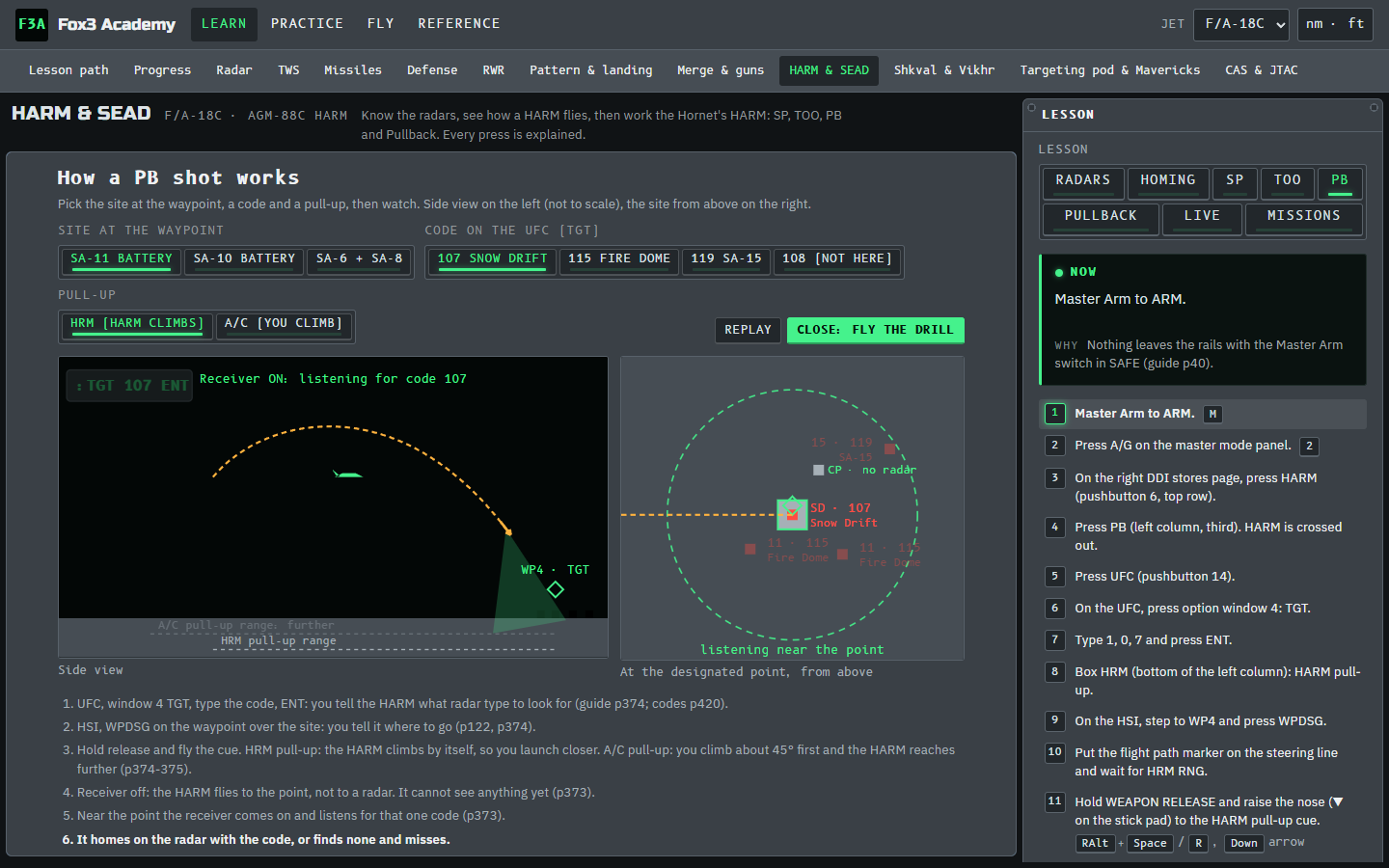
Each mode opens with an animated guide: SP (cue, HARM Sequence, a lock and the shot back, a radar going quiet), TOO, Cage/Uncage (what a hand-off is), and PB at an SA-11, SA-10 or SA-6 site, code by code. Code appendix opens the guide's full table of PB codes, RWR symbols and classes.
Seven exercises use an original 3D depot and truck targets: assign FLIR control, find a target, designate and track, recover a track, set up the laser, deliver a GBU-12 in AUTO, and troubleshoot a delivery. Hold slew controls for smooth movement; tap for fine adjustments. Narrower FOV slows slewing. IR/TV, WHT/BLK and an optional green viewing filter help practise reading the scene.
The 3D range sits above a cockpit strip containing the HUD, STORES DDI, FLIR DDI and UFC. Click CODE on STORES or UFC on FLIR, select the displayed UFC option, enter 1688 or 1687 on the keypad, then ENT. Pod LTDC and bomb CODE remain independent. Arm LTD/R; box TRIG for manual trigger practice (Space). A tap emits for two seconds; a hold continues emission. For the AUTO delivery, leave TRIG unboxed, arm Master Arm, start the aligned training pass, and hold Weapon Release (RAlt+Space or the on-screen button) through REL zero. Watch LASER, then TTI. The upper view follows the original Blender GBU-12 exterior, with a visible trail and impact flash/smoke. Switch to Range camera to orbit. The bomb is enlarged four times; flight and effects are illustrative.
Code mismatch, lost track and laser-off cases each save their result. All three finish troubleshooting. The pass is scripted: 8 seconds to release, 12 seconds to impact and a final-three-second illumination check are arbitrary teaching rules, not DCS ballistics or laser performance. Codes 1688/1687 are exercise presets. Cockpit procedures follow ED's March 2024 manual; current-game verification remains open.
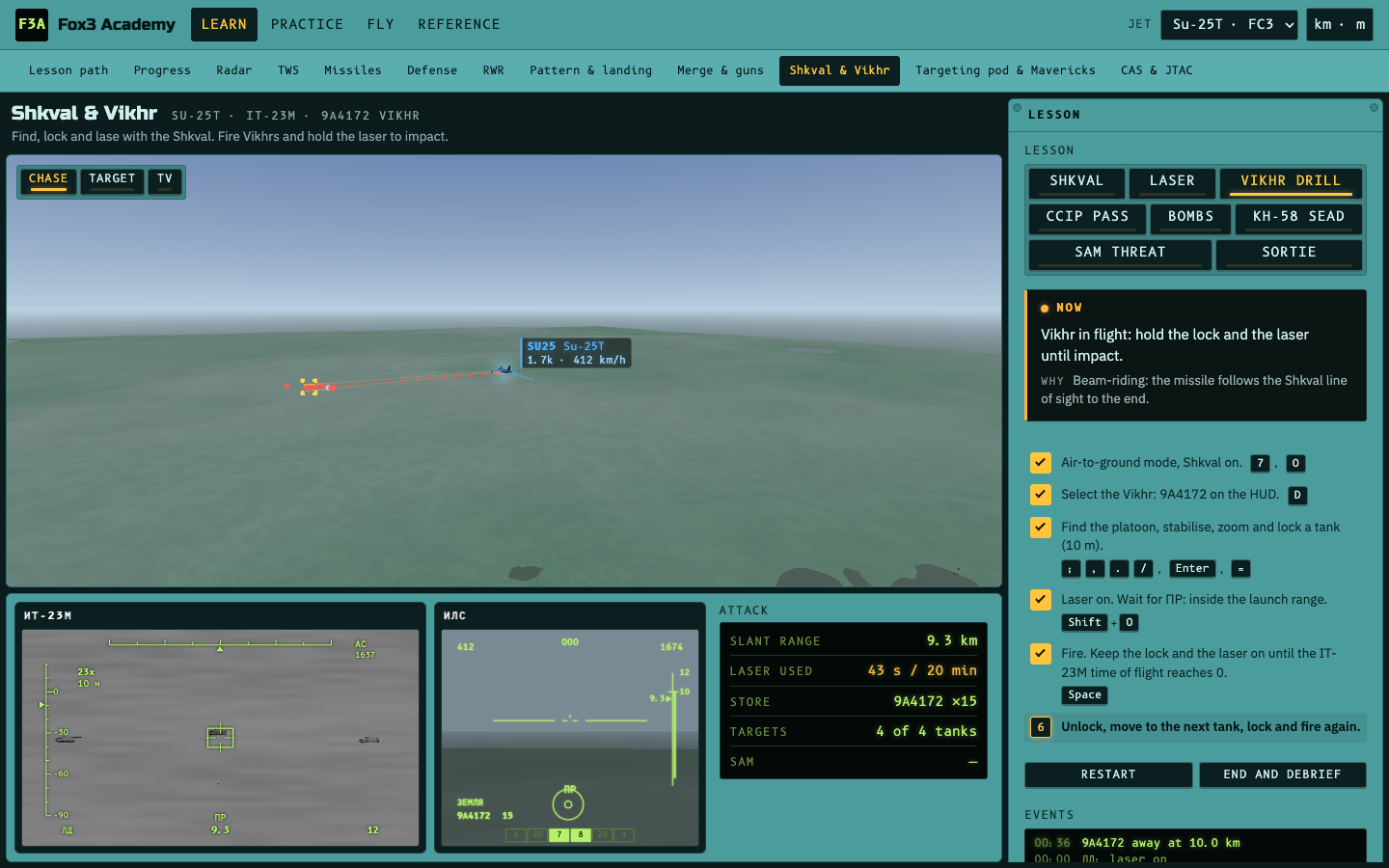
The Su-25T cockpit: find, lock and lase with the Shkval (the IT-23M TV picture with its symbology), fire Vikhrs and hold the laser to impact, a hand-flown rocket or gun CCIP pass, CCRP bombs, Kh-58 SEAD against an SA-15, a SAM threat lesson, and a full attack sortie with a plan-view debrief.

The A-10C II cockpit on its own: the HUD, the TAD and the Litening pod on the MFCDs, flown with the DCS default HOTAS keys (TMS, DMS, China Hat, Coolie) or the Controls buttons. Six lessons, written as one action per step:
- SOI and SPI: which screen your keys control, and the one point every sensor uses.
- Targeting pod: slew, WIDE / NARO, zoom 0Z–9Z, POINT / AREA / INR track, make it the SPI.
- Laser and LSS: lase on 1688, then find a friendly's spot on 1511 (LSRCH, DETECT, LTRACK).
- Maverick D / H: SENSOR to DLZ, slave to the SPI, lock on the MAV page, fire, relock for the second.
- Laser weapons: GBU-12 in CCRP, APKWS and the AGM-65L on your own laser.
- Gun strafe: GUNS mode and a 30 mm pass.
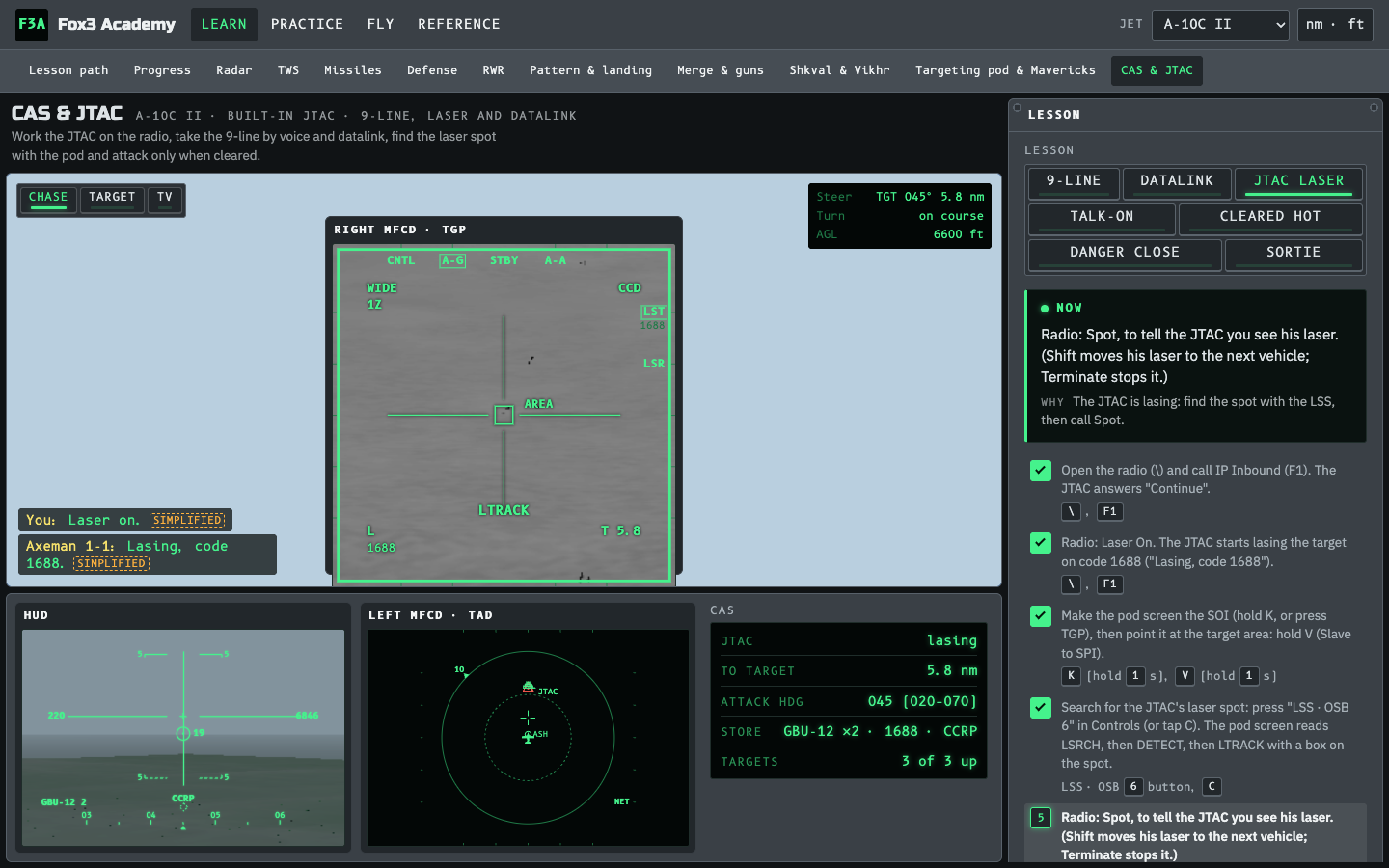
Work the built-in DCS JTAC before you fly it: check-in, the 9-line on the kneeboard, readback, IP inbound, the smoke and the talk-on, In, cleared hot, Off. Lessons: 9-line, Talk-on, Cleared hot, Danger close and Sortie. In the A-10C II two more: JTAC laser (Laser On, find his spot with the LSS, Spot, then an AGM-65L or GBU-12 on it) and Datalink (the digital 9-line: NEW TASKING, the red triangle on the TAD, the MSG page, WILCO, make it the SPI).
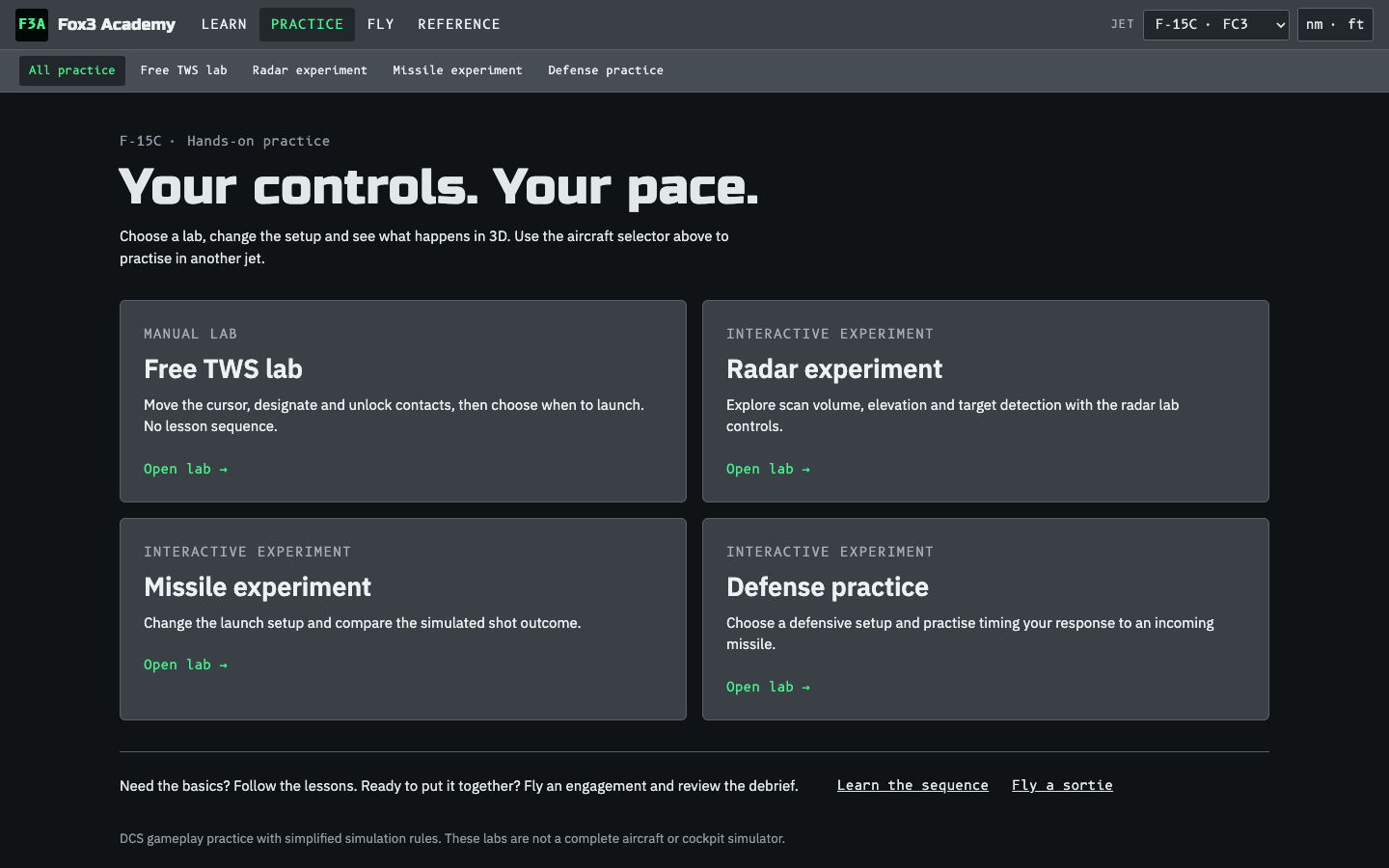
The free TWS lab and configurable Radar, Missile and Defense experiments, without a lesson sequence.

A full BVR fight: 1v1, 1v2, or 2v2 with an AI wingman, against AI that commits, locks, fires, cranks, notches and drops chaff, scaled from rookie to ace. Options add SAM sites, bandit ECM (the mission editor's "ECM Using"), your own jammer, a friendly AWACS for the datalink, and IFF (interrogate before you shoot: the debrief flags blue on blue). You fly a tactical autopilot, run your radar with your jet's keys, and use time acceleration.

The debrief replays the fight in 3D with a timeline of launches, pitbulls and hits, per-shot stats (range vs Rmax, F-pole, warning time) and coaching. Truth / Your radar switches between the whole fight and what your sensors actually knew. Download ACMI opens the fight in Tacview.
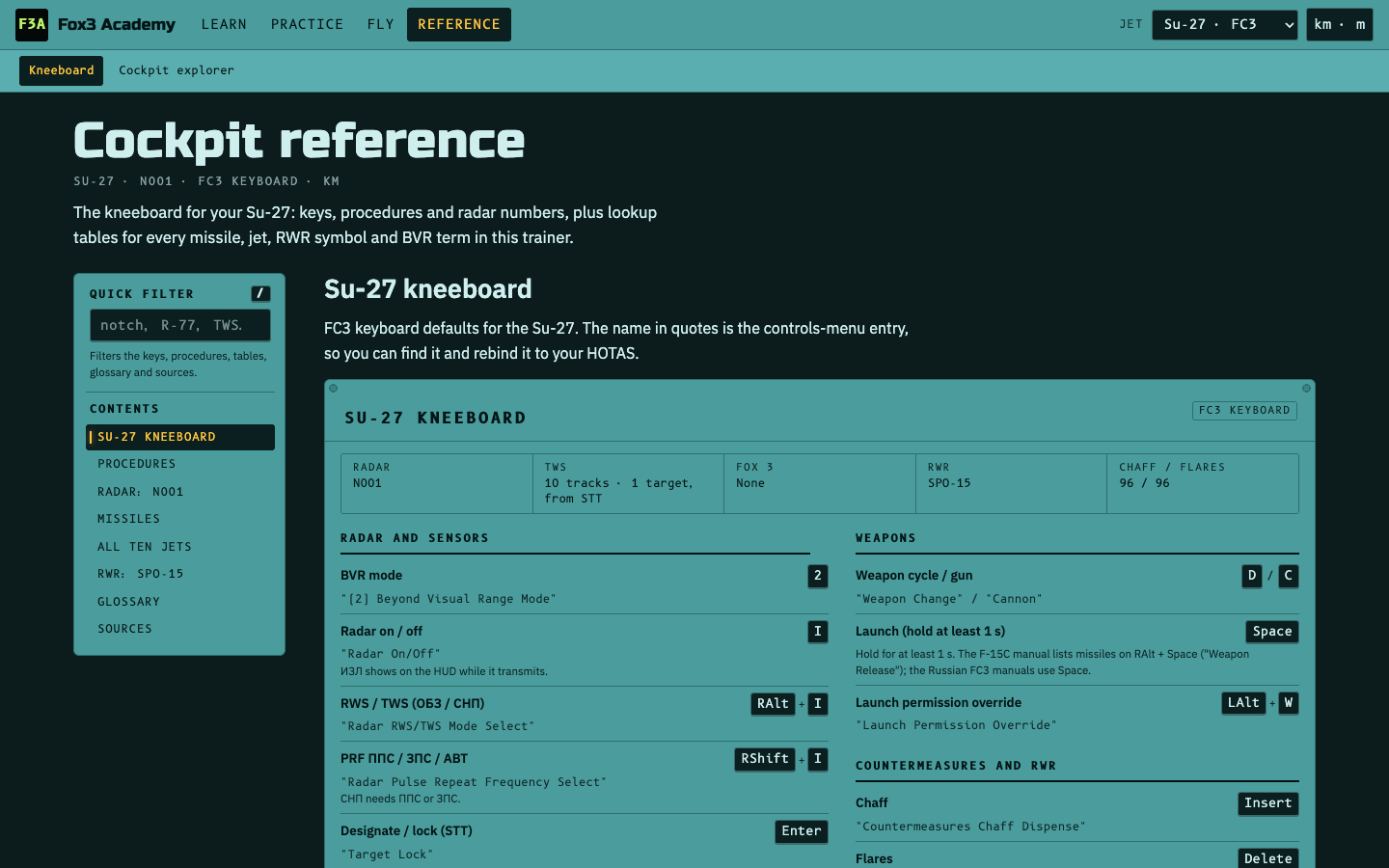
Your kneeboard: bindings (FC3 keyboard defaults, or HOTAS function names on full-fidelity modules), procedures, radar numbers, a table of all the missiles, a comparison of the jets, RWR symbols, the SAM sites, a BVR glossary and the research sources. The quick filter searches it all.